10 meilleurs outils d'auteur d'aide gratuits (édition 2026)


La documentation est le travail que personne ne veut, mais dont votre entreprise dépend secrètement. Si les clients ne peuvent pas utiliser votre produit comme prévu, ils ne resteront pas longtemps, n'est-ce pas ?
Les bons outils d'auteur d'aide (ou HAT) peuvent transformer la documentation en un processus presque agréable.
Le mauvais outil, en revanche, vous submerge de modèles, d'exportations défectueuses et d'e-mails d'abonnement hebdomadaires qui vident discrètement votre carte.
Ce guide est celui que nous aurions aimé avoir : un tour d'horizon argumenté et pratique des outils d'auteur d'aide gratuits qui surpassent leur prix (qui, pour la plupart, est de 0 $).
À la fin, vous aurez une liste restreinte claire avec des recommandations exploitables. Allons-y.
Dans ce guide
Qu'est-ce qu'un outil d'auteur d'aide ?
Un outil d'auteur d'aide, ou HAT, est un logiciel spécialement conçu pour écrire, organiser et publier de la documentation destinée aux utilisateurs.
Par exemple :
- Bases de connaissances
- Manuels d'utilisation
- Documentation d'API
- FAQ
- Aide intégrée à l'application
Qui utilise les outils d'auteur d'aide ?
- Rédacteurs techniques documentant des logiciels
- Équipes de support développant le libre-service
- Les chefs de produit publient les notes de mise en production
- Propriétaires de e-commerce gérant les FAQ
- Équipes informatiques maintenant des procédures opérationnelles normalisées internes
Ou toute personne dont les clients posent la même question plus de trois fois.
En quoi un HAT diffère-t-il d'un simple Wiki ou d'un CMS (Système de gestion de contenu) ?
Un wiki est idéal pour les notes collaboratives, et un CMS comme WordPress est conçu pour les pages marketing et les blogs. Et aucun de ces outils n'est spécialement conçu pour la documentation.
Les HAT ajoutent la puissance structurelle : auteur basé sur des sujets, formats de sortie comme HTML5/PDF/CHM/ePub, publication multi-versions et fonctionnalités axées sur le lecteur comme le vote d'articles et le retour d'information « cet article était-il utile ? ».
Vous pouvez enfoncer un clou avec une clé, mais un marteau serait plus efficace.
Que rechercher dans les outils d'auteur d'aide (Notre processus d'examen)
Il y a de nombreux facteurs à considérer lors de l'évaluation des outils d'auteur d'aide. Ci-dessous se trouvent les principaux critères que nous avons utilisés pour ces évaluations d'outils :
- Formats de sortie : HTML5 est non négociable. PDF, CHM, ePub, Markdown et DocX sont de grands avantages pour les équipes qui publient des applications de bureau, des livres électroniques ou des manuels imprimés.
- Publication à source unique : Écrivez une fois, publiez sur le web, PDF et CHM.
- Contrôle de version : Historique des pages, différences, retour arrière. Si vos documents ne peuvent pas survivre à une mauvaise modification, ils ne peuvent pas survivre à une équipe.
- Recherche AJAX en direct avec analyse des recherches infructueuses.
- Contenu conditionnel et réutilisation : Les extraits, les variables et les filtres d'audience permettent de gérer des ensembles de documentation volumineux.
- Modèles et image de marque : Mises en page prédéfinies, CSS personnalisé, logos et un frontend qui ne crie pas « plugin gratuit ».
- Fonctionnalités de collaboration : Rôles, permissions, flux de travail de brouillons et états de révision pour les équipes de plus d'une personne.
- Courbe d'apprentissage : Un rédacteur non technique peut-il publier son premier article en 30 minutes ? Sinon, cet outil ne figure pas dans cette liste.
- Communauté et support : Les étoiles GitHub, les forums actifs, les mises à jour des plugins et la rapidité de résolution des bugs ont plus de valeur que l'image de marque.
- Intégration avec les logiciels de helpdesk, l'analyse, le chat, les outils de traduction et les plateformes Git.
Maintenant, sans plus tarder, examinons certains des meilleurs outils gratuits d'aide à la rédaction disponibles en 2026.
Meilleurs outils gratuits d'aide à la rédaction en 2026

Nous testons et recherchons rigoureusement chaque produit que nous recommandons via HeroThemes. Notre processus d'examen. Nous pouvons également gagner une commission si vous effectuez un achat via nos liens.
1. Base de connaissances Heroic
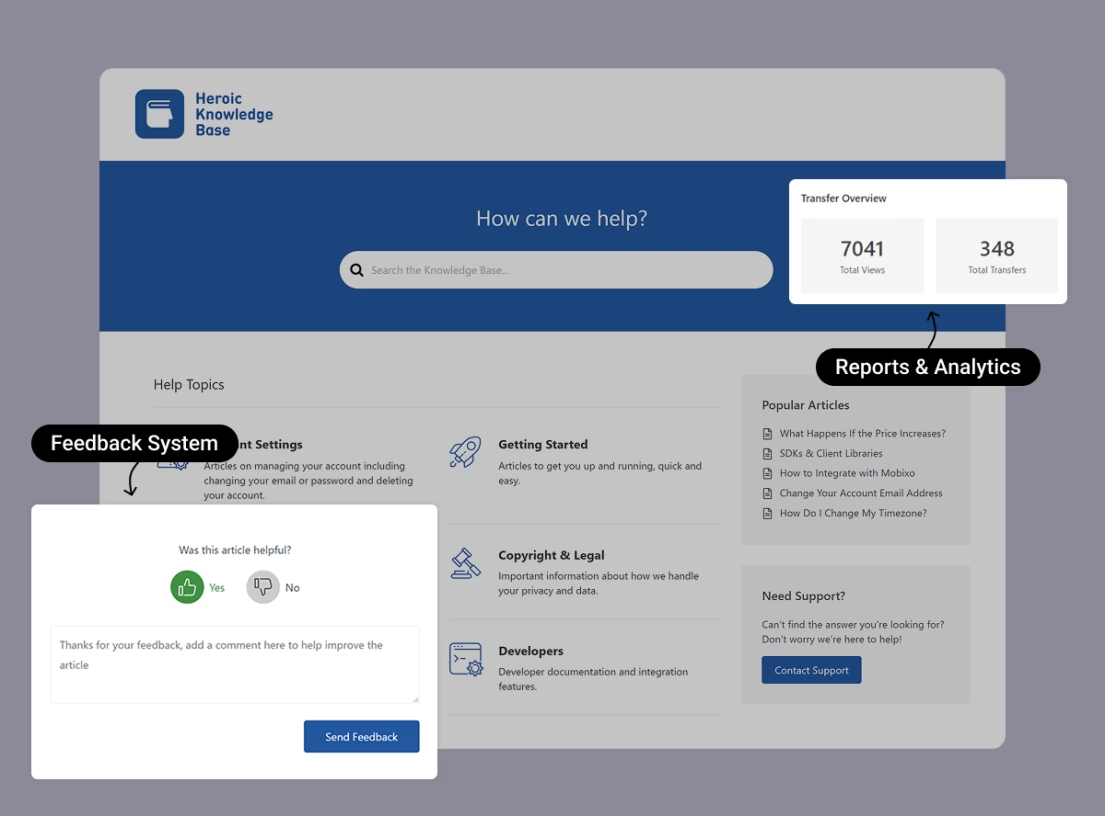
Heroic Knowledge Base (Heroic KB) est un plugin WordPress, conçu pour créer des bases de connaissances qui résolvent réellement les problèmes des clients.
C'est un plugin premium, mais son ensemble de fonctionnalités soigné et son prix abordable méritent d'être mentionnés.
Heroic KB offre une recherche instantanée, des mises en page épurées qui héritent du style de votre thème, ainsi que des fonctionnalités avancées d'analyse et de reporting.
Heroic KB à lui seul vous fournit toutes les fonctionnalités essentielles pour gérer un portail d'aide à la rédaction puissant, mais simple. Mais nous vous recommandons de l'associer à un HelpJet (chatbot IA gratuit pour sites Web) et à Heroic Inbox (logiciel de helpdesk WordPress).
Caractéristiques principales :
- Recherche AJAX en direct : Résultats instantanés au fur et à mesure que les utilisateurs tapent, ainsi que des analyses de recherches infructueuses qui signalent exactement les lacunes de contenu qui vous coûtent des tickets.
- Analyses d'articles et commentaires : Vues de page, votes utiles/inutiles, et un suivi « transféré au support » qui vous indique quand les lecteurs ont abandonné et envoyé un e-mail.
- Assistant IA Heroic : Un chatbot basé sur ChatGPT, entraîné sur votre base de connaissances.
- Intégration Heroic Inbox : S'associe au plugin de boîte de réception partagée de HeroThemes afin que les agents de support voient les articles de la base de connaissances suggérés directement dans la boîte aux lettres WordPress.
- Conception adaptée au thème : Hérite des styles de votre thème WordPress existant, avec un ordre par glisser-déposer, des icônes de catégorie personnalisées et une prise en charge complète de l'éditeur de blocs.
- Assistant d'installation pour importer un site de démonstration ou vous permettre de démarrer en cinq minutes.
- Intégration WordPress : Obtenez un éditeur puissant, des permissions de rôles, le SEO, des fonctionnalités de collaboration et l'accès à des milliers d'autres plugins.
Limitations
- Pas de version gratuite, seulement une garantie de remboursement de 14 jours.
- L'Assistant IA est inclus dans le niveau Pro, pas dans le plan d'entrée de gamme.
Tarifs
Le plan de base de Heroic KB commence autour de 67 $/an en prix de lancement, avec des renouvellements au tarif régulier d'environ 129 $/an.
Avec l'achat du pack Heroic KB, vous obtenez également KnowAll (un thème premium) et le plugin premium Heroic FAQs gratuitement.
Verdict
Heroic KB est une solution éprouvée pour créer des portails d'aide à la rédaction, ou tout type de documentation. Il offre des fonctionnalités similaires aux logiciels HAT SaaS, mais pour une fraction du coût.
Si vous avez un petit budget à consacrer, envisagez d'essayer Heroic KB.
2. BookStack
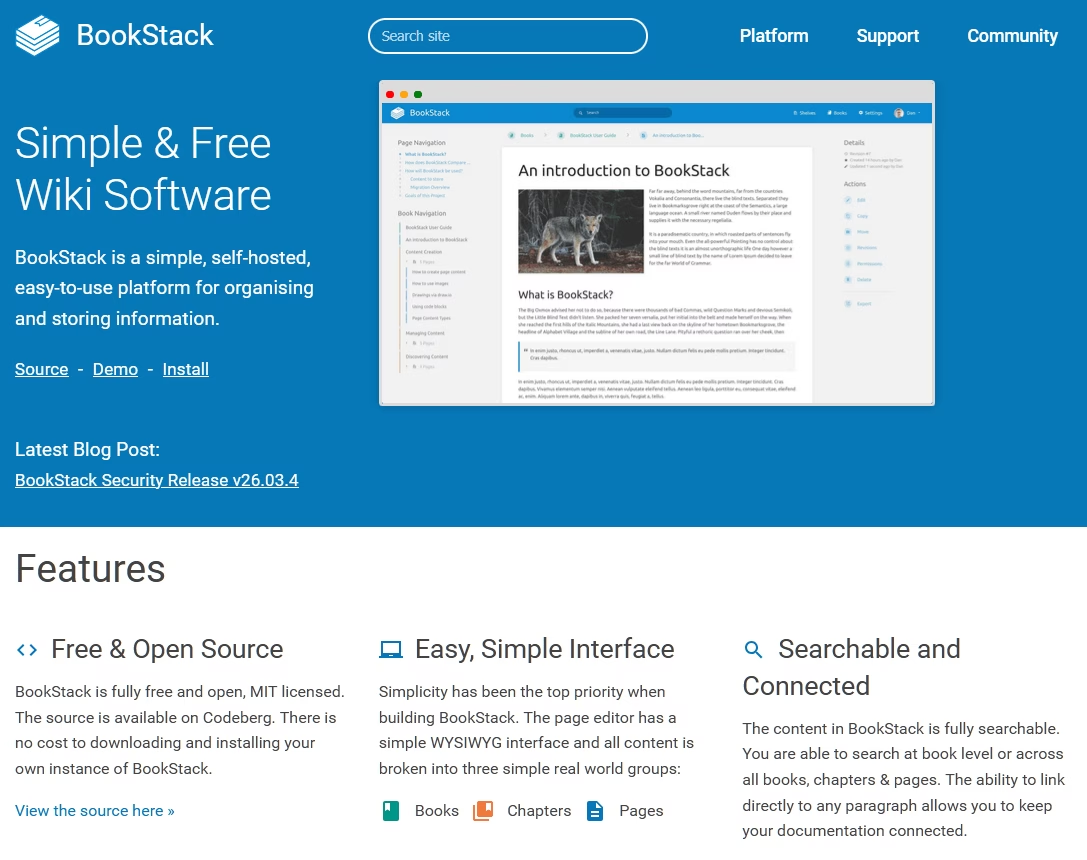
Les puristes de l'open-source, ceci est pour vous. BookStack est une plateforme de documentation auto-hébergée construite sur PHP/Laravel qui organise le contenu dans une hiérarchie rafraîchissante et littérale : Étagères, Livres, Chapitres et Pages.
L'interface de BookStack est suffisamment simple pour que le personnel non technique l'apprécie également.
Caractéristiques principales :
- Structure Livres-et-chapitres : Impose une hiérarchie claire, plus facile à parcourir que les wikis de forme libre.
- Double éditeur : WYSIWYG pour les contributeurs non techniques, éditeur Markdown avec aperçu en direct pour les développeurs.
- Diagrammes intégrés : diagrams.net (anciennement draw.io) est inclus dès le départ pour les organigrammes et UML.
- Exportations : PDF, HTML, texte brut et Markdown pour toute page ou livre.
- Intégrations d'authentification : OIDC, SAML2, LDAP, ainsi que des options d'authentification sociale/secondaire.
- Révisions de pages et rôles : Historique complet des modifications avec retour arrière et système de rôles/permissions granulaire.
- API REST et webhooks : Pour extraire le contenu vers d'autres systèmes ou automatiser la publication.
Limitations
- Vous êtes responsable de l'hébergement, des sauvegardes et des mises à jour.
- La structure imposée Livres/Chapitres/Pages ne convient pas à tout le monde.
- Le thème par défaut est fonctionnel, mais il n'est ni tape-à-l'œil ni moderne. La personnalisation de la marque nécessite du CSS.
Tarifs
Bookstack est gratuit et sous licence MIT. Vos seuls coûts sont l'hébergement (nous recommandons Kinsta) et votre temps. Il n'y a pas de niveau payant de l'équipe BookStack.
Verdict
La mise en place de Bookstack prend un après-midi si vous avez déjà touché à un serveur Linux. Après cela, c'est le genre d'outil que vous configurez une fois et oubliez, ce qui, pour une infrastructure de documentation, est exactement ce que vous voulez. C'est notre premier choix parmi les outils auteurs d'aide web open-source pour les équipes de petite à moyenne taille.
3. Base de connaissances ProProfs
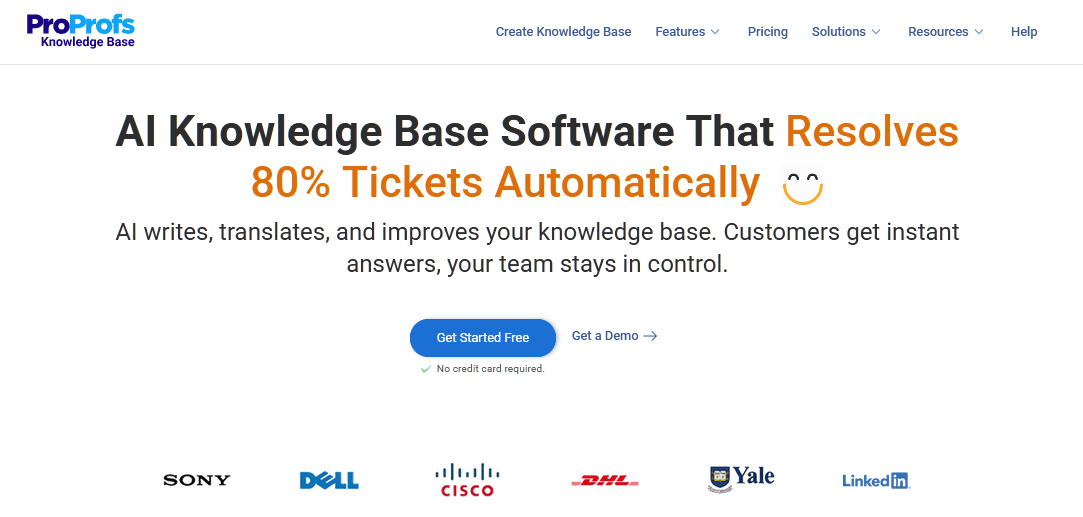
ProProfs Knowledge Base est une plateforme d'aide auteur basée sur le cloud, nous la recommandons aux équipes qui veulent éviter complètement l'hébergement et commencer à écrire.
Elle existe depuis 2005 (siège à Santa Monica) et la plateforme a mûri pour devenir une suite SaaS complète couvrant les bases de connaissances, le centre d'aide, le chat en direct et les sondages.
Caractéristiques principales :
- Recherche alimentée par l'IA : Réponses instantanées de type Google sur votre site d'aide, avec des analyses de recherche sur les requêtes échouées.
- Source unique et extraits de contenu : Réutilisez des blocs sur plusieurs sites d'aide avec une seule mise à jour qui se propage partout.
- Sites multi-marques : Gérez des bases de connaissances distinctes pour différents produits sous un même compte, chacune avec son propre domaine personnalisé.
- Contenu conditionnel : Affichez un contenu différent aux utilisateurs connectés, aux employés ou par appareil.
- Approbations de flux de travail et historique des révisions : Brouillons, revues et retour arrière pour le contenu publié par l'équipe.
- Modèles et personnalisation CSS : Modèles conçus par des professionnels plus un accès CSS complet pour une image de marque sérieuse.
- Intégrations : ProProfs Help Desk, ProProfs Live Chat, Zendesk, Freshdesk, Salesforce, Slack, Google Analytics.
Limitations
- Le plan gratuit est limité à 1 auteur et 25 pages.
Tarifs
Pour les acheteurs d'outils d'aide à la création gratuits : ProProfs propose un plan gratuit, mais il est strictement limité à 1 auteur et jusqu'à 25 pages. C'est suffisant pour une petite FAQ ou pour évaluer la plateforme, mais pas pour gérer une véritable base de connaissances produit. Et les plans payants grimpent rapidement dans le territoire mensuel par auteur.
Verdict
Si vous souhaitez un outil d'aide à la création hébergé avec des fonctionnalités matures et que vous êtes prêt à payer pour des mises à niveau, ProProfs est un choix judicieux qui ne vous obligera pas à surveiller des serveurs.
4. Docusaurus
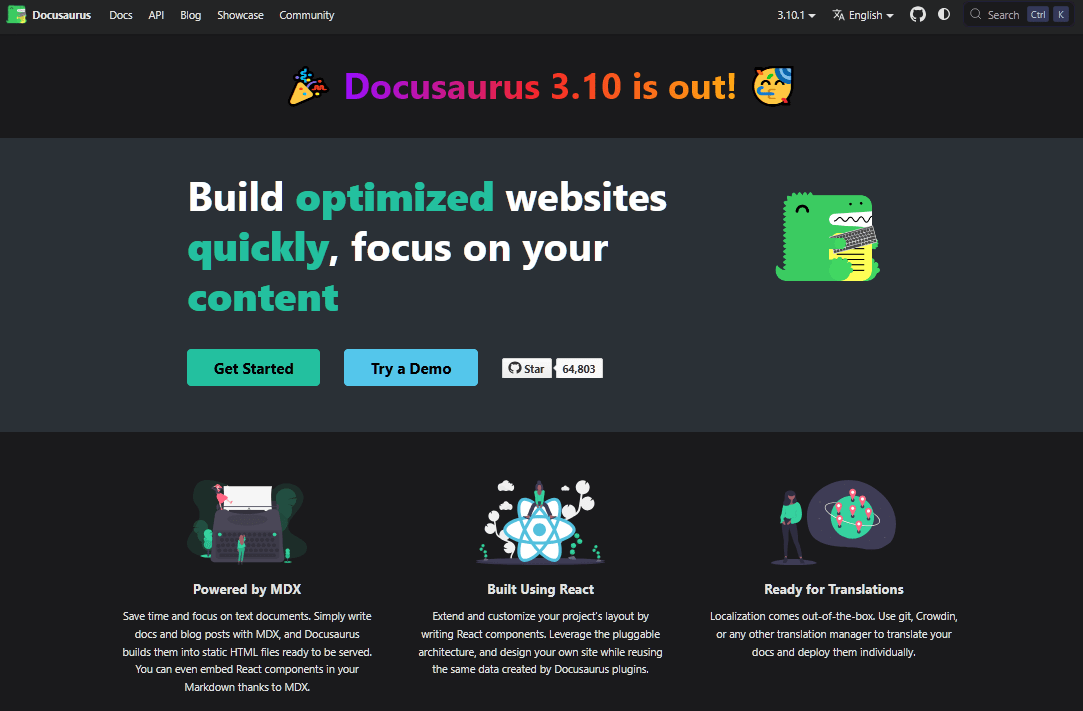
Docusaurus est un générateur de sites statiques open-source par Meta (Facebook) spécialisé dans la documentation. Vous écrivez le contenu en Markdown (avec des composants React), et Docusaurus génère un site web statique (hébergeable sur GitHub Pages, Netlify, etc.).
vous avez lu la documentation de Jest, React Native, ou des centaines d'autres projets open-source, vous avez utilisé Docusaurus sans le savoir.
La communauté de Docusaurus est énorme. Le projet compte plus de 64 800 étoiles sur GitHub et dispose d'un Discord actif et de l'intégration gratuite Algolia DocSearch pour les projets open-source éligibles.
Caractéristiques principales :
- Markdown + MDX : Écrivez en Markdown, insérez des composants React lorsque vous avez besoin d'interactivité.
- Gestion des versions : Prise en charge de premier ordre pour documenter plusieurs versions du même produit, avec commutation automatique des versions.
- Internationalisation : i18n intégré pour traduire la documentation en plusieurs langues.
- Algolia DocSearch : Recherche hébergée gratuite pour les projets open-source, avec des niveaux payants pour un usage commercial.
- Plugins et thèmes : Un écosystème en croissance couvrant les blogs, les spécifications OpenAPI, les redirections, les sitemaps, et plus encore.
- Composants MDX : Onglets, admonitions, blocs de code avec coloration syntaxique et éditeurs de code en direct.
Limitations
- Nécessite Node.js, npm et des connaissances de base en React pour une personnalisation avancée.
- Pas idéal pour les rédacteurs non techniques qui rechignent devant Markdown et Git.
- Auto-hébergé ; vous gérez le pipeline de build (bien que GitHub Pages, Netlify et Vercel le rendent simple).
Tarifs
Docusaurus est 100 % gratuit, sous licence MIT. L'hébergement sur GitHub Pages, Netlify ou Vercel peut également être gratuit pour la documentation de projet typique.
Verdict
Si votre public est composé de développeurs, c'est ce que nous recommanderons immédiatement. C'est un outil extrêmement flexible. Il nécessite une certaine configuration et un certain développement, mais au final, pour créer quelque chose pour les développeurs, il faut avoir une équipe de développement. Et les développeurs adorent Docusaurus. Ce qui en fait un choix facile pour l'aide à la création.

Explorer : 9 meilleurs logiciels alternatifs à Docusaurus
5. Notion
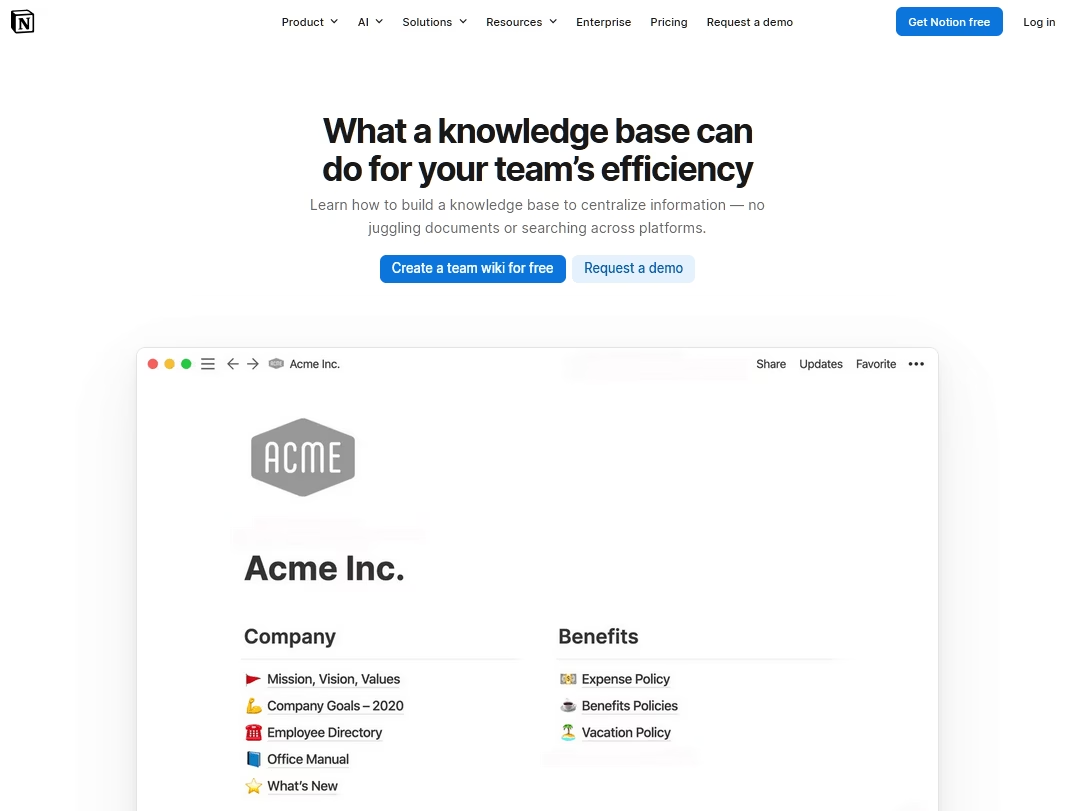
Notion n'est pas conçu comme un outil d'aide à la création, mais un nombre surprenant de petites équipes l'utilisent comme tel de toute façon.
Notion est un espace de travail polyvalent qui sert également d'outil d'aide à la création étonnamment performant, en particulier pour les équipes qui souhaitent écrire, organiser et collaborer sur la documentation sans apprendre une plateforme dédiée.
Son interface glisser-déposer est suffisamment simple pour que même les membres non techniques de l'équipe puissent contribuer à votre base de connaissances sans formation.
Caractéristiques principales :
- Pages et blocs illimités pour les utilisateurs gratuits individuels.
- Structure de base de connaissances pilotée par une base de données : Taguez, filtrez et regroupez des articles en utilisant les bases de données relationnelles de Notion.
- Partage public : Publiez n'importe quelle page sous forme d'URL en lecture seule.
- Éditeur basé sur des blocs : Intégrations riches, blocs de code, appels, bascules, images et bases de données en ligne.
- Modèles à gogo : Une marketplace massive de modèles, y compris des starters de bases de connaissances.
- Notion AI (niveau Business payant) : résumé, questions-réponses dans votre espace de travail et aide à la rédaction.
Limitations
- Le plan gratuit est limité : 5 Mo de téléversements de fichiers, historique de 7 jours, 10 invités et une limite de 1 000 blocs lorsque vous avez plus d'un membre dans l'espace de travail.
- Aucune fonctionnalité native de centre d'aide destiné aux clients (vote d'articles, analyses, analyses de recherche).
- L'URL publique de Notion a l'air peu professionnelle.
- Le modèle d'autorisations devient rapidement désordonné pour le contenu mixte interne/externe.
Tarifs
Notion dispose d'un plan gratuit et est l'un des logiciels de productivité les plus généreux.
Verdict
Nous recommandons Notion comme outil d'aide à la rédaction uniquement pour les équipes en tout début de développement ou pour les bases de connaissances internes uniquement. Pour la documentation destinée aux clients, le manque de fonctionnalités et la structure d'URL peu professionnelle signifient que vous la dépasserez rapidement. Cependant, en tant que wiki interne gratuit pour une équipe de cinq personnes, il est difficile de faire mieux.
6. MkDocs (avec le thème Material)
Là où Docusaurus est l'option React, MkDocs est l'option Python, et de nombreuses équipes le préfèrent pour cette raison.
MkDocs est un générateur de site statique conçu spécifiquement pour la documentation de projet, configuré avec un seul fichier YAML et un contenu écrit en Markdown pur.
Associez-le au thème Material for MkDocs (créé par Martin Donath) et vous obtiendrez l'une des expériences de documentation les plus épurées du web ouvert.
Caractéristiques principales :
- Markdown pur : Pas de MDX, pas de JSX, juste des fichiers .md et un mkdocs.yml.
- Recherche instantanée : Material for MkDocs est livré avec une recherche côté client, capable de fonctionner hors ligne, qui est ultra-rapide.
- Rechargement à chaud : Le serveur de développement local se recharge à la sauvegarde pour une itération rapide.
- Thèmes : Material for MkDocs est le plus remarquable, mais un écosystème de thèmes sain existe.
- Plugins : mkdocstrings génère automatiquement la référence de l'API à partir des docstrings Python (une fonctionnalité similaire à Sphinx sans la surcharge de reStructuredText).
- Déploiement facile : Une seule commande pousse votre site construit vers GitHub Pages.
Limites :
- Markdown uniquement par défaut.
- Moins de gestion de versions intégrée que Docusaurus.
- Écosystème de plugins plus petit.
Tarifs
MkDocs et Material for MkDocs sont gratuits et open-source.
Il existe une édition payante Insiders de Material for MkDocs qui finance le développeur et débloque des fonctionnalités précoces, mais la version publique est véritablement complète.
Verdict
Si votre équipe est petite, amie de Python et que vous souhaitez une documentation magnifique sans écrire une ligne de CSS, MkDocs Material est le chemin le plus rapide. Vous pouvez livrer la documentation en un après-midi avec. Pour les rédacteurs non techniques, donnez-leur d'abord une formation Markdown. Ou indiquez-leur simplement un bon guide de rédaction Markdown.
7. HelpNDoc
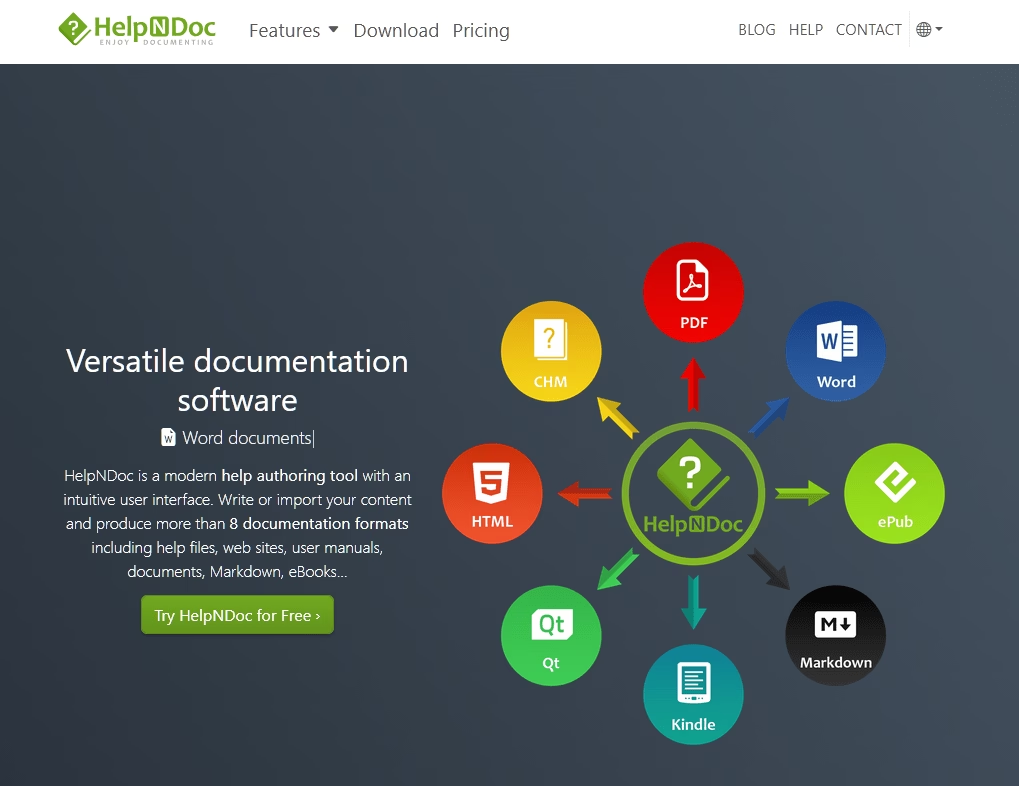
HelpNDoc est un outil d'aide auteur classique, uniquement pour Windows, qui est le favori des éditeurs de logiciels indépendants depuis deux décennies.
HelpNDoc possède une édition personnelle gratuite véritablement utile.
Vous bénéficiez de toutes les fonctionnalités, sans limite de temps et sans écrans de publicité.
Le hic : l'édition personnelle ajoute une petite bannière en pied de page et n'est pas autorisée pour un usage commercial.
Caractéristiques principales :
- Source unique, plus de huit formats de sortie : HTML, CHM, PDF, Word DocX, RTF, ePub, Kindle, Markdown, Qt Help.
- Éditeur WYSIWYG avec un ruban familier de style Microsoft Word.
- Système de bibliothèque pour des extraits réutilisables, des images, des vidéos, des blocs de code et des variables.
- Analyseur de projet : Signale les liens brisés, les médias manquants et les doublons avant la publication.
- Scripting et ligne de commande : Automatisez des builds complexes et intégrez avec CI.
- Import/export Markdown pour travailler aux côtés de contenu maintenu par les développeurs.
Limitations
- Uniquement sous Windows, ce qui est rédhibitoire pour les équipes Mac/Linux.
- Pas de collaboration multi-utilisateurs en temps réel (c'est une application de bureau).
Tarifs
HelpNDoc Personal Edition est gratuit pour un usage non commercial, et les licences commerciales sont également à prix raisonnable.
Verdict
Si vous créez des logiciels de bureau Windows, distribuez des fichiers d'aide CHM, ou avez besoin de PDF + ePub + web à partir d'une seule source sans abonnement, HelpNDoc peut toujours être votre outil d'auteur d'aide en 2026.
8. Outline
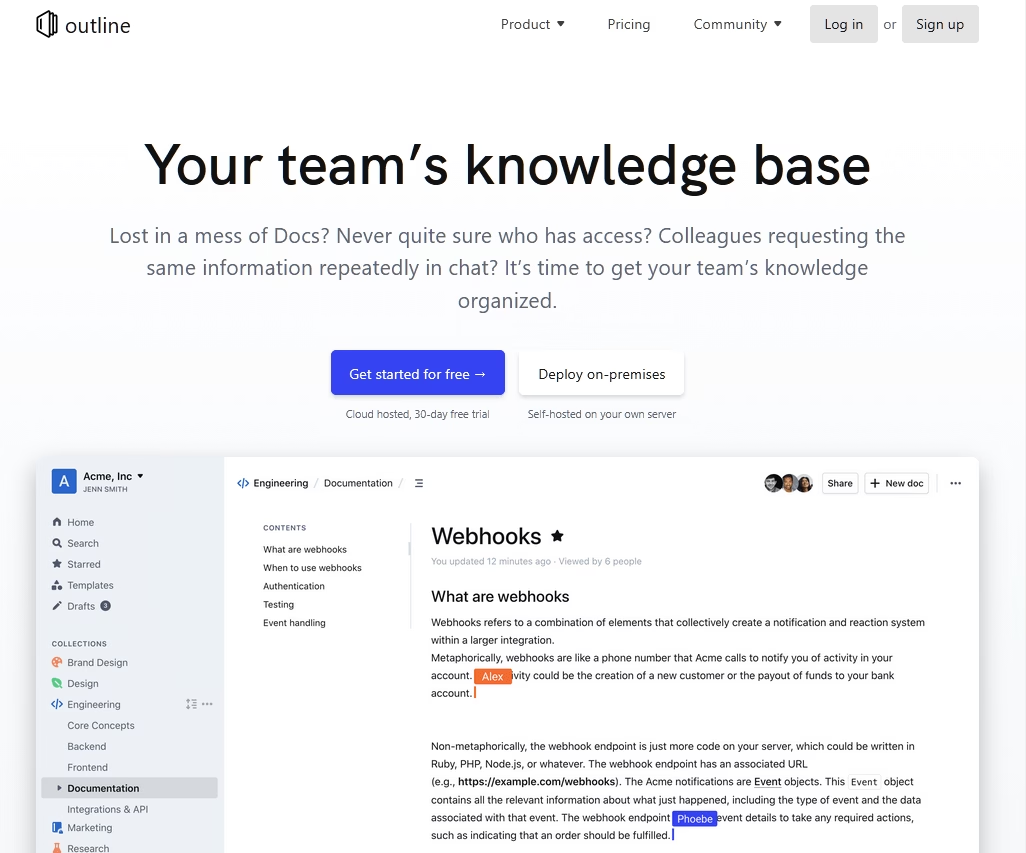
Outline est une plateforme de base de connaissances et de wiki open-source (construite avec Node.js).
La force d'Outline réside dans son éditeur élégant et ses fonctionnalités collaboratives.
Nous avons effectué un bref test de l'essai cloud, et l'expérience d'édition est véritablement plus proche de Google Docs que de tout autre élément de cette liste : plusieurs personnes dans le même document, en direct, sans actualisation nécessaire.
Caractéristiques principales :
- Co-édition en temps réel : Plusieurs rédacteurs dans le même document simultanément, avec historique complet des pages et annulation.
- Éditeur de blocs style Notion : raccourcis Markdown, blocs glisser-déposer, et intégrations en ligne, le tout sans MDX ni JSX.
- Espaces et collections : Organisez le contenu en groupes logiques sans imposer une hiérarchie rigide.
- Intégration Slack : Poussez les mises à jour de documents, déclenchez des mentions et dépliez les liens directement dans les canaux Slack.
- Recherche instantanée avec permissions : La recherche plein texte respecte les contrôles d'accès, donc les utilisateurs ne trouvent que ce qu'ils sont autorisés à voir.
- Noyau open-source
Limites :
- La configuration auto-hébergée nécessite Docker et une connaissance fonctionnelle de la configuration de l'environnement. Ce n'est pas une installation en un clic.
- Pas de structure de page imbriquée par défaut. Vous pouvez simuler une hiérarchie par des conventions de nommage, mais ce n'est pas la même chose qu'un véritable arbre parent/enfant.
- Manque certaines fonctionnalités d'entreprise prêtes à l'emploi, notamment l'authentification unique (SSO) et l'analyse d'utilisation.
Tarifs
Outline’s version open-source est entièrement gratuite à auto-héberger. Un plan cloud géré est également disponible. Bien que la voie auto-hébergée ne coûte rien au-delà de votre facture de serveur.
Verdict
Pour les équipes qui apprécient la collaboration en temps réel et une interface utilisateur élégante, Outline est une excellente option gratuite.
9. Wiki.js
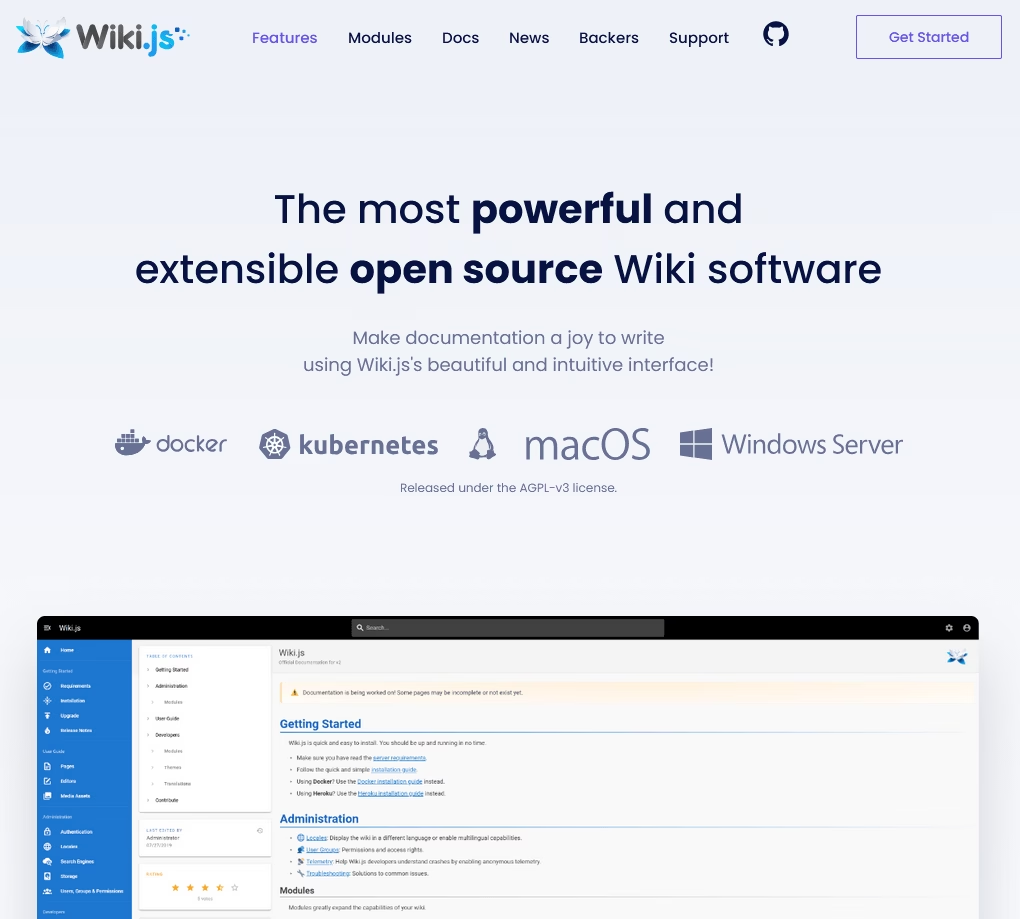
Moderne, open-source et joli par défaut : c'est Wiki.js.
Wiki.js est construit sur Node.js avec le support de PostgreSQL, MySQL, MariaDB et SQLite. C'est un moteur wiki auto-hébergé avec un large suivi sur GitHub.
Caractéristiques principales :
- Éditeurs multiples : Markdown, WYSIWYG (Visual Builder), HTML brut, WikiText et éditeurs tabulaires.
- Authentification d'entreprise : LDAP, SAML, CAS, Auth0, Okta, Azure AD, OAuth2/OpenID générique, plus 2FA.
- Synchronisation Git : Sauvegarde et synchronisation du contenu vers GitHub, GitLab, BitBucket ou Azure DevOps.
- Stockage cloud et local : Options de sauvegarde S3, Azure Blob, Google Cloud, Dropbox et SCP-sur-SSH.
- Recherche intégrée avec intégrations optionnelles Algolia, Elasticsearch et Manticore.
- Multilingue : Interface utilisateur traduite dans plus de 40 langues, avec prise en charge native de l'arabe (RTL) et variantes de langue par page.
- Thèmes et modules : Mode clair/sombre, thèmes personnalisés et modules de fonctionnalités désactivables.
Limites :
- Pas d'exportation PDF/CHM native ; sortie uniquement web.
Tarifs
Wiki.js est gratuit sous AGPLv3. Les seuls coûts sont ceux de l'infrastructure et du temps d'administration.
Verdict
Lorsqu'une équipe souhaite le raffinement de Confluence sans les prix ou le verrouillage d'Atlassian, Wiki.js est notre recommandation habituelle. Les intégrations d'authentification à elles seules le rendent viable en entreprise, et la variété des éditeurs signifie que vos développeurs comme votre équipe RH peuvent contribuer sans se battre avec l'outil.
10. DITA Open Toolkit
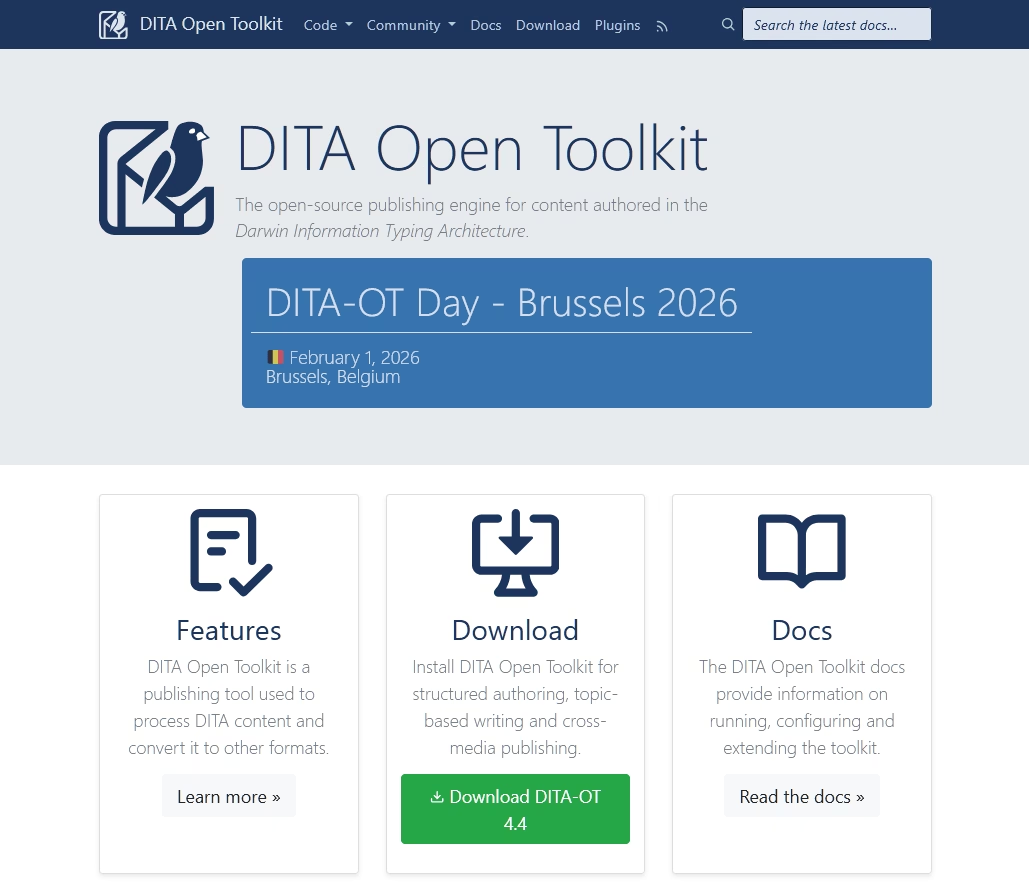
DITA Open Toolkit (DITA-OT) est un moteur de publication open-source pour le contenu rédigé dans la norme DITA XML. Il a été initialement développé par IBM et publié en open source en 2005.
C'est un outil idéal pour les grands ensembles de documentation réglementée, le contenu technique multi-produits et les équipes déjà investies dans la rédaction structurée basée sur des sujets.
Caractéristiques principales :
- Publication DITA indépendante du fournisseur : sous licence Apache 2.0, prend en charge toutes les versions de la spécification OASIS DITA.
- Formats de sortie : HTML5, XHTML, PDF (via Apache FOP), Markdown, GitHub-flavored Markdown, DITA normalisé, Eclipse Help.
- Architecture de plug-ins : Étendez ou remplacez toute transformation ; de nombreux fournisseurs de CCMS intègrent DITA-OT.
- Traitement conditionnel : Filtrage et profilage d'audience de premier ordre.
- Compatible CI : Ligne de commande pure, s'exécute dans n'importe quel pipeline de build.
- Entrée Markdown depuis DITA-OT 3.0, y compris la prise en charge de Lightweight DITA.
Limitations
- Courbe d'apprentissage abrupte ; vous avez d'abord besoin d'un éditeur DITA et de connaissances en DITA.
- La documentation est de style référence et peu conviviale pour les débutants.
- Excès pour toute équipe qui ne s'est pas déjà engagée dans la rédaction structurée.
Tarifs
DITA OT est gratuit sous licence Apache 2.0. Vos coûts réels sont l'éditeur DITA (Oxygen XML est la norme, payant ; quelques éditeurs gratuits existent) et le temps de formation des rédacteurs à DITA.
Verdict
DITA-OT n'est pas pour tout le monde. Mais pour les grandes équipes de communication technique d'entreprise, les industries réglementées, les éditeurs multi-langues et multi-produits, c'est toujours l'outil d'aide à la création gratuit le plus puissant qui existe. Si c'est votre cas, vous le savez déjà. Sinon, choisissez quelque chose dans la première moitié de cette liste.
Dernières réflexions
La plus grosse erreur que nous voyons commettre par les équipes avec les outils d'aide gratuits est de choisir en fonction des listes de fonctionnalités plutôt que de l'adéquation.
Un outil que vos rédacteurs utiliseront réellement chaque semaine est meilleur qu'un outil « plus puissant » qui reste inutilisé.
Commencez par l'option la plus petite et la plus simple qui répond à vos exigences strictes (formats de sortie, modèle d'hébergement et public).
Migrez plus tard si vous le dépassez.
La plupart de ces outils ont des chemins d'importation/exportation les uns vers les autres, donc le coût de verrouillage est inférieur à ce qu'il semble.
Alors, choisissez un outil aujourd'hui, publiez 10 articles la semaine prochaine, et regardez votre boîte de réception de support commencer à se calmer.
Lectures complémentaires
9 meilleurs logiciels de documentation technique de 2026 (y compris les options gratuites)
13 meilleurs logiciels de documentation de formation en 2026
Meilleur logiciel de manuel utilisateur pour 2026 (options gratuites et payantes)
13 meilleurs outils et logiciels gratuits d'écriture technique
Meilleurs outils logiciels de boîte de réception partagée en 2026 (Open Source et Gratuit)
Meilleurs logiciels gratuits de base de connaissances en 2026





Laisser un commentaire ?
Vous devez être connecté pour poster un commentaire.