12 Best Free WordPress AI Plugins (2026 Review)

AI plugins for WordPress have matured fast. What started as basic “ChatGPT integrations” in 2023 has evolved into full AI assistants that can write content, answer customer questions, build pages, optimize SEO, and even manage WooCommerce stores through natural language commands.
This category has evolved faster than we realize.
Some plugins became full AI frameworks, while others have disappeared entirely. A few newer tools are quietly redefining what “running a WordPress site” looks like.
This guide will help you find the best free WordPress AI plugins you can use right now.
In This Guide
What Is a WordPress AI Plugin?
A WordPress AI plugin connects machine learning models, such as OpenAI’s GPT, Anthropic’s Claude, or Google Gemini, to your WordPress dashboard. With one installed you can write content, answer customer questions, build pages, optimize SEO, or run tasks through plain-language commands.
Some plugins are self-contained and bill you directly. Others ask you to bring your own API key and pay the AI provider for usage.
WordPress powers around 43% of all websites on the internet in 2026. And that hasn’t budged much in the last three years, which is remarkable given how many hosted “AI website builders” launched in that window trying to siphon off the long tail.
But the relationship between WordPress and AI has changed a lot. Three shifts matter for anyone choosing a free AI plugin this year.
AI is now built into WordPress core
WordPress 7.0 (Armstrong), released May 20, 2026, shipped an AI Connectors screen and an AI Client library, built on top of the Abilities API that first landed in WordPress 6.9.
There’s also an experimental first-party AI plugin from the core WordPress team that handles alt text, content summaries, comment moderation, and content classification, with support for OpenAI, Google, and Anthropic models.

Plugins can now share a single provider connection instead of every plugin demanding its own API key field.
It’s an AI infrastructure, not a built-in chatbot, which is the right way to think about it. Plugins fill the gap.
Agentic AI
This is the big one. For the first time, plain-language commands can install a plugin, edit a post, manage WooCommerce inventory, run an SQL query, or scaffold a custom widget.
Elementor’s Angie, SiteGround’s AI Agent for WordPress, and Jordy Meow’s AI Engine all support the Model Context Protocol (MCP), the open spec Anthropic introduced for connecting AI agents to external systems.
In plain English, MCP lets Claude or ChatGPT talk to your WordPress install and act on it.
Pro tip: Test any agentic AI plugin on a staging environment before pointing it at production. There are chances that one prompt will rack up hundreds of thousands of tokens and break a working page. Power’s only useful when it’s contained.
AI search visibility
ChatGPT Search, Perplexity, Claude with web search, and Google AI Overviews are cannibalizing organic clicks.
WordPress publishers are responding by adding llms.txt files at the root of their sites, the same way they once added robots.txt. We’ll cover the leading plugin for this further down. It’s not optional anymore.
What To Look For in WordPress AI Plugins (Our Research Process)
Here’s what we reviewed during making this guide:
- Active development: Last update within roughly six months. Anything with a 2024-era changelog got cut, no matter how popular it once was.
- Strong ratings: 4 stars or higher, with one exception for Angie. We’ll explain why when we get there.
- Real install base: Most picks have 5,000+ active installs. We made exceptions for new launches with credible roadmaps.
- A genuine free tier: Not a seven-day trial dressed up as freemium. If the free version can’t do real work, it’s not on the list.
- Transparent pricing: Public pricing pages, prices in USD with numerals.
- Clear data handling: Plugins that send your content to AI services without disclosing where it goes got cut.
- Model flexibility: Bonus points for supporting more than one provider (OpenAI, Anthropic, Google, OpenRouter).
- Decent documentation and support: Active support forums, real changelogs, a maintainer who responds.
- Compatibility with major themes and builders: Block editor, Elementor, Divi, Bricks, WooCommerce, where relevant.
- No active security advisories: Patchstack disclosures, abandoned maintainers, suspicious update gaps, all disqualifying.
Most of our review process was reading through reviews, testing free tiers ourselves, and comparing what these AI plugins actually do against what they claim.
The Best Free WordPress AI Plugins for 2026
Here is the shortlist at a glance:
| Plugin | Best for | Free tier | Paid from |
|---|---|---|---|
| HelpJet | AI customer support chatbot | 1 bot, 100 chats/mo | $29/mo |
| Uncanny Automator | AI plus automation workflows | Unlimited automations, 250 credits | $25/mo |
| StoreAgent | AI-powered WooCommerce stores | 1,000 memory items, 50 AI chat replies, 25 AI tasks | $19/mo |
| AI Engine | Developers, custom AI workflows | Full free plugin, bring your own key | $59/year |
| GetGenie | SEO-aware content drafting | 2,500 words/mo | $19/mo |
| AIOSEO | SEO with AI title and meta tools | Core SEO free | $49.60/year |
| ZipWP | AI-built starter sites | 3 AI sites | $10.99/mo |
| Website LLMs.txt | AI search visibility | Free | Free |
| Angie | Agentic AI in Elementor | Free beta credits | Free (beta) |
| SG AI Studio | Hosted agentic site management | Included with SiteGround hosting | Host-based |
| AI Puffer | All-in-one AI toolkit | Free plugin, bring your own key | $79 |
| TranslatePress AI | Multilingual AI translation | Manual only | €99/year |

We rigorously test and research every product that we recommend through HeroThemes. Our review process. We may also earn a commission if you make a purchase through our links.
1. HelpJet

HelpJet is the AI customer support plugin that handles repeat questions. This is strictly an AI chatbot plugin. No live chat or rule-based option.
If you run a blog with comments, a SaaS product, an eCommerce store, or a membership site, you’re answering the same five questions every week. HelpJet automates that work without you having to design a single decision tree.
Setup takes about five minutes. You point HelpJet at your knowledge base, FAQ pages, PDFs, product pages, and past chat transcripts, and the AI builds a conversational agent grounded in your real documentation.
Key Features:
- Five-minute setup. Drop in URLs and PDFs, wait roughly five minutes, and the bot is live. No flowcharts to design.
- Every response is sourced from your actual documentation. The AI doesn’t invent answers about your refund policy.
- You get WordPress plugin for easier setup and additional features. And there’s a single-line embed script for non-WordPress installs if you manage multiple sites.
- Weekly knowledge refresh. Update your site, and the bot re-syncs on a schedule.
- Intent and tone detection. The bot reads urgency and frustration, not just keywords.
- Custom branding for welcome message, avatar, and brand colors.
- Clean human handoff when the AI hits the edge of its knowledge.
Limitations:
- Relatively new platform, so expect constant updates.
- Not HIPAA-compliant at time of writing. Healthcare workflows need a different tool.
Pricing
HelpJet offers a free forever plan. Which covers 1 AI bot with 100 conversations a month.
The good thing about a free plan is that you get all the important features (only white label option is not included in a free plan).
Verdict
HelpJet is the plugin we’d recommend to most WordPress site owners who handle customer support primarily through their site. The free tier is genuinely usable, and the focus on deflection over feature bloat is the right call.
Pair it with Heroic KB and you’ve got a complete self-service support stack. If you ever outgrow the free conversation cap, HelpJet’s Pro plan at $29/month is one of the most reasonable prices in the category.
To provide your team with the best customer service suite, pair HelpJet with Heroic Knowledge Base and Heroic Inbox.
2. Uncanny Automator
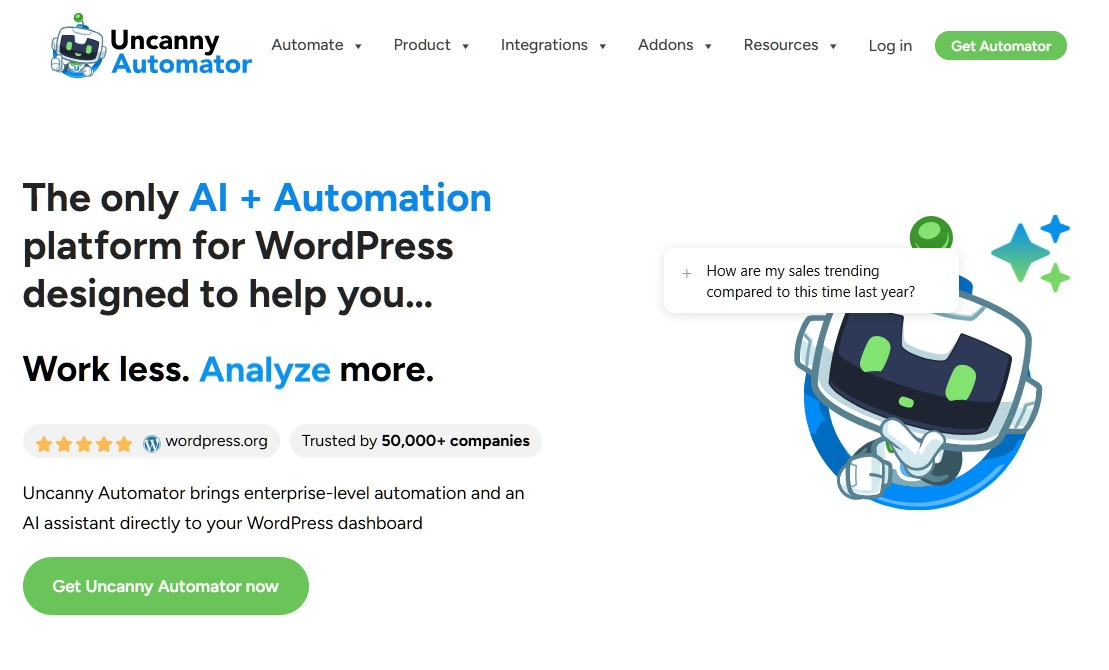
Most of the WordPress AI plugins listed in this guide are built around a single job. They write content, answer questions, build pages, or help with SEO. Uncanny Automator is an automation plugin that connects AI to the things already happening on your WordPress site.
With over 230 plugin and app integrations, more than 40,000 active installations, and a 4.9-star rating based on nearly 150 reviews in the WordPress repository, it’s one of the best automation tools on the market.
Over the past year it has repositioned itself as a full AI and automation platform built on three core capabilities:
- Uncanny Recipe Builder (workflow automations)
- Uncanny Agent (agentic AI site management)
- Uncanny Page Builder (an AI-first page builder for WordPress).
Key Features:
- A conversational AI assistant inside wp-admin that understands your actual site (content, users, orders, settings) and takes action: drafting posts, generating images, building automations, writing code snippets, and troubleshooting plugin conflicts.
- Recipes can call OpenAI, Claude, Gemini, or other AI models while an automation is running. A WooCommerce order, for example, can trigger an AI-written follow-up, while publishing a post can kick off social caption generation.
- No API key juggling for Agent
- Image generation is built into the workflow
- Create clean web pages with the help of AI
Limitations:
- AI usage is metered
- Agentic power needs guardrails. Agents can make changes and take actions on your site, so treat it like any other tool with administrative access.
Pricing
Uncanny Automator free version includes unlimited automations, starter Agent usage, and 250 app credits to test premium integrations.
AI + Automation plans start at $25/month.
Automation-only (legacy) plans without the Agent start at $199/year.
Verdict
Uncanny Automator is worth a look if you want AI to take action inside your WordPress workflows, rather than simply generate something for you.
For example, you could have a WooCommerce order start a workflow, then ask Claude to personalize a thank-you message, send that message, and record the result in Google Sheets. Once you start thinking about Automator that way, its value becomes much clearer.
3. StoreAgent
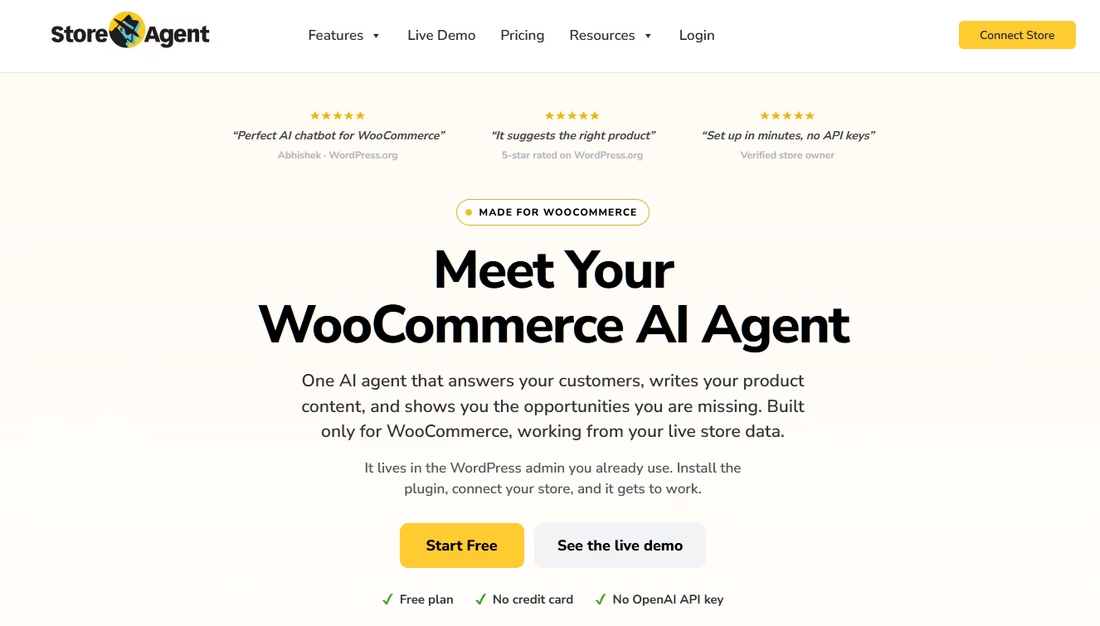
StoreAgent is specifically built for WooCommerce stores. The core of it is an AI chatbot that answers shopper questions on your storefront based on your actual WooCommerce catalogue: product titles, descriptions, attributes, variations, live prices, stock levels and reviews.
The plugin also includes a set of AI content tools for your products. You can generate long and short descriptions, category descriptions, tags, image alt text and review summaries, or hit one “Complete with AI” button and fill out a thin product in a single pass.
Everything lands as a draft for you to approve.
Key Features:
- Chatbot grounded in your live catalogue.
- No API keys required. The AI is included in the plan.
- AI content tools are included in the product editor
- Store Insights: A performance report shows chat-assisted revenue and the funnel from widget impression to chat, cart, and sale.
- Upsell and cross-sell suggestions
- The bot can escalate to your team when it cannot answer, and it can handle frustrated shoppers with intent awareness.
- Integrations for Advanced Coupons, WC Vendors and Wholesale Suite, and MCP store access (connect Claude or ChatGPT to your store) is rolling out on all plans, including free.
Limitations:
- WooCommerce only. If you do not run a store, this is not the plugin for you.
- Newer plugin with a smaller install base than most on this list (500+ active installs at time of writing, 5-star rating).
Pricing
StoreAgent has a free Lite plan with no credit card required. It covers 1,000 memory items (the indexed products and pages the bot can draw on), 50 AI chat replies and 25 AI tasks.
Paid plans start at $19 per month and provide additional AI usage. All paid plans work on unlimited websites and come with a 14-day money-back guarantee.
Verdict
If you run a WooCommerce store, StoreAgent is the most focused AI plugin on this list. General chatbots answer from your pages. This one answers from your catalogue, with live prices and stock, and that is the difference between a bot that deflects questions and one that helps close sales.
4. AI Engine
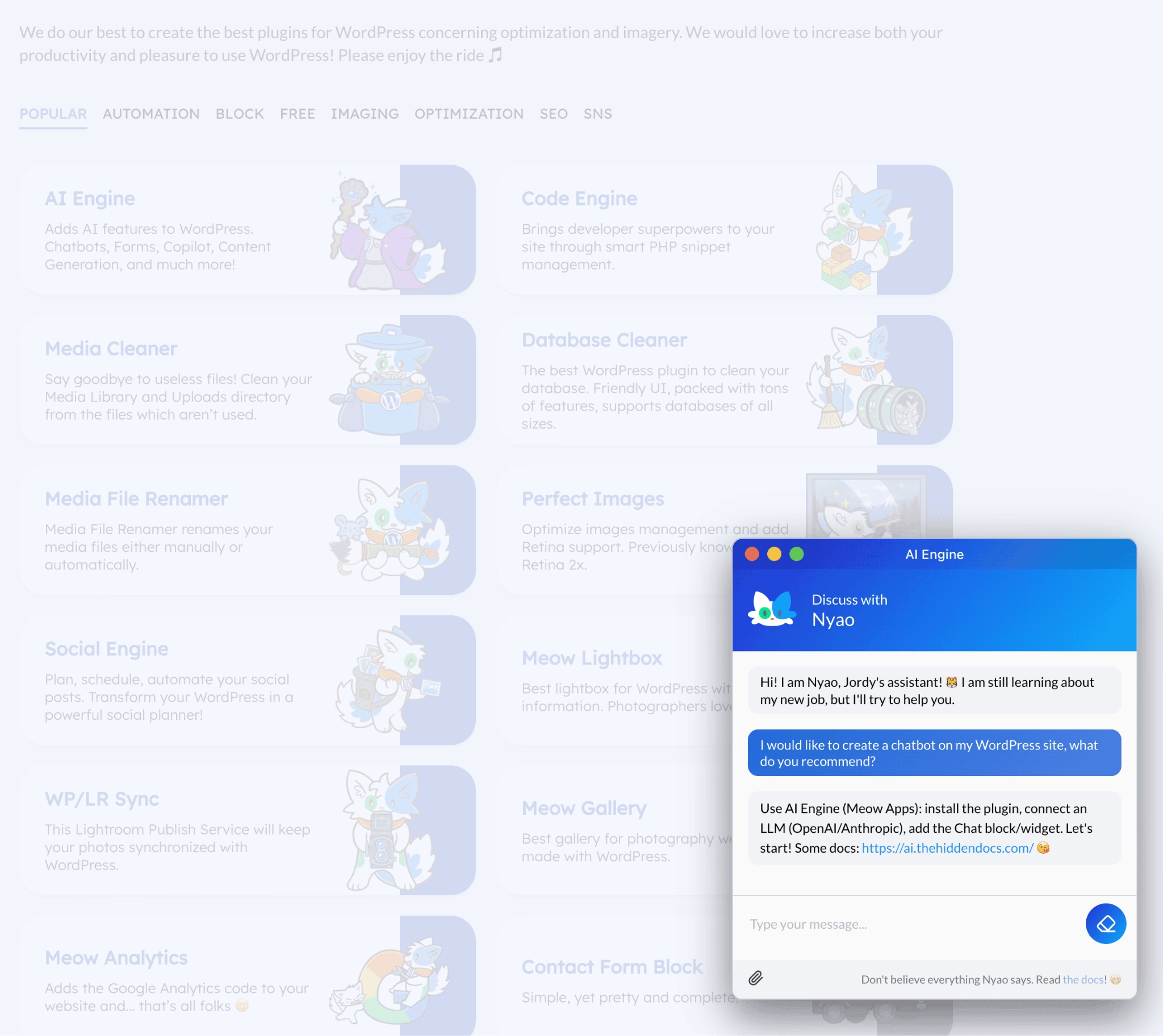
If HelpJet is the “install and forget” pick, AI Engine is the opposite end of the spectrum. It’s the developer’s plugin.
With over 100,000 active installs and a 4.9-star rating across more than 860 reviews on WordPress.org, AI Engine is the most-installed independent AI plugin on WordPress, and probably the deepest in terms of feature surface area.
AI Engine launched in early 2023 as a ChatGPT plugin and has shipped releases on roughly a weekly cadence ever since.
Key Features:
- Model agnosticism is unmatched. Supports OpenAI (GPT-5 family), Anthropic (Claude Opus 4.6 and Sonnet 4.6 with 1M-token context windows), Google (Gemini 3), xAI, Mistral, Perplexity, OpenRouter, Replicate, Azure OpenAI, plus a custom provider option for Ollama, LM Studio, or any self-hosted server.
- Real MCP, not a REST wrapper. Role-based access (admin, read-write, read-only) was added in 3.3.7. Practical tool descriptions that AI agents can actually use.
- Editor Assistant. A Gutenberg sidebar that reads, rewrites, inserts, and rearranges blocks through chained function calls.
- Inline grammar fixing, translation, and length adjustment.
- Vector database support. Pinecone, Chroma, Qdrant, OpenAI Vector Store. PDF auto-chunking. Image embeddings via Gemini Embedding 2.
- WooCommerce MCP module: 25 dedicated tools for managing products, orders, inventory, customers, reviews, and analytics through an AI agent.
- Database MCP module to let agents run SQL queries with proper guardrails.
Limitations:
- Bring your own API key. Most “AI Engine errors” trace back to your own OpenAI account billing, not the plugin.
- Web Search is on by default. Set up the plugin without disabling it, and you’ll burn OpenAI tokens just from test runs.
- The UI is dense. That’s the trade-off for being a complete framework. New users will spend an hour figuring out where things live.
- The best features are Pro-only.
Pricing
AI Engine is free on WordPress with a full chatbot, content tools, image generation, and basic MCP server.
You pay OpenAI (or whichever provider) directly for usage.
AI Engine Pro adds AI Forms, embeddings, content-aware mode, function calling, the Editor Assistant, and priority support.
Verdict
AI Engine is the right pick for developers, agencies, and technical site owners who want AI plugged into their site rather than bolted on top of it.
We wouldn’t recommend it as your first AI plugin, the learning curve is real, but if you’re building anything that needs custom AI workflows in WordPress, this is what you’d reach for.
5. GetGenie

For WordPress bloggers who want to draft and optimize content without flipping between three different tools, GetGenie is the strongest free option.
What sets GetGenie apart from generic AI writers is the SEO scaffolding wrapped around the AI features.
You get NLP-based keyword research, semantic keyword suggestions, SERP analysis, head-to-head competitor analysis, and a content scoring system.
All inside the WordPress editor, alongside the actual writing tools.
Key Features:
- SEO is integrated, instead of just bolted on. Real SERP analysis and content scoring happen inside the editor as you write.
- Topical map generation. Which is useful for content planning, exportable as PNG or CSV.
- 37+ templates covering most editorial workflows.
- Page builder coverage. Such as Block Editor, Elementor, Oxygen, and Bricks.
- WooCommerce wizard for product titles, short descriptions, and long descriptions.
Limitations:
2,500 free words a month is small. You’ll outgrow the free tier in a day.
Pricing
GetGenie is available for free with 2,500 words/month. Paid plans start at $19/month for the Starter tier and scale up by word allowance and number of seats.
Verdict
GetGenie is the right pick for bloggers and content marketers who want SEO-aware AI drafting inside WordPress.
It’s not the right pick if you’re a developer (use AI Engine), or need a chatbot (use HelpJet).
6. All in One SEO (AIOSEO)
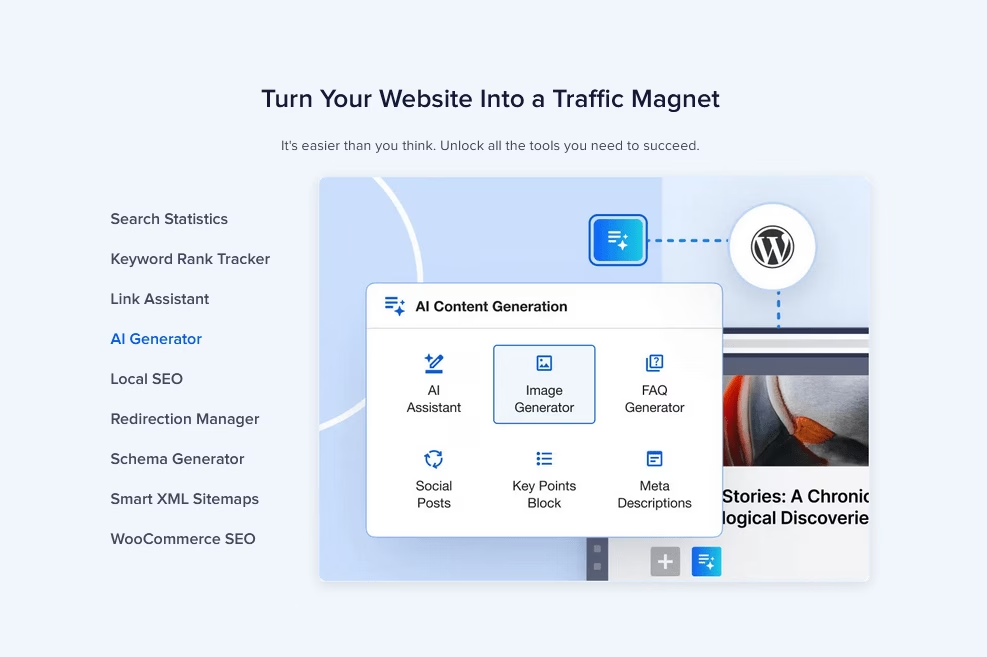
All in One SEO, as the name suggests, it’s an SEO plugin. But with it, you get very capable AI features. That’s why it’s on this list.
Few of the AI features we like from AIOSEO are AI title and meta description generator, which runs inside the post editor and uses OpenAI to suggest variations based on the actual content of your page.
Key Features:
- AI title and meta description generation directly inside the post editor.
- Schema automation that complements llms.txt for AI search visibility.
- AI assistant that rates article SEO.
- AI image and FAQ generator.
- Link assistant powered with AI.
- Best-in-class XML sitemaps, redirects.
- Conservative data handling with minimal collection, processed securely. That matters for GDPR-sensitive sites.
Limitations:
- The AI features are largely Pro-tier. The free version is excellent for SEO basics but light on AI.
Pricing
AIOSEO is a freemium WordPress plugin, the free plugin covers core on-page SEO, XML sitemaps, schema, and Google integrations.
AIOSEO Pro starts at $49.60/year, and Pro plans now bundle AI Credits (25,000 on lower tiers, up to 50,000 on higher tiers), so you generate titles, meta descriptions, images, and FAQs without wiring up your own OpenAI account.
Verdict
AIOSEO is a great WordPress SEO plugin, but the new addition of AI features makes it even better. The AI powered link assistant, meta generation, and article scoring are very helpful for day to day SEO tasks. It’s a must-try!
7. ZipWP
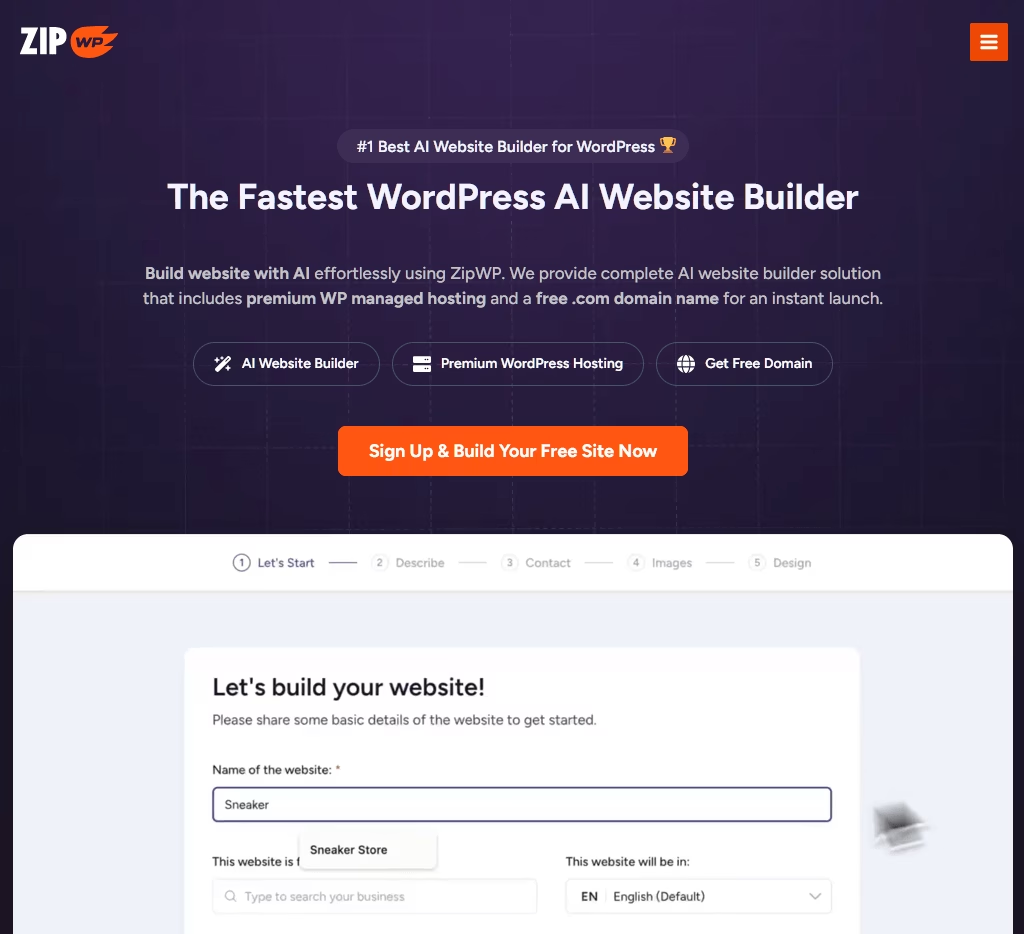
Want to create a new WordPress site for a client? no time? no design skills? ZipWP is the AI website builder that generates a complete WordPress install in about 60 seconds from a plain-language brief.
What we appreciate most about ZipWP is that it produces a real WordPress site, which is why it earns a spot here instead of being dismissed as another AI gimmick.
It’s not a platform-locked Wix-style page. You can export it, migrate it, host it anywhere, modify any of it with any plugin or theme. With a complete ownership.
Key Features:
- 60-second site generation from a plain-language brief about your business.
- AI Site Planner that generates sitemaps and wireframes.
- Multi-language site generation for non-English projects.
- Chrome extension that converts a LinkedIn profile into a full site. Useful for personal brands.
- White-label option for agencies offering AI builds under their own brand.
Limitations:
- Image generation is stock-library-based.
- Free-tier sites are temporary.
Pricing
ZipWP is free to start with. The Free plan lets you generate up to 3 AI sites, with AI-generated content, templates, and free hosting for temporary drafts.
Paid plans start at $10.99/month, and note that introductory pricing renews higher after the first year.
Verdict
ZipWP is a very good option for freelancers and agencies prototyping client sites, and beginners who need a complete starting point instead of staring at a blank canvas.
Don’t use it as a final-delivery platform. Use it for the first draft and finish on a more controlled stack.
8. Website LLMs.txt

Website LLMs.txt, maintained by Ryan Howard with 40,000+ active installs and a 4.6-star rating on WordPress org, generates a single llms.txt file at the root of your site.
The llms.txt standard proposed in 2024 and widely adopted through 2025, is a plain-text or Markdown file that lists your most important URLs in a format optimized for AI consumption.
Think of it as robots.txt for large language models.
Key Features:
- Automatic llms.txt and llms-full.txt generation. Refreshes on a configurable schedule (immediate, daily, or weekly).
- Integration with major SEO plugins: Yoast, Rank Math, SEOPress, and AIOSEO are all supported. Pages marked noindex or nofollow are excluded automatically.
- AI crawler detection: A built-in dashboard logs visits from GPTBot, ClaudeBot, PerplexityBot, Google-Extended, and CCBot.
- Opt-in public experiment: Contribute anonymized crawler data to a shared research dataset (only hashed domain plus bot name).
- WPML and multisite support with recent fixes for multilingual URL generation.
- Filesystem fallbacks for WordPress VIP, WP Engine, Flywheel.
- Active security hardening. Recent versions have hardened the admin UI against XSS.
Pricing
Website LLMs.txt is Free. No paid tier.
Verdict
Install this plugin. It’s free, well-built, adds essentially zero performance cost, and gives you a head start on AI search visibility before the protocol formalizes. Even if llms.txt never becomes a universal standard, the worst case is you’ve shipped a plain text file at your site root for nothing.
9. Angie – Agentic AI

Angie is Elementor’s bet on agentic AI inside WordPress, and it’s the most genuinely new thing on this list.
Unlike a chatbot or content writer, Angie takes action. It builds custom Elementor widgets, generates WordPress admin snippets, writes custom post types, produces CSS and JavaScript, and ships whole interactive front-end behaviors (animations, custom 404 games, calculators, trivia experiences).
Angie is in beta, and the reviews show it. Its WordPress rating sits at 2.8 stars from a small pool, with one-star reviewers calling it “useless” and “very beta.”
Even the five-star reviewers acknowledge the rough edges.
We’re still including it. Because the direction is right and Elementor is shipping fast.
Key Features:
- Production-ready code generation for Elementor widgets, WP admin snippets, custom post types, CSS, and JavaScript.
- Sandboxed test environment before any generated code goes live on your site.
- Refine through chat or directly in the Elementor Editor.
- Visual apps like 404 games, trivia, calculators, and interactive tools.
- Free with daily credits during beta.
- Built on WordPress 7.0 AI Connectors infrastructure.
Limitations:
- It’s in beta, and it shows.
- No production confidence yet.
- Elementor dependency. Most of the magic happens inside the Elementor Editor.
Pricing
Angie – Agentic AI is free during beta, with daily credit limits.
Verdict
Angie is the “this is where WordPress AI is going” pick. It’s not the pick for “what should I install on Tuesday.” Back up your site before every prompt, test on staging, and watch the roadmap.
Compared to AI Engine’s MCP support, Angie is more Elementor-native but less mature.
If you build sites in Elementor and you have time to experiment, try this AI plugin.
10. SG AI Studio
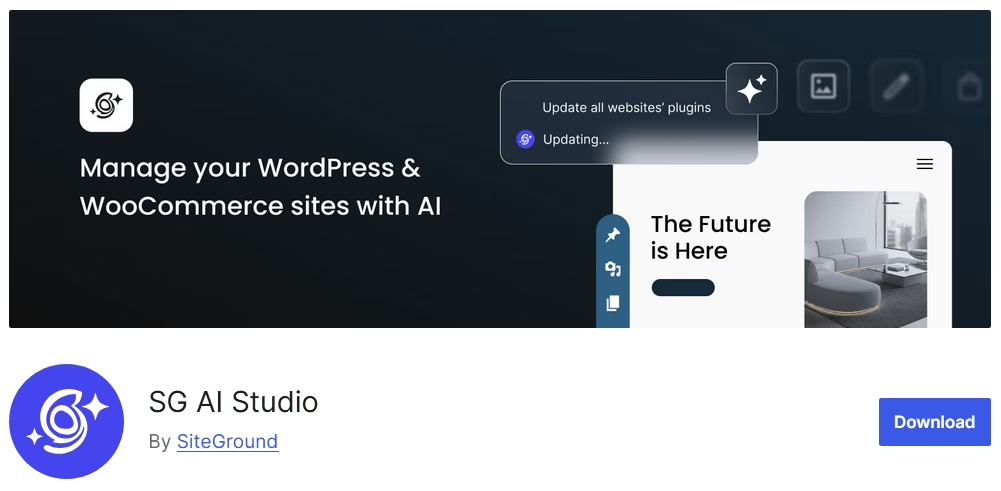
For non-developers who want agentic AI on WordPress without managing API keys, OpenAI dashboards, or DPAs, try SG AI Studio plugin.
The plugin is a connector. The actual AI lives at SiteGround’s endpoint, where you get access to a handful of specialized agents.
The WordPress-specific one is called the AI Agent for WordPress. Once you authenticate the plugin, you can manage your site through a chat window.
You can use it to create posts, edit pages, manage WooCommerce products, install plugins, change user roles, and push changes across multiple connected sites.
The plugin works with any WordPress installation, regardless of the hosting provider, but SiteGround customers enjoy the smoothest integration and automatic connection.
Key Features:
- Bulk multi-site operations: Update plugins, change settings, push content edits across dozens of connected WordPress sites in a single chat.
- Built-in model comparison: Run the same prompt against Claude Sonnet 4.5, GPT 5.1, and Gemini Pro side by side.
- Power Mode safety gate for risky actions like deleting plugins or modifying settings. The friction is the point.
- Free for SiteGround customers, with limited credits included in all hosting plans.
- Persistent chat across screens and an embedded chat pop-up in WP admin.
Limitations:
- Production readiness is uneven. The plugin is rated 2.3 out of 5 stars.
- WordPress 7.0 dependency curve.
Pricing
SiteGround AI Studio free plan is included with all SiteGround hosting plans (around 20,000 tokens at time of writing), with paid plans for higher token allowances published on the SiteGround site.
Verdict
SG AI Studio is the strongest hosted agentic AI option in this AI WordPress plugins recommendations, and the easiest entry point for non-developers who want to manage WordPress through plain language.
We’d recommend it especially for SiteGround customers, and for agencies running multiple client sites.
11. AI Puffer
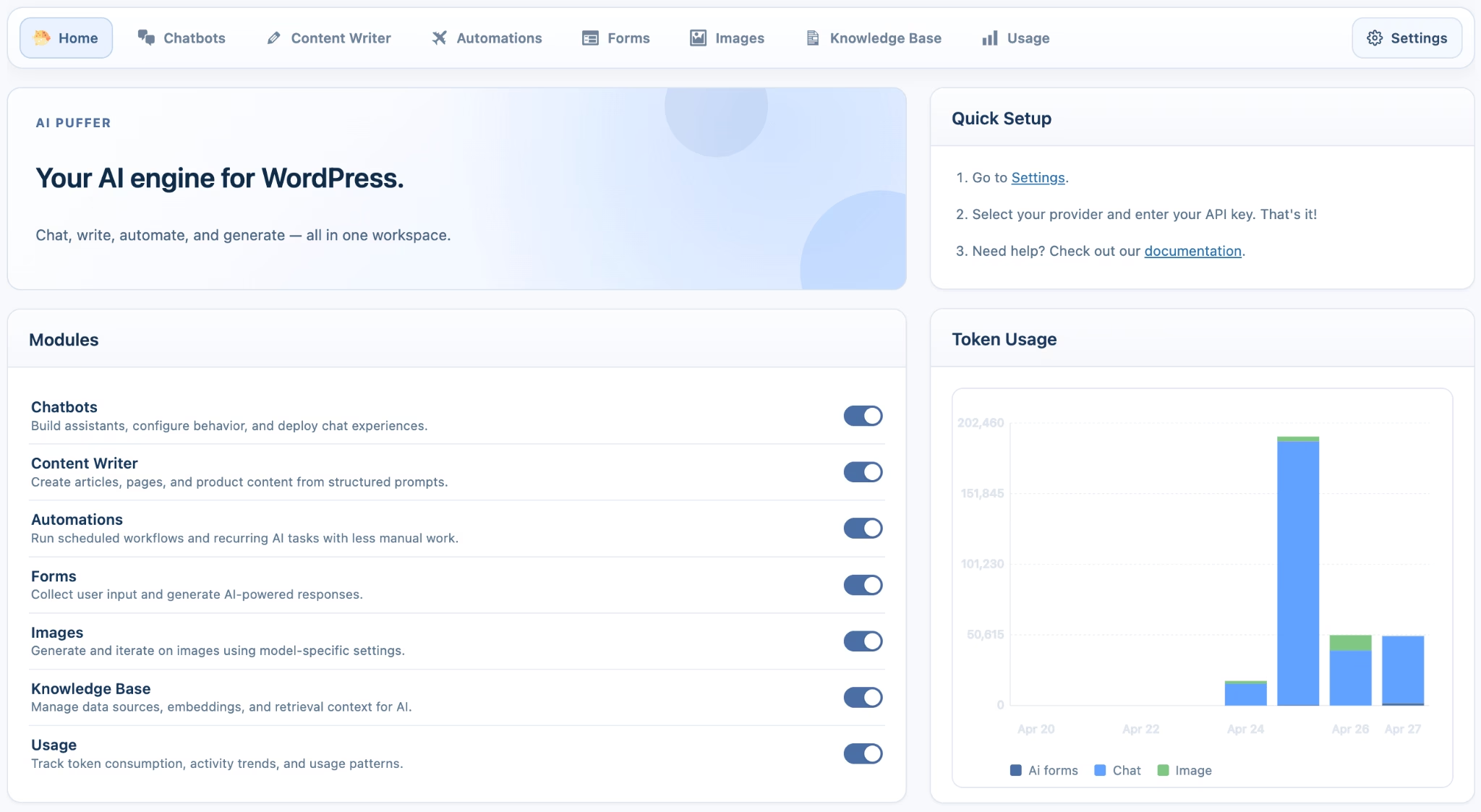
For budget-conscious users who want one plugin doing many AI jobs, try AI Puffer (formerly AI Power).
It’s been around since 2022, has a strong active install base, and holds a solid 4.6-star rating.
AI Puffer markets itself as “the Complete AI plugin for WordPress,” and that’s a fair description. It does an AI chatbot, content generation (long-form, short-form, bulk), AI image generation, AI forms, SEO writing, WooCommerce product description writing, plus a prompt playground for testing.
You bring your own OpenAI API key. The plugin itself is free, and you pay OpenAI directly for usage.
Key Features:
- Sheer feature surface area: From chatbot to image gen to WooCommerce product writing.
- WooCommerce product description writer for stores with hundreds of SKUs.
- Bulk content generation (use with care).
- Chatbot moderation tools to filter inappropriate content.
Limitations:
- Nothing is best-in-class. The chatbot is weaker than HelpJet’s. The writing is less SEO-aware than GetGenie’s. AI Power is good at everything and great at nothing.
- The settings UI is dense. Steeper learning curve than the single-purpose plugins.
- Bulk generation can produce thin content if used carelessly.
Pricing
You bring your own OpenAI API key. The AI Puffer itself is free, and you pay OpenAI directly for usage.
Verdict
AI Puffer is the right choice for budget-conscious WordPress users who want a single plugin to handle many AI tasks and are comfortable managing an OpenAI API key.
It’s not recommended if you want a polished chatbot, premium content, or simple onboarding.
12. TranslatePress AI
TranslatePress is one of the most-installed plugins in the multilingual category, AI features or not. It has 400,000+ active installs and a 4.7-star rating across more than 1,600 reviews on WordPress org.
It is best known for its visual front-end translation editor. You translate by pointing at text on the live page and editing inline.
The AI translation layer (which integrates with DeepL, Google Translate, and OpenAI) handles the first pass.
Key Features:
- Best-in-class visual front-end translation editor: You translate by clicking on the live page text, not by navigating a separate admin screen.
- AI augmentation instead of replacement. Every translation can be reviewed and refined.
- Compatibility with virtually every theme and page builder.
- DeepL, Google Translate, and OpenAI as translation backends, depending on plan.
Limitations:
- The cost of AI translation scales with content volume. Large multilingual sites need to plan their budgets accordingly.
- The free version is manual only. Paid plans offer AI features.
Pricing
TranslatePress free version covers manual translation. Paid plans with AI features start at modest annual rates (€99/ year plan comes with 50k AI translated words).
Verdict
If you need a multilingual WordPress site and want AI to do the first translation pass, TranslatePress is a good option.
Frequently Asked Questions
Are WordPress AI plugins safe to use?
Yes, when you install from the WordPress repository or a reputable vendor. Check the last-updated date, ratings, and any Patchstack security advisories before activating anything on a client site.
Are there genuinely free AI plugins for WordPress?
Yes, though most free tiers cap usage. Website LLMs.txt is fully free, while AI Engine and AI Puffer are free to install but ask you to bring your own paid API key.
Can an AI plugin build an entire WordPress site?
Yes. ZipWP generates a complete WordPress site from a text brief, and Uncanny Page Builder builds individual pages with AI inside a site you already run.
Final Thoughts: Free WordPress AI Plugins in 2026
If you’re a small business owner with a WordPress site and you want to start with AI today, install these three plugins:
- HelpJet (for customer support)
- Website LLMs.txt (for AI search visibility)
- AIOSEO (content, SEO)
That stack costs $0 to start with, takes around an hour to set up, and covers the most important AI-related features that most businesses need.
A word of caution before you go: every WordPress AI plugin on this list sends content to a third-party AI model unless you’ve configured it otherwise.
That can cause GDPR consequences if you’re handling personal data. Check the privacy policy of every plugin before installing on a client site, and don’t assume “free” means “no data leaves your server.” It usually does.
See you in the next guide!
Further Reading
The 11 Best FREE WordPress AI Chatbot Plugins
12 Best Free WordPress Chat Plugins (2026 Edition)
Top AI Knowledge Base Software in 2026
AI in Customer Service: Examples, How to Implement (2026)





Leave A Comment?
You must be logged in to post a comment.