10 Best Open Source Helpdesk Ticketing Systems in 2026 (Mostly Free)


After spending the better part of the last week installing, configuring, and exploring open source helpdesk ticketing systems, I can tell you the field has split sharply in 2026.
Most of these free helpdesk ticketing systems now match commercial SaaS in polish and AI capabilities, while a handful of once-popular projects have quietly gone dark.
With this guide I will help you choose the best free or open source helpdesk ticketing solution. So you can save thousands of dollars without compromising on features, scalability, or usability.
In This Guide
Why use an open source ticketing system?
The pitch for an open source helpdesk ticketing system is not really about saving money (although it usually does). It is about control.
With a self-hosted ticketing system you own the database.
Nothing is held hostage by a vendor's pricing change or a sudden enforced migration.
Cost is the second driver. Per-agent pricing on commercial SaaS helpdesk software now routinely lands between $25 and $95 per agent per month at the higher tiers.
A 20-agent team running Zendesk Suite Professional pays roughly $27,000 a year before add-ons.
The same team can run FreeScout, Zammad, or Chatwoot for the cost of a $40 VPS plus an afternoon of configuration.
There are plenty of other reasons to choose open source ticketing system as well:
- Customization
- Data sovereignty
- Community support
- Transparency
Pro tip: Open source is “free as in freedom,” not “free as in zero hours.” Plan for at least two days of administrative time for the initial installation, plus four hours per month for patches and backups. The single biggest mistake teams make on their first self-hosted deployment is pretending that maintenance is zero.
What to look for in a helpdesk ticketing system (our review process)
You don’t need every fancy feature out there to answer simple questions or assist customers better.
You just need a few important ones that work like charm—every time.
While testing these open source helpdesk ticketing systems we made sure every option in this list is worth considering.
Here's what made the scorecard:
- Ease of installation: A tool you cannot deploy in a day is a tool that will not get deployed at all.
- Multi-channel support: Email, web form, live chat, social, and voice.
- Automation and workflow capabilities.
- SLA management depth.
- Knowledge base integration.
- Reporting and analytics: Matters more in 2026 than ever.
- API and integration breadth.
- Active development cadence: Last commit, last release, open issue count.
- Security posture: Recent CVEs, patch frequency, auth options.
- Scalability under realistic ticket volume.
- UI/UX polish
- Community sentiment
- Value for money
Best open source helpdesk ticketing systems for 2026

We rigorously test and research every product that we recommend through HeroThemes. Our review process. We may also earn a commission if you make a purchase through our links.
Here’s a quick comparison table of recommended helpdesk software. Use it to shortlist, then read the deeper analysis.
| Tool | Best for | Free tier | Paid pricing |
|---|---|---|---|
| Heroic Inbox | Anyone | No | $79.60 per year, unlimited users |
| osTicket | Classic IT helpdesks on a budget | Full | Cloud from $12/agent/mo |
| Zammad | Modern omnichannel mid-market support | Full self-host | Cloud from ~€5/agent/mo |
| FreeScout | Help Scout-style shared inbox | Core free | Modules $2 to $26 each |
| Znuny (OTRS CE successor) | ITIL-aligned process workflows | Full | Paid support optional |
| UVdesk | E-commerce sellers (Shopify, Magento) | Community free | Cloud from $8/agent/mo |
| Faveo Community | Laravel-stack SMB helpdesks | Community free | Pro from ~$8.40/agent/mo |
| Chatwoot | Modern Intercom or Zendesk alternative | Community free | Cloud and Premium tiers |
| Erxes | Full CX and CRM platform with support | Community free | Enterprise quote-based |
| HESK | Tiny teams wanting a simple PHP install | Yes | One-time $49.99 to $199.95 |
1. Heroic Inbox
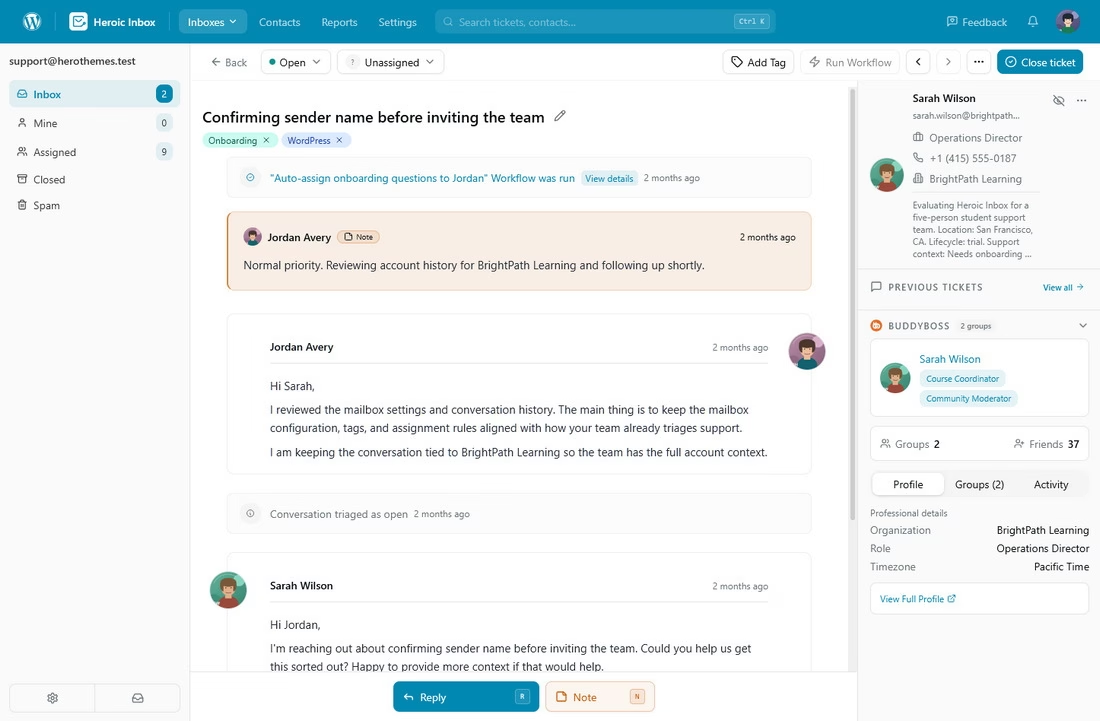
Heroic Inbox is a WordPress (the most popular open source CMS) helpdesk plugin.
If your business already runs on WordPress (even if it doesn’t), Heroic Inbox provides you with a shared team inbox, complete with automation, internal notes, and deep WooCommerce context.
It is not strictly open source or free; it’s a commercial WordPress plugin distributed under a standard premium license. It’s very affordable (almost 30% to 90% cheaper to operate than a SaaS Helpdesk software), offers the data ownership, self-hostability, and unlimited-seat.
Key features and what I liked:
- Unified WordPress shared inbox: multiple mailboxes (sales@, support@, billing@) live inside the WP dashboard.
- No agent or ticket caps even on the cheapest tier.
- Native WooCommerce, Easy Digital Downloads and eCommerce plugin integrations.
- Heroic KB integration to easily find knowledge base articles.
- Smart automation and auto-responders: auto-assign by mailbox, auto-reply on out-of-hours, snooze, follow-up reminders, and scheduled sending that intelligently cancels if the customer replies first.
- Team collaboration tools: internal notes, @mentions, drafts for review, and saved replies.
- Gmail and Google Workspace OAuth: the connection took roughly five minutes against a Workspace test domain, faster than every other tool in this guide.
- Predictable flat pricing: one annual fee covers unlimited agents.
Limitations:
- It is a paid plugin.
- Email-first coverage. no native WhatsApp, Twitter, Instagram, or live chat.
- Performance depends on your WordPress hosting.
Pricing
Heroic Inbox annual licenses start at roughly $79.60 per year for a single site and two mailboxes. All plans include unlimited users and unlimited tickets.
Verdict
Heroic Inbox is a smart choice—you control the data, it includes all important features and is affordable as well.
14-Day Money-Back Guarantee | Setup in Under 10 Minutes
2. osTicket
osTicket remains the default free ticketing system recommendation in countless threads, and for a good reason. It’s been around since 2003 and is still pushing frequent updates.
In fact, there's osTicket 2.0 coming soon, which includes a complete platform overhaul.
Key features and what I liked:
- Multi-channel ticket intake: email piping, IMAP, web forms, REST API, and phone-logged tickets.
- Custom queues, ticket filters, help topics, and SLA plans: the SLA engine is genuinely robust for free software, with business hours, escalations, and per-topic targets.
- Customer portal and built-in knowledge base
- OAuth2 plugin for Microsoft 365 and Google
- Plugin architecture: official plugins for Slack, file storage, and OAuth2, plus a third-party scene that includes Telegram, Teams, and AI reply generators.
- Ticket locking to prevent two agents replying at once.
Limitations:
- The UI is dated, and missing reporting features (New version soon coming out that promises to improve this).
Pricing
osTicket self-hosted Community Edition is fully free under GPL v2 with no feature gating.
The cloud-hosted version, run by a partner called SupportSystem, starts at around $12 per agent per month.
Verdict
osTicket works just fine for teams that value stability over polish and has nobody to impress visually.
It’s targeted towards budget-constrained internal IT teams, schools, smaller government offices, and anyone who needs a free open source ticket system. Which simply queues, assigns, and resolves email-based requests.
3. Zammad
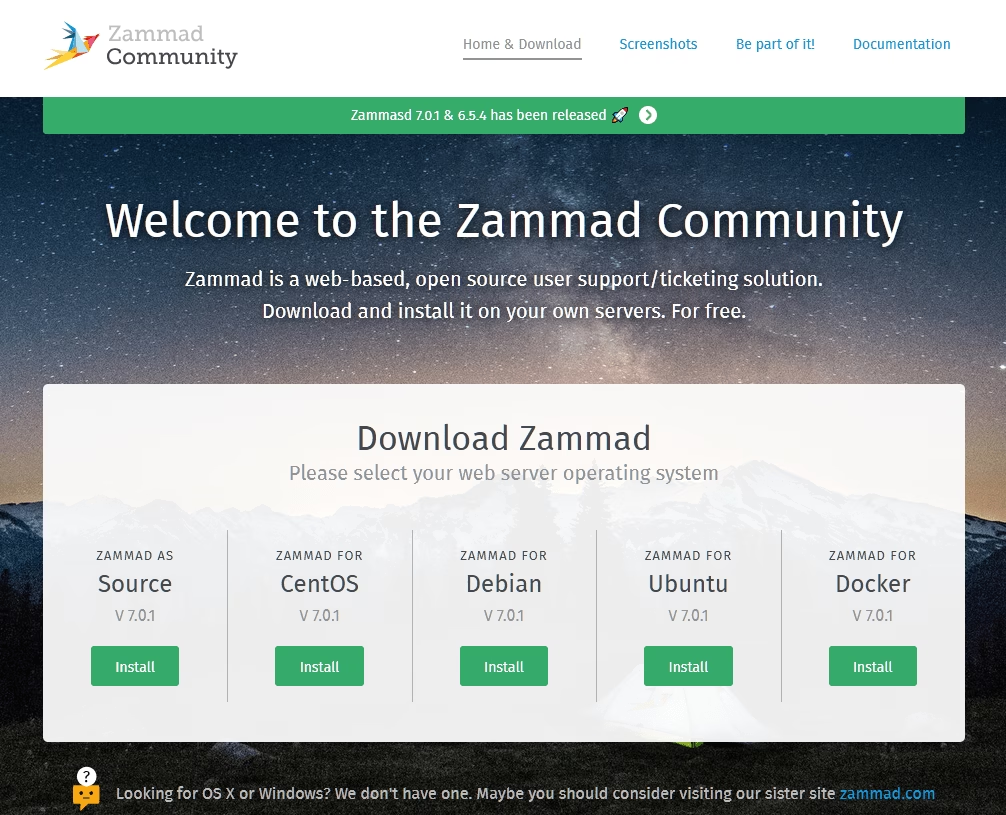
If you've ever sat through a Zendesk pricing call and thought “there has to be a better way,” you've probably already heard about Zammad.
It's a Ruby on Rails helpdesk with a Vue and TypeScript frontend, governed by the independent Zammad Foundation, and developed commercially out of Berlin.
Key features and what I liked:
- True omnichannel: email, web form, live chat, phone via CTI integrations (sipgate, Placetel), Telegram, X/Twitter, Facebook, WhatsApp Business, SMS via Twilio, Microsoft Teams, and Microsoft 365.
- Polished modern UI with a working mobile view, dynamic object screens, duplicate-ticket detection, and proper ticket history.
- Triggers, schedulers, macros, text modules, SLAs, and business hours: the workflow engine is deep without being intimidating.
- Built-in AI features (v7.x) for ticket summarization, sentiment, and writing assistance, with provider choice between OpenAI, Azure, and local Ollama models.
- Enterprise-grade auth: LDAP, AD, SAML, OpenID Connect, Shibboleth, SSO, plus social OAuth and S/MIME email signing.
- REST API and webhooks plus an archive importer that takes much of the pain out of migrating from Zendesk or OTRS.
- Multilingual knowledge base and a customer portal.
Limitations:
- High system requirements.
- Self-hosting carries operational weight, including Elasticsearch tuning, security patches, and version upgrades.
- Cloud paywall is steeper than self-hosted: WhatsApp and Facebook only land on the top tier.
- Linux only, no native Windows or macOS server install.
Pricing
Zammad’s self-hosted edition is fully free under AGPLv3 with the entire feature set unlocked, which puts it in a tiny club among modern open source helpdesks.
Cloud SaaS plans start at roughly €7 per agent per month for Starter (email and web only, capped at 5 agents).
Verdict
On the whole, Zammad is the open source help desk software we'd recommend, especially for teams in regulated industries where data residency matters.
It's not easy to install, so you'll need an admin who is comfortable with Linux. But for everyone else looking to escape per-seat pricing without sacrificing UX, Zammad is hard to beat.
4. FreeScout
FreeScout promotes itself as a free self-hosted Zendesk and Help Scout alternative.
FreeScout is an AGPLv3 PHP and Laravel application that clones the Help Scout shared-inbox experience faithfully, runs on shared hosting, and supports unlimited agents.
It launched in 2018 and now sits at over 4,200 GitHub stars 6.
Key features and what I liked:
- Help Scout-style shared inbox UI with unlimited users, mailboxes, and tickets in the free core.
- Collision detection showing live agent presence on shared conversations.
- IMAP, SMTP, and modern Microsoft Exchange OAuth: ingest, merge, forward, and move conversations between mailboxes cleanly.
- 30+ built-in languages, plus mobile apps for Android and iOS and a macOS menu-bar app for desktop notifications.
- Massive modules marketplace: tags, workflow automation, knowledge base, custom fields, saved replies, Kanban, time tracking, satisfaction ratings, Slack and Telegram integrations, SAML, LDAP, and Meilisearch.
- Zapier and Make integrations plus a clean REST API.
- AGPLv3 license means the core stays free forever even as the marketplace expands.
Limitations:
- Limited free functionality: tags, workflows, the end-user portal, the knowledge base, and custom fields are all paid modules. A production deployment usually adds up to between $100 and $400 in one-time module fees.
- Search performance on large mailboxes is sluggish without the paid Meilisearch module.
Pricing
FreeScout core application is fully free and open source. Official modules are perpetual one-time licenses priced from $2 to $26 each.
There is also a separately offered cloud-hosted version.
Verdict
FreeScout is a great self hosted ticketing system that feels like Help Scout without the huge bill. Allocate $200 for modules upfront and accept the email-centric model, and you will struggle to find a better value for your money in terms of dollars per feature.
5. Znuny
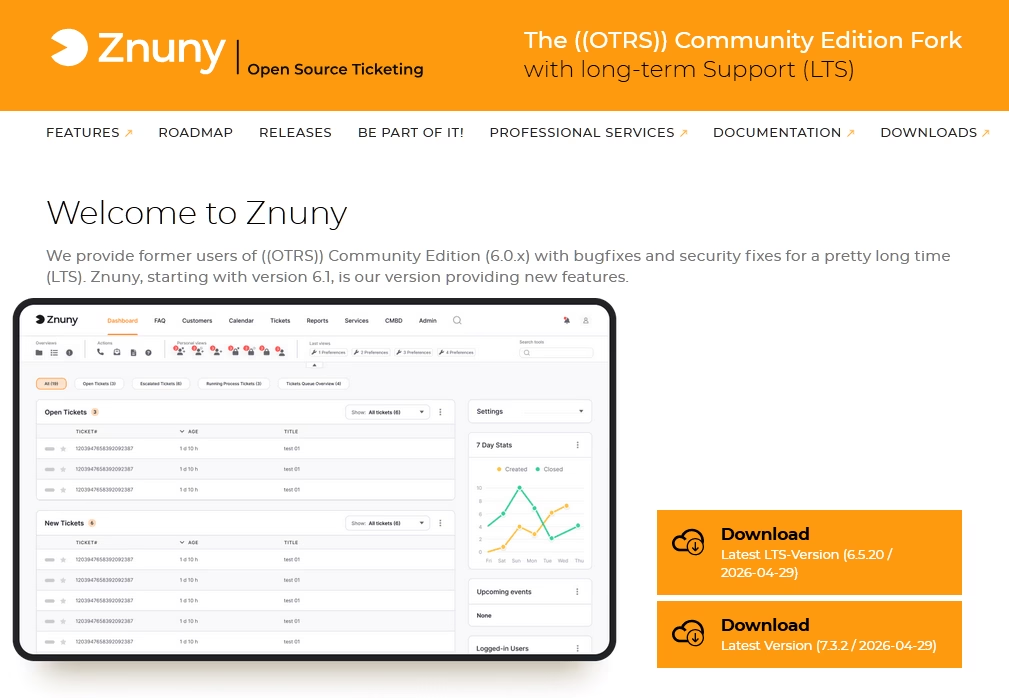
Znuny is the actively maintained successor to OTRS Community Edition. OTRS Community Edition was, for years, the open source ITSM tool.
Znuny is a Perl-based ticketing software with a strong ITIL (Information Technology Infrastructure Library) foundation and a history of managing customer service queues at universities, government agencies, MSPs, and large enterprises across DACH Europe.
Key features and what I liked:
- Multi-queue ticket management with deep email-to-ticket workflow, escalations, and SLA support.
- ITIL and ITSM modules including ITSMCore, Incident Management, Problem Management, Change Management, CMDB, Service Level Management, and General Catalog.
- Process Management and Generic Interface: a workflow automation engine and REST and SOAP web services for integrations.
- UI with over 40 languages, customer self-service portal, and FAQ and knowledge base modules.
- LDAP, AD, SAML, and SSO, with granular role-based ACLs and multi-tenant queue separation.
- Reporting and statistics with dashboards, plus a survey module for post-resolution CSAT.
- Highly extensible through OPM packages on the Znuny marketplace (OPAR).
Limitations:
- Built on Perl. A small developer talent pool and a dated technology stack relative to Ruby, PHP, or Node alternatives.
- ITSM modules ship as separate package installs, and configuration of full ITIL processes can be complex.
- Smaller community.
Pricing
Znuny is free under GPL v3, with no feature gating.
Znuny GmbH sells optional support, hosting, training, and consulting subscriptions for teams that need a vendor on the line.
Verdict
If you are currently using OTRS Community Edition, Znuny is the only sensible path forward in 2026. If you are starting from scratch and want an open source ticketing system aligned with ITIL processes, it is a solid choice.
6. UVdesk
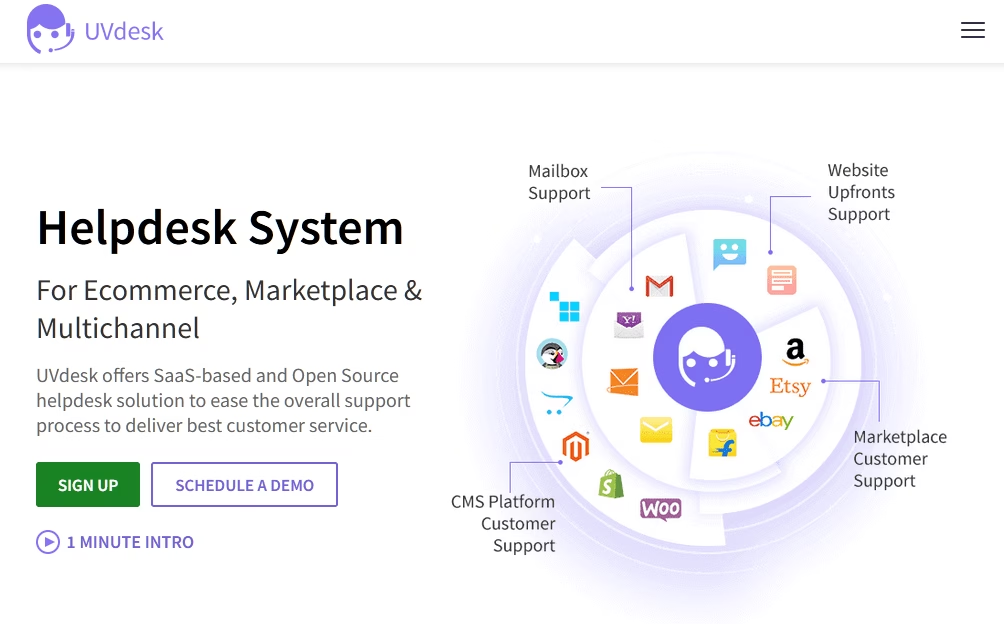
UVdesk is an open source helpdesk built specifically for online retailers.
It's a Symfony and PHP application that connects directly to Shopify, Magento, WooCommerce, Amazon Seller Central, and eBay, pulling order data straight into the ticket sidebar where agents actually need it.
Key features and what I liked:
- Deep eCommerce platform integrations
- Multi-channel inbox: email and IMAP, web form, Facebook, X/Twitter, WhatsApp on Pro, plus Amazon Seller Central messaging.
- Workflow automation engine with event triggers, prepared replies, and customer follow-ups.
- Branded customer support center portal with knowledge base articles, categories, and FAQs.
- Form Builder for custom contact, feedback, and survey forms with customizable email templates.
- Agent, group, and team management with role-based privileges and unlimited agents on the self-hosted edition.
- REST API and a Flutter mobile app for both agents and customers.
Limitations:
- The mobile app and mobile web experience is weak and unstable.
- Automation and AI capabilities are basic.
- Setup requires Symfony and PHP familiarity.
- The official forum is largely inactive.
Pricing
UVdesk Community Edition is free forever, self-hosted, OSL-3.0, with unlimited agents.
There is also a SaaS variant, starting at $11 per agent per month.
Verdict
If you sell on Shopify, Amazon, eBay, or Magento and want an open source ticket management system that actually understands your orders, UVdesk is the right choice.
For pure SaaS or B2B support that has nothing to do with eCommerce, there are other options in this list that are better suited for you.
7. Faveo Helpdesk Community
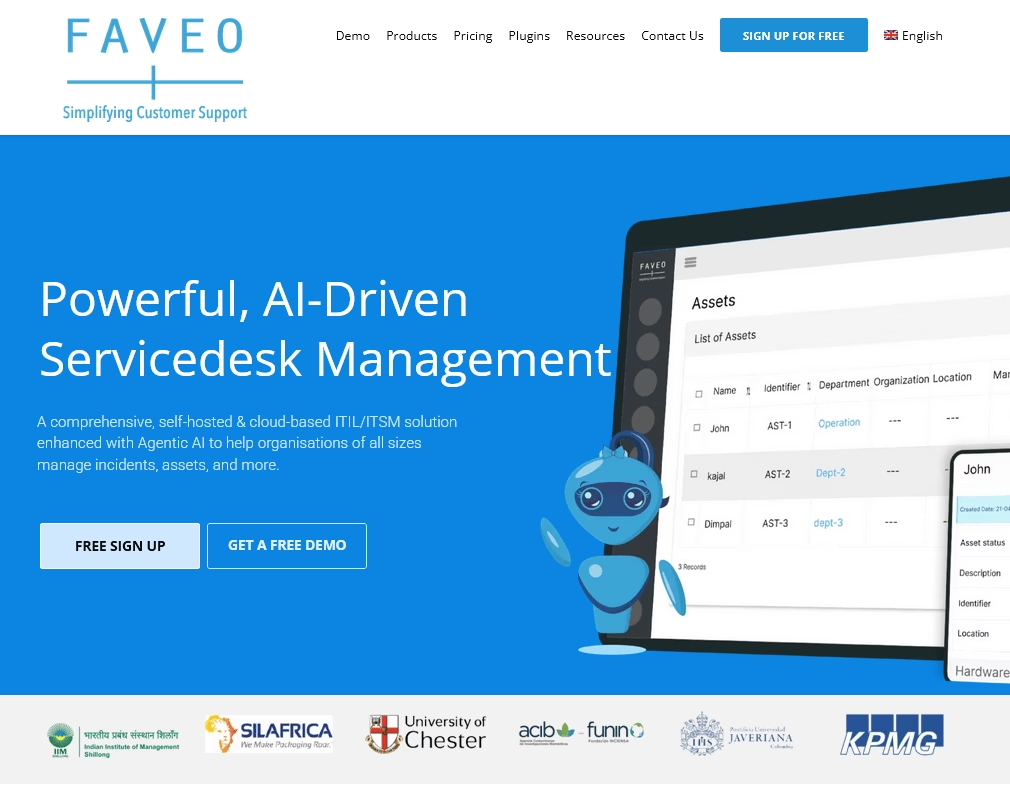
Faveo is a Laravel and PHP helpdesk ticketing system that has been around since 2015.
The product line splits into a free Community Edition and paid Pro, Enterprise, and Servicedesk tiers, which means you get the choice between hosting it yourself for free or paying for a managed setup with extras.
It is one of the few open source helpdesk software projects with a dedicated commercial AI assistant (“Elea AI”) on the paid side. Although the AI features do not extend to the free community edition.
Key features and what I liked:
- Ticket lifecycle management with SLA tracking, priorities, statuses, departments, teams, and custom workflows.
- Multi-channel support: email piping and IMAP, web form, Facebook, X/Twitter, WhatsApp via MSG91, and live chat on Pro.
- Knowledge base with categories, FAQ articles, and a self-service portal.
- Elea AI assistant on Pro and cloud editions: ticket summarization, sentiment, suggested replies, and KB article generation.
- Role-based permissions, LDAP, SAML2 SSO, and Active Directory integration.
- Mobile apps for Android and iOS, with the Community apps free on stores.
- REST API, multilingual UI, and email templates and branding.
Limitations:
- Community Edition lags significantly behind paid editions: no AI, limited integrations, limited approval flows.
- The UI is functional but dated.
Pricing
Faveo Community Edition is free and open source. Pro Helpdesk starts around $8.40 per agent per month recurring, or roughly $216 per agent perpetual one-time with one year of support.
Verdict
We would only recommend Faveo if you are committed to paying for the Pro edition, where the development pace is real and Elea AI is competitive. Treat the free Community Edition as a demo rather than a production target.
8. Chatwoot
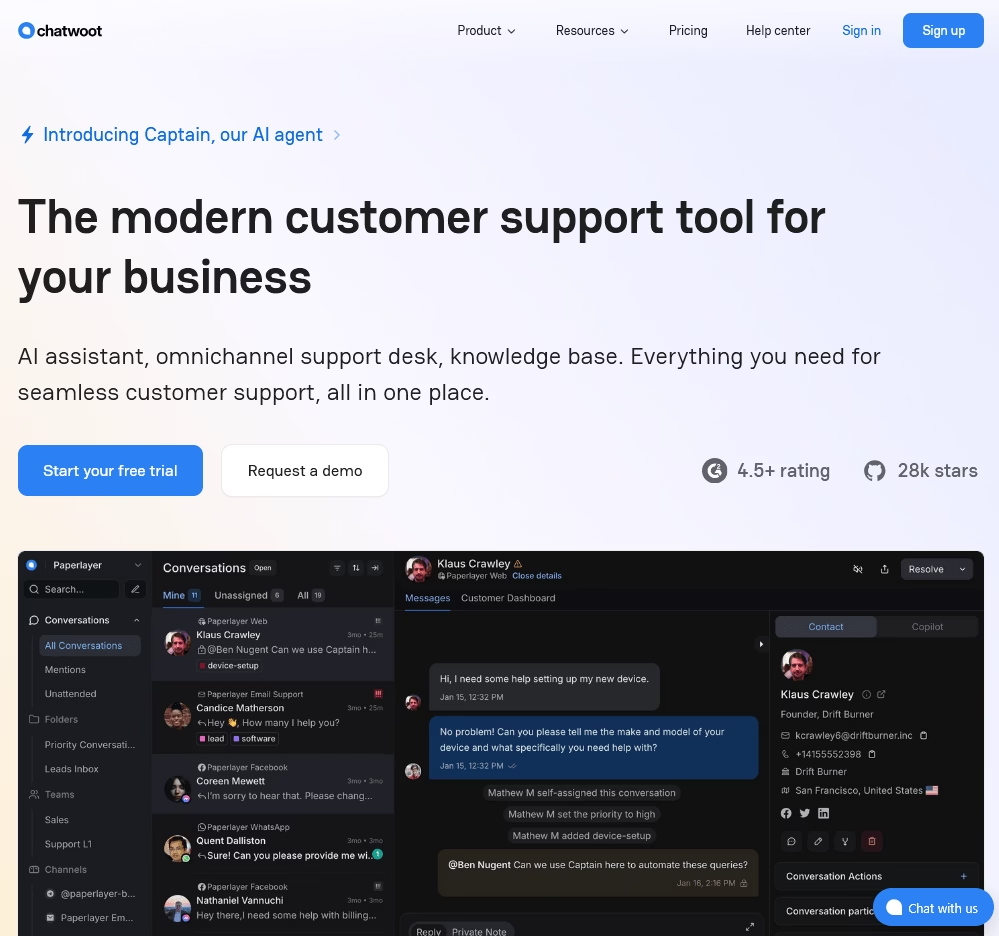
Few open source projects have grown as visibly as Chatwoot. It now sits at roughly 28,900 GitHub stars with daily commits.
Chatwoot built around an omnichannel shared inbox, sold as a self-hostable Intercom and Zendesk alternative, and increasingly positioned around its Captain AI agent.
The conversation experience with Chatwoot is excellent: keyboard shortcuts feel native, the inbox switcher is instant, and Captain AI suggested usable replies on roughly 70% of the test tickets I threw at it.
Key features and what I liked:
- Omnichannel shared inbox: website live chat, email, Facebook, Instagram, WhatsApp, X/Twitter, Telegram, Line, SMS, and a generic API channel.
- Captain AI agent (paid): reply suggestions, conversation summaries, and KB-grounded answers wired to your help center.
- Conversation Workflows: structured resolution paths with automated rules and structured data collection on resolution.
- Pre-chat forms, canned responses, automation rules, agent assignment, teams, labels, custom views: the workflow primitives are deep.
- Integrations: Slack, Dialogflow, Shopify, Linear, Google Translate, plus dashboard-embedded apps and Helm or Kubernetes deployment.
- Reporting: conversation, agent, inbox, label, and team reports plus CSAT and downloadable exports.
- Mobile apps in React Native, a Flutter SDK, and signed webhook secrets.
Limitations:
- Several advanced features are gated to paid cloud or enterprise tiers, including SLAs, audit logs, agent capacity management, SAML SSO, and custom roles, which has been a recurring frustration for self-hosters.
Pricing
Chatwoot Community Edition is free under MIT, fully self-hosted, with unlimited agents, but excludes Captain AI and several premium features.
Cloud pricing is per agent per month across Startups, Business, and Enterprise tiers, with monthly Captain AI credit allotments. Self-hosted Premium plans start around $19 to $99 per agent per month.
Verdict
For modern, omnichannel customer engagement, Chatwoot is a great open source ticketing system. Pick Chatwoot if your team lives in chat, WhatsApp, and Instagram.
9. Erxes
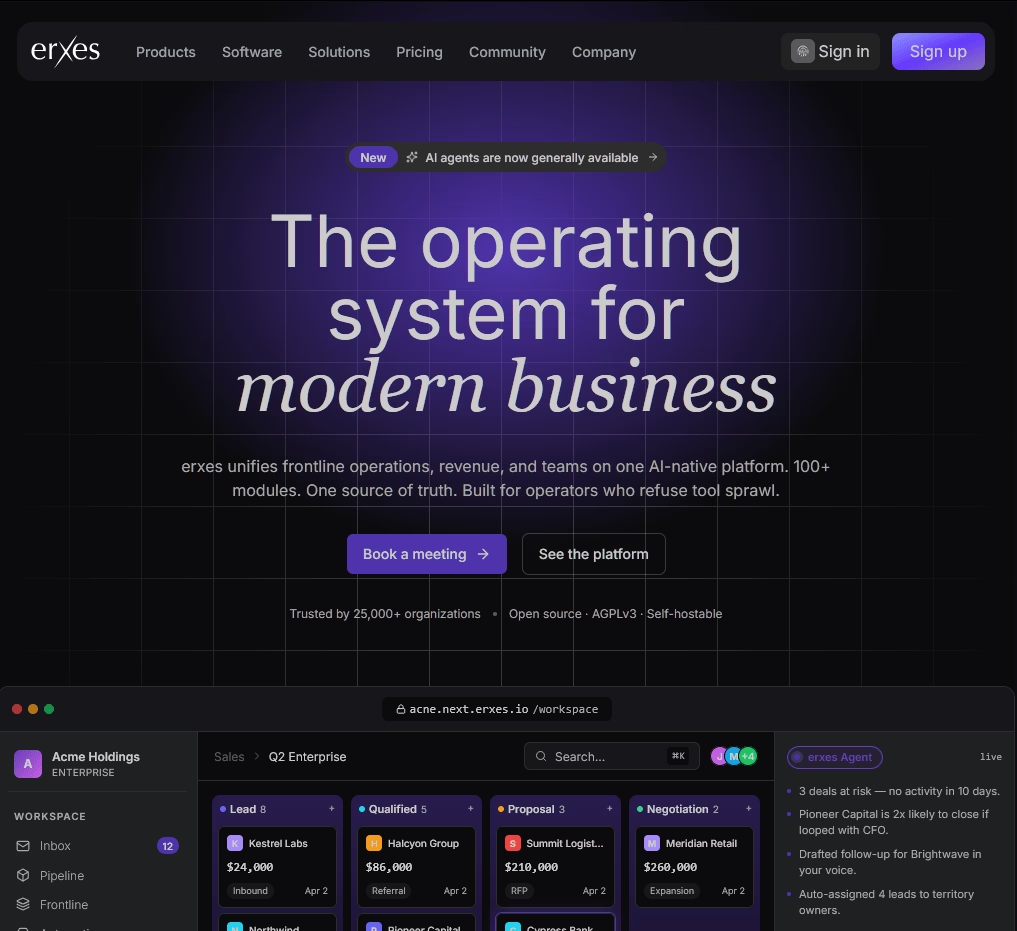
Erxes positions itself as an “Experience Operating System” rather than a helpdesk. It is a unified platform aiming to replace HubSpot, Zendesk, Linear, and Wix at once.
The Erxes Frontline plugin is what most of you want: an omnichannel inbox covering live chat, email, WhatsApp, Instagram, call center, and web forms.
Key features and what I liked:
- Plugin and module architecture: a Core plus optional plugins (Frontline, Sales, Operation, Content, Accounting, Tourism, Property, Team, Finance) downloadable from a marketplace.
- Frontline module: omnichannel inbox combining live chat, email, WhatsApp, Instagram, call center, and web forms with ticket and task assignment.
- Knowledge base and Help Center: customer-facing self-service article publishing tied into the messenger.
- Team Inbox and Engage: multi-brand customer service queue with email, SMS, and messenger campaigns.
- Automation engine: trigger, condition, and action workflows that span CRM, support, and marketing modules.
- GraphQL Federation API and a Next.js Customer Portal: headless extensibility built in.
- AI-native additions added through 2025 and 2026, including MCP and CLI agent connections.
Limitations:
- License complexity has grown: many newer plugins are EE-only, and the project shifted from MIT and GPL to a fair-code “source available” model that some open source purists reject.
- Heavy infrastructure footprint
- It is not a pure helpdesk
Pricing
Erxes community self-hosted edition is free under a fair-code AGPL-style license.
Verdict
I would only deploy Erxes if I genuinely needed CRM, marketing automation, and support in one platform. For teams that want only a free ticketing system, it is the most overengineered option in this guide.
10. HESK
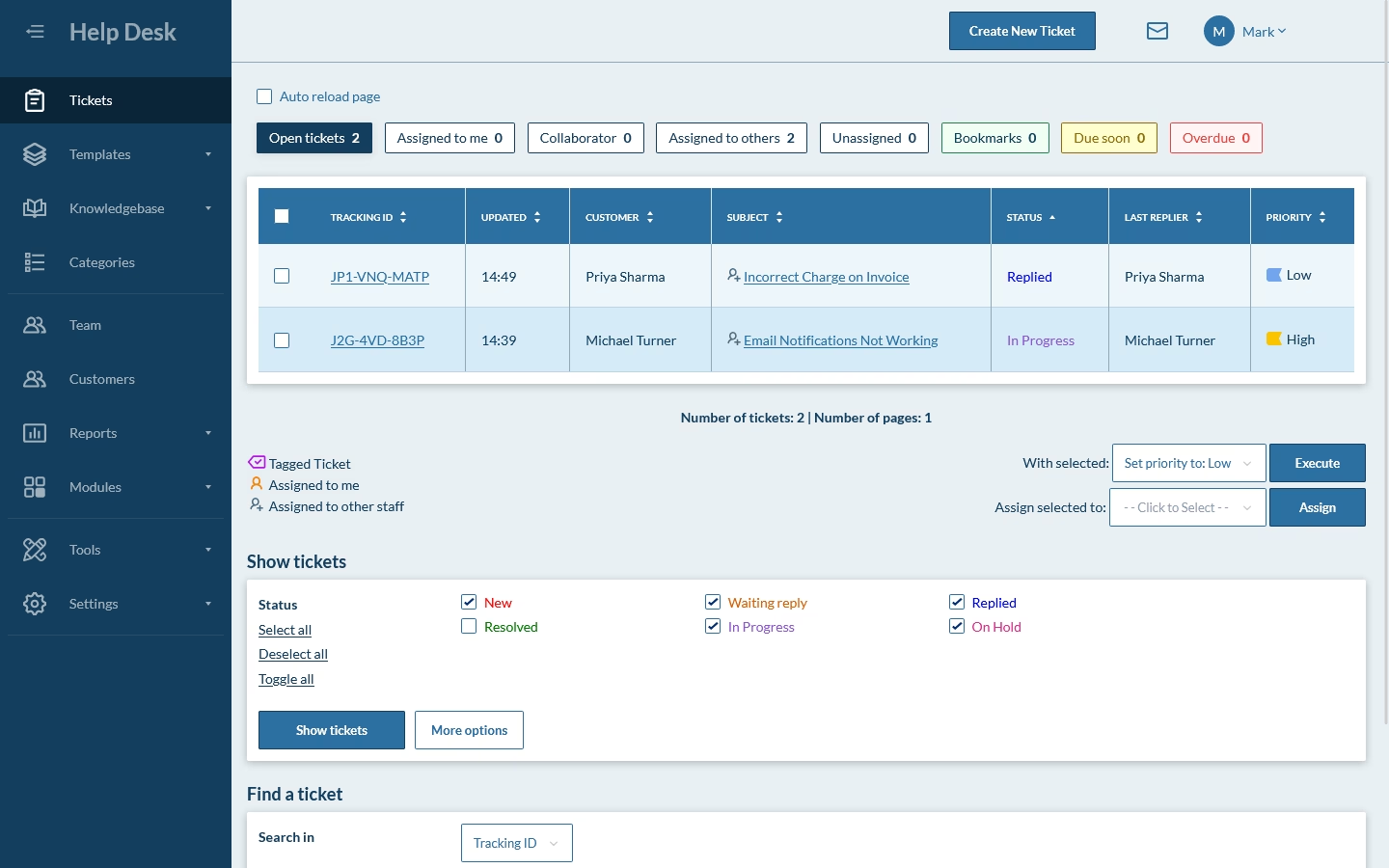
HESK is the simple one and it’s been around since 2005.
It is not pretty, it is not powerful, but it has been quietly reliable for two decades and shows no sign of stopping.
Key features and what I liked:
- Web-based ticket system with categories, priority, status tracking, ticket locking, and audit trails.
- Built-in searchable knowledge base with articles and categories.
- Customizable submit-ticket forms with custom fields and anti-spam checks.
- Canned responses, email piping and notifications, and file attachments.
- Role-based staff permissions.
- Multilingual through downloadable language packs.
- Auto-close after X days, ticket ratings, and reporting, plus WCAG 2.1 AA accessibility from 3.7.6.
Limitations:
- No mobile app: only a mobile-responsive web UI.
- Limited automation and workflow versus modern competitors.
Pricing
HESK self-hosted free version is free forever, with optional one-time licenses at roughly $49.99 (Website License, single install, branding removed).
Verdict
For a small team, a school IT room, a freelancer's customer queue, or any “we just need a ticket form and a queue” use case, nothing beats HESK on speed-to-value.
Final thoughts
The single most important takeaway is that choosing a self-hosted or free ticketing system in 2026 is a maintenance commitment, not just a feature choice.
The free helpdesk ticketing systems are real, but it comes with the obligation to patch, back up, and upgrade.
Pick a tool whose commit graph and community match the level of effort you can sustain, and you will get years of value out of it.
Further Reading
Best WordPress Ticket Systems (2026 Edition)
How To Create a Ticketing System: Step-By-Step Guide
9 Best WooCommerce Support Ticket System (WooCommerce Helpdesk)
Best IT Ticketing System Software of 2026
7 Help Desk Ticket Examples and How to Handle Them Effectively
Top Customer Support Tools for Small Businesses (2026)
Best Free Knowledge Base Software for 2026
7 IT Help Desk Ticket Examples and How to Handle Them
The 10 Best Free WordPress Helpdesk Plugins






Leave A Comment?
You must be logged in to post a comment.