17 Best Help Desk Software for Small Businesses (2026)


The demand for help desk software is rising (it is projected to touch approximately $26.8 billion1 by 2032) as companies turn to modern technology to enhance customer experience and optimize their processes.
But it can be challenging to find the best help desk software for your company. So, we did the hard work for you and evaluated various helpdesk options on factors such as:
- Suitable software for small businesses
- Free or cost-effective solutions
- AI capability
- Automations
- Advanced yet easy to use systems
- Multi-purpose systems such as live chat, knowledge base, and ticketing system
- SaaS web-based solutions and self-hosted systems
- Helpdesks with CRM capabilities
Stay with us to find the best software solution for your help desk.
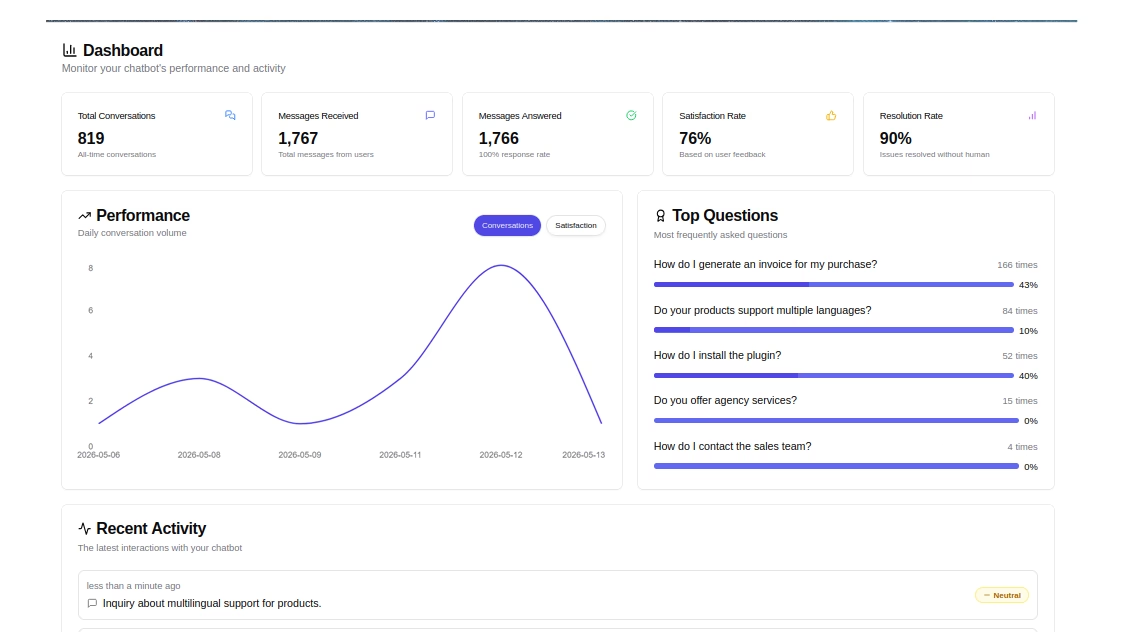
HelpJet – FREE AI Chatbot
An AI happiness engineer that handles 80% of customer questions, so your team can focus on what matters most.
In This Guide
What Is Help desk Software?
Help desk software is a customer support application designed to help businesses manage, track, and resolve customer issues.
Help desk software acts as a centralized platform from where your customer support team can manage support tickets, automate workflows, collaborate with each other and track performance.

Difference Between Helpdesk and Help Desk
Both terms, helpdesk and help desk technically means the same things, but has a slight difference.
Help desk usually refers to the service or department that provides support, while helpdesk is often referred to the software or tool that is designed for customer support and ticketing.
Core Functions of a Help Desk or Helpdesk Software

Helpdesks are bundled with a functionality that helps with a day-to-day customer service task, such as:
- Ticket Management: A ticketing-based system for tracking, prioritizing, and resolving customer issues.
- Incident/problem Management: Identifying problems that occur on a regular basis and finding long-term solutions.
- Knowledge Base: A self-service portal to answer frequent questions (FAQs), provide starting guides, and troubleshooting issues.
- Service Level Agreements (SLAs): Written agreements outlining contract details between two or more parties.
- User Support & Communication: To provide support through multi-channels like email, chat, phone, and social media. (Explore: Omnichannel Customer Service)
- Automation & Workflow Management: Automating repeated tasks such as ticket assigning, reporting, and communication.
How We Evaluated and Tested Help Desk Software
Choosing the right help desk software involves considering factors like customer service team requirements, ease of use, ticket management, team size, multilingual support, and cost.
Here at HeroThemes, we use helpdesk on a regular basis to offer customer support, pre-sale inquiries, and do other business communications.
From this we can tell what makes a good help desk software. Let’s look at some of the things that we tested and considered before creating this guide on the help desk software.
1. Cost
Help desks have the potential to both increase your customer-facing department’s ability to handle more service requests and enhance the consumer experience. But these tools can be expensive. So when evaluating a system, ask yourself:
- How much can you spend?
- What is the price of the tool?
- Are you getting enough value for the money you will spend?
- Are you really going to need all these extra features for such a cost?
If you are a small business with limited money and need a good help desk program, you should weigh different plans against one another and see if there are any undisclosed charges while finalizing your choice.
2. Ease of use
Another important consideration is the time it will take for your team to learn and adopt the new software.
Check whether the software is easy to install and genuinely user-friendly for your team, since a shorter learning curve means faster adoption and lower training costs.
3. Multilingual support
Multilingual support is very important if you sell your products globally, it can improve your conversions and customer retention.

So if you cater to global consumers, you must ensure that your service desk can provide support in various languages.
4. Feature set
What sort of service solutions are you looking for? Are you searching for basic ticket management or more advanced functions like a knowledge center, instant messaging, and so on?
Check the list of functionalities provided by the help desk program. Does it include everything as per your requirement or lacks some of it?
Here are essential features that your help desk software should have:
- Knowledge base
- An integrated ticketing system
- Live chat
- User community
- Feedback and survey systems
- Global search
- Analytics and reporting
Let’s look at some of these features in more detail.
Knowledge base: Knowledge base provides your customers with a self-service option and also a knowledge portal for your customer service agents. It can include FAQs, product documentation, starting and troubleshooting guides, glossary, video tutorials, and demos.
Live chat: Online instant messaging functionality for customers to quickly communicate with support agents. A very important feature to improve conversion rate, and provide pre-sales support.
Feedback and survey: Very important feature to get feedback from customers, collect reviews and improve brand credibility.
5. Team size
How many support staff members do you require? Some support desk programs have prerequisites for the minimum number of staff and additional charges for each new user. Make sure to factor this into your selection process.
6. Customer service
You’d assume that a help desk software provider would provide top-notch support to their own customers. But unfortunately, that’s not always the case. So, make sure to check the following:
- How quick and efficient is your software company’s customer care?
- Is there a helpful knowledge center or FAQs section available?
- Can you reach them by instant message, phone call, or by mail?
7. Ticket management
See if the program offers a straightforward and user-friendly ticket management interface. It should also provide other crucial service management functions like automating tickets, transferring cases to higher-tier officials, and ticket sharing.
List of the Best Help Desk Software
Here’s a quick comparison table:
| Help Desk Software | Best For | AI | Starting Price |
|---|---|---|---|
| Heroic Inbox | Affordable DIY help desk | AI Assistant | $79/year |
| Canary for Support | AI-powered email support | AI chatbot | $10/user/month |
| Web Help Desk by SolarWinds | IT teams and self-hosted support | — | $410/user/year |
| Tidio | Live chat and eCommerce support | Lyro AI agent | Free, then $29/month |
| Zoho Desk | Small businesses and multichannel support | Generative AI | Free, then $7/user/month |
| HelpDeskZ | Free, self-hosted ticketing | — | Free |
| ProProfs Help Desk | Simple, budget-friendly support | Automation | $10/agent/month |
| Capacity | Automated customer support | AI chatbots | $49/agent/month |
| HelpSpot | Large support teams | — | $699/year |
| Spiceworks | Free IT help desk | — | Free |
| osTicket | Free, customizable ticket management | Automation | Free, then $9/user/month |
| Help Scout | Small businesses and shared inboxes | AI Answers | Free, then $25/user/month |
| ngDesk | Flexible agent workflows | — | Contact sales |
| Freshservice | IT incident management | AI/self-service | $19/user/month |
| Hesk | Simple help desk for small businesses | — | $49.99 one-time |
| ManageEngine ServiceDesk Plus | ITSM and enterprise service management | AI self-help | Contact sales |
| Boss Solutions Suite | Flexible web-based and on-site support | — | $19/user/month |
You wouldn’t get the wrong option from this list If you have some budget to spare on helpdesk.
However, not everyone requires hundreds of features in their help desk system, or serves thousands of tickets, or needs to spend hundreds of dollars each month — all you might need is a free solution to start with, or upgrade your existing software with an affordable one.

We rigorously test and research every product that we recommend through HeroThemes. Our review process. We may also earn a commission if you make a purchase through our links.
1. Heroic Inbox
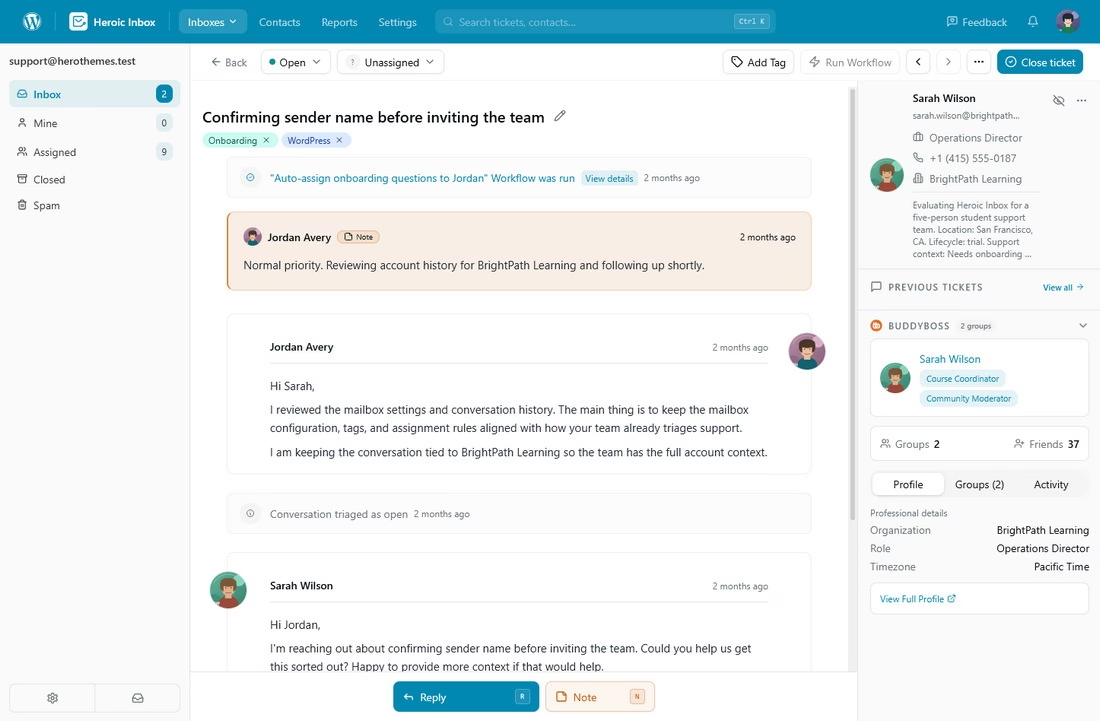
Heroic Inbox is the finest help desk software for delivering top-notch assistance and customer satisfaction at a cost-effective rate.
The key feature of this help desk software is the ability to handle all of your customer conversations, partner collaborations, and other mailboxes from a single location.
Simply connect your Google Workspace or other mail accounts, and Heroic Inbox will bring your email messages to the WordPress admin panel for easy management and communication.
Another massive benefit of Heroic Inbox is that you can add as many agents you want without any extra cost. This is not the case with other software because most of them follow the SaaS model.
Key features:
- Manage unlimited users and serve unlimited tickets without any additional cost.
- Shared inbox, private notes, tagging, and other features to improve collaboration.
- Setup the whole system within 30 minutes to start serving your customers. Check this guide to create a ticketing system with Heroic inbox.
- Features to set auto response and create saved replies to speed up communications and reply drafting process.
- Powerful workflow automation
- Custom mailbox views
- AI Assistant for drafting replies
- WooCommerce and other integrations to get more customer details along with their tickets.
Pros
- Just plug-n-play with minimal setup required
- Allows unlimited reps, conversations, and ticket history data
- Cost-effective in comparison to SaaS helpdesks
- Comes with a 14-day refund policy
- Offers multilingual support
Cons
- There is no free trial
- You oversee software upgrades and web hosting
If you’re a small business or anyone who communicates a lot with emails and are looking for an affordable yet feature rich solution, Heroic Inbox is your best bet.
Pricing
The Heroic Inbox is a premium help desk software, starting just at $79/year.
14-Day Money-Back Guarantee | Setup in Under 10 Minutes
2. Canary for Support
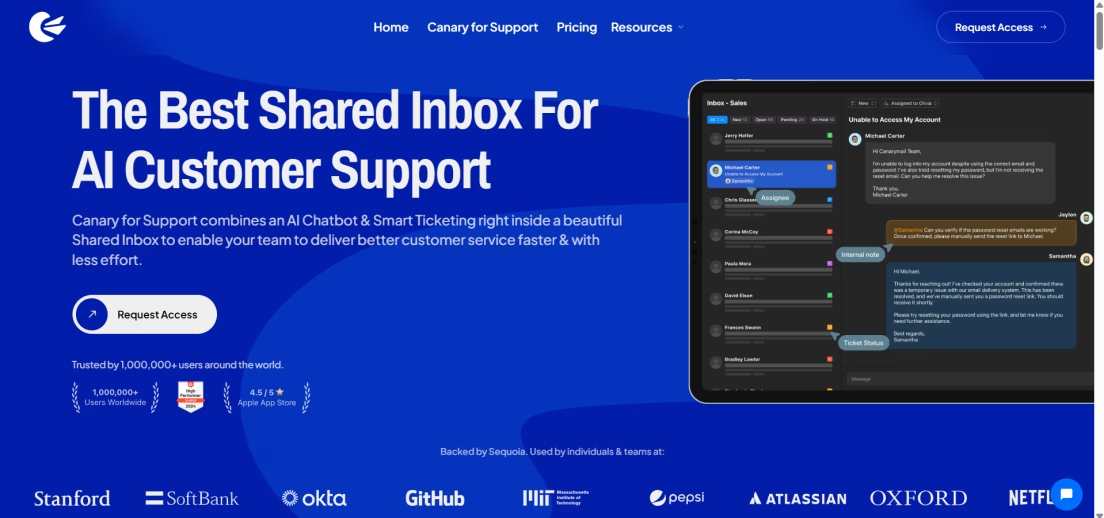
Canary for Support is a lightweight, AI-powered help desk built for modern teams that manage customer communication primarily through email.
With shared inboxes, ticket routing, and built-in AI tools, it helps support teams stay organized and respond faster without the clutter of traditional help desk systems.
Pros
- Web App makes it easy to access across all platforms
- AI chatbot with smart deflection and human escalation
- Shared inbox with auto ticket assignment and internal collaboration
- Real-time analytics for agent performance and top issues
Cons
- No native support for chat or social channels
- Integrations are currently not support (Coming Soon)
Pricing
Canary for Support is priced starting at $10/month per user with no hidden fees. It includes all core features: AI chatbot, shared inbox, analytics, templates, ticket merging, bulk actions, and more.
A full-featured 7-day free trial is available for teams to explore the product before committing.
3. Web Help Desk by SolarWinds

Web Help Desk by SolarWinds is a long-standing, self-hosted IT help desk.
Note that SolarWinds is steering customers toward its newer Service Desk platform and has issued end-of-life notices for older Web Help Desk versions, so confirm the current roadmap before committing to a long-term deployment.
This help desk ticketing software comes with an integrated knowledge hub along with SLA and ticketing functions. It allows you to monitor support requests and how your agents are doing. So you can solve customer requests efficiently with the help of performance reports.
Pros
- A lot of customization options
- Reasonable cost
- Free trial of 14 days
- Supports both cloud-based and self-hosted options
Cons
- The free plan is missing essential features like automation and remote help
- Data analytics reports take time to load
Pricing
Web Help Desk by SolarWinds provides a 14-day, cost-free test run with complete features. You can either opt for a yearly membership or a one-time fee. The package starts with an annual subscription fee of $410 per user with 1 to 5 user accounts.
4. Tidio
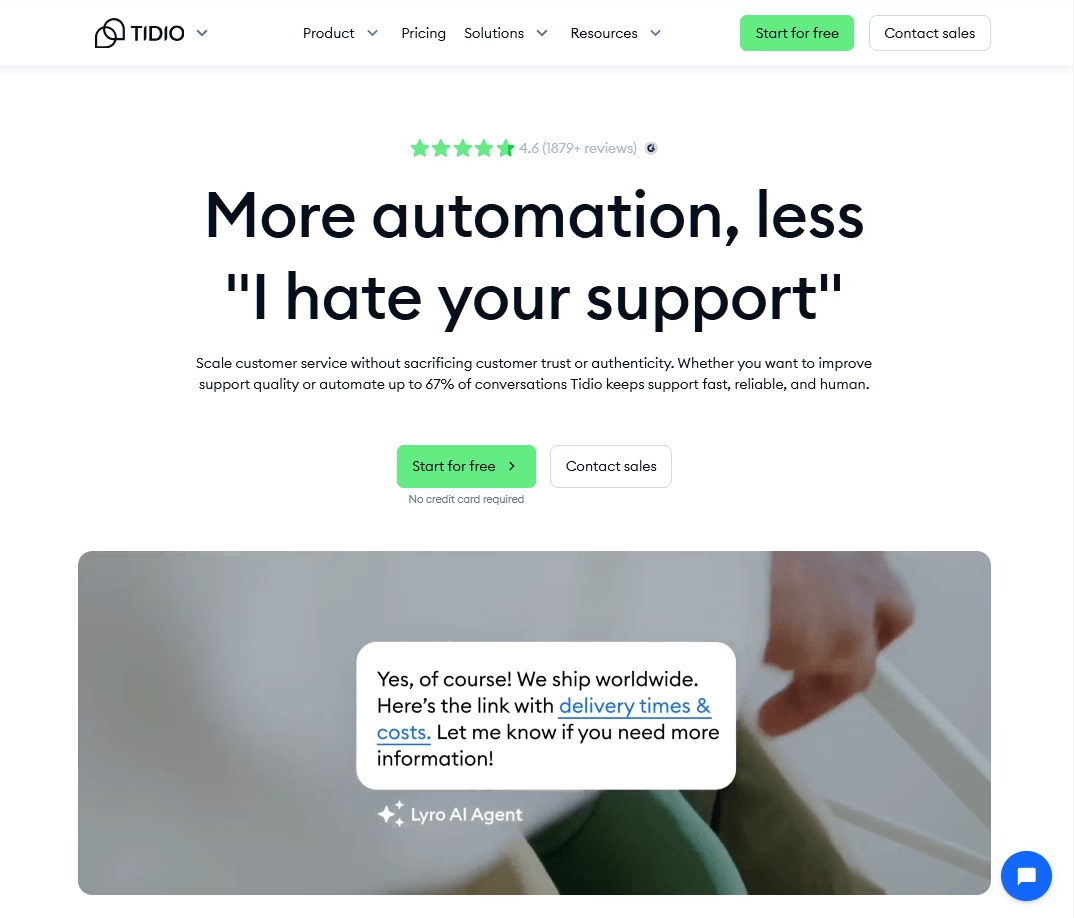
Tidio is a live chat-first customer service platform that has grown into a broader help desk with a shared inbox, email ticketing, and multichannel messaging. It is used by more than 300,000 businesses and is especially popular with eCommerce stores and small businesses on Shopify, WooCommerce, and WordPress.
Its standout feature is Lyro, a conversational AI agent powered by Anthropic’s Claude, which learns from your knowledge base and past conversations to answer repetitive questions automatically across chat and email.
If you run a small business or online store and want live chat plus a capable AI agent that can deflect routine questions, Tidio is a strong, affordable starting point.
Pros
- Fast, no-code setup, with live chat typically running in well under an hour
- Genuine free plan for testing live chat and a small amount of AI
- Claude-powered Lyro deflects a meaningful share of routine questions
- Strong eCommerce fit with one-click Shopify and WooCommerce integrations
Cons
- Advanced AI and automation features require paid add-ons
- Significant price jump between the Growth and Plus tiers
Pricing
Tidio offers a free plan, with paid tiers like Starter beginning at approximately $29/month and Growth from $59/month.
5. Zoho Desk

Zoho Desk is a multi-channel help desk software that can manage tickets that come through mobile, internet, email messages, instant messaging, and social media. This cross-channel functionality lets businesses offer a unified all-in-one feel.
It is one of the best help desk software for small businesses, as it is feature-rich but still user-friendly.
Pros
- Provides a free package
- Adherence with standards like HIPAA, CCPA, and GDPR
- Compatibility with Google Workspace
- All packages include 5 days a week, 24-hours assistance
Cons
- Instant messaging feature is only in the Enterprise package
- Integrations with Zoho CRM only in premium packages
- Data analytics capabilities only in premium packages
Pricing
Zoho Desk offers a free plan for up to 3 agents. Paid tiers (annual billing) are Express at $7, Standard at $14, Professional at $23, and Enterprise at $40 per agent per month.
Generative AI reply and summary tools are available on the mid tiers.
6. HelpDeskZ

HelpDeskZ is a free help desk software for your online ticket management platform powered by PHP. You can use capabilities like bulk actions, team collaboration, and email-to-ticket conversion to boost the efficiency of your customer-facing service crew.
The platform also has canned replies and a documentation library to aid agents in managing frequently asked questions.
Pros
- This help desk system is free to download
- Simple to operate
Cons
- Limited customer support
- Does not include hosting
Pricing
Completely free software. Give it a try, it just might be the software you are looking for.
7. ProProfs Help Desk
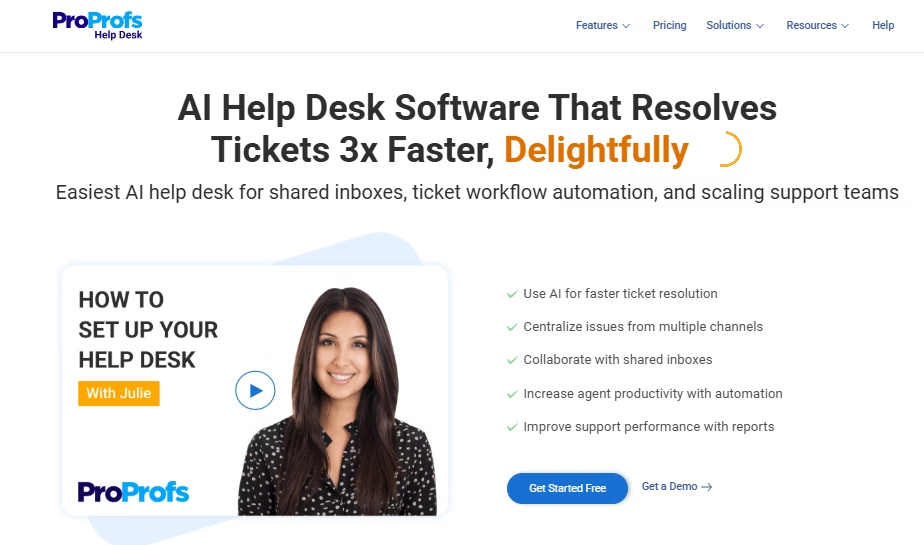
ProProfs Help Desk is a user-friendly help desk software. It helps you handle cases you get from email messages or complaints you receive from real-time chat.
The tool comes with robust automation features, including automatic ticket routing, live chat, self-help information hub, saved replies, and various others.
Customer service leaders also get a clear view of how their support employees are doing. This includes checking performance indicators like ticket resolution time and first response time.
In addition, you can evaluate customer satisfaction by providing customer satisfaction (CSAT) and net promoter score (NPS) questionnaires to let buyers grade their experience quickly.
Pros
- Easy to use and has the look and feel of Gmail
- Budget-friendly
- Good ticket-handling features
Cons
- Lacks API connections with social media apps
- Does not have extensive data analytics capabilities
Pricing
The Essentials package costs $10 per agent per month when the billing is done yearly. This plan allows a maximum of 5 agents and includes shared mailboxes and the core help desk functions.
The Premium package costs $15 per agent per month and allows a maximum of 10 agents. It comes with ticket hierarchy, ticket routing, removal of “Powered by ProProfs” from the footer, and other features. All plans have a 15-day money-back policy.
8. Capacity

Capacity varies from other help desk software as it prioritizes resolving the problems of buyers through automation instead of ticketing alone.
If an issue is not resolved using automation features, Capacity has the option to allocate it to a specific member or team in the organization. And it uses a smart filter to categorize customer requests and gather their information to enhance customer experience.
Pros
- Reliable customer service
- Automated live chat that you can modify to fit the needs of your business
- Easy to use and understand
Cons
- Chatbot could benefit from improved responsiveness
- Instant messaging is not available in all packages
Pricing
The Growth plan costs $49 per agent per month and requires at least 10 agents. This plan offers analytics with three basic reports, one chatbot with artificial intelligence, help articles, cloud storage of 10GB, and a ticket management system with Kanban view.
The Professional plan costs $99 per agent per month and includes additional features like 15 analytics reports, a maximum of three chatbots, Email, Slack, and MS Teams interfaces, cloud storage of 100GB, and AI-based real-time chat.
9. HelpSpot

If you get service requests from a large number of buyers, HelpSpot is another suitable option for you. You can install the suite on your own machine or online. So it can also serve as your company’s offline intranet.
It is simple to modify and gives you functions such as support ticket management, collision detection, and a built-in documentation portal.
Pros
- Host in a workplace machine or online using cloud technology
- Straightforward and easy to use
- High level of flexibility
Cons
- The dashboard is known to freeze at times
- The data analytics part requires improvement
Pricing
Helpspot comes with three weeks of free trial. The annual billing for the premium pack begins at $699 per annum for a maximum of three representatives. The more agents you need to add, the higher you’ll have to pay. The cost can go up to $59,999 per annum for 1000 agents.
10. Spiceworks

Spiceworks is a good choice for enterprises that handle both in-house operations and buyer-centric activities. It is one of the best free help desk software.
Once you set it up, buyers can sign in from either a computer or a smartphone. This helps the customer-facing support staff handle cases that may arrive outside of business hours.
Spiceworks additionally provides inventory management capability, letting your team get details about ongoing orders. This helps your staff keep the customers up to date if their order is going to be shipped late.
Pros
- It is totally free
- You can provide assistance on several sites
- Quick installation
- User-friendly
Cons
- Absence of essential capabilities like instant messaging
- Little to no customization
Pricing
It’s free, and there is no constraint on the number of cases or supervisors. This is possible because of collaborations with other software. Several vendors allow discounted pricing when subscribed through Spiceworks.
11. osTicket

osTicket focuses on customer service tickets management. Its noteworthy capability is the filtering of cases that lets you automate the initiation and assignment of tickets.
You can also automatically allot action items to the case depending on the automation triggers you set up.
Another fascinating capability is its “agent collision avoidance” tool that averts agents taking up the same case simultaneously. The platform freezes the case so that other agents do not bombard the buyer with replies.
Pros
- Uncomplicated and user-friendly design
- Easy installation
- Customizable as needed
Cons
- Multi-lingual feature does not translate email templates
- Compatibility with social media networks is not included
Pricing
You can download the software for free. But then you’ll have to host, integrate emails, and implement SSL security on your own. Or you can get the cloud-hosted plan at $9 per user per month. It includes hosting, email integrations, SSL, and works out of the box. You can also try it for free for a month.
12. HelpScout

Help Scout is a help desk system intended for new firms, small businesses, or any enterprise seeking to set up its initial help desk department.
Help Scout is made to be user-friendly and straightforward. So it’s a favorable choice if you want help desk software that’s simple to implement and requires minimal learning.
On top of that, Help Scout offers cloud-based functionalities that are highly valued by small businesses, such as a unified mailbox and knowledge base. And all premium packages include the option to insert help widgets on your web pages.
Pros
- 30-day money refund policy
- 15-day free test run
- Alignment with the standards such as HIPAA
Cons
- Limited 3rd-party connections compared to its rivals
- No free version
Pricing
Help Scout offers a free plan for up to 5 users, with a monthly contact limit of 100. Paid plans with annual billing are Standard for $25, Plus for $45, and Pro for $75 per user per month.
The customer-facing AI Answers chatbot is billed separately at $0.75 per resolution.
13. ngDesk

Different agents have their unique work processes. ngDesk acknowledges this and adapts the help desk to each agent’s specific requirements. With the help of this help desk ticketing software, agents can personalize their mail inboxes and highlight the data that is most significant to them.
ngDesk also provides data reporting for admins to monitor their workforce’s productivity. They can analyze KPIs such as agent efficiency and consumer happiness with the help of built-in analytics.
Pros
- Effortless to operate
- Highly flexible
- Comprehensive set of features
Cons
- ngDesk offers fewer API connections
- Pricing information is not available on the website
14. Freshservice

Freshservice is one of the best help desk ticketing software if you’re searching for one that prioritizes incident management. It boasts capabilities for managing assets, incidents, projects, and so on.
It has all the resources you will need for faster incident resolution, such as monitoring, evaluation, and remediation.
Freshservice also features a self-help platform, process automation, and SLA management. And its user-friendly interface enables your workforce to handle concerns that need manual intervention while separating cases that can be handled with automation.
Pros
- Offers 21 days of free trial
- Easily modifiable and adaptable
- User-friendly experience
- Provision for day passes to add extra agents on busy days
Cons
- Doesn’t offer any free version.
- Knowledge base hierarchy is limited
- Ticket handling capabilities are restricted
Pricing
Premium packages begin at $19 per user each month to be invoiced yearly. And its 21-day free trial allows you to try out the services without having to submit any credit card details. Premium packages include cloud management, review and approvals, team panels, a sandbox environment, and on-call management.
15. Hesk

Hesk is a simple help desk application that is ideal for small businesses. Its straightforward and intuitive interface makes it easy to start, even for those new to help desk software.
Hesk provides a secure and dependable cloud-based ticket management solution that can be quickly downloaded and installed.
In addition, it has the ability to customize ticket fields and the display to fit your team’s process. It also features a web-based ticket request form for buyers to raise tickets.
Pros
- Simple to set up and operate
- Supports multiple languages
- Free backups every day
- 90-day, 100% money-back guarantee
Cons
- Some essential features are only in paid plans
- You need to upload it on your own hosting
Pricing
The Hesk website license can be purchased for a one-time payment of $49.99. The Hesk advanced license, which costs a one-time fee of $199.99, comes with the benefit of 5 years of prioritized assistance. Both licenses include a 90-day, 100% money-refund policy.
16. ManageEngine ServiceDesk Plus

ServiceDesk Plus from ManageEngine has many customer service tools, such as customer feedback collection, SLAs, and a knowledge base builder.
Apart from these fundamental service management functions, this helpdesk software also simplifies the service procedures by automating them. Your service teams can update their status regarding their availability, and the tickets will be automatically allocated.
Pros
- You can deploy on-site or on the web
- Alignment with ITSM standards
- Comes with an AI-driven self-help platform for recurring queries
- Compatibility with other Zoho help desk systems
Cons
- High learning curve
- Essential tools such as analytics and AI are only in high-cost packages
- Ambiguous cost structure when you need additional features
Pricing
You will need to contact them to get a custom quote.
17. Boss Solutions Suite

Boss Solutions Suite is among the best help desk solutions and offers both web-based and on-site support desk and ticketing software for customer-facing teams.
To handle frequently asked questions, Boss Solutions Suite gives you the ability to create a knowledge portal. Plus, it has a smartphone app that your agents can utilize to handle support requests from anywhere.
As a support desk manager or stakeholder, you will also need to make data-driven decisions about your team’s performance. So it comes with a reporting panel to generate insights into your team’s success in solving problems.
Pros
- Great customer support
- High level of flexibility
- Simple to learn and operate
Cons
- Data analytics not as comprehensive as competitors
- The Essentials plan lacks many important integrations
Pricing
The lowest-priced plan for Boss is the Essentials package, at $19 per user per month when paid annually. It comes with features such as dashboards, remote support, a smartphone app, and active directory compatibility.
Frequently Asked Questions
What are the common features of help desk ticketing software?
A ticketing solution typically includes functions like a help desk, knowledge base content management, real-time chat, and data analytics. Many tools even provide capabilities like compatibility with social media applications, asset management, and project management.
How much does help desk software cost?
The price of the ticketing solution differs based on the capabilities and number of reps you require. Certain help desk software offers free packages, whereas the rest of them charge a maximum of $100 per user monthly.
Why does my company need help desk ticketing software?
In case your company has multiple employees handling customer service, a ticketing solution can prove to be an indispensable resource. It allows you to effectively monitor customer requests and facilitates allotment and handling of tickets.
Bottom line: choose the best help desk software
As your organization expands and acquires more customers, your help desk staff will face the rising need for assistance. That’s where service desk solutions and ticket management platforms greatly impact the productivity of the customer care departments.
For example, Help desk software such as Heroic Inbox can assign received support inquiries among staff members and enable them to handle and keep track of both simple and complex tickets.
By using a service desk platform, customer service agents will have the capability to adequately and skillfully categorize cases, handle ticket volume, and give assistance.
So, as you assess the best help desk ticketing solution for your requirements, give Heroic Inbox a chance and find out if it meets your expectations.
Further Reading
The 11 Best Free WordPress Helpdesk Plugins
14 Best IT Ticketing Systems and Software List
The Best WordPress Ticketing System plugins — Free & Paid
10 Best Customer Support Tools for All Needs
Customer Service Desk: Everything You Need To Get Started
Mentioned Resources in This Guide





Leave A Comment?
You must be logged in to post a comment.