12 beste Kundenservice-Software für kleine Unternehmen (Ausgabe 2026)

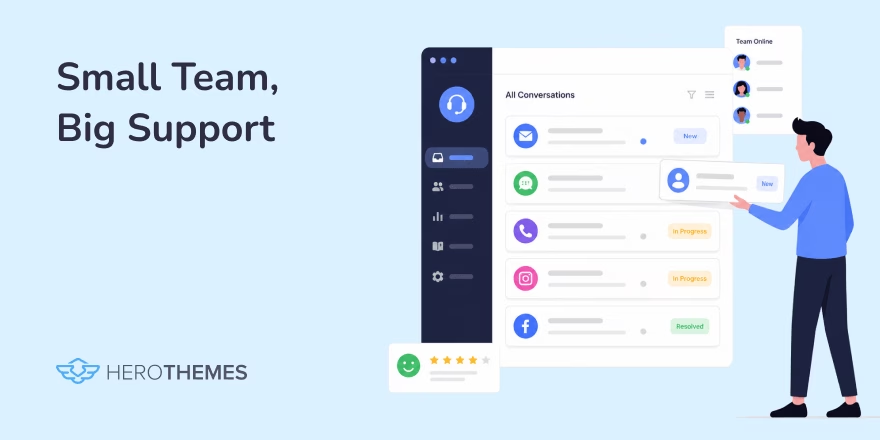
Eine gute Kundensupport-Software sollte zwei übergeordnete Ziele erreichen:
- Es sollte Kunden den Zugang zu Hilfe erleichtern und/oder ihnen eine bessere Erfahrung bieten.
- Es sollte die Belastung für Ihr Team verringern. Das heißt, es sollte Ihnen leichter fallen, qualitativ hochwertigen Support in kürzerer Zeit und mit weniger Aufwand zu liefern.
Innerhalb dieser allgemeinen Ziele gibt es verschiedene Arten von Tools oder Software für unterschiedliche Kundensupport-Kanäle.
In diesem Beitrag haben wir unsere Auswahl der besten Kundensupport-Software zusammengestellt, die Ihnen hilft, Ihren Kunden einen qualitativ hochwertigen Kundenservice zu bieten.
Egal, ob Sie gerade erst anfangen, ein kleines Unternehmen sind oder eine fortschrittliche Lösung für Ihre wachsenden Teams suchen, wir haben etwas für Sie.
In diesem Leitfaden
Warum Kundenservice-Software für kleine Unternehmen wichtig ist
Ihre Kunden vergleichen Ihren Support nicht mit dem kleinen Laden an der Ecke. Sie vergleichen ihn mit Apple, Amazon und Shopify und bilden sich eine Meinung, noch bevor Sie Hallo gesagt haben.
Digitale Kundenservice-Tools für kleine Unternehmen lösen drei Probleme gleichzeitig:
- Erfassen Sie jede Nachricht, damit nichts durchrutscht
- Beschleunigen Sie Antworten mit Vorlagen und Automatisierung
- Lassen Sie Kunden sich mit Self-Service-Optionen und Wissensdatenbanken selbst helfen
Laut Gartner werden nur 14 % der Kundenservice- und Supportanfragen vollständig über Self-Service gelöst, obwohl 73 % der Kunden irgendwann Self-Service ausprobieren.


Während 73 % der Kunden irgendwann in ihrer Customer-Service-Reise Self-Service nutzen, ist es besorgniserregend zu sehen, dass so wenige dort vollständig gelöst werden.
― Eric Keller, Gartner-Experte
Während 73 % der Kunden irgendwann in ihrer Customer-Service-Reise Self-Service nutzen, ist es besorgniserregend zu sehen, dass so wenige dort vollständig gelöst werden
Wir stimmen zu. Eine großartige Wissensdatenbank hilft bei der Beantwortung eines Großteils der Fragen, aber Sie benötigen immer noch eine reibungslose Übergabe an einen Menschen, wenn der Bot nicht weiterkommt.
Bei diesem Übergabeprozess scheitern die meisten Kleinunternehmen.
Die richtige Helpdesk-Software unterstützt Kunden, wenn Self-Service nicht mehr möglich ist, und liefert ihnen Antworten, bevor sie über Sie twittern.
Kundenservice vs. Kundenbetreuung
Kundenservice ist ein breiteres Konzept, das den Kundensupport umfasst.
Während sich der Kundenservice auf die Gesamterfahrung konzentriert, die ein Unternehmen während der gesamten Kundenreise bietet, konzentriert sich der Kundensupport speziell auf die schnelle und effektive Lösung einzelner Probleme.
| Merkmal | Kundenservice | Kundenbetreuung |
|---|---|---|
| Umfang | Breit (vor, während, nach dem Verkauf) | Eng (nach dem Verkauf, Produktprobleme) |
| Ansatz | Proaktiv und relational | Reaktiv und technisch |
| Fokus | Kundenzufriedenheit und Loyalität | Problemlösung und Funktionalität |
| Benötigte Fähigkeiten | Empathie, Kommunikation, Produktkenntnisse | Technische Expertise, Fehlerbehebung |
| Beispiele | Hilfe bei der Rechnungsstellung, Produktempfehlungen | Behebung von Fehlern, Lösung von Anmeldeproblemen |
Arten von Kundenservice-/Support-Tools und -Software
Wenn es um Kundenservice-Software geht, finden Sie in der Regel verschiedene Tools für unterschiedliche Zwecke. Das heißt, Sie haben vielleicht ein Tool zur Erstellung Ihrer Wissensdatenbank, ein anderes für den Live-Chat-Support, ein weiteres für Ihr Helpdesk und so weiter.
Während es nur wenige Tools gibt, die einen All-in-One-Ansatz verfolgen (normalerweise zu einem Premium-Preis), finden Sie es möglicherweise effizienter und kostengünstiger, ein spezialisiertes Tool für die spezifischen Bereiche des Kundenservice zu wählen, auf die Sie sich konzentrieren möchten.
Hier sind verschiedene Arten von Kundenservice-Software:
1. Ticket-Systeme, Help Desks oder geteilte Posteingänge
Diese drei Begriffe werden herumgeworfen, als ob sie unterschiedliche Dinge bedeuten würden, aber für die meisten Teams sind sie eigentlich dasselbe Werkzeug mit unterschiedlichen Bezeichnungen.
Jeder von ihnen verwandelt jede E-Mail, jeden Chat oder jede Formularübermittlung in einen nachverfolgbaren Datensatz mit Status, Besitzer und Verlauf.
Die Unterschiede liegen im Umfang und in der Aufmachung der Benutzeroberfläche, nicht in grundlegend unterschiedlichen Softwarekategorien.
Ein Helpdesk fügt normalerweise Extras wie Automatisierung, SLAs, Berichterstattung und mehrere Kanäle an einem Ort hinzu. Eine Shared Inbox hält die Dinge wie normale E-Mails, bei denen jeder im Team Nachrichten sehen, zuweisen und beantworten kann, die an Adressen wie support@ gesendet werden, ohne das Chaos der Weiterleitung.
2. Live-Chat
Das Anbieten einer Live-Chat-Option ist ein wichtiger Bestandteil des Kundenservice und -supports. Nicht jeder ist bereit, ein paar Stunden oder Tage auf eine Antwort zu warten.
Ideal für Pre-Sales-Fragen, schnelle Lösungen und um unauffällig zu beweisen, dass Sie existieren.
3. Wissensdatenbank-Software
Wissensdatenbank-Software zur Unterstützung von Self-Service: Artikel, FAQs und Anleitungen finden Sie hier.
4. Chatbots und KI-Agenten
Die Verwendung eines KI-Chatbots für den Kundenservice ist kein neuer Trend mehr. Die meisten Unternehmen nutzen sie neben der Wissensdatenbank, um den Self-Service zu verbessern.
5. CRM und Kunden-Support-Hybride
Einige Kundenservice-Tools kombinieren Support-Daten mit Vertriebs- und Marketingkontext, sodass ein Agent die vollständige Geschichte des Kunden sieht.
6. Social-Media-Support-Tools
Um Nachrichten von Facebook, Instagram und WhatsApp in denselben Posteingang wie E-Mail und Chat zu ziehen.
Die meisten modernen Omnichannel-Helpdesks beinhalten diese von Haus aus. Aber diese Arten von Software sind normalerweise sehr teuer und für kleine Unternehmen nicht erforderlich.
Die besten Kundenservice-Tools für kleine Unternehmen im Jahr 2026
Sie benötigen nicht jede Art von Kundenservice-Software, die in diesem Leitfaden aufgeführt ist.
Wenn Sie gerade erst anfangen, besorgen Sie sich eine Wissensdatenbank und einen gemeinsamen Posteingang. Fügen Sie Live-Chat und Social-Support hinzu, sobald Sie die Bandbreite haben, um sie tatsächlich zu beantworten.
Dennoch werfen wir einen Blick auf die besten Kundensupport-Tools für kleine Unternehmen im Jahr 2026.

Wir testen und recherchieren rigoros jedes Produkt, das wir über HeroThemes empfehlen. Unser Bewertungsprozess. Wir können auch eine Provision verdienen, wenn Sie über unsere Links einen Kauf tätigen.
1. Heroic Inbox
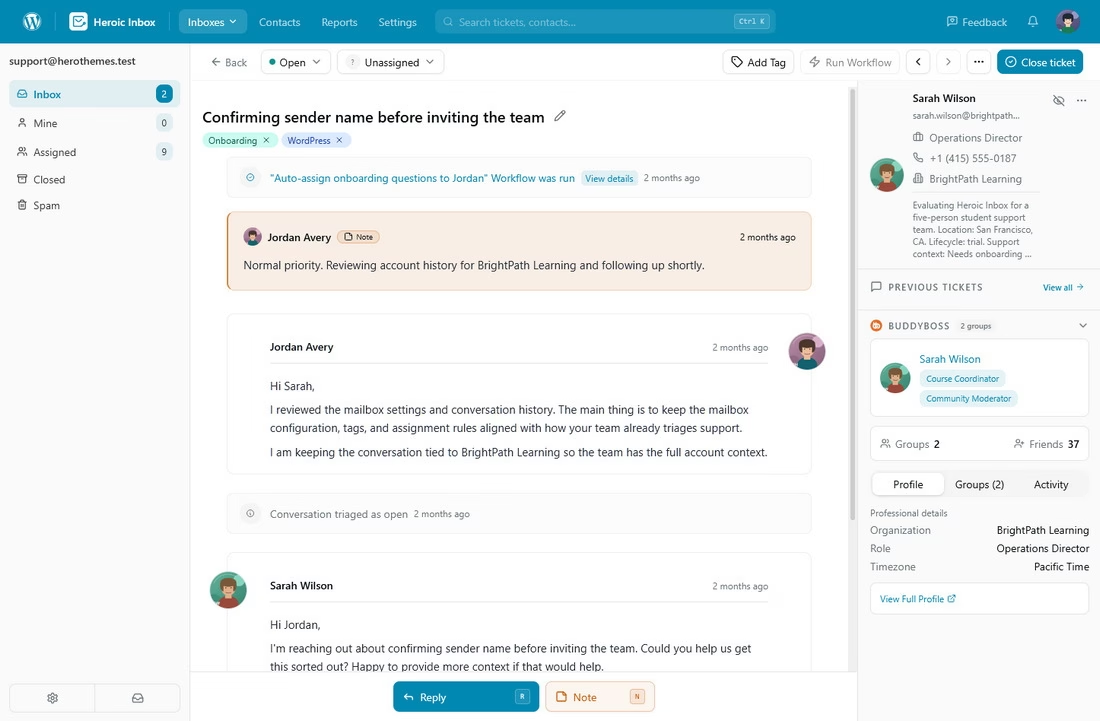
Wir sind hier vielleicht voreingenommen (Heroic Inbox ist eines unserer eigenen Produkte), aber hier ist, warum wir es trotzdem an die Spitze der Liste setzen.
Die meisten Helpdesks berechnen Ihnen pro Agent, pro Monat, für immer, und die Rechnung wächst jedes Mal, wenn Sie jemanden einstellen. Heroic Inbox stellt dieses Modell auf den Kopf mit einer pauschalen Jahreslizenz und unbegrenzten Benutzern.
Abgesehen vom Preis ist Heroic Inbox direkt in WordPress integriert. Es gibt keinen separaten SaaS-Tab, den man beaufsichtigen muss, und Sie besitzen die Daten.
Hauptmerkmale:
- Unbegrenzte Agenten und unbegrenzte Tickets in jedem Plan, ohne jegliche nutzungsabhängige Abrechnung
- Ihre Kundendaten befinden sich auf Ihrem eigenen Server, nicht auf einem Server eines Drittanbieters
- Ein-Klick-Gmail/Google Workspace OAuth-Verbindung, plus IMAP/SMTP und ein E-Mail-Importeur für die Migration
- Gespeicherte Antworten, die Sie durch Eingabe von „/“ einfügen können, was die repetitiven Antworten beschleunigt, die niemand gerne schreibt
- Interne Notizen, Kollisionserkennung und Gesprächszuweisungen für Teamzusammenarbeit
- WooCommerce und Easy Digital Downloads-Integrationen in höheren Stufen für den richtigen Kundenkontext
- Leistungsstarke Workflow-Automatisierung, automatische Tagging und automatische Antworten, um die manuelle Arbeit zu reduzieren
- Ansichten: Erstellen Sie benutzerdefinierte Ansichten, auf die Sie einfach aus der Posteingangs-Seitenleiste zugreifen können
- KI-Assistent zur Unterstützung beim Entwerfen von Antworten
Einschränkungen:
- Es erfordert eine WordPress-Website
- Die Leistung hängt teilweise von der Qualität Ihres Hostings ab, obwohl Version 3 auch auf günstigen Hosts gut läuft
- Keine vollständig kostenlose Stufe, nur eine 14-tägige Geld-zurück-Garantie
Preise
Heroic Inbox beginnt bei 79,60 $ für das erste Jahr im Essential-Plan mit 2 Postfächern und 1 Website.
Urteil
Heroic Inbox verdient den Spitzenplatz aus einem hartnäckigen Grund: Es weigert sich, Sie für Ihr Wachstum zu bestrafen. Wenn kleine Teams wachsen, können die hohen monatlichen Gebühren für SaaS-Helpdesks herzzerreißend sein.
Außerdem spart Heroic Inbox nicht an leistungsstarken und notwendigen Funktionen. Sie erhalten alles, was Sie für reibungslosere Kundenservice- und Supportvorgänge benötigen.
14-tägige Geld-zurück-Garantie | Einrichtung in unter 10 Minuten
2. Heldenhafte Wissensdatenbank
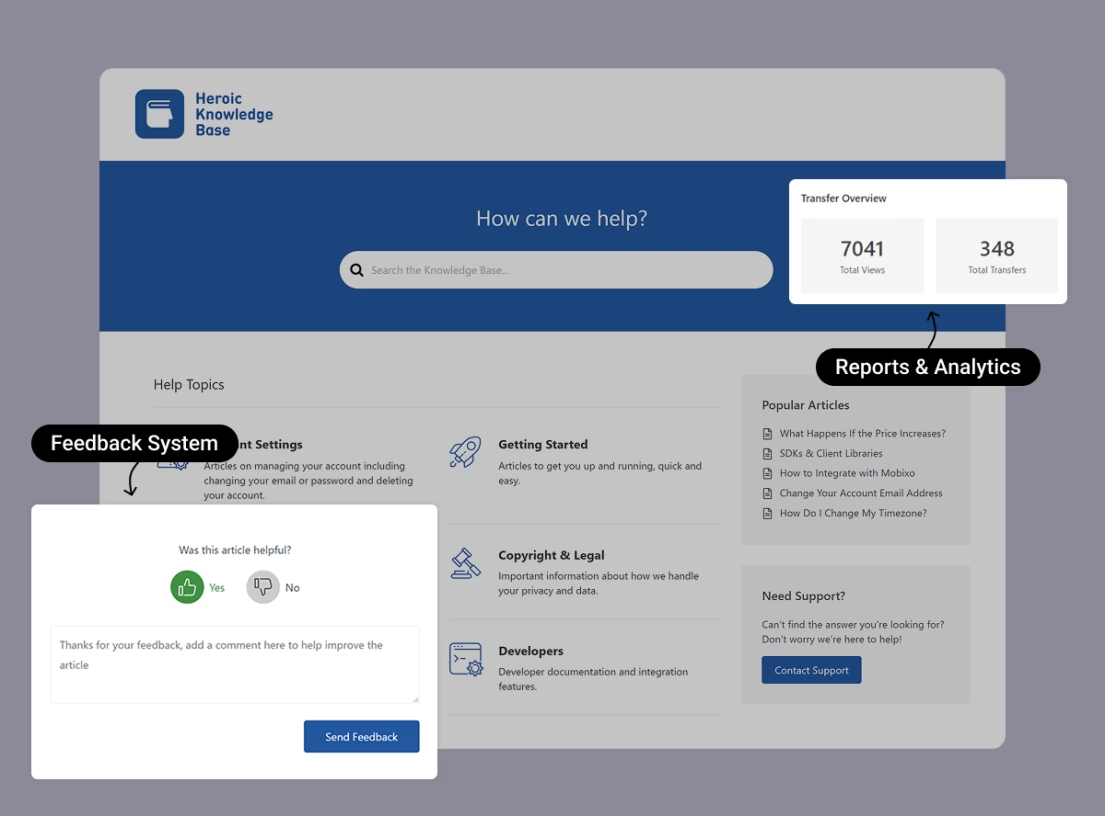
Eine gut geschriebene Wissensdatenbank ist entscheidend für Ihre Kundensupport-Bemühungen, da sie Ihren Kunden einen Ort bietet, an dem sie mehr über Ihr Produkt erfahren und Probleme beheben können, ohne Ihre menschlichen Support-Kanäle zu kontaktieren.
Heroic Knowledge Base bietet eine einfache Möglichkeit, Ihre eigene selbst gehostete Wissensdatenbank zu erstellen, die von der beliebten Open-Source-Software WordPress angetrieben wird.
Heroic Knowledge Base macht es nicht nur einfach, unbegrenzt neue Artikel hinzuzufügen, sondern bietet auch eine Reihe nützlicher Funktionen, die Ihnen helfen, eine bessere Erfahrung zu bieten und Ihre Wissensdatenbank zu verbessern.
Hauptmerkmale:
- Sofortige AJAX-Live-Suche, die Ergebnisse anzeigt, während Kunden tippen
- Suchanalysen, einschließlich des Berichts über „leere Suchen“, damit Sie genau wissen, welche Inhalte Sie als Nächstes schreiben sollen
- Artikel-Feedback und Support-Transfer-Analysen, um schwache Artikel zu identifizieren
- Funktioniert mit jedem WordPress-Theme, plus ein dediziertes Premium-KnowAll-Theme ist enthalten
- Drag-and-Drop-Sortierung, Glossar-Builder, FAQ-Builder und mehrsprachige (WPML) Unterstützung
- Zugriffskontrolle, um die gesamte Wissensdatenbank oder einzelne Artikel für angemeldete Benutzer zu sperren
Einschränkungen:
- Keine kostenlose Version
- Erfordert WordPress
Preise
Heroic Knowledge Base beginnt bei 67,60 $ für das erste Jahr im Essential-Tarif für 1 Website. Keine Begrenzung der Benutzer oder der Anzahl von Wissensdatenbankartikeln. Hosten Sie so viele FAQs, Anleitungen, Tutorials und Schulungsmaterialien, wie Sie möchten (basierend auf Ihrer Hosting-Kapazität).
Urteil
Heroic Knowledge Base konkurriert mit teuren Wissensdatenbank-Tools, während Ihre Inhalte auf Ihrer eigenen Domain verbleiben, was großartig für SEO und Eigentum ist.
Die Heroic KB-Suchanalysen verändern die Art und Weise, wie Teams Dokumente schreiben, leise, weil Sie aufhören zu raten, was Kunden brauchen, und stattdessen die Artikel schreiben, nach denen sie tatsächlich suchen. Wenn Sie das mit Abstand wirkungsvollste Kundensupport-Tool zur Reduzierung des Ticketvolumens im Jahr 2026 wünschen, ist eine polierte Wissensdatenbank das Richtige, und dies ist diejenige, die wir am meisten empfehlen.
3. HelpJet
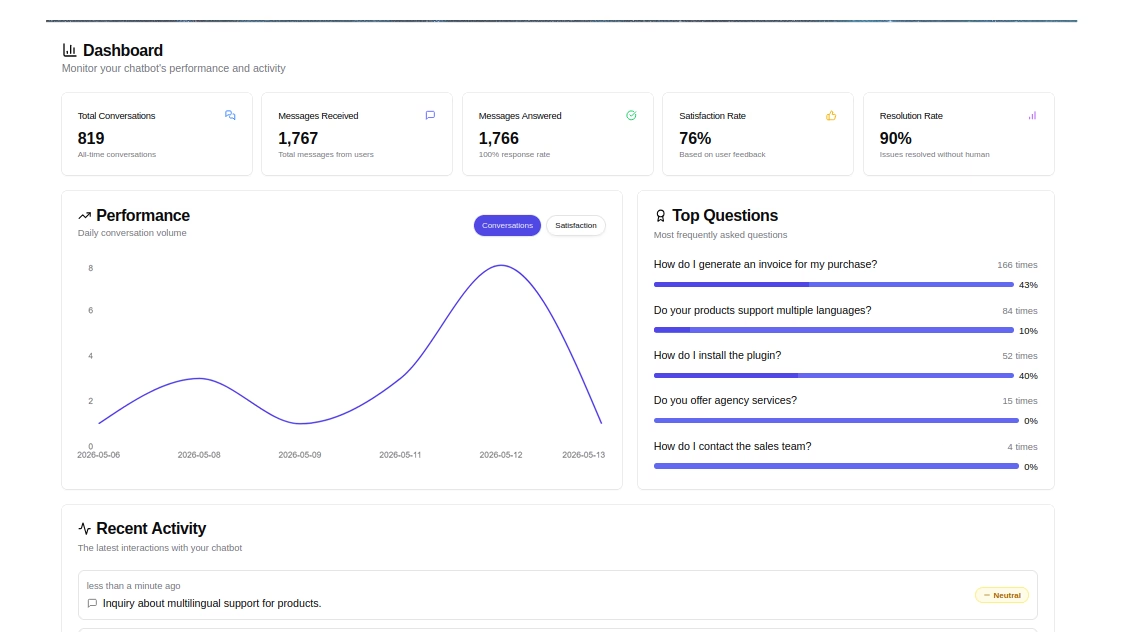
Support-Stacks im Jahr 2026 beinhalten zunehmend eine KI-Abwehrschicht, und HelpJet ist eine praktische Option für kleine Unternehmen, die keine Enterprise-Plattform benötigen, nur um dorthin zu gelangen. Sie können es neben Ihrer Wissensdatenbank und vor Ihrem gemeinsamen Posteingang verwenden.
HelpJet liest Ihre vorhandenen Inhalte, trainiert darauf und bearbeitet die wiederkehrenden Fragen, die sich per E-Mail ansammeln.
Hauptmerkmale:
- Kostenloser Dauerplan mit 1 Bot und 100 Konversationen pro Monat, keine Kreditkarte erforderlich
- Durchsucht Ihre Website-Seiten, Beiträge, Dokumente und PDFs in etwa 5 Minuten automatisch
- Wöchentliche automatische Wissensaktualisierungen
- Dedizierter Block oder Shortcode, um den Bot überall auf Ihrer Website zu platzieren
- Saubere Übergabe an ein Formular, eine E-Mail oder einen Helpdesk, wenn der Bot nicht weiterkommt
- Kontextbezogene Folgefragen für natürlichere Gespräche
Einschränkungen:
- KI-Antworten sind nur so gut wie die Inhalte, die Sie ihr zuführen
Preise
HelpJet hat einen kostenlosen Dauerplan mit 1 Bot und 100 Konversationen pro Monat, und der Pro-Plan kostet 29 $/Monat für 3 Bots und 1.000 Konversationen.
Zusätzliche Nachrichten-Credits und White-Labeling sind als Add-ons erhältlich.
Urteil
HelpJet ist das einfachste „Ja“ auf dieser Liste. Der kostenlose Plan kostet Sie nichts und beginnt in etwa fünf Minuten mit der Abwehr von Fragen. Für ein kleines Unternehmen, das unter wiederkehrenden E-Mails leidet, ist die Nutzung der kostenlosen Stufe von HelpJet neben einer Wissensdatenbank und Helpdesk-Software eine der klügsten Entscheidungen, die Sie im Jahr 2026 treffen können.
4. HelpCrunch
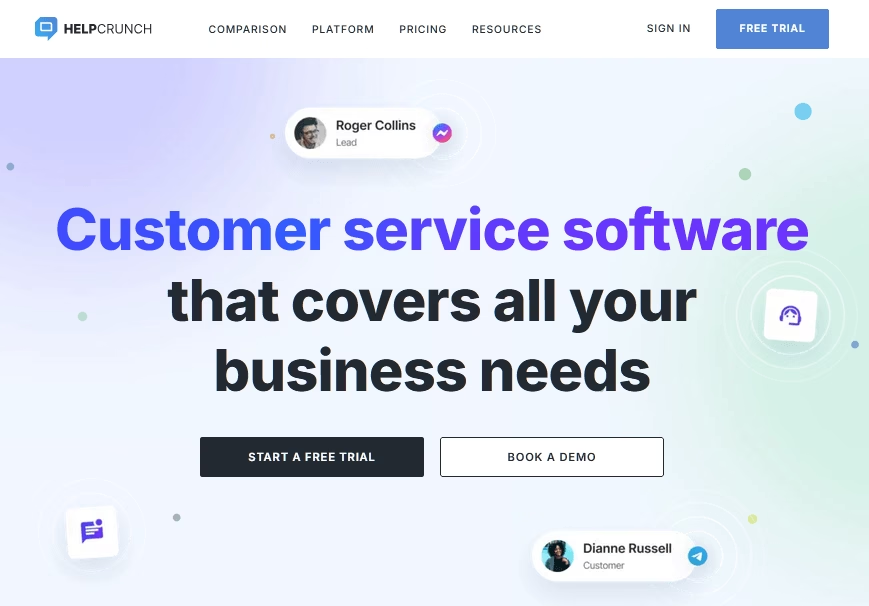
HelpCrunch ist eine KI-gestützte, menschlich geführte, multikanalige Lösung für den Kundenservice, die für Skalierung entwickelt wurde.
Mit einem einheitlichen Arbeitsbereich kombiniert es Live-Chat, einen gemeinsamen Posteingang, E-Mail-Marketing-Tools, eine Wissensdatenbank und KI-Agenten, die Konversationen automatisch abwickeln.
Hauptmerkmale:
- KI-Agenten (Pro und höher) automatisieren Antworten über Chat, Messenger und E-Mail, indem sie Antworten aus Ihrer Wissensdatenbank abrufen.
- Multichannel-Support mit Live-Chat, mobilen Apps (iOS/Android), Facebook, Instagram, WhatsApp, Telegram und Viber
- Automatisierungstools: Chatbot-Flows, automatisierte Nachrichten und Popups zur Lead-Pflege
- Integrierte anpassbare Wissensdatenbank für Self-Service und Onboarding
- E-Mail-Marketing-Kampagnen mit Segmentierung, Personalisierung und Analysen
- Reporting-Dashboards zur Verfolgung von Leistung, Antwortzeit, Konversationsqualität und Arbeitsbelastung des Teams
Einschränkungen:
- Kein vollständig kostenloser Plan
- Preis pro Teammitglied, sodass die Rechnung mit jeder Neueinstellung wächst
Preise
HelpCrunch bietet eine 14-tägige kostenlose Testversion mit vollem Zugriff auf Premium-Funktionen.
Bezahlte Pläne beginnen bei 15 US-Dollar pro Monat und Teammitglied, einschließlich Live-Chat, gemeinsamen Posteingängen, Wissensdatenbank und grundlegender Automatisierung.
KI-Agenten und erweiterte Steuerungsfunktionen sind in den Pro- und Unlimited-Plänen für skalierende Unternehmen verfügbar, die ein höheres Maß an Kundensupport-Automatisierung benötigen.
Urteil
Wir würden einem kleinen Support-Team HelpCrunch empfehlen, wenn es Poliertheit, Multichannel-Reichweite und KI in einem ordentlichen Paket wünscht, ohne einen Enterprise-Vertrag aushandeln zu müssen.
5. WP Social Ninja
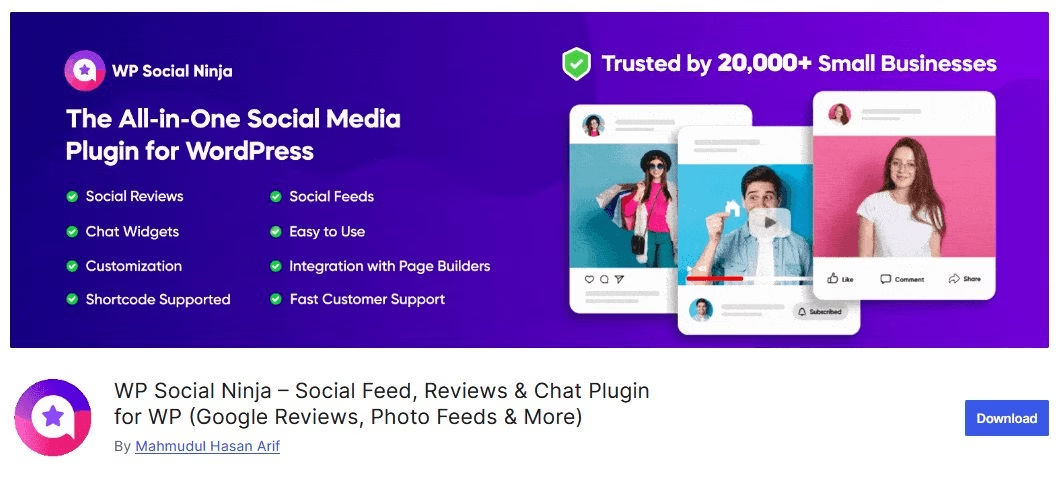
WP Social Ninja ist eine bevorzugte Lösung, um Social Proof anzuzeigen und über Ihre WordPress-Website mit Kunden in Kontakt zu bleiben. Für den Kundensupport bietet das Plugin Chat-Widgets, mit denen Sie direkt von Ihrer Website aus mit Besuchern kommunizieren können.
Mit diesem Plugin können Sie vollständig anpassbare Chat-Widgets von über 17 Plattformen wie Facebook Messenger, WhatsApp, SMS, Microsoft Teams und mehr hinzufügen.
Hauptmerkmale:
- Wählen Sie aus fertigen Vorlagen, um ein stilvolles, aufmerksamkeitsstarkes Chat-Widget zu erstellen
- Fügen Sie Support-Agentenprofile hinzu, um den Chat-Header mit Namen und Bild zu personalisieren
- Legen Sie eine Willkommensnachricht fest, um Benutzer zu begrüßen, sobald sie das Chatfenster öffnen
- Verwenden Sie ein benutzerdefiniertes Chat-Symbol, das Ihre Markenidentität widerspiegelt
- Gestalten Sie alles nach Ihren Wünschen mit Typografie-, Farb- und Layout-Steuerelementen
- Chat-Widgets aktivieren oder deaktivieren auf jeder spezifischen Seite nach Bedarf
- Legen Sie Verfügbarkeitszeiten fest, damit Chats nur erscheinen, wenn Sie online sind
- Passen Sie die Platzierung des Chat-Buttons mit benutzerdefinierten Positionen und Formaten an
- Steuern Sie die Gerätesichtbarkeit, zeigen Sie das Widget auf Mobilgeräten, Desktops oder beidem an
- Erstellen Sie mehrsprachige Chat-Widgets, um Benutzer in verschiedenen Sprachen zu bedienen
WP Social Ninja verwaltet mehr als nur Gespräche. Es hilft Ihnen, Ihre Social-Media-Präsenz zu steigern mit:
- Soziale Feeds von Facebook, YouTube, Instagram und TikTok.
- Soziale Bewertungen von Google, Airbnb, Yelp, WooCommerce und mehr.
Einschränkungen:
- Nur für WordPress, daher nicht geeignet für Websites, die auf anderen Plattformen aufgebaut sind
- Gespräche finden tatsächlich in Messenger, WhatsApp oder einer anderen App statt, die der Kunde wählt, sodass Sie zwischen den Plattformen wechseln müssen, um zu antworten.
Preise
WP Social Ninja bietet sowohl kostenlose als auch Pro-Versionen. Sie können kostenlos starten und mit der Pro-Version, die nach einem Rabatt bei 44 $/Jahr beginnt, erweiterte Funktionen erhalten.
Urteil
Holen Sie sich WP Social Ninja, wenn Sie Kunden eine Möglichkeit geben möchten, Sie über den Kanal zu erreichen, auf dem sie bereits leben, anstatt einen strukturierten Supportbetrieb hinter Ihrer Website aufzubauen.
Wir empfehlen es Solo-Gründern und sehr kleinen Teams, die noch keine Ticket-Warteschlangen benötigen und lieber über die Messenger- oder WhatsApp-Apps auf ihren Handys antworten möchten. Die kostenlose Version bietet auch einen soliden Ausgangspunkt.
6. tawk.to
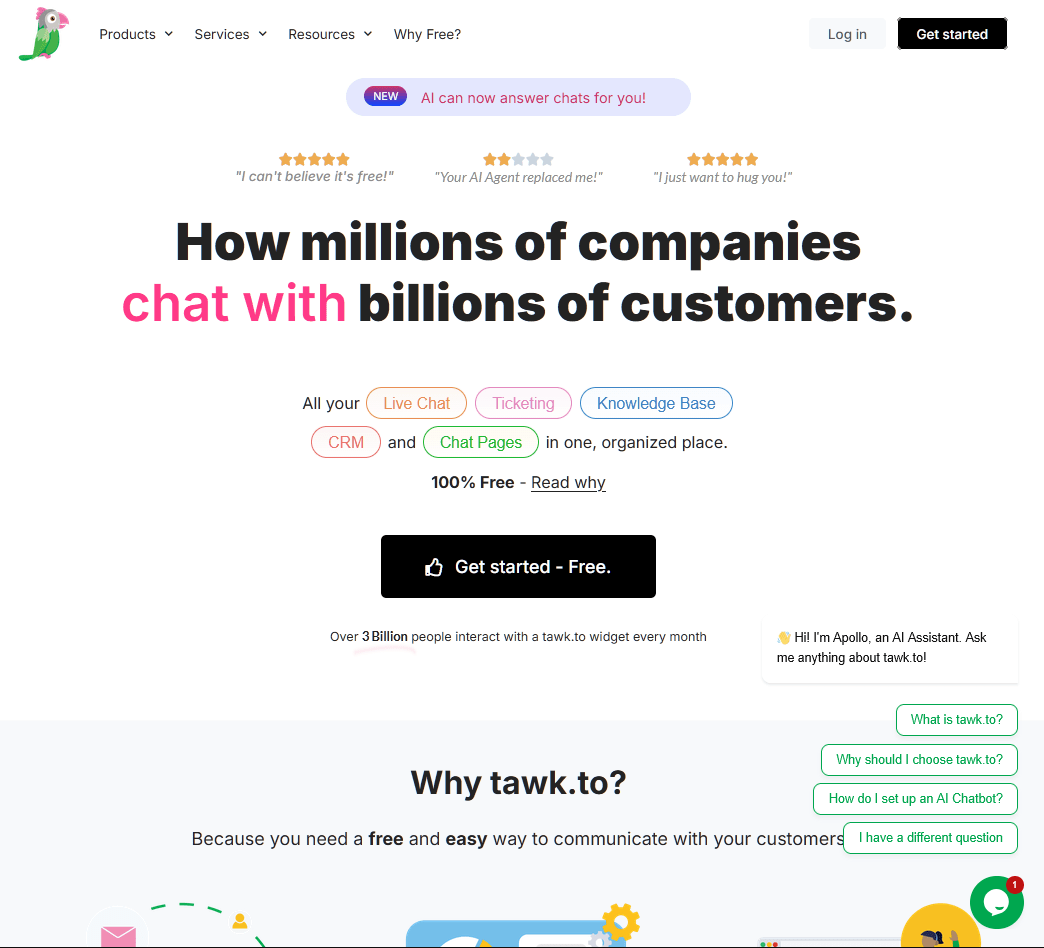
tawk.to ist eine 100% kostenlose Live-Chat-Software. Keine Agentenbegrenzung, keine Chat-Volumenbegrenzung und keine versteckten Haken in den Nutzungsbedingungen.
Ja, wirklich.
tawk.to monetarisiert durch optionale Add-ons (Branding-Entfernung, KI-Unterstützung, beauftragte Chat-Agenten), anstatt das Kernprodukt hinter einer Paywall zu sperren.
Die kostenlose Version beinhaltet Live-Chat, Ticketing, eine Wissensdatenbank und ein grundlegendes CRM.
Hauptmerkmale:
- Wirklich kostenloses Kernprodukt: Live-Chat, Ticketing, Wissensdatenbank und CRM ohne Feature-Beschränkungen
- Unbegrenzte Agenten, unbegrenzte Chats und unbegrenzte Websites
- Echtzeit-Besucherüberwachung, damit Sie sehen, wer auf Ihrer Website ist und was er tippt
- Vordefinierte Kurzantworten und eine integrierte Wissensdatenbank für schnelle, konsistente Antworten
- Mobile Apps für iOS und Android sowie Unterstützung für über 45 Sprachen
Einschränkungen:
- Das Widget zeigt das Branding „Powered by tawk.to“ an, es sei denn, Sie zahlen, um es zu entfernen
Preise
Die Kernplattform von tawk.to ist für immer kostenlos mit unbegrenzten Agenten und Chats.
Optionale kostenpflichtige Add-ons beinhalten:
- Branding-Entfernung für 29 $/Monat (jährlich abgerechnet)
- KI-Unterstützung ab 29 $/Monat
- Beauftragte Chat-Agenten ab 1 $/Stunde
Urteil
tawk.to ist die großzügigste kostenlose Kundenservice-Software. Für reinen kostenlosen Live-Chat ohne Verpflichtungen, ohne Gebühren pro Agent und ohne überraschende Up-Sales kommt nichts anderes in die Nähe.
7. Hiver
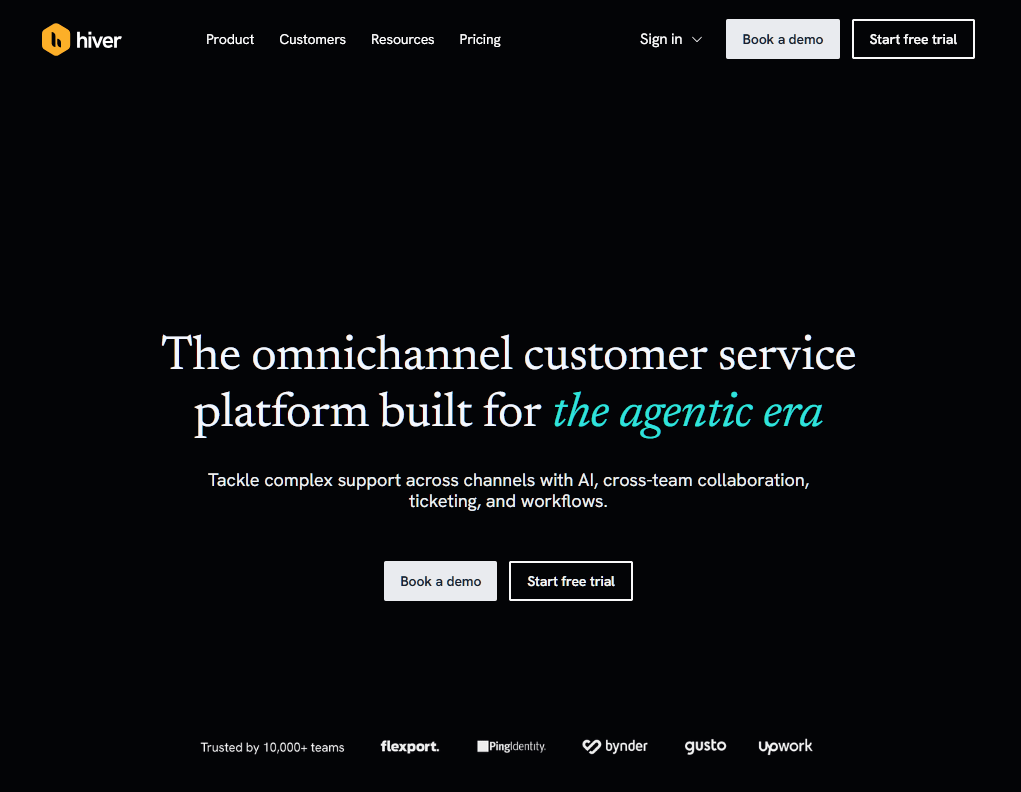
Hiver ist eine agentenbasierte Plattform, die für Teams entwickelt wurde, um komplexe E-Mail-Supportanfragen zu verwalten. Sie ermöglicht Ihrem Team die Zusammenarbeit an gemeinsamen Konten wie support@ oder info@ von einem intuitiven Arbeitsbereich aus.
Die KI-Agenten der Plattform gehen über die einfache Abwehr hinaus, indem sie Kundenkontext aus Ihrem CRM abrufen und interne SOPs befolgen, um komplexe Anfragen End-to-End zu lösen und nur bei Bedarf an einen Menschen zu übergeben.
Hauptmerkmale:
- KI-Agenten lösen komplexe Anfragen End-to-End, indem sie Daten aus CRM- und ERP-Systemen abrufen.
- Kollaborative gemeinsame Posteingänge mit integriertem Ticketing, Zuweisung und internen Notizen für nahtlose Übergaben.
- KI-Wissensersteller erkennt automatisch Lücken in der Dokumentation und wandelt gelöste Threads in Hilfe-Center-Artikel um.
- Die Slack-Integration ermöglicht es Teams, E-Mail-Konversationen direkt in Slack zu bearbeiten.
- Selbstverbessernde KI lernt aus den besten Antworten und Richtlinien Ihres Teams, um im Laufe der Zeit schärfer zu werden.
- Native Gmail- und Outlook-Posteingänge: E-Mails zuweisen, Status festlegen und Besitzer verfolgen, ohne Ihren Mail-Client zu verlassen.
- SLAs, CSAT-Umfragen und Rund-Robin-Zuweisung in höheren Tarifen.
- Analysen und benutzerdefinierte Berichte zu Antwortzeiten, Lösungsraten und Team-Arbeitslast.
Einschränkungen:
- SLAs, CSAT-Umfragen und benutzerdefinierte Berichte sind im Pro-Tarif enthalten.
- Rezensenten berichten von Verzögerungen und langsamen Ladezeiten, sobald eine gemeinsame Warteschlange ausgelastet ist.
- Die Abrechnung pro Sitzplatz bedeutet, dass die Rechnung mit der Mitarbeiterzahl wächst und nicht mit den Ergebnissen.
Preise
Hiver bietet einen „kostenlosen für immer“-Tarif für Teams, die gerade erst anfangen.
Kostenpflichtige Tarife beginnen bei 25 US-Dollar pro Benutzer pro Monat für den Growth-Tarif, wobei der Pro-Tarif (55 US-Dollar) und der Elite-Tarif (85 US-Dollar) erweiterte Funktionen wie SLAs und CSAT-Umfragen bieten.
Urteil
Hiver ist die ideale Wahl für Teams, die die Leistung eines Helpdesks wünschen, ohne die steile Lernkurve eines Helpdesks. Der Fokus auf die Lösung komplexer Probleme und nicht nur auf die Abwehr von FAQs macht es zu einem ausgeklügelten Partner für wachsende Support- und Operationsteams.
8. JustCall
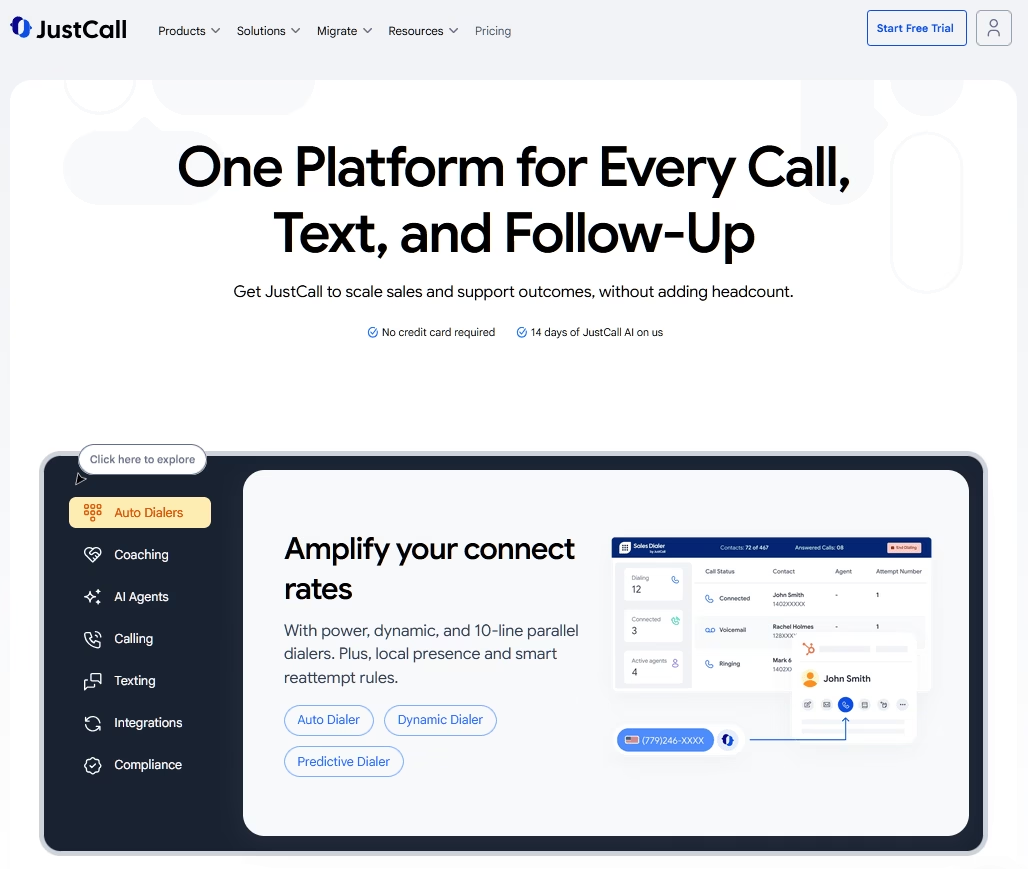
Die meisten Tools in diesem Leitfaden beginnen mit dem Posteingang. JustCall beginnt mit der Telefonnummer.
Wenn Ihre Kundenservice-Strategie stark auf Telefon-Support und SMS setzt, ist JustCall eine leistungsstarke Lösung, die die Lücke zwischen Ihrem Telefonsystem und Ihrem CRM schließt.
Die Plattform protokolliert jedes Gespräch in Ihrem CRM, sodass ein Agent die vollständige Kundengeschichte hat, bevor er abnimmt.
Es wurde entwickelt, um kleinen Teams zu helfen, hohe Anruf- und Textvolumen zu bewältigen, ohne den persönlichen Kontakt zu verlieren, dank tiefer Integrationen mit über 70 Tools wie HubSpot und Salesforce.
Was sich für 2026 geändert hat, ist das Preismodell. JustCall hat seine Tarife neu verpackt, um unbegrenzte Anrufminuten und KI-Transkriptionen ab dem Einstiegsniveau einzuschließen, was in einer Kategorie ungewöhnlich ist, in der Transkription normalerweise eine kostenpflichtige Zusatzleistung ist. Es gelten weiterhin Fair-Use-Schwellenwerte, prüfen Sie also die Limits, bevor Sie davon ausgehen, dass „unbegrenzt“ nicht begrenzt bedeutet.
Hauptmerkmale:
- Cloud-basiertes Telefonsystem mit lokalen, internationalen und kostenlosen Nummern in über 70 Ländern.
- Unbegrenzte KI-Anruftranskription aus dem Team-Tarif, vorbehaltlich der Fair-Use-Grenzen, damit Sie Anrufe überprüfen und Agenten coachen können, ohne auf die Uhr zu schauen.
- KI-Sprachagenten, die Anrufe entgegennehmen, Anfragen bearbeiten und Besprechungen rund um die Uhr buchen, um Ihren Support zu skalieren, ohne die Mitarbeiterzahl zu erhöhen.
- Sprache, SMS, MMS und WhatsApp aus einem gemeinsamen Arbeitsbereich.
- Über 100 Integrationen, einschließlich HubSpot, Pipedrive und Zoho, mit Salesforce ab Pro aufwärts.
- Gesprächsintelligenz mit Anruf-Scoring, Sentiment-Tracking und Coaching-Einblicken.
Einschränkungen:
- Für die meisten Tarife sind mindestens 2 Benutzer erforderlich.
- Die native Salesforce-Integration ist auf den Pro-Tarif für 49 US-Dollar und höher beschränkt.
- SMS-Segmente sind in niedrigeren Tarifen begrenzt, was für textintensive Unternehmen zu zusätzlichen Kosten führen kann.
Preise
JustCall beginnt bei 29 US-Dollar pro Benutzer und Monat (jährlich abgerechnet) für den Team-Tarif, der eine Telefonnummer pro Benutzer und unbegrenzte KI-Transkription beinhaltet.
Urteil
JustCall ist die ideale Wahl für kleine Unternehmen, die grundlegende VoIP-Tools hinter sich gelassen haben und eine ausgefeilte, KI-gesteuerte Kommunikationszentrale benötigen. Es lässt sich nahtlos in Ihre bestehende Technologie integrieren und stellt sicher, dass Ihr Support-Team den vollständigen Kundenkontext hat, bevor es einen Anruf entgegennimmt.
9. Zoho Desk
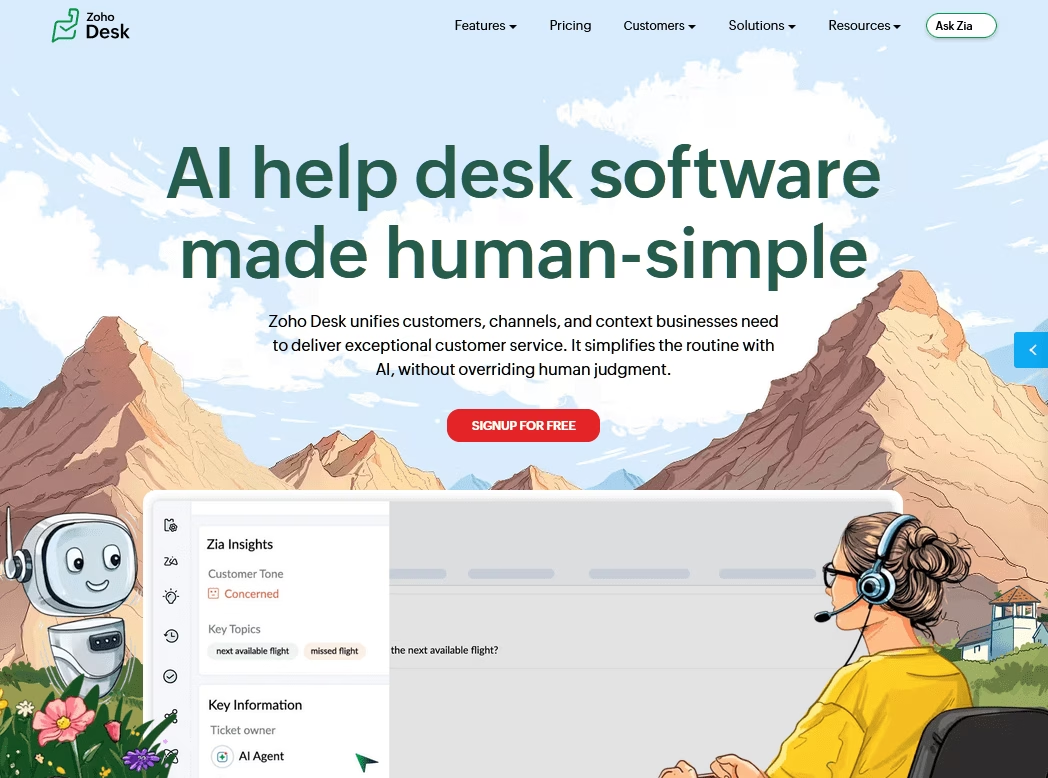
Zoho Desk (vollständige Zoho Desk Bewertung) ist eine preisgünstige SaaS-Helpdesk-Alternative, die günstiger ist als Freshdesk oder Zendesk.
Im Gegenzug für diese Erschwinglichkeit müssen Sie einige Abstriche bei der Benutzeroberfläche und den Funktionen machen. Aber wenn Sie ein knappes Budget haben, sind Sie vielleicht bereit, das zu tun, denn die Kosteneinsparungen können erheblich sein.
Hauptmerkmale:
- Kostenloser Tarif für bis zu 3 Agenten mit E-Mail-Ticketing und einer Wissensdatenbank
- Wirklich erschwingliche kostenpflichtige Tarife im Vergleich zu Zendesk oder Freshdesk auf dem gleichen Niveau
- Multichannel-Support (E-Mail, Social Media, Chat) in höheren Tarifen
- Workflow-Automatisierung, SLAs und Eskalationen, wenn Sie wachsen
- Tiefe Integration mit Zoho CRM und der gesamten Zoho-Suite
- Zia generative KI (Antwortvorschläge, Zusammenfassung, Tonanalyse) jetzt in kostenpflichtigen Tarifen enthalten, mit erweiterten Zia-Funktionen in Enterprise
Einschränkungen:
- Dem kostenlosen Tarif fehlen Automatisierung, SLAs und Live-Chat
- Erweiterte Zia-Funktionen wie Anomalieerkennung und Sentiment-Analyse bleiben in Enterprise, und Live-Chat ist nur über Zoho SalesIQ für Enterprise verfügbar
- Die Benutzeroberfläche kann für Erstbenutzer überladen wirken
Preise
Zoho Desk ist kostenlos für den Anfang. Die kostenpflichtigen Stufen kosten ungefähr 7 $/Agent/Monat (Express), 14 $ (Standard), 23 $ (Professional) und 40 $ (Enterprise) bei jährlicher Abrechnung.
Urteil
Wir empfehlen Zoho Desk besonders für Teams, die Struktur über Glamour schätzen, und für Unternehmen, die möglicherweise später andere Zoho-Tools verwenden.
10. Crisp
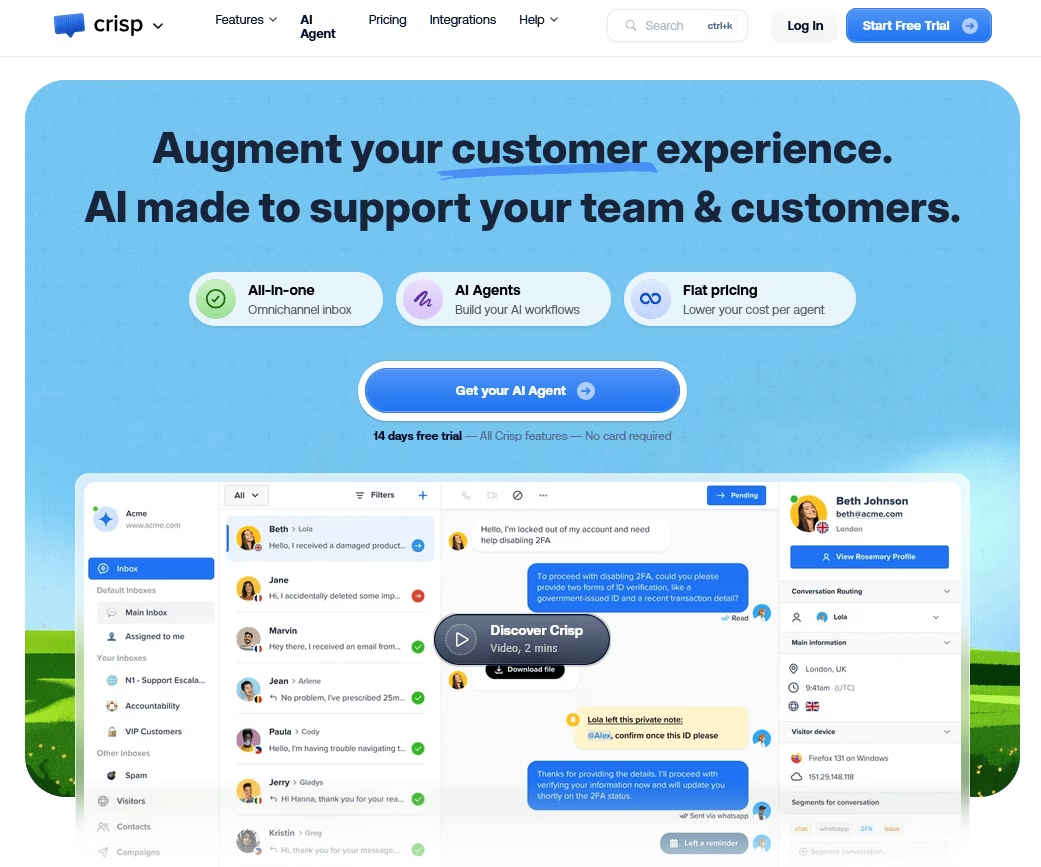
Crisp ist eine All-in-One-Kundensupport-Plattform: Live-Chat, ein gemeinsamer Posteingang, eine Wissensdatenbank und ein KI-Chatbot zu einem einzigen Festpreis.
Es zieht Web-Chat, E-Mail, Instagram, Messenger und WhatsApp in einen einzigen, einheitlichen Posteingang. Dann fügt es Automatisierung, einen No-Code-Chatbot-Builder und Analysen hinzu.
Es ist die Art von Tool, das leise drei oder vier separate Abonnements ersetzt, von denen Sie nicht wussten, dass Sie dafür bezahlen.
Hauptmerkmale:
- Feste Preise pro Arbeitsbereich statt pro Agent, ein seltenes und willkommenes Modell
- Einheitlicher Posteingang für Web-Chat, E-Mail, Instagram, Messenger und WhatsApp
- Unbegrenzte Gespräche in jedem Plan, sodass Spitzen nicht extra kosten
- No-Code KI-Chatbot- und Workflow-Builder
- Wissensdatenbank, CRM und Kampagnen integriert
- Dauerhafter kostenloser Plan mit 2 Plätzen zum Testen
Einschränkungen:
- Die kostenlosen und günstigeren Tarife haben feste Platzbeschränkungen; nur der Top-Tarif fügt weitere hinzu
- KI-Nutzung läuft auf Guthabenbasis, daher verursacht intensive Nutzung zusätzliche Kosten
Preise
Crisp bietet einen kostenlosen Plan für 2 Plätze. Der Premium-Plan (Mini) beginnt bei 45 $/Monat pro Arbeitsbereich.
Urteil
Crisp richtet sich an digitale kleine und mittelständische Unternehmen, die einen unübersichtlichen Support-Stack in einem Tool konsolidieren möchten. Es ist besonders preiswert, sobald Sie die 10-Agenten-Schwelle überschreiten, an welchem Punkt die Pauschalpreise für den Arbeitsbereich erheblich günstiger werden.
11. Bitrix24
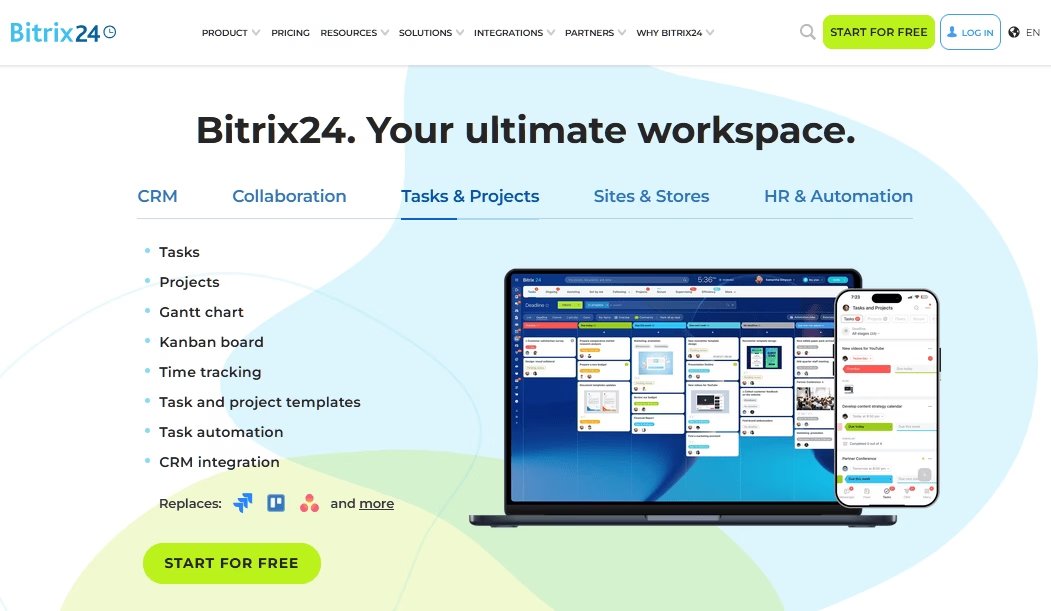
Bitrix24 ist das ehrgeizigste Tool auf dieser Liste, und das ist sowohl seine Stärke als auch seine Eigenart.
Bitrix24 ist eine All-in-One-Business-Suite, die CRM, Projektmanagement, Team-Chat, ein Contact Center und einen Website-Builder in einer einzigen Plattform vereint.
Es ist das Contact Center, das Bitrix24 einen Platz hier verdient. Es konsolidiert Live-Chat-, E-Mail-, Telefon- und Social-Media-Nachrichten und verknüpft sie mit CRM-Datensätzen. Dies ermöglicht es Support- und Vertriebsteams, dieselbe Kundenansicht zu teilen.
Hauptmerkmale:
- Kostenloser Plan mit unbegrenzten Benutzern, selten in dieser Kategorie
- Pauschalpreise pro Organisation, nicht pro Benutzer
- Alles in einem: CRM, Contact Center, Projekte, Chat und Website-Builder
- Omnichannel-Posteingang direkt mit CRM-Datensätzen verknüpft
- Telefonie- und Anruffunktionen integriert
- Großzügiger Funktionsumfang im kostenlosen Tarif über den reinen Support hinaus
Einschränkungen:
- Die Benutzeroberfläche ist überladen und hat eine steile Lernkurve
- Der kostenlose Plan hat versteckte Limits, einschließlich Aufgaben- und Speicherbeschränkungen
- Es kann wie Overkill wirken, wenn Sie nur einen Helpdesk wünschen
Preise
Bitrix24 bietet einen kostenlosen Plan für 1-2 Benutzer, dann Pauschaltarife, die pro Organisation statt pro Benutzer abgerechnet werden. Der Basic-Plan (bis zu 5 Benutzer) kostet 49 $/Monat bei jährlicher Abrechnung oder 61 $/Monat bei monatlicher Abrechnung, und der Standard-Plan (99 $/Monat jährlich) deckt bis zu 50 Benutzer ab.
Urteil
Bitrix24 ist ein großartiges Werkzeug für die Verwaltung von Vertrieb, Support und Betrieb auf einer einzigen kostenlosen Plattform. Der Haken ist die Lernkurve, aber wenn Sie sie meistern, ist der Wert pro Dollar kaum zu übertreffen.
12. Gorgias
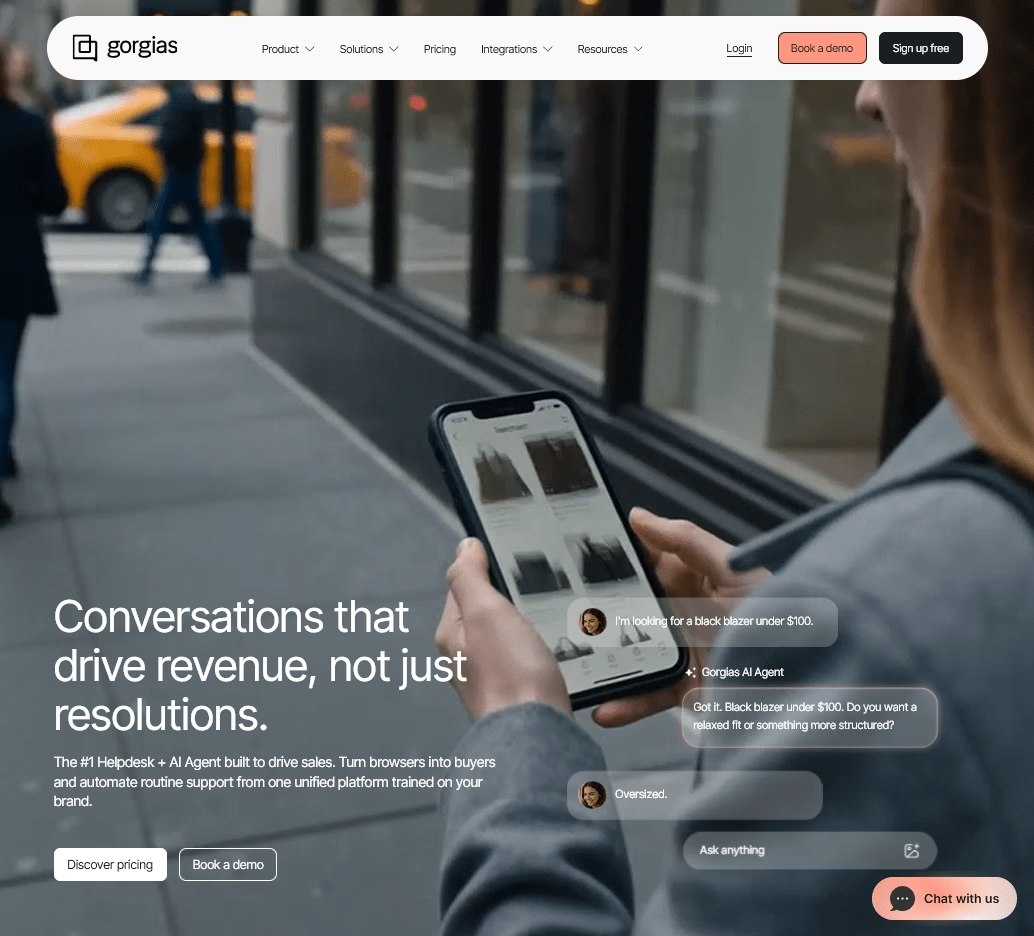
Wenn Sie einen Shopify-Store betreiben, ist die Rechnung für Gorgias einfacher als Sie denken. Es ist der Helpdesk, der speziell für E-Commerce entwickelt wurde, und er ist die erste Wahl für Shopify-Marken im Besonderen.
Wo allgemeine Helpdesks jedes Unternehmen gleich behandeln, ist Gorgias speziell für Online-Shops konzipiert. Es zeigt Bestelldetails an, ermöglicht Agenten, Bestellungen zu bearbeiten oder Rückerstattungen auszustellen, ohne das Ticket zu verlassen, und verknüpft Support-Metriken mit dem Umsatz.
Hauptmerkmale:
- Speziell für E-Commerce entwickelt mit tiefer Shopify-Integration
- Unbegrenzte Agentenplätze; Sie zahlen nach Ticketvolumen, nicht nach Kopfzahl
- Agenten können Bestellungen bearbeiten, Sendungen verfolgen und Rückerstattungen innerhalb eines Tickets ausstellen
- Omnichannel-Posteingang: E-Mail, Chat, SMS, Social Media und Sprache
- KI-Agent automatisiert repetitive Bestellfragen
- Starke Automatisierung, Makros und Regeln für gängige E-Commerce-Abläufe
Einschränkungen:
- Ticketbasierte Abrechnung bedeutet, dass saisonale Spitzenrechnungen in die Höhe treiben können
- Der KI-Agent berechnet eine Gebühr pro Lösung, die auch als Ticket zählt
Preise
Gorgias beginnt bei 10 $/Monat für den Starter-Plan (50 Tickets), wobei der KI-Agent mit etwa 0,90 bis 1,00 $ pro Lösung abgerechnet wird.
Urteil
Gorgias ist die klare Empfehlung für den Kundenservice von Shopify- und E-Commerce-Shops, da nichts anderes den Support so eng an Bestelldaten bindet.
Wie viel kosten Kundenservice-Tools?
Die meisten Kundenservice-Software für kleine Unternehmen kostet zwischen 0 und 50 US-Dollar pro Agent und Monat, mit kostenlosen Tarifen von tawk.to, Hiver und HelpJet am unteren Ende und nutzungsbasierten KI-Plattformen am oberen Ende.
Kundenservice-Tools im Jahr 2026 fallen in drei grobe Preisbänder, und deren Kenntnis hilft Ihnen, ohne Schock über die Preise zu budgetieren.
Kostenlos (oder fast kostenlos):
Tools wie tawk.to und HelpJet kosten anfangs nichts. tawk.to ist der herausragende Anbieter, da sein Kern kostenlos und ohne Agentenlimit ist, und Hiver bietet ebenfalls einen begrenzten kostenlosen Plan an.
Erschwinglich bezahlt (ca. 7 bis 50 US-Dollar pro Agent und Monat oder jährlich 300 US-Dollar):
Hier landen die meisten wachsenden Kleinunternehmen.
Kundenservice-Software wie Zoho Desk, Hiver, Heroic Inbox und Heroic Knowledge Base sind sehr erschwinglich. Sie erhalten Echtzeit-Kollaboration, Automatisierung, SLAs und Berichterstattung ohne Preise auf Enterprise-Niveau. Telefonzentrierte Teams sollten separat für ein Voice-Tool wie JustCall budgetieren, da pro Benutzer Abrechnungspläne und SMS-Gebühren für die USA außerhalb der typischen Helpdesk-Preise liegen.
Premium und nutzungsbasiert (ab 55 US-Dollar pro Agent und Monat):
Zendesk, Gorgias-Pläne für hohes Volumen und Intercom-ähnliche Plattformen fallen in diese Kategorie, die oft KI-Gebühren pro Lösung beinhaltet.
Abschließende Gedanken: Die richtigen Kundenservice-Tools für Ihr Kleinunternehmen auswählen
Wenn es darum geht, die beste Kundenservice-Software für kleine Unternehmen auszuwählen, haben Sie unzählige Optionen.
Und Sie werden wahrscheinlich mehrere Softwarelösungen auswählen wollen, die zusammenarbeiten können, um Ihnen erstklassigen Kundenservice zu bieten.
Wenn Sie WordPress nutzen oder flexibel bei DIY-Sachen sind, ist unsere herausragende Empfehlung das HeroThemes-Trio:
- Heroic Knowledge Base für Self-Service
- Heroic Inbox für Ihren Helpdesk
- HelpJet für kostenlose KI-Weiterleitung
Zusammen ergeben sie einen vollständigen, auf Ihrer eigenen Website gehosteten Support-Stack ohne Agenten-Tretmühle, und die kostenlose HelpJet-Stufe bedeutet, dass Sie noch heute mit null Kosten das Ticketvolumen reduzieren können.
Weiterführende Literatur
11 Arten von Kundenservice: Vollständiger Leitfaden mit Vor- und Nachteilen
14 bewährte Strategien zur Verbesserung des Kundenservices im Jahr 2026
Kundenservice-Outsourcing: Ein vollständiger Leitfaden für Anfänger
Wie man den Kundensupport skaliert: 12 bewährte Strategien für 2026
Was ist ein Kundenservice-Schalter? Was er tut, Rollen & wie man ihn einrichtet
Beste Self-Service-Lösungen (Reduzieren Sie Support-Tickets um die Hälfte)




Kommentar hinterlassen?
Sie müssen eingeloggt sein, um einen Kommentar zu posten.