11 Best Shared Inbox Software in 2026 (Free, Open Source, and AI-Powered)


A shared inbox is more than a team mailbox.
It is the difference between messy email handoffs and a system where every message has an owner, every reply is visible, and every conversation moves forward.
In this guide, we reviewed the best free shared inbox software available in 2026, so you don’t have to.
Let’s start!
In This Guide
What is Shared Inbox Software
Shared inbox software is a tool that lets a whole team receive, assign, and reply to email sent to a group address like support@ or info@ from one shared workspace. It adds ownership, collision detection, internal notes, and reporting on top of a plain mailbox, so a team can work the same queue without stepping on each other.
Why You Need a Shared Inbox (and Not a Shared Password)
Most teams try workarounds before they look for a real tool, usually email forwarding, CC-ing everyone, or sharing one account login.
This all breaks the same way:
- Email collision: Two agents see the same unanswered message and both reply. The customer gets contradictory answers, and you look disorganized.
- The accountability black hole: With no clear owner, every message becomes someone else's problem.
- Slow responses, and silence: When one person owns a busy alias and goes on vacation, the queue just stops moving.
- Zero visibility for whoever's in charge: Without a shared queue, you can't see who's overloaded, which questions keep coming back, or where you're slipping. Reporting becomes guesswork.
- You can't grow past one person: Every new hire you add to a password-shared mailbox makes the chaos worse.
A modern shared inbox fixes all of this with the same handful of ingredients:
- One unified queue everyone sees
- Ability to assign a message to a specific person
- Collision detection
- Internal notes
- Canned templates for quickly answering repeated questions
- Reporting and analytics
- Workflow automation
A proper shared inbox is the platform that lets you add people without adding confusion.
What to Look For in Shared Inbox Software (Our Review Process)
Here is the checklist we used to judge every shared inbox software in this guide, and we only included the tools worth your time in 2026.
We tested each one against these criteria, and you can read our full review process for how we score and recommend products.
- How it connects to email: Does it support Gmail and Google Workspace, Microsoft 365, and plain old IMAP/SMTP? Two-way sync (where archiving in the tool archives in your real mailbox) beats simple forwarding every time.
- Collision detection: Non-negotiable. This is the feature that stops double-replies, and you'll be surprised how many free shared inbox software skip it.
- Assignment and routing: At minimum, you want to assign a conversation to a teammate.
- Internal notes and @mentions: Being able to leave a private note or loop in a colleague inside the thread is what separates a shared inbox from a shared password.
- Saved replies and templates: If you answer the same five questions all day, canned responses cut your handle time dramatically.
- Automation: Auto-assignment, auto-tagging, auto-responders, and escalation rules. Free tiers vary wildly here, so check carefully.
- Reporting: Response time, resolution time, and who's handling what. Most free SaaS tiers give you only the basics.
- Knowledge base integration: Self-service deflects tickets before they ever reach you. A tool that pairs with a knowledge base (the way Heroic Inbox pairs with Heroic Knowledge Base) saves you real money.
- Self-hosted or cloud: Self-hosting wins on cost, data ownership, and control, but needs someone comfortable with a server. Cloud SaaS wins on speed and zero maintenance.
- Free-tier generosity: The real caps: how many users, how many inboxes, how many contacts or messages, and which features are locked.
- Pricing as you grow: Per-seat tools get expensive fast. Flat-fee or site-licensed tools stay predictable as your team doubles.
Now on to the actual shared inbox software recommendations!
Best Free Shared Inbox Tools in 2026

We rigorously test and research every product that we recommend through HeroThemes. Our review process. We may also earn a commission if you make a purchase through our links.
1. Heroic Inbox
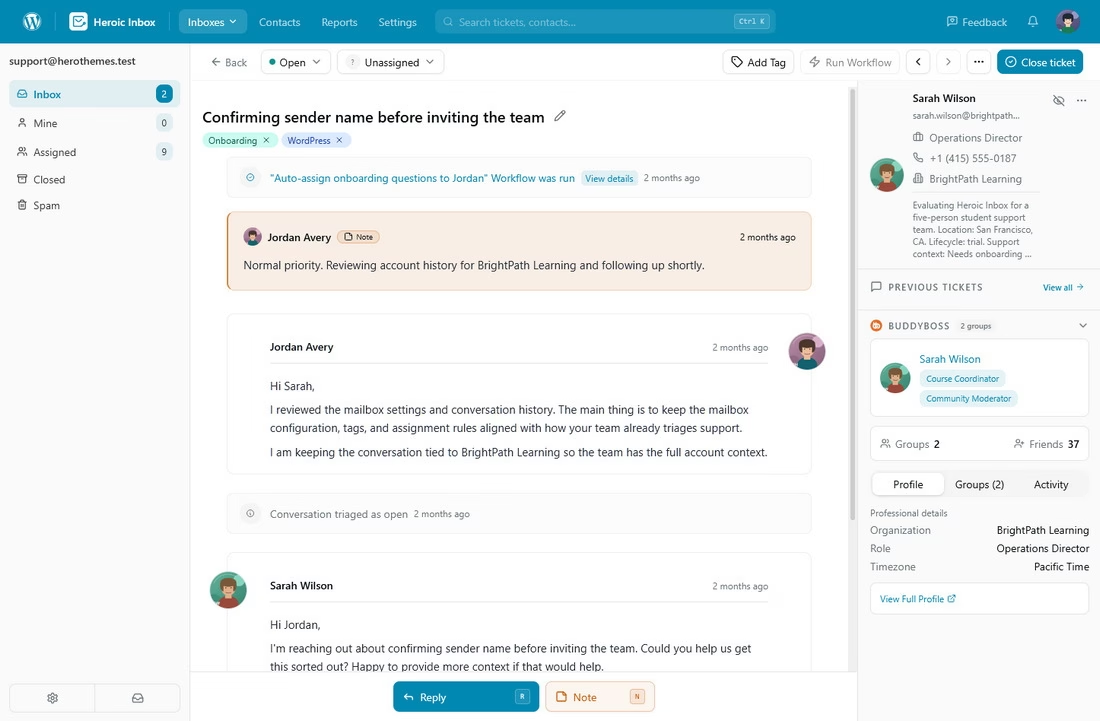
Heroic Inbox turns the WordPress dashboard into a full shared inbox and help desk. So your whole team handles customer email from the same place they manage everything else.
Heroic Inbox feels like a Gmail, but living inside your WordPress admin with proper helpdesk features bolted on.
You connect support@, sales@, or info@ over Gmail, Google Workspace, Microsoft 365, or generic IMAP/SMTP, and incoming email lands in a clean, threaded queue.
Along with your business communications, you can manage your knowledge base on the same WordPress website with the Heroic Knowledge Base plugin.
Where it Shines:
- Unlimited users, conversations, and tickets. With no per-seat pricing.
- Collision detection so two agents never reply to the same message.
- Workflow automation: auto-assign conversations, auto-respond to common questions, and route email based on rules.
- Saved replies and templates, each going out with the right agent's signature.
- Customer profiles that automatically pull in conversation and purchase history.
- Knowledge base integration with Heroic Knowledge Base, so self-service deflection and ticket handling share one dashboard.
- Reporting on response times, message volume, and team performance.
- Your data stays on your site. No third party is storing your support emails.
- Collaboration features, like internal notes, mentions, agent assignments, etc.
- Notification panel
- Native WordPress integration: it integrates nicely with WordPress users and roles system and plugins like WooCommerce, EDD, and WP Charitable.
- Customer mailbox views
- AI assistant to draft instant replies
Cons:
- It's premium shared inbox software.
- It’s a WordPress plugin, so you will need a WordPress website.
Pricing
Heroic Inbox starts at $79.60 per year that includes every necessary feature, premium support, and a 14-day money-back guarantee.
Compare that to per-seat SaaS, where a 10-person team can easily run $2,000 to $5,600 a year.
The flat-fee, unlimited-user model is hard to argue with for robust shared inbox software like Heroic Inbox.
My Verdict
It costs almost nothing to try Heroic Inbox. The introductory pricing is very cheap, and there is also a 14-day money-back guarantee.
But what you can get in return is a robust shared inbox. That can improve your business communication and team collaboration. You can handle more queries and conversations without losing your mind.
14-Day Money-Back Guarantee | Setup in Under 10 Minutes
2. FreeScout
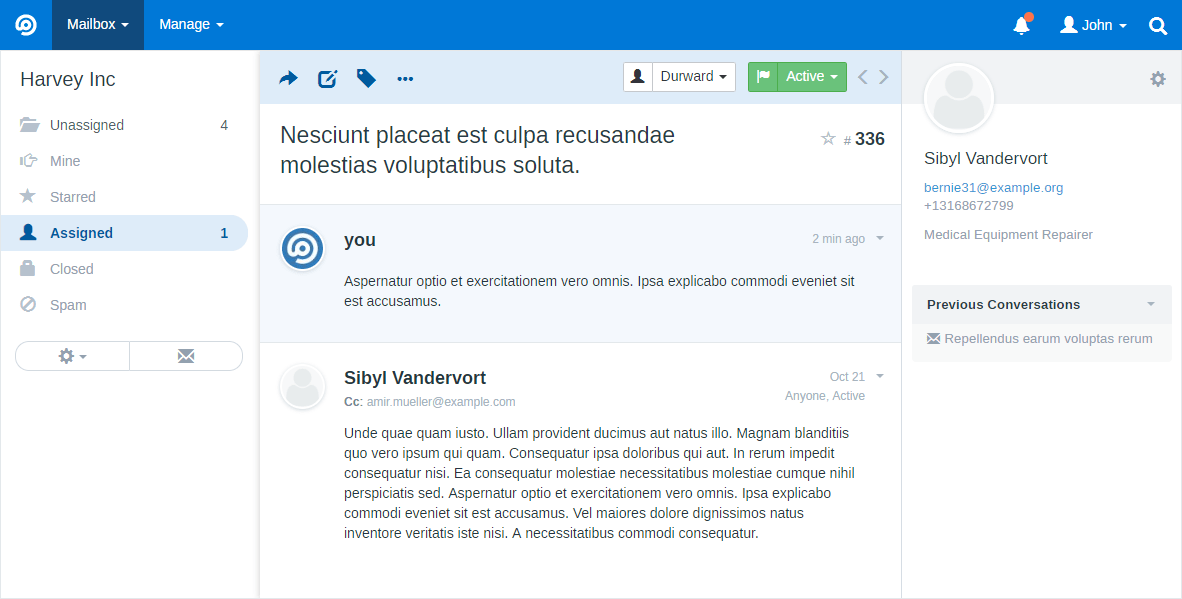
FreeScout is open-source shared inbox software built to feel like Help Scout. It runs on cheap shared hosting, and the core software costs exactly nothing.
For teams that want a genuinely free, self-hosted shared inbox and have someone comfortable with a server, FreeScout is the one to beat.
Where it Shines:
- Unlimited agents and mailboxes with no per-seat cost.
- Collision detection and a familiar, uncluttered inbox.
- A real mobile app, which a surprising number of free tools lack.
- An affordable module marketplace (most modules are a one-time $2.99 to $29) for knowledge base, live chat, WhatsApp, Salesforce sync, automation rules, and SLAs.
Cons:
- The reporting is functional but shallow compared to paid platforms.
Pricing
FreeScout core software is free. Modules are cheap one-time purchases, and if you'd rather not babysit a server, managed FreeScout hosting starts around $9 a month from third parties.
My Verdict
FreeScout is our top pick for the cost-sensitive small business that has a developer on hand. You get a Help Scout like software for the price of a cheap VPS, and the trade-off (you own the maintenance) is one a lot of lean teams are happy to make.
3. Chatwoot
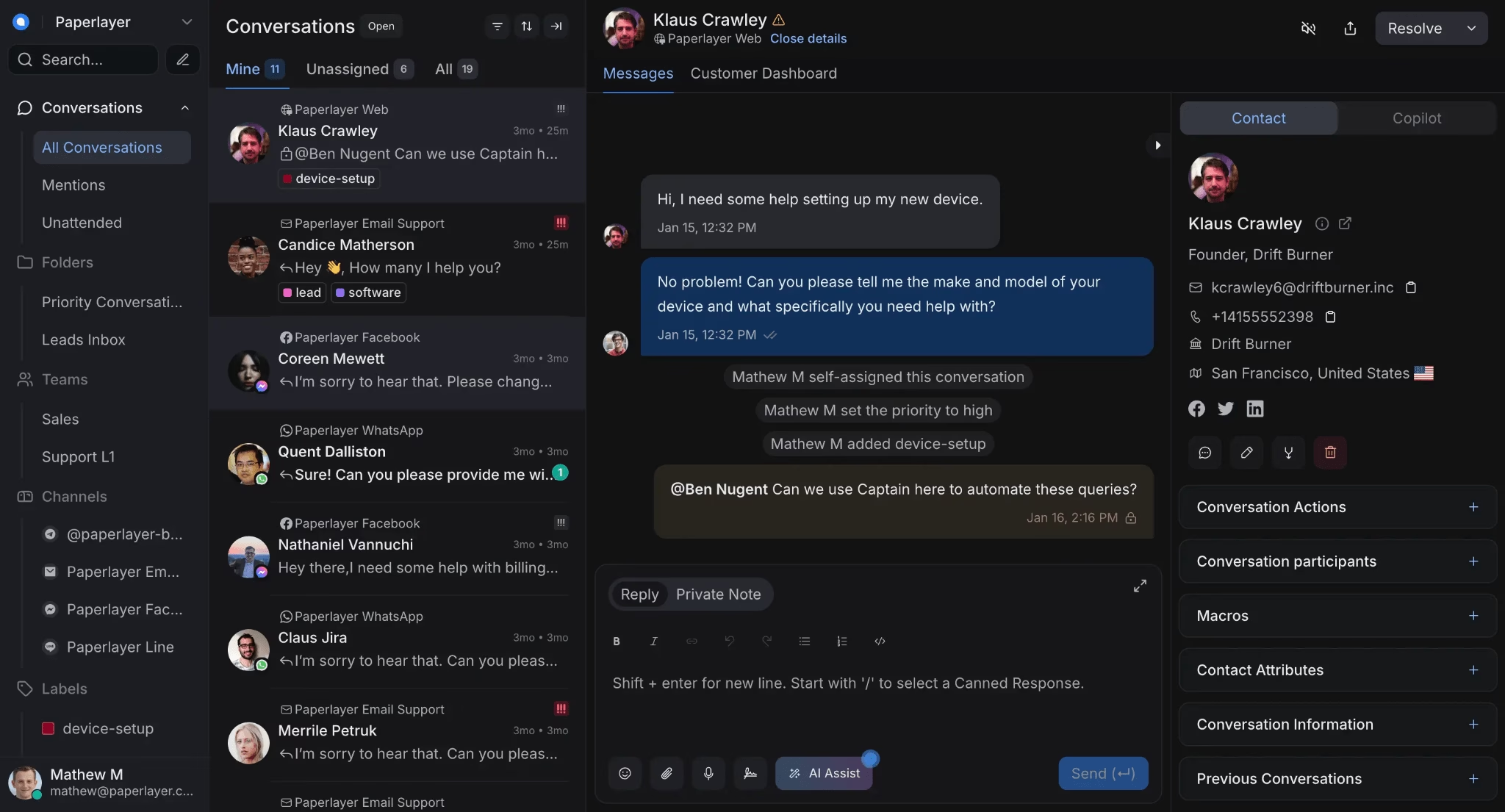
Need to handle more than just email? Chatwoot is the open-source option we reach for when a team wants one inbox for email, live chat, WhatsApp, Instagram, Facebook, SMS, and Telegram all at once.
The newer Captain AI feature hooks into OpenAI's models for reply suggestions, conversation summaries, and a knowledge-base assistant.
Where it Shines:
- True omnichannel coverage, especially the WhatsApp and live-chat combination.
- A free, MIT-licensed self-hosted edition with no artificial user caps.
- Active development and a large community, so help is easy to find.
Cons:
- The mobile apps can be unstable.
- Automations are weaker than leading shared inbox SaaS platforms like Front or Zendesk.
- Some features (SLAs, audit logs, agent capacity management) are gated to paid cloud plans even if you self-host.
Pricing
Chatwoot's self-hosted Community Edition is free under an MIT license.
The cloud version has a free Hacker tier for up to 2 agents, then Startups at $19, Business at $39, and Enterprise at $99 per agent per month on annual billing, per chatwoot.com/pricing.
My Verdict
We'd recommend Chatwoot to technical teams that genuinely need omnichannel support and want their data on their own servers. If you only ever do email, it's more than you need, and Heroic Inbox or FreeScout will be simpler.
4. Hiver
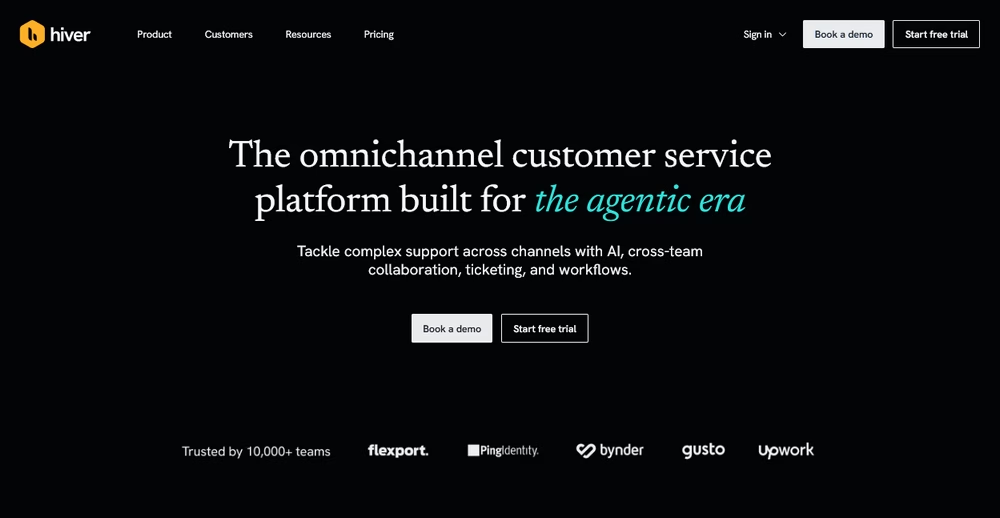
Hiver is an agentic shared inbox platform built for teams that manage complex email support. It turns a shared inbox like support@ into a collaborative hub with built-in ticketing, and its focus is resolution over deflection.
Instead of routing a ticket and walking away, Hiver's AI follows your team's internal SOPs to handle complicated requests from start to finish.
Hiver works inside Gmail and Outlook, and its standalone Omni product is email-agnostic, so it can also bring chat, Slack, WhatsApp, and voice into one queue.
Where it Shines:
- Collaborative shared inboxes with built-in ticketing and unified queues.
- Agentic AI that resolves complex requests end to end based on your policies.
- Self-improving agents that learn from your team's tone and best replies.
- A self-serve help center that updates itself from resolved conversations.
- Deep integrations with Slack, CRMs, and ERP systems like Salesforce, HubSpot, and NetSuite.
- Workflow automation, including round-robin routing and SLA tracking.
Cons:
- The free plan lacks the advanced features most growing teams will want.
- Per-seat pricing can scale quickly for larger teams.
Pricing
Hiver offers a free plan, and paid plans start at $25 per user per month on annual billing.
AI Agents and AI Copilot are bundled from the Growth tier up rather than sold separately.
My Verdict
Hiver is the best choice if you need AI-powered shared inbox software for complex email support. Its AI does not just route tickets, it actually solves them, which makes it a strong tool for scaling support without adding headcount.
5. Zammad
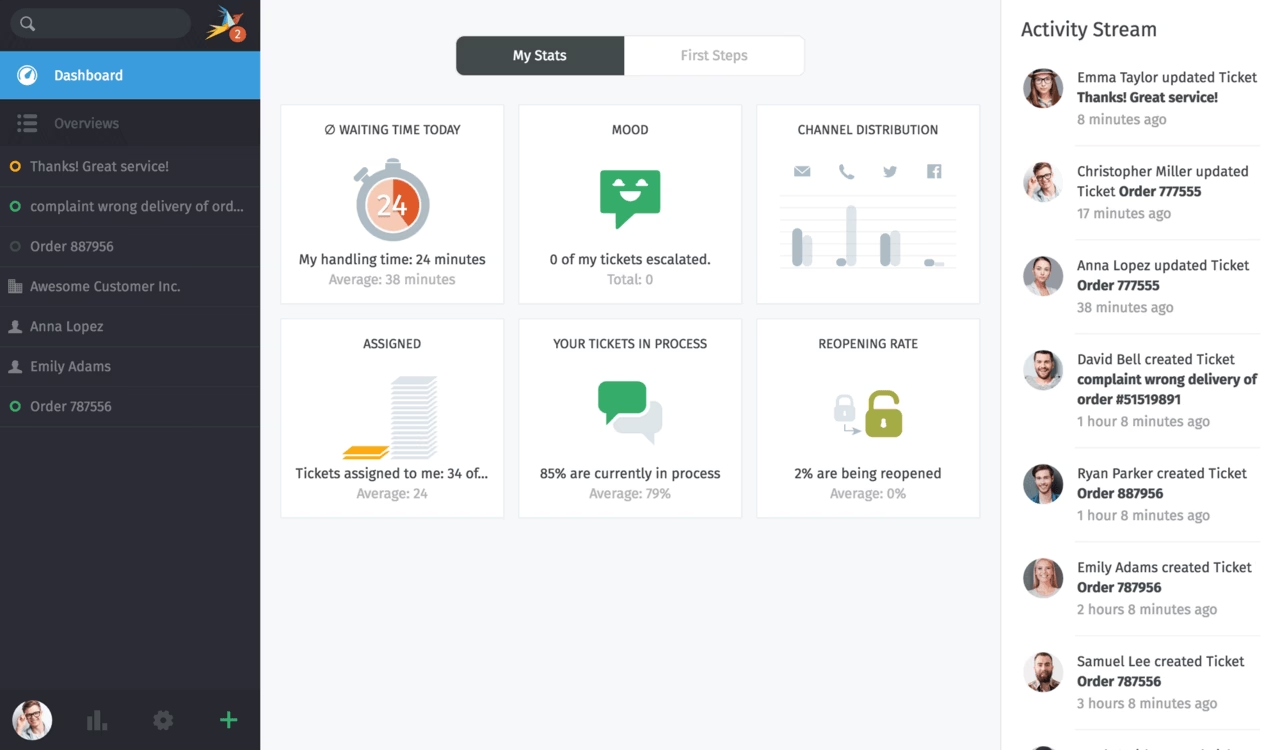
Zammad is one of the most polished open-source shared inbox tools we tested.
It unifies email, phone, chat, Twitter, Facebook, Telegram, and Microsoft Teams behind an interface that doesn't feel like it's from a decade ago, which is a real achievement in this corner of the market.
The full-text search is genuinely excellent, indexing tickets, attachments, and knowledge base articles together.
Zammad 7.0 shipped in early 2026 and added optional AI features billed as a usage-based add-on.
You pick the model, and the supported providers include Zammad's own AI, OpenAI, Anthropic, Azure, Mistral, and self-hosted Ollama.
Where it Shines:
- The cleanest, most modern interface of any open-source shared inbox here.
- Strong search, audit logging, and enterprise auth (SSO, LDAP) included free.
- You also get an audit log, LDAP and Active Directory support, SAML/OpenID single sign-on, time tracking, SLAs with escalation
- Local-LLM AI for GDPR-friendly summaries and routing.
Cons:
- It's a heavier install than FreeScout, so plan for real server administration.
- Pulling agent performance metrics is more laborious than it should be, and a few workflows feel slightly clunky.
Pricing
Zammad self-hosted Community Edition is free with all core features and no user limits.
Zammad GmbH also sells hosted plans if you would rather not run it yourself.
My Verdict
Zammad is a very good option for mid-sized teams in healthcare, finance, or the public sector, anywhere data sovereignty and a clean interface both matter, and where flashy app marketplaces don't.
6. osTicket
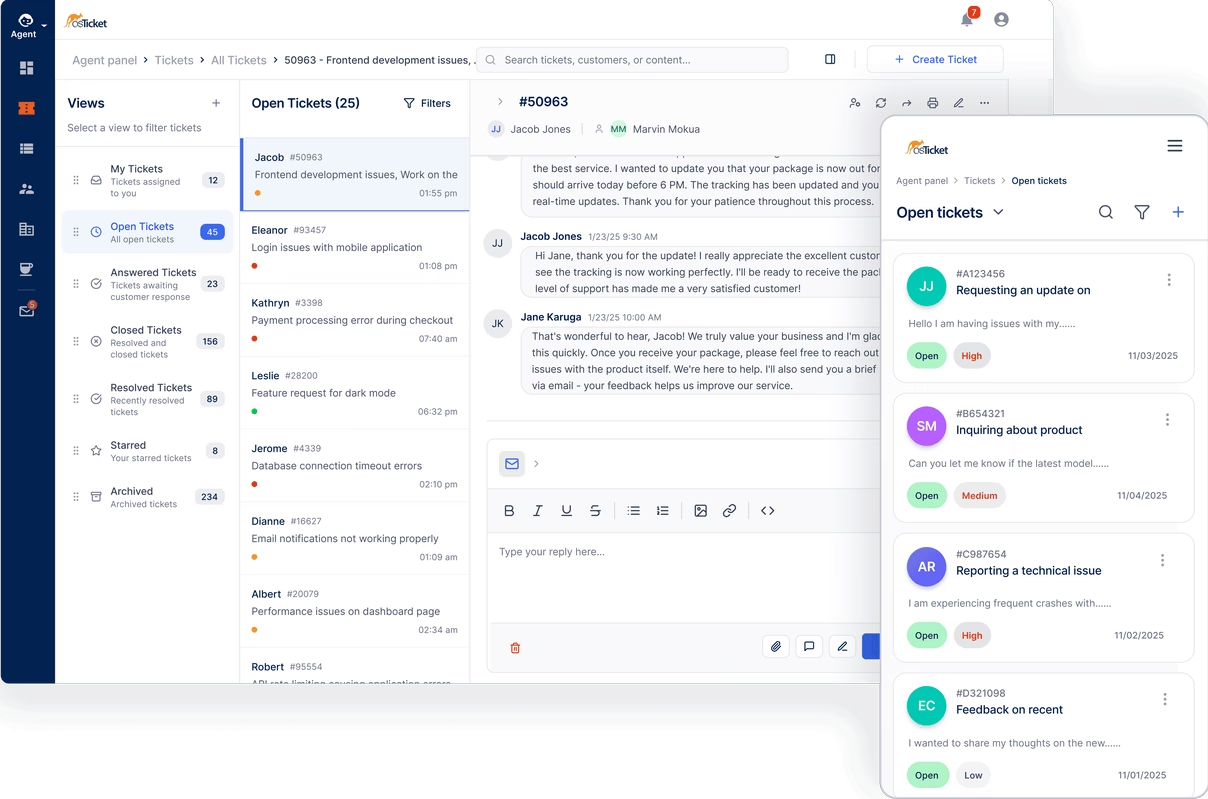
Some software earns trust by simply refusing to die, and osTicket is squarely in that camp. It is one of the original open-source shared inbox and help desk projects, and it is still going strong in 2026 because it is stable, configurable, and free.
The team is building a ground-up rewrite, osTicket 2.0, but as of this update it has not shipped: the beta slipped to the second half of 2026, and the current stable line is v1.18.4, released June 17, 2026, with security and PHP 8.4 fixes.
You get ticket routing from email, web forms, and phone, plus, custom fields, departments, help topics, and canned responses.
Where it Shines:
- Rock-solid ticketing core with deep customization.
- Collision avoidance and SLA management included free.
- A huge installed base, so answers to most problems already exist online.
Cons:
- osTicket ships regular security patches (v1.18.4 and the v1.17.8 maintenance release both landed on June 17, 2026), so run the latest version and apply updates promptly.
- The interface still looks dated next to Zammad or FreeScout
Pricing
osTicket is free and self-hosted, with a paid cloud version available if you'd rather not host it.
7. UVdesk
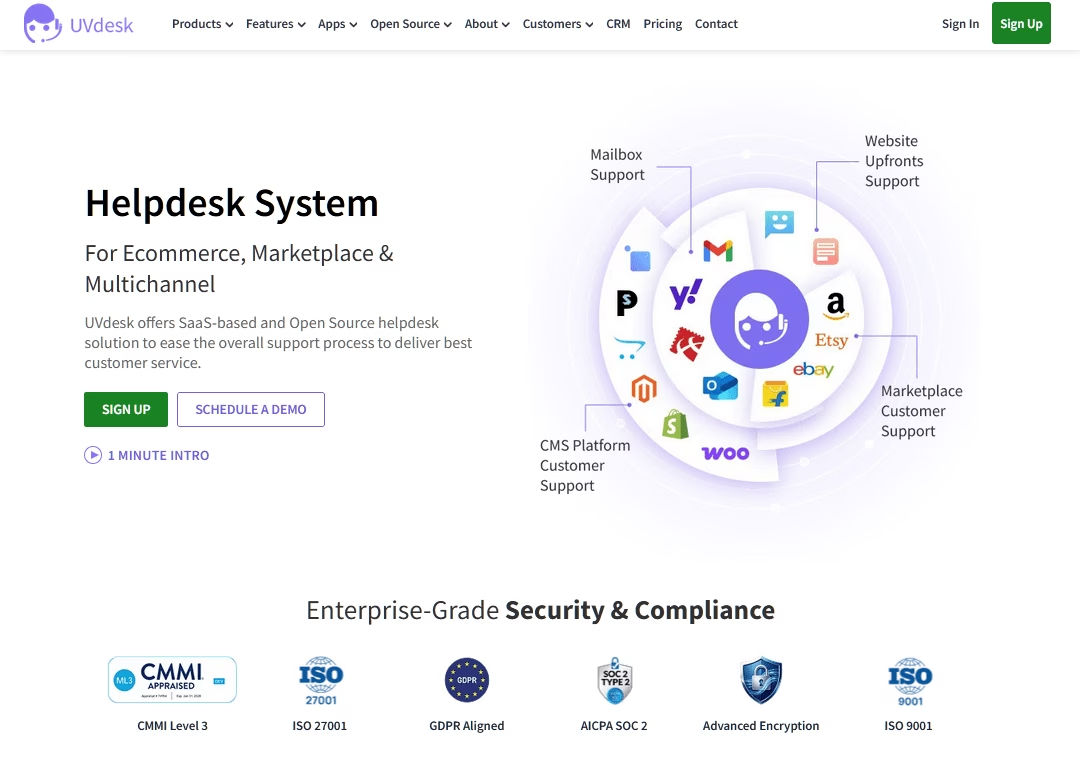
UVdesk positions itself as a more modern, modular take on the classic open-source shared inboxes, and it leans hard into eCommerce.
If you sell on WooCommerce, Shopify, Amazon, or eBay, UVdesk is worth a look.
Out of the box you get multi-channel ticket creation, a knowledge base builder, custom workflows, a task management module, and multilingual support.
Where it Shines:
- Genuinely useful eCommerce integrations baked into the platform.
- A modular, Composer-based architecture that's pleasant for developers.
- A built-in knowledge base creator for self-service.
Cons:
- A few features you might expect, like custom fields and agent collision detection, aren't in the free open-source plan.
Pricing
UVdesk’s Open Source Edition is free to self-host, with paid cloud tiers and a free trial of those plans available.
My Verdict
For WooCommerce and marketplace sellers who want a self-hosted shared inbox with native order context, UVdesk is well worth a weekend of evaluation.
8. Hesk
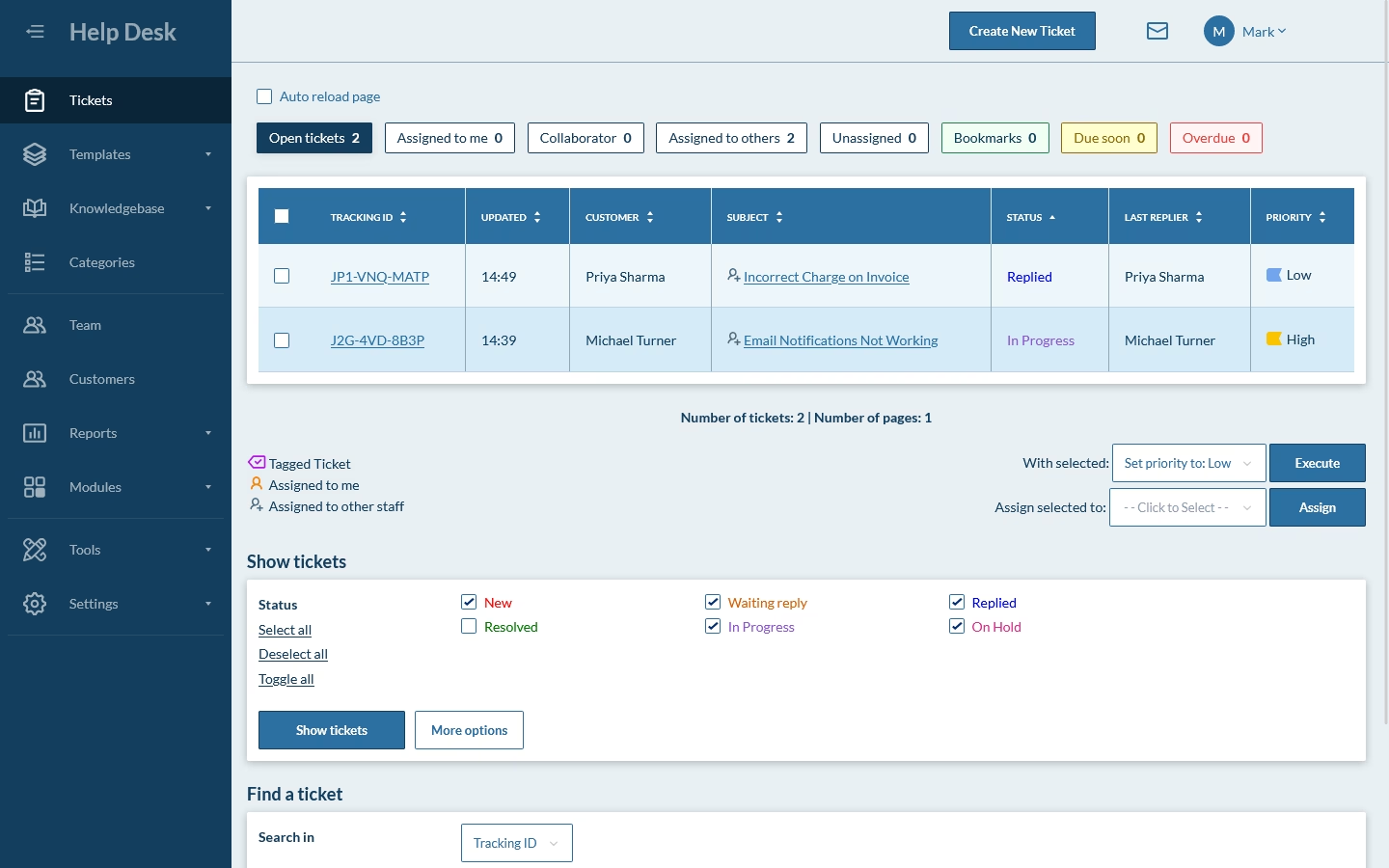
When you want something genuinely lightweight that runs on almost nothing, try Hesk. It's a free, PHP-based shared inbox that's been around for years, installs on minimal hosting, and won't intimidate a non-technical owner.
It is fast, small, and easy to manage.
It handles ticket submission by web or email, categorization and tagging, an integrated knowledge base, and basic automation like auto-assignment and canned responses.
Where it Shines:
- Dead-simple setup and a tiny resource footprint.
- A built-in knowledge base and basic automation, free.
- Decades of stability and a download count in the hundreds of thousands.
Cons:
- The look and feel is firmly old-school.
- Analytics are thin next to modern platforms.
Pricing
Hesk's self-hosted download is free, with optional one-time website licenses (roughly $49.99 to $199.95) that remove branding.
If you would rather not host it, Hesk Cloud is a flat monthly fee (about $29.99 for the base tier, up to $99.99 for the top tier), and the SysAid connection adds live chat and asset management.
My Verdict
Hesk is a good shared inbox tool for solo IT consultants, small in-house IT teams, schools, and nonprofits that need a basic, free ticketing system that quietly runs forever.
9. Erxes
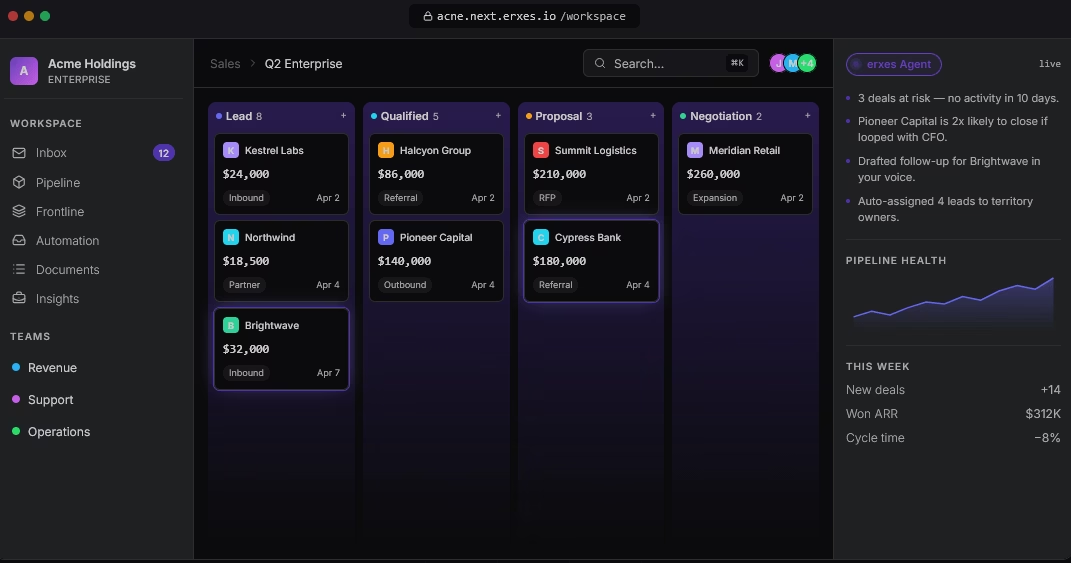
Erxes, an open-source platform that wants to handle support, sales, marketing, and operations in a single system. It’s openly pitched as a replacement for HubSpot, Zendesk, and a few others.
The shared inbox lives in a module called Frontline, which brings omnichannel conversations, tickets, and tasks into one place.
The free tier is unusually generous, including inbox, contacts, segments, automation, documents, and add-on plugins for sales pipelines, project operations, and a knowledge base.
Where it Shines:
- One platform for support, sales, and marketing instead of three subscriptions.
- A genuinely generous free self-hosted tier.
- Heavy customization through its plugin architecture.
Cons:
- Setup is technical and Docker-based, so this isn't a casual install.
- Some advanced plugins (accounting, finance, and industry-specific ones) require a paid license.
Pricing
Erxes self-hosting is free under an open-source license. Cloud and enterprise tiers available for those who want them.
My Verdict
Erxes is ideal for startups and growth teams looking to manage support, sales, and marketing from one self-hosted platform that has the engineering bandwidth to set it up and smooth out the rough edges.
10. Zoho Desk
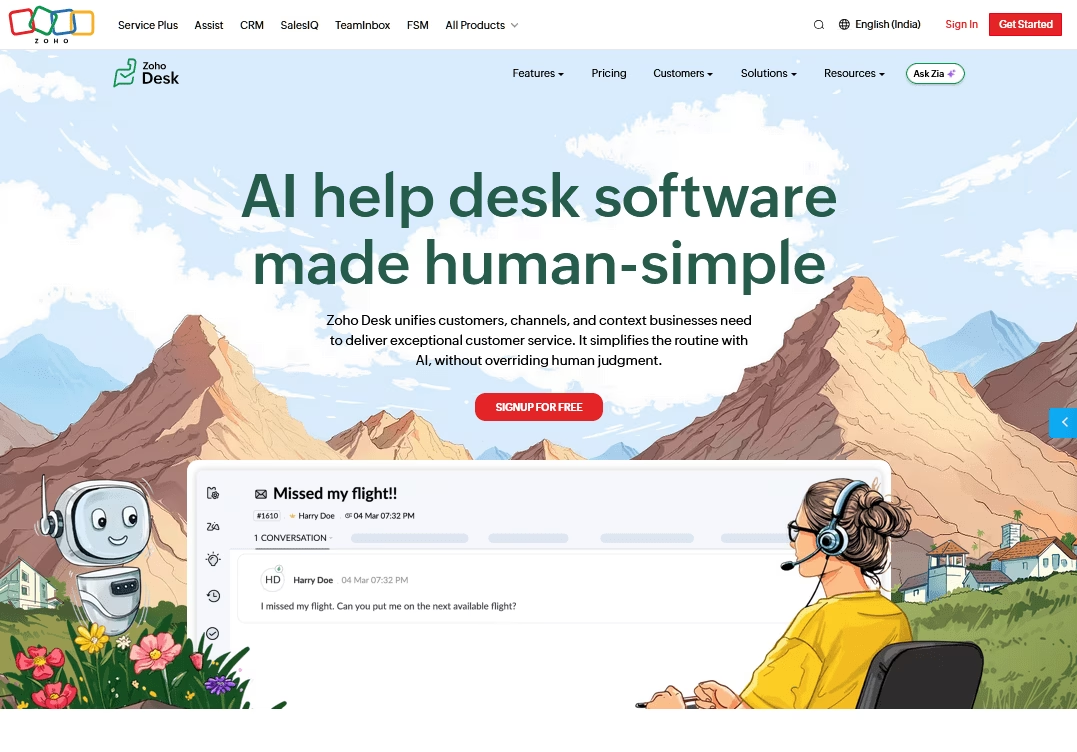
Zoho Desk is the shared inbox piece of the broader Zoho suite, and its free plan covers three agents at no cost.
The free tier includes email ticketing, private comments on tickets, ticket tags, a rich-text editor, response drafts, a basic help center, and advanced web forms.
It's a real working helpdesk for a small team.
Where it Shines:
- Three agents free, with email ticketing and a help center included.
- Tight integration with Zoho CRM and the rest of Zoho One, if you use them.
Cons:
- The wider Zoho ecosystem can feel sprawling and a little complicated to navigate.
Pricing
Zoho Desk is free to start with, covering up to 3 agents.
Paid plans start at $7 per agent each month and rise to $40 for the enterprise tier.
Zoho also sells a separate, lighter product called Zoho TeamInbox for teams that just want to share a group address.
My Verdict
Zoho Desk makes the most sense for small teams already using Zoho, and for anyone who wants a roomy free tier to trial omnichannel ticketing without commitment.
11. DragApp
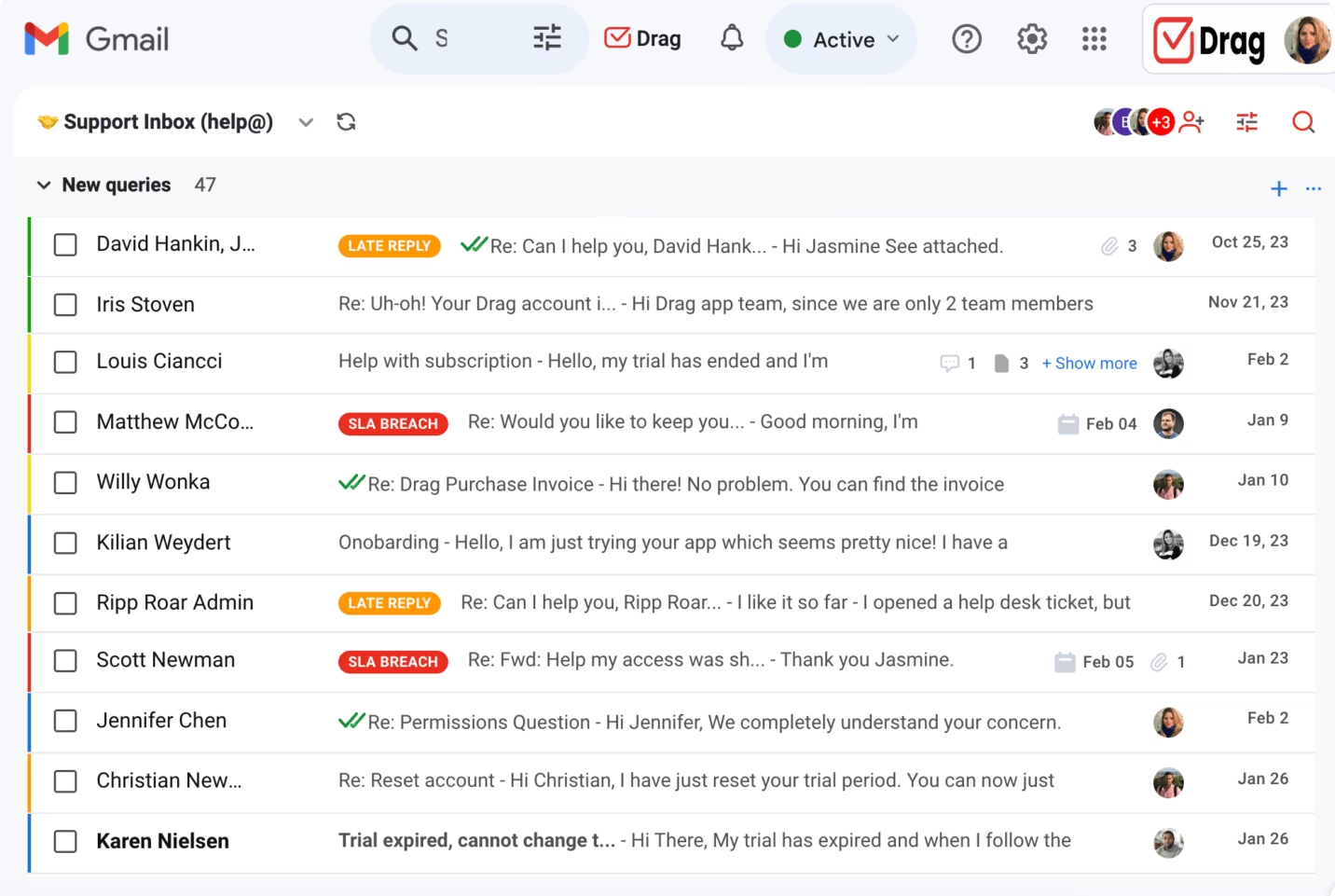
DragApp takes a different angle on the Gmail shared inbox: it turns your inbox into a shared, Kanban-style board, so conversations move through columns like cards on a project board.
It's a Chrome extension trusted by tens of thousands of professionals, and notably, it doesn't store your emails on its own servers.
The visual board view is the draw for teams that think in workflows rather than folders.
Where it Shines:
- Unlimited users, unlimited shared inboxes, and unlimited shared conversations
- Permission-based access that's clean to grant and revoke, with no email copies floating around.
- Kanban, list, and preview views for people who like a visual queue.
- Collision detection
- Internal chat and email comments
Cons:
- It uses its own tags rather than Gmail labels, so you'll rebuild your label structure.
- Subject lines aren't editable on reply, a known quirk.
- Boards with a lot of cards can load slowly.
Pricing
There is a 7-day free trial with no credit card required, and no free plan. Paid tiers run $12, $18, and $24 per user per month on annual billing.
Drag's AI features bundled in from the $18 tier rather than sold as a metered add-on.
My Verdict
DragApp is the one of the best options if you and your team are already used to using Gmail for business communications, but want more collaboration options.

FAQs on Shared Inbox Software
What is the difference between a shared inbox and a distribution list?
A distribution list forwards a copy of each email to everyone, with no shared view of who replied. A shared inbox keeps one thread the whole team works from, with assignment, status, and notes.
Does Gmail have a shared inbox?
Not fully on its own. Google's Collaborative Inbox is basic, so most teams add a tool like Heroic Inbox or DragApp.
Final Thoughts: Picking Your Free Shared Inbox
Choose the shared inbox software that fits the stack you already have. Not the one with the longest feature list.
Self-hosted or open source shared inbox tools are free in software only, and you'll still pay for hosting and the hours someone spends maintaining them.
Though, we listed some really excellent open source and free shared inbox tools above. Try these out.
You will definitely find an option that suits your needs.
Further Reading
Missive Review 2026: A Worthy Shared Inbox for Small Businesses
10 Best Email Management Software for Business and Customer Support
Top Free WordPress Email Plugins of 2026
Best Self-Service Solutions to Cut Support Tickets in Half
How to Build a Self-Service Portal (Step-By-Step Guide)
Best Customer Support Tools for Small Businesses
8 Best AI Email Assistants of 2026 (Free Options Included)





Leave A Comment?
You must be logged in to post a comment.