12 meilleurs logiciels de service client pour petites entreprises (édition 2026)

Un bon logiciel de support client doit atteindre deux objectifs principaux :
- Il doit faciliter l'obtention d'aide par les clients et/ou leur offrir une meilleure expérience.
- Il doit réduire la charge de votre équipe. C'est-à-dire qu'il doit vous permettre de fournir un support de qualité plus facilement, en moins de temps et avec moins d'efforts.
Dans le cadre de ces objectifs généraux, vous disposez de différents types d'outils ou de logiciels pour différents canaux de support client.
Dans cet article, nous avons sélectionné nos meilleurs logiciels de support client pour vous aider à offrir un service client de qualité à vos clients.
Que vous débutiez, que vous soyez une petite entreprise ou que vous recherchiez une solution avancée pour vos équipes en pleine croissance, nous avons ce qu'il vous faut.
Dans ce guide
Pourquoi les logiciels de service client sont importants pour les petites entreprises
Vos clients ne comparent pas votre support au petit magasin du coin. Ils le comparent à Apple, Amazon et Shopify, et ils se font une opinion avant même que vous n'ayez dit bonjour.
Les outils numériques de service client pour les petites entreprises résolvent trois problèmes à la fois :
- Capturez chaque message pour que rien ne passe à travers les mailles du filet
- Accélérez les réponses avec des modèles et l'automatisation
- Laissez les clients s'aider eux-mêmes avec des options de libre-service et une base de connaissances
Selon Gartner, seulement 14 % des problèmes de service et de support client sont entièrement résolus par le libre-service, même si 73 % des clients essaient le libre-service à un moment donné.


Alors que 73 % des clients utilisent le libre-service à un moment donné de leur parcours de service client, il est préoccupant de constater que si peu le résolvent entièrement.
― Eric Keller, Expert Gartner
Alors que 73 % des clients utilisent le libre-service à un moment donné de leur parcours de service client, il est préoccupant de constater que si peu le résolvent entièrement.
Nous sommes d'accord. Une excellente base de connaissances aide à résoudre un bon nombre de questions, mais vous avez toujours besoin d'une transition fluide vers un humain lorsque le bot ne suffit pas.
Ce processus de transition est là où la plupart des petites entreprises échouent.
Le bon logiciel de help desk assiste les clients lorsque le libre-service n'est plus une option et leur fournit des réponses avant qu'ils ne vous mentionnent sur Twitter.
Service client vs Support client
Le service client est un concept plus large qui englobe le support client.
Alors que le service client se concentre sur l'expérience globale qu'une entreprise offre tout au long du parcours client, le support client vise spécifiquement à résoudre les problèmes individuels rapidement et efficacement.
| Fonctionnalité | Service client | Support client |
|---|---|---|
| Portée | Large (avant, pendant, après la vente) | Étroite (après la vente, problèmes de produit) |
| Approche | Proactive et relationnelle | Réactive et technique |
| Objectif | Satisfaction et fidélisation client | Résolution de problèmes et fonctionnalité |
| Compétences requises | Empathie, communication, connaissance du produit | Expertise technique, dépannage |
| Exemples | Aide à la facturation, recommandations de produits | Correction de bugs, résolution d'erreurs de connexion |
Types d'outils et de logiciels de service/support client
En ce qui concerne les logiciels de service client, vous trouverez généralement différents outils pour différents objectifs. C'est-à-dire que vous pourriez avoir un outil pour créer votre base de connaissances, un autre pour le support par chat en direct, un autre pour votre centre d'aide, et ainsi de suite.
Bien qu'il existe quelques outils qui adoptent une approche tout-en-un (généralement à un prix plus élevé), vous pourriez trouver plus efficace et abordable d'opter pour un outil spécialisé pour les domaines spécifiques du service client sur lesquels vous souhaitez vous concentrer.
Voici différents types de logiciels de service client :
1. Systèmes de billetterie, centres d'assistance ou boîtes de réception partagées
Ces trois termes sont utilisés comme s'ils signifiaient des choses différentes, mais pour la plupart des équipes, il s'agit du même outil portant des étiquettes différentes.
Chacun transforme chaque e-mail, chat ou soumission de formulaire en un enregistrement traçable avec un statut, un propriétaire et un historique.
Les différences résident dans la portée et la manière dont l'interface est présentée, et non dans des catégories de logiciels fondamentalement différentes.
Un help desk ajoute généralement des extras comme l'automatisation, les SLA, les rapports et plusieurs canaux en un seul endroit. Une boîte de réception partagée donne l'impression d'un e-mail ordinaire, où tout le monde dans l'équipe peut voir, attribuer et répondre aux messages envoyés à des adresses comme support@ sans le chaos du transfert.
2. Chat en direct
Offrir une option de chat en direct est une partie importante du service et du support client. Tout le monde n'est pas disposé à attendre quelques heures ou jours pour obtenir une réponse.
Idéal pour les questions de pré-vente, les solutions rapides et pour prouver discrètement que vous existez.
3. Logiciel de base de connaissances
Logiciel de base de connaissances pour alimenter le libre-service : articles, FAQ et guides pratiques se trouvent ici.
4. Chatbots et agents IA
L'utilisation d'un chatbot IA pour le service client n'est plus une nouvelle tendance. La plupart des entreprises les utilisent en parallèle de leur base de connaissances pour améliorer le libre-service.
5. CRM et hybrides de support client
Certains outils de service client combinent les données de support avec le contexte des ventes et du marketing, de sorte qu'un agent voit l'histoire complète du client.
6. Outils de support sur les réseaux sociaux
Pour intégrer les messages de Facebook, Instagram et WhatsApp dans la même boîte de réception que les e-mails et le chat.
La plupart des centres d'assistance omnicanaux modernes incluent ces fonctionnalités dès le départ. Mais ces types de logiciels sont généralement très coûteux et non requis pour les petites entreprises.
Les meilleurs outils de service client pour les petites entreprises en 2026
Vous n'avez pas besoin de tous les types de logiciels de service client listés dans ce guide.
Si vous débutez, procurez-vous une base de connaissances et une boîte de réception partagée. Ajoutez le chat en direct et le support social une fois que vous aurez la bande passante nécessaire pour y répondre.
Cela dit, examinons les meilleurs outils de support client disponibles pour les petites entreprises en 2026.

Nous testons et recherchons rigoureusement chaque produit que nous recommandons via HeroThemes. Notre processus d'examen. Nous pouvons également gagner une commission si vous effectuez un achat via nos liens.
1. Boîte de réception héroïque
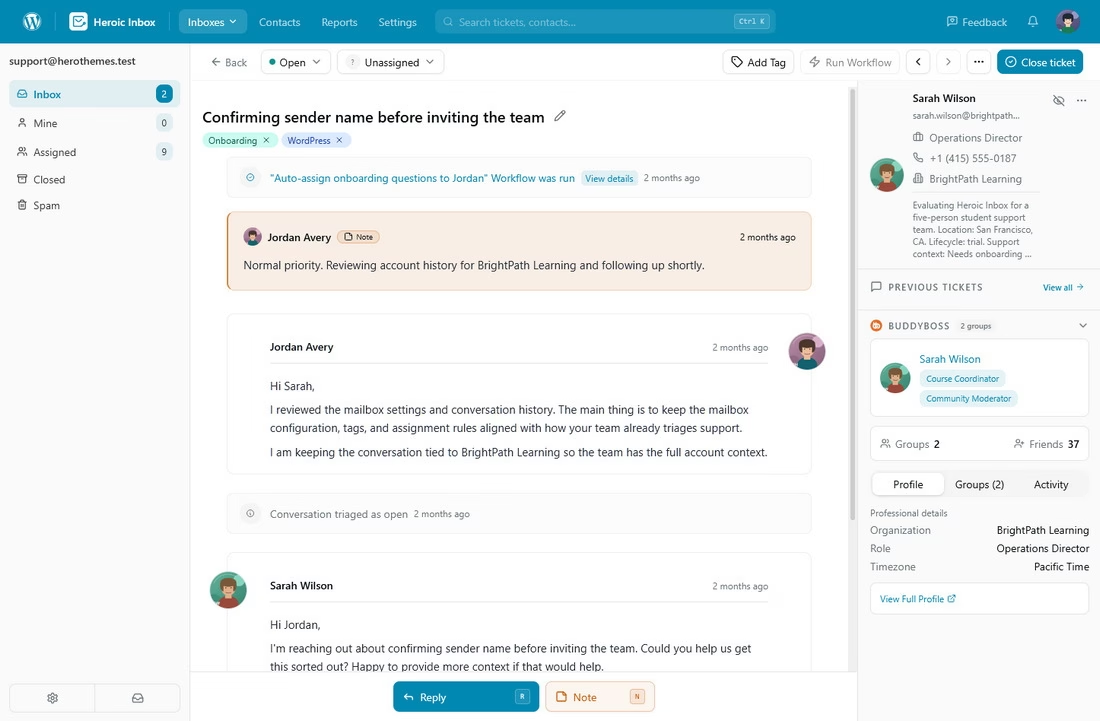
Nous sommes peut-être biaisés ici (Heroic Inbox est l'un de nos propres produits), mais voici pourquoi nous le plaçons en tête de liste de toute façon.
La plupart des centres d'assistance vous facturent par agent, par mois, à jamais, et la facture augmente à chaque embauche. Heroic Inbox renverse ce modèle avec une licence annuelle forfaitaire et des utilisateurs illimités.
Au-delà du prix, Heroic Inbox est intégré directement dans WordPress. Il n'y a pas d'onglet SaaS séparé à surveiller et vous possédez les données.
Caractéristiques principales :
- Agents illimités et tickets illimités sur chaque plan, sans facturation par siège jamais
- Vos données client résident sur votre propre serveur, pas sur un serveur tiers
- Connexion OAuth Gmail/Google Workspace en un clic, plus IMAP/SMTP et un importateur d'e-mails pour la migration
- Réponses enregistrées que vous pouvez insérer en tapant « / », ce qui accélère les réponses répétitives que personne n'aime écrire
- Notes internes, détection des collisions et affectations de conversations pour la collaboration d'équipe
- Intégrations WooCommerce et Easy Digital Downloads dans les niveaux supérieurs, pour un contexte client adéquat
- Automatisation puissante des flux de travail, marquage automatique et répondeurs automatiques pour réduire le travail manuel
- Vues : Créez des vues personnalisées facilement accessibles depuis la barre latérale de la boîte aux lettres
- Assistant IA pour aider à la rédaction des réponses
Limites :
- Nécessite un site WordPress
- Les performances dépendent en partie de la qualité de votre hébergement, bien que la version 3 fonctionne bien sur des hébergements économiques
- Pas de niveau entièrement gratuit, seulement une garantie de remboursement de 14 jours
Tarifs
Heroic Inbox commence à 79,60 $ pour la première année sur le plan Essentiel avec 2 boîtes aux lettres et 1 site.
Verdict
Heroic Inbox occupe la première place pour une raison tenace : il refuse de vous pénaliser pour votre croissance. Lorsque les petites équipes grandissent, payer chaque mois des frais de service client SaaS élevés peut être déchirant.
De plus, Heroic Inbox ne fait aucun compromis sur les fonctionnalités puissantes et nécessaires. Vous obtenez tout ce qu'il faut pour gérer des opérations de service client et d'assistance plus fluides.
Garantie de remboursement de 14 jours | Installation en moins de 10 minutes
2. Base de connaissances héroïque
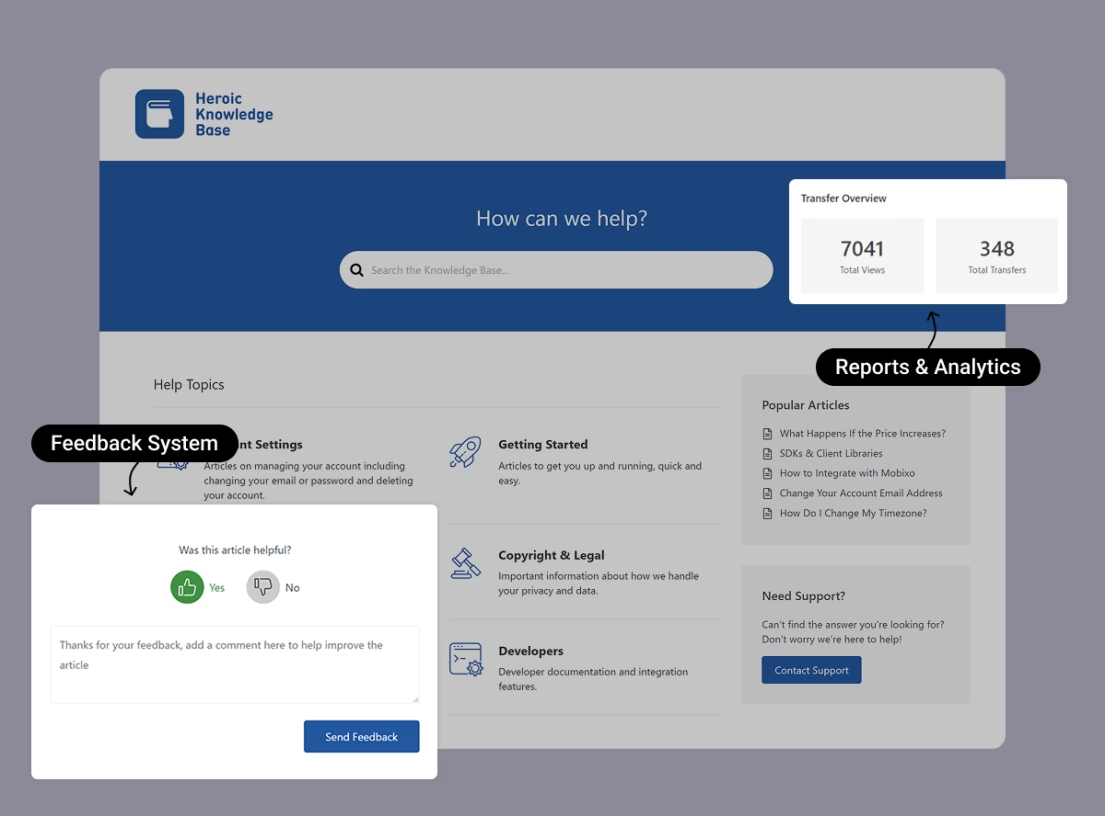
Avoir une base de connaissances bien rédigée est essentiel pour vos efforts de support client, car elle offre à vos clients un endroit pour en apprendre davantage sur votre produit et résoudre les problèmes sans avoir à contacter vos canaux de support humain.
Heroic Knowledge Base offre un moyen simple de créer votre propre base de connaissances auto-hébergée alimentée par le logiciel WordPress open-source populaire.
En plus de faciliter l'ajout d'un nombre illimité de nouveaux articles, Heroic Knowledge Base offre également une multitude de fonctionnalités utiles pour vous aider à offrir une meilleure expérience et à améliorer votre base de connaissances.
Caractéristiques principales :
- Recherche instantanée AJAX en direct qui affiche les résultats au fur et à mesure que les clients tapent
- Analyses de recherche, y compris le rapport « recherches vides » pour savoir exactement quel contenu écrire ensuite
- Analyse des retours d'articles et du transfert de support pour identifier les articles faibles
- Fonctionne avec n'importe quel thème WordPress, plus un thème premium KnowAll dédié inclus
- Ordre par glisser-déposer, constructeur de glossaire, constructeur de FAQ et support multilingue (WPML)
- Contrôle d'accès pour verrouiller toute la base de connaissances ou des articles individuels aux utilisateurs connectés
Limites :
- Pas de version gratuite
- Nécessite WordPress
Tarifs
Heroic Knowledge Base commence à 67,60 $ pour la première année sur le plan Essentiel pour 1 site. Aucune limite sur le nombre d'utilisateurs ou d'articles de base de connaissances, hébergez autant de FAQ, guides, tutoriels, matériels de formation que vous le souhaitez (en fonction de votre capacité d'hébergement).
Verdict
Heroic Knowledge Base rivalise avec des outils de base de connaissances coûteux tout en gardant votre contenu sur votre propre domaine, ce qui est idéal pour le référencement et la propriété.
Les analyses de recherche de Heroic KB changent silencieusement la façon dont les équipes rédigent leurs documents, car vous arrêtez de deviner ce dont les clients ont besoin et commencez à écrire les articles qu'ils recherchent réellement. Si vous voulez l'outil de support client le plus efficace pour réduire le volume de tickets en 2026, une base de connaissances soignée est la solution, et c'est celle que nous recommandons le plus.
3. HelpJet
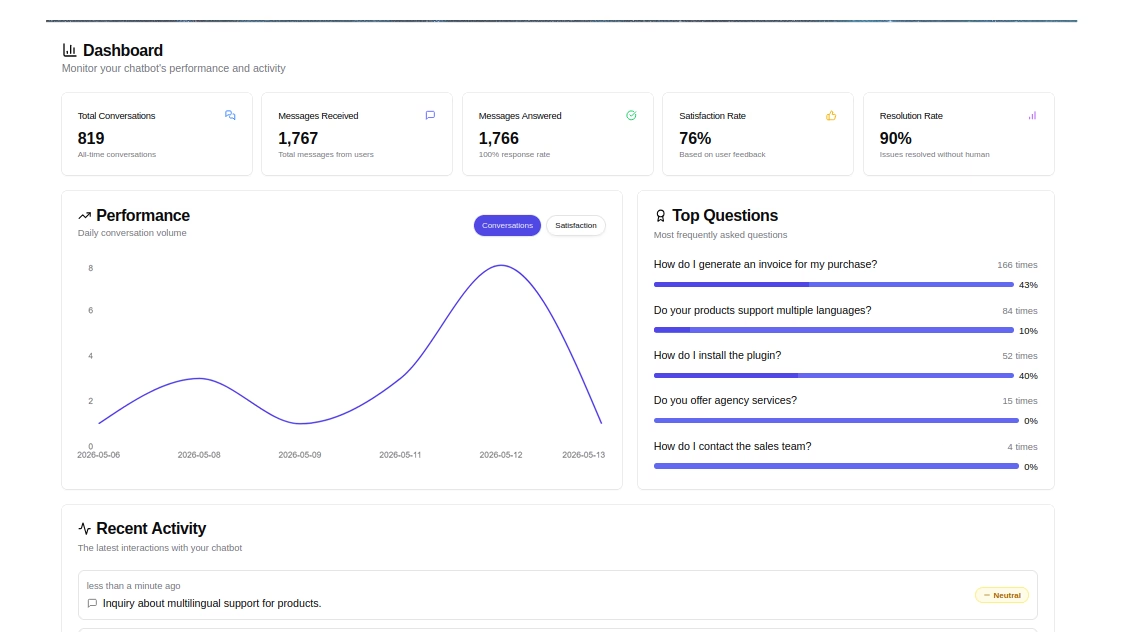
Les piles de support en 2026 incluent de plus en plus une couche de déviation IA, et HelpJet est une option pratique pour les petites entreprises qui ne veulent pas d'une plateforme d'entreprise juste pour y parvenir. Vous pouvez l'utiliser en parallèle de votre base de connaissances et avant votre boîte de réception partagée.
HelpJet lit votre contenu existant, s'entraîne dessus et gère les questions répétitives qui s'accumulent dans les e-mails.
Caractéristiques principales :
- Plan gratuit à vie avec 1 bot et 100 conversations par mois, aucune carte de crédit requise
- Parcourt automatiquement les pages, articles, documents et PDF de votre site Web en environ 5 minutes
- Actualisations automatiques hebdomadaires de la base de connaissances
- Bloc dédié ou shortcode pour placer le bot n'importe où sur votre site
- Transfert propre vers un formulaire, un e-mail ou un service d'assistance lorsque le bot est bloqué
- Questions de suivi contextuelles pour des conversations plus naturelles
Limites :
- Les réponses de l'IA ne sont aussi bonnes que le contenu que vous lui fournissez
Tarifs
HelpJet propose un plan gratuit à vie avec 1 bot et 100 conversations par mois, et le plan Pro coûte 29 $/mois pour 3 bots et 1 000 conversations.
Des crédits de messages supplémentaires et le "white-labeling" sont disponibles en tant qu'options.
Verdict
HelpJet est le "oui" le plus simple de cette liste. Le plan gratuit ne vous coûte rien et commence à dévier les questions en environ cinq minutes. Pour une petite entreprise qui souffre des e-mails répétitifs, l'exécution du niveau gratuit de HelpJet aux côtés d'une base de connaissances et d'un logiciel de helpdesk est l'une des mesures les plus intelligentes que vous puissiez prendre en 2026.
4. HelpCrunch
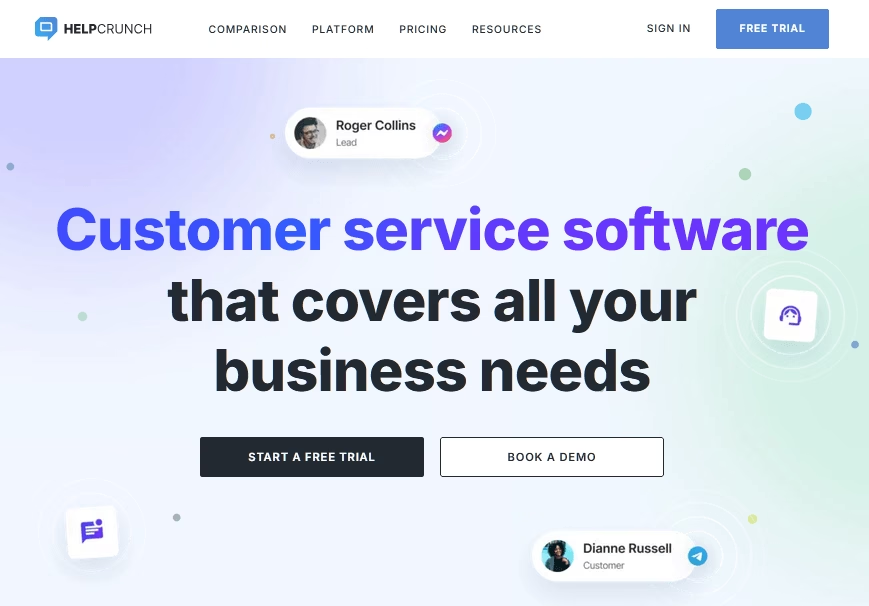
HelpCrunch est une solution multicanal alimentée par l'IA et dirigée par des humains, conçue pour la croissance.
Avec un espace de travail unifié, il combine le chat en direct, une boîte de réception partagée, des outils de marketing par e-mail, une base de connaissances et des agents IA qui gèrent automatiquement les conversations.
Caractéristiques principales :
- Agents IA (Pro et supérieur) automatisent les réponses sur le chat, les messageries et les e-mails, en extrayant les réponses de votre base de connaissances.
- Support multicanal avec chat en direct, applications mobiles (iOS/Android), Facebook, Instagram, WhatsApp, Telegram et Viber
- Outils d'automatisation : flux de chatbot, messages automatiques et popups pour la génération de prospects
- Base de connaissances personnalisable intégrée pour le libre-service et l'intégration
- Campagnes de marketing par e-mail avec segmentation, personnalisation et analyse
- Tableaux de bord de reporting pour suivre les performances, le temps de réponse, la qualité des conversations et la charge de travail de l'équipe
Limites :
- Pas de plan entièrement gratuit
- Tarification par membre de l'équipe, donc la facture augmente avec chaque embauche
Tarifs
HelpCrunch offre un essai gratuit de 14 jours avec un accès complet aux fonctionnalités premium.
Les plans payants commencent à 15 $ par mois par membre d'équipe, incluant le chat en direct, les boîtes de réception partagées, la base de connaissances et l'automatisation de base.
Les agents IA et les fonctionnalités de contrôle avancées sont disponibles dans les plans Pro et Unlimited pour les entreprises en croissance qui ont besoin de niveaux plus élevés d'automatisation du support client.
Verdict
Nous recommanderions HelpCrunch à une petite équipe de support qui souhaite un produit soigné, une portée multicanal et de l'IA dans un ensemble cohérent sans avoir à négocier un contrat d'entreprise.
5. WP Social Ninja
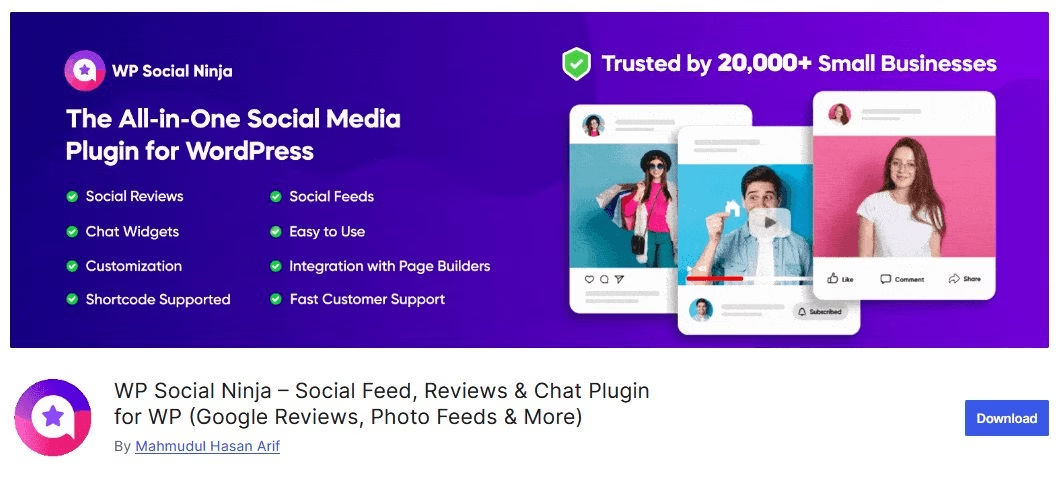
WP Social Ninja est une solution de référence pour afficher la preuve sociale et rester connecté avec les clients via votre site WordPress. Pour le support client, le plugin offre des widgets de chat qui vous permettent de communiquer directement avec les visiteurs, depuis votre site.
Avec ce plugin, vous pouvez ajouter des widgets de chat entièrement personnalisables à partir de plus de 17 plateformes comme Facebook Messenger, WhatsApp, SMS, Microsoft Teams, et plus encore.
Caractéristiques principales :
- Choisissez parmi des modèles prêts à l'emploi pour créer un widget de chat élégant et accrocheur
- Ajoutez des profils d'agents de support pour personnaliser l'en-tête du chat avec le nom et l'image
- Définissez un message de bienvenue pour saluer les utilisateurs dès qu'ils ouvrent la boîte de chat
- Utilisez une icône de chat personnalisée qui reflète l'identité de votre marque
- Stylez tout à votre façon avec des contrôles de typographie, de couleurs et de mise en page
- Activez ou désactivez les widgets de chat sur n'importe quelle page spécifique selon vos besoins
- Définissez les heures de disponibilité pour que les chats n'apparaissent que lorsque vous êtes en ligne
- Ajustez l'emplacement du bouton de chat avec des positions et des formats personnalisés
- Contrôlez la visibilité sur les appareils, affichez le widget sur mobile, ordinateur ou les deux
- Créez des widgets de chat multilingues pour servir les utilisateurs dans différentes langues
WP Social Ninja fait plus que gérer les conversations. Il vous aide à renforcer votre présence sur les réseaux sociaux avec :
- Flux sociaux de Facebook, YouTube, Instagram et TikTok.
- Avis sociaux de Google, Airbnb, Yelp, WooCommerce, et plus encore.
Limites :
- Uniquement pour WordPress, donc pas adapté aux sites construits sur d'autres plateformes
- Les conversations se déroulent en fait dans Messenger, WhatsApp ou l'application que le client choisit, vous devrez donc passer d'une plateforme à l'autre pour répondre.
Tarifs
WP Social Ninja propose des versions Gratuite et Pro. Vous pouvez commencer gratuitement et obtenir des fonctionnalités plus avancées avec la version Pro qui commence à 44 $/an après une réduction.
Verdict
Obtenez WP Social Ninja lorsque vous souhaitez donner aux clients un moyen de vous joindre sur le canal où ils vivent déjà, plutôt que de construire une opération de support structurée derrière votre site Web.
Nous le recommandons aux fondateurs solo et aux très petites équipes qui n’ont pas encore besoin de files d’attente de tickets et préféreraient répondre depuis les applications Messenger ou WhatsApp sur leur téléphone. La version gratuite vous offre également un excellent point de départ.
6. tawk.to
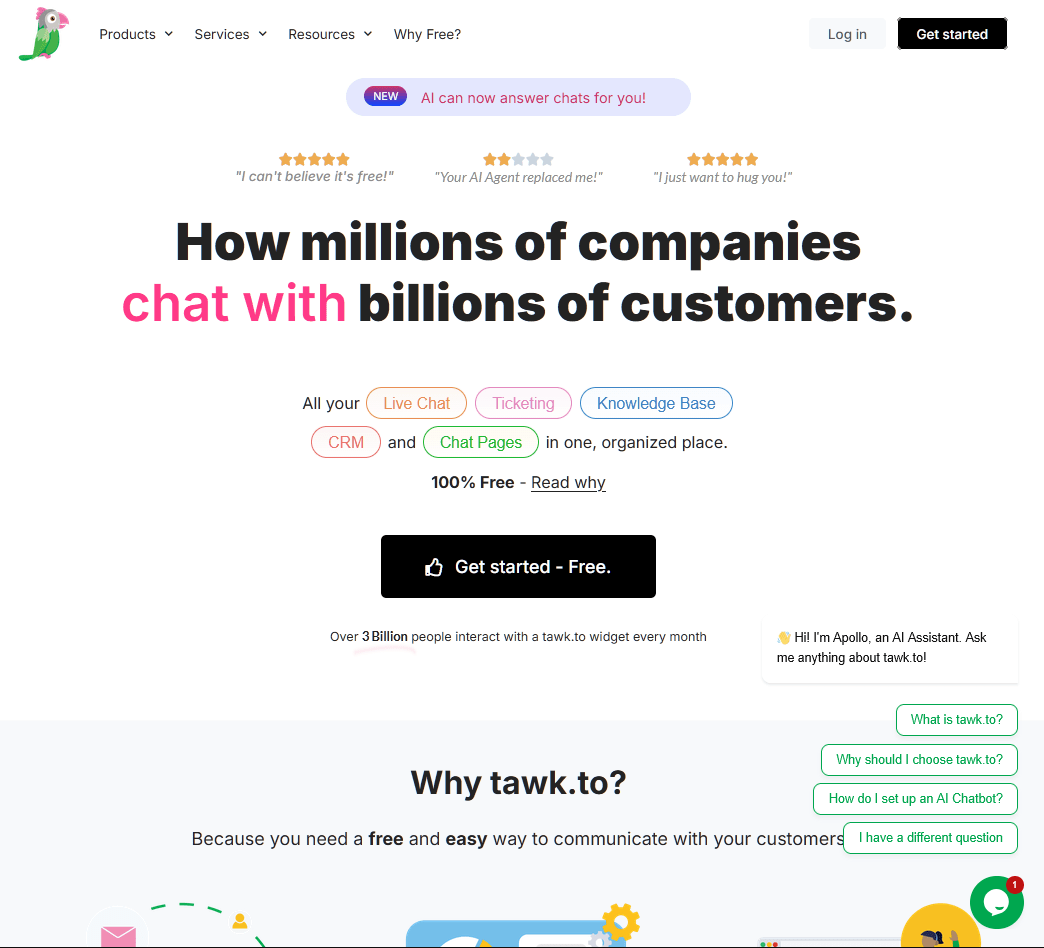
tawk.to est un logiciel de chat en direct 100% gratuit. Pas de limite d'agents, pas de limite de volume de conversations et pas de piège caché dans les conditions d'utilisation.
Oui, vraiment.
tawk.to monétise par des modules complémentaires optionnels (suppression de la marque, IA Assist, agents de chat embauchés) plutôt que de verrouiller le produit principal derrière un paywall.
La version gratuite comprend le chat en direct, la gestion des tickets, une base de connaissances et un CRM de base.
Caractéristiques principales :
- Noyau véritablement gratuit : chat en direct, gestion des tickets, base de connaissances et CRM sans restriction de fonctionnalités
- Agents illimités, conversations illimitées et sites web illimités
- Surveillance des visiteurs en temps réel pour voir qui est sur votre site et ce qu’il tape
- Raccourcis prédéfinis et une base de connaissances intégrée pour des réponses rapides et cohérentes
- Applications mobiles pour iOS et Android, plus la prise en charge de plus de 45 langues
Limites :
- Le widget affiche la marque "Propulsé par tawk.to" sauf si vous payez pour la supprimer
Tarifs
La plateforme de base de tawk.to est gratuite pour toujours avec des agents et des conversations illimités.
Les modules complémentaires payants optionnels comprennent :
- Suppression de la marque à 29 $/mois (facturé annuellement)
- IA Assist à partir de 29 $/mois
- Agents de chat embauchés à partir de 1 $/heure
Verdict
tawk.to est le logiciel de service client gratuit le plus généreux. Pour un chat en direct purement gratuit sans conditions, sans frais par agent et sans upsells surprises, rien d'autre ne s'en approche.
7. Hiver
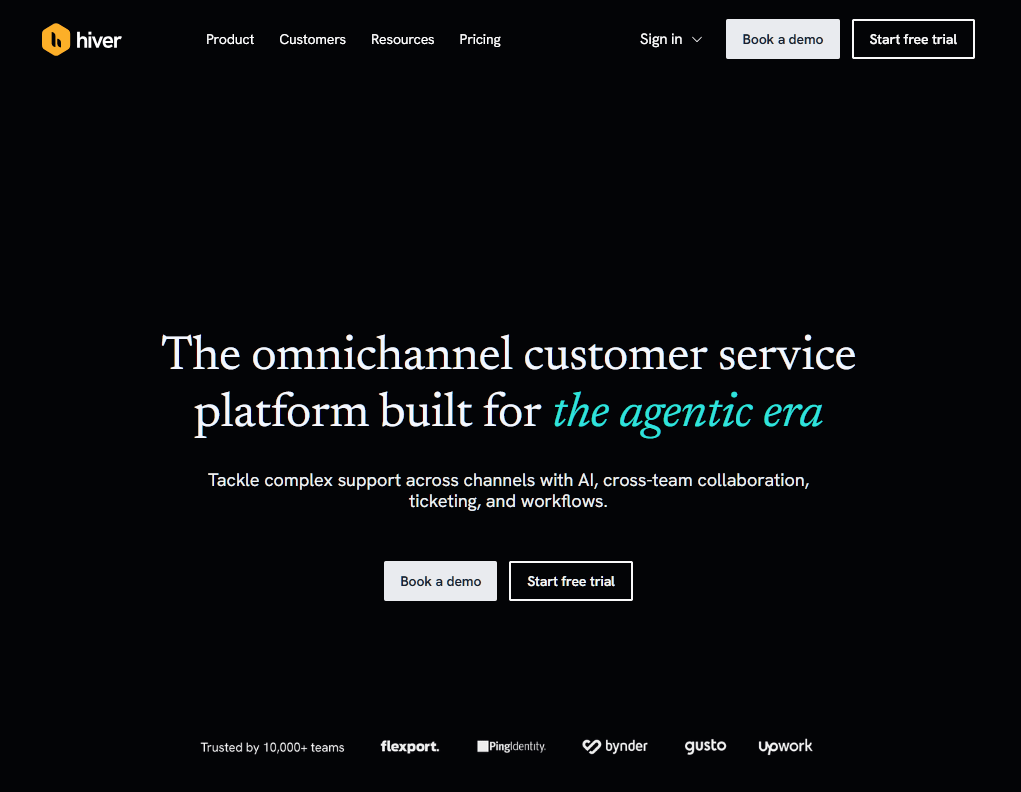
Hiver est une plateforme agentique conçue pour que les équipes gèrent un support email complexe. Elle permet à votre équipe de collaborer sur des comptes partagés comme support@ ou info@ depuis un espace de travail intuitif.
Les agents IA de la plateforme vont au-delà de la simple déviation en extrayant le contexte client de votre CRM et en suivant les procédures opérationnelles normalisées internes pour résoudre les demandes complexes de bout en bout, ne transférant à un humain que lorsque cela est nécessaire.
Caractéristiques principales :
- Agents IA résolvent des demandes complexes de bout en bout en extrayant des données des systèmes CRM et ERP.
- Boîtes de réception partagées collaboratives avec gestion des tickets intégrée, attribution et notes internes pour des transferts fluides.
- Constructeur de connaissances IA détecte automatiquement les lacunes dans la documentation et transforme les fils résolus en articles de centre d'aide.
- L'intégration Slack permet aux équipes de collaborer sur des conversations par e-mail depuis Slack.
- IA auto-améliorante apprend des meilleures réponses et politiques de votre équipe pour devenir plus performante au fil du temps.
- Boîtes de réception partagées natives Gmail et Outlook : assignez des e-mails, définissez des statuts et suivez les propriétaires sans quitter votre client de messagerie.
- SLA, enquêtes CSAT et attribution en cascade sur les niveaux supérieurs.
- Analyses et rapports personnalisés couvrant les temps de réponse, les taux de résolution et la charge de travail de l'équipe.
Limites :
- Les SLA, les enquêtes CSAT et les rapports personnalisés se trouvent derrière le niveau Pro.
- Les réviseurs signalent des retards et des chargements lents une fois qu'une file d'attente partagée est occupée.
- La facturation par siège signifie que la facture augmente avec le nombre d'employés plutôt qu'avec les résultats.
Tarifs
Hiver propose un plan « Gratuit pour toujours » pour les équipes qui débutent.
Les plans payants commencent à 25 $ par utilisateur par mois pour le niveau Growth, avec le niveau Pro (55 $) et le niveau Elite (85 $) offrant des fonctionnalités avancées comme les SLA et les enquêtes CSAT.
Verdict
Hiver est le choix idéal pour les équipes qui souhaitent la puissance d'un centre d'aide sans la courbe d'apprentissage d'un centre d'aide. Son objectif est de résoudre des problèmes complexes plutôt que de simplement rejeter les FAQ, ce qui en fait un partenaire sophistiqué pour les équipes de support et d'opérations en croissance.
8. JustCall
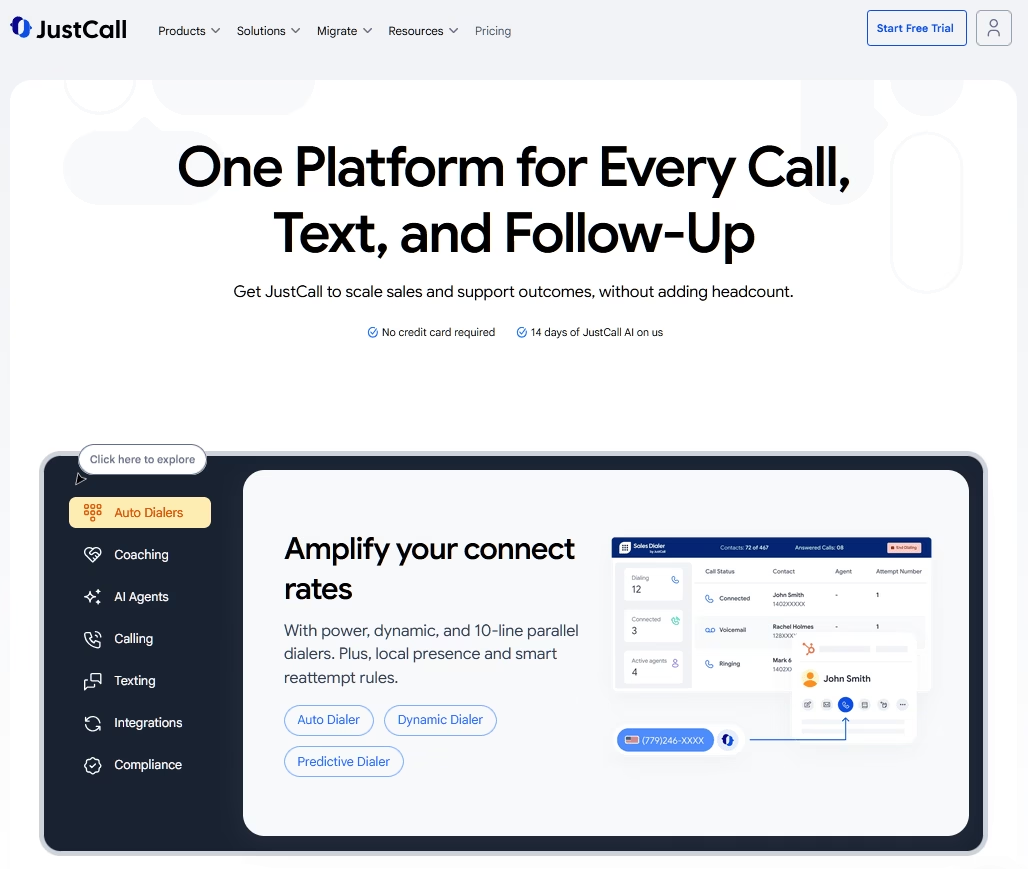
La plupart des outils de ce guide commencent par la boîte de réception. JustCall commence par le numéro de téléphone.
Si votre stratégie de service client repose fortement sur le support téléphonique et les SMS, JustCall est une solution puissante qui comble le fossé entre votre système téléphonique et votre CRM.
La plateforme enregistre chaque conversation dans votre CRM, de sorte qu'un agent dispose de l'historique complet du client avant de décrocher.
Il est conçu pour aider les petites équipes à gérer un grand volume d'appels et de SMS sans perdre la touche personnelle, grâce à des intégrations approfondies avec plus de 70 outils comme HubSpot et Salesforce.
Ce qui a changé pour 2026, c'est le modèle de tarification. JustCall a reconditionné ses plans pour inclure des minutes d'appel illimitées et la transcription IA à partir du niveau d'entrée, ce qui est inhabituel dans une catégorie où la transcription est normalement un supplément payant. Des seuils d'utilisation équitable s'appliquent toujours, alors vérifiez les limites avant de supposer que « illimité » signifie sans limite.
Caractéristiques principales :
- Système téléphonique basé sur le cloud avec des numéros locaux, internationaux et gratuits dans plus de 70 pays.
- Transcription d'appels IA illimitée à partir du plan Team, sous réserve de limites d'utilisation équitable, afin que vous puissiez auditer les appels et coacher les agents sans regarder le compteur.
- Agents vocaux IA qui répondent aux appels, résolvent les demandes et prennent des rendez-vous 24h/24 et 7j/7 pour faire évoluer votre support sans augmenter le nombre d'employés.
- Voix, SMS, MMS et WhatsApp gérés depuis un espace de travail partagé.
- Plus de 100 intégrations, y compris HubSpot, Pipedrive et Zoho, avec Salesforce à partir du niveau Pro.
- Intelligence conversationnelle avec notation des appels, suivi des sentiments et informations de coaching.
Limites :
- Minimum de 2 utilisateurs requis pour la plupart des plans.
- L'intégration native de Salesforce est limitée au plan Pro à 49 $ et plus.
- Les segments SMS sont plafonnés dans les niveaux inférieurs, ce qui peut entraîner des coûts supplémentaires pour les entreprises axées sur les SMS.
Tarifs
JustCall commence à 29 $ par utilisateur et par mois (facturé annuellement) pour le plan Team, qui comprend un numéro de téléphone par utilisateur et une transcription IA illimitée.
Verdict
JustCall est le choix idéal pour les petites entreprises qui ont dépassé les outils VOIP de base et qui ont besoin d'un centre de communication sophistiqué, piloté par l'IA. Il s'intègre de manière transparente à votre technologie existante, garantissant que votre équipe de support dispose du contexte client complet avant de répondre à un appel.
9. Zoho Desk
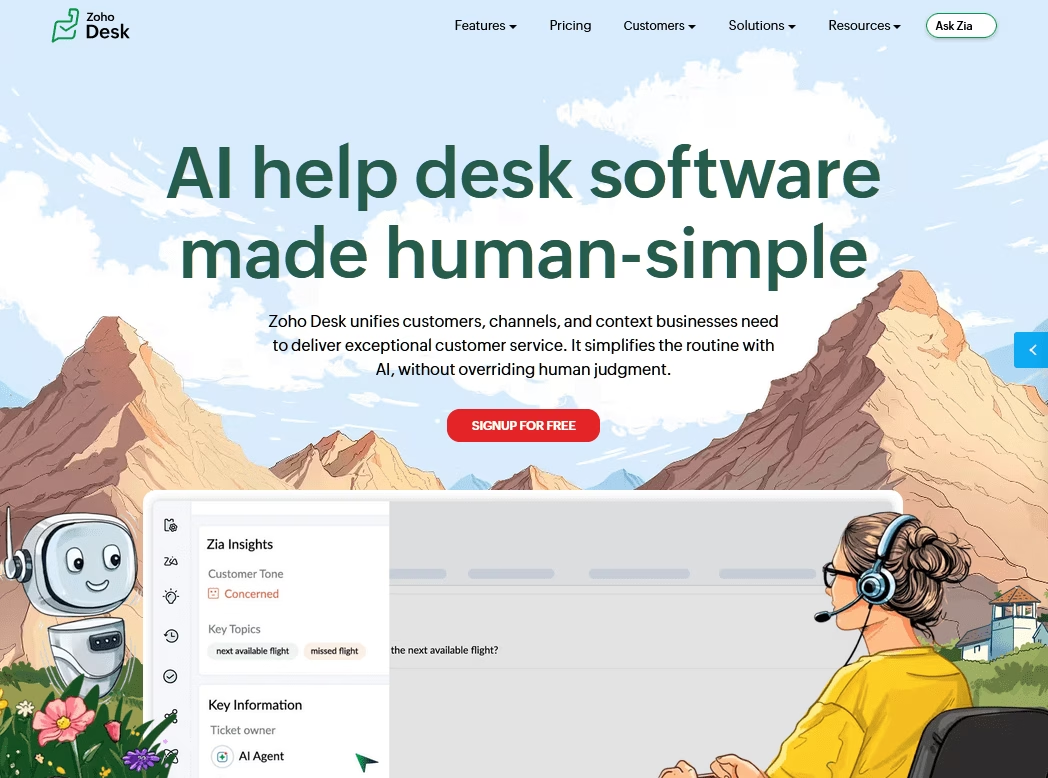
Zoho Desk (examen complet de Zoho Desk) est une alternative de helpdesk SaaS économique, plus abordable que Freshdesk ou Zendesk.
En contrepartie de cette abordabilité, vous ferez quelques sacrifices en matière d'interface et de fonctionnalités. Mais si vous avez un budget serré, vous pourriez être prêt à le faire car les économies de coûts peuvent être assez importantes.
Caractéristiques principales :
- Plan gratuit pour jusqu'à 3 agents avec ticketing par e-mail et une base de connaissances
- Niveaux payants véritablement abordables par rapport à Zendesk ou Freshdesk au même niveau
- Support multicanal (e-mail, réseaux sociaux, chat) sur les plans supérieurs
- Automatisation des flux de travail, SLA et escalades à mesure que vous évoluez
- Intégration approfondie avec Zoho CRM et la suite Zoho plus large
- IA générative Zia (suggestions de réponse, résumé, analyse de ton) désormais incluse dans les niveaux payants, avec des fonctionnalités Zia avancées dans Enterprise
Limites :
- Le plan gratuit manque d'automatisation, de SLA et de chat en direct
- Les fonctionnalités avancées de Zia comme la détection d'anomalies et l'analyse des sentiments restent dans Enterprise, et le chat en direct est réservé à Enterprise via Zoho SalesIQ
- L'interface peut sembler encombrée pour les nouveaux utilisateurs
Tarifs
Zoho Desk est gratuit pour commencer. Les niveaux payants coûtent environ 7 $/agent/mois (Express), 14 $ (Standard), 23 $ (Professionnel) et 40 $ (Entreprise) avec facturation annuelle.
Verdict
Nous recommandons particulièrement Zoho Desk aux équipes qui privilégient la structure à l'apparence, et aux entreprises qui pourraient finir par utiliser d'autres outils Zoho à l'avenir.
10. Crisp
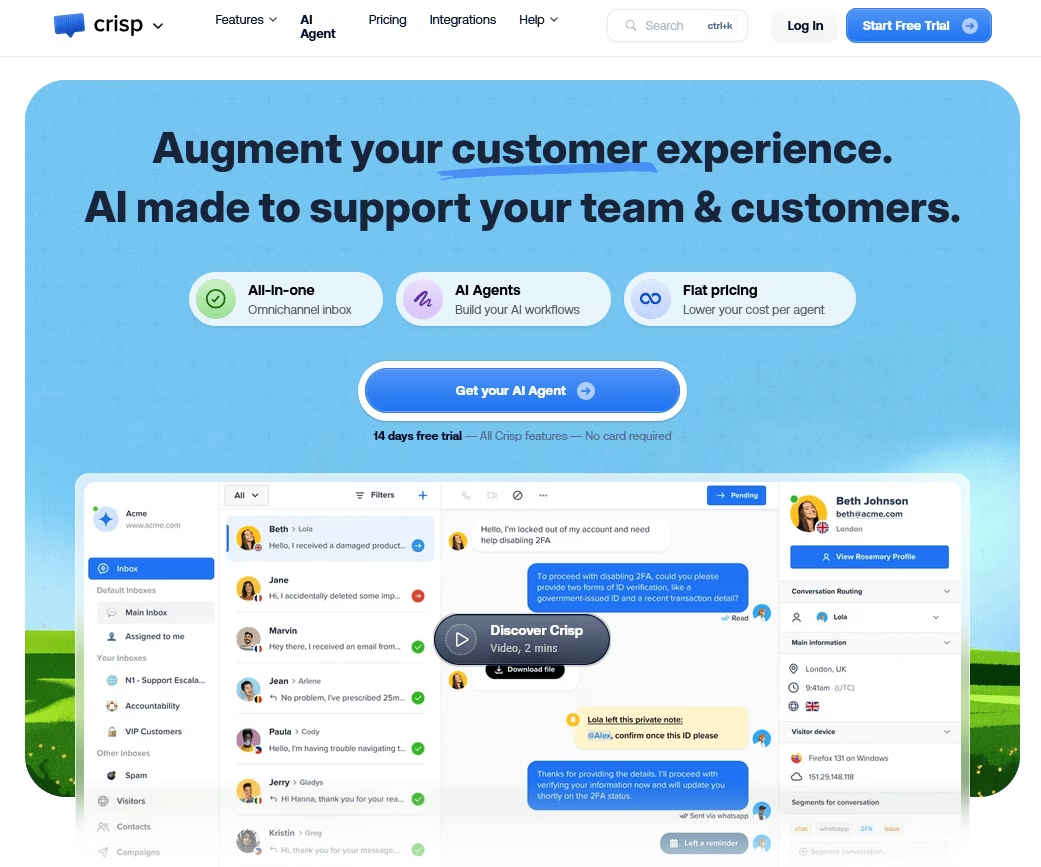
Crisp est une plateforme de support client tout-en-un : chat en direct, boîte de réception partagée, base de connaissances et chatbot IA à un prix unique.
Il regroupe le chat web, l'e-mail, Instagram, Messenger et WhatsApp dans une boîte de réception unifiée. Il ajoute ensuite l'automatisation, un constructeur de chatbot sans code et des analyses.
C'est le genre d'outil qui remplace discrètement trois ou quatre abonnements distincts dont vous n'aviez pas réalisé que vous payiez.
Caractéristiques principales :
- Tarification forfaitaire par espace de travail au lieu de par agent, un modèle rare et apprécié
- Boîte de réception unifiée pour le chat web, l'e-mail, Instagram, Messenger et WhatsApp
- Conversations illimitées sur tous les plans, donc les pics ne coûtent pas plus cher
- Constructeur de chatbot et de flux de travail IA sans code
- Base de connaissances, CRM et campagnes intégrés
- Plan gratuit permanent avec 2 sièges pour tester
Limites :
- Les plans gratuits et inférieurs ont des limites strictes de sièges ; seul le plan supérieur en ajoute davantage
- L'utilisation de l'IA fonctionne avec des crédits, donc une utilisation intensive entraîne des coûts supplémentaires
Tarifs
Crisp propose un plan gratuit pour 2 sièges. Le plan premium (Mini) commence à 45 $/mois, par espace de travail.
Verdict
Crisp convient aux petites et moyennes entreprises axées sur le numérique qui souhaitent consolider une pile de support désordonnée en un seul outil. Il offre une valeur particulièrement intéressante une fois que vous dépassez le seuil de 10 agents, moment auquel la tarification forfaitaire par espace de travail devient nettement plus abordable.
11. Bitrix24
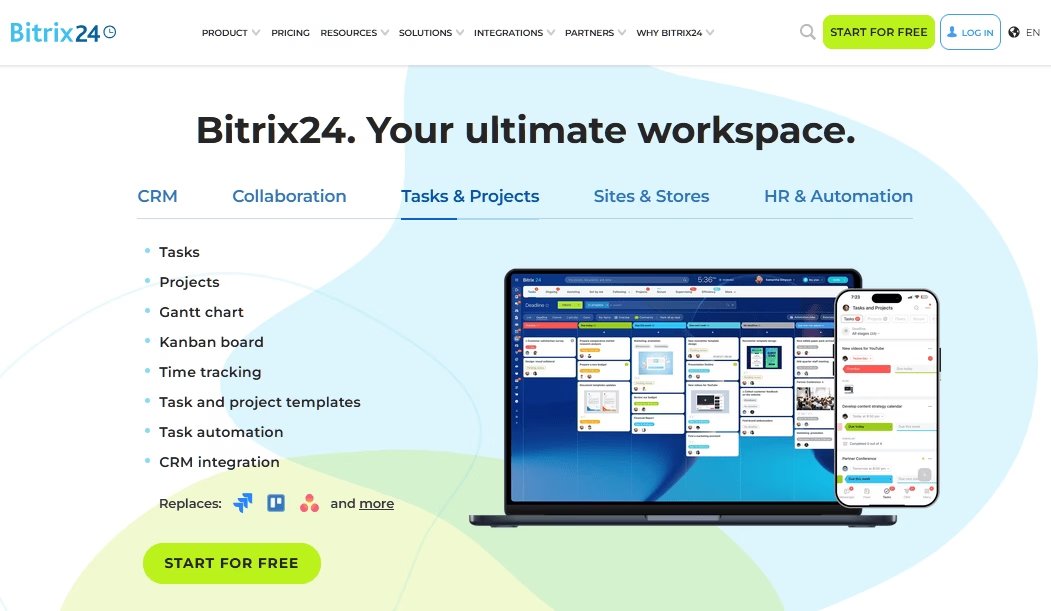
Bitrix24 est l'outil le plus ambitieux de cette liste, et c'est à la fois sa force et sa particularité.
Bitrix24 est une suite d'entreprise tout-en-un qui intègre CRM, gestion de projet, chat d'équipe, centre de contact et constructeur de site Web dans une seule plateforme.
C'est le centre de contact qui vaut à Bitrix24 une place ici. Il consolide le chat en direct, l'e-mail, le téléphone et les messages des médias sociaux et les relie aux enregistrements CRM. Cela permet aux équipes de support et de vente de partager la même vue client.
Caractéristiques principales :
- Plan gratuit avec utilisateurs illimités, rare dans cette catégorie
- Tarification forfaitaire payante par organisation, pas par siège
- Tout-en-un : CRM, centre de contact, projets, chat et constructeur de site Web
- Boîte de réception omnicanale directement liée aux enregistrements CRM
- Fonctionnalités de téléphonie et d'appels intégrées
- Ensemble de fonctionnalités généreux dans le niveau gratuit au-delà du simple support
Limites :
- L'interface est encombrée et présente une courbe d'apprentissage abrupte
- Le plan gratuit a des limites cachées, y compris des plafonds de tâches et de stockage
- Cela peut sembler excessif si vous ne voulez qu'un service d'assistance
Tarifs
Bitrix24 propose un plan gratuit pour 1 à 2 utilisateurs, puis des niveaux payants à prix fixe facturés par organisation plutôt que par siège. Le plan Basic (jusqu'à 5 utilisateurs) coûte 49 $/mois avec facturation annuelle ou 61 $/mois facturé mensuellement, et le plan Standard (99 $/mois annuel) couvre jusqu'à 50 utilisateurs.
Verdict
Bitrix24 est un excellent outil pour gérer les ventes, le support et les opérations sur une seule plateforme gratuite. Le hic, c'est la courbe d'apprentissage, mais si vous pouvez la supporter, la valeur par dollar est difficile à battre.
12. Gorgias
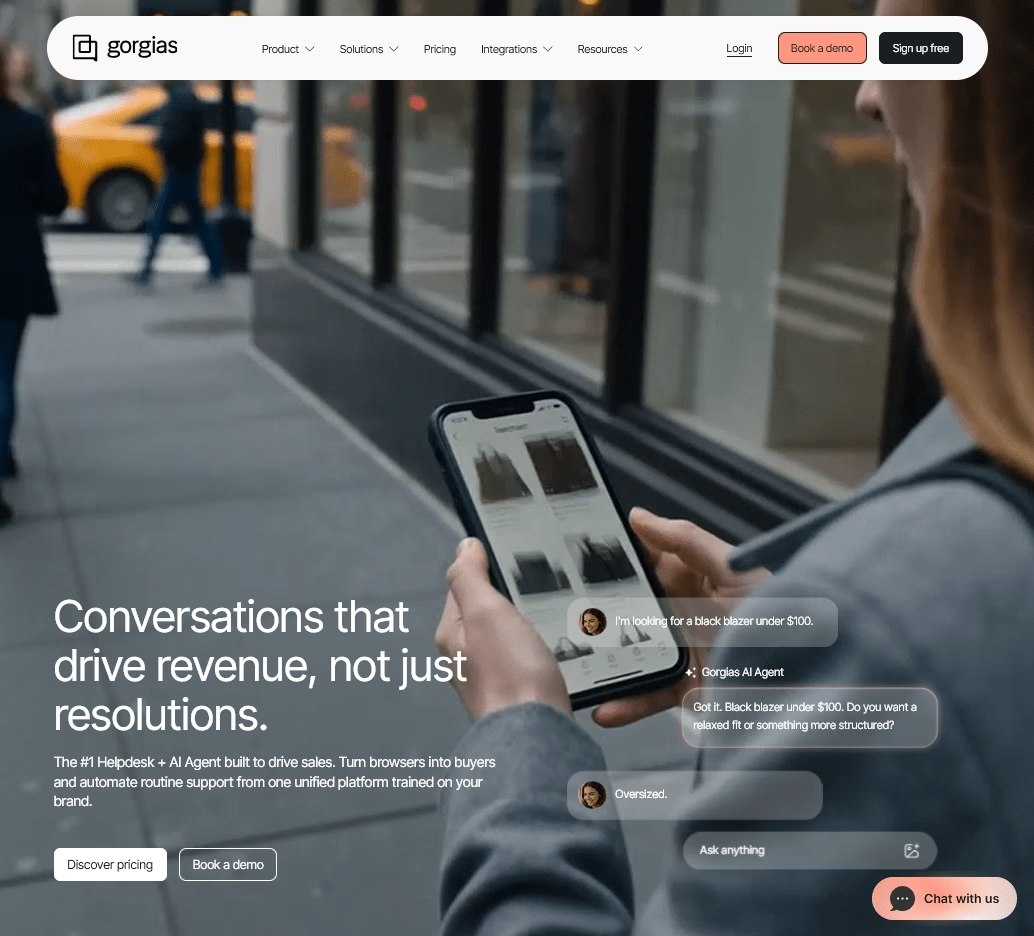
Si vous gérez une boutique Shopify, le calcul pour Gorgias est plus simple que vous ne le pensez. C'est le service d'assistance spécialement conçu pour le commerce électronique, et c'est l'outil de prédilection des marques Shopify en particulier.
Là où les services d'assistance généraux traitent toutes les entreprises de la même manière, Gorgias est spécialement conçu pour les magasins en ligne. Il affiche les détails des commandes, permet aux agents de modifier les commandes ou d'émettre des remboursements sans quitter le ticket, et lie les métriques de support aux revenus.
Caractéristiques principales :
- Spécialement conçu pour le e-commerce avec une intégration Shopify approfondie
- Sièges d'agents illimités ; vous payez par volume de tickets, pas par effectif
- Les agents peuvent modifier les commandes, suivre les expéditions et émettre des remboursements dans un ticket
- Boîte de réception omnicanale : e-mail, chat, SMS, réseaux sociaux et voix
- Agent IA automatise les questions répétitives sur les commandes
- Automatisation, macros et règles solides pour les flux de commerce électronique courants
Limites :
- La facturation basée sur les tickets signifie que les pics saisonniers peuvent faire grimper votre facture.
- L'agent IA facture des frais par résolution qui comptent également comme un ticket.
Tarifs
Gorgias commence à 10 $/mois pour le plan Starter (50 tickets), avec l'agent IA facturé entre 0,90 $ et 1,00 $ par résolution.
Verdict
Gorgias est la recommandation évidente pour le service client des magasins Shopify et e-commerce, car rien d'autre ne lie le support aux données de commande aussi étroitement.
Combien coûtent les outils de service client ?
La plupart des logiciels de service client pour petites entreprises coûtent entre 0 $ et 50 $ par agent par mois, avec des niveaux gratuits de tawk.to, Hiver et HelpJet en bas de l'échelle et des plateformes IA basées sur l'utilisation en haut de l'échelle.
Les outils de service client en 2026 se répartissent en trois grandes catégories de prix, et les connaître vous aide à établir un budget sans mauvaise surprise.
Gratuit (ou quasi gratuit) :
Des outils comme tawk.to et HelpJet ne coûtent rien pour commencer. tawk.to est le plus remarquable car son cœur est gratuit pour toujours sans limite d'agent, et Hiver propose également un plan gratuit limité.
Payant abordable (environ 7 $ à 50 $ par agent par mois ou 300 $ par an) :
C'est là que se retrouvent la plupart des petites entreprises en croissance.
Les logiciels de service client comme Zoho Desk, Hiver, Heroic Inbox et Heroic Knowledge Base sont très abordables. Vous bénéficiez de la collaboration en temps réel, de l'automatisation, des SLA et des rapports sans les prix de niveau entreprise. Les équipes privilégiant le téléphone devraient prévoir séparément un outil vocal comme JustCall, car les plans d'appel par utilisateur et les frais d'envoi de SMS aux États-Unis se situent en dehors des prix typiques des centres d'assistance.
Premium et basé sur l'utilisation (55 $+ par agent par mois) :
Zendesk, les plans Gorgias à haut volume et les plateformes de type Intercom entrent dans cette catégorie, qui comprend souvent des frais d'IA par résolution.
Réflexions finales : Choisir les bons outils de service client pour votre petite entreprise
Quand il s'agit de choisir le meilleur logiciel de service client pour les petites entreprises, vous avez une multitude d'options.
Et, vous voudrez probablement choisir plusieurs logiciels qui peuvent fonctionner ensemble pour vous aider à offrir un service client de premier ordre.
Si vous utilisez WordPress ou êtes flexible quant au bricolage, notre recommandation phare est le trio HeroThemes :
- Heroic Knowledge Base pour le libre-service
- Heroic Inbox pour votre centre d'assistance
- HelpJet pour la déviation gratuite par IA
Ensemble, ils vous offrent une pile de support complète, hébergée sur votre propre site, sans le tapis roulant par agent, et le niveau gratuit de HelpJet signifie que vous pouvez commencer à réduire le volume de tickets dès aujourd'hui sans frais.
Lectures complémentaires
11 types de service client : Guide complet avec avantages et inconvénients
14 stratégies éprouvées pour améliorer le service client en 2026
Externalisation du service client : Le guide complet pour débutants
Comment faire évoluer le support client : 12 stratégies éprouvées pour 2026
Qu'est-ce qu'un centre de services à la clientèle ? Ce qu'il fait, ses rôles et comment le mettre en place
Meilleures solutions de libre-service (réduisez les tickets de support de moitié)





Laisser un commentaire ?
Vous devez être connecté pour poster un commentaire.