Social Media Customer Support in 2026: What It Is, Top Channels, and How to Offer It

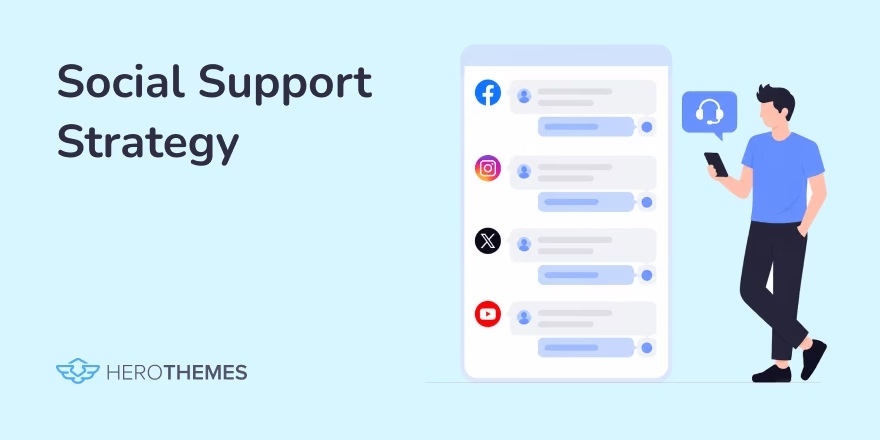
Social media customer support has changed what customers expect when they need help. Customers now send a message on Instagram, Facebook, X, Reddit, or WhatsApp before they ever consider email or a phone call.
That shift has turned social media into one of the most important customer support channels for modern businesses.
In this guide we will cover everything you need to know about social media customer support, to get you started right away.
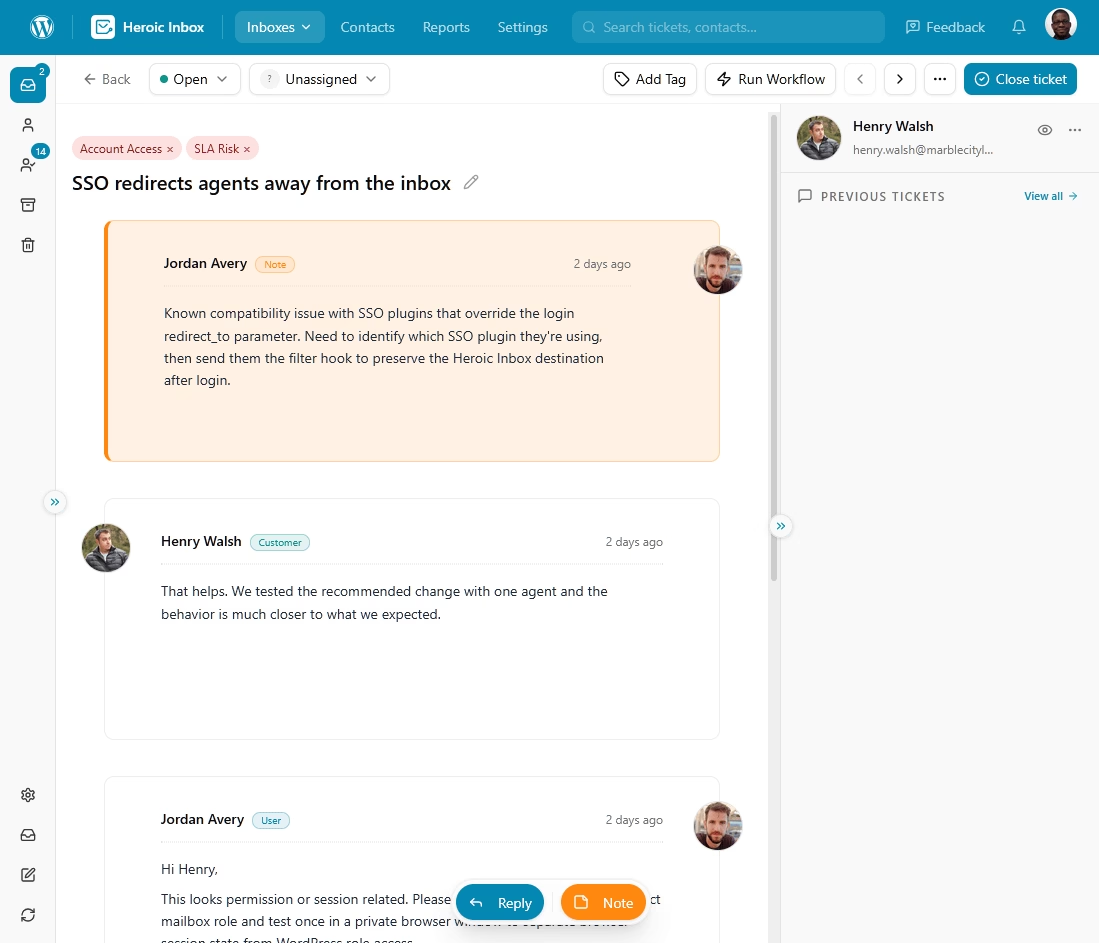
Heroic Inbox
A simple and affordable helpdesk for small businesses.
Unlimited users and powerful features.
In This Guide
Why Social Media Customer Support Matters in 2026
Because your customers decided it matters, and they are not asking permission.
People started to message brands the same way they message friends, and they expect a reply on roughly the same timeline. When that expectation goes unmet, they do not suffer in silence. They talk.
The financial logic is just as clear as the behavioral one. Per The 2025 Sprout Social Index, “73% of social users agree that if a brand doesn’t respond to them on socials, they’ll buy from a competitor.”
There is also a search and reputation dimension that most teams underrate. Reddit threads and social posts increasingly surface in search results and inside AI answer engines.
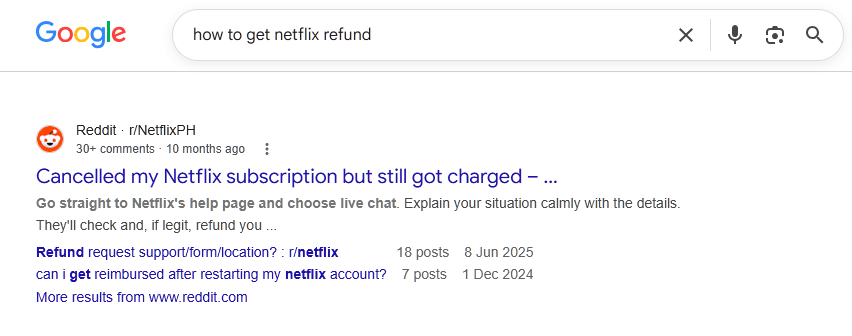
Poorly handled complaints on these channels shape buying decisions.
For younger customers, an Instagram or TikTok DM is the first move, and a phone call is the last resort.
Rather than trying to be everywhere, focus on being reliably present where your customers already are, and treat silence as the most expensive response you can give.
What Is Social Media Customer Support/Service?
Social media customer support is the practice of helping customers, answering questions, and resolving complaints directly on social media platforms. Such as X, Instagram, Facebook, TikTok, WhatsApp, Reddit, and others.
It can cover public replies, private direct messages, comment threads, and increasingly video responses.
It’s way simpler than one would imagine:
- A customer mentions your brand, tags your account, sends a DM, or leaves a comment.
- Your team sees it (ideally through a monitoring tool rather than by luck), assesses whether it needs a public or private reply, resolves it or routes it to the right person, and closes the loop.
The hard part is doing it fast, consistently, and at scale without sounding like a robot.
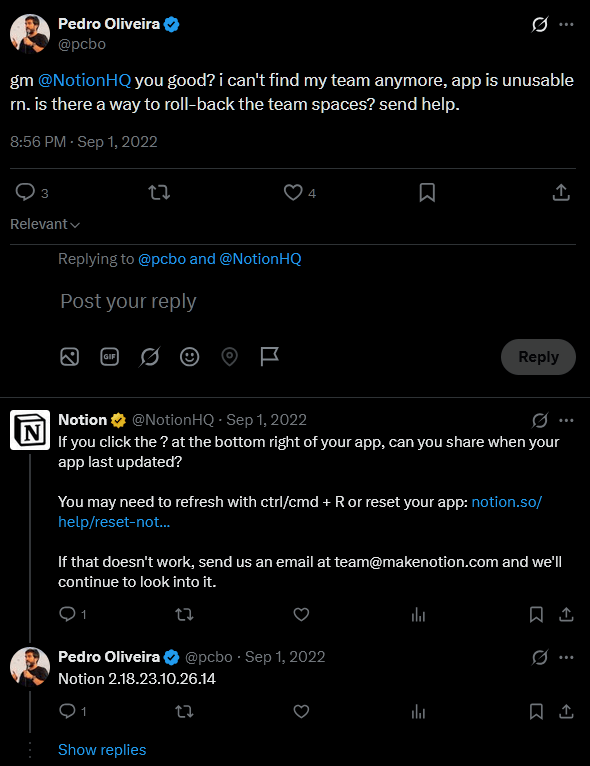
With social support every reply and every silence is a public record that future customers can read.
A good email exchange helps one person, while a good public reply can reassure a thousand people who were quietly wondering the same thing.
Pros of Social Media Customer Support
Social media support has become a core customer service channel because it combines fast communication with public visibility. The benefits it offers are substantial when implemented effectively:
- Fast responses. Public channels create healthy pressure to respond fast, and fast resolutions drive satisfaction and loyalty in a way slow email chains rarely do.
- Lower cost per interaction
- Customer support that builds your brand
- Proactive issue detection
- Better customer insights
- Reach and accessibility. Customers can get help with the app they already use.
- Public trust and transparency
Note: Lower support costs are only part of the picture. It only holds if you have the tooling and staffing to keep response times low. Slow replies on a public platform can damage your reputation faster than they reduce operating costs.
Cons of Social Media Customer Support
Social media can be a powerful support channel, but it also creates challenges that you don’t want to underestimate:
- Public conversations: Most interactions happen in full view of other customers. Mistakes, tone-deaf replies, and slow responses can really damage your brand reputation.
- High availability expectations: Customers on social platforms expect quick replies regardless of the time or day.
- Hard to scale gracefully. A product outage, shipping delay, or viral post can generate hundreds of support requests within minutes. Without enough agents or automation, backlogs grow fast.
- Privacy and security concerns: Sensitive information, including account details, payment information, and order numbers, should never be shared publicly. which forces careful public-to-private handoffs.
- Multiple platforms to manage: Every social network has different features, messaging systems, and user expectations.
- Tone requires careful judgment
- Response metrics can be misleading: Fast reply times look good in reports, but they matter far less than solving the customer’s problem. A quick response that requires multiple follow-ups rarely creates a positive experience.
Best Social Media Platforms for Customer Support in 2026
Not every social platform deserves the same level of investment. One of the biggest mistakes support teams make is trying to maintain a full presence everywhere, only to deliver slow, inconsistent service.
Focus on social media platforms your customer already uses, and match each channel to the type of support it handles best.
1. X (Formerly Twitter)
X remains one of the fastest platforms for public customer support.
Best for:
- Real-time issue updates
- Public complaints
- Service outages
- Airlines, telecom, SaaS, and technology companies
What to watch for:
- Conversations can become highly visible within minutes.
- Users expect responses within hours.
- Brand reputation depends heavily on consistent monitoring.
2. Facebook and Messenger
Facebook and Messenger continue to handle a huge share of customer conversations worldwide. Messenger offers a familiar, private environment that works well for resolving account-specific issues.
Best for:
- One-to-one customer support
- Small business inquiries
- International audiences
- Customers over 35
What to watch for:
- Messenger works best when integrated with a shared inbox software.
- Public comments still require active moderation before they affect your brand image.
3. Instagram
Instagram has grown into a serious customer support channel, especially for retail, travel, beauty, fashion, and hospitality brands. Customers increasingly expect support through direct messages, Story replies, and even comments under product posts.
Best for:
- Lifestyle and consumer brands
- Product questions
- Order updates
- Younger audiences
What to watch for:
- Public comments require timely responses.
- Visual content often becomes part of the support conversation.
4. TikTok
Many companies still think of TikTok as a marketing platform, but it has become a valuable support channel for brands with younger audiences.
Here, you just don’t want to focus on direct messages, rather create short videos that answer common questions before customers need to ask.
Best for:
- Gen Z customers
- Product tutorials
- Troubleshooting videos
- Preventing repetitive support requests
What to watch for:
- Negative customer experiences can spread quickly through videos.
- Fast public responses help prevent misinformation from gaining traction.
5. LinkedIn
Although LinkedIn rarely generates large volumes of customer support requests, it plays an important role for B2B companies. It mostly involves conversations about existing customers, enterprise accounts or business decision-makers, rather than everyday consumers.
Best for:
- B2B customer relationships
- Enterprise support
- Account management
- Professional services
6. WhatsApp Business
WhatsApp Business has quietly become one of the most important support channels in the world, particularly in India, Latin America, Africa, and much of Europe.
It combines the intimacy of texting with automation, order tracking, and secure two-way conversations.
Best for:
- International businesses
- Order tracking
- Customer notifications
- Ongoing conversations
What to watch for:
- Response expectations are similar to text messaging.
- Conversation history should integrate with your help desk software whenever possible.
7. YouTube
YouTube is underrated as support infrastructure. It quietly reduces support volume better than many live channels.
Well-produced tutorials and troubleshooting videos continue helping customers long after they’re published.
Best for:
- Self-service support
- Product tutorials
- Setup guides
- Troubleshooting walkthroughs
8. Reddit
Reddit has become kind of like a trust engine. Customers often visit Reddit before contacting support because they trust community discussions and real user experiences.
Best for:
- Community engagement
- Customer feedback
- Bug reports
- Honest customer conversations
What to watch for:
- Participate as a genuine representative, not a marketer.
- Helpful, transparent responses build far more trust than promotional messaging.
How to Offer Social Media Customer Support: Step-by-Step Guide
Here is the system I would build if I were standing up a social support operation from scratch in 2026.
Follow it in order; each step depends on the one before it.
Step 1: Choose the Right Platforms
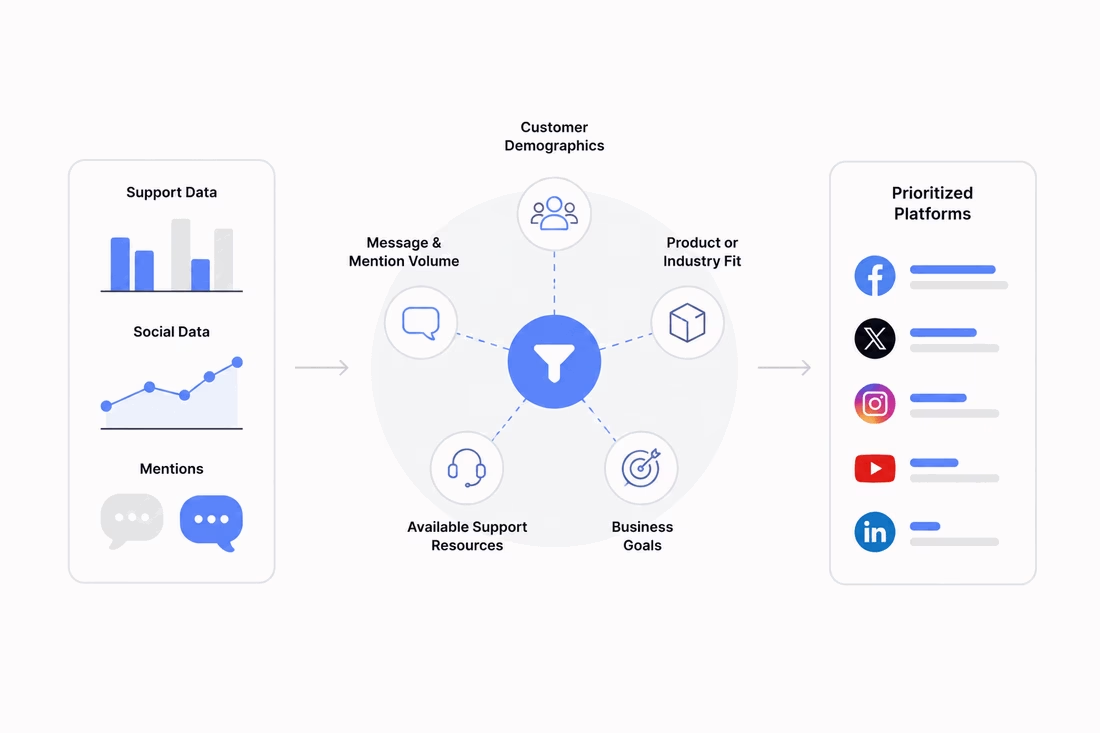
We already discussed top social media platforms where customers expect answers in 2026.
Start by finding where your customers already talk about you, not where you wish they would.
Pull your existing support and social data, and prioritize platforms based on:
- Customer demographics
- Message and mention volume
- Product or industry fit
- Available support resources
- Business goals
A B2B software company and a Gen Z apparel brand should make very different choices.
And try to resist the urge to launch everywhere at once.
Pick the two channels with the highest volume and strategic value, commit to staffing them properly, and only expand once those are running smoothly.
Step 2: Set Up Social Listening
You cannot answer what you cannot see, and most support-worthy conversations never tag your official handle, so relying on notifications alone means missing the majority of them.
Set up social listening to track brand mentions, common misspellings, product names, executive names, and relevant keywords across platforms.
Monitor keywords such as:
- Your company name
- Common misspellings
- Product names
- Executive names
- Campaign hashtags
- “Help”
- “Broken”
- “Refund”
- “Not working”
Beyond individual conversations, look for patterns. Multiple complaints about the same issue often point to a product problem that deserves a broader response.
Step 3: Define Response Time SLAs
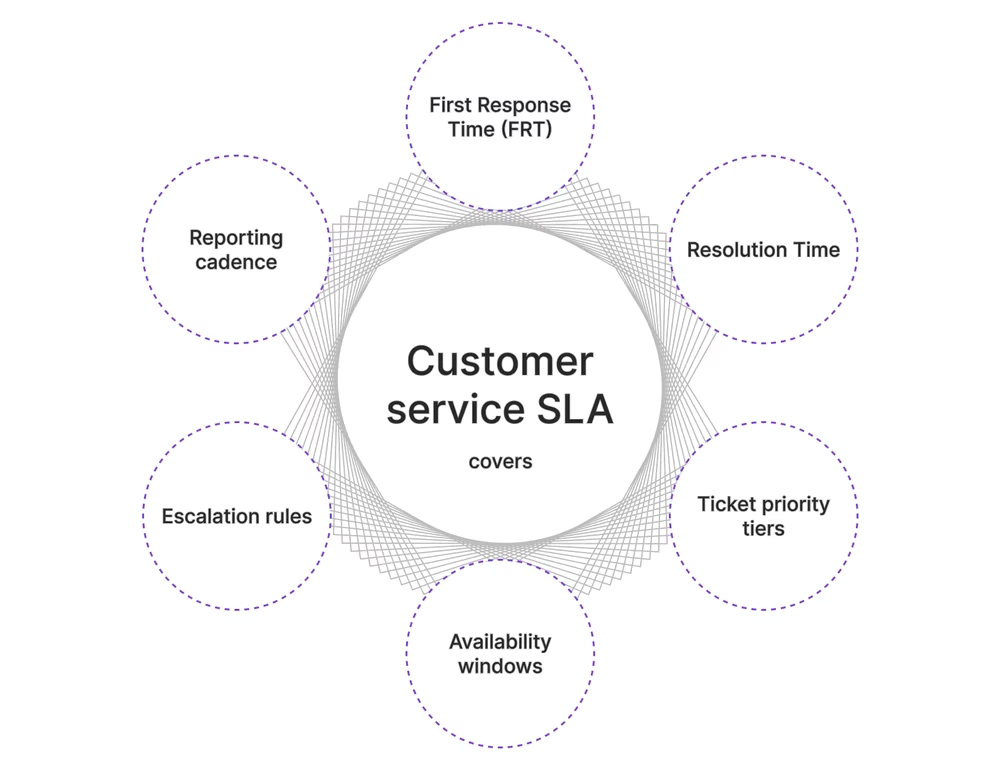
Decide, in writing, how fast you will respond on each channel, and make those targets realistic for your staffing.
Public complaints on X demand speed measured in minutes to an hour, while a comment on a week-old Instagram post can wait a bit longer.
Same-day response is the floor on most public channels in 2026, and faster is a genuine advantage.
Measure two separate metrics:
- First response time: How quickly an agent acknowledges the customer.
- Resolution time: How long it takes to fully solve the issue.
Step 4: Create a Voice and Tone Guide
Your brand voice on social media is a promise about how customers will be treated, so write it down.
Your guide should include:
- Brand personality
- Approved greetings and sign-offs
- Responses for common situations
- Escalation language
- Topics or phrases to avoid
- Examples of excellent customer replies
Try to include real example replies for common scenarios, Instead of just providing abstract adjectives.
Step 5: Integrate Social with Your Helpdesk

Managing customer support on each social media channel separately quickly becomes overwhelming.
If your social DMs live in one place, your emails in another, and your live chat in a third, messages will fall through the cracks and customers will have to repeat themselves.
You want one shared inbox where every conversation, across every channel, sits together with full context.
This is where omnichannel shared inbox becomes helpful.
Explore:
What Is Omnichannel Customer Service? The Beginner’s Guide
10 Best Shared Inbox Software Tools (Open Source and Free)
Step 6: Create a Self-Service Knowledge Base
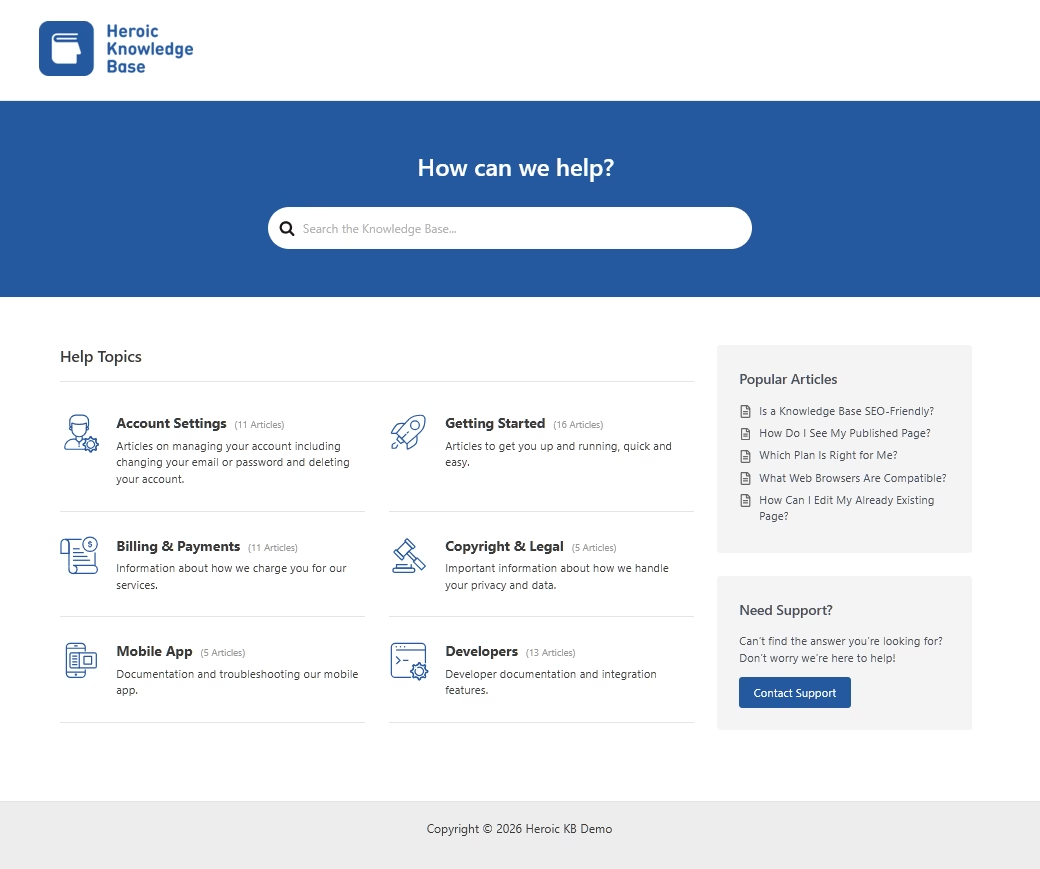
I always say, the best support ticket is the one that never gets created because the customer found the answer themselves.
A well-structured knowledge base quietly absorbs a huge share of repetitive questions, and on social media you can link straight to the relevant article instead of retyping the same answer twenty times a day.
A strong self-service strategy can include:
- Heroic Knowledge Base: Creates searchable documentation with AI-powered search so customers can quickly find relevant answers.
- HelpJet: Uses your existing documentation, PDFs, webpages, and previous support conversations to answer repetitive questions automatically before they reach your support team.
Together, these tools reduce ticket volume while keeping customers moving toward a solution.
Step 7: Train Your Support Team
Social media support requires a different skill set than email support.
Agents need product knowledge, writing ability, judgment about public versus private handling, and the emotional steadiness to stay calm when someone is furious in front of an audience.
Training should cover:
- Product expertise
- Brand voice
- Public versus private conversations
- Conflict resolution
- Privacy requirements
- Escalation procedures
Run scenario drills for the hard cases. The viral complaint, the customer sharing personal data in public, the angry thread that is factually wrong.
Give agents clear authority to resolve issues up to a defined threshold without escalating, because nothing frustrates a customer faster than an agent who has to “check with someone” about a simple refund.
Step 8: Handle Escalations Consistently
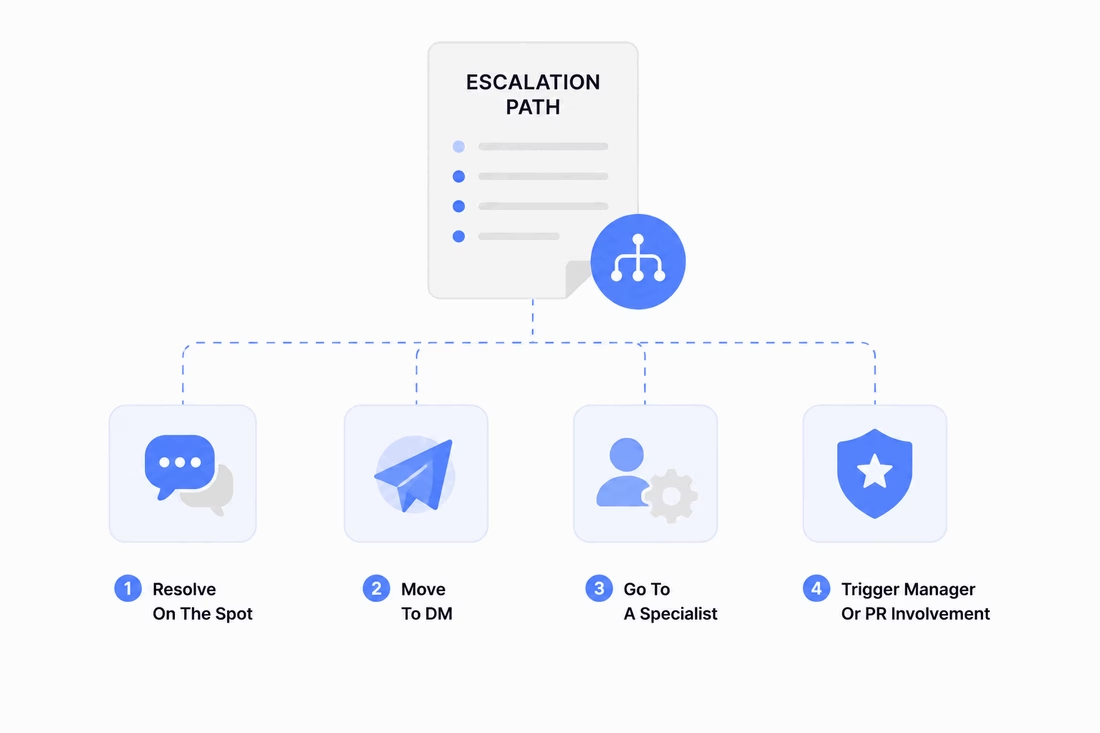
Build a clear escalation path before you need one.
Create a documented escalation path that explains:
- Which issues get resolved on the spot
- Which move to DM,
- Which go to a specialist
- Which trigger a manager or PR involvement
Every agent should know exactly when and how to hand off, and the handoff should carry full context so the customer never repeats themselves.
Step 9: Measure Performance
Track the metrics that reflect real customer outcomes, not just activity.
The core set:
- First response time
- Resolution time
- Resolution rate
- Customer satisfaction (CSAT)
- Customer sentiment
- Support volume by platform
- Most common issue categories
Watch for the vanity-metric trap, where a team optimizes for speed of acknowledgment while resolution quietly suffers.

Step 10: Iterate and Improve
Treat your customer service operations of social channels as a living system.
Here’s what to review every quarter:
- Platform performance
- Response time targets
- Customer feedback
- Knowledge base gaps
- Automation opportunities
- Emerging social platforms
The strongest social support teams don’t simply answer questions faster. They use every conversation to improve their products, documentation, and customer experience over time.
Final Thoughts
Offering customer support through social media is no longer a bonus or a marketing sideshow. It is a core service function that happens in public, moves at the speed of a DM, and shapes what future customers read about you long after the conversation ends.
If you treat it seriously, you will win the loyalty of your customers. If you treat it as an afterthought, you will lose sales.
Start with two channels, integrate them into one shared inbox, build the self-service layer behind them, and improve relentlessly. That is the whole game, and in 2026 it is very much worth playing well.
Further Reading
Customer Service Outsourcing: A Complete Beginner’s Guide
Types of Customer Service: Complete Guide with Pros and Cons
How to Improve Customer Service in 2026: 14 Proven Strategies
SaaS Customer Support: Components, Tools and Best Practices
eCommerce Customer Service Best Practices






Leave A Comment?
You must be logged in to post a comment.