7 beste Kundenservice-Automatisierungssoftware im Jahr 2026 (getestet)

Wird Ihr Posteingang langsam zu einem Vollzeitjob? Kopieren Ihre Agenten die gleichen drei Antworten 50 Mal am Tag, während Ihre Antwortzeiten über 24 Stunden steigen?
Das ist der Zeitpunkt, an dem Sie sich mit Automatisierungssoftware für Kundenservice befassen sollten, und es ist auch der Punkt, an dem Sie sich durch den Kauf der falschen Software verbrennen.
Werfen wir einen Blick auf die beste Automatisierungssoftware für den Kundenservice, die heute auf dem Markt erhältlich ist und Ihnen helfen kann, sich wiederholende Aufgaben im Kundenservice und Support zu automatisieren, damit Sie sich auf die Lösung von Problemen konzentrieren können, die menschliches Eingreifen erfordern.
In diesem Leitfaden
Was ist Kundenservice-Automatisierung?
Automatisierung im Kundenservice nutzt Software, Workflows, KI und Self-Service-Tools, um Routinearbeiten im Support zu erledigen, die sonst einen Agenten erfordern würden. Diese Systeme können Kundeninteraktionen automatisieren, Anfragen weiterleiten, Antworten bereitstellen und Folgeaktionen im gesamten Supportprozess auslösen.
Häufige Automatisierungs-Workflows im Kundensupport umfassen:
- Ein KI-Chatbot, der wiederkehrende Fragen rund um die Uhr beantwortet.
- Eine Regel, die Rückerstattungstickets direkt an die Buchhaltung weiterleitet.
- Ein Artikel in der Wissensdatenbank, der Probleme löst, bevor das Ticket überhaupt erstellt wird.
Das Ziel ist nicht, Menschen aus dem Support zu entfernen. Es geht darum, die repetitiven 80 % zu entfernen, damit Ihr Team seine Aufmerksamkeit auf die 20 % konzentrieren kann, die tatsächlich ein menschliches Gehirn erfordern. Urteilsvermögen, verärgerte Kunden, seltsame Grenzfälle.
Was Sie im Kundenservice und Support automatisieren sollten
Eine Kundenservice-Automatisierungsplattform zu kaufen, ohne einen Plan zu haben, was automatisiert werden soll, ist wie der Kauf einer Tischkreissäge, um Ihr Toastbrot zu bestreichen. Überdimensioniertes Werkzeug, eine Katastrophe in der Praxis.
Hier zahlt sich die Automatisierung im Kundenservice aus:
- Automatisierte Ticket-Weiterleitung und -Triage: Das richtige Ticket automatisch an den richtigen Agenten oder das richtige Team senden. Falsch weitergeleitete Tickets sind die größte versteckte Zeitfalle, die ich im Support-Betrieb sehe.
- Automatisierte Antworten und Bestätigungen: Eine schnelle Bestätigung „Wir haben Ihre Nachricht erhalten, hier ist Ihre Ticketnummer und wann Sie mit einer Antwort rechnen können“ setzt Erwartungen und reduziert Folge-E-Mails.
- Vordefinierte und gespeicherte Antworten: Vorlagen für die Fragen, die Sie 50 Mal pro Woche erhalten, mit Platzhaltern, die Ihre Agenten in Sekundenschnelle personalisieren.
- Self-Service über die Wissensdatenbank: Ein durchsuchbares Hilfe-Center, das Kunden hilft, selbst Antworten zu finden. Das stille Arbeitstier der Support-Automatisierung.
- KI-Chatbots: Konversationsagenten, die auf Ihren Dokumenten trainiert sind, wiederkehrende Fragen sofort lösen und sauber übergeben, wenn sie an ihre Grenzen stoßen.
- Automatisierte Workflows und Makros: Aktionen wie Tagging, Zuweisung, Statusänderungen, interne Benachrichtigungen und Antworten basierend auf vordefinierten Support-Regeln auslösen.
- Tagging und Kategorisierung: Automatische Kennzeichnung, damit Sie tatsächlich berichten können, worüber Kunden Sie kontaktieren.
- SLA-Tracking und Eskalation: Benachrichtigungen und Neuzuweisung, wenn ein Ticket kurz davor steht, eine zugesagte Antwortzeit zu verletzen.
- CSAT und Feedbackerfassung: Versenden einer Zufriedenheitsumfrage nach Abschluss eines Tickets.
- Proaktive Nachfassaktionen: Anstupsen eines Kunden, der sich nicht mehr gemeldet hat, oder Überprüfung, ob ein gelöstes Problem tatsächlich gelöst geblieben ist.
Die größere Chance besteht darin, diese Aufgaben zu einem einzigen digitalen Supportprozess zu verbinden.
Zum Beispiel kann ein neues Ticket automatisch kategorisiert, dem richtigen Team zugewiesen, mit Kundendaten angereichert, mit einer gespeicherten Antwort oder einem KI-Agenten beantwortet und bei Bedarf an menschliche Hilfe eskaliert werden.
Beste Automatisierungssoftware für den Kundenservice
Schneller Vergleich von Kundensupport-Automatisierungstools:
| Tool | Am besten geeignet für | Herausragendes Automatisierungsmerkmal | Startpreis |
|---|---|---|---|
| Heroic Inbox + Heroic Knowledge Base | Selbst gehosteter Support | Workflow-Automatisierung, Routing, Tagging, gespeicherte Antworten | Bundle für 103,60 $/Jahr |
| HelpJet | KI-Abwehr, KI-Chatbot | KI-Chatbot trainiert auf URLs, Dokumenten, PDFs und FAQs | Kostenlos; Pro 29 $/Monat |
| Ada | Teams im mittleren Markt und Unternehmen, die autonomen Support benötigen | KI-Agent für Chat, E-Mail, Sprache und Social Media | Angebotbasiert |
| Gladly | B2C- und E-Commerce-Marken, die sich auf den Customer Lifetime Value konzentrieren | Sidekick AI mit einheitlichen Kundenkonversationen und Sprachautomatisierung | Angebotbasiert |
| Balto | Contact Center, die Echtzeit-Telefon-Support benötigen | Echtzeit-Agentenführung, QA, Coaching und Compliance-Hinweise | Angebotbasiert |
| HubSpot Service Hub | Teams, die bereits HubSpot CRM verwenden | CRM-verbundene Automatisierung und Breeze AI Kundenagent | Kostenlos; Starter ca. 15–20 $/Benutzer/Monat |
| LiveAgent | Kleine Teams, die erschwinglichen Omnichannel-Support wünschen | Automatisierungsregeln, Workflow-Automatisierung und integriertes Callcenter | Ab 15 $/Agent/Monat |
1. Heroic Inbox + Heroic Knowledge Base
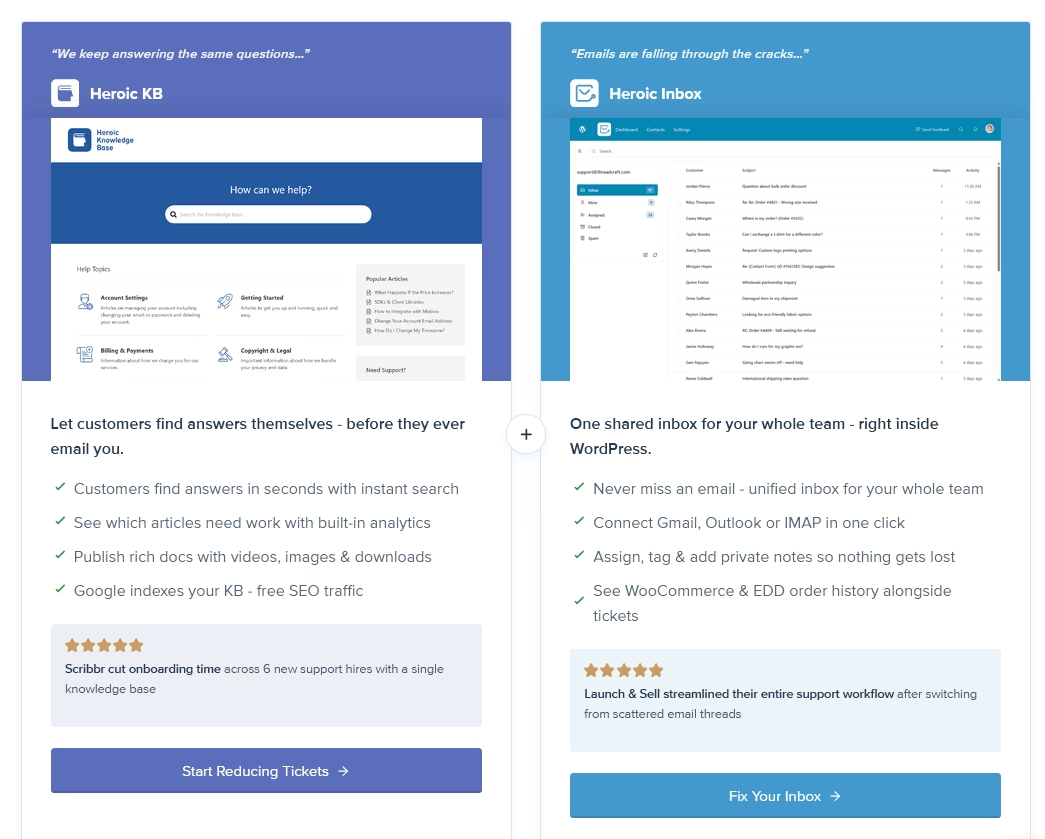
Kundenservice-Automatisierung beginnt mit der richtigen Software, und Wissensdatenbank- und Helpdesk-Software stehen im Mittelpunkt.
Heroic Inbox und Heroic Knowledge Base (Heroic KB) verwandeln Ihr WordPress-Dashboard in ein richtiges Kundenservice- und Support-Center.
Mit Heroic KB erstellen Sie eine robuste Wissensdatenbank und mit Heroic Inbox verwalten Sie alle Ihre Kundenanfragen.
Während Sie mit Heroic Inbox Anfragen verwalten, können Sie eine Vielzahl von repetitiven Supportaufgaben automatisieren und Regeln für gängige Kundenserviceprozesse erstellen, wie zum Beispiel:
- Markieren dringender Tickets
- Weiterleitung von Anfragen an die richtige Abteilung
- Senden von Follow-ups
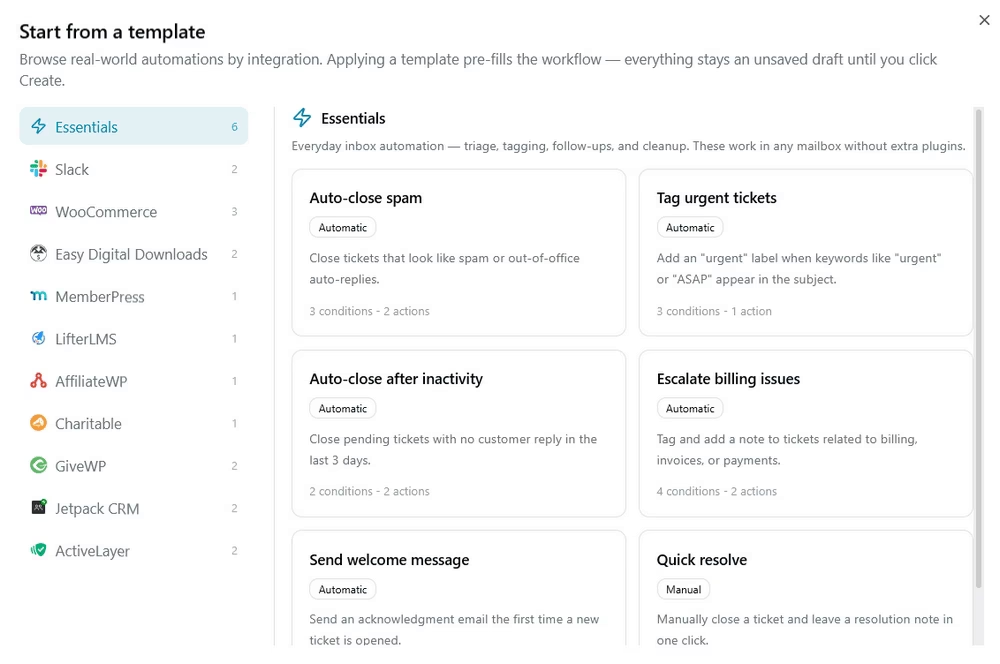
Erfahren Sie mehr über mögliche Aufgabenautomatisierungen mit Heroic Inbox in diesem Leitfaden.
Hauptmerkmale:
- Einheitlicher gemeinsamer Posteingang für support@, sales@, billing@ und mehr
- Gmail, Outlook/Microsoft 365 und IMAP/SMTP mit Ein-Klick-OAuth
- Workflow-Automatisierung: automatische Zuweisung, Tagging und Weiterleitung
- Auto-Responder, gespeicherte Antworten und Vorlagen
- Kollisionserkennung
- Interne Notizen und vollständige Historie der Kundeninteraktionen
- Integration von WooCommerce und Easy Digital Downloads (Bestellhistorie in der Seitenleiste)
- Konfigurierbare Berechtigungen für Administratoren/Manager/Agenten
- Flache jährliche Preise, unbegrenzte Benutzer, Eigenverantwortung der Daten
Nachteile:
- Keine kostenlose Version der Plugins, nur ein 14-tägiges Rückerstattungsfenster
- Erfordert WordPress
Preise
Heroic Knowledge Base beginnt bei 67,60 $/Jahr (Essential, 1 Website). Heroic Inbox beginnt bei 79,60 $ für das erste Jahr, beide mit unbegrenzten Benutzern und ohne monatliche Gebühren pro Agent.
Bundle-Preise beginnen bei 103,60 $/Jahr.
2. HelpJet
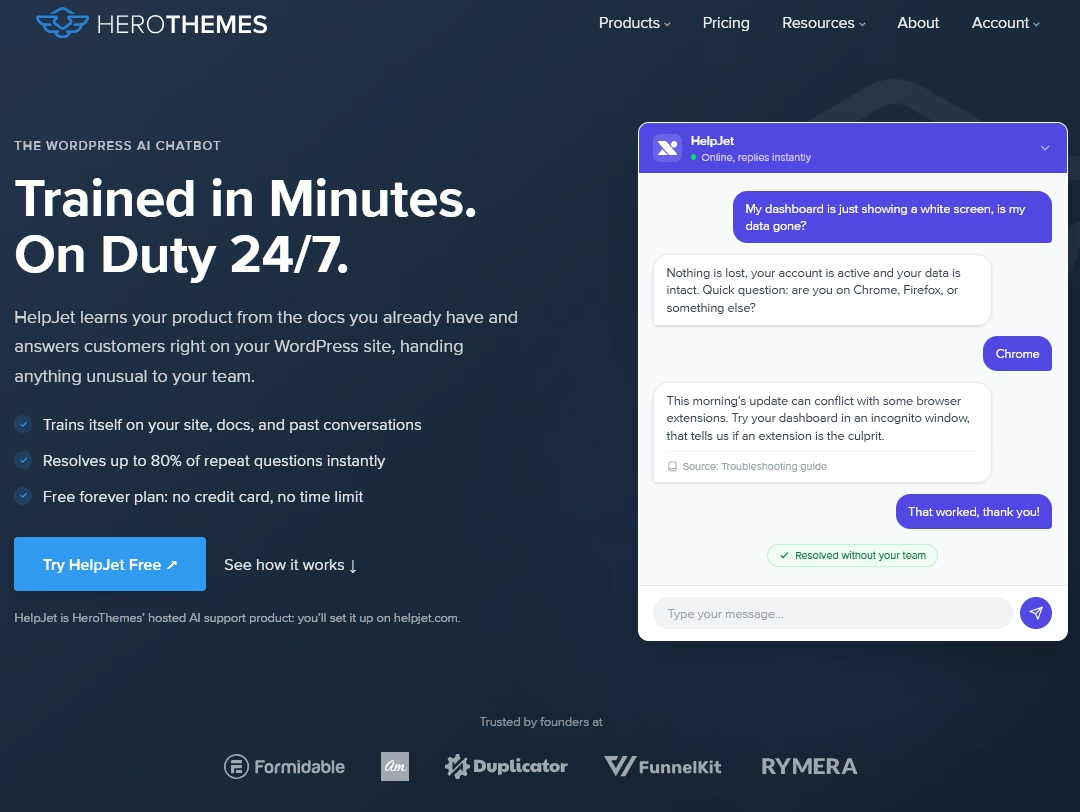
Was wäre, wenn Sie eine KI auf Ihre vorhandenen Hilfe-Dokumente ansetzen und fünf Minuten später einen funktionierenden Support-Mitarbeiter haben könnten, ohne Entscheidungsbäume erstellen zu müssen?
Das ist mehr oder weniger das gesamte Verkaufsargument von HelpJet, und es ist der seltene KI-Chatbot, der das „einfache“ Versprechen tatsächlich einlöst. Durchsucht Ihre Website, Dokumente, PDFs und FAQs. Bot geht live. Fertig.
Die meisten Chatbot-Builder zwingen Sie, jeden Zweig jeder Konversation zu durchlaufen, bevor der Bot eine einzige Frage beantwortet. Wenn Sie jemals einen erstellt haben, kennen Sie das Elend. HelpJet überspringt das vollständig.
HelpJet ist die Wahl für Unternehmen, die KI-Umlenkung ohne Enterprise-Preise wünschen. Es wird keinen Helpdesk ersetzen, aber in Kombination mit einem gemeinsamen Posteingang und einer Wissensdatenbank schlägt es weit über seinen Preis hinaus.
Hauptmerkmale:
- Selbsttraining aus URLs, Hilfeartikeln, PDFs und früheren Chatverläufen
- Wöchentliche automatische Wissensaktualisierung
- Absichtserkennung, die Dringlichkeit und Frustration erkennt
- Saubere Eskalation an einen Menschen per Kontaktformular oder E-Mail
- Echtzeit-Dashboard mit Lösungsrate und Rangliste der Top-Fragen
- Vorschau- und Testumgebung, bevor Sie live gehen
- Multi-Bot-Unterstützung und ein einbettbares Widget für jede Website
Nachteile:
- Kein vollständiger Helpdesk, keine End-to-End-Ticketverfolgung
- Gesprächslimits in niedrigeren Tarifen werden für stark frequentierte Shops knapp
- Die Antwortqualität hängt vollständig von Ihren vorhandenen Inhalten ab
Preise
HelpJet hat einen kostenlosen, dauerhaften Plan mit 1 Bot und 100 Konversationen pro Monat, keine Kreditkarte erforderlich. Der Pro-Plan kostet pauschal 29 $ pro Monat für 3 Bots und 1.000 Konversationen.
Die kostenlose Stufe ist für eine kleine Website wirklich nutzbar und reicht aus, um den Wert zu beweisen.
3. Ada
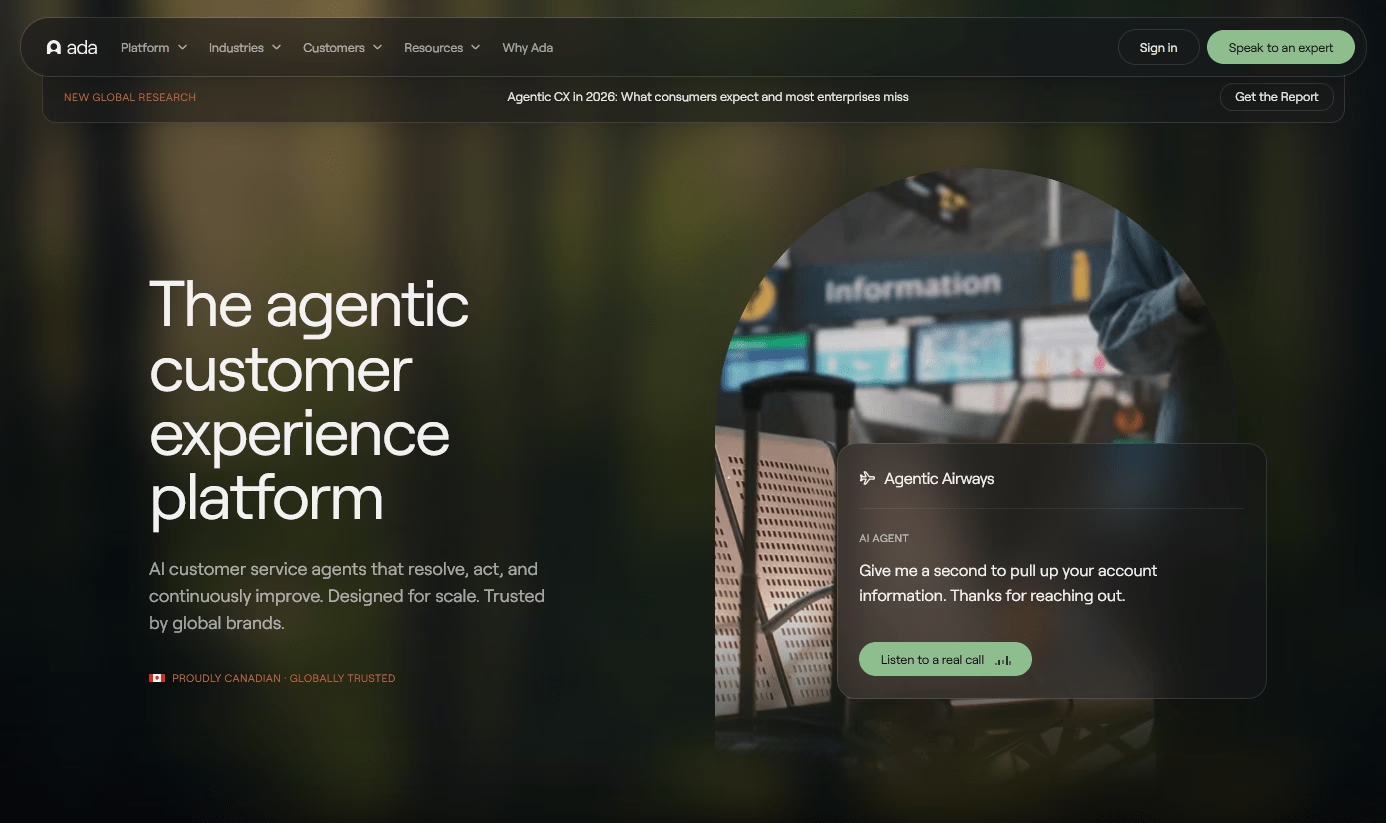
Ada wurde von Grund auf so konzipiert, dass Konversationen autonom gelöst werden, anstatt einen Bot an einen bestehenden Helpdesk anzubinden.
Es sitzt auf Ihrer Helpdesk-Software oder jedem anderen Ticketing-System, das Sie bereits verwenden, und übernimmt die Frontlinie über Chat, E-Mail, Sprache und soziale Medien.
Hauptmerkmale:
- KI-Agent, der Anfragen über Chat, E-Mail, Sprache und soziale Medien aus einer einzigen Reasoning-Schicht autonom löst
- Unified Reasoning Engine, die mehrere LLMs (OpenAI, Gemini) verwendet, um Absichten zu interpretieren und Aktionen auszuführen
- No-Code-Coaching und benutzerdefinierte Anweisungen zur Gestaltung von Ton, Einschränkungen und Behandlung von Randfällen
- Sandbox-Tests zur Simulation und Verfeinerung von KI-Antworten vor der Bereitstellung
- Unterstützung für über 50 Sprachen mit kultureller Lokalisierung
- Automatisierte Workflows mit bedingter Verzweigung, Multi-System-Integrationen und Auslösern für menschliche Eskalation
- Leistungsanalysen
Nachteile:
- Keine öffentlichen Preise, keine kostenlose Stufe und kein Self-Service-Test: Jede Bewertung beginnt mit einem Verkaufsgespräch
- Integrationsreibung ist die konstanteste Beschwerde seiner Kunden
- Die auflösungsbasierte Preisgestaltung bedeutet, dass die Kosten mit steigendem Volumen (und sogar der KI-Leistung) steigen
Preise
Ada veröffentlicht keine Preisliste.
Es gibt keine kostenlose Stufe und keinen Self-Service-Test, was das erste Anzeichen dafür ist, dass Ada auf Teams im mittleren Markt und im Enterprise-Bereich abzielt.
4. Gladly
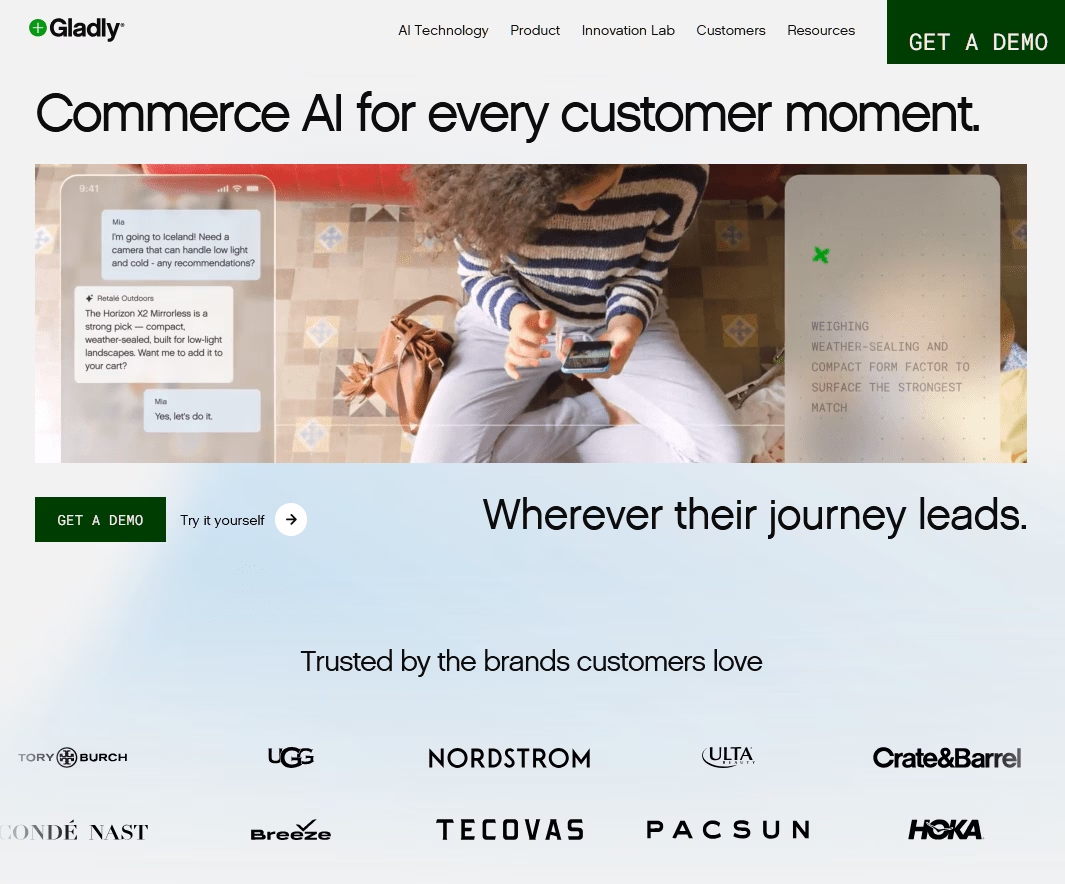
Gladly wurde für B2C-Marken entwickelt, die mit dem Lifetime Value leben und sterben (zu seinen Kunden gehören TUMI, UGG, Crate & Barrel und Nordstrom). Gladly organisiert alles um eine einzige lebenslange Konversation pro Kunde herum anstatt um Tickets.
Gegründet im Jahr 2014 und jetzt unter dem Markennamen „Commerce AI“ vermarktet, ist es uneingeschränkt Premium.
Da Sprach-, Chat-, E-Mail-, SMS- und soziale Interaktionen eine gemeinsame Zeitachse haben, kann die Plattform den Kundenservice über mehrere Kanäle hinweg automatisieren und gleichzeitig den Kontext bewahren, wenn eine Konversation an einen menschlichen Agenten übergeben werden muss.
Hauptmerkmale:
- Menschenzentriertes Datenmodell: eine lebenslange Konversation pro Kunde über alle Kanäle hinweg
- Sidekick KI-Agent, der Konversationen löst und reale Aktionen durchführt (Rücksendungen, Stornierungen, Bestelländerungen)
- Sidekick über Sprache für automatisierten Telefonsupport in natürlicher Sprache
- Vereinte Zeitachse über Sprache, Chat, E-Mail, SMS und soziale Medien mit gemeinsamem Kontext bei der Übergabe
- „Guides“ in einfacher Sprache, um die Markenstimme und Eskalationskriterien der KI ohne technischen Aufwand zu vermitteln
- Sentiment-Analyse, Transkription, Zusammenfassung und Echtzeit-Agentenunterstützung
- Über 40 Integrationen, darunter Shopify, Magento und Salesforce
Nachteile:
- Keine veröffentlichten Plattformpreise, keine kostenlose Testversion und hohe Kosten pro Sitzplatz
- KI über Sprache verursacht zusätzliche Minutengebühren zusätzlich zur Telefonie
Preise
Gladly richtet sich an Unternehmen, und die Preisgestaltung basiert auf Angeboten ohne öffentliche Self-Service-Stufe.
5. Balto
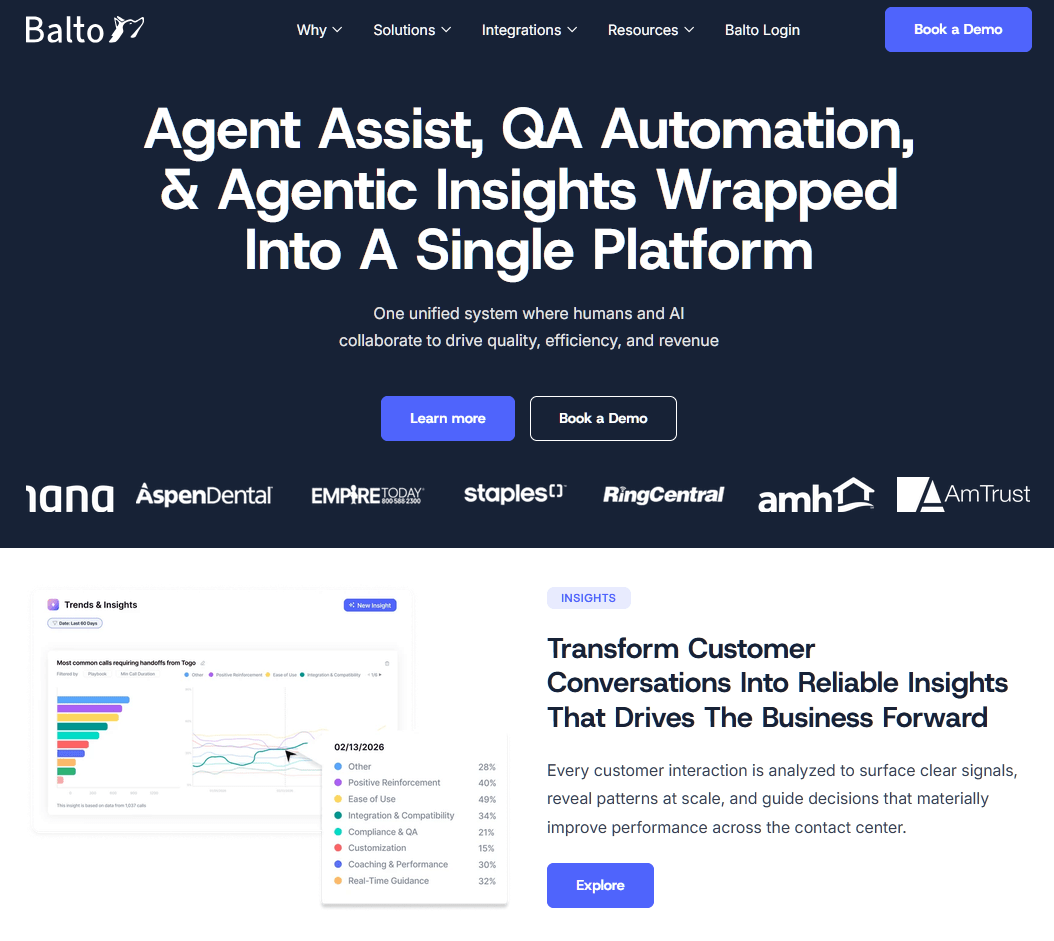
Balto leistet eines extrem gut: Echtzeit-Anleitung für Live-Telefonate.
Es hört sich beide Seiten einer Konversation an, während sie stattfindet, und zeigt empfohlene Antworten, Einwandbehandlungsaufforderungen und Compliance-Checklisten direkt auf dem Bildschirm des Agenten an.
Dies ist kein Chatbot oder ein Ticketsystem und es ist bewusst nur für Sprache ausgelegt, was es zu einer perfekten Ergänzung zu den digital-first Tools macht, die an anderer Stelle in diesem Leitfaden aufgeführt sind.
Hauptmerkmale:
- Echtzeit-Agentenführung, die auf Live-Gespräche reagiert
- Echtzeit-QA, das automatisch 100 % der Anrufe bewertet
- Echtzeit-Coaching-Benachrichtigungen, damit Vorgesetzte Anrufe übernehmen können, bevor sie verloren gehen
- Live-Compliance-Aufforderungen und Benachrichtigungen für regulierte Branchen
- Automatisierte Anrufzusammenfassungen (Real-Time Notetaker)
- Dynamische Aufforderungen, Einwandbehandlung und Sentiment-Analyse
- Integriert sich in wichtige CCaaS- und Telefonsysteme, ohne diese zu ersetzen
Nachteile:
- Nur Sprache: keine Unterstützung für Chat-, E-Mail-, Social-Media- oder Messaging-Kanäle
- Aufforderungen können geskriptet oder repetitiv wirken, und zu viele auf einmal können bei schnellen Anrufen ablenken
Preise
Balto ist nur auf Anfrage mit keiner veröffentlichten Preisliste und keinem kostenlosen Testangebot erhältlich.
6. HubSpot Service Hub
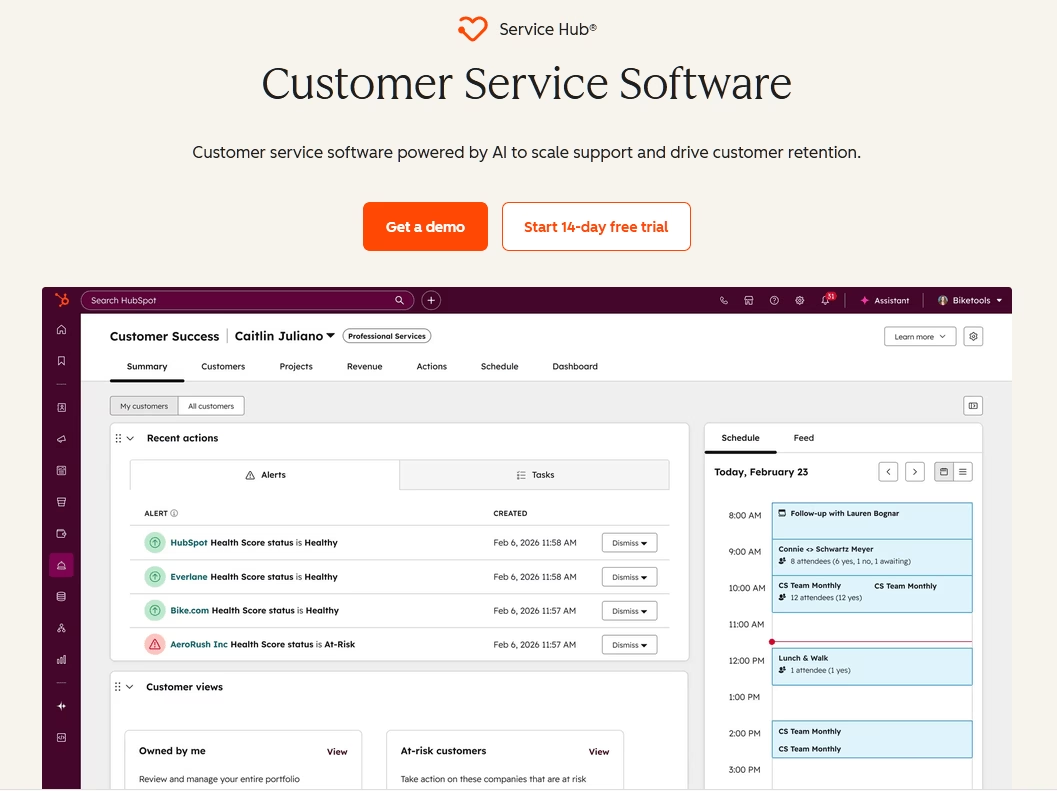
Der Grund für die Wahl von HubSpot Service Hub ist nicht der Helpdesk. Es ist das CRM darunter.
HubSpot ist eine sehr beliebte Software bei Marketing- und Vertriebsteams. Service Hub bindet Support-Tickets an denselben einheitlichen Kundenkontakt.
Seine Automatisierungsfunktionen decken Kernprozesse des Kundensupports ab. Ticket-Routing, SLA-Kontrollen, eine Wissensdatenbank, ein Kundenportal und der Breeze-Kundenagent für KI-Abwehr.
Hauptmerkmale:
- Ticketing, das an den vollständigen HubSpot CRM-Datensatz gebunden ist
- Konversations-Routing, SLA-Kontrollen und Automatisierungs-Workflows
- Wissensdatenbank und Kundenportal (Professional und höher)
- Breeze-Kundenagent für KI-Abwehr für 0,50 $ pro gelöster Konversation
- Reporting-Dashboards und Customer Journey Analytics in höheren Stufen
- Tiefe Integration über HubSpot Marketing und Sales Hubs hinweg
Nachteile:
- Steiler Sprung von 6x von Starter zu Professional pro Sitz
- Einmalige Onboarding-Gebühren von 1.500 $ (Pro) und 3.500 $ (Enterprise)
- Beste Funktionen und KI hinter Professional gesperrt
Preise
HubSpot bietet kostenlose Tools für bis zu 2 Benutzer.
Der Starter-Plan kostet etwa 15 bis 20 US-Dollar pro Benutzer und Monat. Der Professional-Plan kostet zwischen 90 und 100 US-Dollar pro Benutzer und Monat, zuzüglich einer einmaligen Onboarding-Gebühr von 1.500 US-Dollar.
Der Enterprise-Plan kostet 150 US-Dollar pro Benutzer und Monat zuzüglich einer Onboarding-Gebühr von 3.500 US-Dollar, mit einem Minimum von 10 Plätzen
HubSpot Service Hub ist nur dann eine gute Wahl, wenn Sie bereits ein HubSpot-Shop sind. Kleine Teams mit knappen Budgets und alle, die eine einfache Automatisierungssoftware benötigen, sollten dieses Produkt meiden.
7. LiveAgent
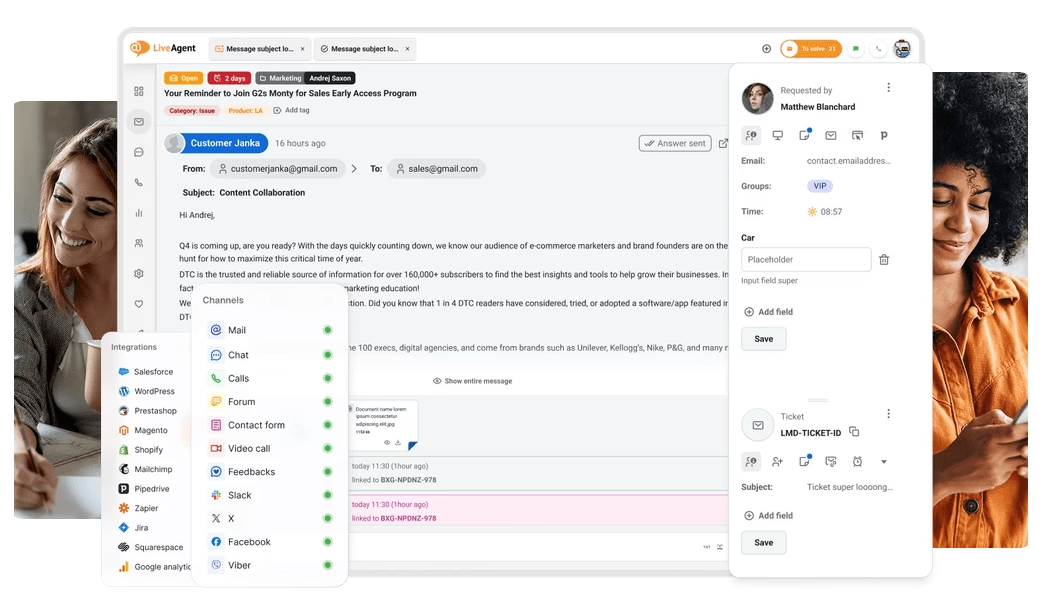
LiveAgent ist die preiswerte Omnichannel-Wahl. Ticketing, Live-Chat und ein echtes integriertes Callcenter in einem Paket ab 15 US-Dollar pro Agent und Monat.
Für ein kleines Team gibt es jeden Kanal an einem Ort. Es ist eines der besten Preis-Leistungs-Verhältnisse auf dem Markt, und das integrierte Callcenter ist der Differenzierungsfaktor, den die meisten Konkurrenten zu diesem Preis nicht bieten.
LiveAgent deckt die Kernbausteine der Support-Automatisierung ab: Regeln, Workflow-Automatisierung auf höheren Stufen, ein KI-Antwortassistent, vorgefertigte Nachrichten, SLA und eine Wissensdatenbank mit Kundenportal.
Hauptmerkmale:
- Ticketing, Live-Chat und ein integriertes Callcenter mit IVR
- Automatisierungsregeln und Workflow-Automatisierung auf höheren Stufen
- KI-Antwortassistent und vorgefertigte Nachrichten
- Wissensdatenbank und Kundenportal
- SLA-Management und proaktive Chat-Einladungen
- Mehrsprachiger Support und über 200 Integrationen
Nachteile:
- Schwache mobile App
- Soziale Kanäle (WhatsApp, Facebook, Instagram) hinter höheren Stufen oder zusätzlichen Kosten gesperrt
- Die Einrichtung von Automatisierungsregeln ist zeitaufwendig
Preise
LiveAgents Plan für kleine Unternehmen beginnt bei 15 $, Medium bei 29 $, Large bei 49 $ und Enterprise bei 69 $ pro Agent pro Monat bei jährlicher Abrechnung.
Die monatliche Abrechnung ist höher, und Social-Add-ons kosten extra.
Schlussfolgerung: Das richtige Werkzeug für die jeweilige Aufgabe
Die beste Plattform für Kundenservice-Automatisierung ist eine, die zu Ihrer Arbeitsweise passt und mit Ihnen wächst, ohne dieses Wachstum zu bestrafen.
Für die meisten Unternehmen ist die Kombination aus Heroic Inbox und Heroic Knowledge Base, gepaart mit HelpJet zur Ablenkung, die Wahl in Bezug auf Wert und Eigentümerschaft, zu der ich immer wieder zurückkehre.
Bevor wir diesen Leitfaden abschließen, hier noch ein letzter Rat: Automatisieren Sie Transaktionen und binden Sie Menschen bei Emotionen ein. Tun Sie das, und die richtige Software wird ein echter Vorteil sein und nicht nur ein weiteres unerwünschtes Abonnement.
Weiterführende Literatur
Kundenservice-Automatisierung: Was sie ist, Beispiele & Wie man
9 Ideen zur Automatisierung des Service Desks zur Optimierung des IT-Supports
18+ automatisierte / Trigger-basierte E-Mail-Betreffzeilen
12 praktische Chatbot-Anwendungsfälle und Beispiele
12 beste KI-virtuelle Assistenten für kleine Unternehmen





Kommentar hinterlassen?
Sie müssen eingeloggt sein, um einen Kommentar zu posten.