13 Best Free WordPress Chat Plugins (2026, Tested)


Your WordPress site loses visitors every day. They show up with a question, can’t find an answer, and bounce. You never even know they were there.
A WordPress chat plugin changes that. It catches people before they leave and does three things well:
- Turns pre-sale hesitation into conversions
- Handles support questions without flooding your inbox
- Starts real conversations instead of hiding behind a fake email prompt
Here are 13 of the best free WordPress chat plugins actually worth installing.
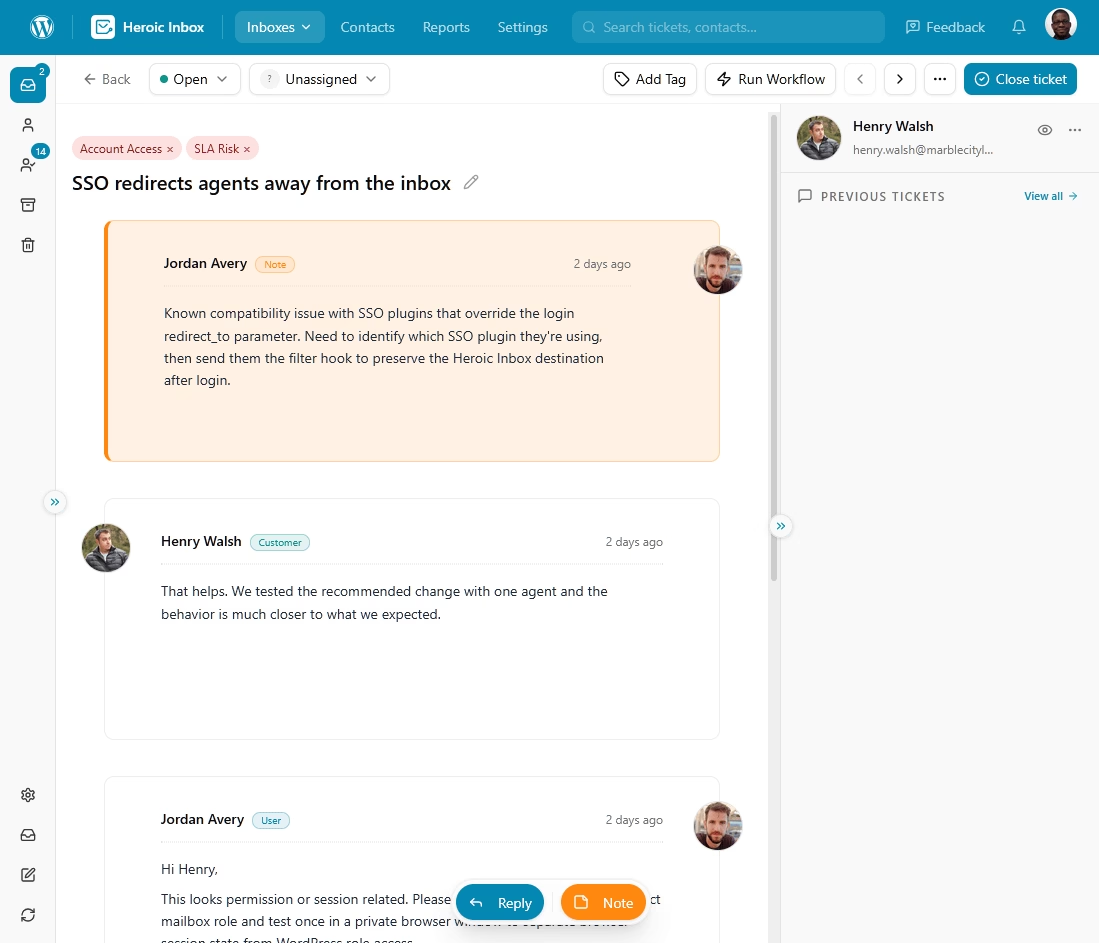
Heroic Inbox
Turn customer conversations into organized support tickets, so your team can manage every request from one place.
Unlimited users and powerful features.
In This Guide
- What to Look for in WordPress Chat Plugins
- The Top Free WordPress Chat Plugins, Compared
- 1. HelpJet AI Support Chatbot
- 2. HubSpot All-in-One Marketing with Live Chat
- 3. Tawk.To Live Chat
- 4. GhostChat Live Chat and AI Chatbot
- 5. 3CX Free Live Chat, Calls and Messaging
- 6. Chaty Floating Chat Widget
- 7. Buttonizer Live Chat and Contact Buttons
- 8. Crisp Live Chat and Chatbot
- 9. Smartsupp Live Chat and AI Shopping Assistant
- 10. WhatsApp Chat by Click to Chat
- 11. Zoho SalesIQ Live Chat and Chatbots
- 12. Chaport Live Chat and Chatbots
- 13. Chatway Live Chat
- 1. HelpJet AI Support Chatbot
What to Look for in WordPress Chat Plugins
I have reviewed dozens of WordPress live chat plugins over the years. The ones worth keeping share these handful of traits:
- Free plan limits: How many agents can respond at once. How many chats per month before you hit a wall. A “free” plan that caps at 20 total conversations isn’t really free.
- Widget customization: Can you adjust colors, position, greeting text, and mobile behavior without CSS or a developer? The chat widget sits on every page, so it should match your site.
- Setup speed: Does the plugin work in five minutes with three clicks? Or does it require API keys, third-party accounts, and a half-hour of configuration before anything happens?
- Real-time chat vs. ticket masquerading: True live chat means instant back-and-forth. Some plugins just collect an email and dump it into a ticket queue that responds days later. That’s a support ticket form with extra steps.
- Mobile app: Can agents reply from their phones? A chat tool that only works on desktop means missed conversations during evenings, weekends, and commutes.
- Performance impact: Chat scripts run on every page and compete with your content for the main thread. The heaviest widgets load 500 KB to 750 KB of JavaScript, enough to drag down your Largest Contentful Paint and Interaction to Next Paint scores. Load the script after your main content, or only when a visitor scrolls or taps, so it never slows the first paint.
- Privacy and disclosure: Check where the tool stores chat logs, visitor IPs, and conversation histories. This matters for GDPR if you serve EU visitors, and for CCPA if you serve Californians. There’s a newer wrinkle too. If you run an AI chatbot, several U.S. states now expect you to tell people they’re talking to a bot, not a human (more on that below).
- AI answer quality: A growing number of WordPress chat plugins now ship an AI agent that answers from your own help docs. Ask it one question it should know and one it shouldn’t. A good bot answers the first accurately and hands off the second to a human instead of inventing an answer.
If a free plugin nails most of these, it made the list. If it fails on two or more, it didn’t.
The Top Free WordPress Chat Plugins, Compared
Short on time? Here’s a quick comparison table.
| Plugin | Best for | Free tier reality | AI features |
|---|---|---|---|
| HelpJet | AI answers from your content | 1 bot, 100 conversations/month | Core feature |
| Tawk.to | Unlimited free live chat | Unlimited agents, chats, and history; branding is paid | AI Assist add-on (paid) |
| HubSpot | Chat tied to a free CRM | Live chat + rule-based bot, 2 users | AI agent is paid |
| GhostChat | AI-first live chat for solo site owners | 1 site, 1 seat, unlimited messages, 25 AI replies, 30-day history | AI answers, human handoff, auto-translation on paid plans |
| 3CX | Chat plus voice/video | 10 users free forever | No |
| Click to Chat | WhatsApp handoff | Free, unlimited | No |
| Chaty | Multi-channel buttons | Free, no agent limit | No |
| Buttonizer | Buttons + basic AI bot | Free core, AI is limited | Basic ChatGPT bot |
| Crisp | Clean, modern inbox | 2 seats, no chatbot on free | Paid tiers only |
| Smartsupp | E-commerce + recordings | 50 conversations/month, 1 agent | Mira AI add-on |
| Zoho SalesIQ | Zoho users | 3 operators, 100 chats/month | Paid bots |
| Chaport | Simple SMB chat | 2 operators, 60-day history | Rule-based bot |
| Chatway | Modern on-site chat | 1 seat, unlimited chats, 30-day history | Pay-per-resolution AI |

We rigorously test and research every product that we recommend through HeroThemes. Our review process. We may also earn a commission if you make a purchase through our links.
1. HelpJet AI Support Chatbot
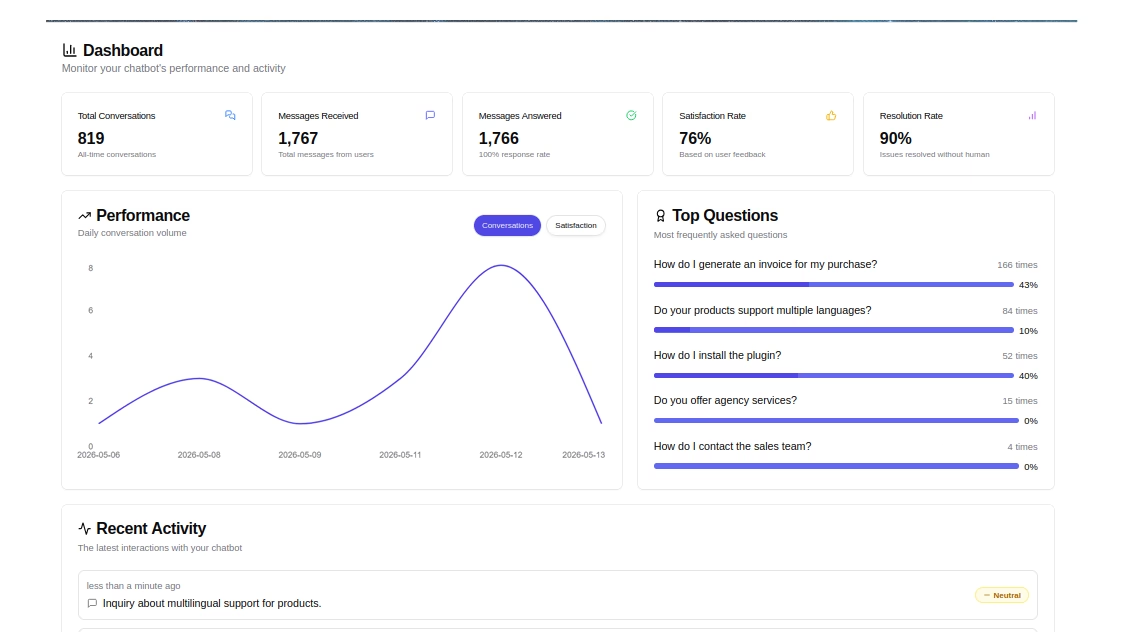
HelpJet is an AI support agent that answers customers’ questions using existing content, 24/7.
It’s very easy to set up. Simply point it at your site, and it will crawl your pages, posts, documents, and PDFs in about five minutes. Then, it will provide answers based on your actual documentation.
There’s no need to connect APIs, build decision trees, or optimize prompts.
Key features and options:
- Trains on your own content: WordPress pages, posts, knowledge base, and PDFs, then answers from that material instead of guessing.
- Add in WordPress with HelpJet plugin or a single snippet.
- Weekly re-crawl to keep answers fresh.
- Clean human handoff: When the bot can’t resolve something, it routes the visitor to a support contact form, support email, or help desk instead of dead-ending.
- Works beyond WordPress: The same widget runs on Shopify and Wix, so it fits a mixed stack.
Pricing and value for money
HelpJet’s free plan is free forever and covers one bot with 100 conversations per month, with every core feature included except white-label branding. That’s enough to test it on a low-traffic site or a single product.
The Pro plan is $29 per month (about $23 per month billed annually) and opens up three bots and 1,000 monthly conversations.
Verdict
HelpJet is the pick when your problem isn’t ‘nobody’s staffing chat,’ it’s ‘we answer the same five questions every week.’ If you already keep good docs, or run Heroic Knowledge Base, it turns that content into instant answers without a flow-builder.
Be clear-eyed about what it is: a pure AI answer bot, not live chat. There’s no operator inbox and no rule-based menu, and the 100-conversation free cap is modest, so a busy store will move to Pro quickly. For repetitive-question deflection on a content-rich site, it’s one of the simplest tools here to get running.
2. HubSpot All-in-One Marketing with Live Chat
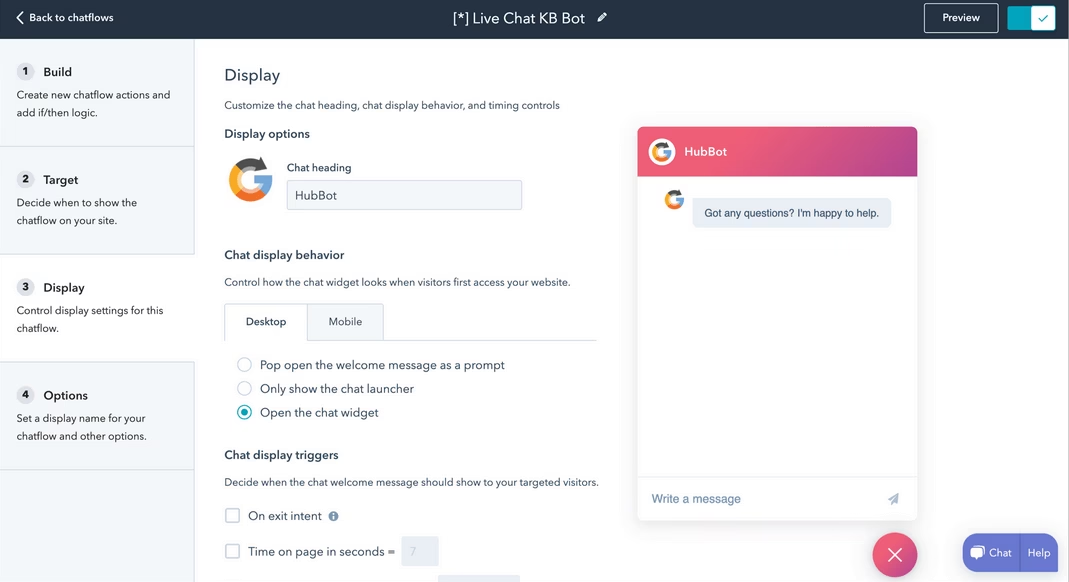
HubSpot’s WordPress plugin does live chat, but the chat is just one piece of a much larger machine.
You get CRM, email marketing, landing pages, forms, popups, and analytics bundled into a single free plugin.
If you already use HubSpot for anything else, the chat widget is a no-brainer addition.
Key features and options:
- Live chat with chatflows: Build multi-step conversation flows that greet visitors differently based on which page they are on, how long they have been browsing, or whether they are on mobile or desktop.
- Live chat and a rule-based chatbot on the free plan, included for up to two users with HubSpot branding on the widget.
- Built-in CRM timeline: Every chat conversation gets logged on the contact record alongside form submissions, email opens, and page views. You see the full visitor context without switching tools.
- Knowledge base search inside the chat window
- Five hundred plus integrations: Slack, WooCommerce, Stripe, Google Analytics, Zapier.
- Exit-intent and scroll-based triggers
Pricing and value for money
HubSpot’s WordPress plugin and live chat are free. And the free tier is generous enough that most WordPress sites will never need to pay.
HubSpot’s paid Service Hub starts around $15 per seat per month.
The free and Starter bots are rule-based only. HubSpot’s AI agent, Breeze Customer Agent, needs a Professional plan and bills per resolved conversation on top of the seat cost, so ‘add AI’ is not a free upgrade here.
Verdict
HubSpot packs the most functionality into a free WordPress plugin on this entire list. The CRM integration elevates it from a chat widget to a full visitor engagement platform.
The trade-off is that HubSpot’s ecosystem pulls you toward their paid tools. The chat itself is excellent, but you will notice the marketing machinery pushing upsells every time you log into the dashboard.
3. Tawk.To Live Chat
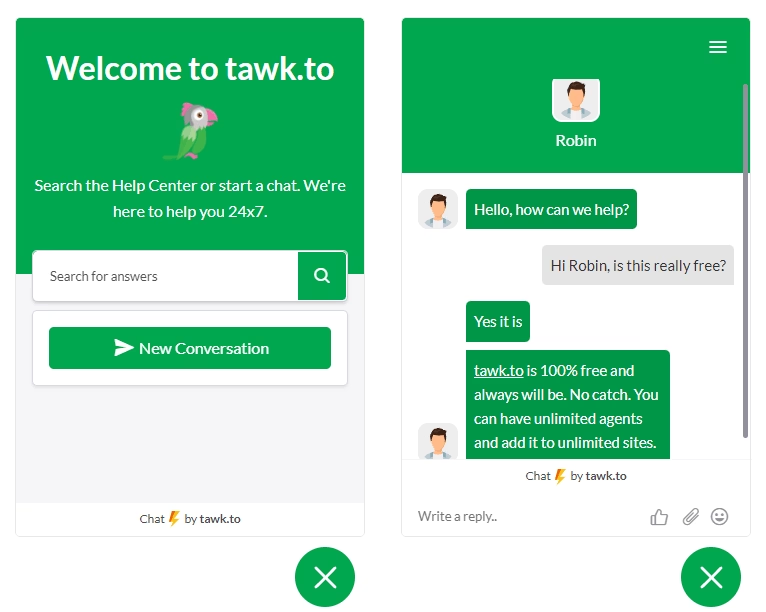
Tawk.To takes a different approach than every other plugin on this list.
It is genuinely and completely free.
The entire product runs on a freemium model where the free plan is the product and the paid upgrades are optional managed services.
Key features and options
- Unlimited agents and unlimited conversations on the free plan.
- Real-time visitor monitoring.
- Canned responses and saved replies: Pre-written answers for the questions that come up repeatedly. Agents can also insert canned responses with a keyboard shortcut.
- Mobile apps for iOS and Android.
- Customizable chat widget: Adjust colors, position, pre-chat form fields, and greeting messages. The design engine gives you reasonable control without requiring custom CSS.
- Multi-language support: The chat interface translates automatically to match the visitor’s browser language.
- Chat histories are searchable and well-organized
- Reporting dashboard
Pricing and value for money:
Tawk.To is free: unlimited agents, unlimited chats, and unlimited chat history at no cost.
They make money through optional add-ons. Removing the ‘Powered by Tawk.to’ badge runs $29 per month on annual billing, the AI Assist bot starts around $29 per month per site, and you can even hire live agents from $1 per hour.
None of that is required, but ‘free’ has strings if you want a clean, branded widget
Verdict
Tawk.To is the most generous free live chat offering for WordPress, and the product quality reflects that generosity. The widget is fast, the dashboard is functional, and the mobile apps work reliably.
The interface still looks dated next to newer tools, and the WordPress plugin itself hasn’t seen a major update in months, so test it against your current theme.
4. GhostChat Live Chat and AI Chatbot
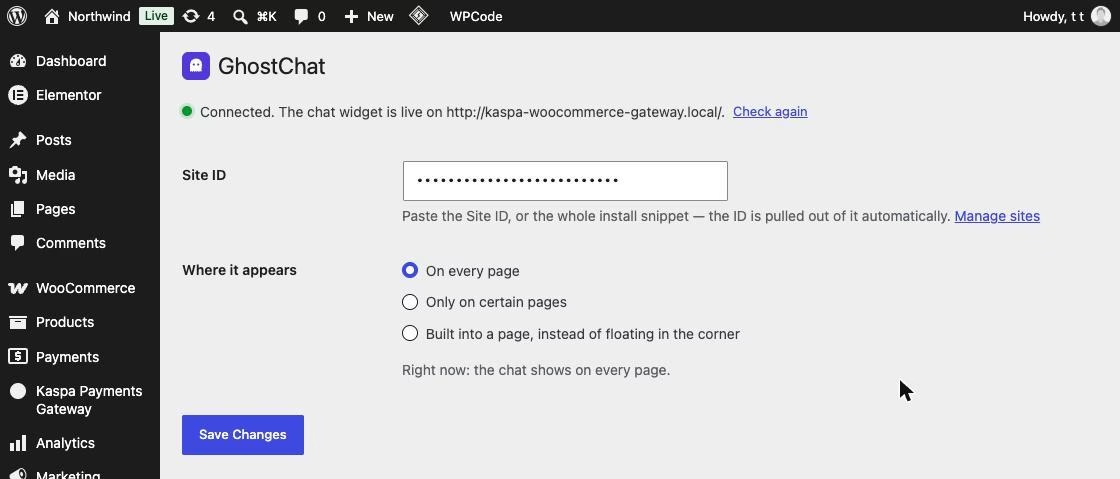
GhostChat combines AI and human chat in one WordPress plugin. It is specifically designed for sites that prefer a full chat conversation over multiple contact options.
You install GhostChat, connect your site, build your AI assistant with a Q&A, and the chat widget will be live on your site.
GhostChat will automatically load on your site without the need for tag managers or any other additional software.
Key features and options:
- AI-first support: GhostChat answers customer questions with AI, then can hand the conversation to a human when needed.
- Lightweight widget: GhostChat reports a 17.5 KB widget with 0 ms blocking time.
- Privacy-focused setup: GhostChat sets no cookies, makes no third-party requests, and the widget communicates only with GhostChat’s servers.
- Gmail replies: Respond to visitor messages from Gmail while keeping the conversation inside the website chat.
- Automatic translation across 133+ languages for both visitors and agents.
Pricing and value for money
GhostChat’s free plan covers one site and one seat, with unlimited messages, 25 AI replies, and 30 days of chat history.
The good thing is that, you don’t need to add a credit card to get started.
The Pro plan costs $12 per month for three sites, two seats, one year of history, and 200 AI replies.
Verdict
GhostChat stands out for its AI-first approach. The AI assistant handles the initial conversation, and a human can step in when the question falls outside the AI’s capabilities. This is a useful setup if you want to automate processes without directing customers to a dead-end chatbot.
5. 3CX Free Live Chat, Calls and Messaging
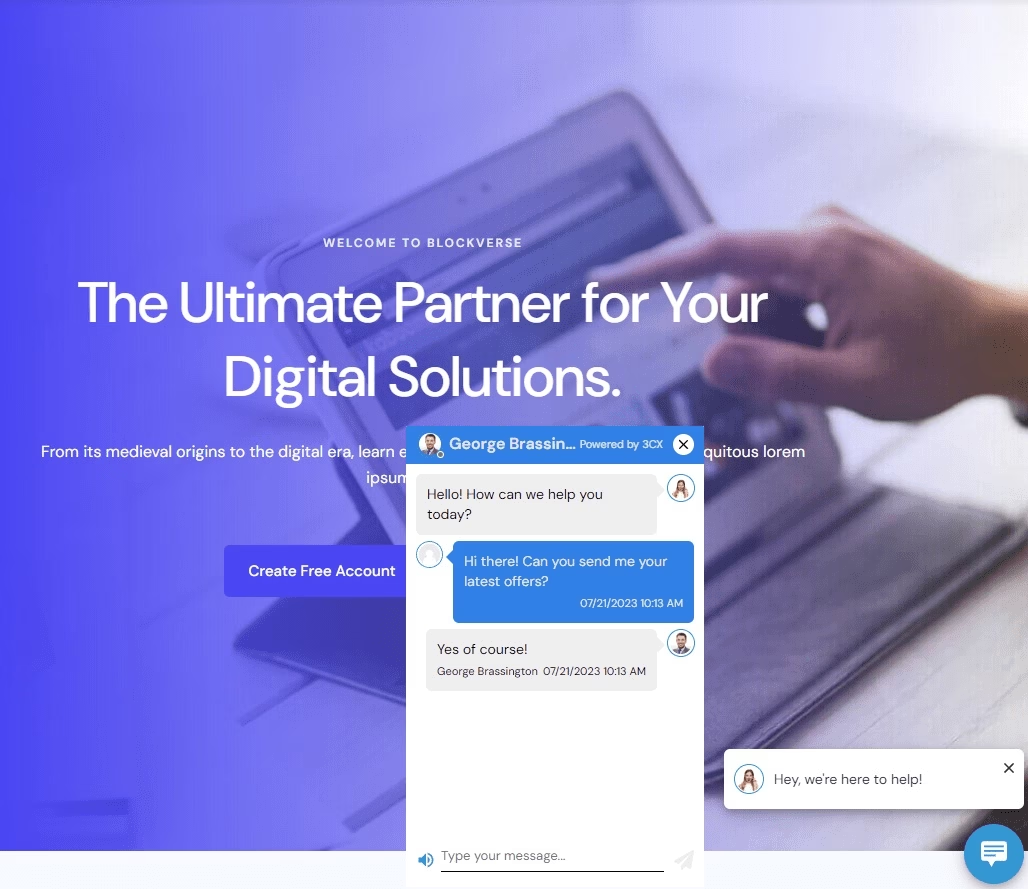
The 3CX Live Chat plugin does exactly what the name says, and it adds a capability that almost no other WordPress chat plugin offers.
A visitor talking to you in the chat window can upgrade that conversation to a voice call or a video call with a single click.
The transition happens live inside the same browser session. This is genuinely useful when a text explanation stops being efficient.
Key features and options:
- One-click call and video elevation
- Ten agents free forever: The free plan supports up to ten logged-in agents simultaneously. That is enough for most small teams.
- Unified communications platform: It is a full phone system, meeting platform, and messaging tool. The live chat widget plugs into that broader ecosystem cleanly.
- Desktop, web, iOS, and Android apps
- Unlimited chat history
- Customizable call-to-action button
Pricing and value for money
10 users are free forever, hosting included, and it’s not a trial. Paid StartUP PRO adds more users, Facebook and SMS channels, and reporting; pricing scales by user count, so check 3CX’s current rate for your team size before you commit.
Verdict
3CX occupies a unique space. It’s not the prettiest chat plugin UI, and it’s not the most feature-rich for marketing automation. But the ability to escalate a chat to a voice or video call inside the same session is a genuine differentiator that no other WordPress chat plugin delivers on the free plan.
With 100,000-plus installs and steady updates, it’s one of the better-maintained free WordPress chat plugin here.
6. Chaty Floating Chat Widget
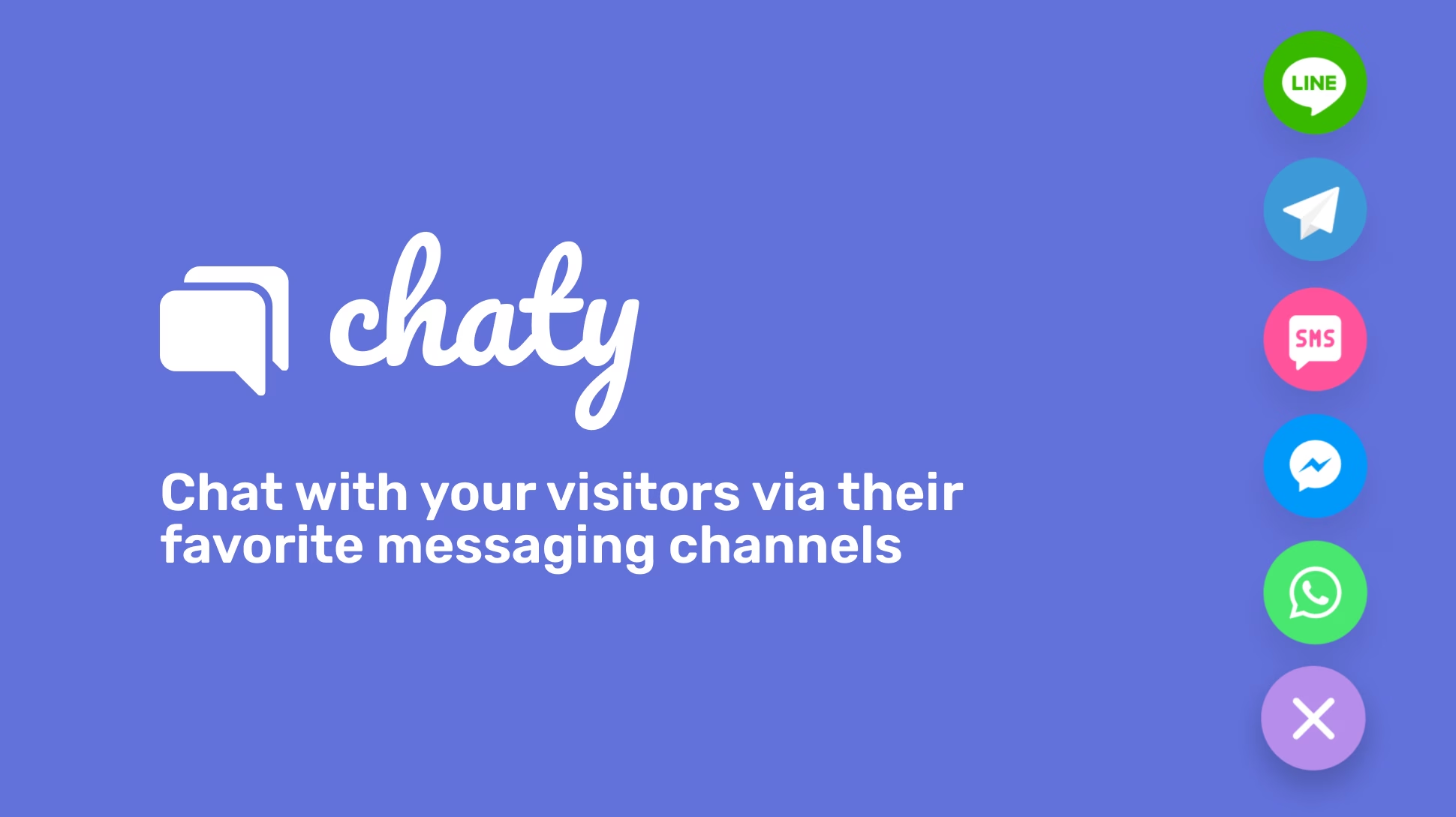
Instead of embedding a live chat queue where visitors wait for an operator, Chaty places floating contact buttons that route conversations to the channels your visitors already use: WhatsApp, Facebook Messenger, Telegram, and SMS.
Chaty is one of the most popular contact-button plugins going, with 300,000-plus active installs and a 5-star rating across 1,240 reviews on WordPress.org
Key features and options:
- Twenty plus contact channels: Connect WhatsApp, Facebook Messenger, Telegram, Instagram, Line, Viber, Slack, TikTok, phone, email, and SMS buttons on a single floating widget.
- WhatsApp popup experience: Chaty can display a popup that mimics the WhatsApp chat window, giving visitors a familiar mobile-like interface on desktop browsers.
- No agent limits
- Google Maps integration: Add a location button that opens Google Maps with your business address.
- Click to call button: A phone icon that initiates a direct phone call from the browser.
Pricing and value for money
Chaty is free, and the free version covers most use cases entirely.
Pro features like showing different widgets on different pages, scheduling availability by days and hours, and advanced targeting start at a modest monthly fee.
Verdict
Chaty is not a traditional live chat plugin, and that is exactly why it deserves a spot on this list. If your target audience lives on WhatsApp and Facebook Messenger, Chaty puts a direct line in front of them.
It’s actively maintained and dead simple to set up, which is why reviewers rate it so highly. The trade-off is that you do not get a centralized inbox for these conversations. Every channel handles messages inside its own app.
7. Buttonizer Live Chat and Contact Buttons
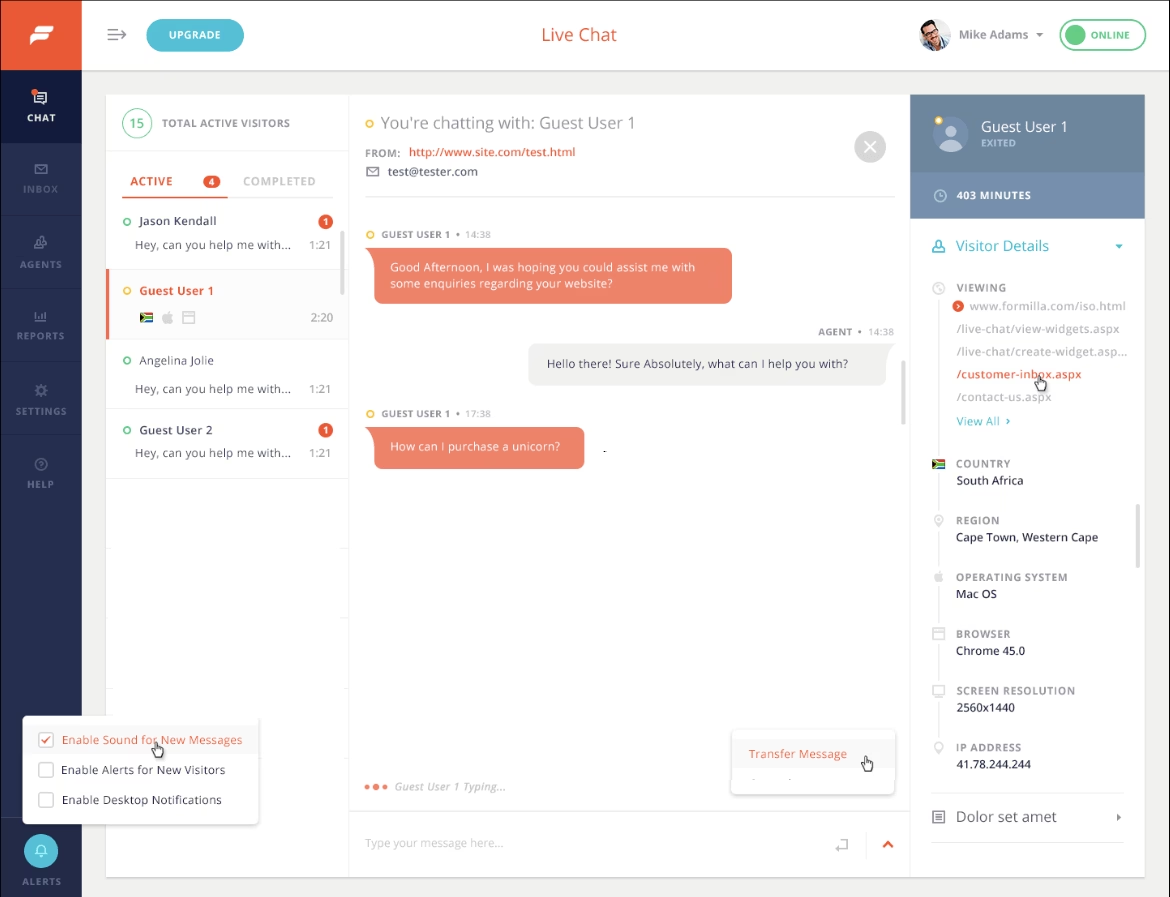
Buttonizer helps you build floating contact button menus similar to Chaty.
But it goes further with AI chatbot integration, real-time visitor monitoring, and highly customizable button behaviors that go beyond simple links.
Key features and options:
- ChatGPT-style AI chatbot: Buttonizer bundles an AI bot that fields common questions before a human steps in. It’s genuinely useful, but the free tier is limited, so treat it as a starter, not a full answer engine.
- Real-time visitor monitoring: See who is currently browsing your site and which pages they are reading.
- Create separate buttons for live chat, phone calls, email, SMS, and specific chat apps like WhatsApp.
- Conditional display rules: Show different buttons on different pages or to different visitor segments.
Pricing and value for money
Buttonizer offers a free plan that covers the core button functionality. Pro features like advanced targeting, A/B testing, and full analytics start at a $10 monthly rate.
The free tier works well for most small WordPress sites.
Verdict
Buttonizer sits between Chaty’s multi-channel contact approach and a full live chat platform. The AI chatbot adds a layer of automation that Chaty does not offer, while the multi-button flexibility appeals to businesses that want to give visitors genuine channel choice.
At 50,000-plus installs with frequent updates, it’s well maintained. Reviewers like the button flexibility and design control; a few want more polish in the free analytics.

8. Crisp Live Chat and Chatbot
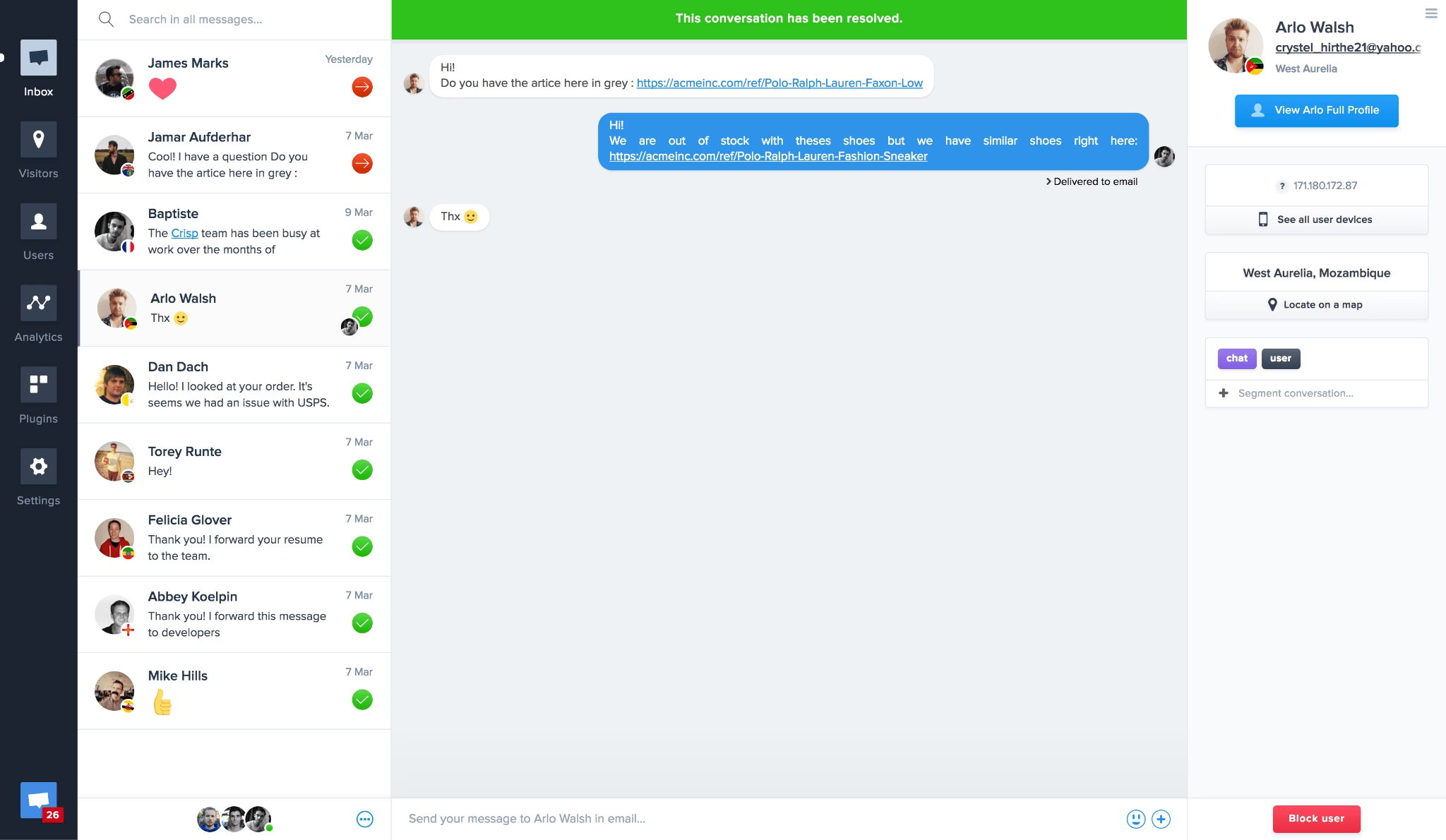
Clean, minimal, and fast-loading.
Crisp looks like a modern messaging app rather than a support tool bolted onto a WordPress site.
The interface is the cleanest on this list, and the free plan handles small team support without feeling restricted.
Key features and options:
- Live chat with real-time delivery: Messages appear instantly.
- Shared inbox for operators: Multiple agents see the same conversation queue.
- Chatbot builder: Set up automated responses for frequent questions. The free chatbot tier handles basic flows and integrates with the live inbox so humans can take over.
- Email fallback: When no operator is available online, the chat widget collects the visitor’s message as an email reply.
- Mobile apps for iOS and Android
Pricing and value for money
Crisp’s free plan supports two operators with unlimited chat conversations.
The Business plan starts at $45 per month and adds advanced chatbot features, team collaboration tools, and deeper analytics.
Verdict
Crisp wins on design quality and message delivery speed. The chatbot builder on the free plan is limited but functional, and the two-operator cap on the free plan is the main limitation for growing teams.
The recurring frustration is that AI features sit behind the pricier tiers.
9. Smartsupp Live Chat and AI Shopping Assistant
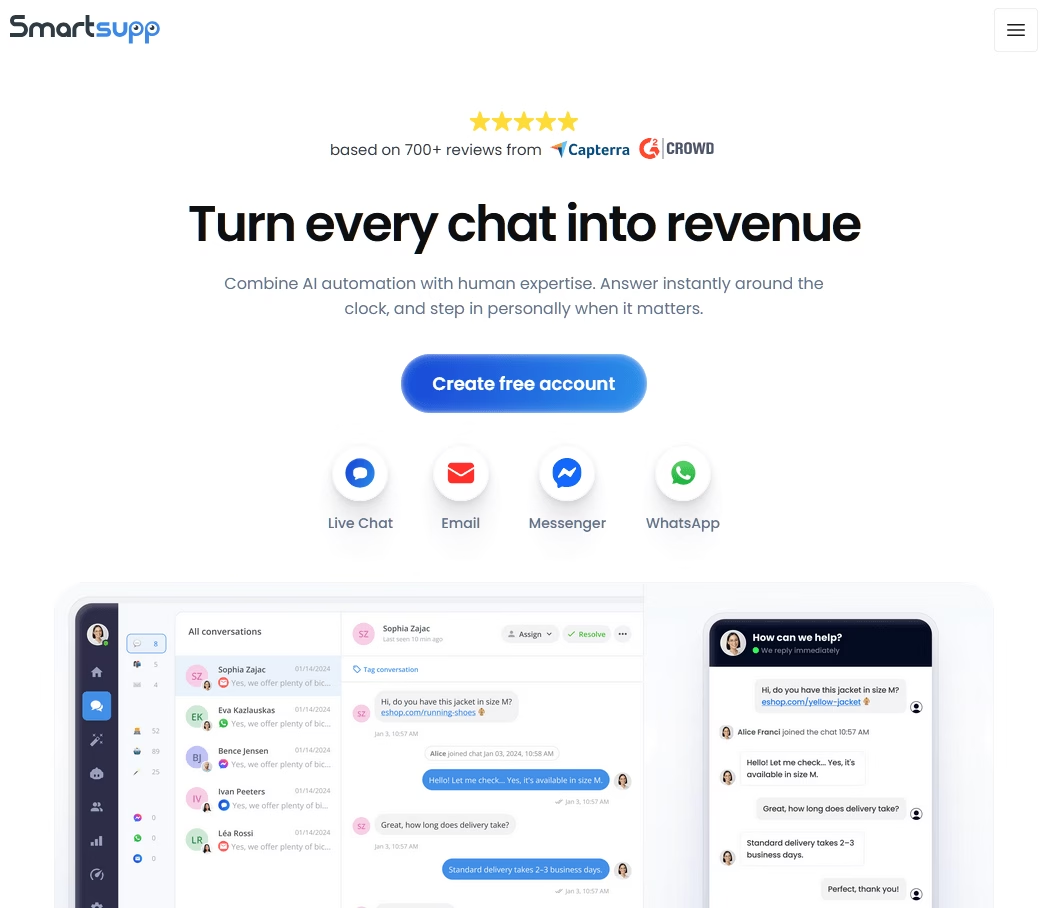
With Smartsupp visitor screen recording baked directly into the chat dashboard.
You see what the visitor saw. You see which buttons they clicked. You understand why they’re confused before they even ask.
Key features and options:
- Visitor screen recordings: Every chat session optionally records the visitor’s screen activity.
- AI shopping assistant for E-commerce: Smartsupp’s AI engine analyzes visitor behavior and product views, then offers personalized product recommendations inside the chat window.
- Live chat with real-time messaging
- Mobile apps for iOS and Android
- Automated chatbot responses: Build automated flows that greet returning visitors differently from first-time visitors.
Pricing and value for money
Smartsupp’s free plan gives you live chat with a 50-conversation monthly cap, which is fine for a low-traffic store but tight for anything busier.
Paid plans start around $20 per month. Its AI shopping assistant, Mira, is a separately priced add-on (from roughly $16 per month on annual billing), not a free-plan feature. Worth flagging: the WordPress plugin hasn’t been updated in months, so test it against your current setup.
Verdict
The screen recording integration sets Smartsupp apart from every other live chat plugin.
For E-commerce site owners trying to understand why visitors abandon their carts or get stuck on the checkout page, this feature alone justifies the plugin.
The AI shopping assistant also adds commercial value that basic chat plugins cannot match.
10. WhatsApp Chat by Click to Chat
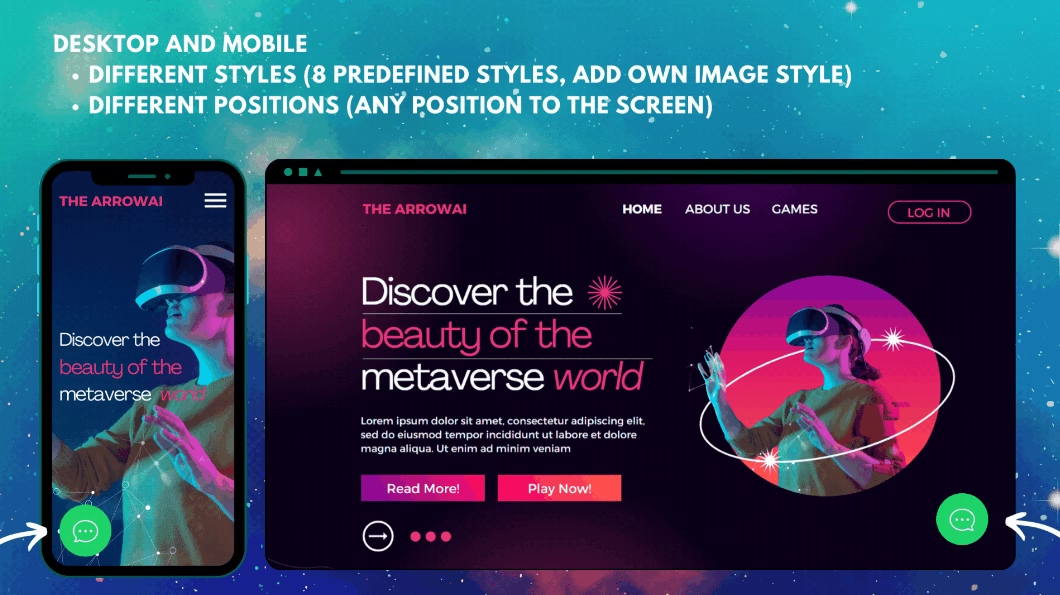
Click to Chat does one thing and does it well: place a floating WhatsApp chat button on your WordPress site that opens a direct conversation in WhatsApp when clicked.
There are no queues, no operators, no third-party dashboards. The visitor’s message goes straight into your WhatsApp inbox.
This is one of the most-installed WhatsApp plugins anywhere, with 600,000-plus active installs and a 4.8-star rating.
Key features and options:
- Direct WhatsApp integration
- Customizable greeting message
- Floating button with design control: Choose the button position, color, and animation style so the WhatsApp icon complements your theme instead.
- Mobile and desktop optimized
- WooCommerce integration: Add the WhatsApp button to product pages with a dynamic product name inserted into the pre-filled message.
Pricing and value for money
Click to Chat plugin is free.
There is a Pro version starting at $18 per year. Which adds premium support and additional features like multi agent, time delay, scroll delay and triggers.
Verdict
If your primary customer communication happens on WhatsApp anyway, this plugin bridges the gap between your website and your WhatsApp inbox with zero overhead. It is not a live chat solution in the traditional sense, but it solves the same problem of capturing visitor questions before they bounce.
The limitations are: no shared inbox, no operator management, no screen recordings, no automation.
11. Zoho SalesIQ Live Chat and Chatbots
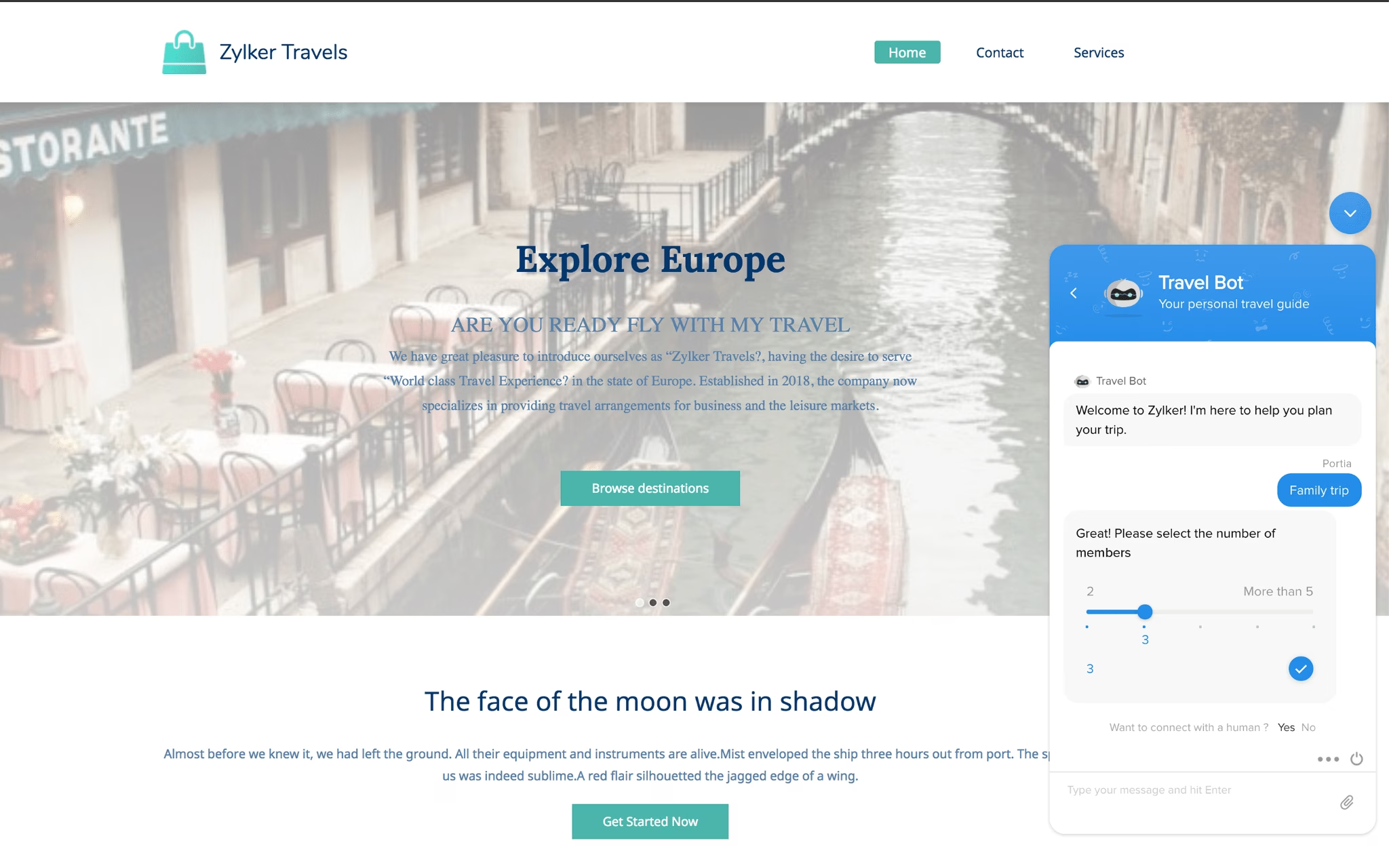
Zoho SalesIQ is a full customer engagement platform that embeds live chat, visitor analytics, and AI-powered chatbots into a single WordPress plugin.
If you already use Zoho CRM or the Zoho business suite, SalesIQ pulls visitor data into your existing Zoho workflow seamlessly.
Key features and options:
- Visitor tracking and behavioral insights.
- Zia: An AI-powered chatbot with natural language processing.
- Email and phone callbacks
- Mobile apps for iOS and Android
- Multi-channel inbox: SalesIQ consolidates chats from your website, WhatsApp, Facebook Messenger, email, and Instagram into one unified operator dashboard.
Pricing and value for money
Zoho SalesIQ‘s free plan is more generous than most: three operators, tracking for up to 10,000 visitors per month, and 100 chat sessions per month with 30-day chat history.
Paid plans go Basic ($10 per operator per month), Professional ($17), and Enterprise ($25), with chat sessions becoming unlimited at Professional. The trade-off is the 100-chat monthly cap on free, which a busy site hits fast.
Verdict
SalesIQ is the strongest choice for WordPress sites already invested in the Zoho ecosystem.
The visitor analytics dashboard provides genuine behavioral intelligence that most live chat plugins do not offer.
The AI chatbot is capable enough to resolve common support questions without operator intervention.
The free plan covers small sites well, as long as you stay under 100 chats a month.
12. Chaport Live Chat and Chatbots
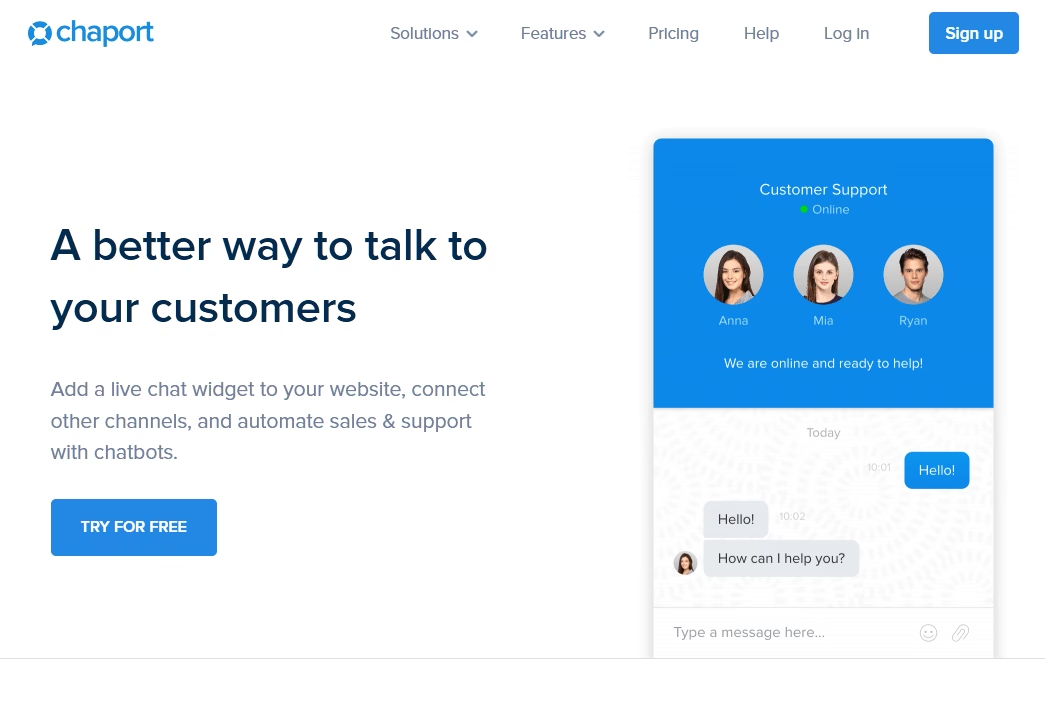
Chaport is a modern live chat WordPress plugin.
It brings a clean interface, unlimited chats on the free plan, and a capable chatbot builder to WordPress sites that need a lightweight but functional chat solution.
Key features and options:
- Unlimited chats and unlimited websites on the free plan
- Chatbot with basic automation: Build simple automated flows that greet visitors, answer common questions, and collect contact information.
- Multi-channel inbox: Consolidates chats from your website, Facebook Messenger, and WhatsApp into a single operator dashboard.
- iOS and Android apps
- Visitor information display: The dashboard shows the visitor’s current page, browser type, operating system, and referral source.
Pricing and value for money
Chaport’s free plan covers two operators with unlimited chats and 60 days of chat history.
Paid plans start at $29 per month (Pro, four operators, unlimited history), with the Unlimited plan at $99 per month unlocking unlimited operators and chatbots.
The free ‘chatbot’ is rule-based, not AI, so it follows scripts rather than understanding questions.
Verdict
Chaport is a strong contender in the free WordPress live chat space. The unlimited chat allowance and multi-channel inbox make it practical for small teams.
The chatbot builder on the free plan is basic but functional.
13. Chatway Live Chat
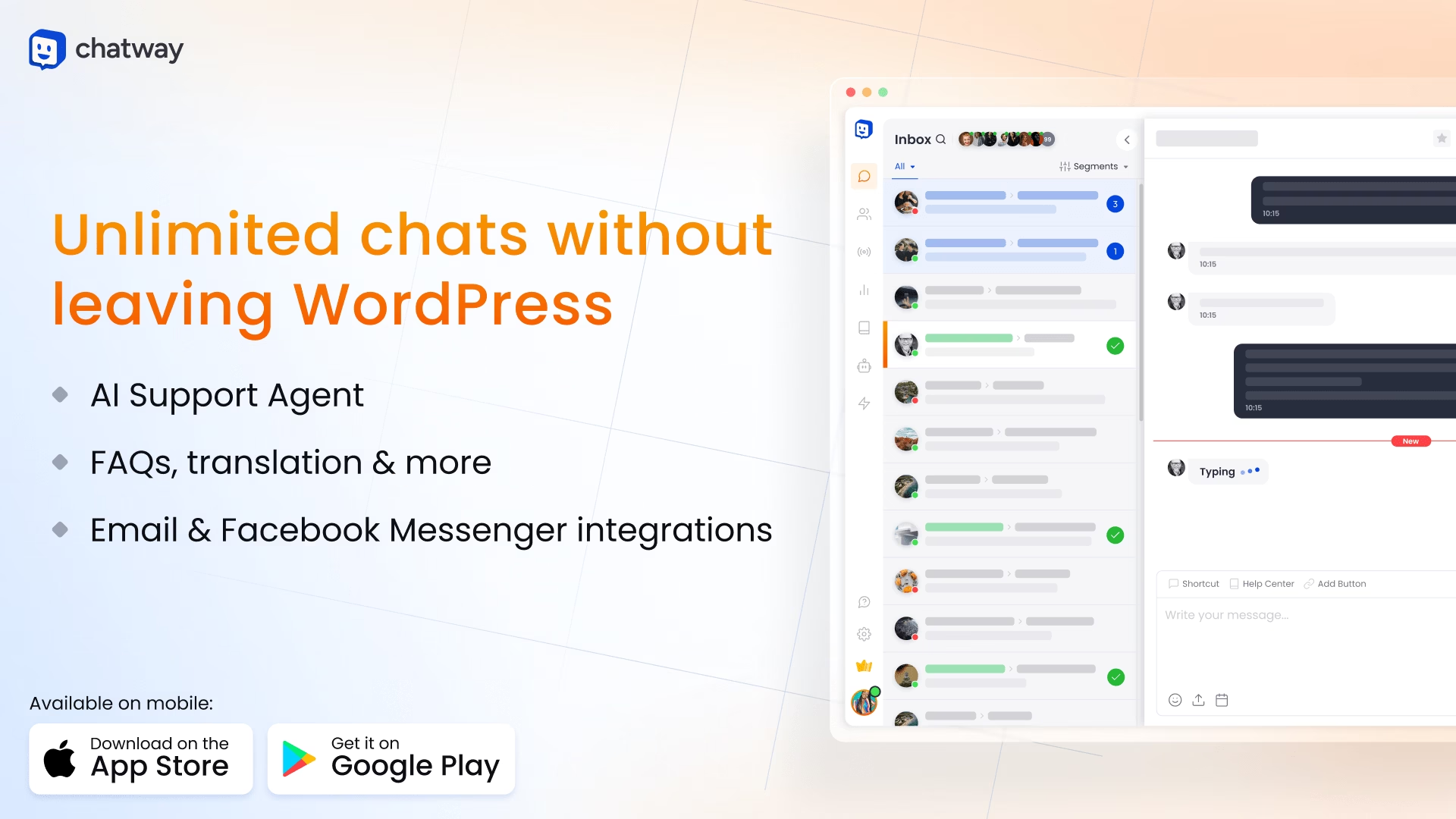
Chatway combines live chat, AI chatbot assistance, and FAQ integration into a single WordPress plugin.
It is designed for teams that want a full customer support experience that includes self-help options alongside live conversations.
Key features and options:
- AI chatbot agent to handle common questions automatically and routes complex issues to human agents.
- WhatsApp integration
- Chat widget customization
- Mobile apps
- FAQ integration with chatbot
Pricing and value for money
Chatway free plan is genuinely usable: one seat, unlimited conversations, and 30 days of chat history.
Paid plans start at approximately $24 per month and add advanced chatbot features, WhatsApp integration, and detailed analytics.
Verdict
Chatway sits in a sweet spot: more capable than a plain contact button, simpler than an enterprise suite like Zoho. Users single out how fast it is to set up and how responsive support is; the main request is more customization on the free tier.
How to Install a WordPress Chat Plugin
The installation process is nearly identical for every plugin on this list.
- Log into your WordPress dashboard and navigate to Plugins, then Add New.
- Search for the plugin and install your choice of plugin.
- Click Activate once the installation completes.
- Connect to the service. Most plugins require you to create an account on the provider’s platform and link it through an API key or a one-click WordPress dashboard connection.
- Customize the chat widget colors, greeting message, and position from the plugin settings or the provider’s dashboard.
- Publish and test. Open your website in a separate browser tab and verify that the chat widget appears and responds as expected.
The entire process takes five to fifteen minutes depending on the plugin and whether you already have an account with the provider.
Frequently Asked Questions
Does WordPress have a built-in chat?
No. WordPress core has no first-party live chat, so you add one with a plugin, which is exactly why this list exists
Which Free WordPress Chat Plugin Should You Choose?
As is usually the case with these decisions, there’s not one answer that fits every single situation.
Take a minute to think about factors like:
- Do I just want a lightweight pre-sales chat? Or will I be running full support via live chat?
- How important are analytics? Will I actually use them to improve my processes or will they just be a waste?
- How much money am I willing to spend on a live chat plugin?
- How many active agents will I have at one time?
While all of these free WordPress chat plugins are great in their place, here’s what I would recommend you to start with:
- HelpJet to answer customers questions based on existing content
- Tawk.to to add live chat functionality
Further Reading
9 Best AI Chatbots for Shopify (2026 Review)
Top Chat Widgets for Websites in 2026 (Free Options)
Best Customer Support Tools for Small Businesses
9 Best WordPress Ticket Systems (2026 Review)
The 10 Best WordPress Helpdesk Plugins
10 Free WordPress AI Plugins to Try in 2026
Best Knowledge Base Chatbots in 2026 (With Free Options)




Leave A Comment?
You must be logged in to post a comment.