How To Reduce Customer Churn Rate: 12 Proven Strategies for 2026

It’s very costly to lose a customer you worked hard to win. You paid for the ad, answered their presales questions, and walked them through setup, and three months later they’re gone without saying a word.
The problem is that customer churn rarely starts when someone clicks the cancel button. It starts weeks earlier, when a new customer can’t figure out the first step, when a support email sits unanswered over a long weekend, or when a credit card quietly expires and nobody notices.
Here at HeroThemes, we’ve spent more than a decade building customer support tools, so churn is something we think about every day.
This guide covers 12 proven strategies to reduce customer churn in 2026, with practical tips and real-world company examples to help you keep more customers and build lasting relationships.
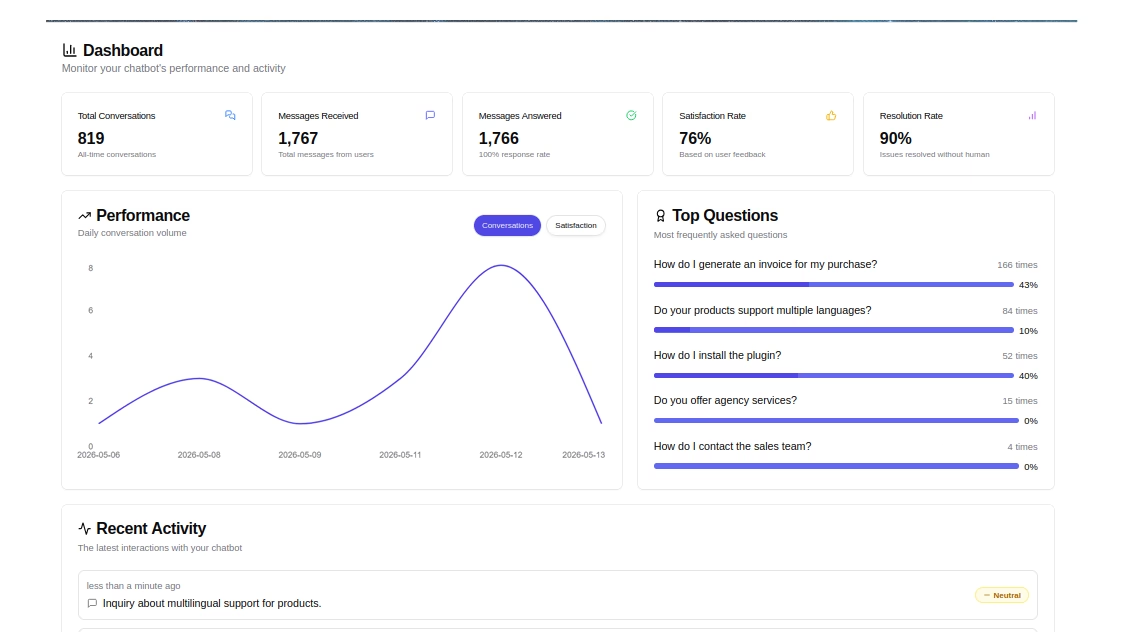
HelpJet – FREE AI Chatbot
Give customers reliable, round-the-clock support with HelpJet, so unanswered questions and long wait times are less likely to drive them away.
In This Guide
- What Customer Churn Rate Means (and How to Calculate It)
- Why Focus on Reducing Customer Churn Rate
- Warning Signs a Customer Is About to Churn
- How To Reduce Customer Churn: 12 Strategies That Work
- 1. Build Onboarding Around One Activation Milestone
- 2. Sell to Customers Who Can Succeed with Your Product
- 3. Give Customers a Self-Service Knowledge Base
- 4. Make Support Fast and Low-Effort
- 5. Add AI First-Line Help with a Human Handoff
- 6. Watch Health Signals and Reach Out First
- 7. Recover Failed Payments with Smart Dunning
- 8. Offer Pause and Plan Flexibility
- 9. Build an Honest Cancellation Flow
- 10. Use Save Offers Sparingly and Test Them
- 11. Run Exit Surveys and Act on the Answers
- 12. Win Back Former Customers on Purpose
- How To Measure Whether Your Churn Reduction Is Working
What Customer Churn Rate Means (and How to Calculate It)
Customer churn rate is the percentage of customers who stop doing business with you within a given timeframe.
In a subscription business, for example, it means a canceled subscription or one that doesn’t renew. For a store, it’s a customer who doesn’t return within their normal buying cycle.
So what does “reduce churn” mean?
Reducing churn means lowering the share of customers (or revenue) you lose each period by fixing the reasons people leave. Churn prevention and customer retention are the same job seen from opposite ends, so you’ll see me use the terms almost interchangeably.
How To Calculate Churn Rate
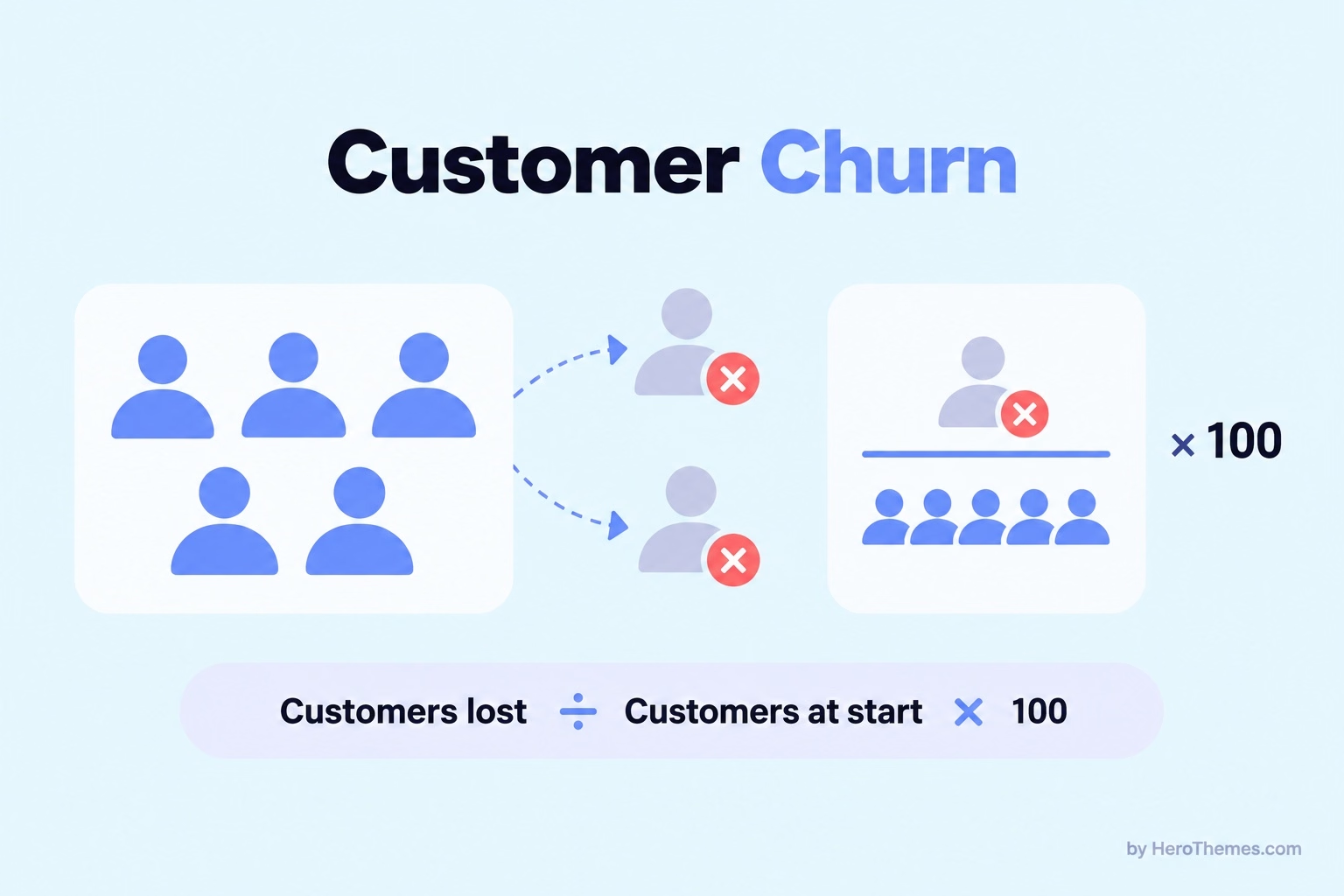
The basic churn formula takes about 10 seconds: divide the customers you lost during a period by the customers you had at the start, then multiply by 100.
Say you start March with 400 customers and 12 of them cancel by the end of the month. Your churn rate for March is 12 ÷ 400 × 100, which comes out to 3%.
Customer losses alone do not tell the whole story of subscription performance. For example, losing ten small accounts while one large customer upgrades can reduce your customer count even as monthly recurring revenue grows.
That’s why I’d keep these four numbers on the same dashboard:
| Metric | How to calculate it | What it tells you |
|---|---|---|
| Customer churn rate | Customers lost ÷ customers at start of period × 100 | How many accounts you’re losing |
| Revenue (MRR) churn rate | MRR lost to cancellations and downgrades ÷ MRR at start × 100 | How much money is walking out the door |
| Gross revenue retention (GRR) | (Starting MRR − churned MRR − downgrades) ÷ starting MRR × 100 | How well you hold on to revenue, ignoring upsells |
| Net revenue retention (NRR) | (Starting MRR − churned MRR − downgrades + expansion) ÷ starting MRR × 100 | Whether your existing customers grow your revenue on their own |
MRR stands for monthly recurring revenue. If you sell one-off products instead of subscriptions, swap it for repeat purchase revenue from the same customer group.
Voluntary vs. Involuntary Churn
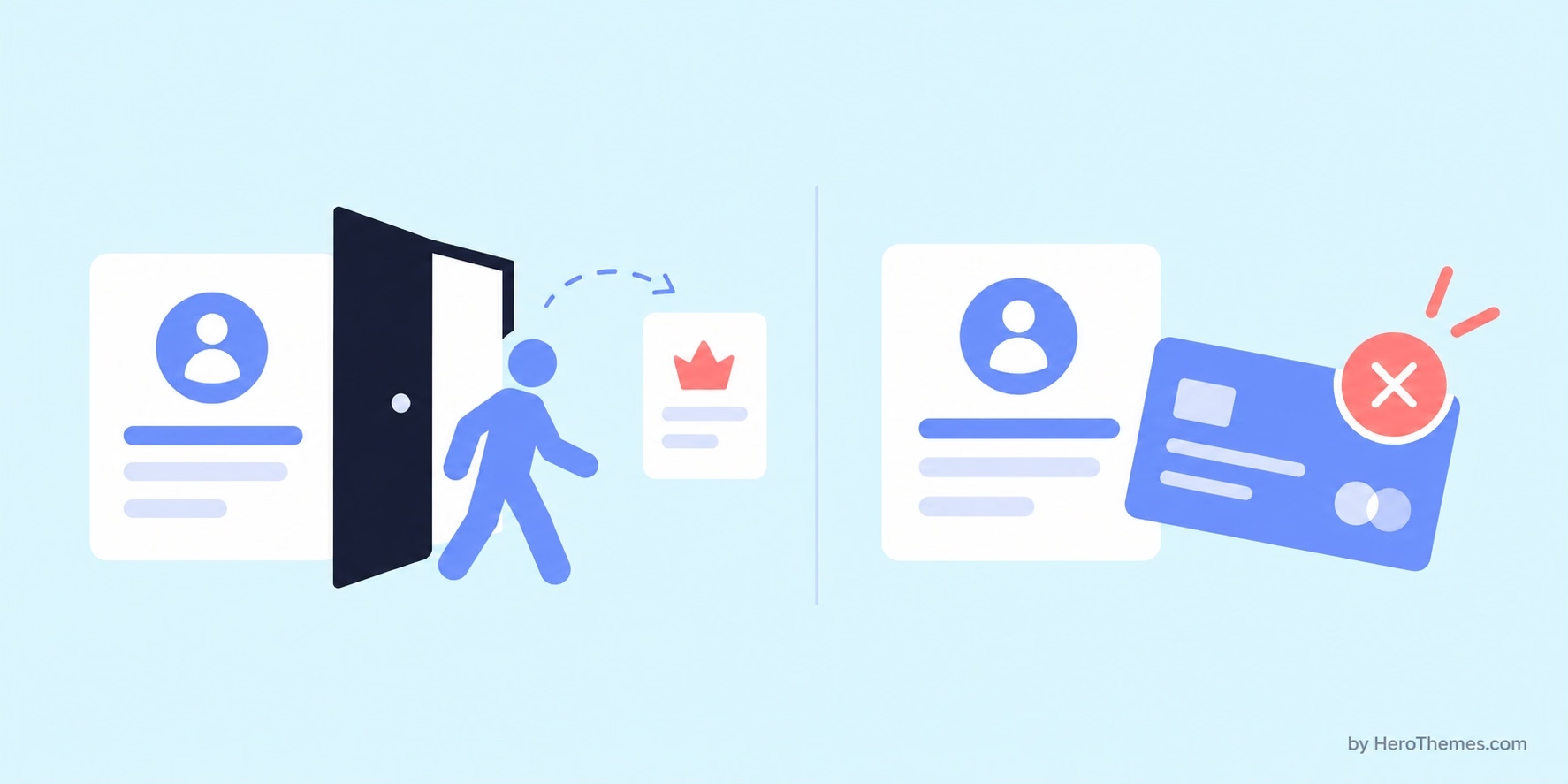
Before you pick a strategy, split your churn by cause, because the two main types need completely different fixes:
- Voluntary churn happens when a customer decides to leave. This can be because of price, poor fit, a competitor, or a frustrating support experience. Which you fix with better customer onboarding, support, and plan options.
- Involuntary churn happens when a payment fails and the subscription lapses. The customer never chose to go, so the fix lives in your billing settings instead of your marketing.
Failed payments hit cheaper subscriptions hardest.
Involuntary churn takes a much bigger bite out of plans priced at $10 to $25 a month than plans priced above $250, which makes sense once you picture who’s paying with a personal debit card and who’s paying with a company account.
What Is a Good Churn Rate?
Recurly’s 2026 churn rate benchmarks put most well-run subscription businesses at 2% to 4% churn, and the company suggests digging into anything above 5% no matter what industry you’re in.
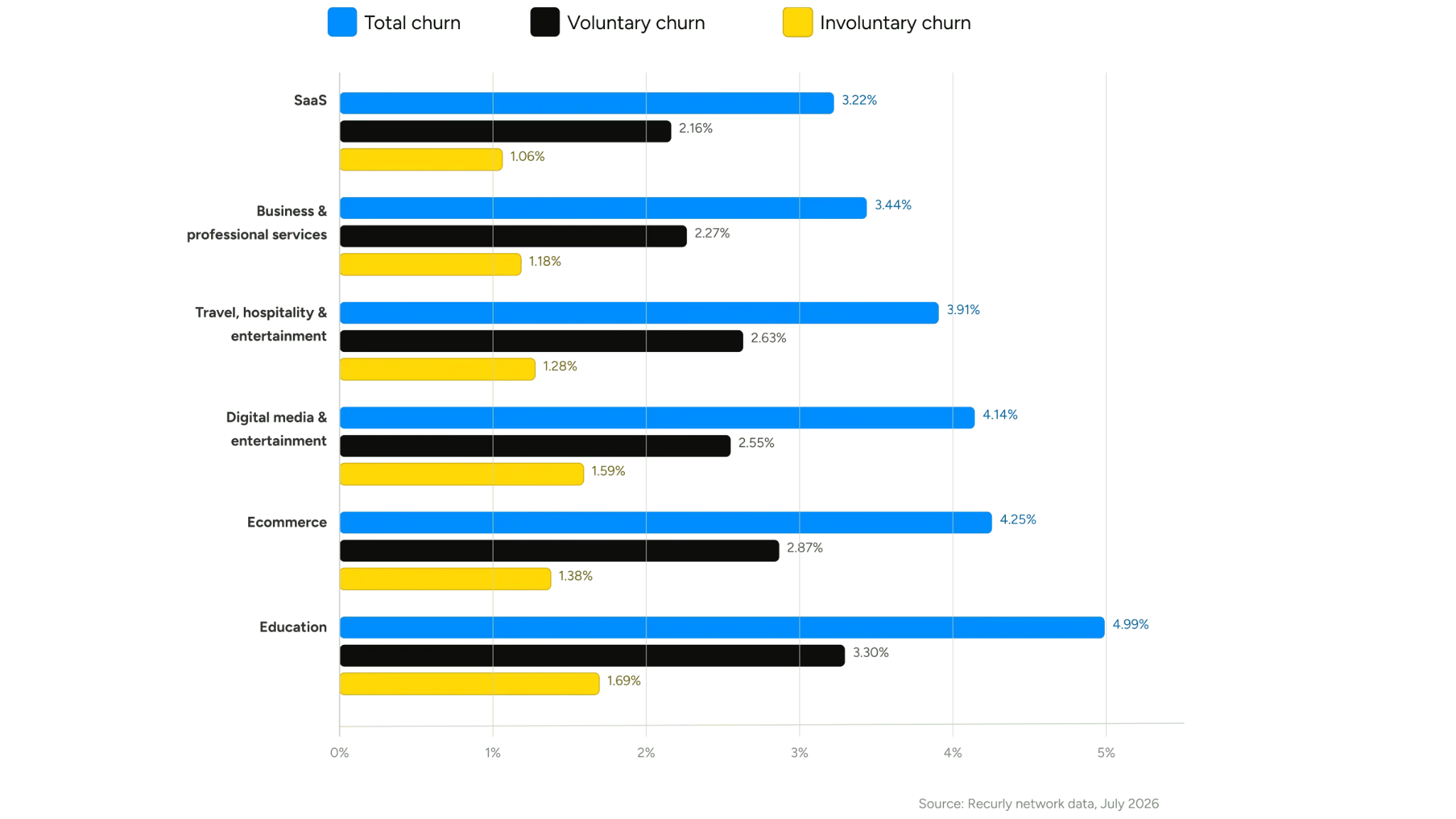
SaaS and professional services tend to sit at the low end, while eCommerce subscriptions and online education run higher because of lower prices and more impulse signups.
I’d take any single benchmark with a grain of salt. Recurly labels its figures annual, but several analysts have pointed out that rates that low look more like monthly numbers in most other datasets.
So compare yourself with businesses at a similar price point and billing model.
Even better, compare your current numbers with those from last quarter because those are the numbers you can influence.
Why Focus on Reducing Customer Churn Rate
Picture churn as a hole in a bucket you’re trying to fill. You can keep pouring in new customers, but if they drain out the bottom as fast as you pour, the water level never moves.
Here’s why the math works out so well in your favor:
- Your acquisition costs only pay off if customers stay long enough. The ad spend, sales calls, and onboarding hours are already gone the day someone signs up.
- Upgrades, add-ons, and extra seats come almost entirely from customers who stick around.
- A business with low churn grows faster on the same marketing budget, since it isn’t spending half of it refilling the bucket.
- Buyers and investors read churn as a sign of product health and price it into what your company is worth.
There’s an emotional side too, and founders rarely talk about it.

High churn made growth feel like “8 steps forward, and 5 gigantic steps back”. Kevin Yun.
If this sounds familiar, you’re in the right place.
Explore: If your support setup still feels shaky, our guide on how to improve customer service covers the basics that make every strategy below easier to pull off.
Warning Signs a Customer Is About to Churn
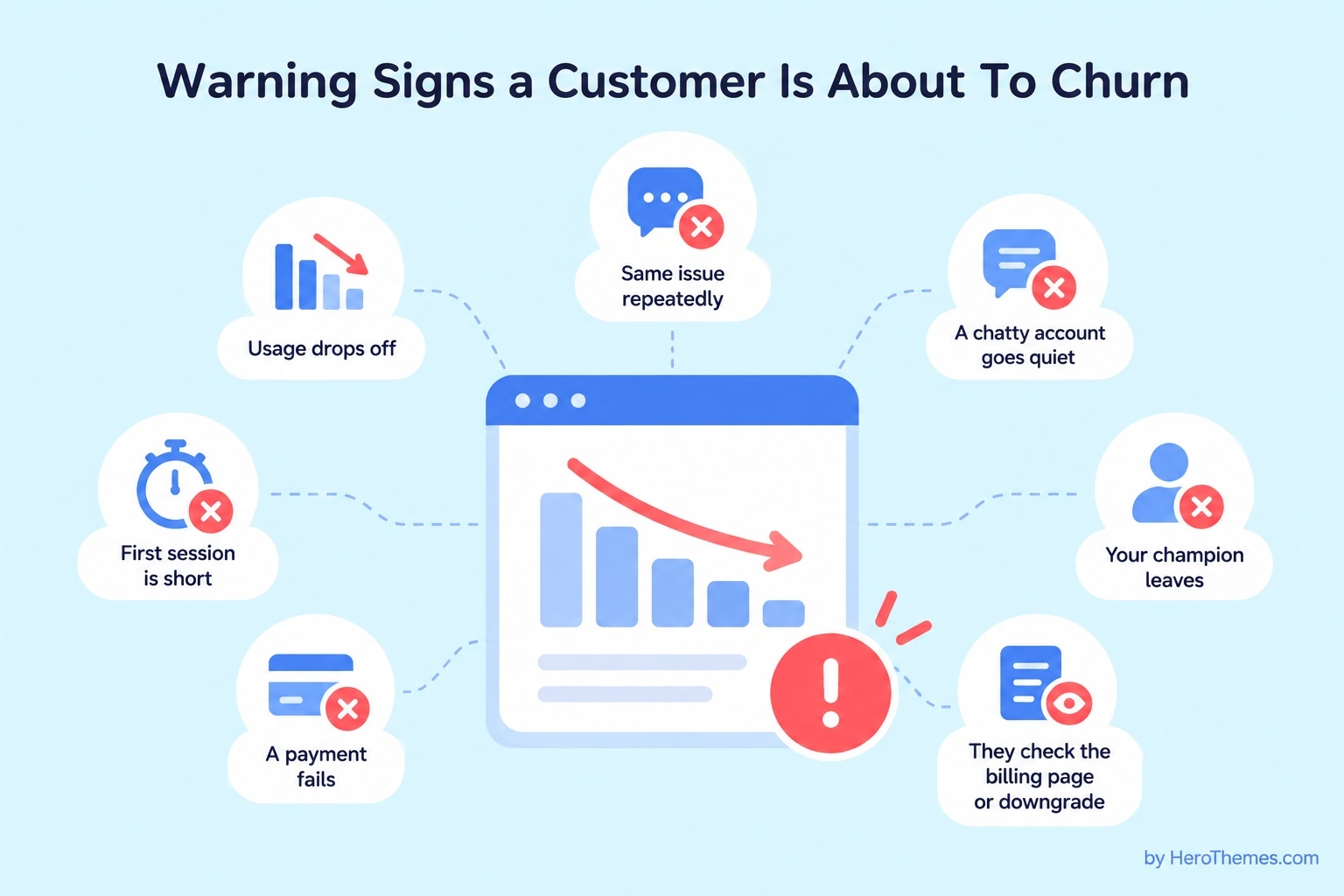
Customers almost never leave out of the blue. The signals usually show up weeks before the cancellation email, and the teams that catch them are the ones watching what customers do instead of waiting for complaints.
Here’s what I’d keep an eye on:
- Product engagement declines. Logins get rarer, fewer projects get created, or a core feature stops getting used.
- New users fail to reach activation. Customers who leave after their first session without completing a key task may never experience the product’s value.
- The same customer writes about the same problem. It means your first answer didn’t fix it.
- A chatty account goes quiet. When a customer who used to ask questions stops writing, they’re often already trying a competitor.
- Your champion leaves. In B2B, the person who bought your product moves on and nobody else on their team cares much about it.
- They check the billing page or downgrade. People look at plan options when they’re testing the exit.
- A payment fails. That’s churn in progress, even if the customer has no idea yet.
Note: A sudden burst of tickets from a usually quiet account deserves the same attention as silence. Both tell you something changed.
Your help center can warn you too. Failed searches and negative ratings in a knowledge base often indicate the exact point at which customers encounter difficulties, long before they contact you or give up.
How To Reduce Customer Churn: 12 Strategies That Work
I’ve put these 12 strategies to reduce customer churn roughly in the order I’d tackle them. The first few plug the biggest leaks for most businesses, and the later ones clean up what’s left.
- Build onboarding around one activation milestone
- Sell to customers who can succeed with your product
- Give customers a self-service knowledge base
- Make support fast and low-effort
- Add AI first-line help with a human handoff
- Watch health signals and reach out first
- Recover failed payments with smart dunning
- Offer pause and plan flexibility
- Build an honest cancellation flow
- Use save offers sparingly and test them
- Run exit surveys and act on the answers
- Win back former customers on purpose
You don’t need to implement all 12 at once. Start with the one that matches your biggest churn cause.
1. Build Onboarding Around One Activation Milestone
Most churn starts in the first few weeks, long before anyone cancels. If a new customer never reaches the moment where your product earns its price, every other strategy on this list is fighting uphill.
For example, Slack co-founder Stewart Butterfield told First Round Review that the team compared companies that stuck around with ones that didn’t, and decided that any team that had exchanged 2,000 messages had “tried Slack, really tried it.” Teams that crossed that line overwhelmingly stayed.
Don’t get hung up on the number 2,000, because yours will look nothing like it. What matters is that Slack picked one behavior that predicted retention and pointed its whole onboarding at getting new teams there.
Here’s how to find your own activation milestone:
- Pull every customer from the last 6-12 months and split them into people who stayed and people who left.
- Look at what the stayers did in their first week or two that the leavers didn’t. Think “published a first article,” “sent a first invoice,” or “invited a teammate.”
- Pick one action. If you pick three, nobody on your team will know which one to push.
- Strip anything out of the first session that doesn’t lead there, including optional settings, long product tours, and integrations nobody needs on day one.
- Send help based on behavior instead of a fixed calendar. A customer who signed up four days ago and still hasn’t hit the milestone needs an email today, while someone who hit it in the first hour can skip your day-three nudge.
A clear getting started guide in your help center does a lot of this work for you, especially for customers who’d rather read than sit through a product tour.
2. Sell to Customers Who Can Succeed with Your Product
This one’s uncomfortable. Some customer attrition is inevitable at the point of sale because your marketing attracts customers who cannot get value from your product, and no onboarding sequence can fix that.
Kevin Yun’s team tried almost everything to bring churn down:
- Product fixes and a better onboarding flow
- A refreshed help center
- A dedicated customer success manager
- A new support hire
None of it moved the number much. Yun admitted the success manager barely made a dent, because the real problem was that many customers were early-stage businesses that couldn’t get a return from a referral program yet.
What worked was moving upmarket.
GrowSurf raised prices, tightened its ideal customer profile, and went after established companies, and monthly churn fell from 7% to 12% down to 3% to 4%, according to Yun.
It wasn’t free, though: new signups slowed, and the switch caused a painful spike in churn before things settled down.
So should you do the same?
Start by segmenting churn by company size, use case, acquisition channel, and plan. If one group churns at twice the rate of everyone else, rewrite your website and ads for the customers who stay, and add a short fit check to demos or signup forms. Make sure “bad fit” isn’t a polite label for a product gap you could fix.
Pro tip: Check churn by acquisition channel first. A single ad campaign or coupon site sending low-intent signups can drag your whole churn rate up on its own.
3. Give Customers a Self-Service Knowledge Base
Customers don’t need you to delight them. They need you to make things easy.
That’s the conclusion of one of the best-known studies in customer service, “Stop Trying to Delight Your Customers,” published in Harvard Business Review.
After surveying more than 75,000 people, the authors found that 96% of customers with high-effort service experiences became more disloyal, compared with 9% of those with low-effort experiences.
A searchable knowledge base cuts effort at the exact moments customers are most likely to give up.
Here’s what I’d write first in the knowledge base:
- Your 10 most common support questions from the last 90 days
- A getting started guide that ends at your activation milestone
- Billing and account articles (upgrading, changing cards, and yes, canceling)
- Troubleshooting for the errors customers hit most often
- Workarounds for known bugs you haven’t fixed yet
I recommend Heroic Knowledge Base (Heroic KB).
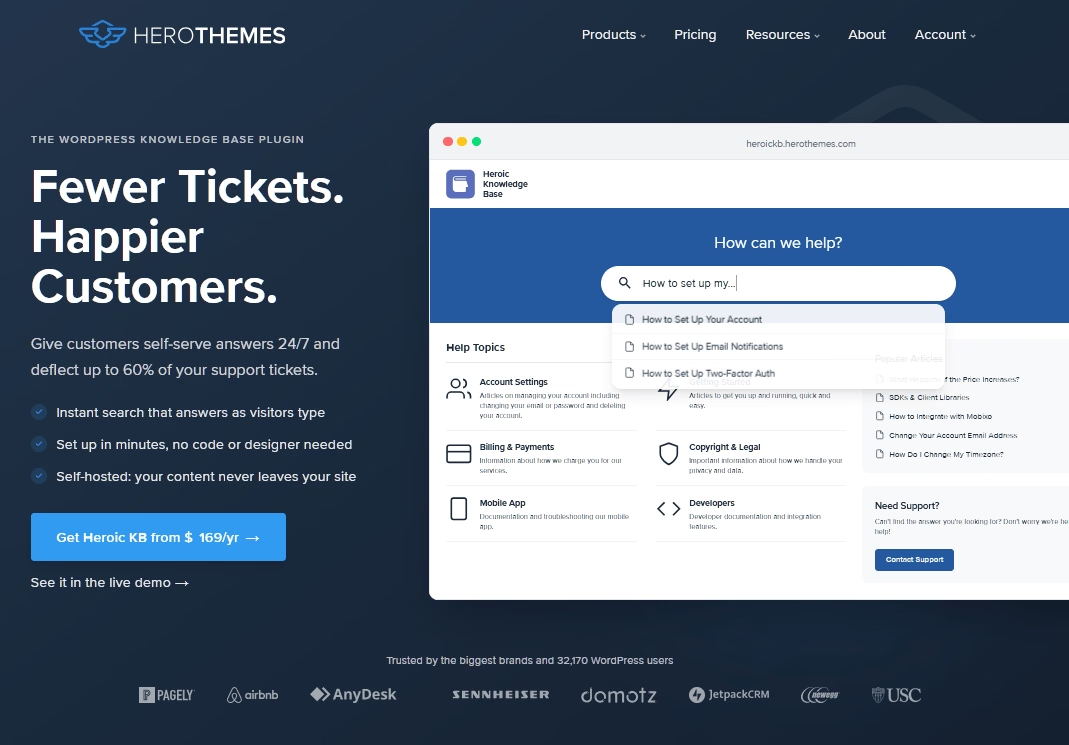
Its search suggests articles as customers type, every article collects thumbs-up or thumbs-down feedback, and the analytics show failed searches plus how often readers still click through to contact support.
That last report is the one I’d check every week, since each failed search is an article you haven’t written yet.
Pro tip: Never hide your contact option to push people toward self-service. If customers feel trapped in a help center, you’ve swapped one kind of effort for another.
Explore:
7 key knowledge base benefits for support and sales
How to create a WordPress knowledge base
4. Make Support Fast and Low-Effort
When a customer does write in, that conversation often decides whether they stay.
The same HBR research from above found that repeat contacts, getting bounced between people, and having to explain a problem twice hurt loyalty far more than a slower reply that solves the problem.
High-effort support rarely comes from bad agents. It usually comes from a messy setup behind the scenes, and you can trace most frustrations to a specific cause:
| What the customer experiences | What’s going on behind the scenes | The fix |
|---|---|---|
| Two different replies to one email | Two agents answered the same message | Collision detection in a shared inbox |
| No reply at all | Everyone assumed someone else had it | One named owner per conversation |
| “Can you send your order number?” | The agent can’t see order history | Customer and order data beside the reply |
| A reply that misses the question | A template sent without editing | Saved replies as a starting point only |
| Writing in three times about one issue | The first answer fixed a symptom | Answering the next question in the same reply |
That table is the problem Heroic Inbox was built to solve for businesses that support customers over email. It pulls support@, billing@, and sales@ into one shared inbox inside your WordPress dashboard, with assignments, internal notes, tags, and collision detection on every plan.
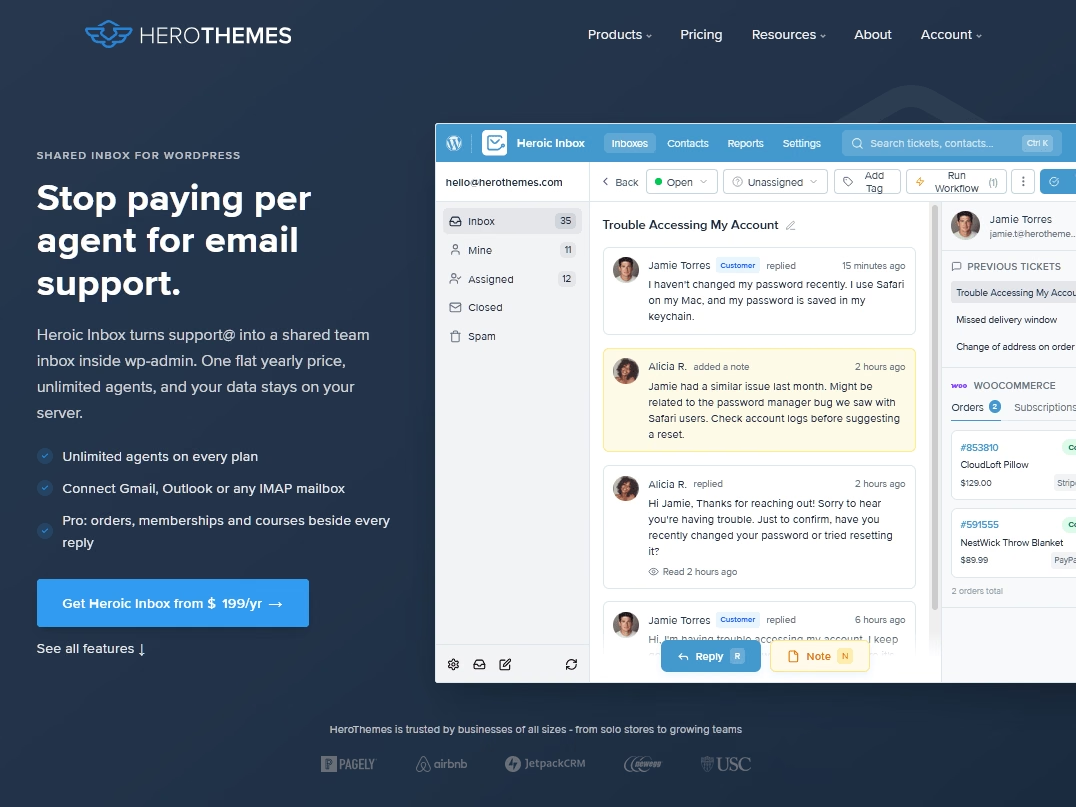
On the Pro plan, WooCommerce or Easy Digital Downloads order history shows up next to each conversation, so nobody has to ask for an order number again.
When you answer a question, think about what the customer will ask next and answer that too, and use saved replies to stay consistent without sounding like a robot (our support ticket response templates are a good place to start).

5. Add AI First-Line Help with a Human Handoff
AI chat has gotten good enough to handle the repetitive questions that eat up a support team’s day, like where to find an invoice or how to reset a password.
The catch is that a bot that won’t let customers reach a person creates exactly the kind of high-effort experience that sends them packing.
So the goal is to answer what you can instantly and hand off everything else without making the customer start over.
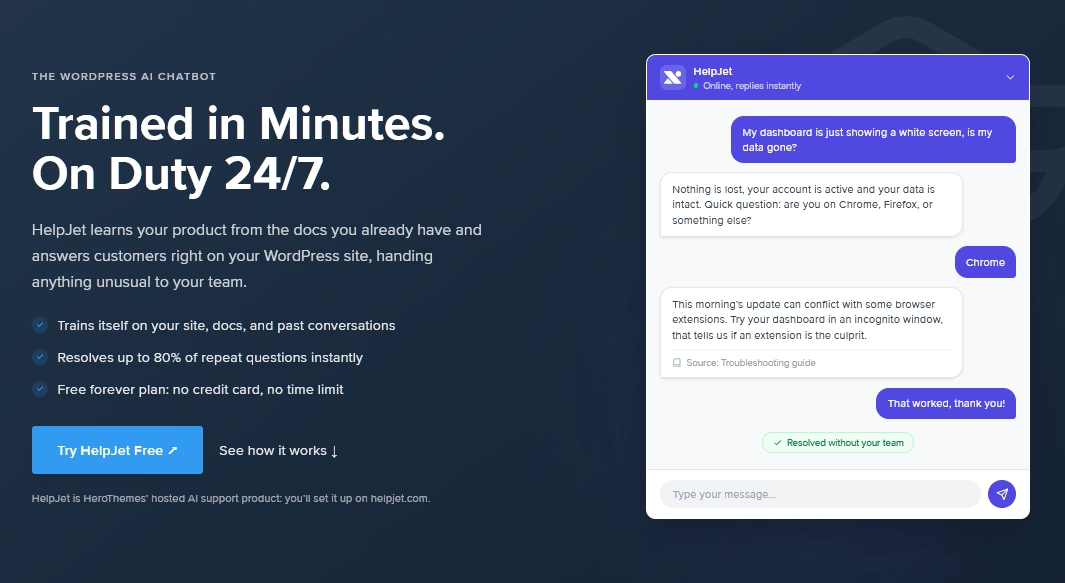
HelpJet is built for that job. It learns from your website, help articles, and PDFs, refreshes that content automatically every week, and points visitors to your contact form, email, or phone when a question needs a human. It runs on WordPress, Shopify, Wix, and any site that accepts a JavaScript snippet.
Sound risky? It can be, if you skip the prep. Here’s the order I’d follow:
- Fix your content first. A bot is only as good as the articles it learns from, so finish strategy three before you start this one.
- Point it at your help center, pricing page, and policy pages.
- Paste in 20 real questions from recent support emails and check every answer before you go live.
- Route anything it can’t answer to the support address that feeds your shared inbox.
- Read the unresolved conversations every week, because each one points to a missing or unclear article.
Keep a human in the loop for matters such as refunds, billing disputes, and account security. These are the types of conversations where one wrong answer could cause you to lose a customer.
6. Watch Health Signals and Reach Out First
By the time a customer writes “Please cancel my account,” they have usually made their decision. Proactive outreach is effective because it engages customers while they’re still undecided.
You don’t need data science for this. A traffic-light health score works fine for most small and midsize businesses:
| Health | Typical signals | What to do |
|---|---|---|
| Green | Regular logins, core feature in use, no open issues | Nothing urgent. Ask for a review or referral when the timing feels right |
| Yellow | Usage down for two weeks, a repeat ticket, a downgrade | Send a helpful email with a specific fix or resource |
| Red | No login in 30 days, a failed payment, a billing page visit, or a champion who left | A personal email or call from a real person |
Make the outreach useful.
For example: “We noticed you haven’t logged in” makes people feel guilty, but “Here’s a two-minute video on setting up your first report” gives them a reason to come back.
For high-value B2B accounts, a phone call or video check-in is more effective than an automated email. Schedule those calls one or two months before the renewal date instead of during the week of the renewal.
7. Recover Failed Payments with Smart Dunning
If you only have one afternoon this month to spend on churn, spend it here. Involuntary churn is the easiest kind to fix, because the customer wanted to stay.
Dunning is the process of retrying failed payments and reminding customers to update their card.
Most billing platforms (Stripe, Recurly, Chargebee, Paddle, and WooCommerce Subscriptions among them) include it already, but it’s worth checking what’s turned on. Look for these settings:
- Smart retries that time each attempt for when the bank is most likely to approve it
- A card updater service that refreshes expired card details automatically
- Pre-expiry emails a few weeks before a card runs out
- A grace period of about a week before access shuts off
- An in-app banner for customers who ignore email
Then write a short sequence of three or four emails spaced over a couple of weeks. Keep the tone friendly, since the customer didn’t do anything wrong. Here’s a first email you can adapt:
Subject: Your payment didn't go through (quick fix inside)

Hi Sam,

We tried to renew your Pro plan today, but your bank declined the charge. This usually happens when a card expires or gets replaced.

You can update your payment details here in about 30 seconds: [Update my card]

Your account stays fully active for the next seven days, so nothing changes in the meantime. If you have any questions, reply to this email and a real person will help.

Thanks, The [Company] team
If you sell plans under $25 a month, I’d move this strategy to the top of your list. As we covered earlier, failed payments take a much bigger bite out of low-priced subscriptions.
8. Offer Pause and Plan Flexibility
Many cancellations are just temporary problems. For example:
- Temporary financial strain: The customer needs to cut expenses this month.
- Seasonal slowdown: The customer has less need for your product during the off-season.
- Extended travel: The customer will be away for six weeks and won’t use the service.
- Short-term change in needs: The customer expects to return when their circumstances change.
You’ve probably gone through a similar situation.
Industry leaders like HelloFresh let customers skip a week of deliveries with a couple of taps, and Spotify Premium subscribers who cancel drop to the free tier instead of disappearing, so the relationship (and their playlists) stays intact.
Here are the options worth offering:
- A pause with set lengths, such as one, two, or three months, and a clear restart date
- A downgrade to a cheaper tier or a free plan that keeps their data
- Easy plan switching between monthly and annual billing
- Skipping a cycle, if you ship physical products
Warning: Email customers a week before a pause ends. A surprise charge after a pause leads to refunds, chargebacks, and angry reviews, which is the opposite of what you wanted.
And make sure paused customers can still cancel from the pause screen, which brings us to the next strategy.
9. Build an Honest Cancellation Flow
Your cancellation flow can save customers, or it can land you in legal trouble.
You can offer alternatives, but you can’t make leaving hard.
Here’s where things stand as of October 2026. The FTC’s 2024 “click-to-cancel” rule never took effect, because the Eighth Circuit vacated it on July 8, 2025, over procedural problems. In March 2026, the FTC opened a new rulemaking to consider reviving parts of it, so no federal click-to-cancel rule is in force today, but one could come back.
Don’t read that as a green light.
The FTC still enforces the Restore Online Shoppers’ Confidence Act (ROSCA), and states like California have their own automatic renewal laws.
The clearest warning shot came from Amazon, which agreed in September 2025 to pay $2.5 billion to settle FTC charges over Prime signups and a cancellation process the agency said Amazon had internally nicknamed “Iliad,” after Homer’s epic about a long, grinding war (Olshan Frome Wolosky has a good summary).
Here’s a cancellation flow I’d be comfortable signing off on:
- Match the signup path. If customers can sign up online in two clicks, they should be able to cancel online with about the same effort.
- Ask one optional question about why they’re leaving, with five or six multiple-choice answers.
- Show one relevant alternative based on their answer, like a pause for “taking a break” or a cheaper plan for “too expensive.”
- Confirm the cancellation on screen and by email, including the date their access ends.
And here’s what I’d never do:
- Force a phone call or live chat to cancel
- Stack three or four offer screens in a row
- Use confusing button labels where “Continue” keeps the subscription
- Bury the cancel link in a settings page nobody can find
An honest flow saves the customers who can be saved and lets everyone else leave with a good impression.
10. Use Save Offers Sparingly and Test Them
Discounts at the cancel button feel like easy wins. That’s exactly what makes them dangerous, because a save offer can stop today’s cancellation while teaching customers that the best price only shows up when they threaten to leave.
That doesn’t mean you should never offer a discount. It means a save offer is a targeted tool you match to the reason someone is leaving:
| Exit reason | Offer that fits | Offer to skip |
|---|---|---|
| Too expensive | A cheaper plan, a pause, or a one-time discount | A permanent discount on the same plan |
| Not using it enough | A pause or a setup session | A discount (they still won’t use it) |
| Missing a feature | A roadmap update or a workaround article | A discount |
| Too hard to use | A one-on-one onboarding call | A discount |
| Switching to a competitor | A short call to understand why | A deep discount that resets your price |
Before you roll out any offer, test it with a holdout group. Show it to some at-risk customers and not to others, then compare churn 3-6 months later.
A high acceptance rate means nothing if those customers leave the day the discount ends.
11. Run Exit Surveys and Act on the Answers
Every cancellation comes with a free lesson, if you ask for it.
“Your most unhappy customers are your greatest source of learning.”
Bill Gates, Microsoft co-founder
Exit surveys tell you which of the other 11 strategies to prioritize, and they cost almost nothing.
Keep yours to a single question so it never feels like another obstacle:
What’s the main reason you’re leaving?
- It’s too expensive
- I’m not using it enough
- It’s missing a feature I need
- It’s too hard to use
- I’m switching to another product
- My project or business changed
- Something else (tell us more)
Then make the answers count:
- Send a short personal email after the cancellation asking for one sentence of detail. People often say more in a reply than in a form.
- Tag every reason the same way in your support tool so you can count causes each month.
- Pair exit data with surveys of current customers, like NPS or a post-support satisfaction rating, so you spot problems before people leave.
- Tell customers what you changed. Closing the loop turns critics into people willing to give you a second chance.
One more thing: don’t take “too expensive” at face value. Price is often shorthand for “not worth it to me,” which is a value problem, and better onboarding usually fixes it faster than a discount.
12. Win Back Former Customers on Purpose
Churn isn’t always permanent. Customers who already know your product are often cheaper to win back than strangers are to win over, especially if something has changed since they left.
Maybe you shipped the feature they asked for, fixed the bug that drove them away, or added the pause option they needed, and now you have a real reason to reach out.
A few rules make win-back emails work:
- Segment by exit reason. Someone who left over price needs a different message than someone who left over a missing feature.
- Lead with what’s new, and be specific about it.
- Time it to the reason, so seasonal customers hear from you before their busy season starts.
- Keep their data and settings for a reasonable period so coming back takes one click.
Avoid generic “We miss you!” messages. Without a reason to come back, those emails will be deleted.
If someone left because your product wasn’t the right fit, offering a discount will just start the same cycle again.
How To Measure Whether Your Churn Reduction Is Working
Here’s what I’d track every month, split by the month customers signed up:
- Activation rate, the share of new customers who hit your milestone within 30 days
- Customer and revenue churn, with voluntary and involuntary churn kept separate
- Failed payment recovery, meaning how much failed revenue your dunning wins back
- Self-service signals like failed searches, negative article ratings, and support transfers from your knowledge base
- Support effort, measured by first response time, resolution time, and repeat contacts per customer
- Save offer results, comparing offer takers with your holdout group at three and six months
- Net revenue retention, which tells you whether your existing customers grow revenue on their own
Our guide to customer service metrics explains how to track the support side of this list without drowning in dashboards.
Final Thoughts: How To Reduce Customer Churn Rate in 2026
If you only implement three strategies this quarter, focus your onboarding on one activation milestone, enable smart dunning, and create help articles for your ten most frequently asked questions.
These three strategies address the most significant issues for most businesses and do not rely on discounts or clever cancellation screens.
After that, let your exit survey determine the order. Keep your cancellation process straightforward, test save offers before implementing them, and accept that some churn is the price of providing excellent service to the right customers.
Further Reading
11 Retention Email Templates That Work (Expert Guide)
Customer Onboarding: Step-by-Step Guide with Examples
Product Documentation: The Ultimate Guide
What Is Customer Service Desk? What It Does, Roles & How to Set Up






Leave A Comment?
You must be logged in to post a comment.