12 Best WordPress FAQ Plugins in 2026 (Mostly Free Options)

A well-placed FAQ (Frequently Asked Questions) section is one of the most effective ways to reduce repetitive support tickets.
And no, you don’t need a developer for it. The right WordPress FAQ plugins take care of everything, from accordion layouts to schema markup, in minutes.
In this guide, we will review the best FAQ plugins for WordPress available in 2026. Most of which are free and are solid for business websites, WooCommerce stores, SaaS websites, or content-heavy blogs.
Let’s get into it.
In This Guide
- Why Your Site Needs an FAQ Section
- What to Look for in a WordPress FAQ Plugin
- Best WordPress FAQ Plugins in 2026
- 1. Heroic FAQs
- 2. Ultimate FAQ Accordion Plugin
- 3. All in One SEO (AIOSEO)
- 4. Easy Accordion
- 5. Rank Math SEO (FAQ Block)
- 6. Quick and Easy FAQs
- 7. Accordion FAQ
- 8. Helpie FAQ
- 9. FAQ Schema – Accordion, Tab, Slider & Gutenberg Block
- 10. Ultimate Blocks (Content Toggle Block)
- 11. Arconix FAQ
- 12. WP Responsive FAQ with Category Plugin
- 1. Heroic FAQs
- How to Add an FAQ Without a Plugin in WordPress
Why Your Site Needs an FAQ Section
FAQ pages or sections provides many benefits at once:
- FAQ sections reduce support tickets by answering common questions before users reach out to a support team.
- FAQs build trust by addressing concerns and objections upfront.
- It keeps visitors engaged
- FAQs are easy to update, because usually you just need to update a few words or a paragraph if information is updated.
- With proper schema markup FAQs show up as rich snippets in Google search results, increasing potential traffic.

What to Look for in a WordPress FAQ Plugin
Here’s what actually matters when choosing a FAQ plugin in 2026:
- Accordion or toggle layout. Collapsible FAQs are almost always better than a flat list. They save space and help visitors scan questions before reading answers.
- Design flexibility to customize FAQs based on your brand style.
- Ease of use. Most FAQ plugins these days come with a drag-and-drop builder that beats manual shortcode setups for most teams.
- Search functionality for longer FAQ pages.
- Compatibility with your choice of page builders. Like Elementor, Divi, or WordPress Block Editor.
- Schema markup support.
Best WordPress FAQ Plugins in 2026

We rigorously test and research every product that we recommend through HeroThemes. Our review process. We may also earn a commission if you make a purchase through our links.
1. Heroic FAQs
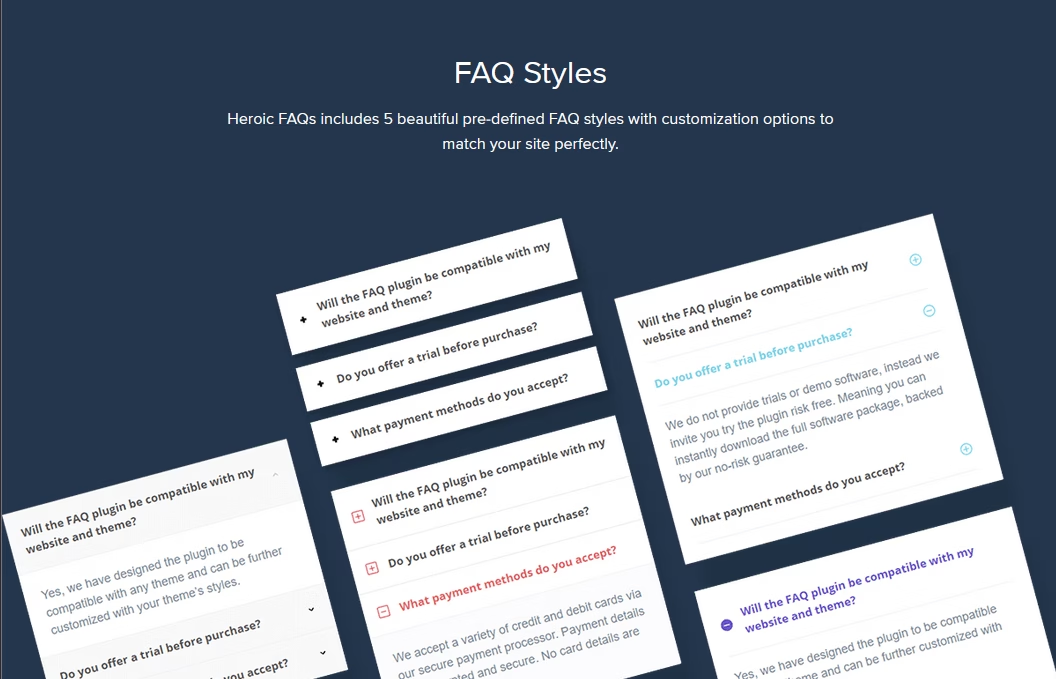
Heroic FAQs is purpose-built for FAQs rather than a general accordion tool.
Trusted by over 33,000+ sites, the plugin is developed by HeroThemes and pairs naturally with the Heroic Knowledge Base plugin (Heroic KB), which is one of the most capable knowledge base solutions for WordPress.
Unlike many FAQ plugins, Heroic FAQs supports images, videos, and blockquotes inside FAQ answers. This feature provides great flexibility in answering customer questions.
Key features:
- Drag-and-drop FAQ builder
- 5 pre-defined styles with unlimited configuration possibilities
- Create unlimited FAQs, categories & tags
- Accordion/toggle layouts
- 15 FAQ icon choices and CSS3 animations
- Built-in FAQ schema markup for SEO
- Supports rich content including images, videos, and blockquotes
- Gutenberg block editor support
- Responsive across all devices
Pricing
Heroic FAQs plugin comes bundled with Heroic KB’s plan, starting from $67 per year.
Verdict
Heroic FAQs is the best choice in this list for teams that want a polished, dedicated FAQ plugin. The drag-and-drop interface is genuinely intuitive. If you’re already using or considering creating a knowledge base, you get a complete package here.
2. Ultimate FAQ Accordion Plugin
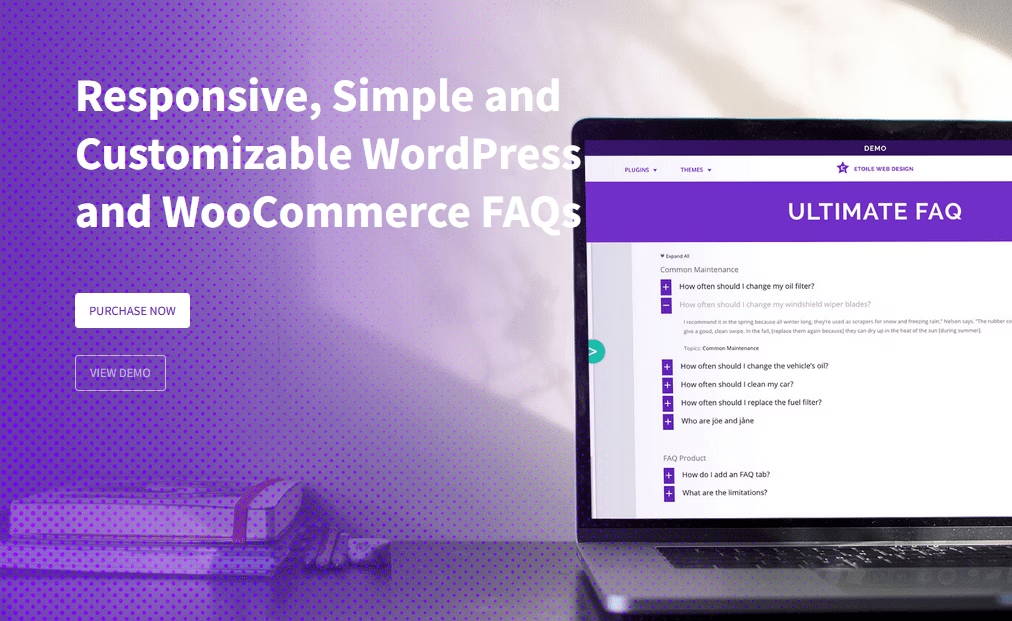
Ultimate FAQ is one of the most feature rich free FAQ plugins in the WordPress repository.
With over 30,000 active installations and a rating of 4.6, it is one of the best options for creating FAQs.
Ultimate FAQ also offers an AI-powered FAQ generation. You can specify a page or post, and the plugin automatically generates new FAQs based on that content, then gives you a chance to review before publishing.
Key Features:
- Unlimited FAQ entries, categories, and tags
- FAQ accordion layout, auto-responsive for any device
- Full FAQ schema markup (LD+JSON format)
- AI-powered FAQ generation via OpenAI integration
- Works with Elementor, WPML, Polylang, and Loco Translate
- Advanced sorting and ordering options
- Gutenberg blocks and shortcodes supported
- WooCommerce integration for product FAQs
Pricing
Ultimate FAQ is free to download from the WordPress repository.
There is also a premium option that costs $67 for a lifetime license for a single site.
Verdict
For most small businesses and bloggers, the free version of Ultimate FAQ is sufficient. The AI FAQ generation feature is practical and saves time. And the premium option is also worth it if you need more styling control.
3. All in One SEO (AIOSEO)

All in One SEO is primarily an SEO plugin, but its built-in FAQ block is one of the cleanest implementations available.
With over 3 million active users, it’s a full SEO suite that includes a WordPress block specifically for FAQs.
The advantage here is that your FAQ schema is tied directly to your SEO plugin. And if you are already using the AIOSEO plugin, congrats! You already have an option to create rich FAQs.
Key Features AIOSEO FAQ Block:
- FAQ block natively integrated into WordPress block editor
- Automatic FAQ schema markup on every FAQ block
- Customizable text color, background, typography, and title wrapper
- Bundled with full SEO features including sitemaps, redirects, and on-page tools
Pricing
All in One SEO and its FAQ block is free.
Verdict
If you already use AIOSEO for SEO, its FAQ block is the easiest option you have. No extra plugin required.
4. Easy Accordion
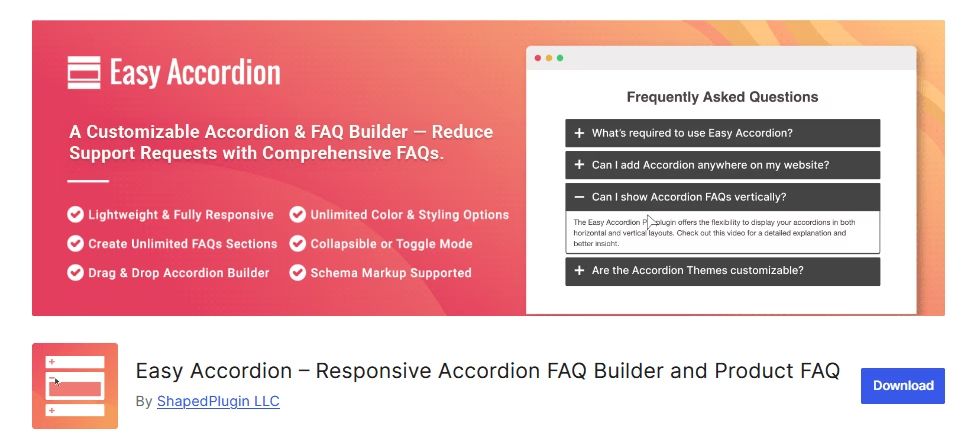
With over 85,000 active users, Easy Accordion is one of the most downloaded WordPress plugins for accordions.
Beyond basic FAQ functionality, it supports multi-level nested accordions, WooCommerce product FAQ tabs, and multiple display modes.
Key Features:
- Drag-and-drop FAQ/accordion builder
- Live preview and settings panel for things like events (click/hover to open) and icon sets.
- 16+ pre-designed templates in premium version
- Fully responsive on all devices.
- Multi-level and nested accordion support
- SEO-friendly FAQ schema markup in the free version
- Multiple accordion display modes and activator events
- WooCommerce product FAQ tab support
- Import and export FAQ content
- WPML, Polylang, and translation-ready
- Gutenberg block editor and shortcode support
Pricing
Easy Accordion is available for free on WordPress.
There is also a premium version (Easy Accordion Pro), that starts at $29 per year for one site, or $129 for a lifetime license.
Verdict
Easy Accordion is the most design-flexible option on this list at this price point. If custom visual styles and nested content matter to you, this FAQ plugin offers more control than most.
5. Rank Math SEO (FAQ Block)
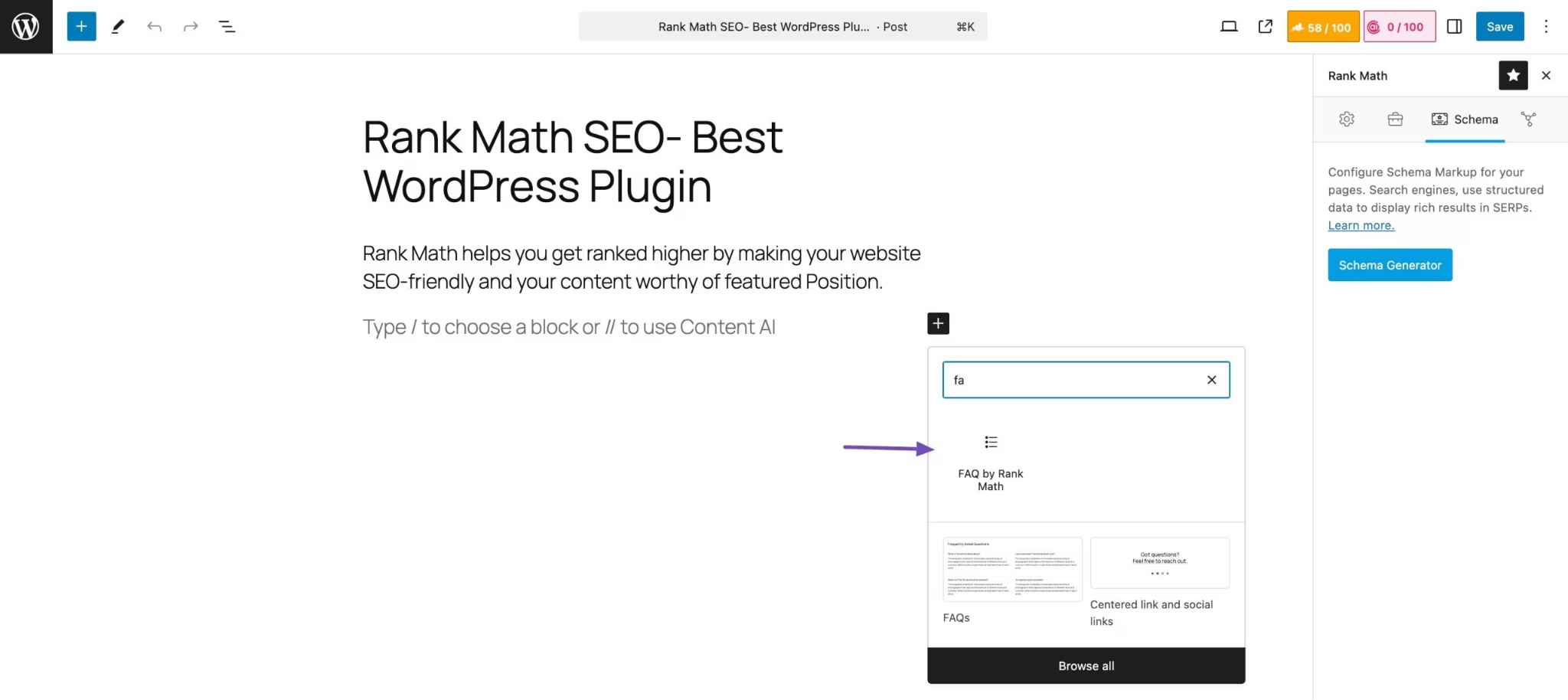
Rank Math is a popular SEO plugin that also includes a dedicated FAQ block.
The FAQ functionality here is part of a broader SEO toolkit rather than a standalone plugin.
Key Features of Rank Math FAQ Block:
- Dedicated FAQ block in Gutenberg editor
- Automatic FAQPage JSON-LD schema markup
- Image support within individual FAQ answers
- List style, title wrapper, and CSS class configuration
- Import from Yoast SEO FAQ blocks supported
- Compatible with Classic Editor via workarounds
Pricing
FAQ block is available with Rank Math’s free plugin.
Verdict
FAQ by Rank Math is a solid option if you’re already invested in its SEO ecosystem. It’s not a standalone FAQ solution, but it’s a good choice if Rank Math is your preferred SEO plugin.
6. Quick and Easy FAQs
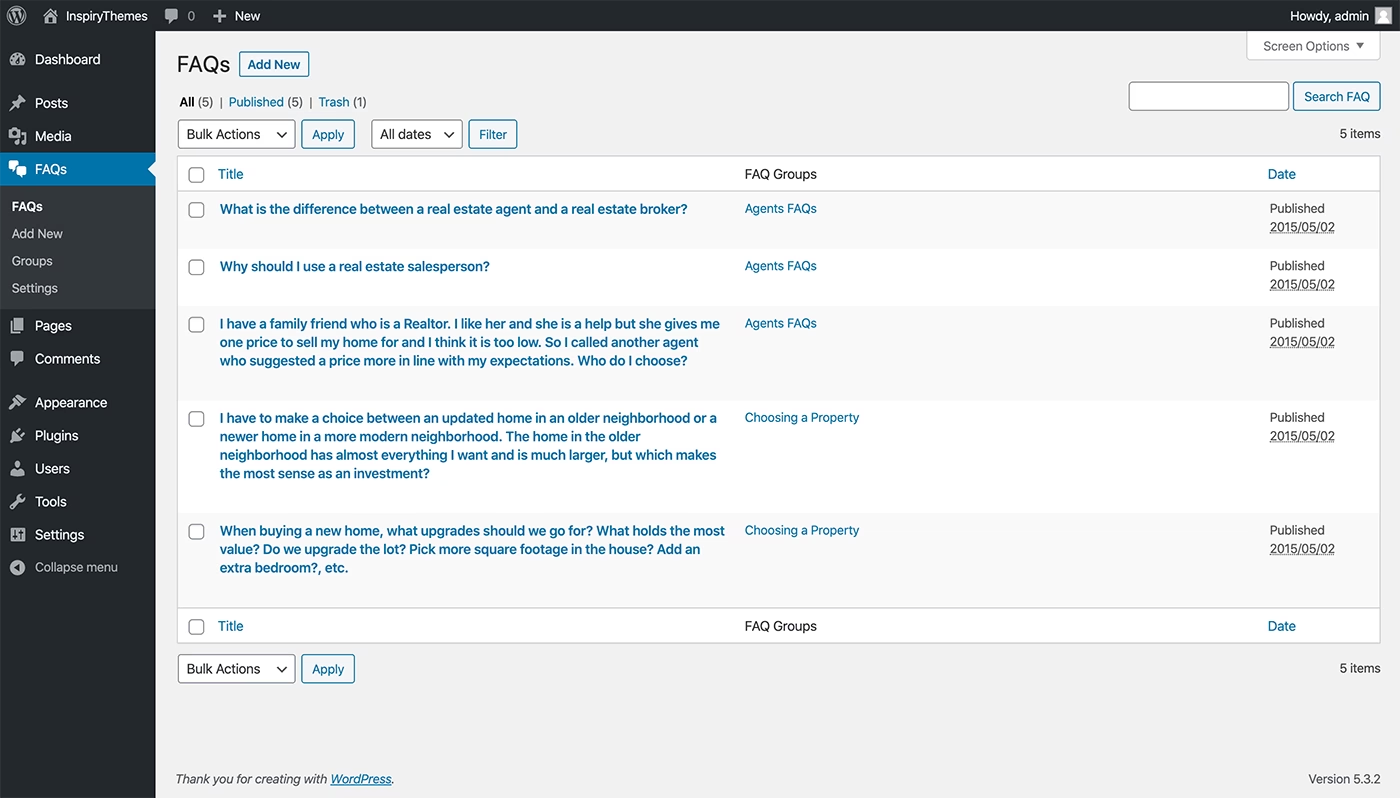
Quick and Easy FAQs is a lightweight FAQ plugin with one purpose: to create, assign, and display FAQ items on any page or post. That’s it.
The plugin uses a custom post type for FAQs. You can tag them, categorize them, and search for them in the admin.
Key Features:
- Custom post type for FAQ management
- Accordion, filterable list, and toggle display options
- Shortcode-based display system
- Color customization for FAQ backgrounds and text
- Optional FAQ schema markup output
- Lightweight and minimal performance impact
Pricing
Quick and Easy FAQs is free and available on the WordPress repository.
Verdict
If you have a small site that just needs basic FAQ functionality, the Quick and Easy FAQs plugin is worth considering. This free plugin is regularly updated.
7. Accordion FAQ
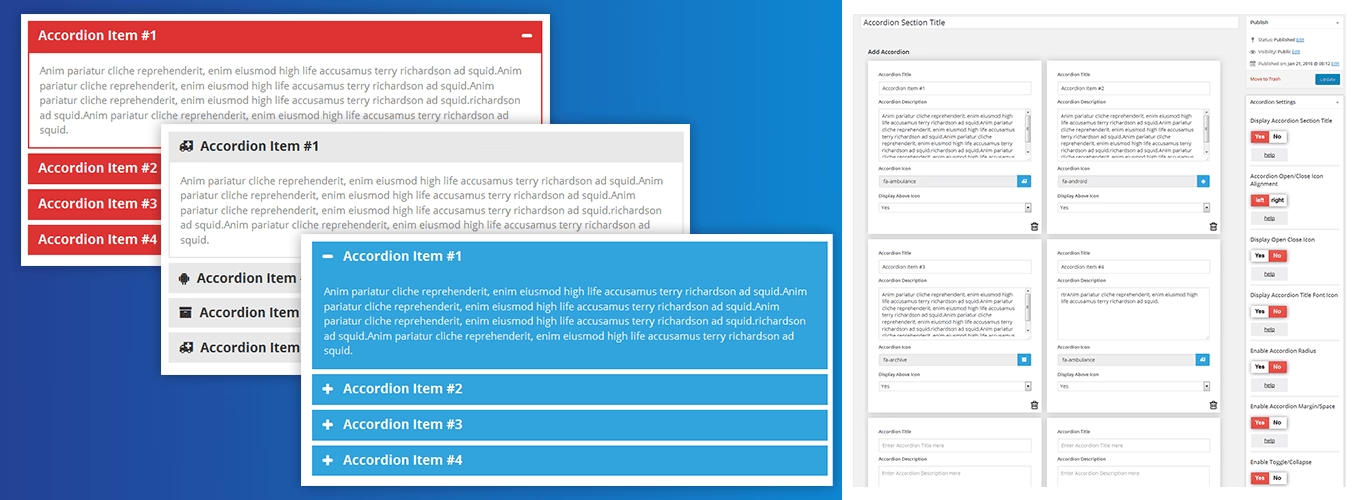
Accordion FAQ is a Bootstrap-based lightweight FAQ WordPress plugin.
With over 40,000+ active installs and a strong rating of 4.6/5. It’s one of the best FAQ plugins to consider in 2026.
Key Features:
- Bootstrap-based for fast rendering
- WordPress customizer integration for live style preview
- Drag-and-drop tab positioning
- Multiple pre-made layouts
- Shortcode-based placement
- Fully responsive design
Pricing
Accordion FAQ is free on WordPress.org.
There is also a pro version (called Accordion Pro), which unlocks additional features such as Google Fonts support, hover effects, and background overlays.
A lifetime license for the paid version costs just $27 and supports unlimited websites.
Verdict
Accordion FAQ is reliable and well-coded (we all know about Bootstrap’s code reliability). It’s a solid choice for anyone who wants a free accordion FAQ plugin without any setup complexity.
8. Helpie FAQ
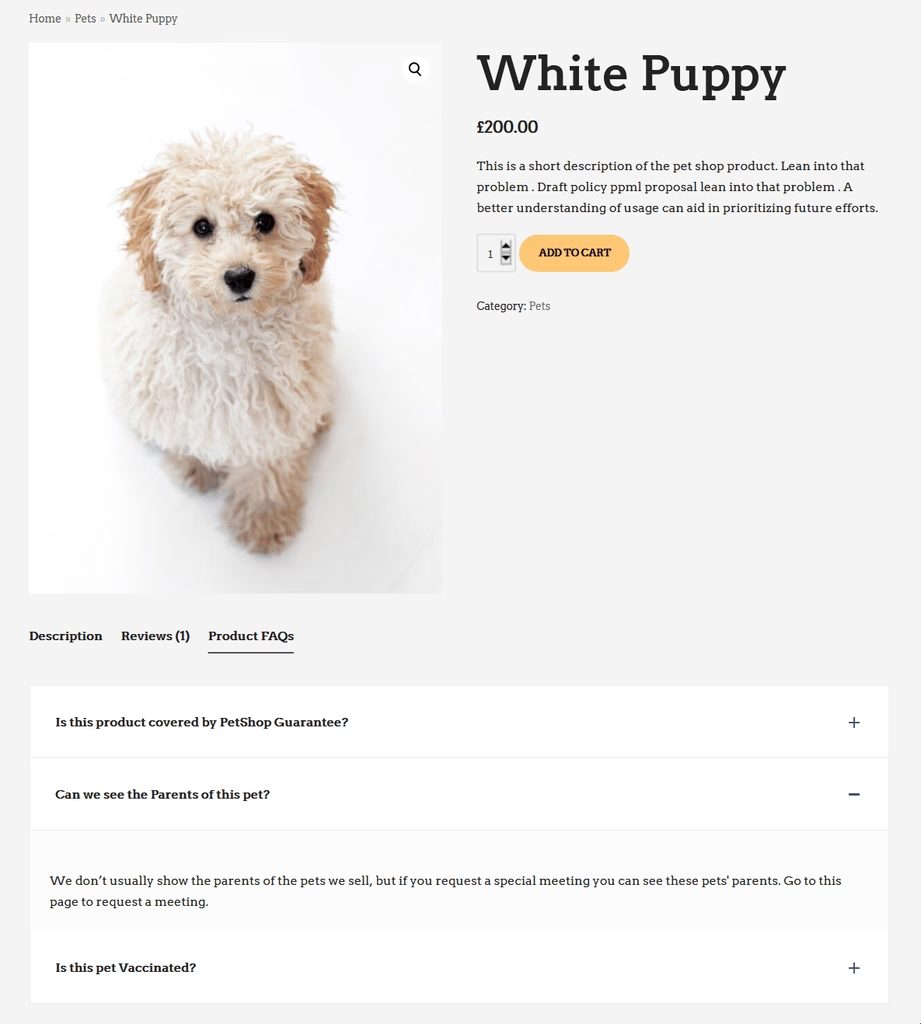
Helpie FAQ is a flexible FAQ plugin that supports WordPress block editor (Gutenberg), Elementor and WooCommerce.
It’s actually part of the Helpie suite (which also has a knowledge base plugin), but you can use Helpie FAQ standalone.
You can drag the Helpie FAQ widget into any Elementor layout and style it using Elementor’s design controls.
Key Features:
- Fully AJAX-powered FAQ listing and search
- Native Elementor widget support
- WordPress block support
- Category filters and sort options – great for large FAQ sets.
- Drag-and-drop FAQ builder
- WooCommerce product FAQ integration
- Accordion, toggle, and list display layouts
- FAQ schema markup support
- Import/export FAQs, and let users like or upvote answers.
Pricing
The free version of Helpie FAQ is powerful and available on the WordPress repository. Pro ($49/yr) adds more styles, Elementor widget, and priority support.
Verdict
Helpie FAQ is the best free option for Elementor. It does have lots of settings (which can be a bit much at first), but on balance, it’s a solid choice for a FAQ that can grow into a mini community Q&A.
9. FAQ Schema – Accordion, Tab, Slider & Gutenberg Block
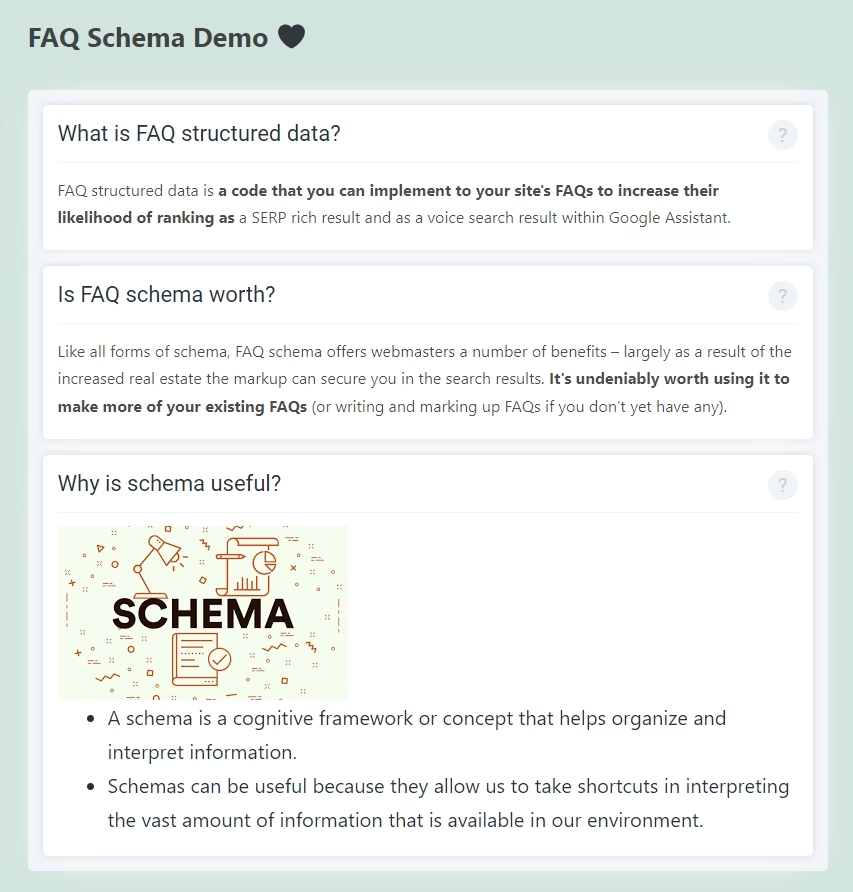
FAQ Schema takes a schema-first approach to FAQ management.
Beyond schema, the plugin supports accordion, tab, and slider display options, and uses shortcodes to place FAQ groups on any page or post.
Key Features:
- FAQPage schema validated by Google’s Rich Results Test
- Compatible with Yoast, Rank Math, AIOSEO, and The SEO Framework
- Accordion, tab, and slider display options
- Category-based FAQ organization
- Shortcode system for flexible placement
- Pre-made FAQ templates
- Elementor and Gutenberg compatible
- Translation-ready
Pricing
FAQ Schema free core plugin available from WordPress.org.
Verdict
FAQ Schema is quite a new plugin, but it comes with a huge list of goodies. It’s worth checking out!
10. Ultimate Blocks (Content Toggle Block)
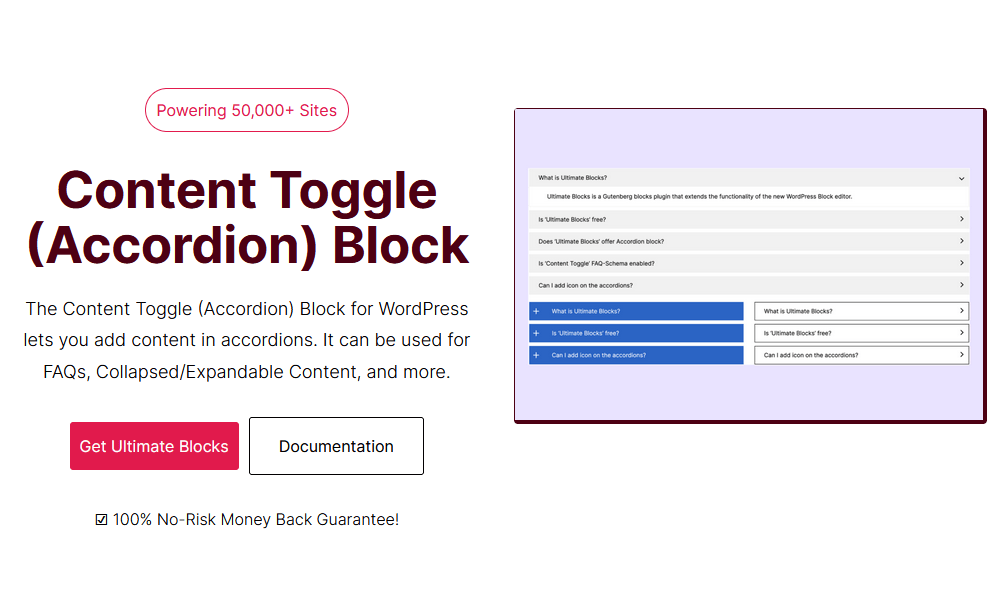
Ultimate Blocks is Gutenberg blocks plugin that extends the native WordPress editor with over 25+ additional blocks.
The Content Toggle block is the one relevant here, which creates collapsible accordion sections and supports FAQ schema markup.
With Ultimate Blocks, you get a full library of blocks alongside your FAQ functionality.
Key Features of Content Toggle Block:
- Content Toggle block with FAQ schema support
- Gutenberg block editor native
- FAQ accordion with collapsible answers
Pricing
The Content Toggle (Accordion) block is available in the free version of Ultimate Blocks.
Verdict
Try Ultimate Blocks if you’re committed with WordPress default block editor. The Content Toggle block produces clean accordion FAQs with schema, and the broader block library adds value beyond just FAQs.
11. Arconix FAQ
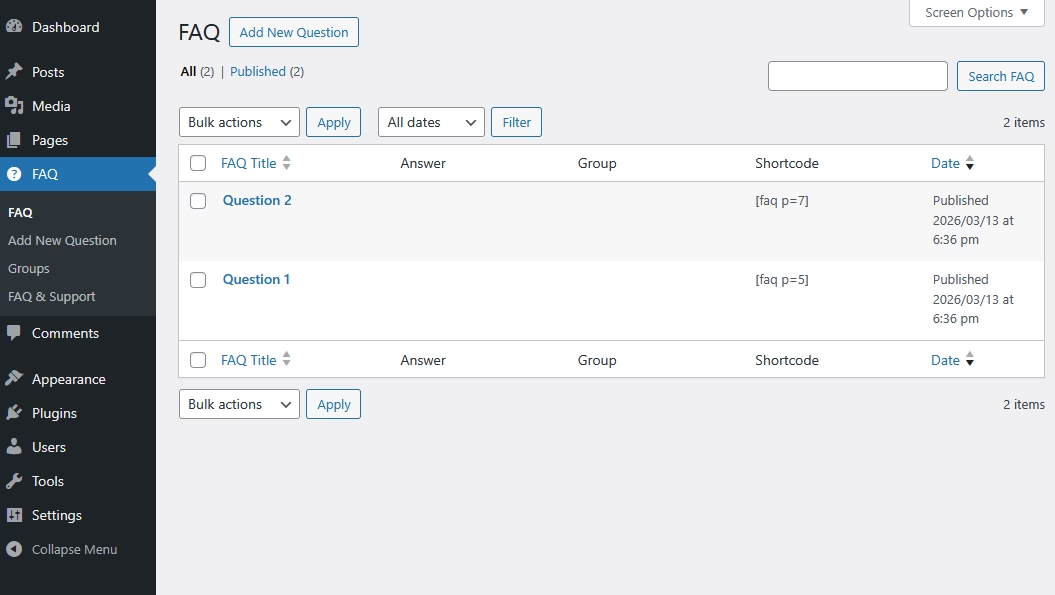
Arconix FAQ is a classic, minimalist FAQ WordPress plugin.
It creates a simple custom post type in WordPress to manage all FAQs and usage shortcodes for displaying them on the front end.
Key Features:
- Very easy to use
- Custom post type to manage FAQs, with grouping support.
- Built-in toggle/accordion effect
- Basic styling hooks to customize FAQ widget
Price
Arconix FAQ is a free FAQ plugin. There is no paid option.
Verdict
The FAQs created with Arconix FAQ plugin might not look good from the start, but with some CSS styling you can customize it as per your brand style. It’s a simple, free plugin for creating FAQs with WordPress.
12. WP Responsive FAQ with Category Plugin
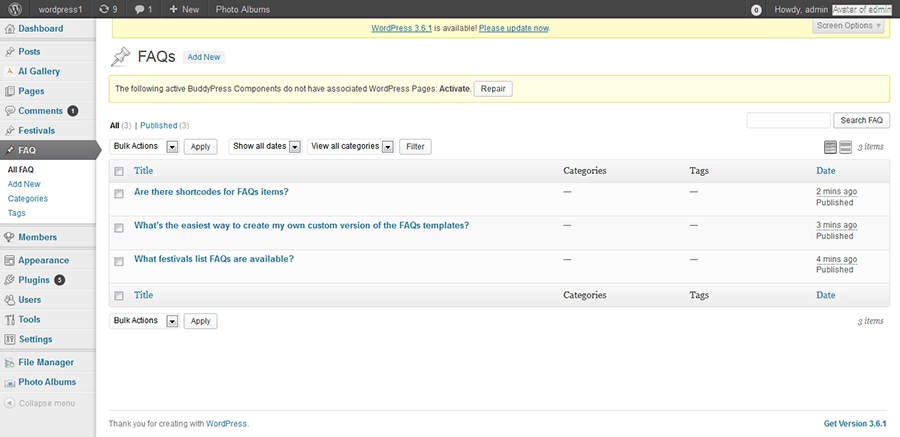
This is a straightforward free plugin (4,000+ installs) for creating FAQ sections.
The plugin organizes questions by category and lets you display specific categories on relevant pages using shortcodes.
Key Features:
- Category-based FAQ organization
- Shortcode display system with category filtering
- Accordion-style layout
- Fully responsive design
- Basic style customization through the admin panel
Pricing
Free.
Verdict
WP Responsive FAQ is best suited for sites with clearly defined FAQ categories that require simple filtering.
How to Add an FAQ Without a Plugin in WordPress
If you have just a handful of questions and a simple layout works fine, WordPress can handle it natively.
Here’s how you can add FAQs in WordPress without any plugin:
- Go to Pages > Add New (or a page where you want to add FAQs)
- Add your FAQ content using standard Heading and Paragraph blocks.
- Structure your questions as H3 or H4 headings and type the answers below each one.
- Use WordPress default blocks and styling options (Groups, heading colors, padding, etc)
Once you are satisfied with the results, you can save this FAQ as a pattern and reuse it as many times as you like.
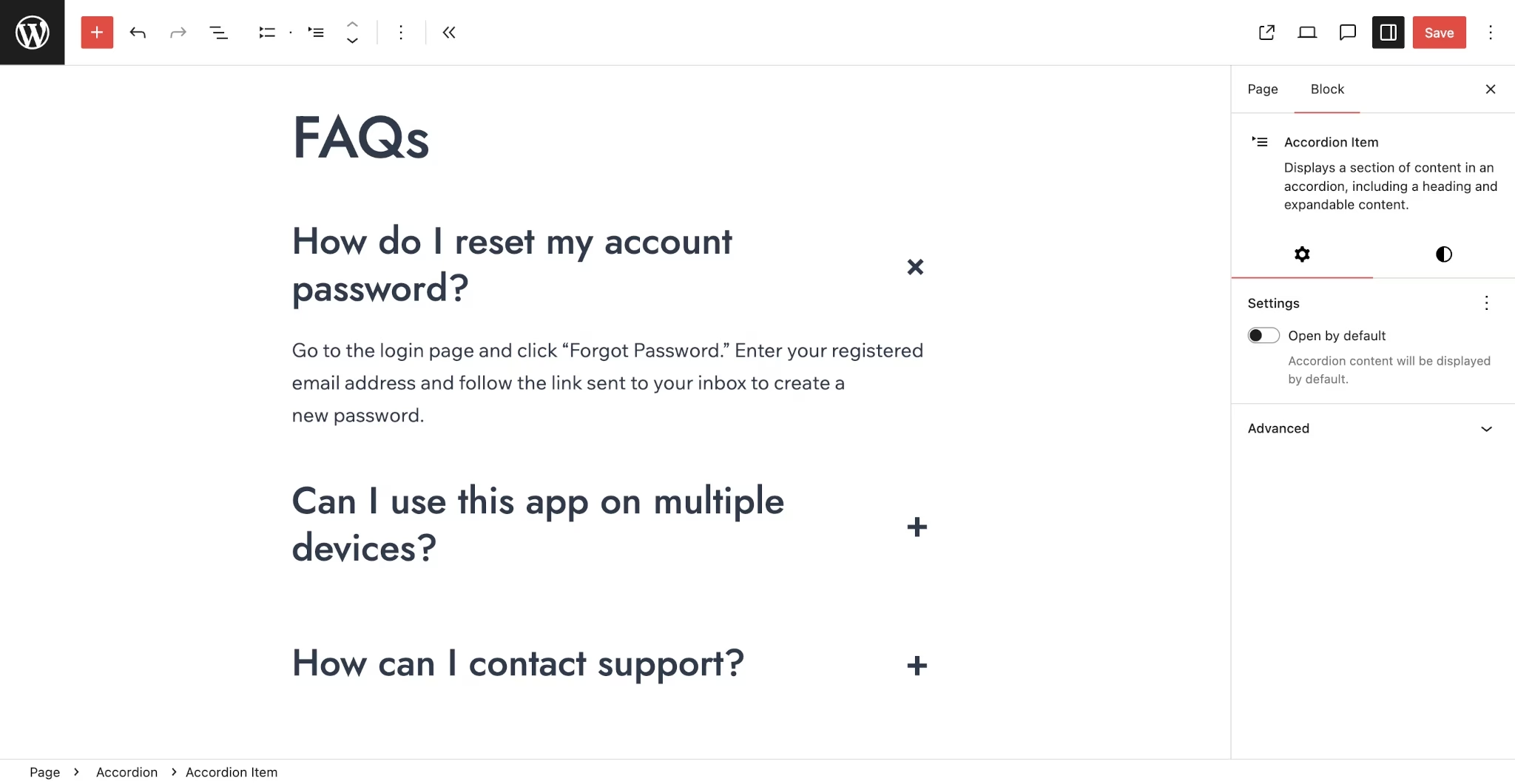
WordPress recently also introduced a native block for adding accordion-like content called “Details, as well as an Accordion block in WordPress 6.9.
A large number of community patterns are also available to quickly create FAQs in WordPress without any plugin.
Final Thoughts
If you want a purpose-built, polished FAQ solution, Heroic FAQs is the best we can recommend.
Otherwise, there are plenty of good free FAQ plugins available on the WordPress repository.
And based on your requirement, you might not even need a separate plugin to add FAQs in WordPress. WordPress block editor gives plenty of blocks and styling options to answer common questions in a beautiful way.
That’s all for this guide. Do let me know which is your favorite WordPress FAQ plugin from this list by commenting below.
Further Reading
How to write FAQs (9 powerful tips and examples)
Best Free WordPress Q&A Plugins in 2026
How to Handle Customer Inquiries like a Pro
Best WordPress Forum Plugins Compared (2026)
Top Free WordPress Email Plugins
The 10 Best WordPress Wiki Plugins (2026 Guide)