9 Best WordPress Ticket Systems (2026 Edition)


A WordPress ticket system or ticketing plugin is a must-have for any business, especially when you are operating customer support.
You might already be using one and paying hundreds of dollars in SaaS subscription fees for the same functionality.
Compared to SaaS ticketing solutions, WordPress ticket systems are much cheaper, and some come with a free plan as well.
In this guide, I’ll review the various ticketing systems available for WordPress, including free plugins, to help you choose the best.
In This Guide
- What is a Ticketing System?
- What to Look for in the WordPress Ticket System?
- Best WordPress Ticket Systems (Mostly Free Plugins)
- 1. Heroic Inbox – Premium Shared Inbox Inside WordPress
- 2. Fluent Support – Modern, Freemium Helpdesk
- 3. SupportCandy – Free, Feature-Rich Plugin
- 4. WordPress Advanced Ticket System (WATS) – Simple and Fast
- 5. SupportBoard – AI Chatbot Powerhouse With Ticketing
- 6. JS Help Desk – Modern Interface with Pro Features
- 7. Awesome Support – Professional, Extensible Helpdesk
- 8. Support Genix – AI-Powered Ticketing Plugin
- 9. ThriveDesk – SaaS helpdesk built for WooCommerce
- 1. Heroic Inbox – Premium Shared Inbox Inside WordPress
- Frequently Asked Questions About WordPress Ticket Systems
What is a Ticketing System?
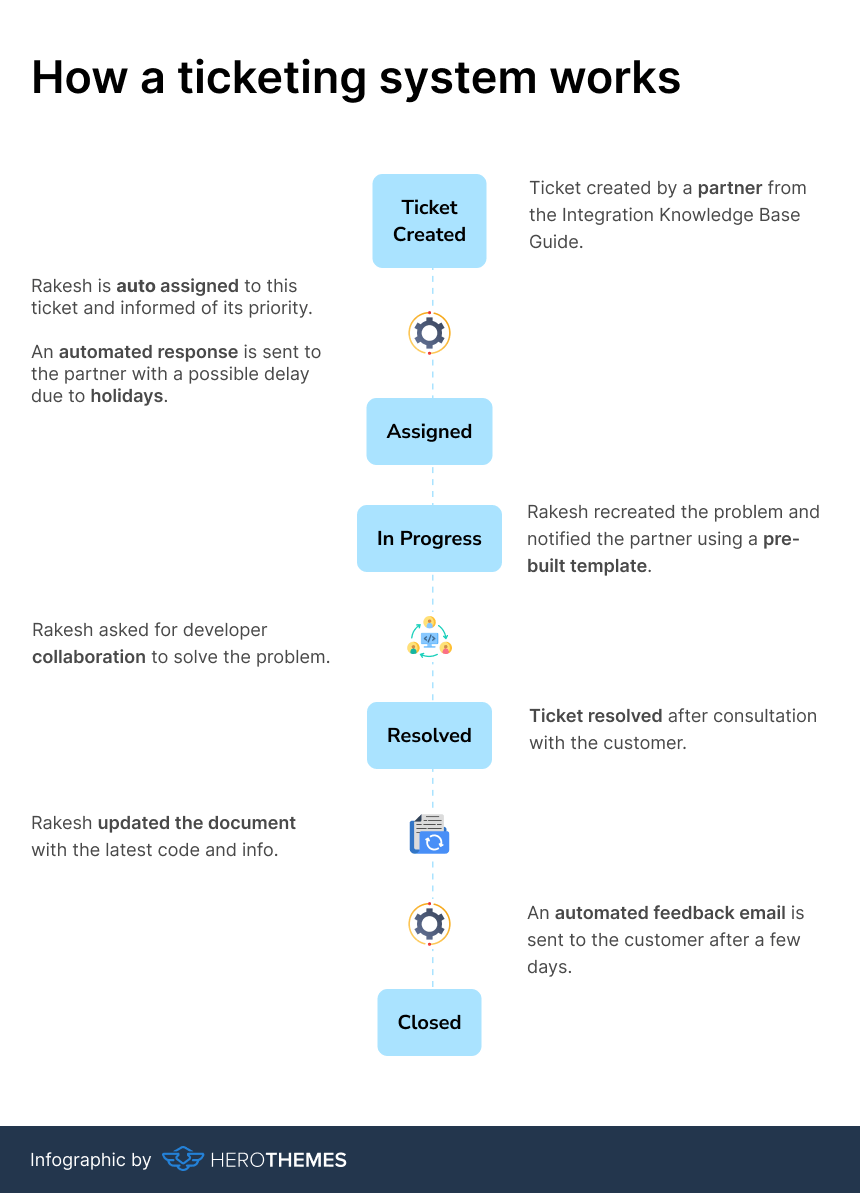
A ticketing system provides a centralized way to handle customer support tickets and inquiries through your email inbox.
To make it more clear, here’s a simple infographic showing how ticket system actually works:
What to Look for in the WordPress Ticket System?
When it comes to choosing a ticketing system, you can use a SaaS solution or create a self-hosted WordPress ticketing system.
With a SaaS solution, your data is hosted on a third-party server, and there are often limits on members or number of tickets.
With a self-hosted WordPress ticketing system you can have multiple users at a flat annual fee, which is much lower than the cost of using a SaaS system (50-80% less).
And you don’t want to compromise on important features just because you are using a WordPress plugin.
After testing dozens of tools, here are some common traits shared among good ticketing systems:
- Unified Inbox: Combines email, chat, and social messages in one dashboard. No need for multiple tools.
- Email piping and ticket creation: The system should automatically convert incoming emails or form submissions into tickets.
- Collaboration tools: Internal notes, collision detection, draft sharing, and agent tagging eliminate duplicate work.
- Automation & Routing: Auto-assign tickets by department (sales, billing, tech) or keywords. Send canned replies for common issues, snooze or escalate unresolved tickets.
- Knowledge Base Integration: Integrated FAQs and help articles will help speed up replies or automate some answers.
- Reporting & Metrics: Dashboards for CSAT scores, first-response time, and backlog trends.
- User Experience: Easy ticket submission forms (even from a mobile browser), clear priority labels, and email threading (so replies stay organized).
- Multilingual support to serve global users.
- WooCommerce and eCommerce plugins integrations.
Treat your ticket system like a central nervous system. If it’s snappy, organized, and proactive, your support will feel seamless.
If it’s clunky or missing features, customers notice and complain.
Best WordPress Ticket Systems (Mostly Free Plugins)

We rigorously test and research every product that we recommend through HeroThemes. Our review process. We may also earn a commission if you make a purchase through our links.
1. Heroic Inbox – Premium Shared Inbox Inside WordPress
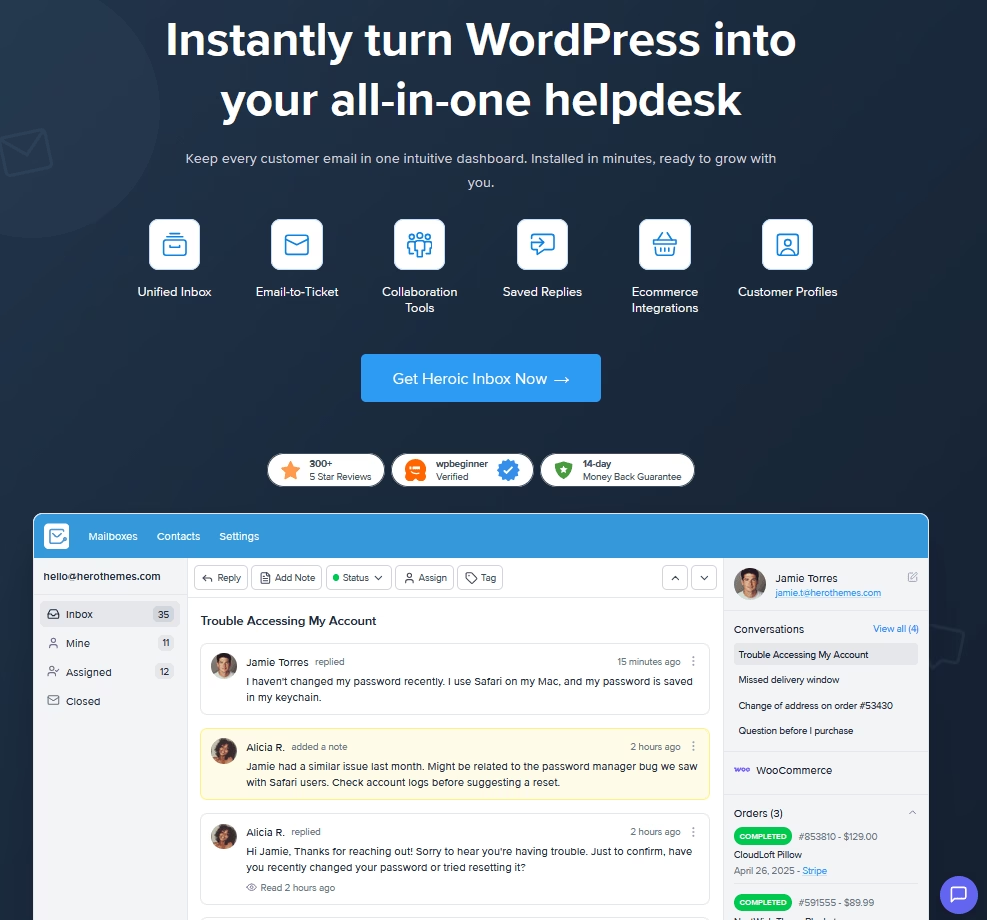
Heroic Inbox is a ticketing system built right into WordPress, so you never leave the dashboard.
Unlike addons that just forward mails, Heroic Inbox transforms your backend into a proper ticket center with unlimited mailboxes and team members.
It only takes a couple of clicks to connect your Gmail or GSuite accounts, and Heroic Inbox will start pulling your emails to the WordPress dashboard, from where you can respond to these emails.
Heroic Inbox Key Features:
- Unified inbox management: Connect multiple mailboxes (support@, sales@, billing@) and handle every conversation from one WordPress admin screen.
- Unlimited capacity. Add as many inboxes, users, conversations, and emails as you need with no restrictions.
- Gmail, Outlook, and IMAP support.
- Workflow automation: Build rules that auto-assign tickets, tag conversations, and route emails based on triggers and conditions.
- Auto-responders for incoming messages.
- Collision detection to stop scheduled messages from being sent when an incoming message is detected.
- Team collaboration: Internal notes, saved replies, templates, draft approvals, and case assignments.
- Saved replies and templates.
- Customer interaction history.
- User-friendly performance reporting and tracking
- Email tags and search.
- WooCommerce and EDD integration to pull order details, shipping status, and purchase history into the conversation sidebar.
- Heroic KB integration: Surface relevant knowledge base articles inside the inbox so agents can link customers to self-service content in one click.
- Configurable permissions: Assign Admin, Manager, or Agent roles to control access across your team.
Pricing
Heroic Inbox is a premium plugin. Plans start at $79.60/year for use on one site with two mailboxes (email accounts).
For comparison, SaaS helpdesk tools easily charge $50+/month for the same features, so Heroic Inbox is actually very affordable.
Verdict
Heroic Inbox is the plugin I’d recommend to most WordPress site owners who handle customer support primarily through email. The shared inbox approach feels natural — it’s like Gmail, but inside your WordPress dashboard with proper helpdesk features bolted on.
The development velocity from 2025 to 2026 has been impressive, with major features such as workflows, Outlook OAuth, a UI redesign, and spam management shipping monthly.
2. Fluent Support – Modern, Freemium Helpdesk
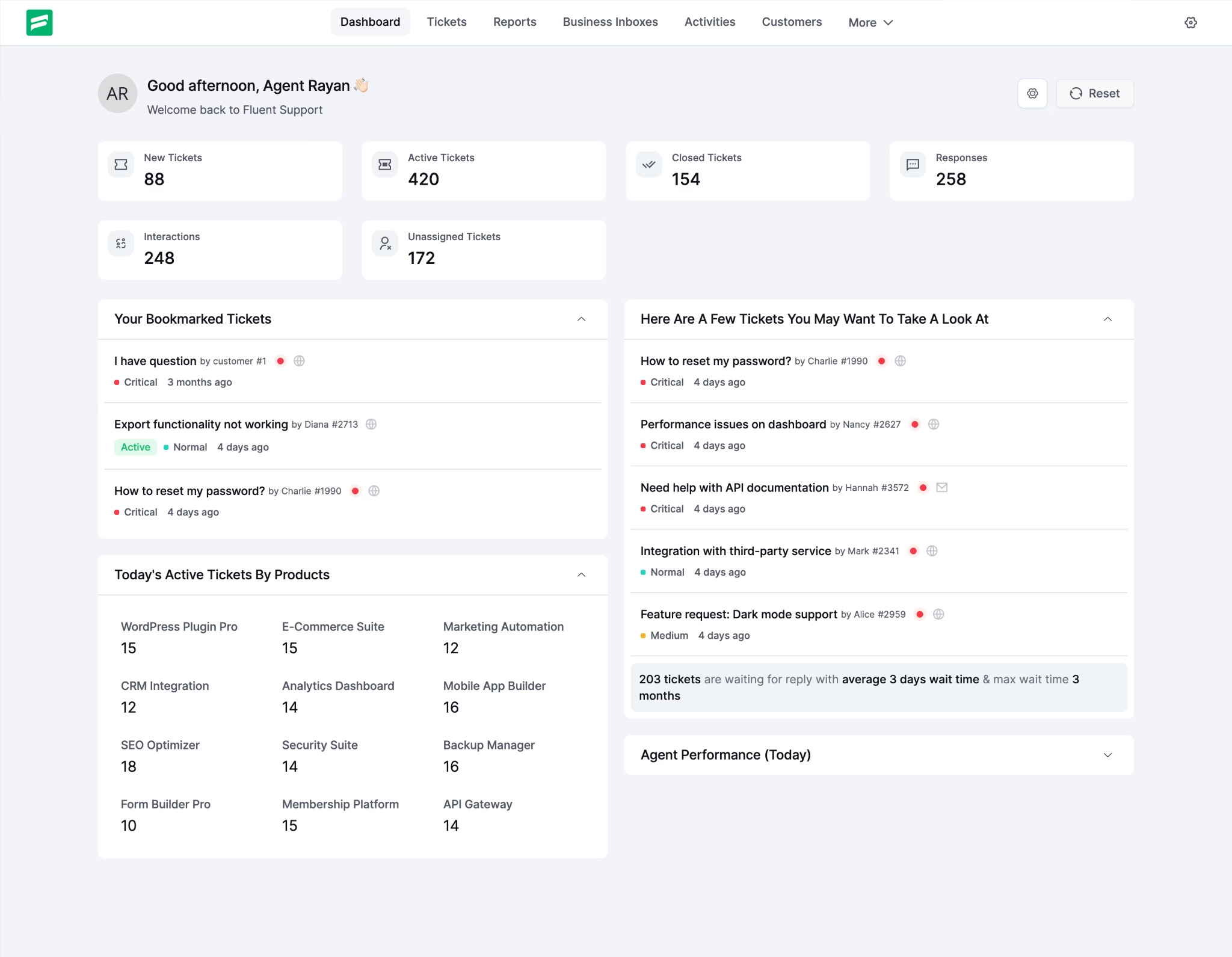
Fluent Support is a newer WordPress helpdesk plugin by the folks behind FluentCRM.
It’s popular (10,000+ active installs on WordPress.org) and carries a 4.5-star rating, and for good reason.
Key Features of Fluent Support:
Fluent Support ships with a solid set of tools out of the box, though the best stuff is in the pro tier.
- Ticket tagging and priority levels: Built into the free version. Covers the basics well.
- Search and filtering for old tickets.
- Basic reporting: Tracks tickets per agent and similar stats. More advanced analytics require pro.
- Ticket transfers and internal notes between agents.
- Knowledge base module (included, though fairly bare-bones).
- Automation workflows: Set triggers like “if ticket open > 3 days, escalate” and send automated reminders. This is the standout feature, but it’s a pro addon.
- Canned replies, CSAT surveys, and Slack/Telegram alerts (all pro modules).
- Two-way WooCommerce integration: Support tickets auto-link to customer orders, so agents see order history instantly.
Pricing
Fluent Support free plugin includes all core ticketing features.
Premium unlocks like automations or advanced reports cost around $129 per year for a suite of addons.
Verdict
Fluent Support has come a long way since its early days, and the pace of improvement shows no signs of slowing.
Even the free version handled hundreds of tickets in our testing without a hiccup, and setup took less than five minutes thanks to a clean wizard that walks you through email connection and basic config.
Making it one of the best free WordPress ticket systems.
3. SupportCandy – Free, Feature-Rich Plugin
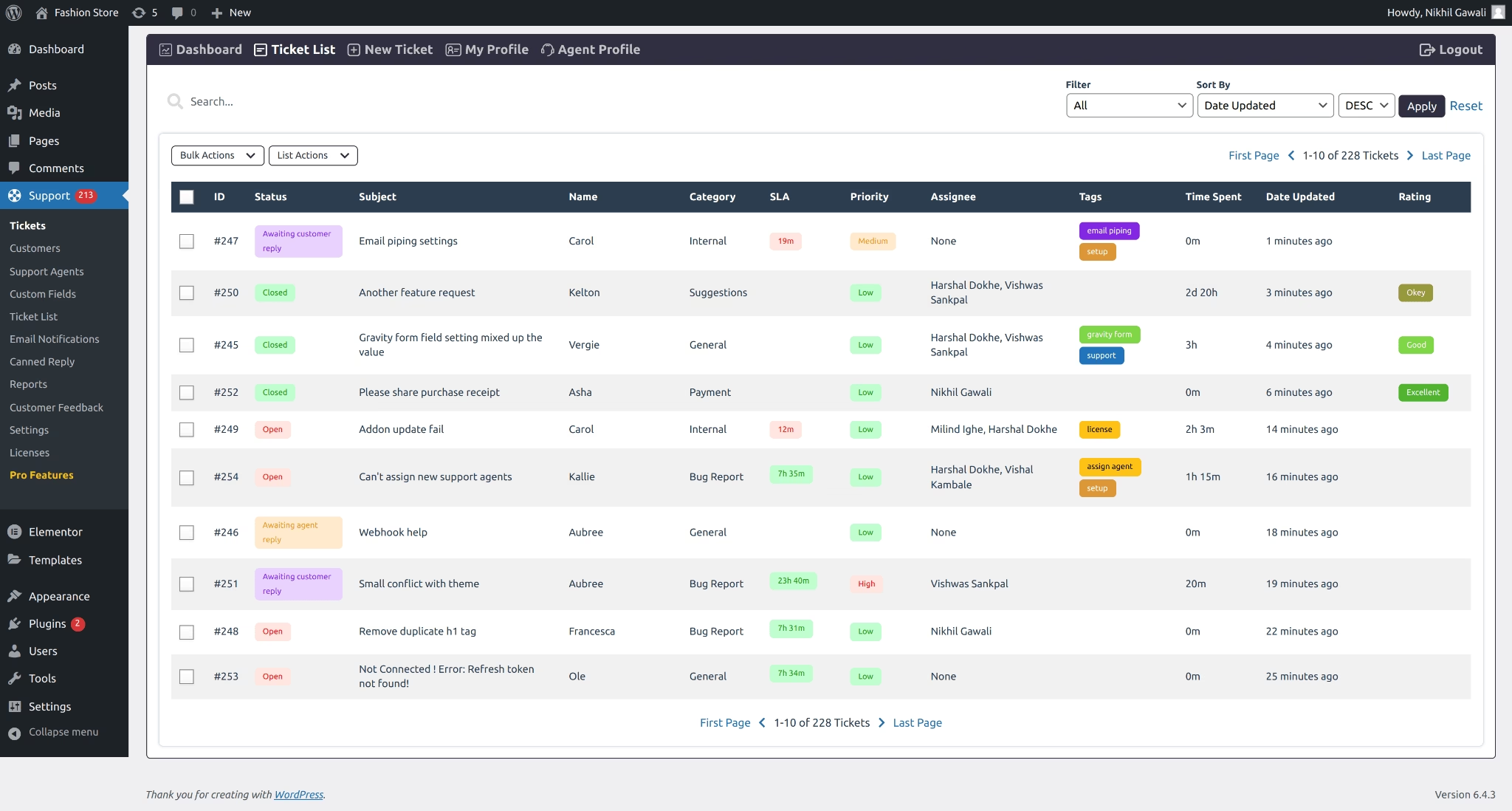
SupportCandy is one of the oldest and most trusted WordPress ticketing plugins.
With 10,000+ active installations and a remarkable 4.9/5 rating from 269 reviews, it has one of the highest user satisfaction scores in the category.
Key Features of SupportCandy:
- Unlimited tickets, agents, and customers with no caps on any plan.
- 16+ custom field types: ticket fields, agent-only fields, and customer fields to match virtually any workflow.
- Email notifications with customizable templates.
- Email piping: IMAP, Gmail, and Microsoft Exchange support.
- Private notes for internal team communication.
- REST APIs.
- Workflow automation and SLA management.
- Agent collision detection
- Guest ticket submission with OTP login.
- Canned replies and satisfaction surveys.
- Timer/time tracking.
- Advanced reporting.
- Agent groups and scheduled tickets.
- WooCommerce integration to connect tickets with order and customer data.
- Knowledge base integrations: BetterDocs and others.
- AI-powered Productivity Suite: an AI assistant, ticket merging, to-do lists, and checklists.
- GDPR compliance tools and Google reCAPTCHA support.
- Configurable permissions across your support team.
Pricing
SupportCandy core plugin is free. Official add-ons (starting at $59.25 per year) include features like email piping, private file attachments, and more advanced automation.
Verdict
SupportCandy is surprisingly powerful for zero dollars. Out of all the free ticketing plugins, this one was among the most complete. The UI is a bit dated (like looking at a classic WP admin panel), but everything works reliably.
4. WordPress Advanced Ticket System (WATS) – Simple and Fast
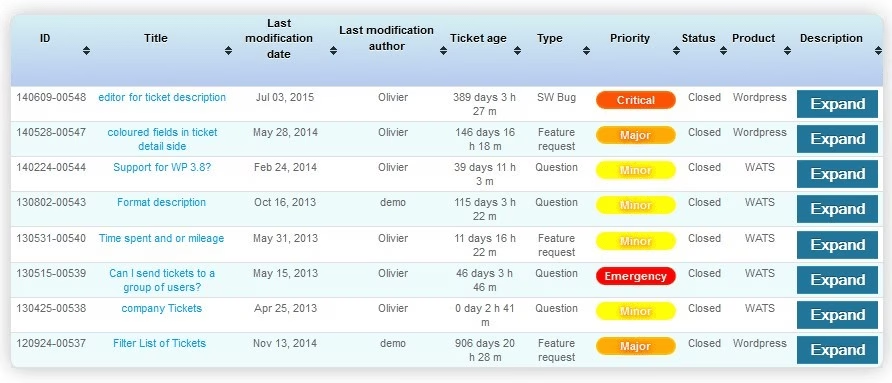
WATS is a lightweight, free ticket plugin that leverages native WordPress features.
It’s different from others because instead of a separate admin area, tickets are essentially custom post types.
It’s a good choice for small businesses that want minimal overhead.
Key Features of WATS:
- Built on WordPress posts.
- Ticket numbering: assign each ticket a single number or a dated format (date-number) for easy reference with customers.
- Three ways to submit tickets: through the WordPress admin, a frontend submission form, or email piping.
- File attachments on both ticket creation and follow-up, from both frontend and admin sides.
- Ticket assignment to individual users, with configurable permissions.
- Notification rules
- Call center mode: agents can create tickets on behalf of customers calling in.
- Frontend ticket listing with filtering, inline detail view, custom saved queries, and Excel export (premium).
- User profile management: account expiration dates, country and company associations, and SLA assignments (premium).
- Company profiles to group users by organization (premium).
- Dashboard stats widget, available in both the admin panel and the frontend sidebar.
- Localized in 17+ languages.
Pricing
WATS is free on WordPress repo. There is also a premium version, costing just 50€ per year.
Verdict
WATS treats tickets like WordPress posts, which means there’s almost nothing new to learn if you already know WordPress. Someone enters a ticket, it shows up in your dashboard, you hit “Publish” to reply.
For a simple support blog or small company that wants to manage everything inside WordPress, WATS can power your ticketing system very well.
The limitation: it’s not built for large-scale or multi-site setups, and advanced workflows aren’t there.
5. SupportBoard – AI Chatbot Powerhouse With Ticketing
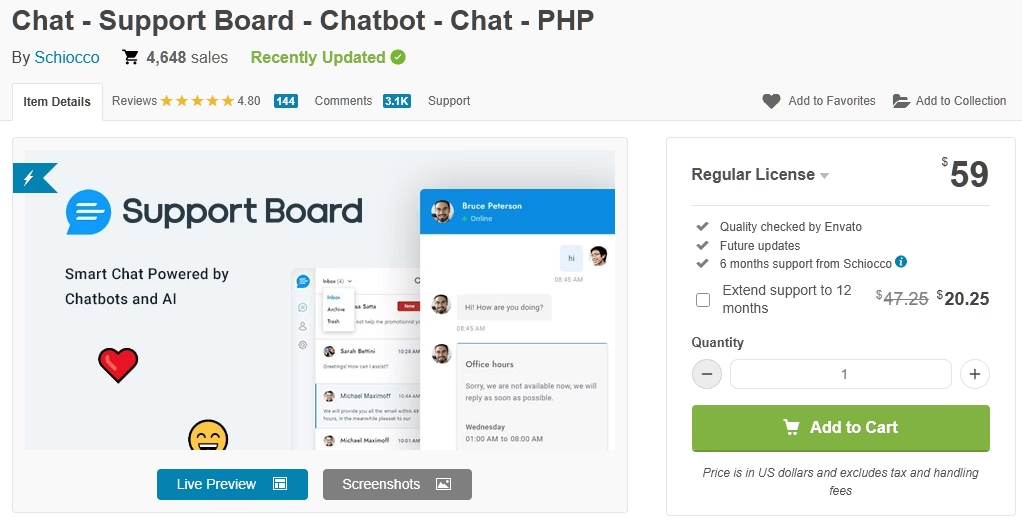
SupportBoard is an AI-driven chatbot and live chat platform with ticketing capabilities — not the other way around.
With 4,648 sales and a 4.8/5 rating on CodeCanyon, it’s earned a loyal following among WordPress users who want AI chatbot automation.
Key Features of SupportBoard:
- AI chatbot engine powered by OpenAI/ChatGPT and Google Dialogflow. The bot handles automated responses, routes conversations to agents, and resolves common questions before a human gets involved.
- Multi-channel messaging: WhatsApp, Facebook Messenger, Instagram, Telegram, Slack, email, and website live chat.
- Ticketing system with conversation management, agent assignment, custom saved replies, and analytics.
- WooCommerce integration via a separate $29 add-on.
- Channel-specific apps (WhatsApp, Messenger, Telegram) sold separately on CodeCanyon at $9–$29 each.
- Real-time notifications.
- Mobile app for iOS and Android.
- Multilingual support.
- GDPR compliance.
- White-labeling capabilities.
Pricing
SupportBoard is sold on CodeCanyon for $59 (one-time payment).
Verdict
SupportBoard is an excellent value for what it does: AI chatbot automation and multi-channel live chat at a one-time price that most SaaS competitors charge monthly.
If your primary need is a smart chatbot that handles WhatsApp, Messenger, and Telegram alongside your site’s live chat, with ticketing as a secondary workflow, it delivers.
Where it falls short is as a traditional ticketing system: email piping is limited, there’s no SLA management, and the knowledge base is basic.
6. JS Help Desk – Modern Interface with Pro Features
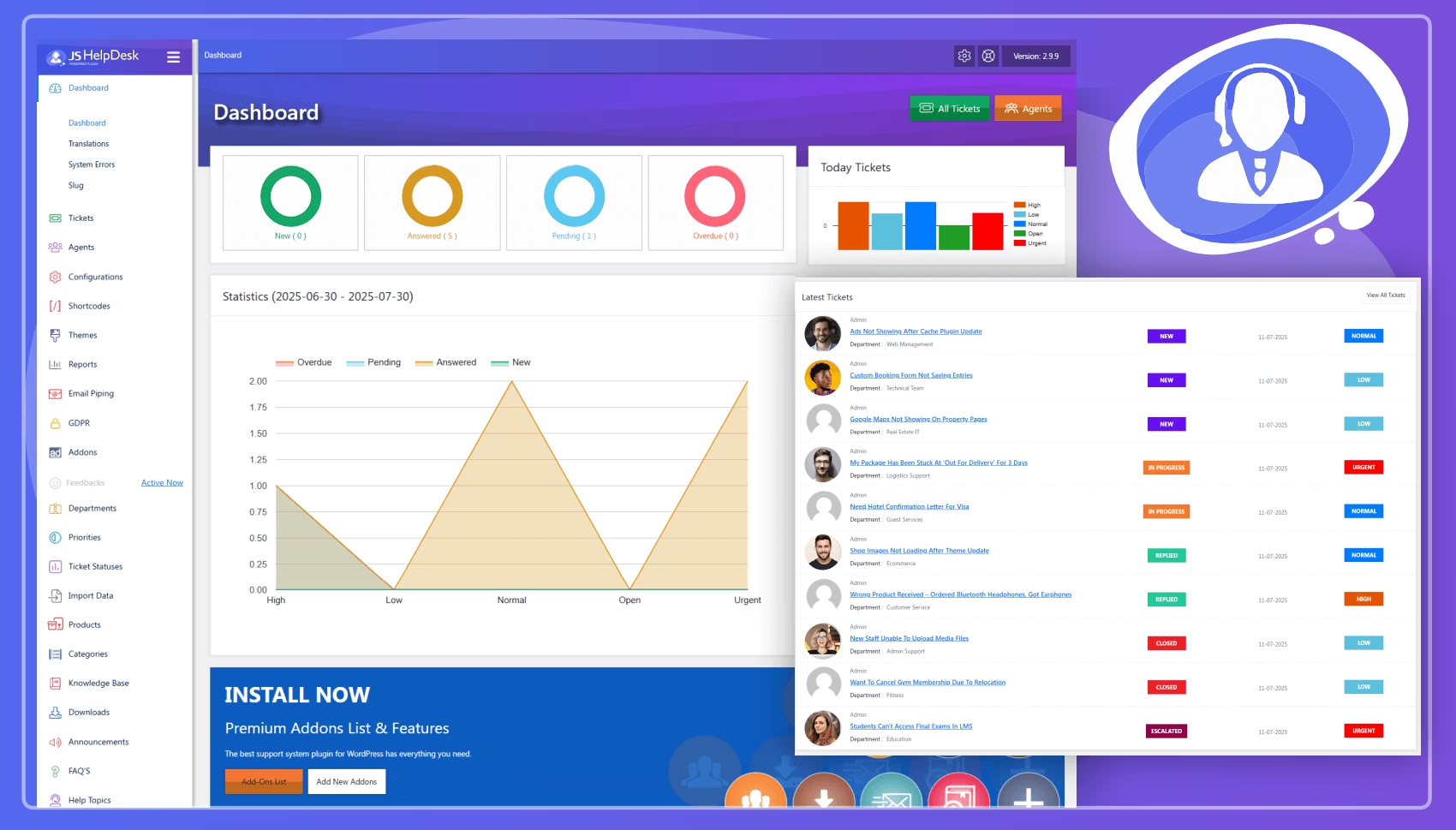
JS Help Desk is a freemium plugin that prides itself on a clean, modern interface. It positions itself as an AI-powered support and ticketing system.
Key Features of JS Help Desk:
- Clean, modern interface
- Email piping and WooCommerce integration
- Canned responses and ticket merging
- Time tracking per ticket
- AI-powered reply generation via OpenAI
- Export tools and desktop notifications
- Announcements, internal mail, and private notes
- Multi-helpdesk mode for different products/sub-brands
- Kanban view
- Built-in knowledge base with one-click ticket-to-KB conversion.
- Unlimited custom fields.
- Multi-language email templates
Pricing
JS Help Desk is available for free and it’s genuinely usable.
A single-site premium license (with all add-ons) runs about $149/year.
It includes extras like a frontend ticket dashboard for customers, advanced reporting charts, attachments, and more.
Verdict
JS Help Desk offers a sleek dashboard and a variety of features. The built-in knowledge base is also a nice touch. Overall it’s a good choice for mid-sized teams who value a polished interface, but growing teams should budget for the upgrade.
7. Awesome Support – Professional, Extensible Helpdesk
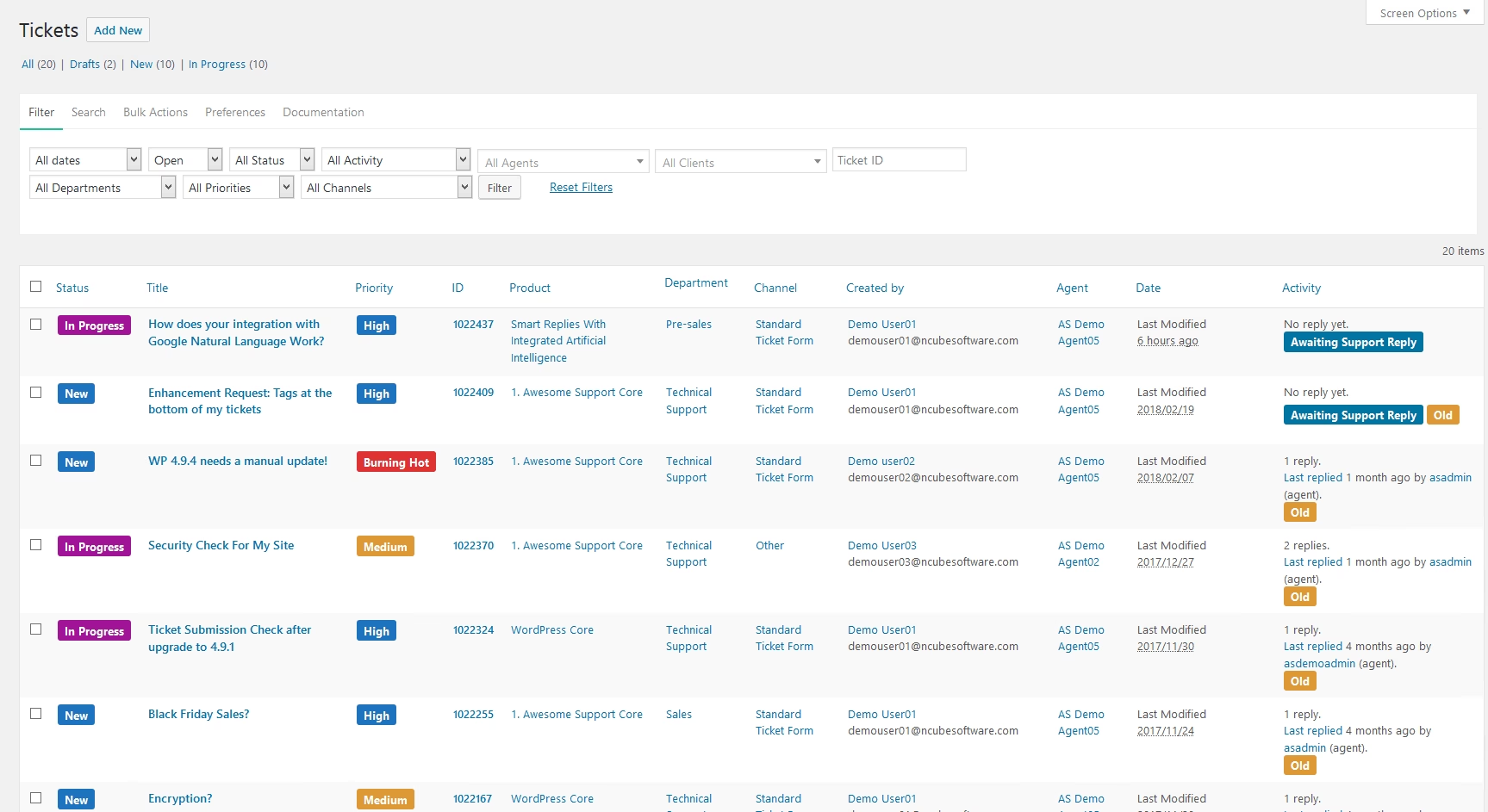
Awesome Support was once the gold standard for WordPress ticket systems, and its free version remains one of the most feature-packed available.
It has 7,000+ active installations and a ~3.5/5 rating on WordPress repo.
Key Features of Awesome Support:
- Unlimited tickets, agents, and file uploads with no caps.
- Front end ticket submission and backend management.
- Custom fields for tailoring the ticket form to your workflow.
- Email notifications.
- Email piping: IMAP, POP3, and SMTP support.
- Restricted access controls.
- Terms and conditions enforcement.
- Ticket importing from Zendesk, Help Scout, and Ticksy.
- Canned responses.
- FAQ integration.
- WooCommerce and EDD deep integration
- Satisfaction surveys.
- AI integration via Dialogflow.
- Advanced reporting.
- SLA management (Agency bundle only).
- Over 28 add-ons available in total across the premium bundles.
Pricing
Awesome Support core plugin is free. For premium features, plans start from $149 per year.
Verdict
Awesome Support’s free tier is one of the most feature-rich you’ll find in this category. But reviewers on WordPress.org report slow patches and performance complaints.
It’s still worth evaluating whether the free features fit your needs, but be sure to test in staging and monitor security advisories closely.
8. Support Genix – AI-Powered Ticketing Plugin
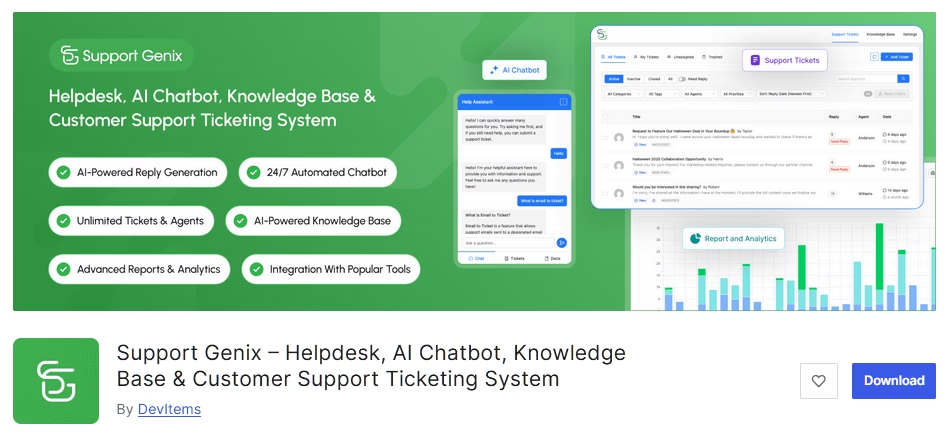
Support Genix is an AI-enhanced ticketing plugin that’s gained traction quickly.
It uses cutting-edge NLP to do things like sentiment analysis and smart routing. The pitch is that you get enterprise features (think Intercom or Freshdesk) on a WordPress budget.
LWe were also curious, so we put it through its paces.
Key Features of SupportGenix:
- Unlimited tickets, agents, and customers with no per-user pricing.
- AI-powered reply assistant that generates professional responses.
- 24/7 AI chatbot that pulls answers from your knowledge base and can create tickets when escalation is needed.
- Built-in knowledge base with AI article generation.
- WooCommerce integration (Pro) to pull order details directly into tickets.
- WhatsApp integration (Pro) for automatic ticket creation from chat messages.
- Detailed analytics: CSAT trends, response time graphs, and ticket volume predictions based on seasonal patterns.
- Custom fields with conditional logic.
- Automatic agent assignment based on category, keywords, or customer type.
- WPML compatible for multilingual support.
Pricing
The core Support Genix plugin is free and quite generous.
To unlock additional features (like AI chatbot, or analytics) you need to be on a premium plan. Plans start at $59 for six months.
Verdict
SupportGenix caught us by surprise. The AI tagging works nicely; we asked it to categorize a dummy complaint and it nailed it.
For businesses wanting an AI WordPress ticketing system, on a budget, it’s a noteworthy option.
9. ThriveDesk – SaaS helpdesk built for WooCommerce
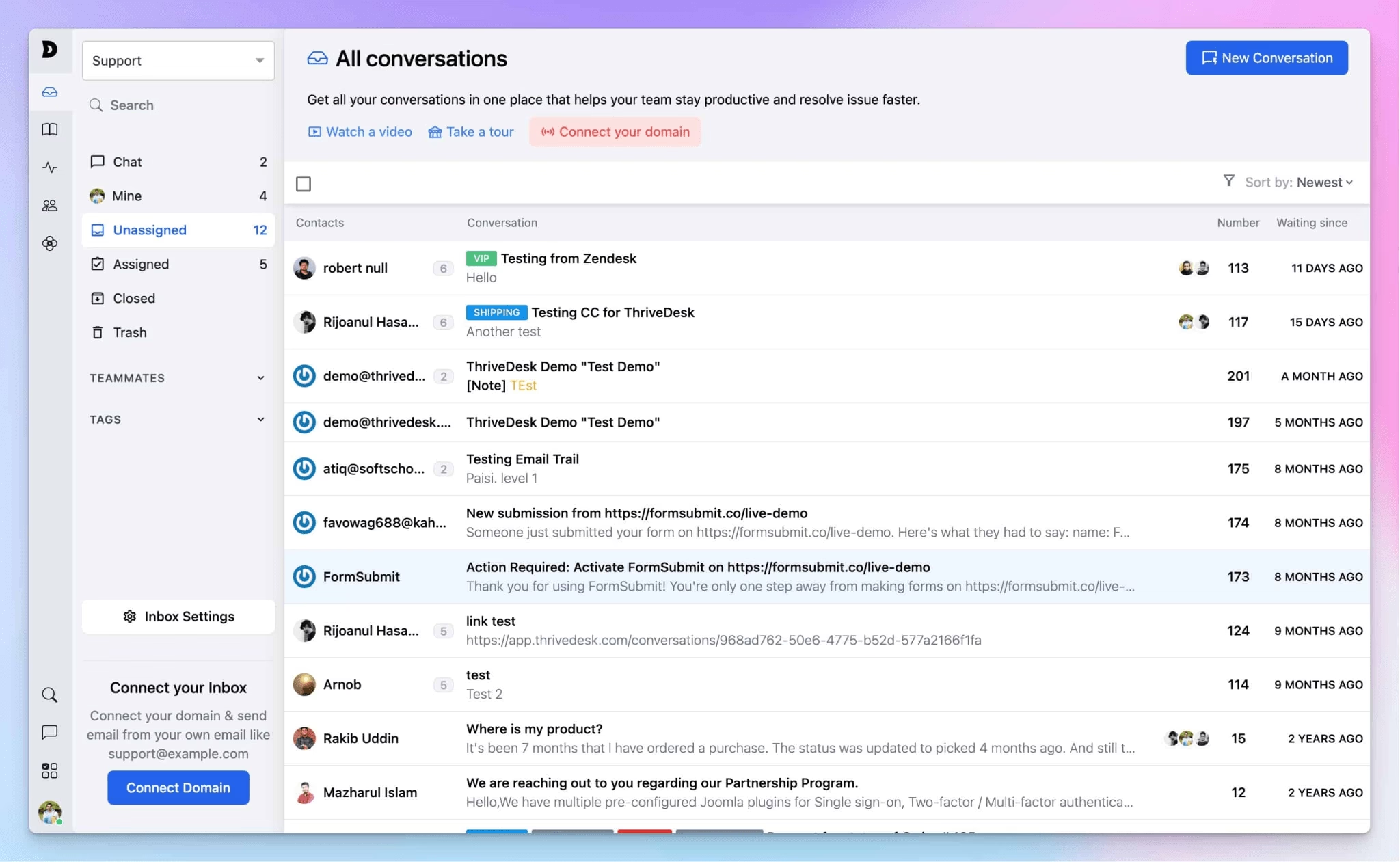
ThriveDesk takes a different approach from the WordPress-native ticketing systems above.
It’s a SaaS-based helpdesk platform (your data lives on ThriveDesk’s servers) with a WordPress connector plugin that adds a customer portal, live chat widget, and AI chatbot to your site.
ThriveDesk positions itself as an affordable alternative to Help Scout and Zendesk, specifically targeting WooCommerce store owners.
Key Features of ThriveDesk:
- WordPress plugin (free to install, subscription required) that adds a customer support portal, live chat with real-time visitor tracking, and an AI-powered chatbot directly inside your site.
- Shared inbox for your whole team.
- Custom workflow automation with if/then logic.
- Help center (knowledge base), public or private.
- Instant replies (canned responses).
- CSAT satisfaction surveys.
- Built-in reporting.
- Multi-channel support: email, live chat, and knowledge base.
- WooCommerce deep integration: View full order history and process refunds directly from tickets without leaving the conversation.
Pricing
ThriveDesk is a premium ticketing solution, starting at $29/month. Which supports 2 teammates and 1 inbox.
Verdict
If you run a WooCommerce store and want a proper helpdesk without the enterprise pricing of Zendesk or Help Scout, ThriveDesk hits a sweet spot.
The interface feels modern and uncluttered, and the WooCommerce integration goes deeper than most.
The trade-off is the SaaS model itself. The $29/month starting price (for 2 users and 1 inbox) adds up in ways that self-hosted WordPress plugins don’t.
Frequently Asked Questions About WordPress Ticket Systems
Should I use a WordPress plugin or a SaaS helpdesk for ticketing?
For most WordPress site owners, a native plugin is the better choice.
Self-hosted plugins offer 50–80% cost savings over SaaS alternatives, complete data ownership (critical for GDPR compliance), no per-agent fees, and deeper WordPress/WooCommerce integration.
Can I convert my existing email support into a WordPress ticket system?
Yes. Most plugins on this list support email piping, automatically converting incoming emails into tickets.
For example, Heroic Inbox connects directly to Gmail, Outlook, or any IMAP provider.
How do WordPress ticket systems handle WooCommerce orders?
The best WordPress ticketing plugins pull WooCommerce customer data directly into the support conversation. Heroic Inbox (Pro plan) shows order details, shipping status, and purchase history in the conversation sidebar.
Final Thoughts
The WordPress ticketing ecosystem in 2026 is more capable than ever.
WordPress ticketing plugins have closed the gap with SaaS platforms on features like AI integration, workflow automation, and multi-channel support. While maintaining their core advantages of flat pricing, data ownership, and deep WordPress integration.
I suggest trying Heroic Inbox. It provides all the important features and a 14-day money-back guarantee as well.
The trend to watch is AI. OpenAI integration is now standard across top WordPress plugins, and it can genuinely help you automate and respond to tickets faster.
Further Reading
How To Create a Ticketing System
The 10 Best WordPress Wiki Plugins (2026 Guide)
Best FREE IT Ticketing System Software in 2026
Top WooCommerce Support Ticket System
11 Best Customer Support Tools for Small Businesses
Top 10 Email Management Software for Business and Customer Support