What Is a Customer Support Knowledge Base? Everything You Need to Know


A customer support knowledge base sounds like a boring piece of documentation. It isn't.
It's the cheapest, most patient, and most consistent support agent you'll ever hire. It works through the night, never asks for a raise, and answers the same question the same way, whether it's the first time or the thousandth.
But most teams build their knowledge base once and then forget about it. Six months later, the product UI has been updated, policies have changed, and new features have been released. As a result the help content is no longer relevant and customers go back to filing tickets.
With this guide, we will teach you what a customer support knowledge base is, how to build one and maintain it.
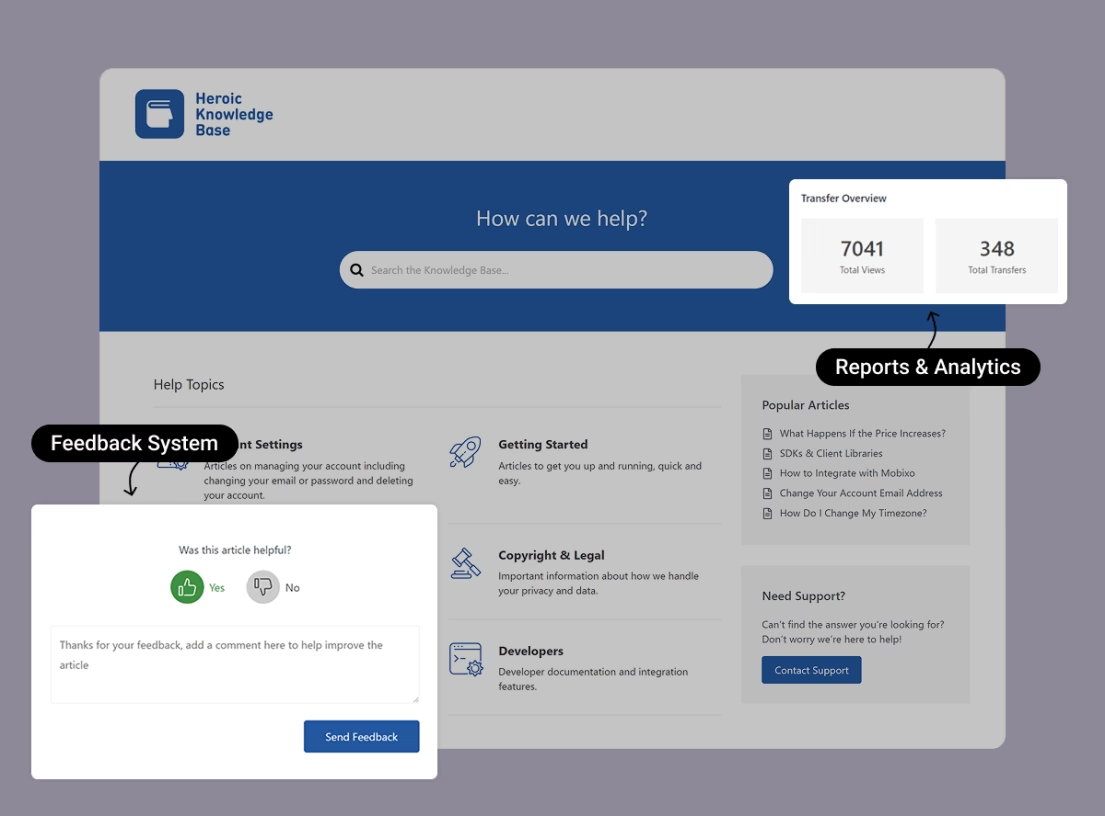
Heroic Knowledge Base
Create a beautifully designed, searchable knowledge base in minutes.
In This Guide
What Is a Customer Support Knowledge Base?
A customer support knowledge base is a searchable online library of help content. It's the place where both customers and agents turn when they need an answer about your product or service.
It holds your:
- how-to articles
- FAQs
- troubleshooting guides
- video walkthroughs
- reference docs
All in one organized spot that anyone can search.
Note: A knowledge base is not the same thing as a blog. Blogs are chronological and marketing-led. A customer support knowledge base is evergreen, organized by customer problems, and written to resolve issues, not to drive sign-ups.
What's in Customer Support Knowledge Base”
If you look at some of the popular knowledge base examples, you will find the same handful of building blocks:
- Articles and how-to guides that walk a customer through a specific task.
- FAQs (Frequently Asked Questions) for the short, high-frequency customer queries. Like billing dates, shipping windows, or password resets.
- Troubleshooting and reference content for the diagnostic moments (“why won't this connect?”) and the “what does this setting actually do?” questions.
- A fast, reliable search bar that surfaces results as people type. This is the feature you don’t want to miss out on.
- Categories, subcategories, tags, and breadcrumbs so a person who does not know what to search for can still browse their way to an answer.
- Visual content like screenshots, annotated images, GIFs, and short videos. Nobody wants to read a wall of text just to fix a small problem.
- Feedback widgets (thumbs up or down, comments, star ratings) that tell you which articles are working and which are not.
- Analytics for searches, views, helpfulness scores, and ticket deflection. This way, improvements are based on evidence rather than gut feeling.
Internal vs. external knowledge base
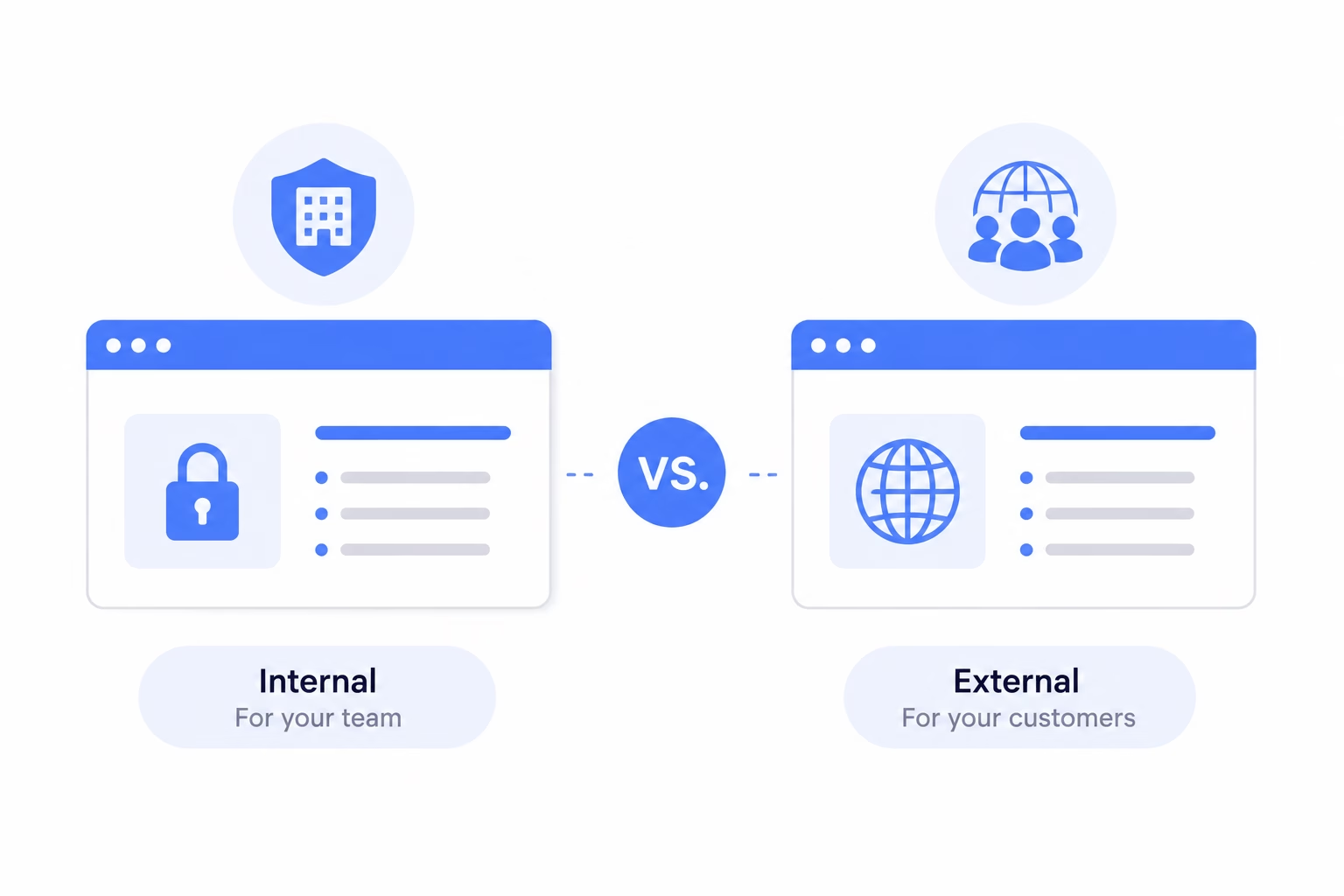
Internal or external knowledge base, both store help content, but they serve different audiences and they are written very differently.
An external (customer-facing) knowledge base is the public help center design to answer and solve customer queries.
It lives at your company website, indexed by Google or any other search engine, and easily accessible to customers.
On the other hand, an internal (agent-facing) knowledge base is private. Only your support staff — and sometimes the entire company — can log in to it. The content tends to be dense, full of insider terminology, escalation paths, and decision trees that would confuse customers.
Most teams require both types of knowledge base.
Why a Customer Support Knowledge Base Matters (More Than People Think)
A well-maintained knowledge base can take a five-person team from drowning to in control. And the benefits are not theoretical, they stack on top of each other in ways that compound.
Here are some important benefits of customer support knowledge base:
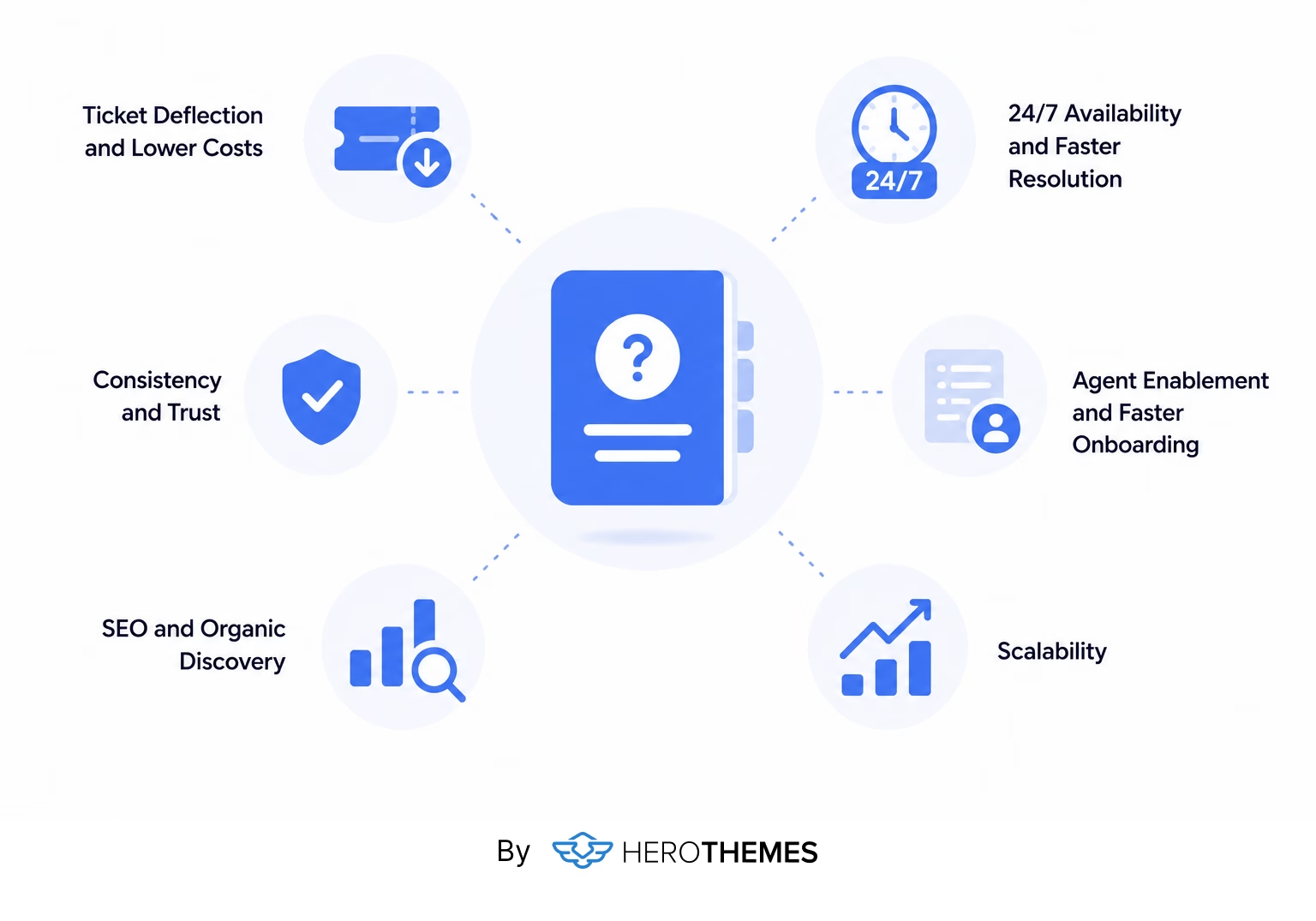
Ticket Deflection and Lower Costs
When customers solve problems on their own, less tickets are created. Knowledge base where customers usually look for an answer.
But do not chase deflection so hard that you hide your contact options.
Deflection should feel like guidance. The teams that bury their “contact us” link to inflate deflection numbers usually pay for it in churn.

24/7 Availability and Faster Resolution
Your support team sleeps, but your customers do not. Especially when you sell products on a global stage.
Knowledge base is an online content library, which can be accessed at 2 a.m, on holiday, or whenever customers want.
For global businesses spanning time zones, that around-the-clock coverage is often the difference between a frustrated customer who churns and a satisfied one who solves the problem in 90 seconds.
Speed is also an added benefit here, because instant self-service beats even a fast email reply.
Consistency and Trust
When five agents answer the same question five different ways, customers notice.
A knowledge base creates a single source of truth, ensuring that the answer remains consistent, whether it comes from an article, an AI chatbot, or an agent referencing the same document.
Agent Enablement and Faster Onboarding
Training new agents or employees is expensive and slow to ramp. And nothing accelerates them like a strong knowledge base.
Knowledge base enables new agents to answer tier 1 questions based on already existing guides.
This reduces the need to interrupt senior staff or guesswork.
Explore:
Customer Onboarding: Step-by-Step Guide with Examples
New Employee Onboarding Checklist (Expert Guide)
SEO and Organic Discovery
A customer-facing knowledge base is an SEO engine.
Help articles naturally target long-tail, problem-aware queries that potential customers type into search engines. Which means your support content can pull in new traffic and even new customers.
When you create hundreds of articles on a similar topic (say a tool that helps with billing), you also indirectly build a niche friendly website. Which helps blog posts to easily rank on Google or other search engines and attract new customers.
Scalability
A knowledge base is the rare support asset that scales for free.
An article costs the same to maintain whether 100 or 100,000 people read it. So you can grow your customer base without growing your headcount at the same rate.
For a lean team, this is the only sustainable way to keep up with rising volume.
Warning: A knowledge base is not a magic cost-cutter you can set up and forget. An unmaintained help center, full of outdated screenshots and broken steps, generates more tickets than it deflects.
Customer Support Knowledge Base Best Practices
Building a knowledge base for customer support is easy. Building one people actually use is a craft, and these are the habits I have seen separate the great help centers from the forgotten ones.
1. Nail the information architecture before you start writing
How do you structure a knowledge base?
The principle is to organize around customer goals, not your internal org chart or feature taxonomy.
- Group articles into categories
- Keep the number of article types manageable
- Prioritize the most common issues
- Offer breadcrumbs and a clear overview so people can orient and back out easily.
- Connect related articles
2. Make Search Excellent
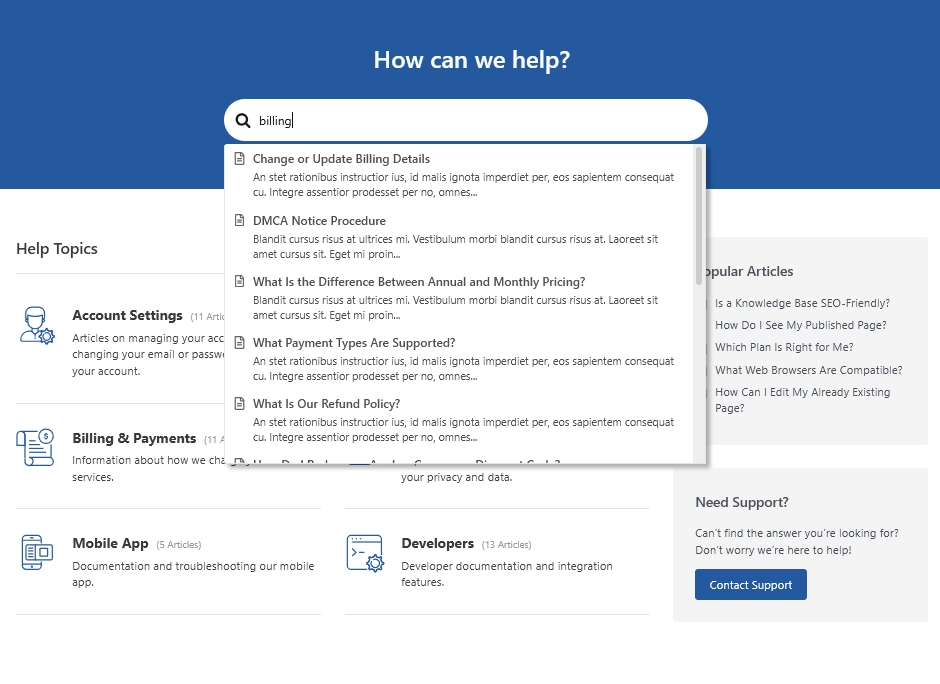
If there is one feature that deserves disproportionate attention, it is search.
Customers reach for the search bar before they reach for anything else, and a weak search bar is the fastest way to teach them not to trust your help center.
Here how you search function on support knowledge base should be:
- Return results as people type
- Tolerate misspellings
- Surface the most relevant article first
You can
Spend 15 minutes a month reviewing failed searches. If dozens of people search “invoice” and find nothing, you have just discovered a content gap with zero guesswork. Their search log is the cheapest customer research panel you will ever own.
Pro tip: The exact words people type into your search bar are the exact words you should be using in your article titles and headings. If customers call something “the shipping label thing” and your article is titled “Generating fulfillment documentation,” your search will keep failing them.
Write Help Articles People Can Actually Use
Good help writing is plain, confident, and empathetic. Here is the style guide to share with your support team:
- Write for a beginner: Assume no insider knowledge and spell out every step, saving jargon for advanced docs clearly labeled as such.
- Use action-based titles: Clear, searchable titles work best, and the gerund form (“Resetting your password”) is a proven pattern customers scan easily.
- Keep things scannable with subheadings, short paragraphs, numbered steps, and white space. For longer articles, add a table of contents for easier navigation.
- Use the customer's words: Mine tickets, search logs, and social posts for the actual language people use, then mirror it.
- Show empathy and confidence: Acknowledge frustration, then guide with phrases like “you can” and “we recommend.”
- One article, one job: Cover a single topic per article and cross-link to related content instead of cramming everything into one mega-page. Try to keep knowledge base articles as short as possible, but don’t lose on required information.
3. Use Visuals Generously
Customers do not want to read a wall of text to fix a small problem, so show them instead.
Annotated screenshots, GIFs, and short videos dramatically improve comprehension for any multi-step workflow.
Compress your images for faster page speed, and always use descriptive file names and alt text for better SEO results.
4. Build Feedback Loops

Every article should ask a simple question: did this help?
Thumbs up or down, a star rating, or a comment box gives you a direct, low-friction signal about what is working and what is not.
Act on these feedbacks on monthly basis. Prioritizing low-rated articles with high traffic, and seeing their deflection rates climb steadily over six to twelve months.
Which is the slowest and most boring improvement loop in support, but it works every time.
5. Prioritize Mobile and Accessibility
A large share of help-center traffic is mobile, so your knowledge base must be responsive, fast, and easy to read on a small screen.
Accessibility is equally non-negotiable. Both ethically and increasingly legally.
Aim for WCAG 2.1 AA conformance: proper heading structure, descriptive alt text, meaningful link text, sufficient color contrast, and correct language markup so screen readers can adapt.
Accessible documentation is simply better documentation for everyone.
6. Optimize for SEO
Support knowledge base content can rank. A well-built one acts as another portal for customers to find you on Google, particularly people searching for solutions to specific problems your product solves.
A knowledge base also improves overall site structure and architecture, which helps the rest of your domain too.
Here are some SEO fundamentals you should focus with knowledge base:
- Target long-tail informational queries, the kind that get phrased as questions. For example, “How do I cancel my subscription?” is a real query. while “Subscription management” is not.
- Use proper heading hierarchy (H1, H2, H3) with natural keywords in the H2s and H3s. Skip the keyword stuffing.
- Interlink related articles so both readers and search engines can see how your content connects.
- Get indexed. Put your knowledge base in your XML sitemap and submit it through Google Search Console.
- Keep pages fast and mobile-friendly. Both are confirmed ranking factors and they affect bounce rates.
7. Integrate With Your Support Channels and AI
A help center that lives alone is a help center nobody uses.
To solve this, surface articles inside live chat, link to them from email replies, and feed them to your AI chatbot so every customer-facing surface pulls from the same content.
Over time, that integration teaches customers where to find answers, and self-service stops being something they have to learn and starts being something they reach for instinctively.
8. Support Multiple Languages
If you serve customers in more than one language, a multilingual knowledge base genuinely widens your reach.
The key is to translate after the source content is stable, and to keep the translations in sync as the source changes.
Make sure to verify translations from an expert. You definitely don’t want to provide wrong information to already frustrated customers.
9. Measure Knowledge Base Success
You cannot improve what you do not measure, and a knowledge base hands you a lot of data if you set it up to collect it.
Watch out for these metrics, and act upon them when needed:
- Ticket deflection rate, the share of help-seeking sessions that resolve without a ticket.
- Self-service score, the ratio of self-service sessions to support tickets, tracked as a trend line rather than an absolute number.
- Search success rate and zero-result rate
- Article helpfulness (thumbs up/down or ratings)
- Contact-after-view rate. How often somebody reads an article and then files a ticket anyway.
- Content freshness, tracked against product releases.
- Organic traffic, pulled from Search Console and Google Analytics, to see whether your content is actually findable.
How to Create a Customer Support Knowledge Base
There are dozens of ways to build a customer support knowledge base.
We recommend a knowledge base for customer support using WordPress. With a Heroic Knowledge Base plugin.
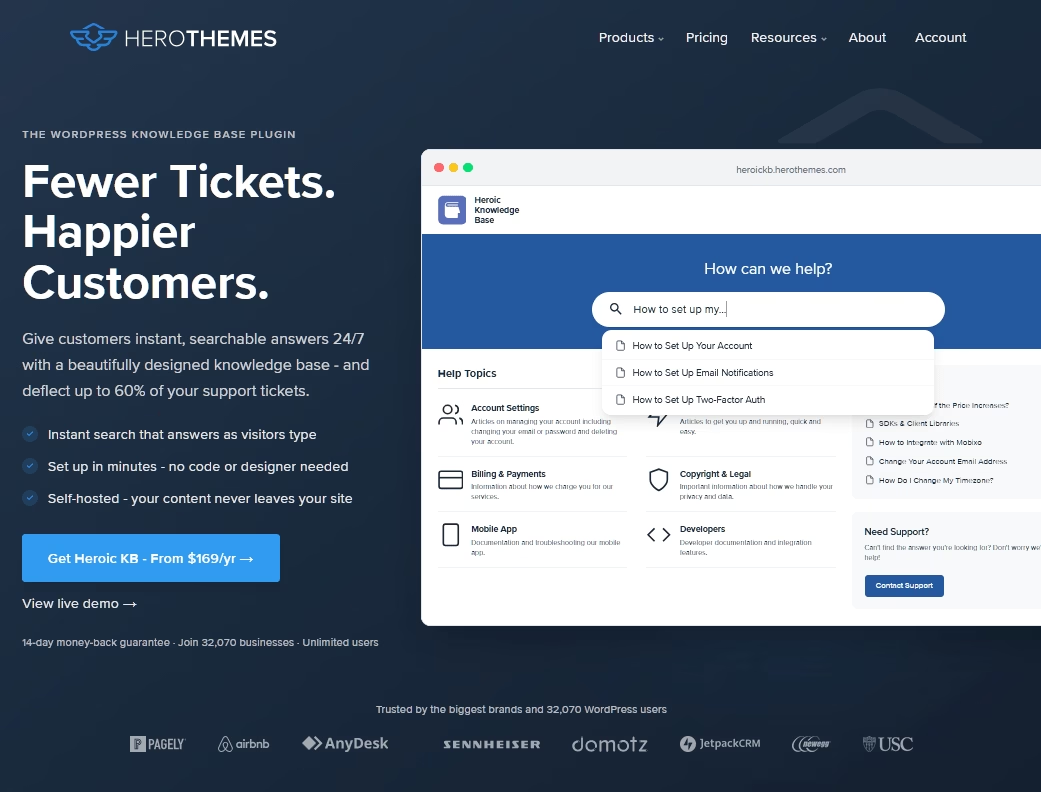
It gives you a polished, search-first help center on your own domain, without the recurring per-seat fees that hosted platforms charge.
Follow this complete guide on creating a knowledge base website with WordPress.
Here’s a quick process:
- Make WordPress website ready. Most hosts allow 1 click WordPress installation.
- Purchase and download Heroic KB WordPress plugin.
- Upload Heroic KB in your WordPress website and activate it.
- Follow the Heroic KB setup wizard. To install demo content.
- Upload your help content, and organize it.
- Customize knowledge base setting. Such as colors.
- Go live.
Creating a knowledge base with Heroic KB roughly takes 5 minutes. Given you have a WordPress website ready.
The knowledge base created with Heroic KB looks beautiful out of the box:
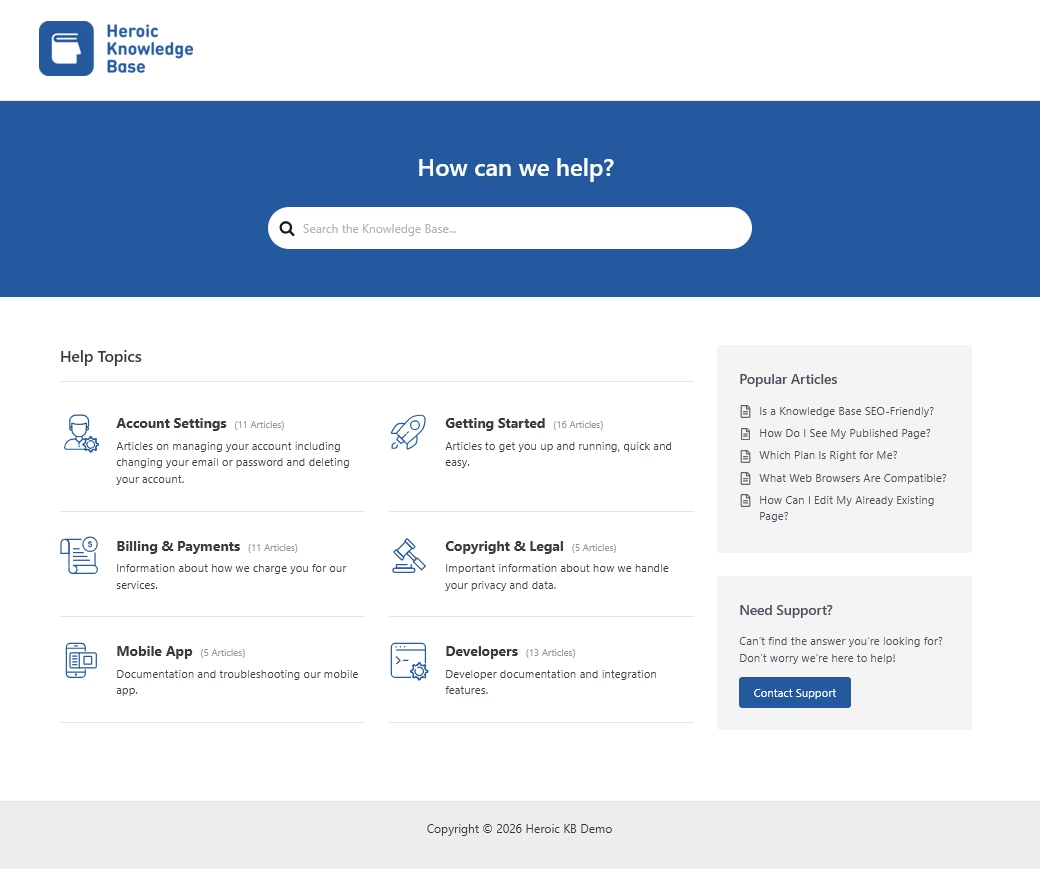
And comes with all the necessary features needed for proper customer support:
- Powerful live search bar
- Feedback system
- Analytics and failed search result tracking
- AI assistant trained on your content
- Fully customizable and mobile friendly
So, try Heroic KB today.
Final Thoughts: What Is a Customer Support Knowledge Base?
A customer support knowledge base is, at its heart, a simple promise to your customers: when you have a question, the answer will be there, clearly written and easy to find, whenever you need it.
Deliver on that promise and you get a quieter support queue, faster resolutions, lower costs, happier customers, and a stream of organic traffic as a bonus.
Break it with stale, disorganized content and you train people to skip the search bar and open a ticket instead.
Further Reading
Best Knowledge Base Examples to Learn From in 2026
11 Best Free & Open Source Knowledge Base Software
Knowledge Base Management: Best Practices & Strategies
Top Free Knowledge Base Templates (Expert Pick for 2026)
AI Knowledge Base Software (Top Picks for Smarter Support)





Leave A Comment?
You must be logged in to post a comment.