9 Best Docusaurus Alternatives and Competitors in 2026


Docusaurus has been the go-to documentation framework for open-source projects for years.
It's free, it's backed by Meta, and it gives developers total control over every pixel.
But control has a cost, and that cost is your engineering team's time.
Here are the best Docusaurus alternatives that solve specific pain points you are currently dealing with. Whether it’s about Docusaurus development costs, technicality, or new features, we have perfect alternatives for you.
Let’s start!
In This Guide
What Is Docusaurus, and Why Do People Love It?
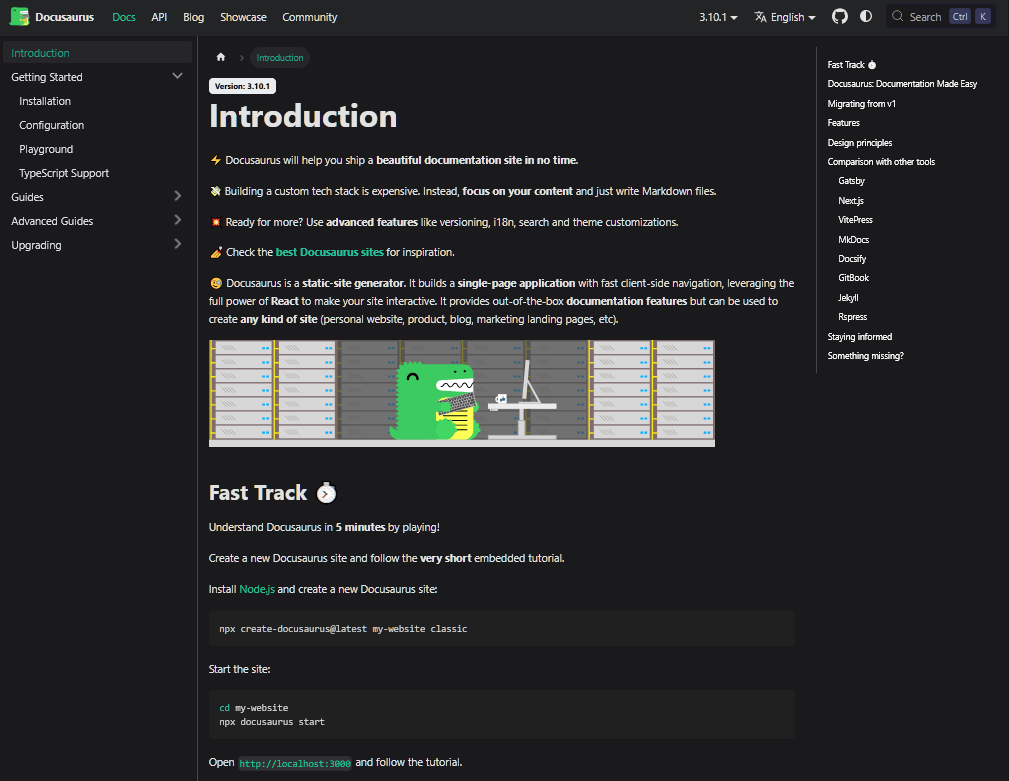
Docusaurus is Meta's open-source documentation framework, built on React and distributed under the MIT license.
You write content in Markdown (or MDX, which lets you embed React components inside your docs), and Docusaurus compiles it into a fast, SEO-friendly static documentation site.
Docusaurus powers the documentation for React Native, Jest, Prettier, Redux, and thousands of other open-source projects. And has over 65,100 GitHub stars as of mid-2026.
The reason developers keep reaching for it is the same reason they love code in general: control.
Because Docusaurus is built on React, you can customize every aspect of the reading experience. With:
- Custom page layouts
- Interactive code playgrounds
- Themed syntax highlighting
- Client-side search widgets
- Live editors
- Plugin system
you name it.
Why Look for Docusaurus Alternatives?
So, why look for Docusaurus alternatives?
Here's where Docusaurus falls short:
The “free” price tag doesn’t mean it’s free
You pay nothing for the framework, then spend engineering hours:
- Configuring hosting
- Setting up CI/CD
- Wiring Algolia or Typesense for search
- Connecting analytics
- Updating dependencies
- Maintaining custom plugins
These hidden costs can quickly add up for teams without a dedicated documentation engineer.
React and coding dependency
Markdown is approachable, but the moment a marketer, support lead, or product manager needs to fix a config file, debug a failed build, or make sense of JSX inside an MDX file, they're stuck.
There's no visual editor, no collaborative web-based authoring, and everything routes through Git and pull requests.
No built-in search worth shipping
The default lunr-based client-side search doesn't scale well.
Serious sites bolt on Algolia DocSearch or Typesense, which means more setup and, for non-open-source projects, additional cost.
No AI features
Adding AI features to Docusaurus means using additional tools, which increases cost and maintenance overhead.
For documentation, AI features like chatbot, search and article writer are truly working like magic in 2026.
No built-in analytics or feedback
No quick way to analyze your documentation performance—if it’s actually helping users or not.
To have this functionality you have to code stuff, setup analytical tools, which makes it a deal breaker for the most.
If any of these pain points describe your situation, the Docusaurus alternatives below are worth your time.
Best Docusaurus Alternatives in 2026

We rigorously test and research every product that we recommend through HeroThemes. Our review process. We may also earn a commission if you make a purchase through our links.
1. Heroic Knowledge Base
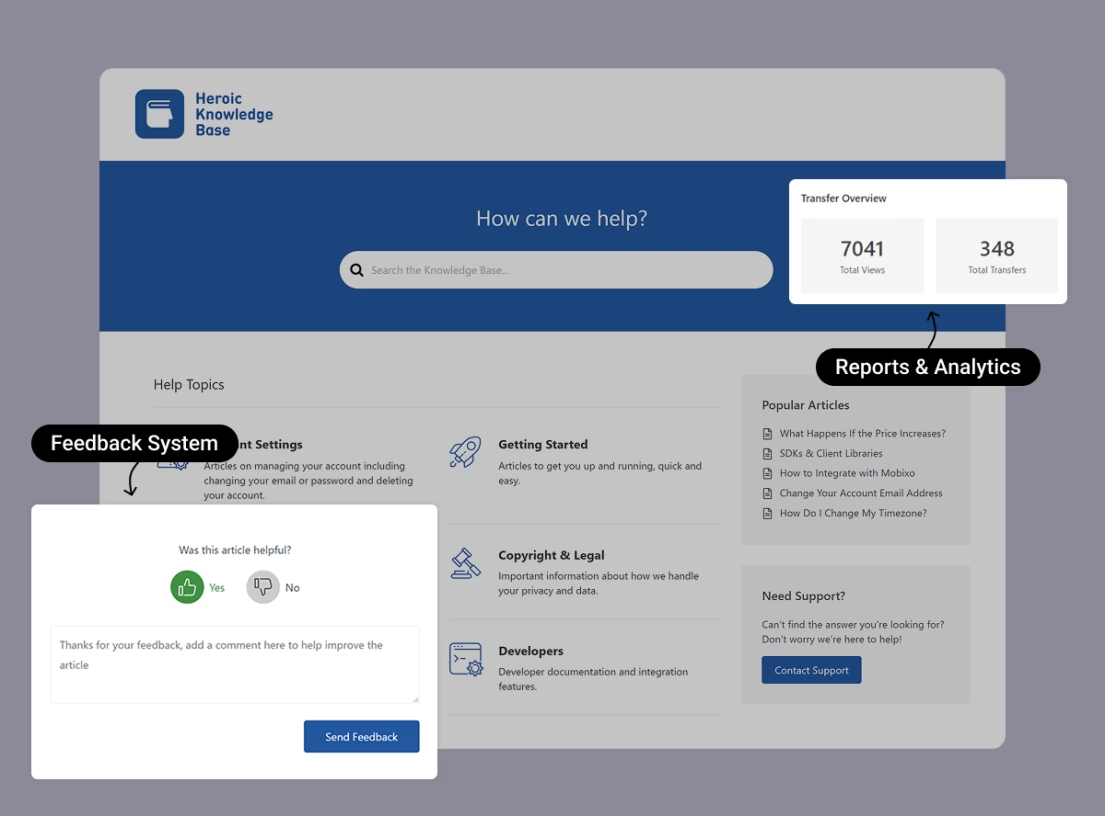
Heroic Knowledge Base (Heroic KB) is the most practical Docusaurus alternative for non-technical teams.
With Heroic KB you turn your existing WordPress installation into a polished, searchable, self-hosted help center.
Where Docusaurus expects you to be an engineer, Heroic KB expects you to be a business that wants its docs to reduce support load. That's a fundamentally different value proposition, and for many teams, that’s what they are looking for.
The most significant recent addition is the Heroic AI Assistant, an AI-powered chatbot that trains on your knowledge base content and delivers conversational answers to visitors.
Key features of Heroic KB:
- AJAX-powered instant search with relevance-based suggestions as users’ type.
- Article analytics that drive decisions: article views, “was this helpful” voting, popular searches, and a “null searches” report that tells you exactly what content to write next.
- Transfer analytics that show which articles still generate the most human-support contacts.
- Heroic AI Assistant chatbot, trained on your own KB, for instant on-site answers.
- Access control: lock the entire knowledge base, individual categories, or single articles to logged-in users. Works for public, password-protected, or intranet sites.
- Drag-and-drop article ordering, automatic table of contents, glossary builder, CSV import, and WPML multilingual support.
- Integrations with Slack, Help Scout, Gravity Forms, WPForms, and Formidable Forms on higher tiers.
Limitations:
- No free version. This is premium-only, which puts off hobbyists.
- Requires a WordPress site.
Pricing
Heroic KB is a premium solution. Three premium tiers (Essential, Plus, and Pro) starting around $67.60/year for a single site.
2. Starlight (Astro)
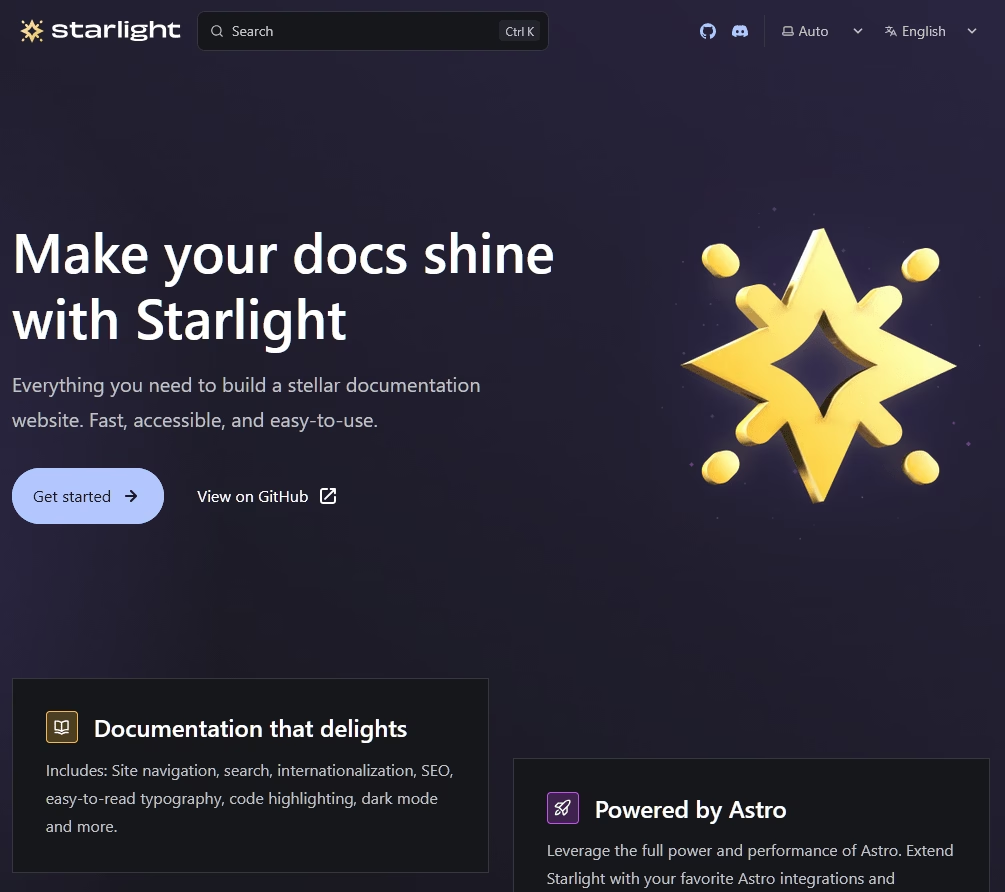
Starlight, built on Astro's “islands architecture” that ships zero JavaScript by default and hydrates only the interactive parts. The result is documentation sites that are exceptionally fast and light.
You write content as Markdown, MDX, or Markdoc in a src/content/docs/ directory, and Starlight handles the rest.
It's framework-agnostic for interactive components, so you can drop in React, Vue, Svelte, or Solid as needed.
What makes Starlight better Docusaurus alternative:
- Built-in Pagefind search ships in the box, no Algolia account or separate wiring required.
- Outstanding out-of-the-box performance: a typical Starlight page ships under 50KB of JavaScript.
- Sensible, attractive defaults that look professional without any theming effort.
- Actively developed by the Astro core team, with frequent releases and strong community support.
- Framework-agnostic interactivity via Astro's islands architecture.
Limitations:
- Versioning isn't native. You'll rely on a community plugin or Git-branch-based versioning, which is less mature than what Docusaurus offers.
- API reference docs need plugins or custom components.
Pricing
Starlight is free and open-source (MIT license). Hosting typically costs $0 if you use GitHub Pages, Netlify, Cloudflare Pages, or Vercel.
If you want to stay in the open-source, docs-as-code world but escape Docusaurus's React dependency and bolt-on search, Starlight is the best direct replacement available.
It's faster, search comes free, and the defaults look great.
3. GitBook

GitBook gives you the Git-based workflow developers love without the build pipeline they hate.
You write in a block-based editor or in Markdown, content syncs with GitHub or GitLab, and GitBook handles hosting, search, and rendering.
With GitBook, search is meaningfully better than Docusaurus's default lunr implementation, and branching and versioning happen in the UI rather than the terminal.
In 2026, GitBook leans into AI with GitBook AI, the GitBook Agent (codebase-aware, in beta), and an AI Assistant for readers.
If you're coming off Docusaurus primarily to escape the DevOps burden while keeping a Git workflow, GitBook is the most natural alternative.
Key features of GitBook:
- Native GitHub/GitLab sync with pull-request-triggered doc previews and built-in version control.
- Polished, professional default reading experience with minimal effort.
- Fast search plus AI Answers on paid tiers.
- Real-time editing, commenting, and change-request workflows for collaboration.
- Interactive API playgrounds and unlimited page views.
Limitations:
- Per-site plus per-user pricing.
- The free tier is hard-limited to a single user with no collaborators and a gitbook subdomain.
Pricing
GitBook free plan (one user, gitbook subdomain). Premium costs $65 per site per month, plus $12 per member per month.
4. MkDocs (with Material for MkDocs)
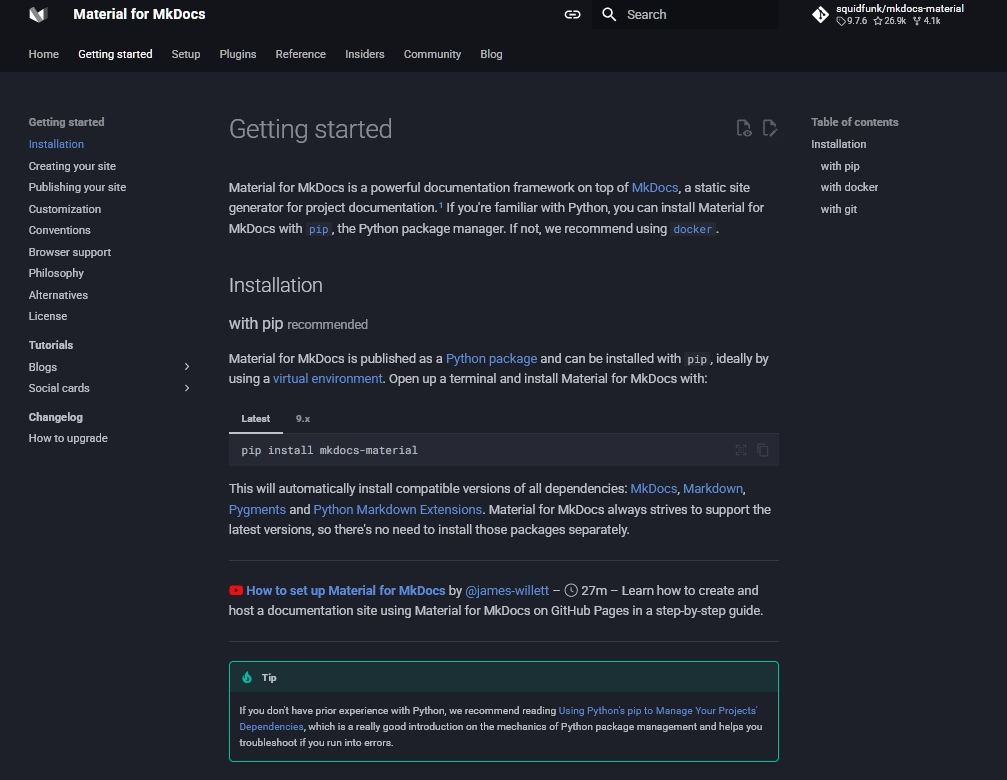
Under normal circumstances, MkDocs with the Material theme would be a straightforward recommendation for Docusaurus alternative.
You write Markdown, configure a single YAML file, and get a polished documentation site.
But the MkDocs ecosystem is fractured. The reason is Zensical, a ground-up, Rust-based successor static-site generator from the Material for MkDocs team.
MkDocs is still the preferred choice for the most due to its strong ecosystem (other themes and plugins) and simplicity.
Key features of Material for MkDocs:
- Readable YAML configuration that's far gentler than Docusaurus's multi-file JavaScript setup.
- Material's design system is genuinely excellent, and now every premium feature is free.
- First-class Python documentation workflow with mkdocstrings for auto-generated API docs from docstrings.
- Client-side search, dark mode, content tabs, and admonitions all built in.
Limitations:
- MkDocs core is unmaintained, and the 2.0 rewrite introduces breaking changes with an unclear migration path.
- No MDX or React component embedding.
- For brand-new projects, evaluate Zensical alongside Material for MkDocs.
Pricing
MkDocs and Material theme is free and open-source. Hosting is typically free via GitHub Pages, Read the Docs, or Netlify.

5. Mintlify
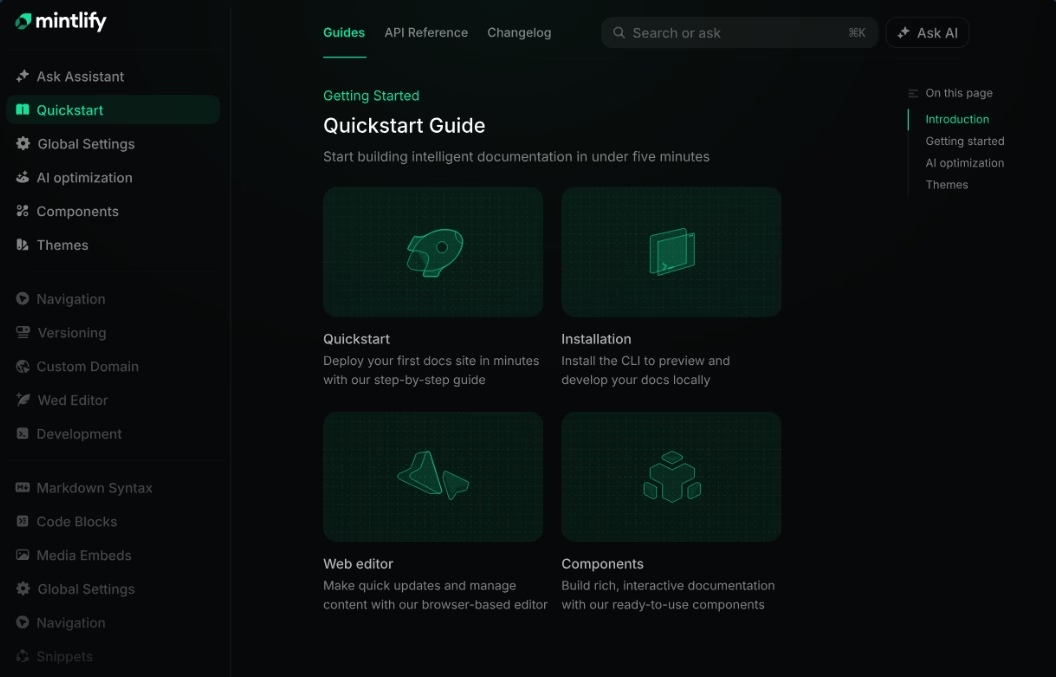
Mintlify looks good by default. The clean typography, excellent code highlighting, dark mode out of the box, and interactive API reference pages that feel like a product feature rather than a documentation afterthought.
That's one way to attract customers like Perplexity, Notion, and PayPal.
Mintlify is a managed, AI-native platform. You write MDX, store it in Git, push to deploy, and Mintlify handles hosting, search, CI/CD, and updates.
It keeps the Git-based workflow Docusaurus users expect while removing the maintenance burden.
Key features of Mintlify:
- Best-looking default output of any tool on this list.
- OpenAPI-first interactive API references with a built-in API playground.
- AI Assistant (“Ask AI”), AI Writing Agent, and the codebase-monitoring Mintlify Agent.
- Genuinely generous free starter tier: custom domain, web editor, MDX, API playground, semantic search, and custom CSS/JS.
- SOC 2 certified, pursuing ISO 27001.
Limitations:
- The jump from free to paid is steep, with no real middle tier.
- AI usage is metered.
Pricing
Mintlify is free to start with. Which includes all necessary features.
There is also a pro tier, called Enterprise (you need to contact their team for the pricing). Which unlock additional security features and services.
6. Redocly
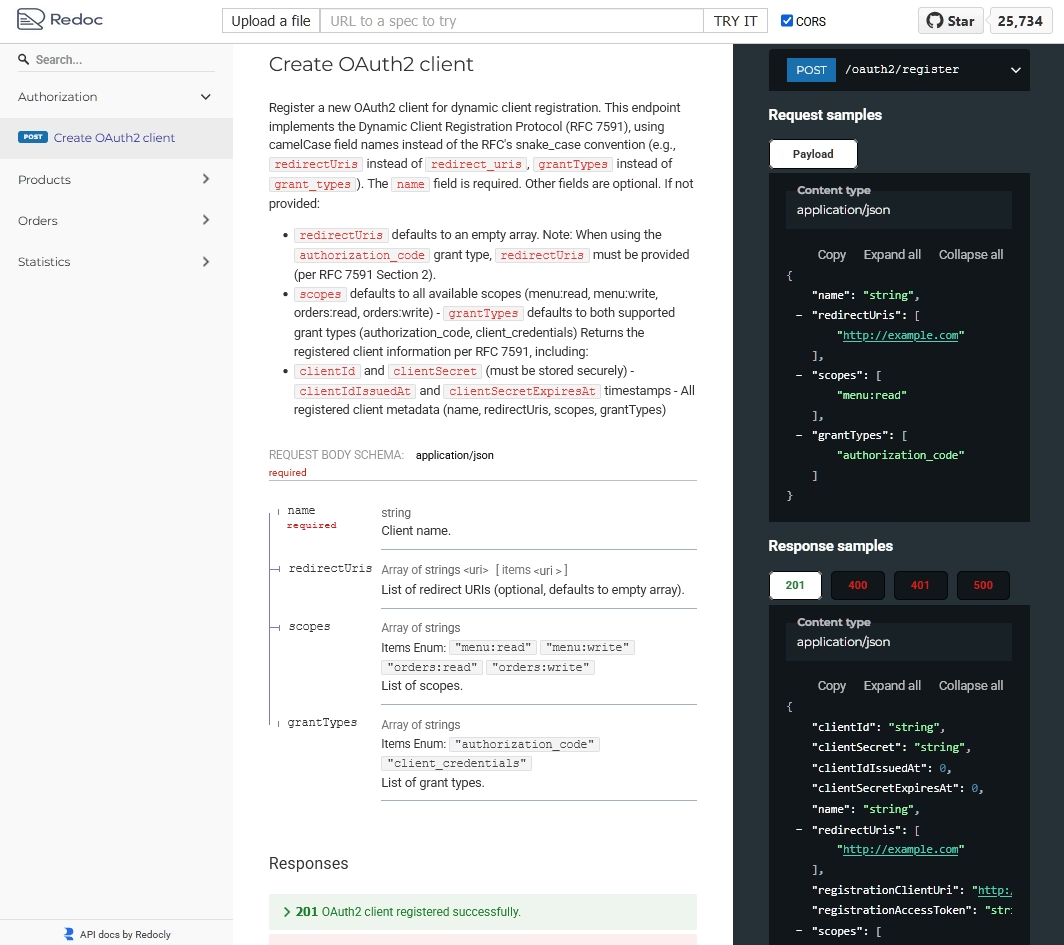
Redocly, the open-source OpenAPI/Swagger renderer that's one of the most popular API documentation tools on GitHub.
It’s a CLI/CSS stack that generates beautiful three-panel reference docs automatically from OpenAPI definitions, plus developer portals, linting, bundling, and automated deployment.
If your documentation's primary job is to make an API easy to understand and adopt, Redocly's defaults get you to a professional result faster than assembling a Docusaurus stack with multiple OpenAPI plugins.
Key features of Redocly:
- Best-in-class OpenAPI 3.1/3.0 and Swagger 2.0 rendering with a responsive three-panel layout.
- “Try It” API console for testing endpoints directly from the documentation.
- Docs-as-code workflow with Git source control, linting, and bundling of multi-file API definitions.
- Redoc community edition is free and open-source for the renderer itself.
- Version switcher and advanced search built specifically for API content.
Limitations:
- Good as an API-reference tool. It's weaker as a full general-documentation solution.
- Less suited to narrative product docs, tutorials, or help-center content.
Pricing
The Redoc community edition is free. Commercial API Hub plans start around $28/user/month.
7. Notion
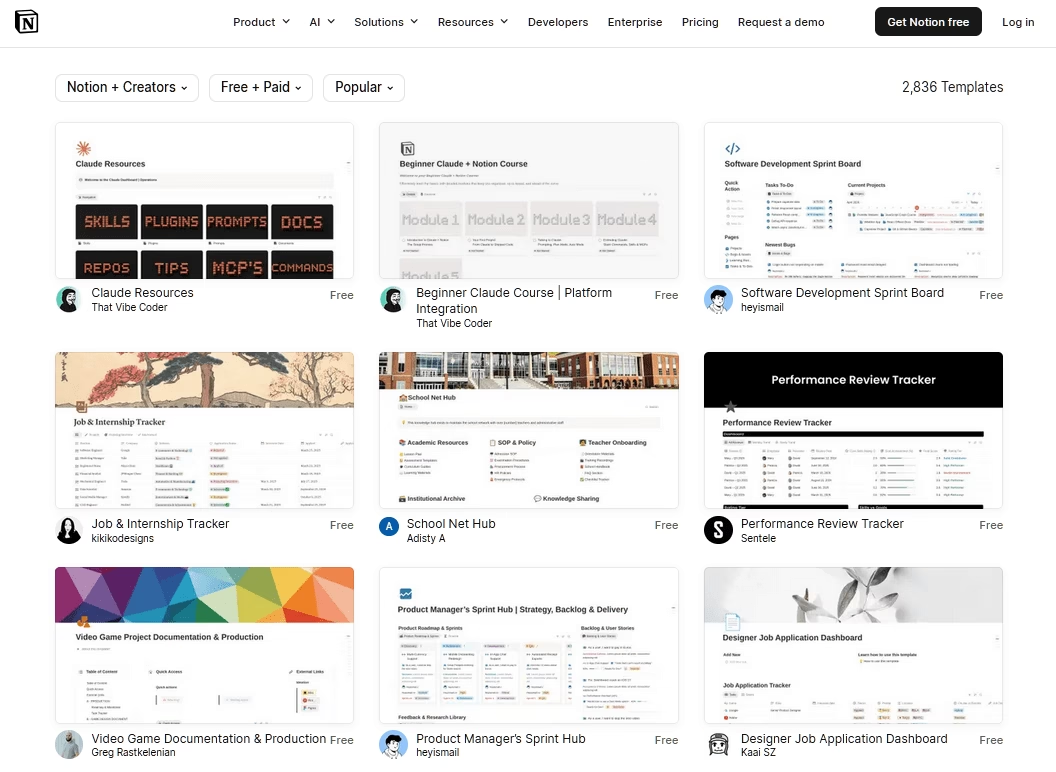
For a full of non-technical people who need to create and maintain documentation, along with managing business communications, or tasks, try Notion.
Its block-based editor, databases, and templates make it trivially easy for anyone to create and organize content. And built-in publishing lets you turn any page into a public site.
A whole ecosystem of third-party tools exists specifically to turn Notion pages into polished public documentation sites with custom domains and professional themes.
Notion might not be the perfect replacement for Docusaurus. But if you like what Docusaurus does, it can be achieved with tools like Notion.
Key features of Notion:
- Effortless, no-code block editor that anyone can use from day one.
- Databases, relations, and templates for structuring knowledge.
- Real-time collaboration, comments, and version history.
- Notion AI for drafting and workspace-wide Q&A.
- One-click publishing, with ecosystem tools adding custom domains and themes.
Limitations:
- Native published pages aren't optimized as documentation sites (navigation, SEO, and search are limited without third-party tools).
- No docs-as-code, Git, or versioned-docs workflow.
- Public-site customization and custom domains typically require an add-on tool (extra cost).
- Performance and structure can degrade for very large doc sets.
Pricing
Notion offers a free plan for personal and small use. Paid plans are per-user, starting around $10/user/month for Plus plan.
8. Markdoc
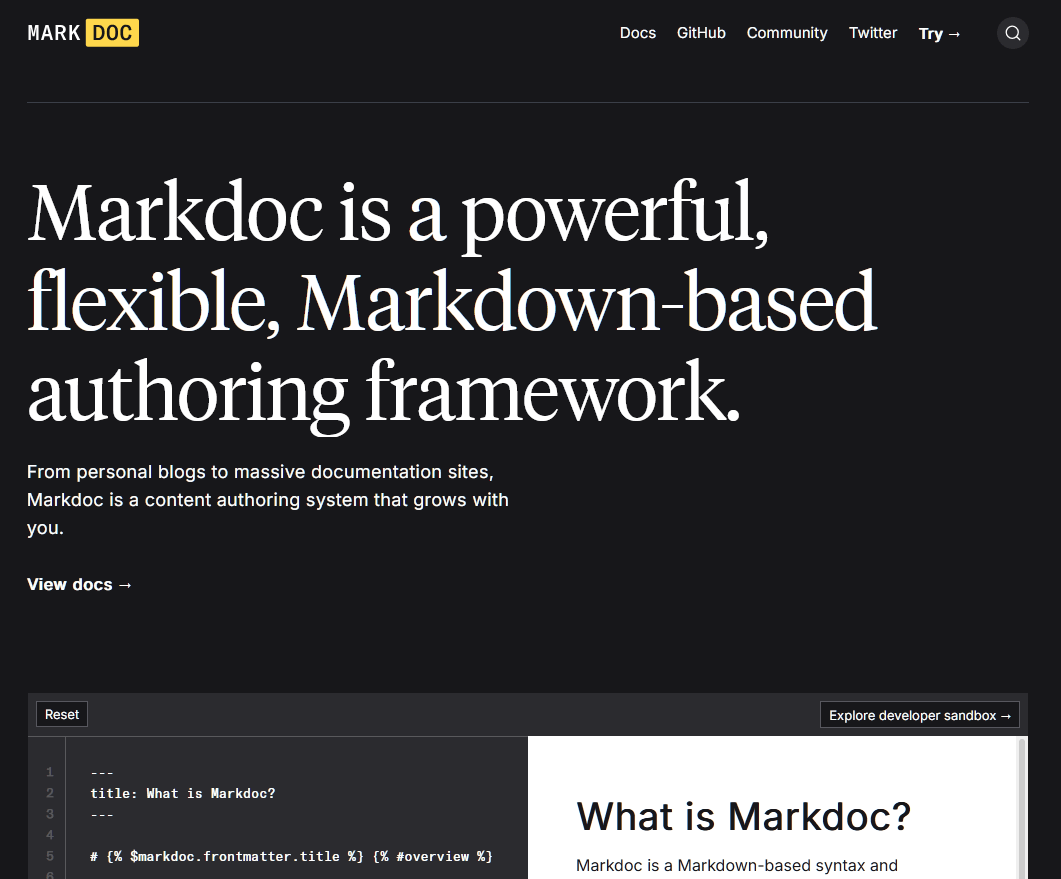
Markdoc is built by Stripe to power its famously good documentation, then open-sourced. It extends standard Markdown with a custom, typed, validated tag syntax so writers can add callouts, tabs, conditionals, and interactive components without ever touching raw JSX.
Stripe has used Markdoc to produce hundreds of thousands of lines of code and thousands of documentation pages, so the approach is thoroughly battle-tested at scale.
Markdoc isn't a site generator or a hosting platform. It's a content format and toolchain.
Markdoc is for teams that take content seriously and want guardrails. If you're having trouble with the messiness of MDX in Docusaurus and want technical writers to be able to author safely without touching JSX, Markdoc is the most thoughtful answer available.
Key features of Markdoc:
- Clean separation of content and code. Writers stay in near-pure Markdown.
- Static, schema-based validation catches broken docs at build time (invaluable at scale).
- Custom tags, typed attributes, variables, and simple conditional logic.
- Familiar CommonMark-based syntax with a large existing tooling ecosystem.
- MIT-licensed and open-source, with Starlight offering native Markdoc support.
Limitations:
- It's a framework, not a site generator. You still need to assemble hosting, search, and analytics yourself.
- Setup cost is higher than turnkey tools. It earns its keep at scale, less so for a five-page README.
Pricing
Mardoc is free and open-source under MIT license. Your costs are hosting and your own build setup.
9. Featurebase
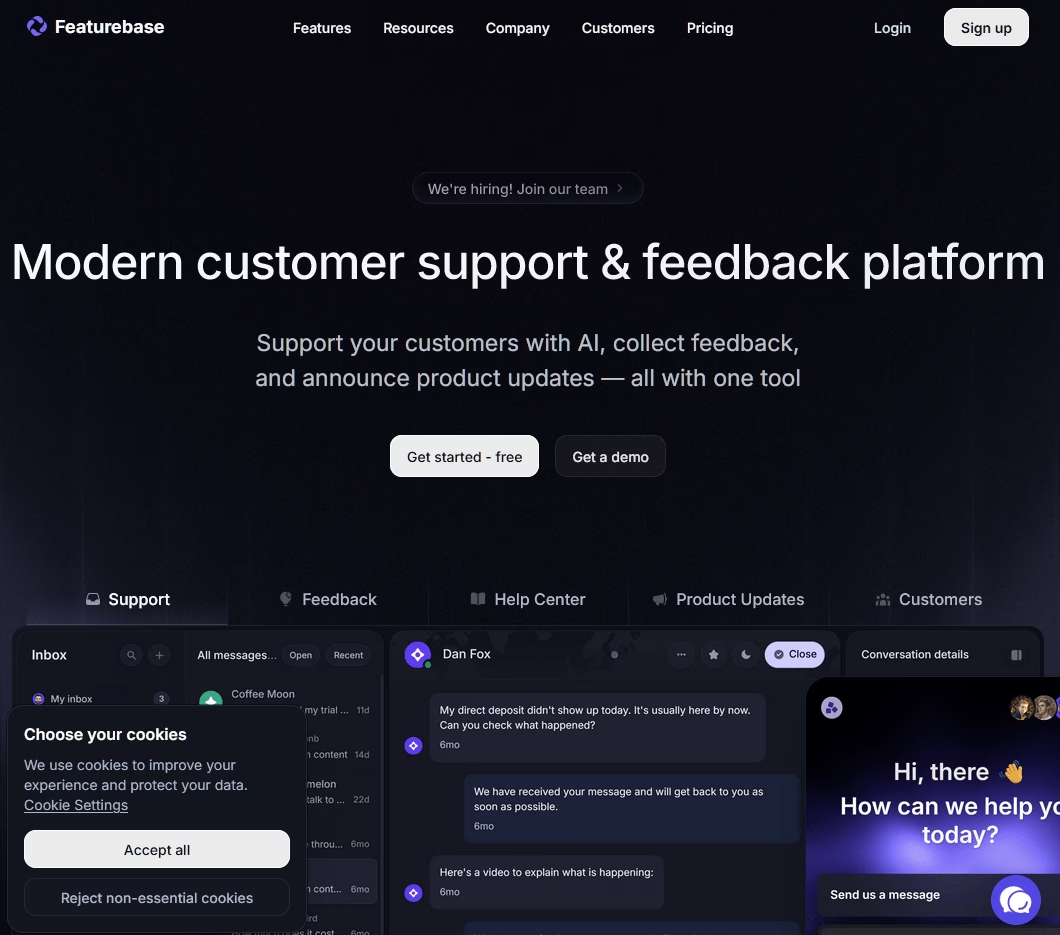
Featurebase bundles a help center and knowledge base with feedback boards, product roadmaps, changelogs, surveys, a support inbox, and an AI support agent, all in one platform.
It's aimed at product-led SaaS teams (5 to 150 people) tired of stitching together four separate vendors for four overlapping jobs.
Unlike Docusaurus, none of this requires code, Git, or a build pipeline. You can have a professional-looking documentation up and running in minutes.
Key features of Featurebase:
- Useful free plan that includes all modules: feedback, roadmaps, changelogs, surveys, and help center.
- Notion-style editor with custom components, images, video, and GIFs. Friendly to non-technical authors.
- Built-in AI support agent plus AI knowledge base in 40+ languages.
- In-app widgets that bring help articles inside your product.
- Feedback boards plus voting tie documentation to a product roadmap (a differentiator pure docs tools lack).
- A single subscription replaces what most teams pay four vendors for.
Limitations:
- Consumption-based AI pricing that can add up fast at high volume.
- Branding removal is a paid add-on ($69/month) and only available on higher tiers.
- Per-seat pricing scales linearly with support-team size.
- Not designed for developer/API reference documentation.
Pricing
Featurebase has a free plan which is genuinely useful.
Paid plans start at $29 per seat/month, plus 29 cents per AI resolution on the Growth tier.
Final Thoughts: Docusaurus Alternatives
Docusaurus earned its popularity because it gave developers the control they value deeply.
But control comes with a maintenance tax, and in 2026, the documentation landscape has matured to the point where you no longer have to pay that tax to get a professional result.
The best Docusaurus alternative is the one that removes the specific burden you're trying to escape.
- If that burden is DevOps and hosting, a managed platform like Mintlify or GitBook lifts it.
- If it's non-technical authors who can't touch React, Heroic Knowledge Base removes the barrier entirely.
- If it's simply that you want a lighter, faster open-source framework, Starlight is ready.
What do you think is the best Docusaurus alternative? Do let us know by commenting down.
Further Reading
Top 9 Help Scout Alternatives in 2026 (Including Free Options)
9 Best MkDocs Alternatives and Competitors to Try in 2026
Top Internal Knowledge Base Software in 2026 (Free & Paid)
7 Best AI-powered Knowledge Base Software
eCommerce Chatbot Examples to Learn From (Expert Guide)
Free & Open Source Knowledge Base Software (2026)






Leave A Comment?
You must be logged in to post a comment.