10 Best Internal Knowledge Base Software in 2026 (Free and Paid)


Creating a thriving internal knowledge base is a daunting task, but the right software makes it much easier.
That file you spent an afternoon digging through emails for—should have been part of your intranet, or the policies that you have to find every time when you hire someone.
In this guide, we will cover 10 of the best internal knowledge base software available in 2026 (including free options).
Ready? Let’s get started.
In This Guide
What Is an Internal Knowledge Base? Definition and Use Cases
An internal knowledge base, sometimes called an internal wiki or company knowledge base, is a private, centralized library of your company’s information for employees.
Companies use an internal knowledge base to store policies, process documentation, product FAQs, training guides, code snippets, and any other resource employees need to do their jobs.
Unlike a public FAQ page for customers, an internal knowledge base is meant for employees, contractors, and internal stakeholders as a self-service resource.
People often ask how this differs from a wiki or an intranet, and the distinction is smaller than vendors suggest.
A wiki is a format where anyone can edit, an intranet is the wider portal that carries announcements and links, and an internal knowledge base is the curated, owned, searchable content sitting inside either one.
Internal Knowledge Base Use Cases:
- Onboard new hires with HR and IT how-to guides
- Enable customer support reps with troubleshooting guides
- Provide engineers a central wiki for code standards
- Keep sales teams updated with current product details
- Offer everyone 24/7 access to shared knowledge
- Reduce repeated questions by enabling self-service
How We Tested and Picked These Internal Knowledge Base Tools
There are literally hundreds of knowledge base software out there, so choosing only 10 wasn’t an easy job as I thought.
Our goal here is to put a genuine mix of internal knowledge base and knowledge management platforms, covering free, open-source, and premium options.
I evaluated each one against the same criteria, drawing on 10 years spent testing support and documentation software.
And here are a few points that will help you understand more about my testing methods:
- Usability: If the team finds the interface clunky or the editor confusing, the tool won’t get used. The clean UI and features like WYSIWYG or Markdown editors are must have.
- Organization and Search: To make finding files easier, you want a robust search and logical structure (categories, tags).
- Features and Integrations: For an internal knowledge base, features like version history, access control, and integration with tools like Slack or ticketing systems are must have.
- Scalability: For example, some free plans limit content or users. We considered whether the free/community version could support a small team and how paid plans scale up.
- Value (Free vs Paid): Since budget is a factor for many, we intentionally included free and open-source knowledge base software alongside premium platforms.
- AI and content freshness: In 2026 this is the criterion that separates the list. Some tools now answer questions from your docs with citations, flag content that has gone stale, and expose knowledge to AI assistants through MCP. Others still leave that entirely to you, which is fine, as long as you know it going in.
In short, this list is a curated selection that balances functionality, user-friendliness, and cost.
Must-Have Features in Internal Knowledge Base Software
Whether you go with a free open-source wiki or a fancy enterprise platform, there are some core features you absolutely want in an internal knowledge base tool:
- Robust search functionality
- Easy content authoring (WYSIWYG Editor)
- Organization structure (Categories/Tags)
- Access controls and security
- Version history and editing workflow
- Analytics and feedback
- Integrations and extensibility
- Customization and branding
- AI answers with citations
- Stale content detection
- AI agent access (MCP or API)
I made sure that each of the tools listed in this guide provides the core features required for running an internal knowledge base, such as access control and a robust search function. While features like AI and customization are optional, they are still valuable.
Best Internal Knowledge Base Software in 2026
Here’s a quick comparison table of the listed software:
| Software | Best for | Key standout | Starting price |
|---|---|---|---|
| Heroic Knowledge Base | WordPress-based companies | Internal knowledge base with access control, search, analytics, and customization | $67/year |
| OpenKM | Document-heavy organizations | Document management, audit trails, workflows, and full-text search | Free |
| Slite | Teams focused on keeping docs current | AI-powered answers, stale content detection, and MCP/API access | $10/user/month |
| Documize | Growing teams needing self-hosted documentation | Structured spaces, permissions, SSO, and WYSIWYG/Markdown editing | Free |
| Skedda | Hybrid workplaces | Desk and room booking, floor plans, and workplace management | $249/month |
| Microsoft SharePoint | Microsoft 365 organizations | Enterprise document management, search, and granular permissions | $7/user/month |
| Notion | Small teams and startups | Flexible workspace with pages, databases, templates, and search | Free |
| Zoho Learn | SMBs needing knowledge + training | Knowledge base combined with LMS, courses, and quizzes | Free |
| Bloomfire | Large enterprises | AI Q&A, content reliability, and search across video content | Quote-based |
| BookStack | Self-hosted teams on a budget | Simple Books, Chapters, and Pages structure with role-based permissions | Free |

We rigorously test and research every product that we recommend through HeroThemes. Our review process. We may also earn a commission if you make a purchase through our links.
1. Heroic Knowledge Base
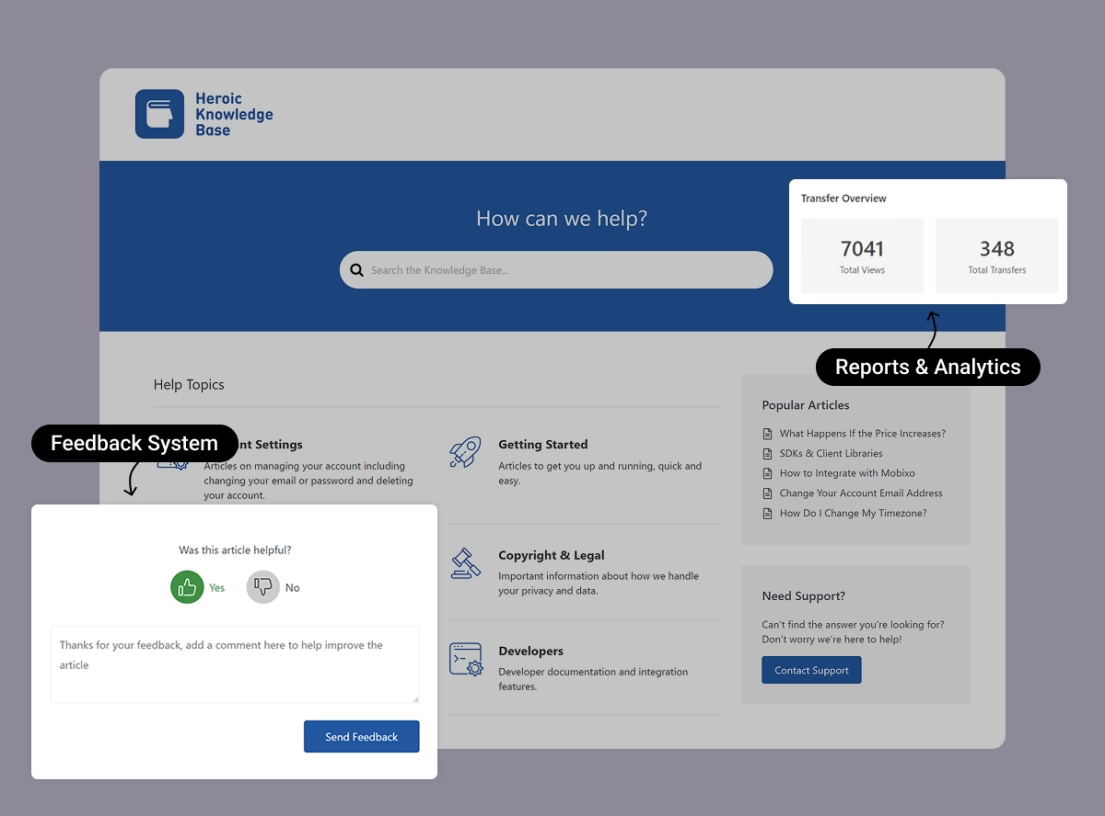
Heroic Knowledge Base (Heroic KB) is a premium plugin for building a full-featured internal company knowledge base. Currently used by 32,120 businesses including teams at USC and Sennheiser.
Heroic KB makes the most sense when your company website already runs on WordPress.
Everything lives in your own database, on your own server, which matters if your policies, HR docs, or client processes shouldn’t sit in a vendor’s cloud.
The front end is polished for employees, and the back end uses the familiar WordPress editor.
Key Features:
- Instant AJAX Search to provide real-time search suggestions as users type. Kinda similar to Google’s autocomplete.
- Use of custom post types for articles and custom taxonomies for organization. You can create multi-level categories (and sub-categories) to neatly group your content.
- Article feedback and analytics to gain insight into how your knowledge base is working.
- Rich block editor. It uses a familiar WordPress editor (Gutenberg or Classic), so no learning curve if you know WordPress, or require little to no experience to get started.
- Access Control: Restrict the knowledge base to employees only with built-in features and proper integration with WordPress users and roles.
- Customization features to fit the knowledge base according to your brand style.
- Highly optimized for performance and scalability.
Pricing
Heroic KB is a paid internal knowledge base software. Licenses start at $67 per year for one site (includes support and updates).
My Take
Heroic KB offers a powerful yet user-friendly knowledge base tool. A perfect choice for beginners and professionals to create an internal knowledge base and get started as quickly as possible.
2. OpenKM (Community Edition)
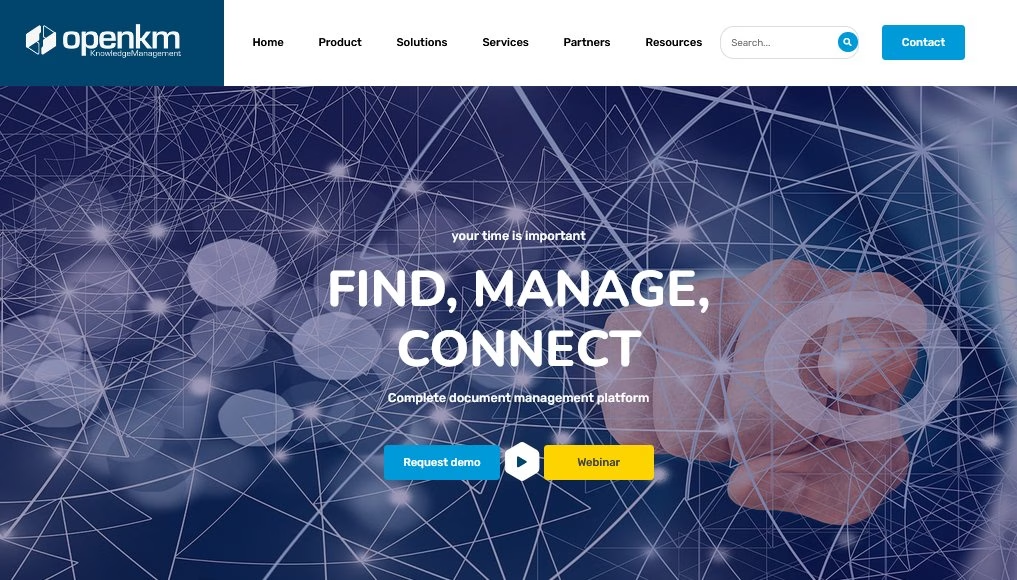
OpenKM is actually an open-source Document Management System (DMS), but it doubles as a robust internal knowledge repository.
Especially in companies that deal with a lot of formal documents, PDFs, and records.
The Community Edition of OpenKM is free to use (released under GNU GPL). It’s a heavier-duty solution intended for corporate environments where you might need workflows, audit trails, and a mix of file types in your knowledge base.
Key Features:
- Centralized Repository for All File Types: Word docs, PDFs, images, emails, you name it.
- Full-text search that looks inside PDFs and Word files
- Audit trail and versioning to Track every action: who viewed, edited, or moved a document
- Built-in approval workflows: draft a document, route it to a manager, then publish
- Email Integration: A nifty feature is OpenKM’s ability to archive emails directly into the knowledge base.
- Collaboration Tools: Ability to add comments and notes on documents.
- Ability to connect with tools like Trello or Jira through plugins
Pricing
The OpenKM Community Edition is free to self-host, though it ships without official support.
The company also offers Professional and Cloud editions with more features and official support, but those are paid (pricing on request).
My Take
OpenKM works well for large teams that need strong control and auditing. The setup takes time and technical skill, but once running the platform stays reliable. For small teams that want to build a simple internal wiki, the OpenKM feels overkill.
3. Slite
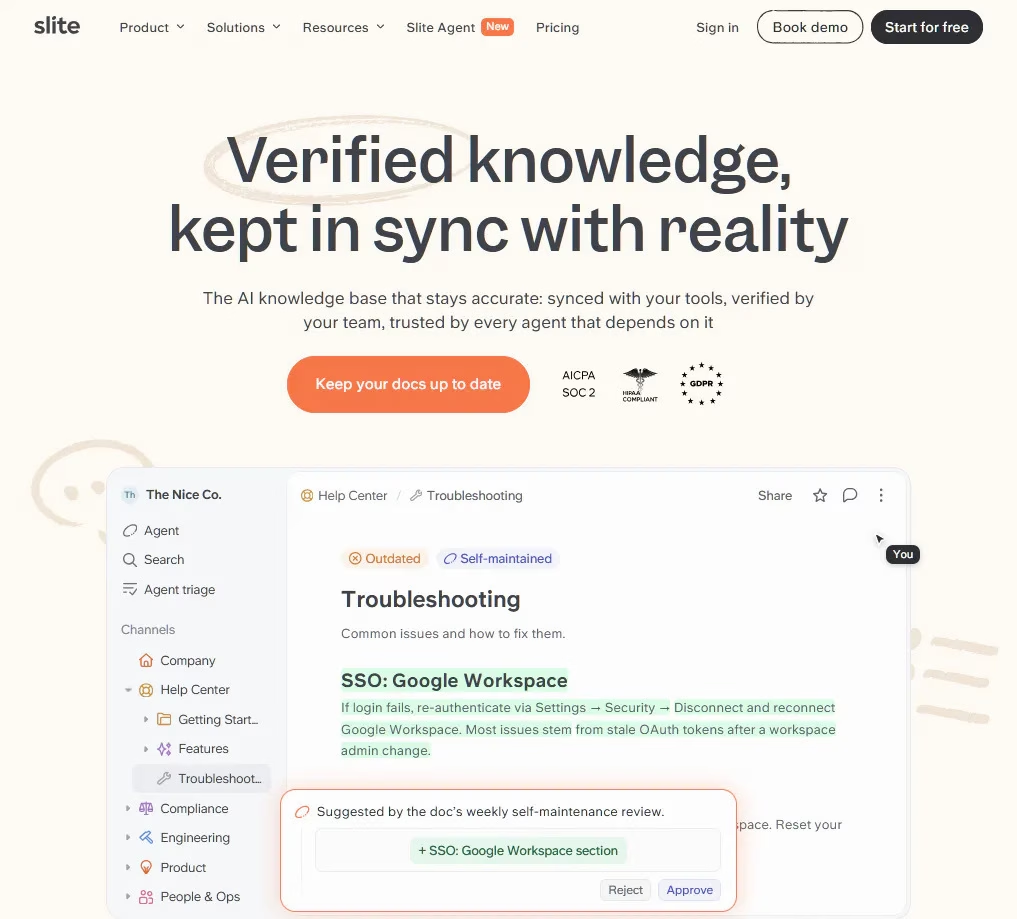
Slite is a self-maintaining knowledge base that keeps itself current based on information from your company’s entire tool stack.
The platform pairs a structured, verified wiki with an AI agent that notices when documentation has drifted from reality, drafts the correction, and routes it through a human before making it live.
Key Features:
- Slite Agent: detects stale or missing docs across Slite and 20+ connected tools, drafts the correction as a diff with per-edit rationale, and sends it to a human review queue.
- AI-powered Ask: Natural language search with source citations that returns “no answer found” rather than inventing one.
- Ask Insights to surface the questions your documentation never answered.
- Doc verification: Owners set verification cycles of six months, one year, or a custom period, with automatic re-review reminders.
- Knowledge Management Panel: One dashboard for outdated, expired, and empty docs, with bulk cleanup filters and usage analytics.
- Rich editor with tables, flowcharts, Excalidraw, LaTeX, code blocks, and Loom embeds.
- Version history kept forever.
- Native integrations with 20+ tools including Slack, Google Drive, Linear, GitHub, Jira, Confluence, and Notion.
- MCP and API access on every plan, so ChatGPT, Claude, or an internal assistant can pull from verified company knowledge.
- Security: SOC 2 Type II and GDPR across the board, HIPAA on Pro, plus an EU-hosted option.
Pricing
Slite has no free plan. Basic is $10 per user/month and Pro, which includes the Slite Agent, is $20 per user/month, both billed annually. Enterprise is custom priced, and there is a 14 day trial.
My Take
Slite is the one I’d pick for teams whose real problem is keeping docs current. Most wikis rot quietly; here the agent flags the drift and drafts the correction, and a human still signs off before anything lands. It also fits AI-driven teams that want a centralized single source of truth their own AI agents can pull context from. It won’t replace Notion for project management, and it’s cloud only, so anyone needing on-premise should look elsewhere.
4. Documize (Community Edition)
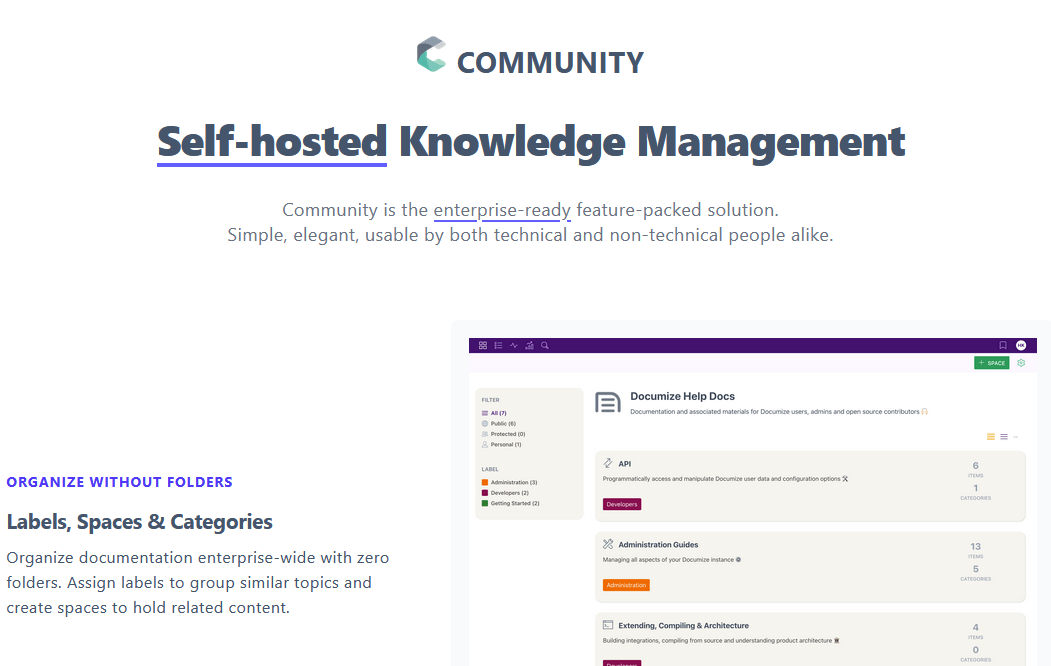
Documize is an open-source internal knowledge management platform. It’s like a hybrid between a wiki and a document collaboration tool.
Documize is often pitched as a Confluence alternative, bringing structured organization and robust permissions, but without any cost.
It’s written in Go with an Ember.js front end, and compiles into a single binary for easy installation—pretty neat technically.
Key Features:
- Organize content with Spaces (HR, Engineering, etc.) and categories or labels
- Powerful Permissions and Auth: Right out-of-the-box, Documize supports enterprise auth methods like LDAP, Active Directory, SSO (Keycloak, CAS).
- Ready-to-use templates for meeting notes, how-tos, and common documents
- Connect with Trello and Jira to embed boards or project data
- API for custom integrations
- Includes web-based editor with WYSIWYG and Markdown support.
- Lightweight and Cross-Platform: Runs on Linux, Windows, or Mac with MySQL, PostgreSQL, or MS SQL
- Community edition offers unlimited users at no cost
- Enterprise edition adds analytics, custom plugins, and support
Pricing
Documize is free for the Community Edition (self-hosted with unlimited users).
For the Enterprise Edition, which includes official support and extra features, they offer a free tier for up to five users. Beyond that, it is a paid service, with prices starting at around $900 per year for approximately 100 users.
My Take
Documize suits well for growing teams that need structure without paying enterprise prices. The platform is stable, supports serious permissions, and keeps content organized well.
5. Skedda
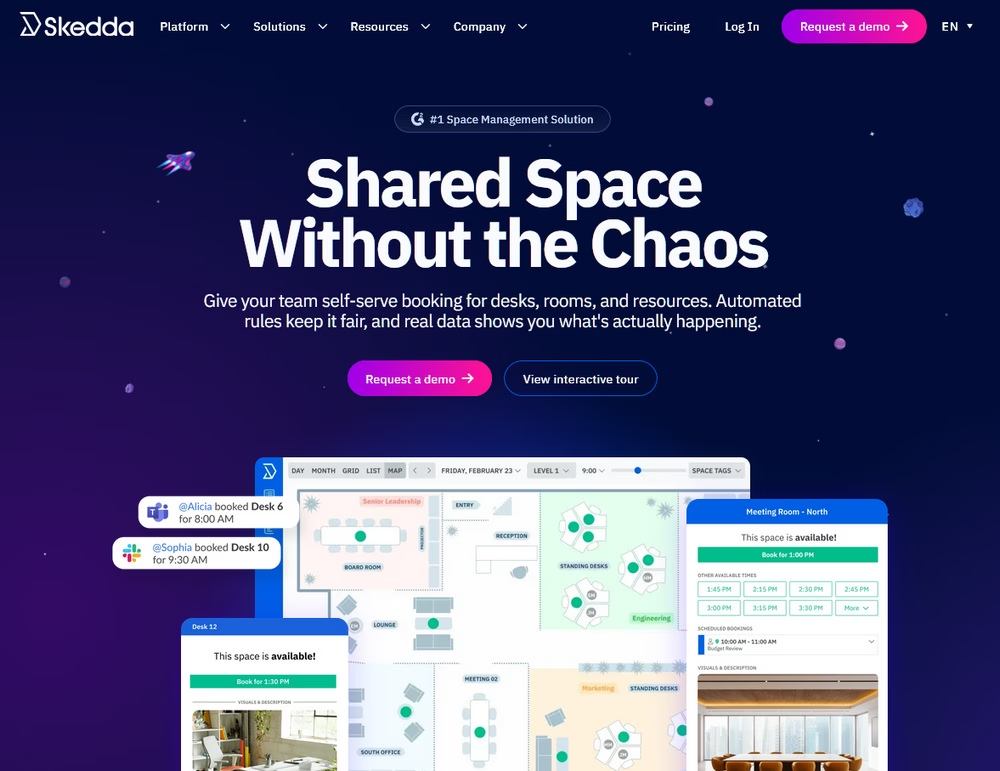
Skedda is a workplace management and space booking platform designed for hybrid offices. It covers desk and meeting room booking, interactive floor plans, and visitor management.
It acts as a visual “physical knowledge base” for modern organizations. While other tools focus on digital files, Skedda helps employees navigate the physical workplace by providing real-time visibility and booking capabilities for desks, meeting rooms, and other office resources.
It is particularly useful for hybrid teams that need to coordinate office days and ensure that workspace availability is transparent and searchable across the entire company.
Key Features:
- Interactive floor plans with drag-and-drop desk and room booking
- Automated rules and roles engine for booking windows, quotas, buffers, and approvals
- Visitor management for guest check-in and check-out
- Utilization insights dashboard plus Wi-Fi based occupancy tracking
- Native integrations with Microsoft 365, Microsoft Teams, Google Workspace, Slack, and Zoom
- Single Sign-On (SAML 2.0) and SCIM provisioning for IT teams
- Two-way calendar sync and native iOS and Android apps
Pricing
Skedda offers several tiers, with the comprehensive Plus plan starting at $249 per month.
My Take
Skedda is the odd one out on this list—and that’s the point. It won’t store your SOPs or answer policy questions, so use it to complement a documentation-based knowledge base, not replace one. But if your team is hybrid and people keep wasting time hunting for a free desk or an open meeting room, Skedda is a genuinely polished way to make that physical knowledge self-service.
6. Microsoft SharePoint
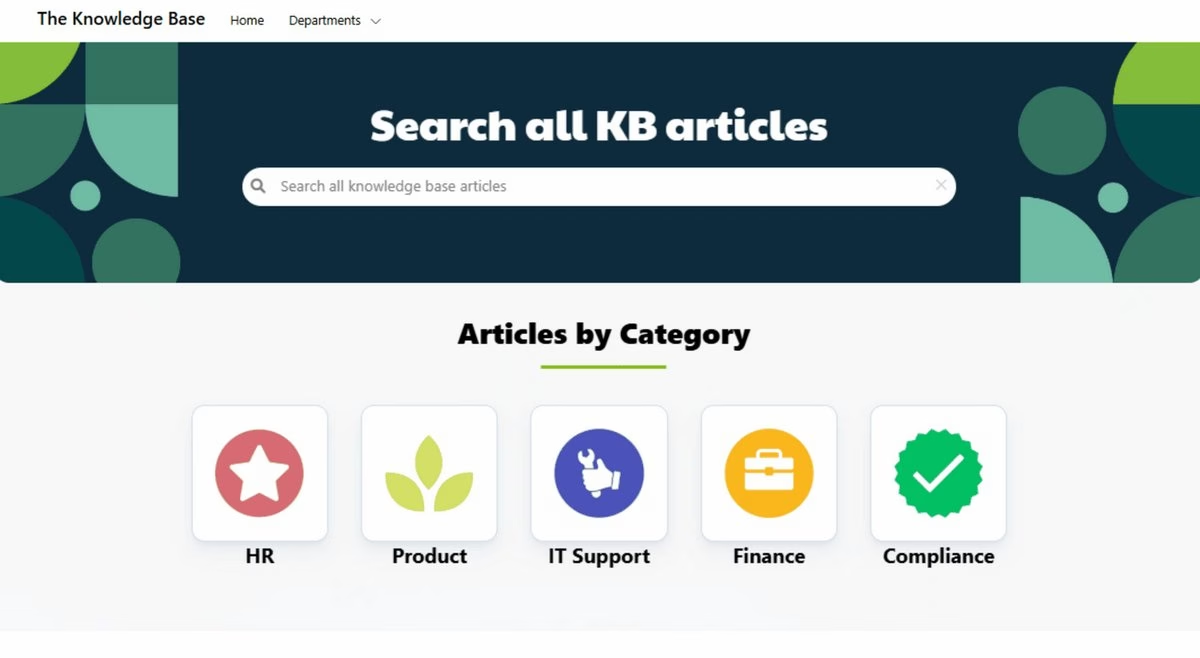
Microsoft SharePoint has been the granddaddy of internal knowledge portals for decades. It’s a web-based collaboration and document management platform included with Office 365 business plans.
SharePoint can serve as an internal company knowledge base or intranet, allowing you to create sites for different teams.
If your company is already in the Microsoft ecosystem, SharePoint might come “for free” as part of your subscription, making it a logical choice.
Key Features:
- Create sites for different departments (HR, IT, etc.) with multiple pages
- Document Libraries: You can have document libraries with versioning, check-in/check-out (to prevent edit conflicts), and metadata tagging.
- Enterprise grade search that looks inside documents and pages
- Set permissions using Active Directory groups for granular access control
- Save and edit Word/Excel files directly in SharePoint with Office Online
- Knowledge base templates
- Analytics: See how many people viewed a page or the trending content. However, it’s not as detailed as the analytics of a dedicated knowledge base.
Pricing
In late January 2026 Microsoft announced it is retiring the standalone SharePoint Online Plan 1 and Plan 2, and it stopped selling them to new customers on June 1, 2026, so you can no longer buy SharePoint on its own.
Existing standalone subscriptions can renew until January 2027 and keep running until service fully ends in December 2029.
New buyers get SharePoint through a Microsoft 365 bundle instead. Business Basic is the cheapest route at $7 per user/month on annual billing.
My Take
SharePoint can be a fantastic internal knowledge base or a frustrating maze, largely depending on how well it’s set up and maintained. If you already pay for Office 365, it can be a no-additional-cost solution.
Here’s the warning that comes with it: SharePoint rewards governance and punishes neglect. Without someone owning the site structure, permissions, and metadata, it turns into a nested folder swamp within a year, and Copilot will happily surface documents people were never supposed to see.
7. Notion
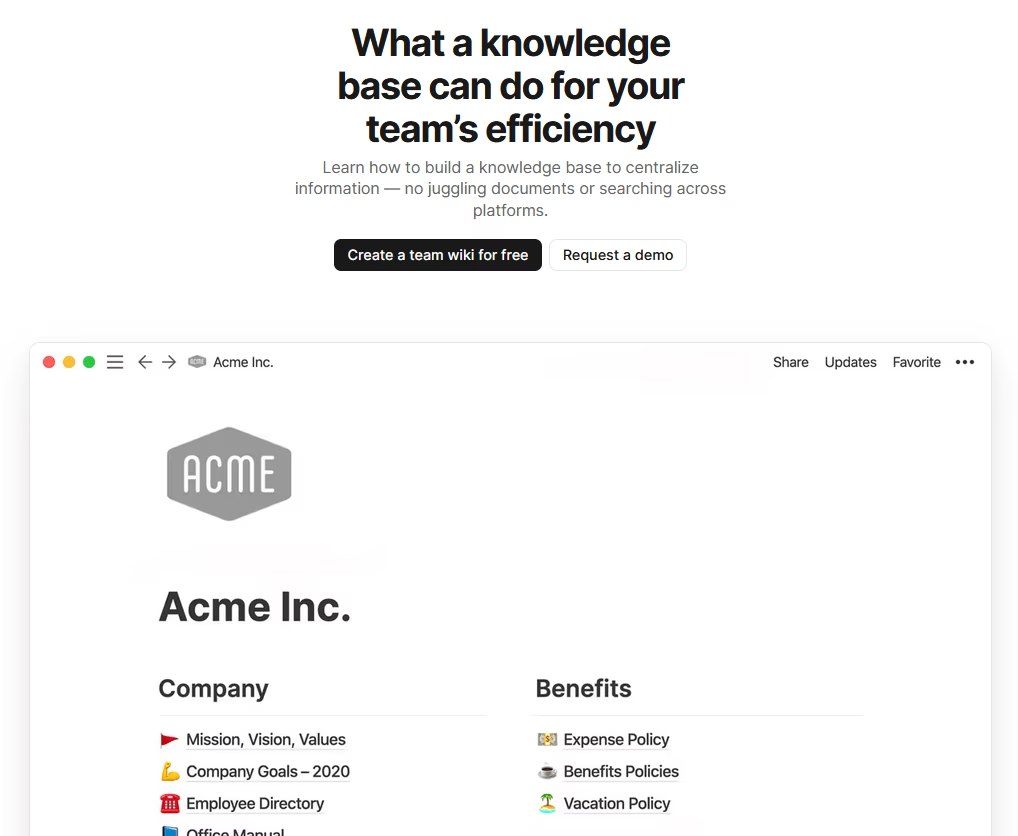
Notion is a popular all-in-one workspace app that’s great for creating internal wikis and knowledge bases, especially good for smaller teams or startups.
It offers a flexible pages-and-databases structure with a sleek editor that handles text, tables, kanban boards, you name it.
Many teams use Notion as an internal knowledge base, because it’s quick to set up and very intuitive. Basically a blend of docs and wiki with powerful organization.
Key Features:
- Rich Content Blocks: Build pages with drag-and-drop blocks like text, images, videos, code snippets, collapsible sections.
- Create hierarchy with pages and sub pages
- Fast search across all pages with filters
- Hundreds of custom templates for consistent formatting
- Collaboration and Comments
- Permissions to make pages private, or share with the whole workspace, or specific people/groups.
- Ability to embed content from Slack, GitHub, Google Sheets, and other services
- Work with Zapier or API for automation
- Enterprise Search on Business and Enterprise plans, which pulls answers from connected tools rather than Notion pages alone
Pricing
The Free plan is genuinely usable for one person with unlimited pages, and workable for a small team once you accept the 7-day page history and 5 MB upload cap.
Most teams opt for the Plus plan at $10 per user/month (billed annually), which gives unlimited pages, version history, and unrestricted team collaboration.
My Take
Notion is one of my favorite tools for an internal knowledge base (I used it heavily at a previous company). It’s friendly, flexible, and a team will adopt it in a week without training.
8. Zoho Learn
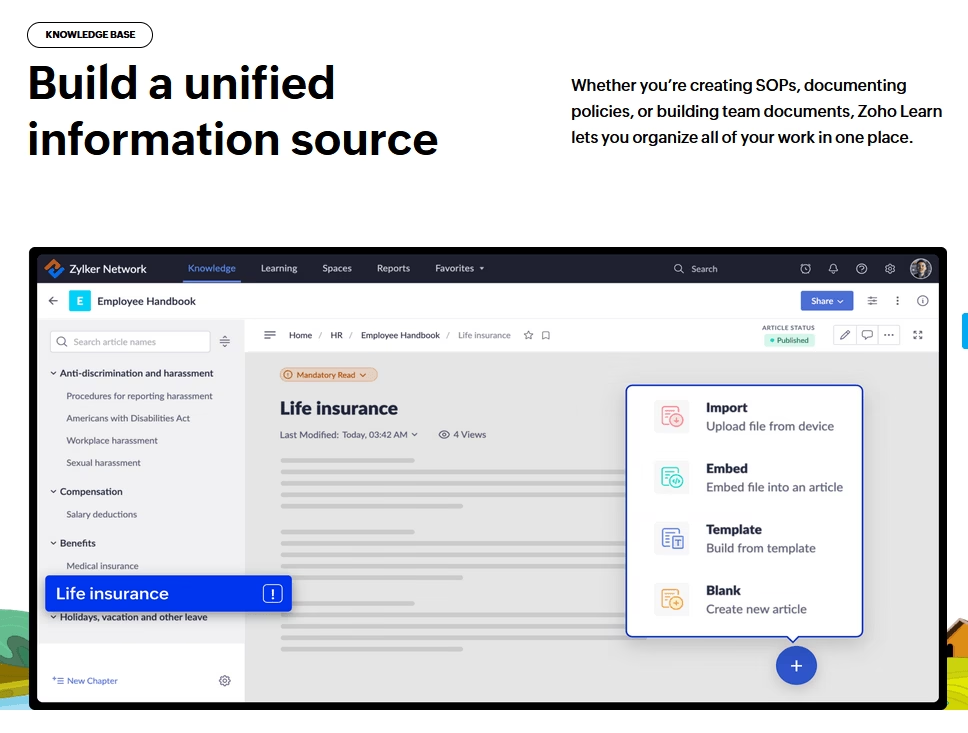
Zoho Learn is Zoho’s knowledge management and employee training platform, and it has been around long enough now to be a stable choice rather than a bet.
It combines a knowledge base module and an LMS (Learning Management System).
With this you can create a company knowledge base (with manuals and articles) and also build training materials or quizzes.
Key Features:
- Organize content into Manuals (like books) with articles, chapters, and sections.
- Simple editor for articles with images, formatting, and reusable content snippets.
- Ability to import existing Word or HTML documents.
- Version history to tracks changes
- Global search across manuals and training materials, plus filtering options.
- Custom user portal for internal or external users
- Create training courses with lessons and quizzes
- Analytics to track course completion and user progress.
- Integrate with Zoho Desk
- AI assistant for auto-tagging content and search
Pricing
The Free plan covers five users, three spaces, five manuals, and five courses, which is enough for a genuine trial rather than a demo.
The paid plans are starting at ~$1/user/month—quite affordable.
My Take
Zoho Learn is a hidden gem for Small and Medium-sized Enterprise, especially those already using Zoho.
A standout is cost: at this price, it’s hard to beat the value of knowledge base + LMS.

9. Bloomfire
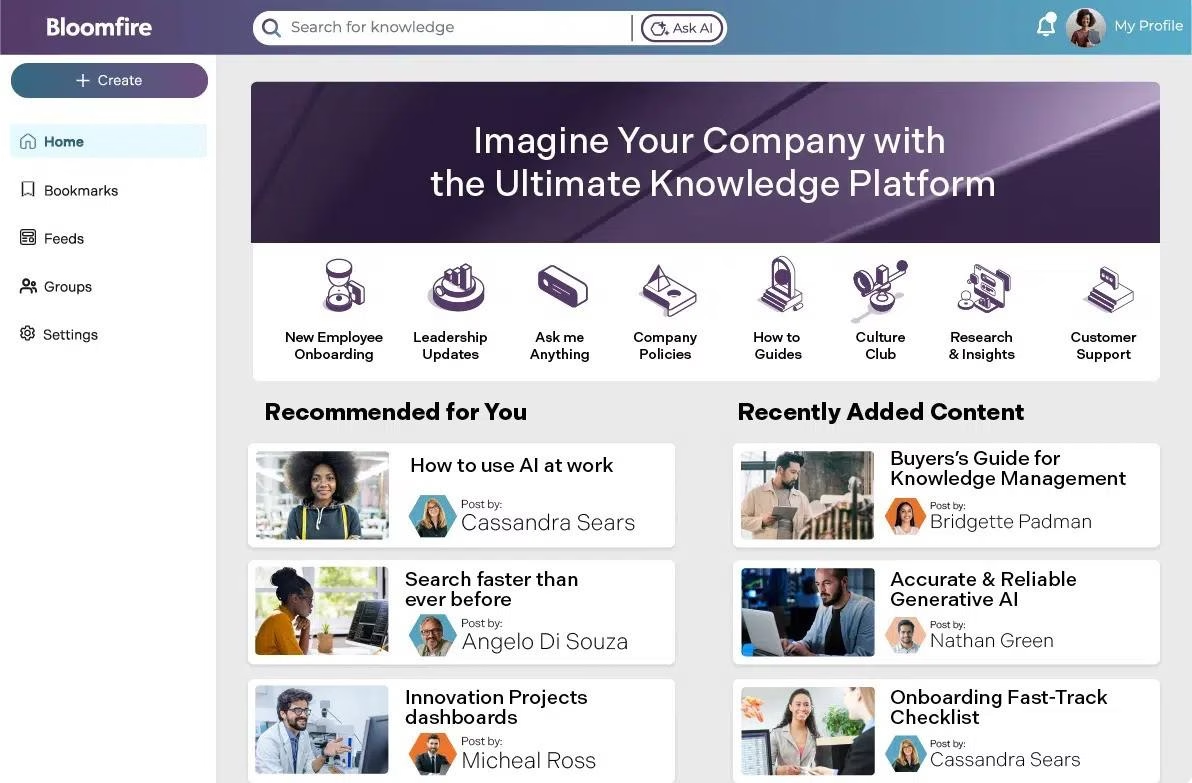
Bloomfire is a cloud-based knowledge management platform often used for internal knowledge bases. Especially in customer service and sales enablement contexts.
The 2026 version has repositioned around what Bloomfire calls Enterprise Intelligence, and the additions are the reason it’s still on this list:
- Ask AI answers questions in natural language from certified company knowledge with citations.
- Author Assist drafts and summarizes content.
- Content Reliability continuously monitors for outdated, duplicate, or conflicting information before employees or AI systems act on it.
- Search still indexes video transcripts and slides, which few competitors match.
Key Features:
- Intelligent Search (Even Video): AI-powered search indexes all content, including video transcripts and spoken words.
- Create posts as articles, documents, videos, or questions
- Organize content with custom topics (tags) and series (chapters)
- Collaboration and engagement features
- Analytics: Bloomfire offers solid analytics.
- Integrations and API: It integrates with common tools like Salesforce, Slack or Microsoft Teams.
- Security and Permissions: You can set up groups and control.
Pricing
Bloomfire is quote-only and firmly enterprise-priced.
Rather than a flat per-seat rate, pricing is scoped to the size of your knowledge program. Reported deals typically land somewhere between $12,000 and $48,000 per year, with large deployments going well past that.
My Take
Bloomfire is for teams with heavy training content and large libraries. Its smart search and Q&A features are genuinely useful, though the price can be steep.
10. BookStack (Open-Source Documentation Platform)
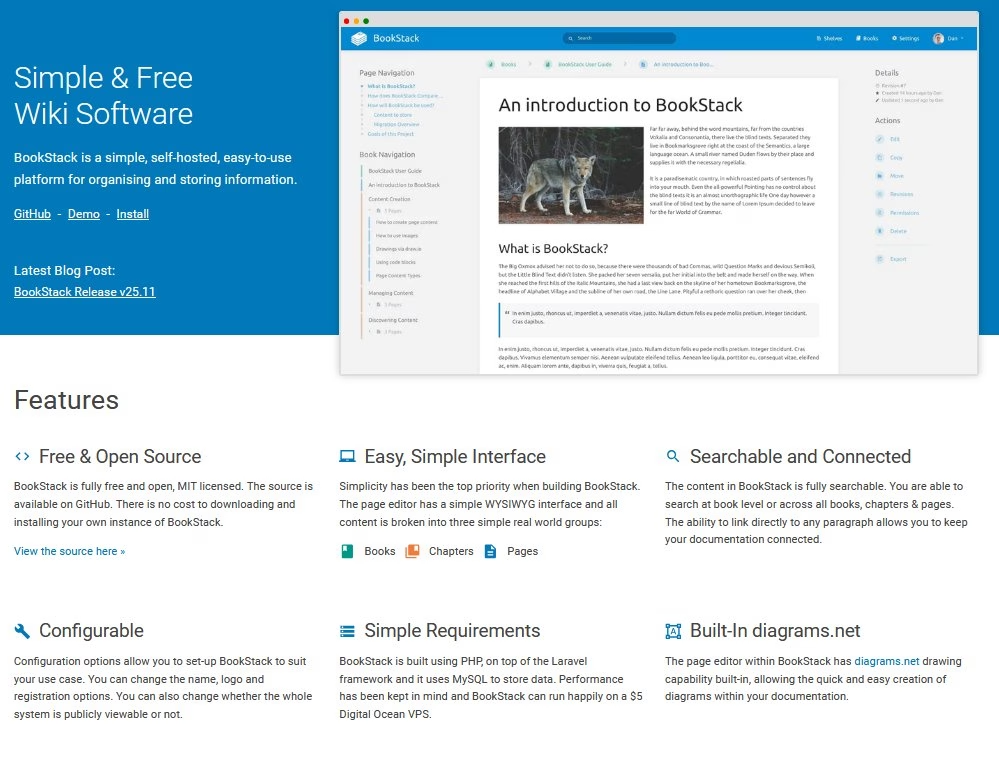
BookStack is a modern open-source knowledge base and documentation system.
Development is also steady. v26.05 shipped in May 2026, with security patches landing regularly, and the project moved from GitHub to Codeberg during 2026.
BookStack has no built-in AI. Meaning no semantic search, no generated answers, and no stale-article detection.
You get a fast, well-organized wiki and nothing more, which for a 50 to 500 page internal knowledge base is often exactly right.
Key Features:
- Organize content into Books, Chapters, and Pages
- WYSIWYG editor with Markdown option for easy formatting
- Search bar searches all content across books, chapters, and pages.
- Sidebar menu, breadcrumbs for easy navigation.
- Roles and Permissions: BookStack has built-in role-based permissions. You can make content public or private. You can set roles (viewer, editor, admin, etc.) and even assign permissions per book or chapter if needed.
- Attach files to pages (PDFs or related documents)
- Page revision history and roll back feature
- Customization and extensions
Pricing
BookStack is free internal knowledge base software. It is open source and uses an MIT license.
My Take
BookStack is the path of least resistance for a self-hosted internal knowledge base. The Books, Chapters, and Pages model is something a non-technical colleague grasps in five minutes, the Docker image boots in a couple of commands, and the maintainer has kept a reliable release cadence for years. If your budget is zero and you have somewhere to host it, start here and stop comparing.
Final Thoughts and Tips
Choosing the “best” internal knowledge base software ultimately depends on your organization’s size, budget, and how you’ll use it.
A tool is only as effective as the knowledge culture in your company. Whichever software you pick:
- Invest time to organize it well
- Populate the initial content
- Encourage your team to use it and contribute
If you’re unsure which software to start with, check out Heroic Knowledge Base. It’s one of the most robust and affordable internal knowledge base solutions out there.
And remember, take advantage of free trials and freemium plans. Most of the software above lets you test them with your own content.
See you in the next guide!
Further Reading
How To Create a online Knowledge Base, Step-By-Step Guide
Integrating ChatGPT with Your Knowledge Base
13 Best Free WordPress Knowledge Base Plugins
Call Center Knowledge Base: Complete Guide
10 Best Free Knowledge Base Software (With Open-Source Options)
10 Knowledge Base Examples to Learn From




Leave A Comment?
You must be logged in to post a comment.