10 Best Free Document Management Software (With Open-Source Options)


Every business drowns in documents – invoices, proposals, contracts, standard operating procedures (SOPs), and guides.
The right document management system (DMS) can help you organize these documents into a private, searchable library.
Saving hundreds of employees’ hours spent on searching each week.
After testing and researching for the past couple of days, here are 10 free document management software. These will do the job just fine for any organization.
Let’s start.
In This Guide
- What to Look for in a Document Management System
- Best Free Document Management Software in 2026
- 1. OpenKM Community Edition – Versatile Open-Source DMS
- 2. Heroic Knowledge Base – Best for Building a Documentation Knowledge Base
- 3. Google Drive + Docs – Best for Simple Cloud Document Management
- 4. Box – Best for Secure Cloud Storage and Sharing
- 5. BITRIX24 – All-In-One Platform With Document Management
- 6. LogicalDOC Community Edition – Best Open-Source DMS for Enterprise Needs
- 7. Paperless-ngx – Best for Personal Document Scanning and Archiving
- 8. OpenDocMan – Simple PHP-Based DMS for Small Teams
- 9. SeedDMS – Truly Free With Zero Feature Restrictions
- 10. Onlyoffice Docspace – the Collaborative Office Alternative
- 1. OpenKM Community Edition – Versatile Open-Source DMS
What to Look for in a Document Management System
When evaluating the best free DMS, I focused on a few key criteria:
- Ease of Use and Organization: The main goal of any document management system is to make your job of managing documents easy, so it should be easy to use and have excellent document organization features.
- Collaboration and Version Control: Supports multiple users with proper access controls (permissions by user or role) and tracks version history.
- Search and OCR: Advanced search capabilities are a huge plus. E.g. search by filename, metadata, or even content. Some systems integrate OCR (Optical Character Recognition) to make scanned PDFs or images searchable, which is good to have as well.
- Workflow Automation: Routing a file for approval or notifying someone when a document is uploaded, for example, shouldn’t be another item on the checklist.
- Storage Limits and Scalability: Cloud services often cap free storage or number of users. Open-source solutions let you scale if you host them yourself, but you will need the necessary infrastructure.
- Security and Compliance: For sensitive information it’s good to have DMS software that provides encryption, secure sharing, and audit logs.
- Integration and Format Support: integration with tools like Google Drive, Gmail, Slack, etc.
- Support and Community: With free tools, users often rely on community support or self-service portal. Open-source projects usually have forums or GitHub communities.
While it’s good to have all these features, you can definitely live without some of them. Features like OCR, collaboration, integrations, workflow automation, and good editor are hard to find in free document management software.
Best Free Document Management Software in 2026

We rigorously test and research every product that we recommend through HeroThemes. Our review process. We may also earn a commission if you make a purchase through our links.
Now, let’s jump into the top recommendations for free DMS.
1. OpenKM Community Edition – Versatile Open-Source DMS
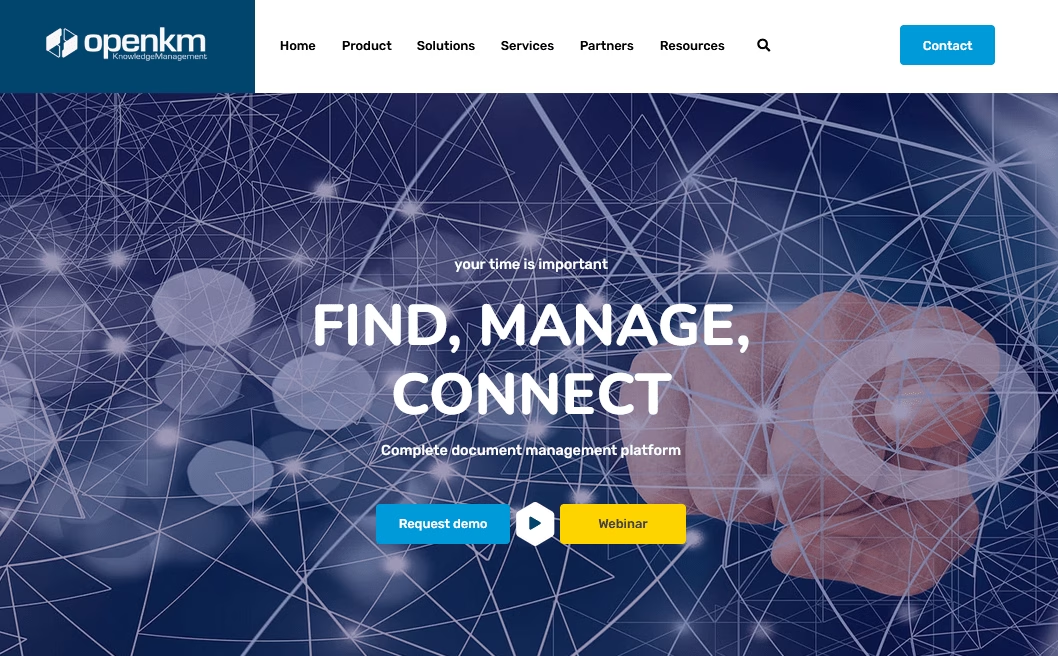
OpenKM is another long-standing name in the open-source document management space. Built in Java, it offers a free Community Edition under GPL, along with Professional and Cloud editions for teams that want paid support.
If you have used SharePoint or similar enterprise content management systems, OpenKM’s interface and general approach will feel familiar, but without the same cost.
Key Features:
- Flexible document taxonomy with hierarchical folders, categories, and custom metadata
- Automatic categorization rules to tag and route documents based on titles or content
- Built-in OCR to make scanned documents searchable (basic support in Community Edition)
- Thumbnail previews for PDFs, images, and other file formats directly in the browser
- Workflow engine (JBPM-based) to design review and approval processes
- REST, SOAP, and CMIS APIs for integration with ERPs, scanners, and custom applications
- Extensible architecture with hooks for multi-tenancy and digital signatures
- Active community forum and detailed wiki for troubleshooting and self-hosting guidance
Pricing
OpenKM Community Edition is free to self-host on your own server. It is open-source under GPL v2.
The company behind OpenKM also offers Professional edition licenses, with support and extra features, plus a hosted cloud service.
Verdict
The OpenKM Community Edition provides enterprise-grade document management system (DMS) features for free, as long as you are willing to host and maintain it. It is a strong fit for IT teams that are comfortable with Java-based systems and looking for a long-term document management platform with room to grow.
2. Heroic Knowledge Base – Best for Building a Documentation Knowledge Base
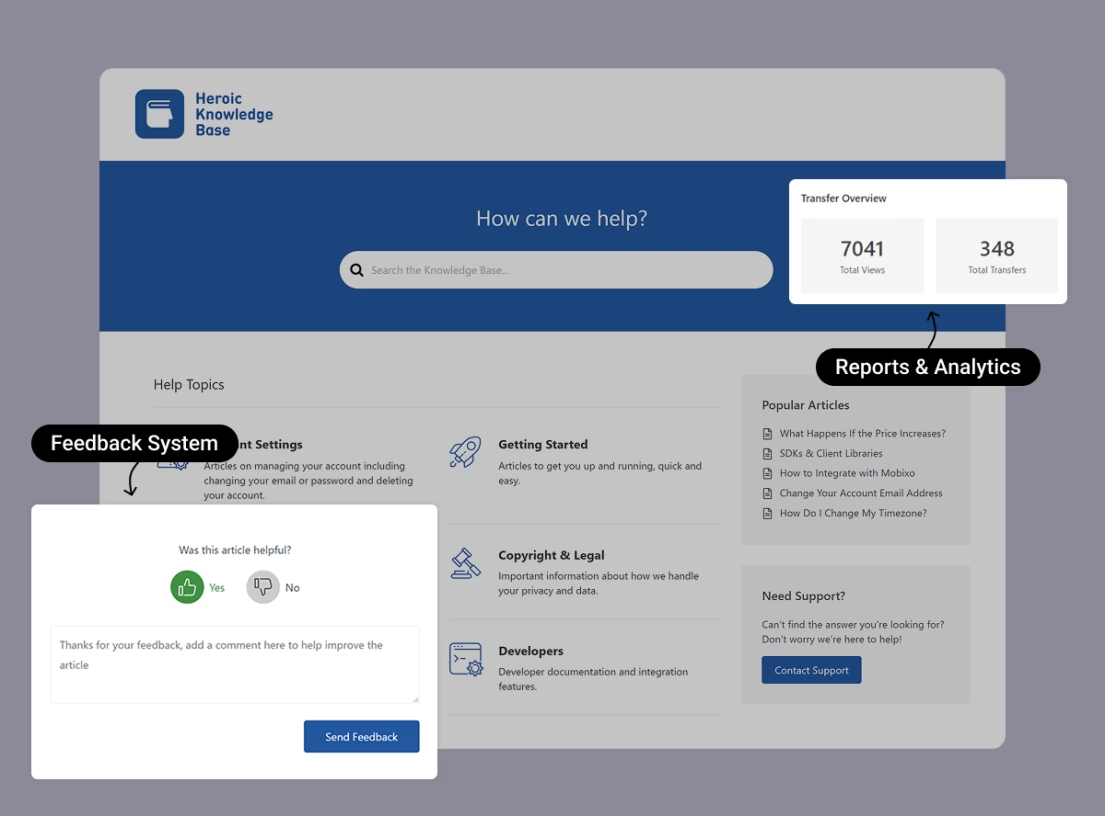
Heroic Knowledge Base is a premium WordPress plugin (which is quite affordable) that helps with building a self-service knowledge base or documentation site.
With Heroic KB you can manage and publish documentation – like FAQs, product manuals, or an internal wiki with a polished interface.
Key Features:
- Powerful WordPress block editor to create articles with text, images, video embeds, and tons of other possibilities.
- Categories, tags, and drag-and-drop article ordering to structure your content logically.
- Instant AJAX search that suggests articles as users type.
- AI-powered knowledge base assistant to deliver automated answers from your docs in a chat widget.
- Built-in analytics to see what users search for and which articles they find helpful.
- Article ratings and feedback forms
- Access control for private docs to restrict categories or articles to logged-in users.
- Customizable colors, labels, and styling without any coding knowledge.
- Integrations with Slack, Help Scout, and Gravity Forms for notifications and workflows.
- Thousands of WordPress plugins for translations, SEO, and extended functionality.
Pricing
Heroic KB is a premium documentation solution, no free tier. But, it’s quite affordable, starting at just $67 per year.
There’s a 14 day refund guarantee, effectively letting you try it risk-free
Verdict
Heroic KB fits perfectly for businesses that want an affordable, clear, and easy way to manage documents.
With it, you can build an internal knowledge base for your team, organize guides/documents by department or team, publish a public knowledge base for customers, store and attach important documents, and collect feedback to improve your documentation over time.
3. Google Drive + Docs – Best for Simple Cloud Document Management
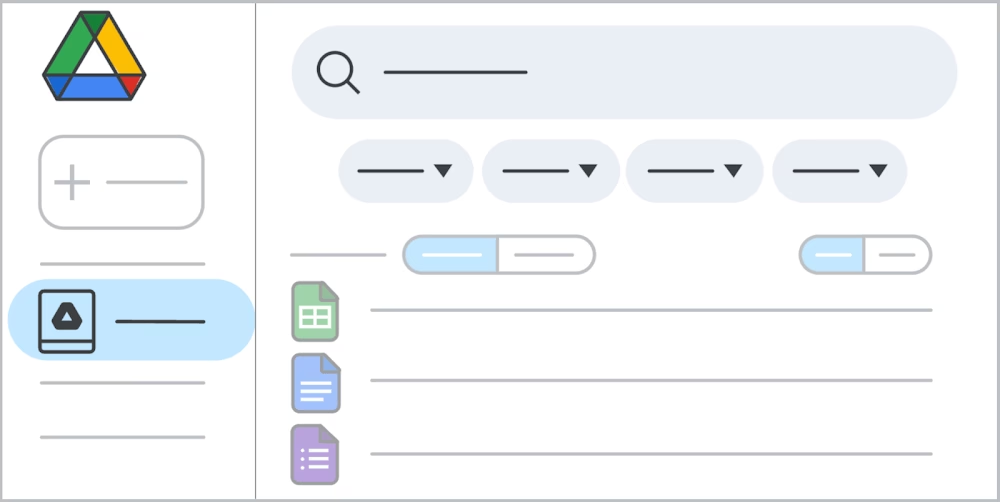
Google Drive isn’t a traditional enterprise DMS, but it’s undoubtedly one of the most popular free document management solutions for individuals and teams.
Every Google account gets 15 GB of free storage, which is shared across Drive, Gmail, and Photos.
Drive provides cloud storage with folder organization, and when paired with Google Docs, Sheets, and Slides, it becomes a powerful collaborative document platform.
Key Features:
- Real-time collaboration with multiple users to edit a Google Doc simultaneously.
- Comments and suggestions to review docs.
- Powerful search with OCR indexing of images and PDFs in Drive.
- AI suggestions for related files or answers while working, when Google Workspace AI is enabled.
- Share files or folders by link or with specific people.
- Set clear permissions for viewing, commenting, or editing.
- Cross-device access with apps for web, mobile, and desktop.
- Import and export Word, PDF, and other common file formats, and edit them.
- Thousands of extensions and integrations.
Pricing
Google Drive is free for 15 GB storage per user, which is generous for a lot of documents (text docs don’t take much space).
If you need more, Google One plans typically start from $1.99/month.
Verdict
We all have used Google Drive or Google Docs at some point, and it can be one of the best free documentation management systems if used correctly.
It provides tons of powerful features, good storage capacity, collaboration and security.
I recommend pairing a Google Drive document management setup with a knowledge base or simple webpage to make things easier for new users. Like allowing new users to easily get started with quick links.
4. Box – Best for Secure Cloud Storage and Sharing
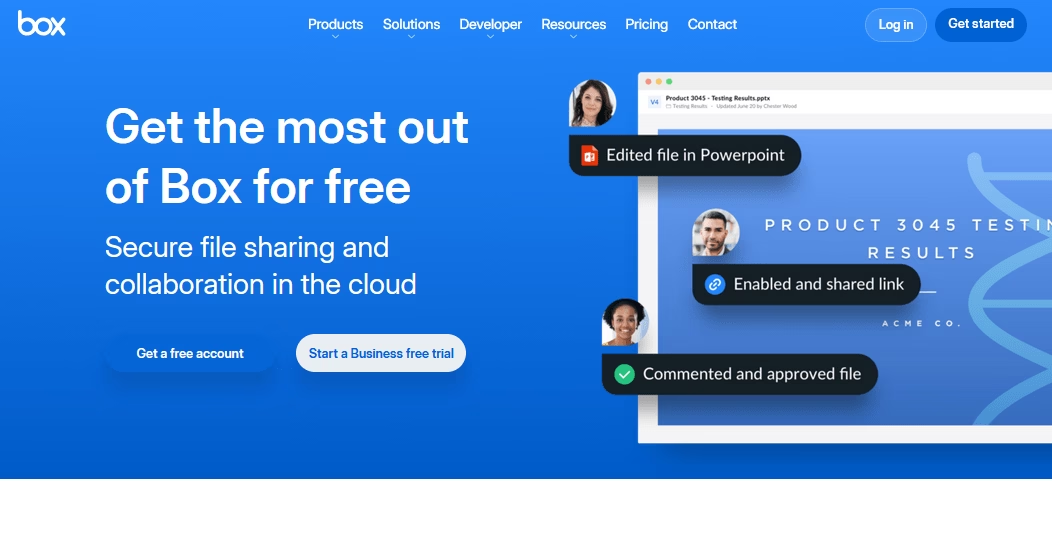
Similar to Google Drive, Box provides cloud storage and file sharing. But Box emphasizes security and enterprise features.
Which makes it ideal if you need to securely store and collaborate on documents online.
Key Features:
- Strong security and encryption to protect files in transit and at rest, with password-protected sharing links and auto-expiring access.
- Collaboration tools like shared folders, file comments, and task assignments on files.
- Real-time commenting for quick team discussions.
- E-signature workflows through connected tools.
- Integrations with Microsoft 365, Google Workspace, Slack, DocuSign, and other tools.
- Edit Office docs directly in Box through Office Online
- Version history to recover older file versions when needed
- Cross-platform access via web app, desktop sync, and mobile apps
- Offline access by marking files for offline availability
Pricing
Box offers a free plan with 10 GB of storage per user. That’s plenty for storing common documents.
Verdict
Box’s free plan is excellent for individuals or small teams that need secure, centralized document storage with basic collaboration. It might not provide the level of features or quality as Google Drive and its tools, but it’s a good software for document management.
5. BITRIX24 – All-In-One Platform With Document Management
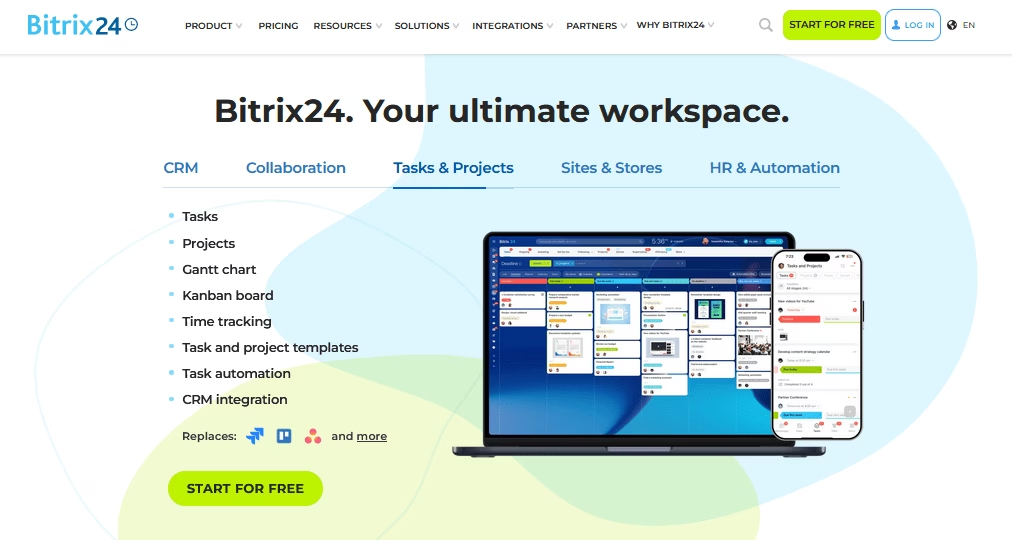
Bitrix24 combines project management, CRM, communication tools, and yes, document management all in one platform.
Its document management system is integrated into the intranet-style workspace and offers features such as file sharing, versioning, and collaborative editing.
This makes it ideal for small to midsize businesses that want a central hub for both their files and their teamwork (chat, tasks) without paying for multiple apps.
Key Features:
- Document libraries for each workgroup or project, with folder organization and customizable permissions.
- Online editing through Google Docs and MS Office Online integration for real-time collaboration.
- Version history to roll back to previous document versions
- CRM and project integration to attach documents to deals, tasks, or project spaces.
- Team chat and video calls to discuss documents without leaving the platform.
- Activity feed comments for document-specific discussions and updates.
- Employee intranet features
- Granular access rights to control who can view or edit specific documents.
- Two-factor authentication and encrypted data storage for security.
Pricing
Bitrix24 has a free forever plan for unlimited users with 5 GB storage. This includes most core features (though some advanced CRM and automation features are locked).
For more storage or additional features there are tiered paid plans. But even free tier includes features like document management, task/project features, and chat, which are enough for many small organizations.
Verdict
Bitrix24 packs an impressive amount into its free plan. For small teams or non-profits with zero software budget, this all-in-one approach eliminates the need for multiple subscriptions.
There is a slight learning curve, but in the end it is worth it.
6. LogicalDOC Community Edition – Best Open-Source DMS for Enterprise Needs
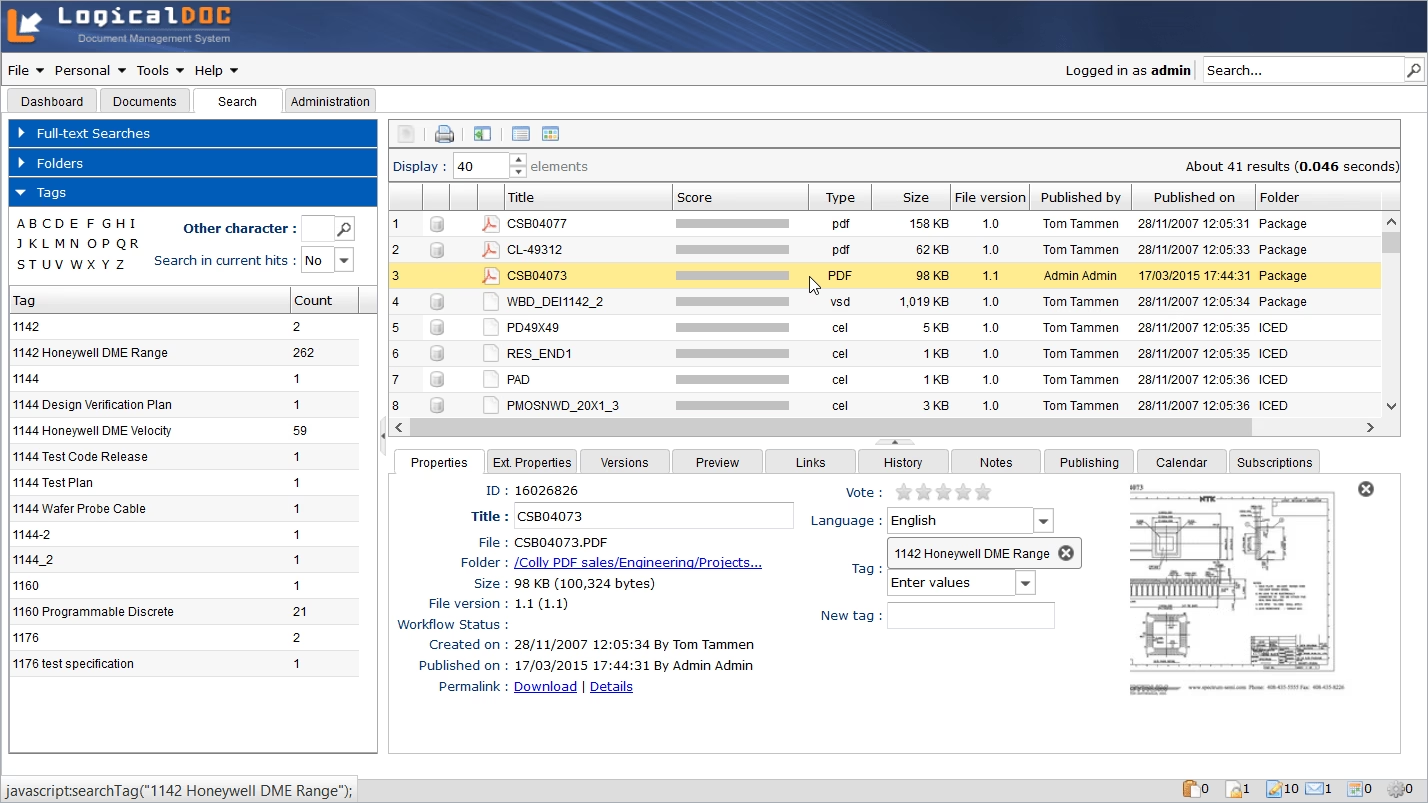
LogicalDOC Community Edition is a free, open-source document management system designed for organizations that need a solid DMS with enterprise features.
It’s a mature platform with a polished web interface. You can install LogicalDOC on your own server (Windows, Linux), and access it through a browser.
Many small businesses and even large companies use LogicalDOC CE to avoid proprietary software fees while still getting a professional document management system.
Key Features:
- User-friendly web interface: Similar to a file explorer, with a personalized dashboard.
- Full-text search: Uses Lucene indexing, so you can find documents by their content.
- Advanced search filters: metadata, tags, date, and document content.
- Version control with check-in/check-out
- Access permissions at folder or document level with inheritance options.
- LDAP and Active Directory integration for enterprise user management.
- Visual workflow designer to create approval processes without coding.
- In-browser file previews for PDFs, images, and text documents.
- Automatic file conversion for Office-to-PDF preview rendering
- Task management
- SOAP and REST APIs for custom integrations
- Open-source codebase (LGPL license) with an active community forum.
Pricing
The LogicalDOC Community Edition is completely free to download and use (self-hosted). LogicalDOC does sell enterprise editions and cloud hosted options with support and additional features, but for many, the free CE is sufficient.
Verdict
For organizations that want a free DMS they can fully control, LogicalDOC Community hits a sweet spot: professional features, active development, and no license costs. It’s arguably one of the best open-source document management systems for businesses available today.
7. Paperless-ngx – Best for Personal Document Scanning and Archiving
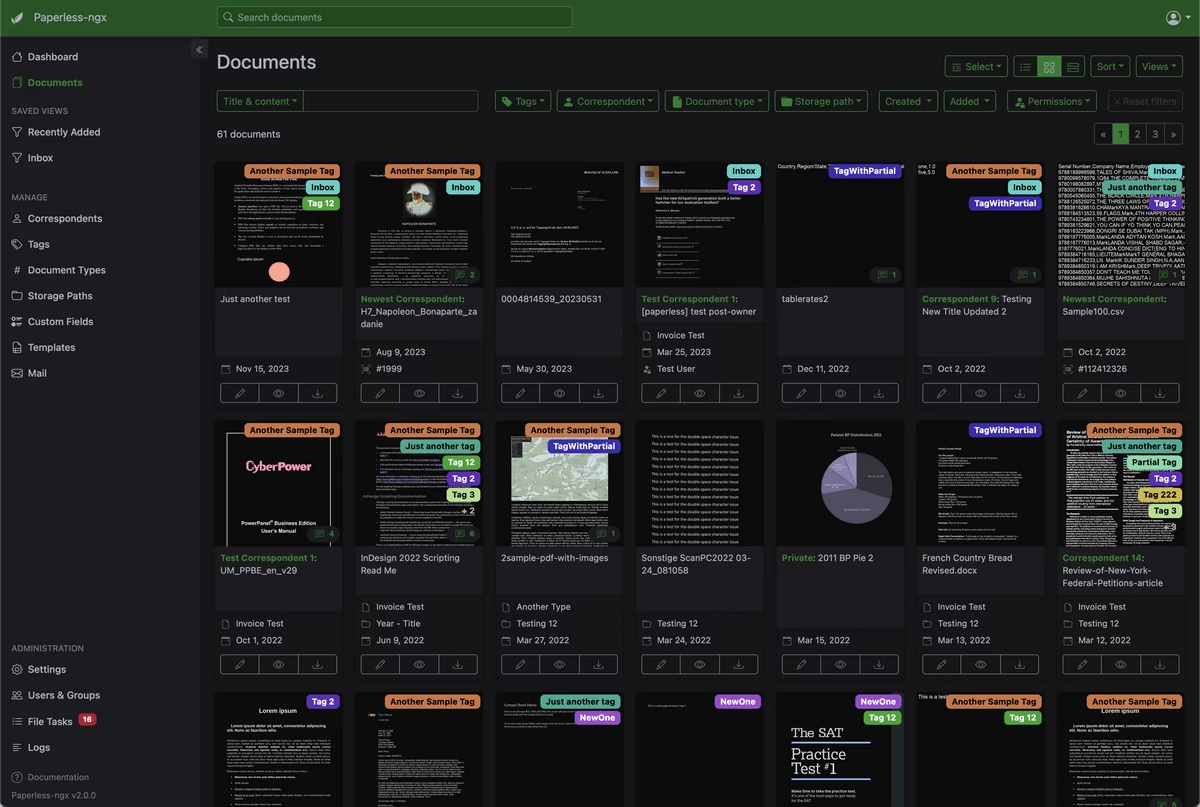
Paperless-ngx (formerly Paperless-ng), is an open-source document management system built for paperless home use and small offices.
If you have piles of bills, receipts, forms, and other paper records that you want to scan and organize, this is the perfect tool.
It works like a digital filing cabinet with strong OCR and tagging features, all in a self-hosted setup.
Unlike the more enterprise-focused tools above, Paperless-ngx stays lightweight and focused. You scan or email documents into the system, and it helps categorize and archive them for you.
The Paperless-ngx also has a very active community and a strong following among self-hosting users.
Key Features:
- Multiple ingestion methods including web upload, email import, and watched folder scanning
- Automatic OCR with Tesseract to make every document fully searchable and multi-language OCR support
- Smart auto-tagging rules based on document content and keywords
- Automatic correspondent detection to identify document senders and build a catalog
- Date extraction to organize documents chronologically without manual entry
- Modern web interface with dashboard stats, side-by-side metadata editing, and document preview
- Low resource requirements. It is designed to run on a Raspberry Pi or small home server.
- Straightforward installation with Docker deployment and minimal configuration
- Active community
Pricing
Paperless-ngx is completely free and open-source. You host it yourself, usually on a NAS, a small Linux server, or another always-on device.
The only real costs are the hardware or cloud VM you choose to run it on.
Verdict
Paperless-ngx is not built for large companies with 100+ users. It lacks fine-grained permissions and advanced workflow controls. But for personal use or a small office, it is excellent. It offers many features that people want from a larger DMS, including OCR, search, tagging, and easy retrieval, without the cost.
If your goal is to go paperless, Paperless-ngx is one of the strongest free tools you can choose.
8. OpenDocMan – Simple PHP-Based DMS for Small Teams
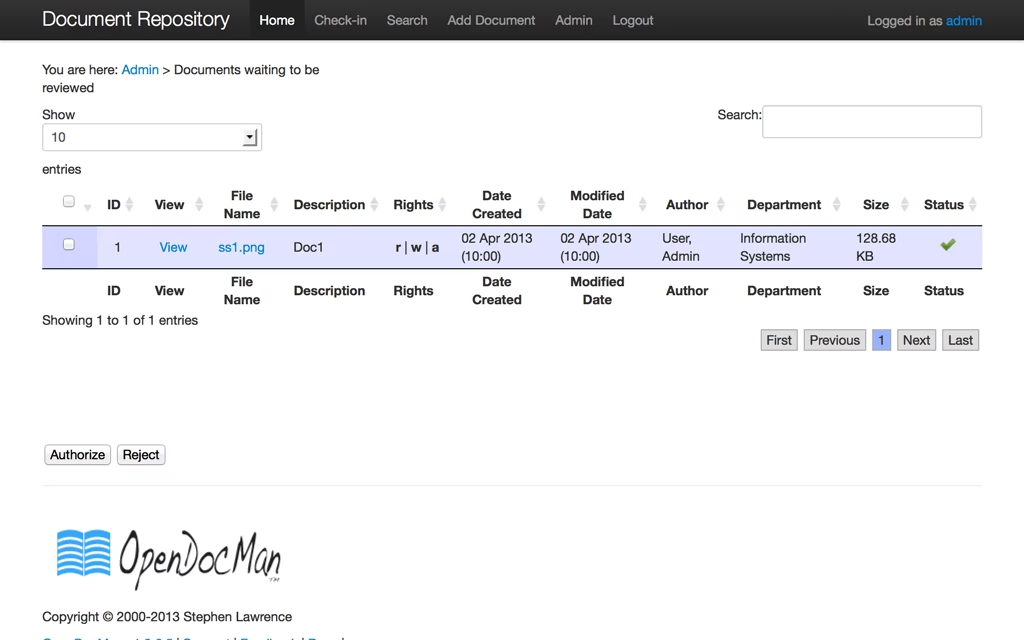
OpenDocMan is a lightweight, open-source document management system that runs on a standard PHP and MySQL web stack. It has been around for years, and it remains one of the easier self-hosted DMS tools to set up.
OpenDocMan focuses on simplicity and compliance. It offers a basic but functional solution for small organizations, such as labs, clinics, and non-profits, that need to track document revisions and approvals without a lot of IT overhead.
Key Features:
- Web-based interface with straightforward navigation for documents, departments, and user management
- Check-in/check-out system to prevent simultaneous editing conflicts
- Department-based access control to restrict sensitive documents to authorized teams
- User and group permissions at the file level for granular security
- Revision tracking that stores a complete history of document versions
- Built-in approval workflow
- Email notifications when watched documents are added or updated
- Format-agnostic storage supporting Word, Excel, PDF, and any other file type
- Simple PHP/MySQL installation comparable to setting up WordPress on standard web hosting
Pricing
OpenDocMan is available for free and it’s open-source under the GNU GPL. You can download the software and use it freely on your own server.
Verdict
If you need a simple document repository with version control and a basic approval workflow, OpenDocMan is a practical choice. And if you are already working in a PHP and MySQL environment, this will make it a much better choice.
9. SeedDMS – Truly Free With Zero Feature Restrictions
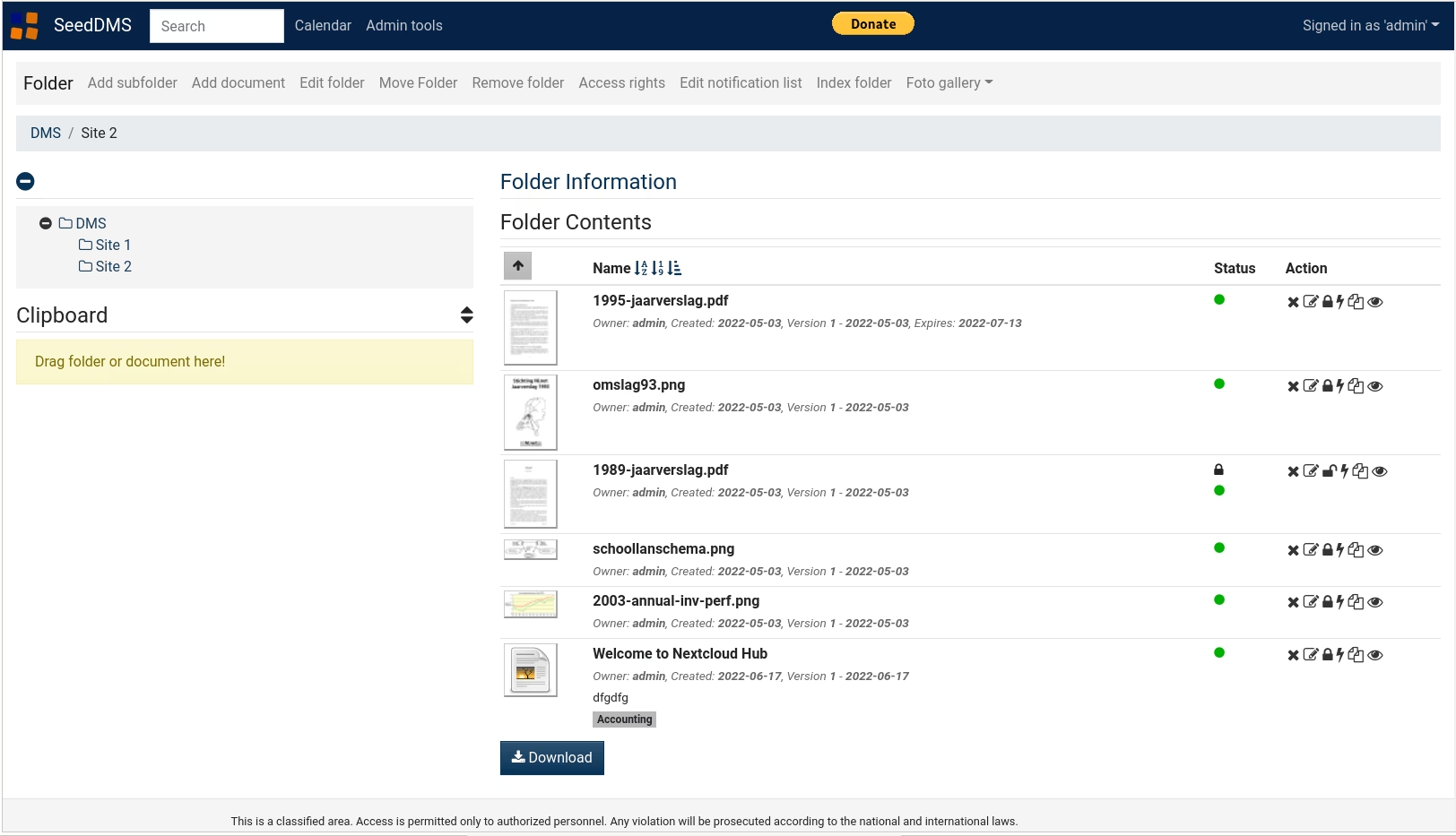
SeedDMS is completely free. There is no premium tier, no feature lock, no user cap, and no enterprise upsell.
Every user gets every feature. That commitment to real openness makes SeedDMS worth serious consideration, even with its rough edges.
The project is the direct successor to LetoDMS and has been actively developed for more than 10 years by its main developer, Uwe Steinmann.
Key Features
- Responsive web interface optimized for desktops, tablets, and phones.
- Full version control to track changes and recover earlier document copies
- Role-based access control with LDAP and Active Directory integration
- Custom workflow engine to build flexible approval processes
- Full-text search powered by Lucene or SQLite FTS for PDFs, Word, and Excel files
- WebDAV support to mount the repository as a familiar network drive
- REST API for integrations and automation
- OAI-PMH support for metadata harvesting in libraries and archives
- Print-to-SeedDMS to send documents directly from any device into the repository
Pricing
Completely free.
Verdict
SeedDMS is a fully featured document management system with no hidden trade-offs.
If you have basic PHP hosting skills, and enough patience to work through a less-than-smooth installation, SeedDMS gives you a mature and capable DMS that does not keep pushing you toward a paid plan.
10. Onlyoffice Docspace – the Collaborative Office Alternative
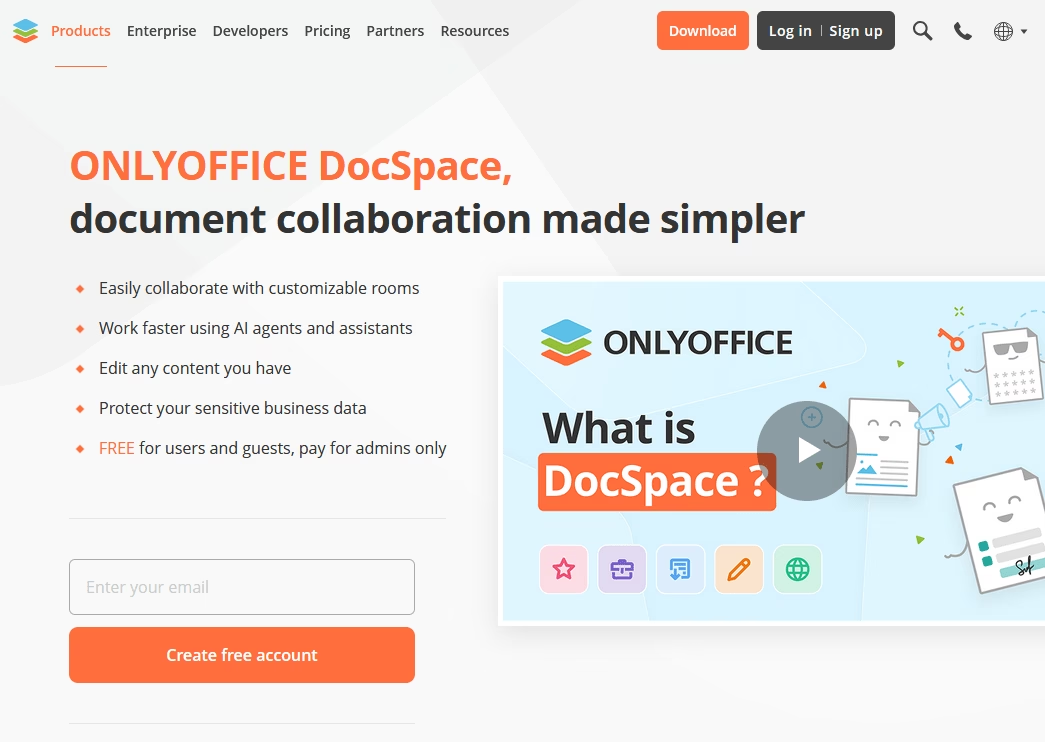
ONLYOFFICE DocSpace takes a different path from traditional document management software.
Instead of focusing mainly on file storage and control, it combines a full office suite with room-based collaboration and document management.
Key Features
- Room-based collaboration with dedicated spaces for co-editing, external sharing, document review, and form collection
- Secure sharing of sensitive documents with Virtual Data Rooms
- Built-in ONLYOFFICE Docs editors for text documents, spreadsheets, and presentations
- Microsoft Office format compatibility to work with Word, Excel, and PowerPoint files seamlessly
- Full PDF toolkit including creation, editing, annotation, and form-filling capabilities
- Real-time co-editing with version history, track changes, and document comparison tools
- AI integrations with support for multiple providers including GPT-5.2 through OpenAI and OpenRouter
- AES-256 encryption, JWT, two-factor authentication, and SSO for enterprise-grade security
- Public rooms for external sharing without requiring recipient registration
Pricing
The free cloud plan is one of the main reasons DocSpace is easy to recommend.
For self-hosting, ONLYOFFICE offers a free Community Edition under AGPL v3, alongside paid enterprise licensing as well.
Verdict
If your workflow revolves around creating, editing, reviewing, and sharing Office documents with both internal and external collaborators, Give ONLYOFFICE DocSpace a try 👍. It’s one of the best free options for teams that need document collaboration and editing more than traditional document management.
Final Thoughts on Free Document Management Software
In this guide I covered a wide range of options for document management, from free cloud storage tools to more advanced open-source platforms you can host yourself.
Since many of these tools are free, test out a few and choose a system people will actually use.
In many cases, a simpler tool with good usability leads to better results.
See you in the next guide! 😉
Further Reading
Top Policy and Procedure Manual Software (Free and Paid)
Top Open-Source Knowledge Base Software of 2026
How To Create a WordPress Document Library, Step-By-Step Guide
What is Knowledge Management? Types, Importance, Best Practices
9 Best Wiki Website Examples to Learn From in 2026





Leave A Comment?
You must be logged in to post a comment.