12 Best Help Center Examples and Designs in 2026

Most companies obsess over their homepage while treating the help center like a storage closet. If that sounds like your team, you're in the right guide.
Customers today don't want to call support, wait on hold, or open a ticket and hope for the best. They open a browser tab, type their problem, and expect an answer to appear.
We've spent years studying what separates a great help center from a frustrating one, while building help center software ourselves.
In this guide, we will cover 12 of the best help center examples worth visiting in 2026.
Let's see what the best companies do differently, and how you can improve your own help center.
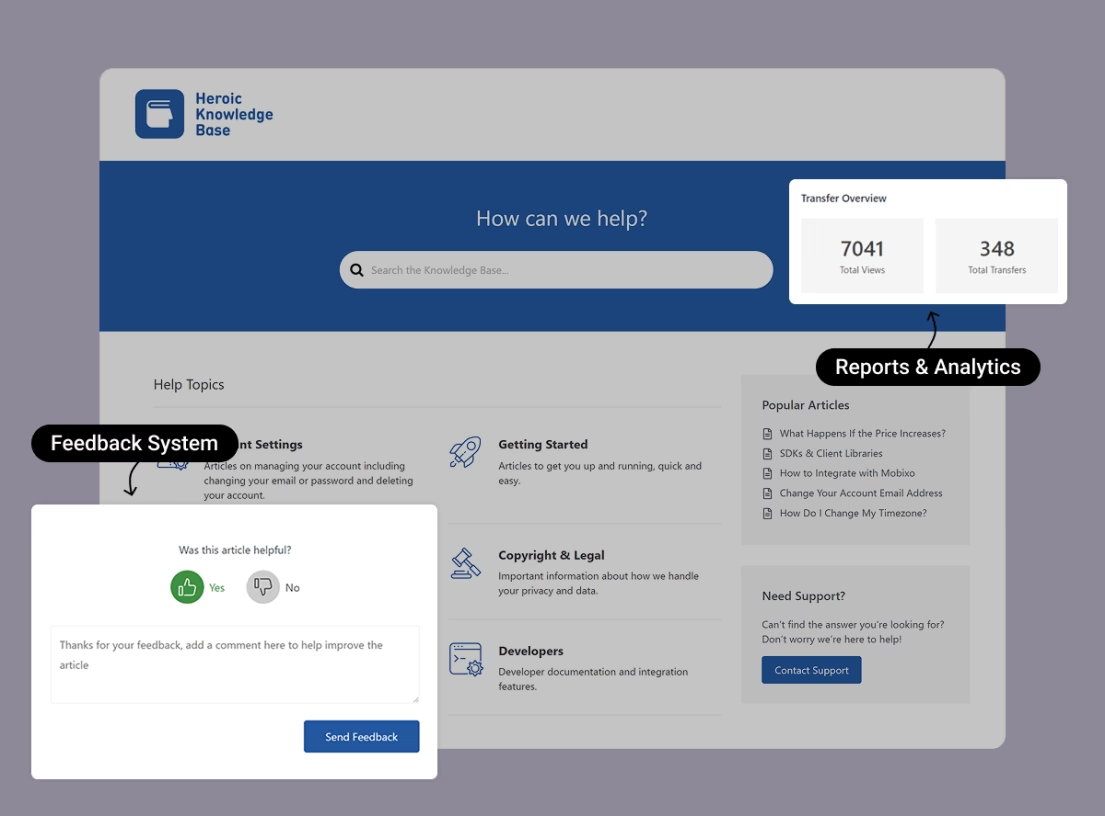
Heroic Knowledge Base
Create a beautifully designed, searchable knowledge base in minutes.
In This Guide
- What Every Great Help Center Should Include
- Best Help Center Examples in 2026
- 1. Stripe Documentation and Support
- 2. Notion Help Center and Notion Academy
- 3. Apple Support
- 4. Spotify Support and Community
- 5. Airbnb Help Center
- 6. Shopify Help Center
- 7. Slack Help Center
- 8. Dropbox Help Center
- 9. Canva Help Center
- 10. Figma Help Center (Figma Learn)
- 11. Webflow University
- 12. Help Scout Help Center
- 1. Stripe Documentation and Support
What Every Great Help Center Should Include
Before we get into the examples, here's what makes a help center a help center.
After reviewing hundreds of support pages, these same elements show up in every one that actually works. Use this as your checklist before redesigning anything.
A dominant search bar
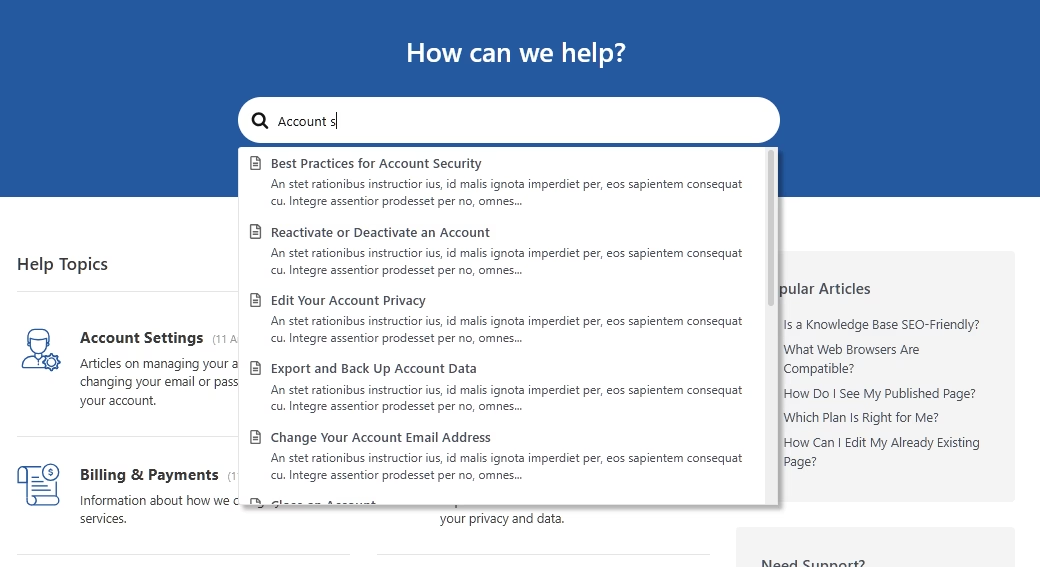
Most users don't browse categories, they type a question and expect an answer.
Make search the visual centerpiece of your help center homepage, add autocomplete suggestions, and keep it visible on every article page.
Clear categories and visual hierarchy
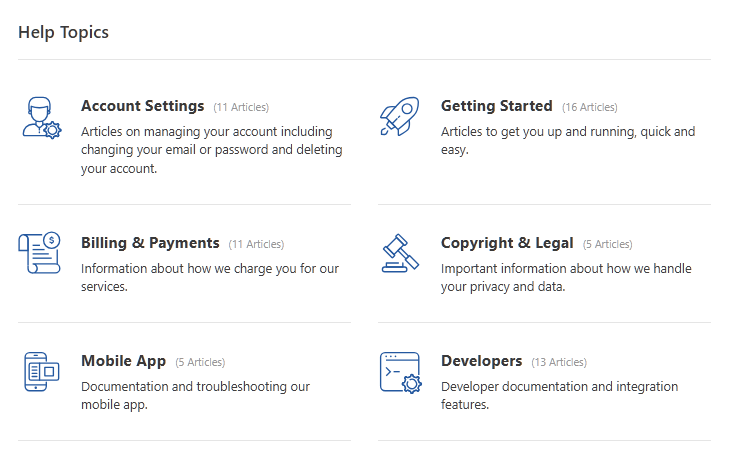
This allows users to easily browse help topics.
Group content into five to seven obvious buckets like “Getting Started,” “Billing,” and “Troubleshooting.”
Use icons for fast recognition and lean on white space so the page doesn't feel overwhelming.
Visible escalation path
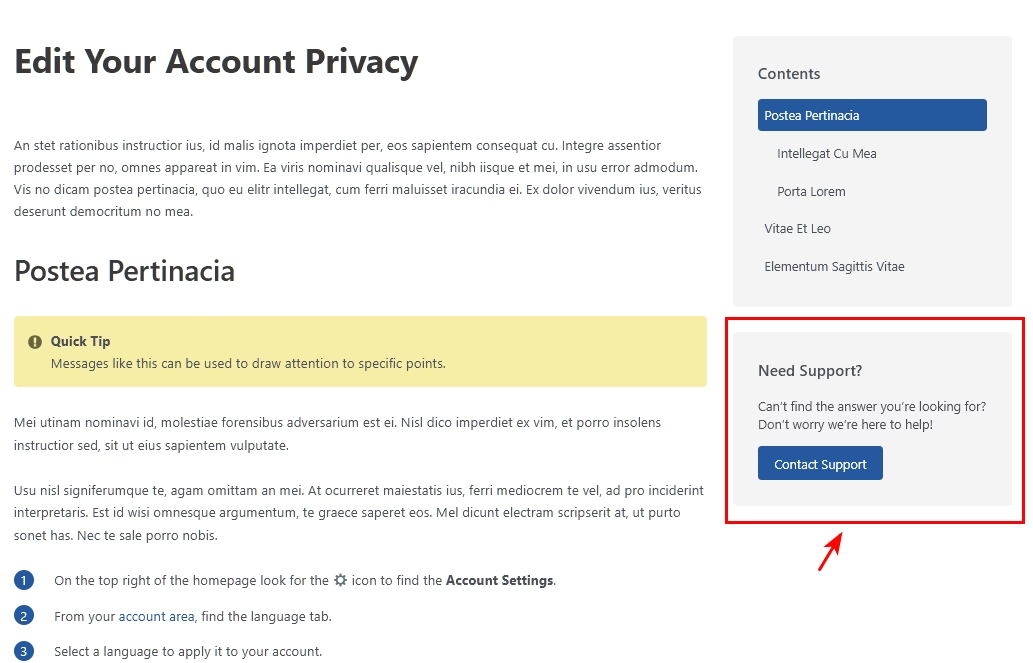
Self-service should never be a dead end and never try to hide your real support.
Make it obvious how to reach a human through live chat, email, or a contact form when documentation doesn't solve users' problems.
Mobile responsiveness
A significant share of help center traffic comes from people on their phones, often mid-task.
Responsive layouts, readable type sizes, and touch-friendly navigation are essential.
Rich media in articles
Short paragraphs, numbered steps, annotated screenshots, and short videos or GIFs are what help people actually resolve issues.
And try to avoid adding a wall of text.
An AI search or answer layer
In 2026, an AI layer or assistant that reads your knowledge base and responds in natural language is fast becoming standard.
But it needs to be grounded in solid, well-structured content and know when to hand it off to a person.
Use tools like HelpJet to create AI Assistant trained on your content, and control everything about it.
A feedback mechanism

A simple “Was this helpful?” button at the bottom of every article is one of the most underused tools in help center design.
It tells you exactly what's working and what isn't. You can use that feedback to improve articles and reduce repetitive questions.
Pro tip: Before redesigning anything, pull your helpdesk ticket data ticket and your help center search logs side by side. The phrases your customers type, and especially the searches that return zero results, are the clearest blueprint for what your help and support page should actually contain. Design should follow content, not the other way around.
Best Help Center Examples in 2026
By this point you already know what good help centers contain. Let’s look at some of the live and well-designed help center examples.
1. Stripe Documentation and Support
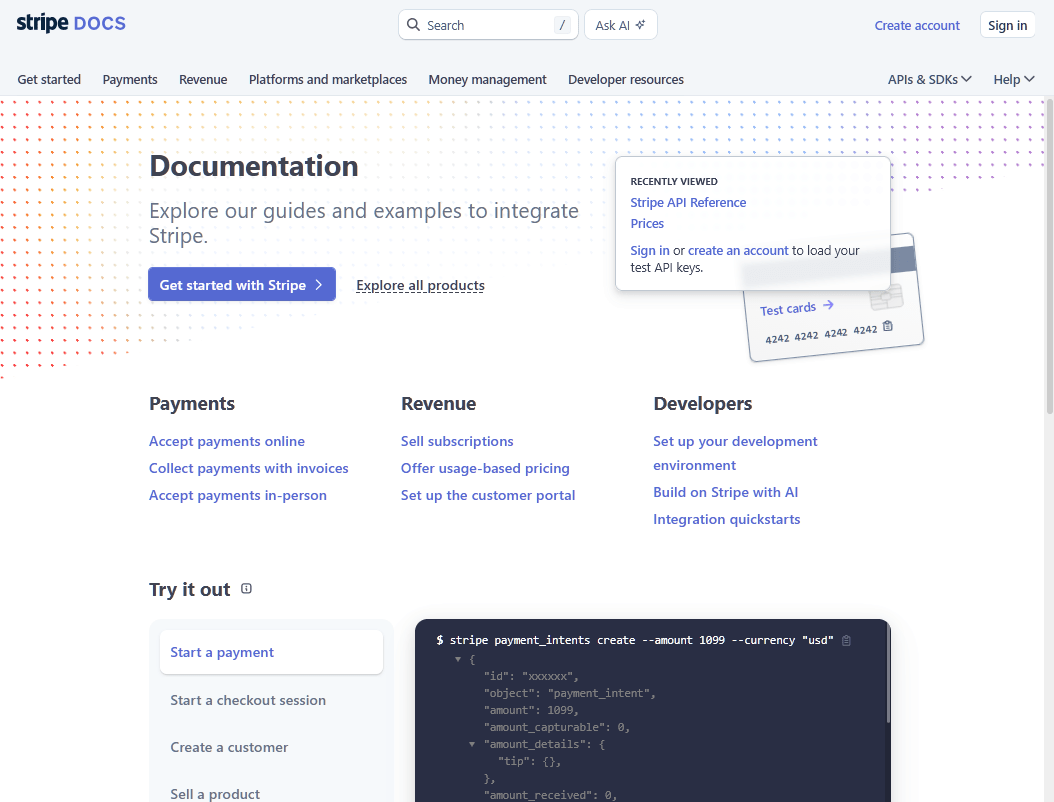
Stripe is one of the best-documented products. The company built its early reputation on developer experience, and its docs remain the benchmark for technical support content.
The signature element is the three-column layout.
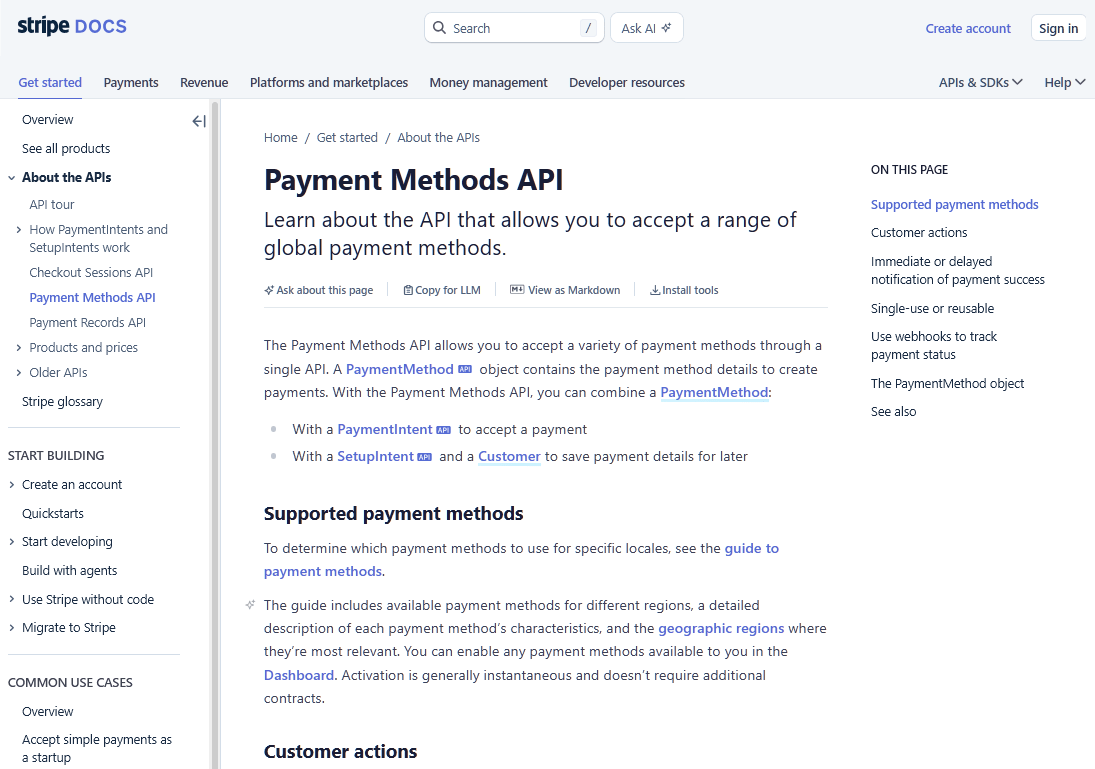
Navigation sits on the left, clear explanations run through the center, and a table of content or live executable code samples occupy the right column, often pre-filled with your own test API keys when you're logged in.
Stripe also treats documentation as a product. There's a dedicated team, a review process, and an internal culture of “friction logging” where staff document every snag they encounter in their own tools.
This culture, rather than any single design feature, is what makes the documentation feel effortless.
What to Learn from Stripe’s Example:
- Use a multi-column layout to separate navigation, explanation, and action.
- Personalize content where possible, like injecting a logged-in user's test API credentials directly into code samples.
- Document the most common integration path first.
- Treat your docs like a living product with regular review cycles, instead of a one-time content sprint.
However, Stripe's Help Center is primarily geared towards developers. Non-technical users may have difficulty navigating the documentation.
The video content is also underused. Which leaves visual learners less supported than the code-first crowd.
2. Notion Help Center and Notion Academy
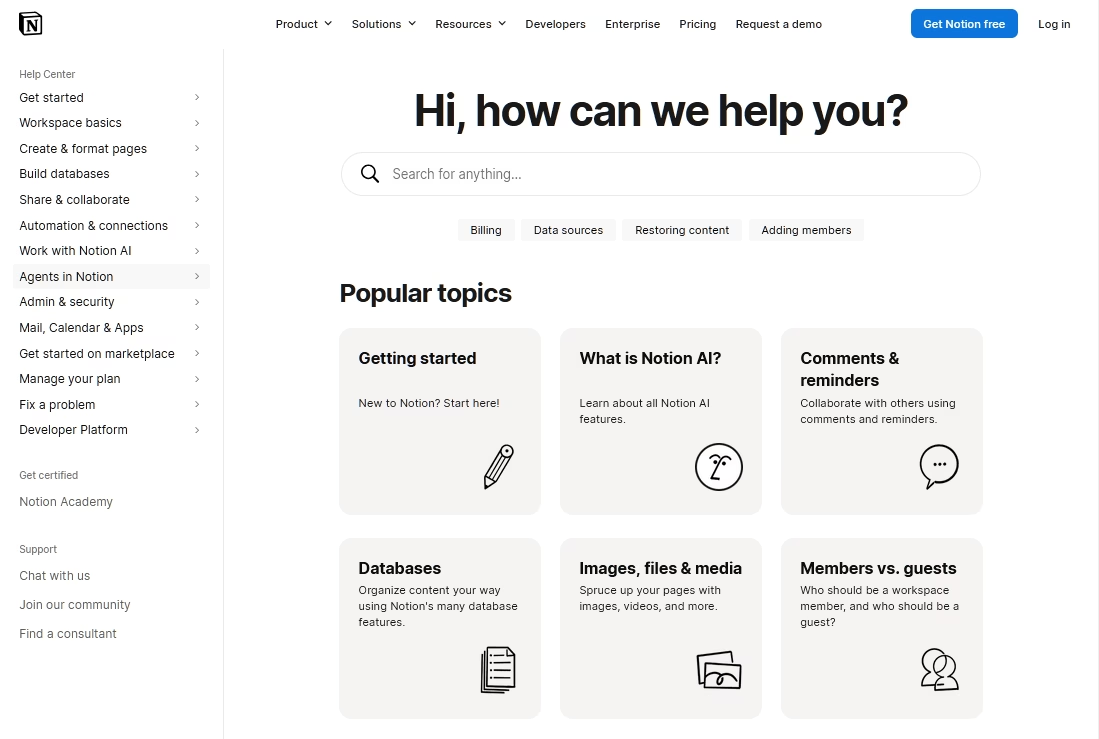
Notion’s help Center handles urgent, specific questions while Notion Academy is a self-paced learning hub with structured courses and certifications.
Keeping these two types of help content separate surfaces means a frustrated user looking for a two-minute fix never has to wade through a 40-minute course.
Visually, Notion sets a high bar for instructional content:
- Nearly every multi-step instruction is paired with an annotated screenshot or a short GIF showing the actual action inside the real product.
- The clean, typography-forward aesthetic mirrors the app itself. Which makes the help center feel like a natural extension of the product.
- In-app help entry point that connects to knowledge base articles when users need it.
- Learning paths and certifications to turn power users into advocates.
While these all extra steps help Notion provide top notch help center experience to customers, this visual-heavy approach demands constant maintenance.
Every product UI change can date dozens of screenshots and videos at once.
3. Apple Support
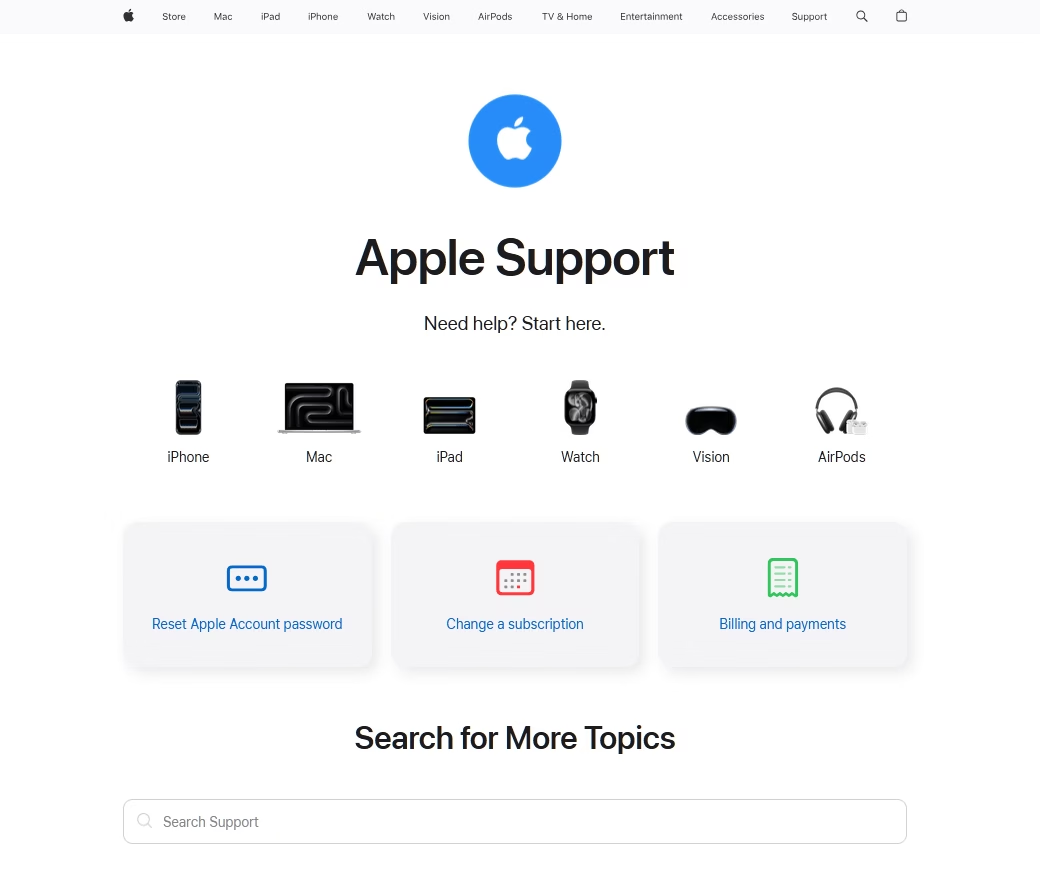
Apple’s help center proves you can serve hundreds of millions of users without the help center feeling cluttered.
The design philosophy is the same minimalism Apple applies everywhere:
- Generous white space
- Custom San Francisco typeface
- Restrained use of color
- A visual hierarchy that guides your eye naturally down the page
- High-contrast, simply worded calls to action
Apple’s Help Center feels calm in a way that most support sites simply don't.
The help center also covers everything from deep FAQs and guided troubleshooting to live chat, scheduled callbacks, and links to book an in-person repair.
But there are some drawbacks to Apple’s Help Center design approach:
- The minimalist aesthetic occasionally hides depth. Users sometimes have to click through several polished layers to reach a specific fix.
- Routing into device-specific or account-specific flows can feel circuitous for edge-case problems.
- There is very little focus on search and navigation. This causes users to search through search engines instead of using their own search bar.
4. Spotify Support and Community
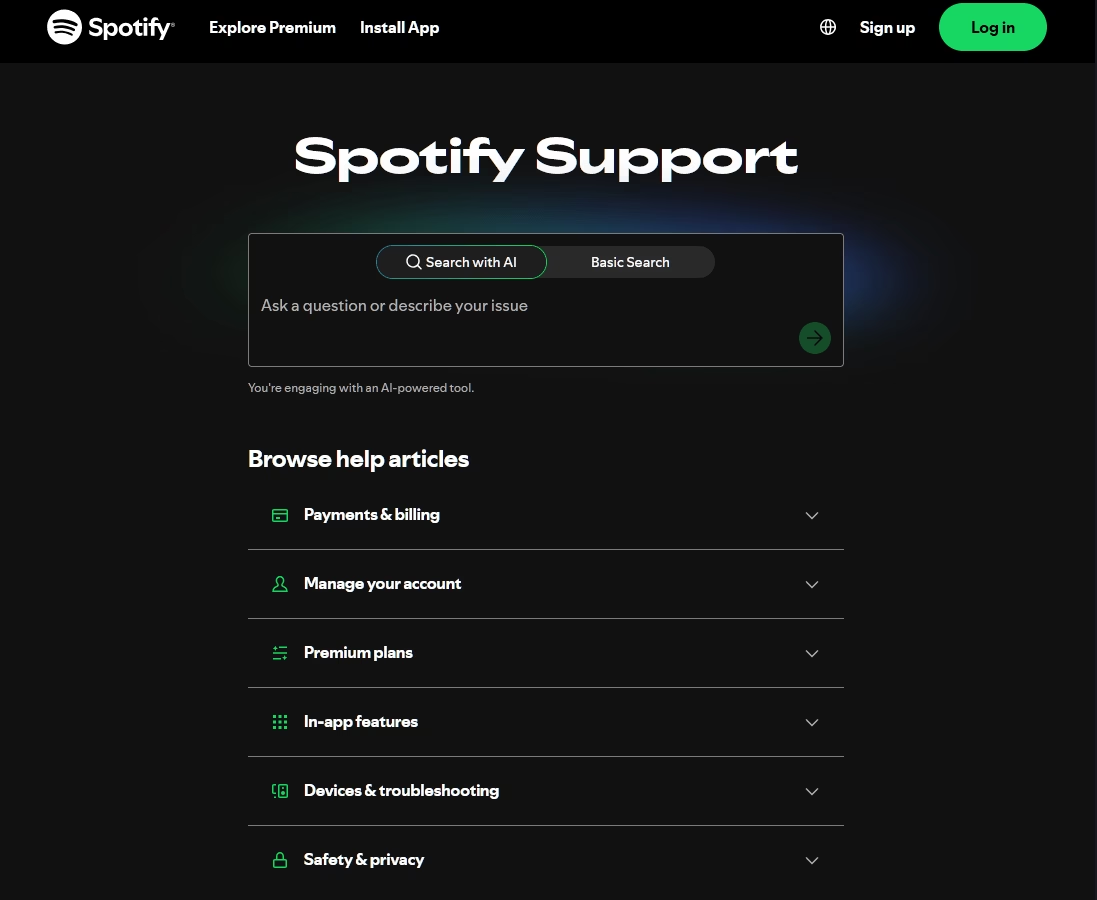
Spotify’s help center leads with a prominent search bar, breaks questions into topical buckets, and uses accordion-style navigation that works well on mobile.
The help center knows where its users are and designs accordingly.
Spotify also built a structured, well-moderated forum. Where volunteer “Stars” and moderators answer questions, surface known issues, and post monthly status updates so users can see exactly where things stand on bugs they're experiencing.
That said, Spotify’s human support draws heavy criticism:
- The absence of phone support
- AI chatbots that block refunds
- Serious difficulty reaching a real person
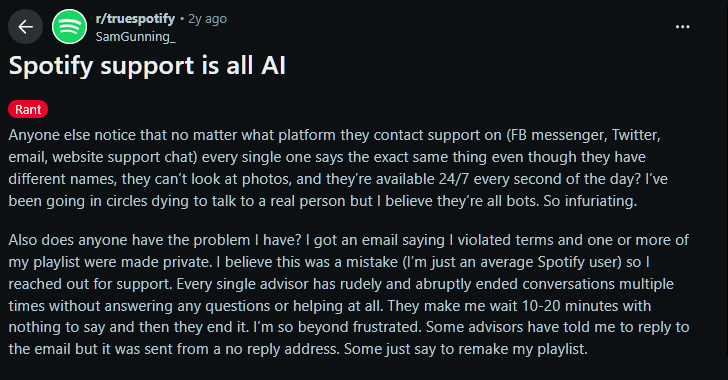
So, make reaching out to human support as easy as possible.
5. Airbnb Help Center
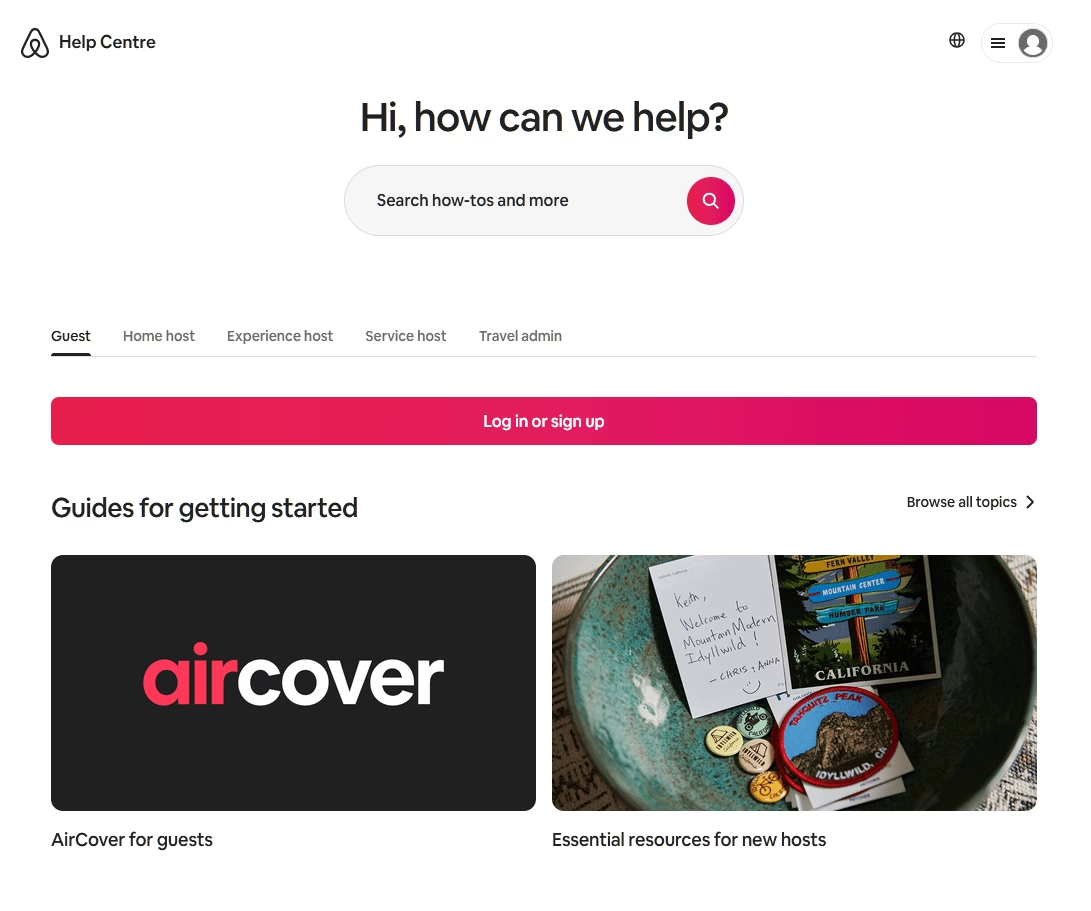
Airbnb serves two completely different audiences. Guests and hosts need entirely different answers, and its Help Center handles this through role-based topic organization, with distinct sections.
Organizing by who the user is, rather than just what they want, is a pattern any two-sided business should steal.
The help center design also carries Airbnb's signature warmth:
- Coral accents
- Photography-friendly layouts
- Ample white space
- The friendly Circular typeface
- Search suggestions appear as you type
The whole experience feels like an extension of the booking product rather than a separate support silo.
6. Shopify Help Center
Shopify’s current help center design leads with AI-powered natural-language search, which Shopify positions as the fastest path to help before reaching a human advisor.
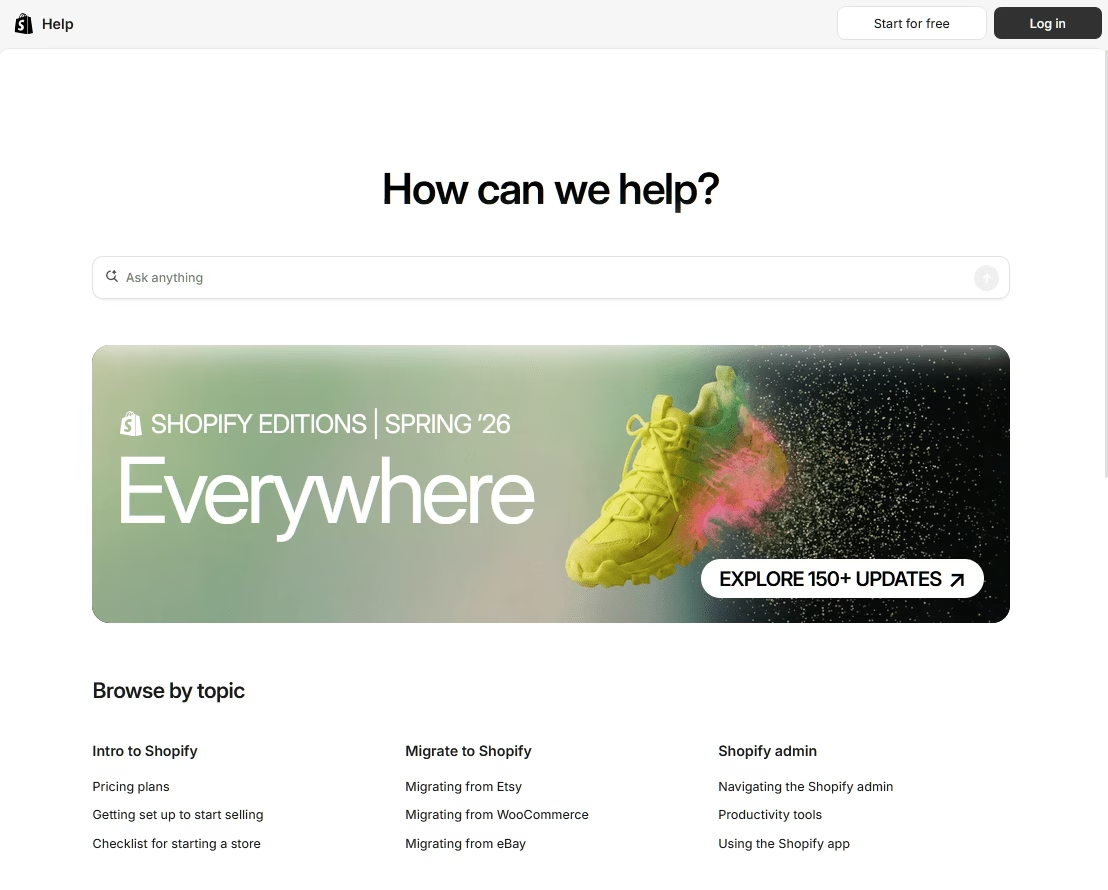
Try asking a question in plain English and the AI surfaces relevant articles and resources. Often resolving the issue without a ticket ever being opened.
But there is also an easy option to reach human support when needed:
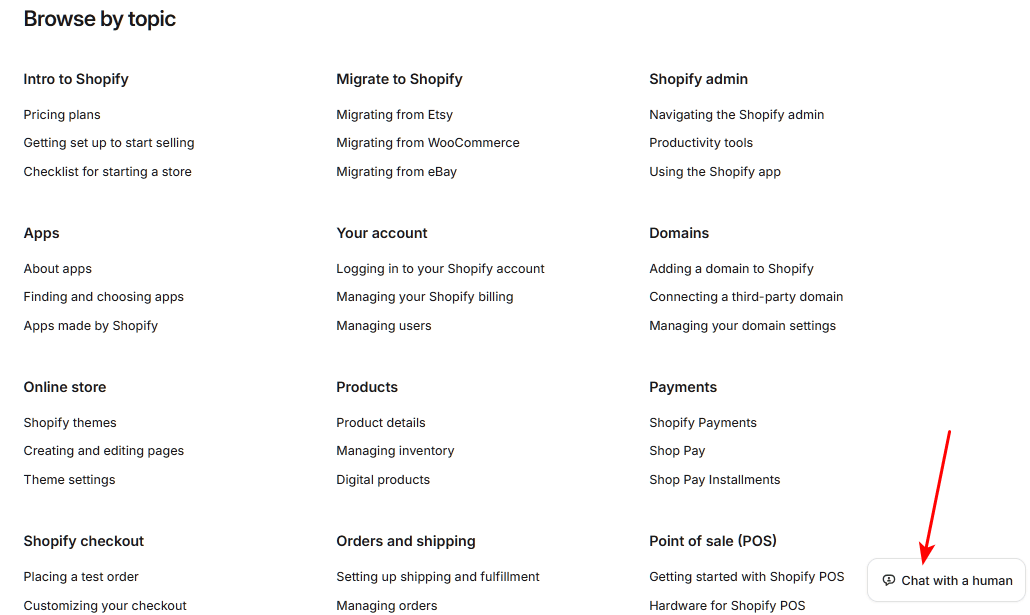
The content library is deep and practical, combining written documentation with video walkthroughs.
And the escalation path is tiered by plan, with chat, callback, email, and phone options that scale up for Plus and Retail customers.
7. Slack Help Center
If you are in a SaaS industry, look into Slack’s help center example. It’s a clinic in search-first design.
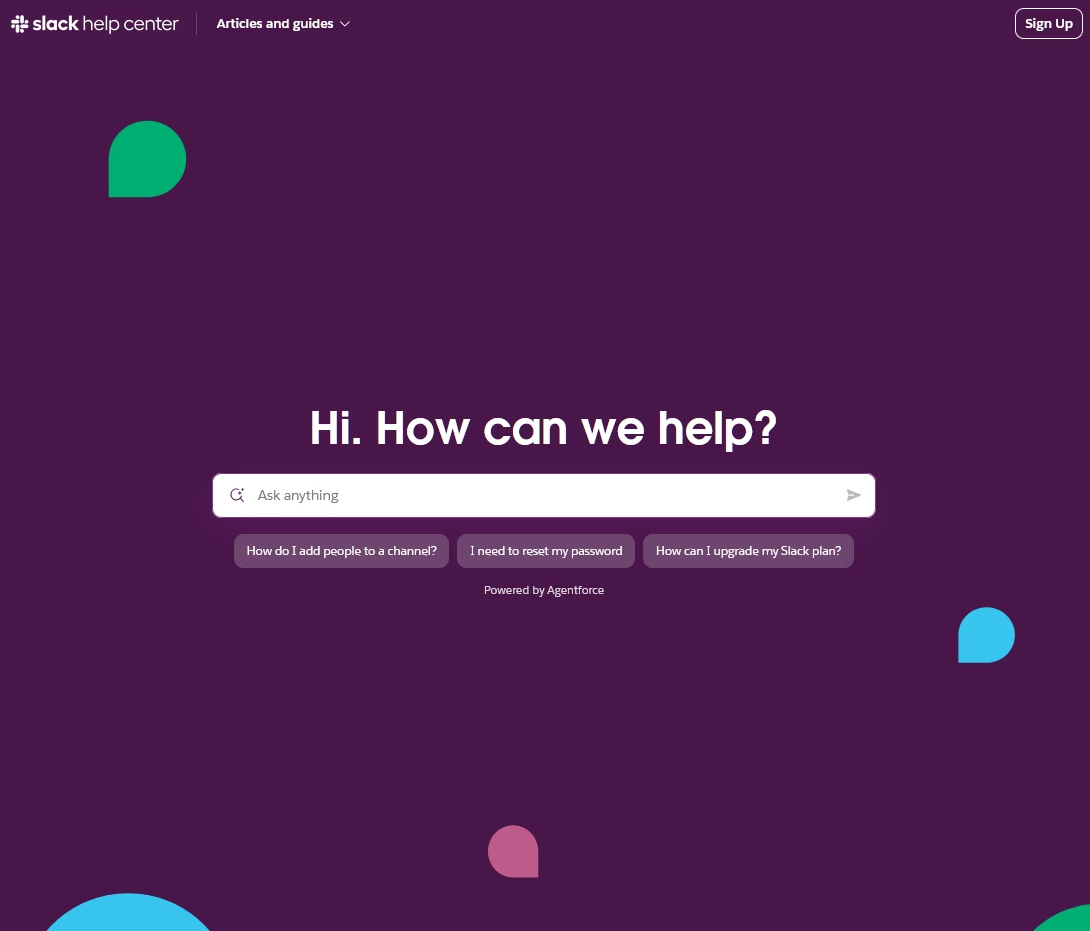
In Slack’s help center, the search bar sits at the top of the help panel where it belongs. Quietly guiding people who know they have a problem but aren't quite sure how to phrase it.
That single feature resolves an entire category of user friction.
The articles blend concise writing with helpful videos, and the entire experience reflects Slack's friendly and approachable brand voice.
8. Dropbox Help Center
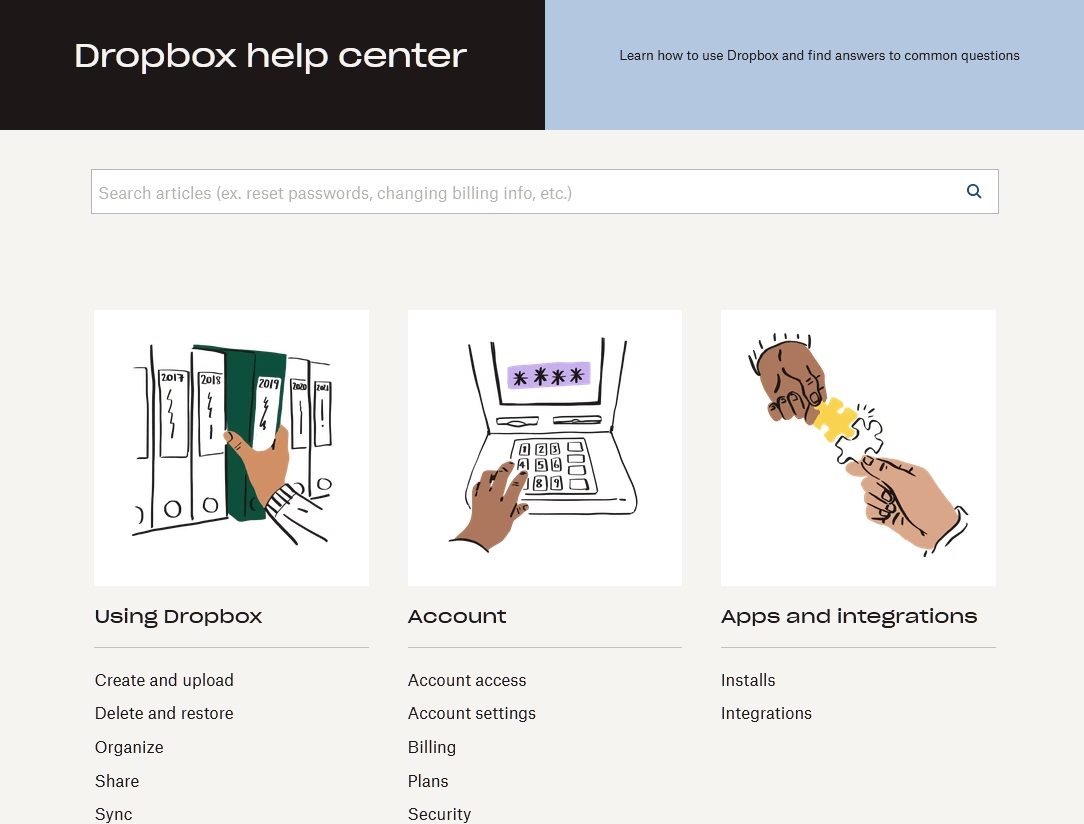
Dropbox is worth including specifically because its help center changed a lot over the time.
The new Dropbox help center follows the other leading SaaS help center design examples. Search at the center and card-based issue categorization.
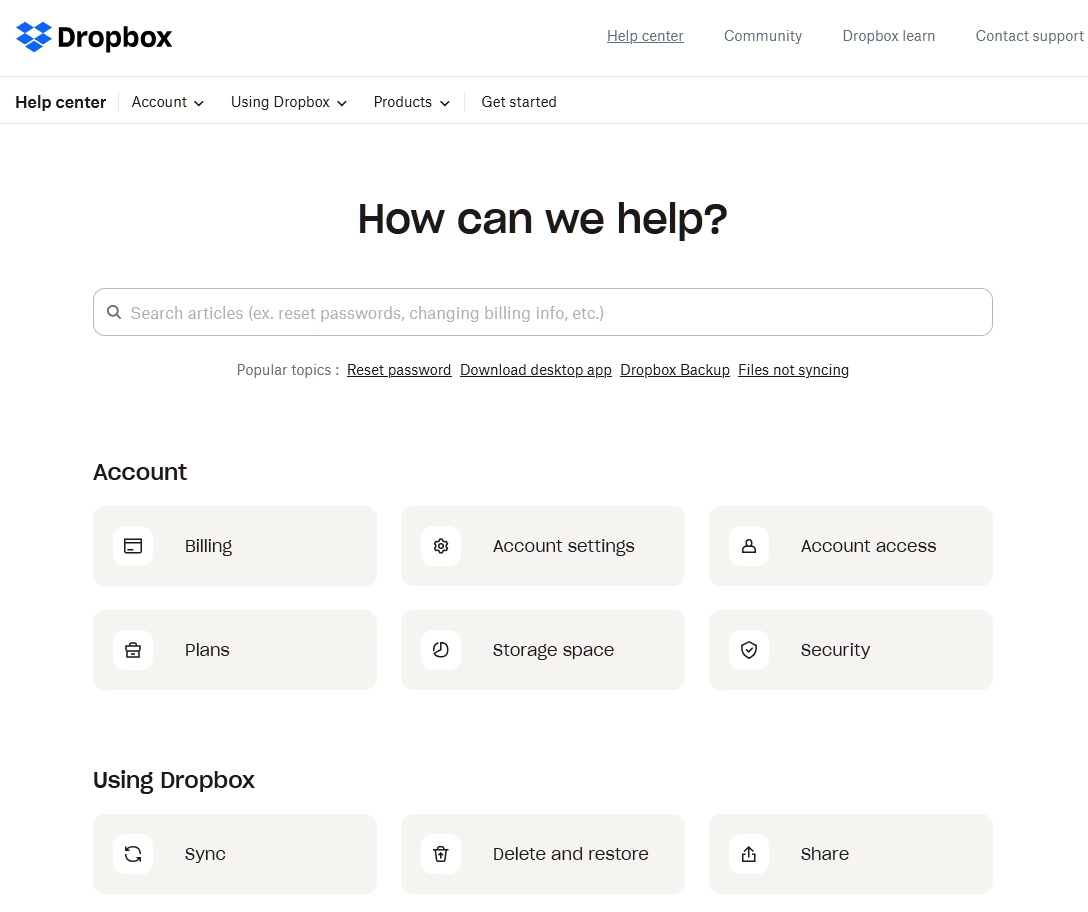
The new design features:
- Prominent search bar
- Minimalist icons to reduce visual clutter
- Help articles alongside contact options
- Live chat based on user’s active plan
9. Canva Help Center
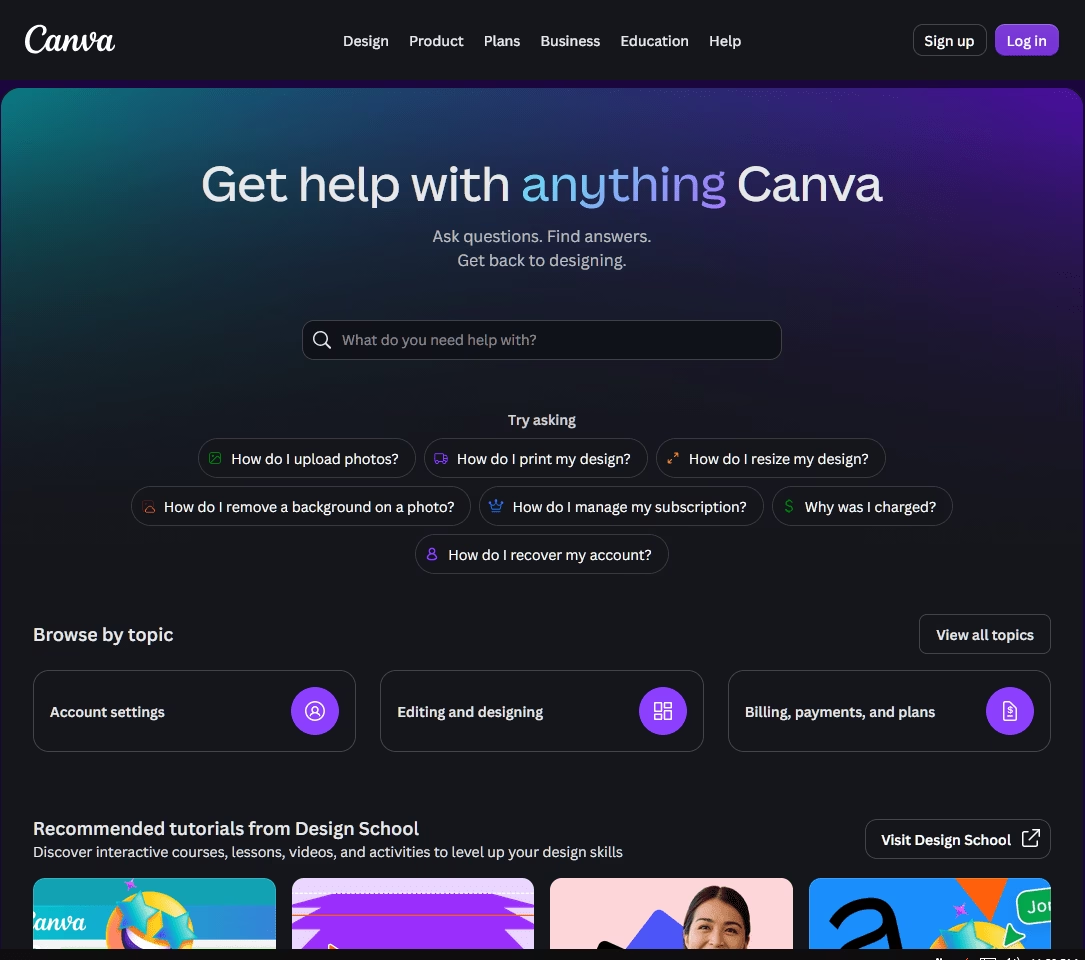
Canva's Help Center reflects the product's entire design philosophy: approachable, visual, and built for people who don't think of themselves as technical users.
The homepage leads with a search bar and the cheerful prompt “Ask questions. Find answers. Get back to designing.”
Content is organized around how people actually use Canva, with sections for designing, working with teams, and professional printing.
An AI chatbot handles the first layer of live contact, and enterprise customers get dedicated advisors and onboarding support.
10. Figma Help Center (Figma Learn)
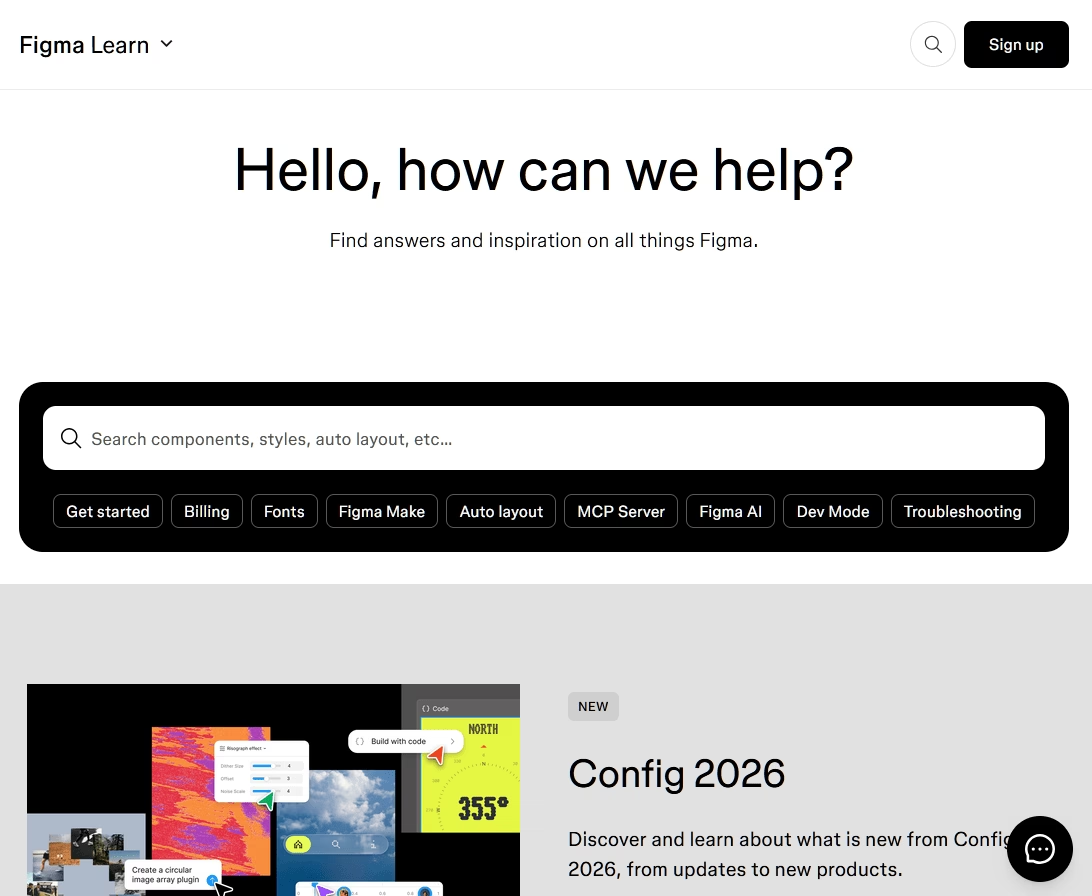
Figma's Help Center, branded as Figma Learn, offers clear pathways from the homepage:
- Get started with beginner-friendly tours
- Explore product documentation
- Submit a support request
- Jump into the community forum
It’s targeted towards brand-new users and power users that need different entry points, and it doesn't force them through the same door.
The support model is transparently tiered. Users are greeted by Fig, an AI-powered chatbot that answers questions about products, billing, and account settings before routing to the next step.
Starter users get connected to the community forum, while Professional and Enterprise users move to email support.
Figma is also upfront that it doesn't offer phone or live chat, which sets honest expectations.
11. Webflow University
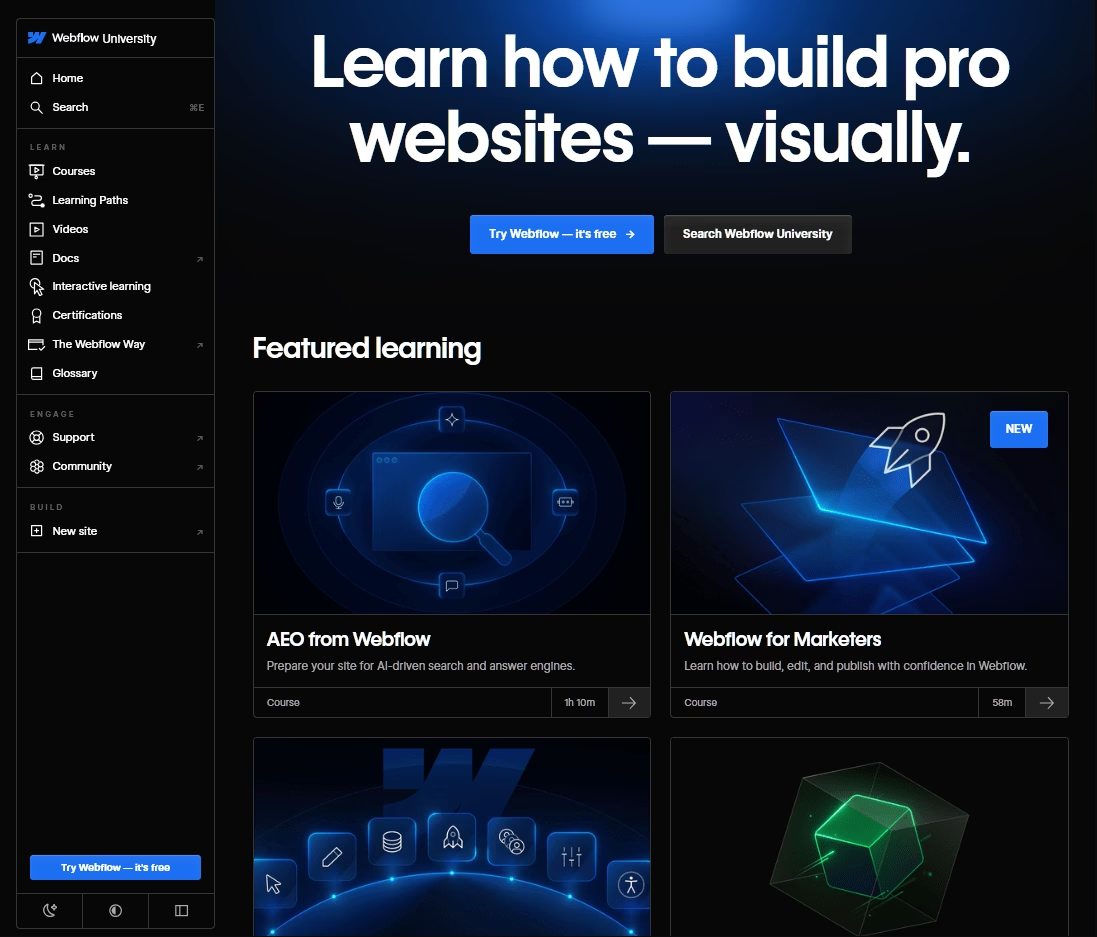
The Webflow University example blurs the line between help center and education platform, and it does so deliberately.
Rather than a dry article repository, it's a polished learning hub of free video tutorials, structured courses, interactive challenges, and certifications.
For a product as technically deep as Webflow, this education-first approach is right.
Because Webflow's complexity could generate a flood of support tickets without this investment. By building best-in-class educational content, Webflow deflects an enormous amount of demand while making users more capable and more loyal.
Tutorials feature high-quality video, written instructions, and genuinely engaging interactive lessons. Including games that teach CSS grid and flexbox in context.
Learning paths guide users from beginner to certification, and the experience is designed to transform the learning curve from a barrier into a feature.
12. Help Scout Help Center
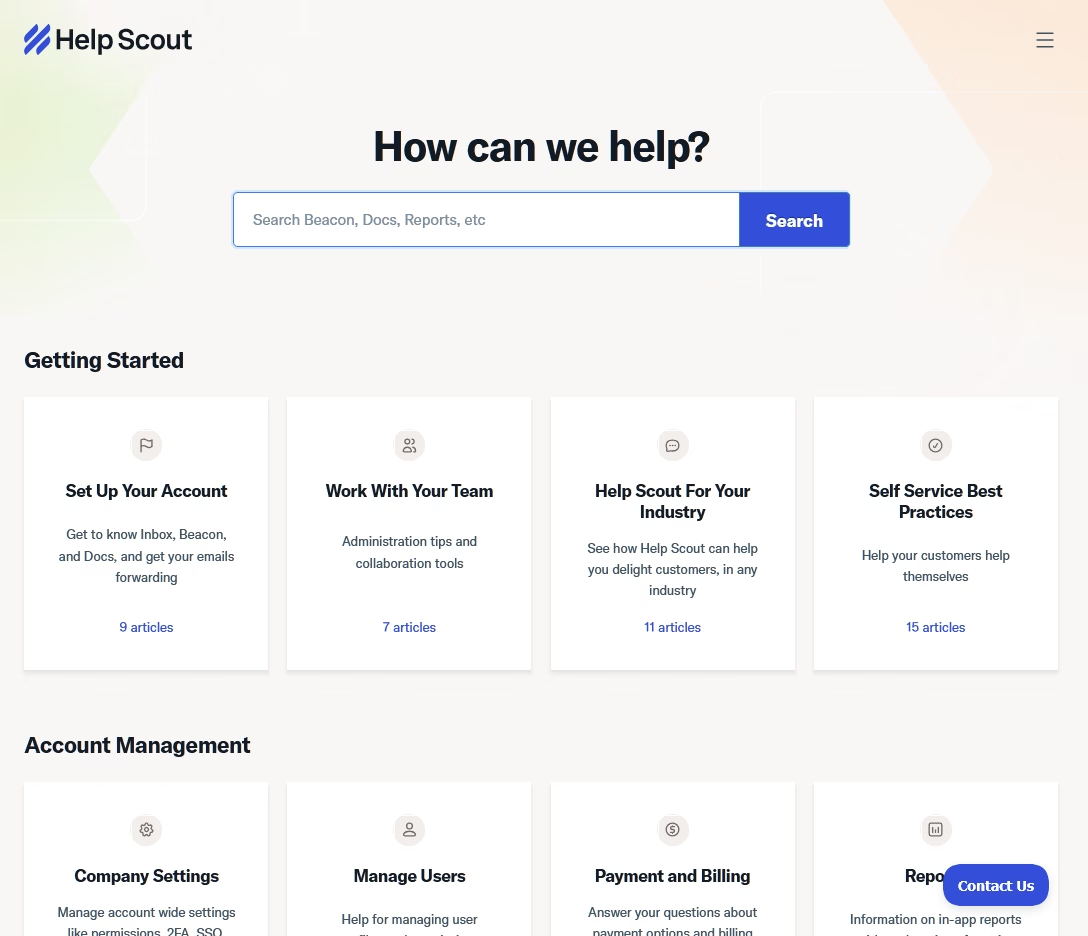
There's a special kind of credibility in a company that sells help center software and uses its own product well.
Help Scout help center fundamentals are solid:
- A prominent search bar sits front and center with real-time article suggestions as you type.
- Articles use proper heading structure with anchor-linked tables of contents
- The search bar and category list stay visible in the left column so users can keep exploring without bouncing back to the homepage.
- AI chat widget that is always ready to answer your question.
It might not look very unique compared to other help center examples in this list, but it works.
Final Thoughts: Help Center Examples and Designs
There are a few things every strong help center example on this list shares, regardless of industry or audience:
- Search is always the priority
- Design alone doesn't close the loop. A well-organized help center paired with a frustrating escalation path still generates angry customers.
- The best examples treat documentation as a product
Use tools like Heroic Knowledge Base to get jump start with your help center design. Then add your content, monitor user feedback and update it regularly.
Follow just these steps and your help center should answer most of your customers' questions.
Further Reading
Help Desk Best Practices for IT and Service Desk
10 Best Customer Service Software for Small Businesses (2026 Edition)
10 Knowledge Base Examples to Learn From (Good + Bad Lessons)
What Is Customer Service Desk? What It Does, Roles
Knowledge Base Benefits for Customers and Employees
Top FREE Help Authoring Tools (2026 Edition)




Leave A Comment?
You must be logged in to post a comment.