12 Best Free WordPress Chat Plugins (2026 Edition)


Your WordPress site loses visitors every day. They show up with a question, can’t find an answer, and bounce. You never even know they were there.
A WordPress chat plugin changes that. It catches people before they leave and does three things well:
- Turns pre-sale hesitation into conversions
- Handles support questions without flooding your inbox
- Starts real conversations instead of hiding behind a fake email prompt
Here are 12 of the best free WordPress chat plugins actually worth installing.
Heroic Knowledge Base
Create a beautifully designed, searchable knowledge base in minutes.
In This Guide
- What to Look for in WordPress Chat Plugins
- Best Free WordPress Chat Plugins
- 1. HubSpot All-in-One Marketing with Live Chat
- 2. Tawk.To Live Chat
- 3. 3CX Free Live Chat, Calls and Messaging
- 4. Chaty Floating Chat Widget
- 5. Buttonizer Live Chat and Contact Buttons
- 6. Crisp Live Chat and Chatbot
- 7. Smartsupp Live Chat and AI Shopping Assistant
- 8. WhatsApp Chat by Click to Chat
- 9. Zoho SalesIQ Live Chat and Chatbots
- 10. Olark Live Chat
- 11. Chaport Live Chat and Chatbots
- 12. Chatway Live Chat
- 1. HubSpot All-in-One Marketing with Live Chat
- How to Install a WordPress Chat Plugin
What to Look for in WordPress Chat Plugins
I have reviewed dozens of WordPress live chat plugins over the years. The ones worth keeping share these handful of traits:
- Free plan limits: How many agents can respond at once. How many chats per month before you hit a wall. A “free” plan that caps at 20 total conversations isn’t really free.
- Widget customization: Can you adjust colors, position, greeting text, and mobile behavior without CSS or a developer? The chat widget sits on every page, so it should match your site.
- Setup speed: Does the plugin work in five minutes with three clicks? Or does it require API keys, third-party accounts, and a half-hour of configuration before anything happens?
- Real-time chat vs. ticket masquerading: True live chat means instant back-and-forth. Some plugins just collect an email and dump it into a ticket queue that responds days later. That’s a support ticket form with extra steps.
- Mobile app: Can agents reply from their phones? A chat tool that only works on desktop means missed conversations during evenings, weekends, and commutes.
- Performance impact: Chat scripts that add more than half a second to load time cost you more conversions than the chat window recovers. Check front-end weight before committing.
- Privacy and GDPR: Where does the plugin store chat logs, visitor IPs, and conversation histories? If you serve EU visitors, this matters.
If a free plugin nails most of these, it made the list. If it fails on two or more, it didn’t.
Best Free WordPress Chat Plugins

We rigorously test and research every product that we recommend through HeroThemes. Our review process. We may also earn a commission if you make a purchase through our links.
1. HubSpot All-in-One Marketing with Live Chat
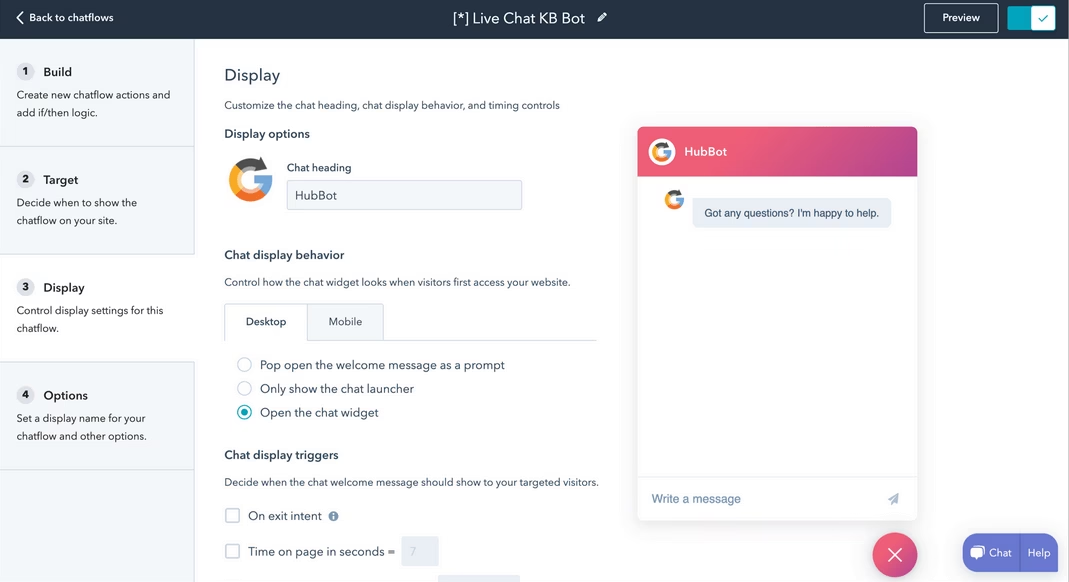
HubSpot’s WordPress plugin does live chat, but the chat is just one piece of a much larger machine.
You get CRM, email marketing, landing pages, forms, popups, and analytics bundled into a single free plugin.
If you already use HubSpot for anything else, the chat widget is a no-brainer addition.
Key features and options:
- Live chat with chatflows: Build multi-step conversation flows that greet visitors differently based on which page they are on, how long they have been browsing, or whether they are on mobile or desktop.
- Unlimited chat sessions and unlimited agents on a free tire
- Built-in CRM timeline: Every chat conversation gets logged on the contact record alongside form submissions, email opens, and page views. You see the full visitor context without switching tools.
- Knowledge base search inside the chat window
- Five hundred plus integrations: Slack, WooCommerce, Stripe, Google Analytics, Zapier.
- Exit-intent and scroll-based triggers
Pricing and value for money
HubSpot’s WordPress plugin and live chat are free. And the free tier is generous enough that most WordPress sites will never need to pay.
HubSpot’s paid tiers start at $15 per month for the Starter CRM plan and scale upward for advanced marketing automation.
Verdict
HubSpot packs the most functionality into a free WordPress plugin on this entire list. The CRM integration elevates it from a chat widget to a full visitor engagement platform.
The trade-off is that HubSpot’s ecosystem pulls you toward their paid tools. The chat itself is excellent, but you will notice the marketing machinery pushing upsells every time you log into the dashboard.
2. Tawk.To Live Chat
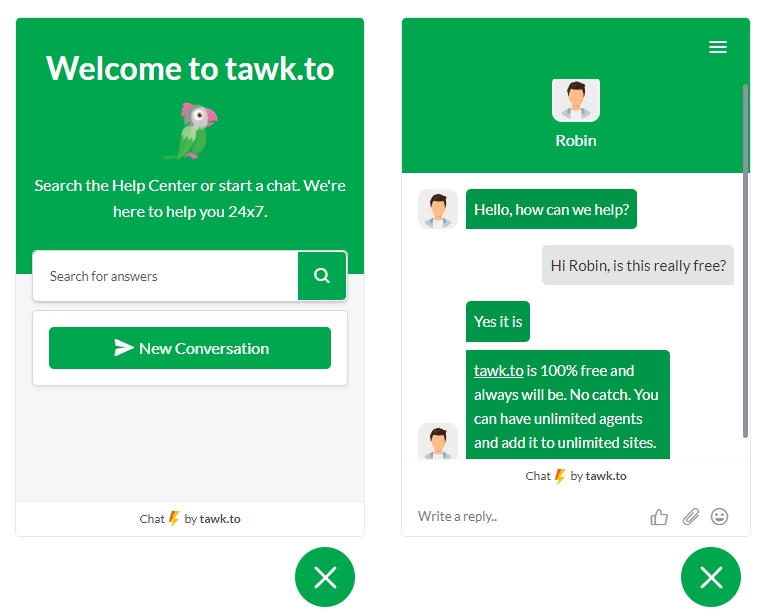
Tawk.To takes a different approach than every other plugin on this list.
It is genuinely and completely free.
The entire product runs on a freemium model where the free plan is the product and the paid upgrades are optional managed services.
Key features and options
- Unlimited agents and unlimited conversations on the free plan.
- Real-time visitor monitoring.
- Canned responses and saved replies: Pre-written answers for the questions that come up repeatedly. Agents can also insert canned responses with a keyboard shortcut.
- Mobile apps for iOS and Android.
- Customizable chat widget: Adjust colors, position, pre-chat form fields, and greeting messages. The design engine gives you reasonable control without requiring custom CSS.
- Multi-language support: The chat interface translates automatically to match the visitor’s browser language.
- Chat histories are searchable and well-organized
- Reporting dashboard
Pricing and value for money:
Tawk.To is free. Period. They offer optional paid add-ons like skill-based routing, white-label branding, and a dedicated server.
The core live chat product costs zero dollars and will not change that.
Verdict
Tawk.To is the most generous free live chat offering for WordPress, and the product quality reflects that generosity. The widget is fast, the dashboard is functional, and the mobile apps work reliably.
The only real drawback is that the interface looks dated compared to newer chat plugins on this list.
3. 3CX Free Live Chat, Calls and Messaging

The 3CX Live Chat plugin does exactly what the name says, and it adds a capability that almost no other WordPress chat plugin offers.
A visitor talking to you in the chat window can upgrade that conversation to a voice call or a video call with a single click.
The transition happens live inside the same browser session. This is genuinely useful when a text explanation stops being efficient.
Key features and options:
- One-click call and video elevation
- Ten agents free forever: The free plan supports up to ten logged-in agents simultaneously. That is enough for most small teams.
- Unified communications platform: It is a full phone system, meeting platform, and messaging tool. The live chat widget plugs into that broader ecosystem cleanly.
- Desktop, web, iOS, and Android apps
- Unlimited chat history
- Customizable call-to-action button
Pricing and value for money
Ten agents are free forever. The StartUP PRO edition supports twenty agents for approximately $150 per year and adds analytics, detailed reporting, and Facebook messaging integration.
Verdict
3CX occupies a unique space. It’s not the prettiest chat plugin UI, and it’s not the most feature-rich for marketing automation. But the ability to escalate a chat to a voice or video call inside the same session is a genuine differentiator that no other WordPress chat plugin delivers on the free plan. Service businesses, agencies, and consultancies should start here.
4. Chaty Floating Chat Widget
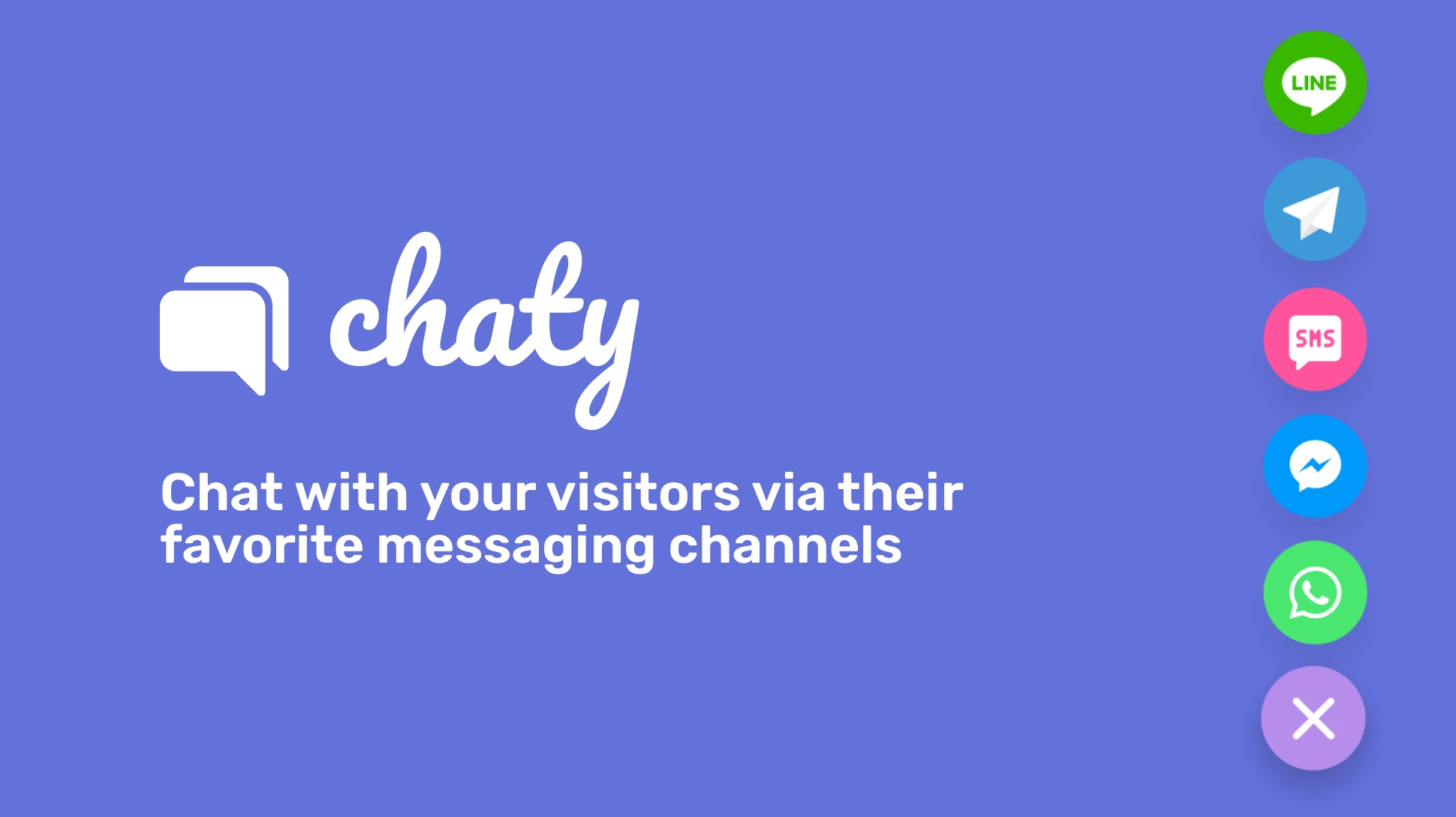
Instead of embedding a live chat queue where visitors wait for an operator, Chaty places floating contact buttons that route conversations to the channels your visitors already use: WhatsApp, Facebook Messenger, Telegram, and SMS.
Chaty Floating Chat Widget is so popular that it has 400,000+ active installs and 5 out of 5 stars.
Key features and options:
- Twenty plus contact channels: Connect WhatsApp, Facebook Messenger, Telegram, Instagram, Line, Viber, Slack, TikTok, phone, email, and SMS buttons on a single floating widget.
- WhatsApp popup experience: Chaty can display a popup that mimics the WhatsApp chat window, giving visitors a familiar mobile-like interface on desktop browsers.
- No agent limits
- Google Maps integration: Add a location button that opens Google Maps with your business address.
- Click to call button: A phone icon that initiates a direct phone call from the browser.
Pricing and value for money
Chaty is free, and the free version covers most use cases entirely.
Pro features like showing different widgets on different pages, scheduling availability by days and hours, and advanced targeting start at a modest monthly fee.
Verdict
Chaty is not a traditional live chat plugin, and that is exactly why it deserves a spot on this list. If your target audience lives on WhatsApp and Facebook Messenger, Chaty puts a direct line in front of them.
The trade-off is that you do not get a centralized inbox for these conversations. Every channel handles messages inside its own app.
5. Buttonizer Live Chat and Contact Buttons
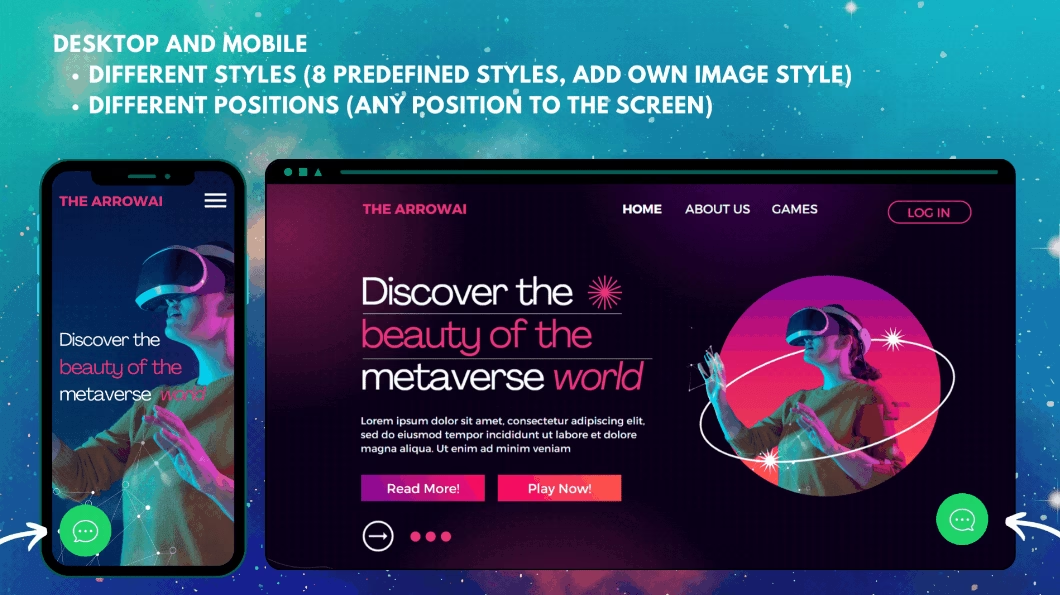
Buttonizer helps you build floating contact button menus similar to Chaty.
But it goes further with AI chatbot integration, real-time visitor monitoring, and highly customizable button behaviors that go beyond simple links.
Key features and options:
- AI chatbot assistant: Buttonizer includes an AI-powered chatbot that can answer common visitor questions automatically before an operator steps in. You get basic AI capabilities with a free plugin.
- Real-time visitor monitoring: See who is currently browsing your site and which pages they are reading.
- Create separate buttons for live chat, phone calls, email, SMS, and specific chat apps like WhatsApp.
- Conditional display rules: Show different buttons on different pages, to different visitor segments. So on.
Pricing and value for money
Buttonizer offers a free plan that covers the core button functionality. Pro features like advanced targeting, A/B testing, and full analytics start at a $10 monthly rate.
The free tier works well for most small WordPress sites.
Verdict
Buttonizer sits between Chaty’s multi-channel contact approach and a full live chat platform. The AI chatbot adds a layer of automation that Chaty does not offer, while the multi-button flexibility appeals to businesses that want to give visitors genuine channel choice.

6. Crisp Live Chat and Chatbot
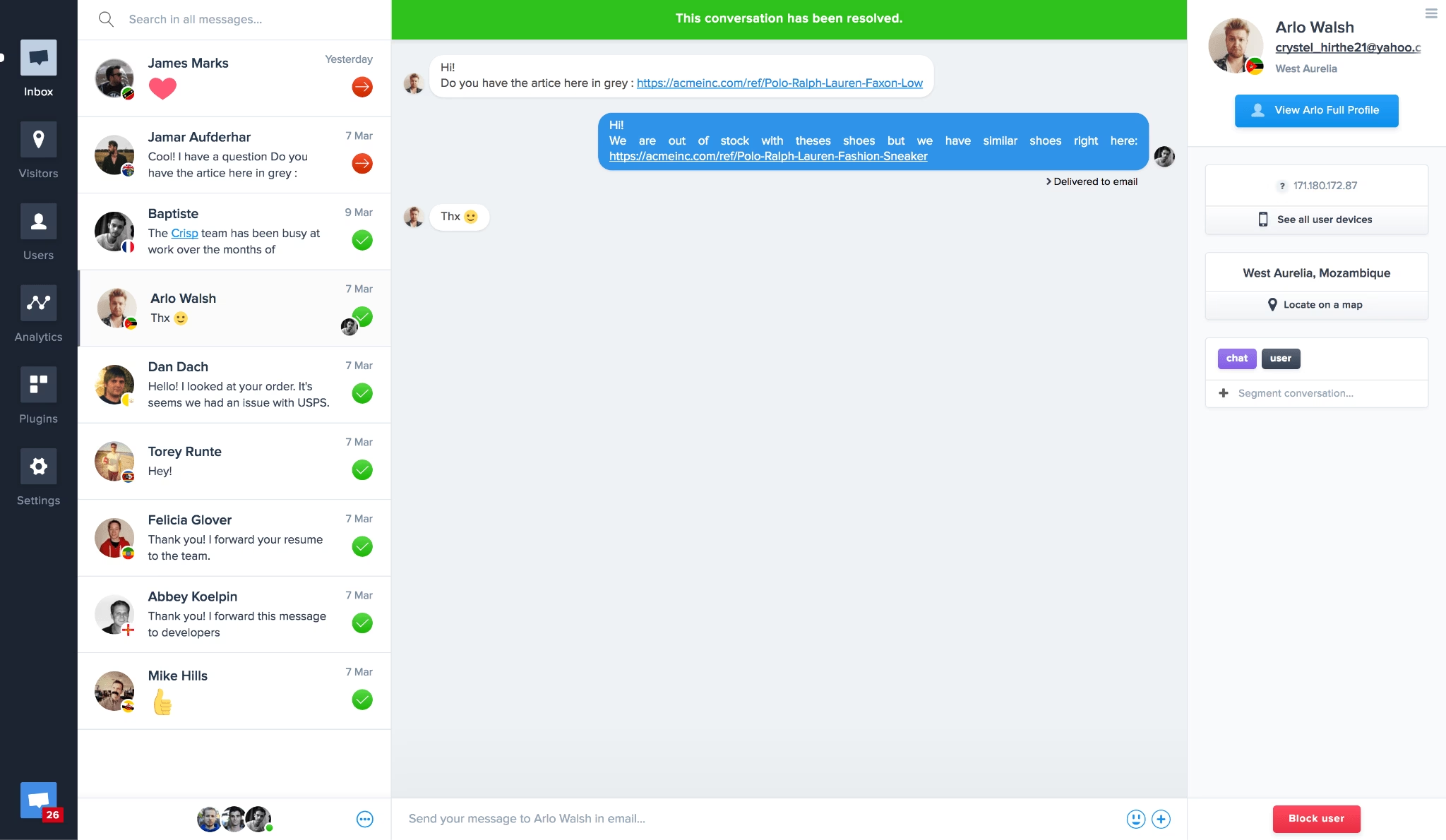
Clean, minimal, and fast-loading.
Crisp looks like a modern messaging app rather than a support tool bolted onto a WordPress site.
The interface is the cleanest on this list, and the free plan handles small team support without feeling restricted.
Key features and options:
- Live chat with real-time delivery: Messages appear instantly.
- Shared inbox for operators: Multiple agents see the same conversation queue.
- Chatbot builder: Set up automated responses for frequent questions. The free chatbot tier handles basic flows and integrates with the live inbox so humans can take over.
- Email fallback: When no operator is available online, the chat widget collects the visitor’s message as an email reply.
- Mobile apps for iOS and Android
Pricing and value for money
Crisp’s free plan supports two operators with unlimited chat conversations.
The Business plan starts at $45 per month and adds advanced chatbot features, team collaboration tools, and deeper analytics.
Verdict
Crisp wins on design quality and message delivery speed. The chatbot builder on the free plan is limited but functional, and the two-operator cap on the free plan is the main limitation for growing teams.
7. Smartsupp Live Chat and AI Shopping Assistant
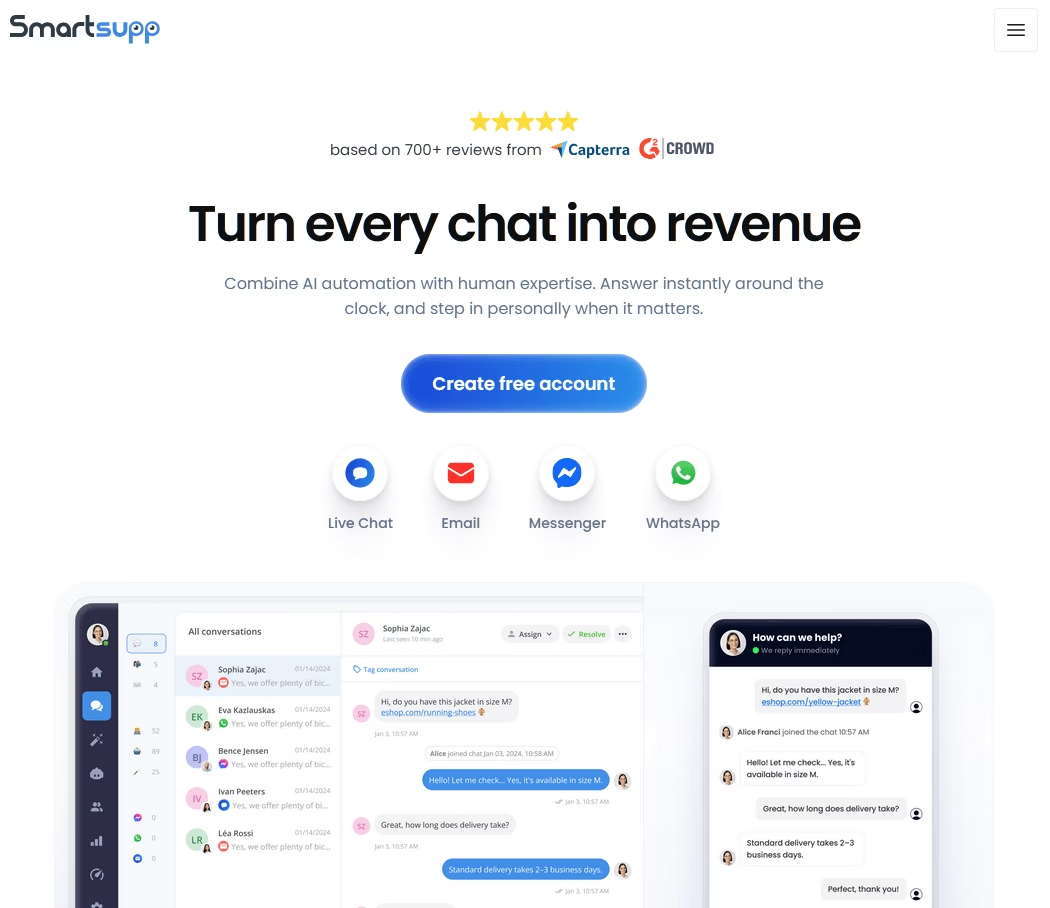
With Smartsupp visitor screen recording baked directly into the chat dashboard.
You see what the visitor saw. You see which buttons they clicked. You understand why they’re confused before they even ask.
Key features and options:
- Visitor screen recordings: Every chat session optionally records the visitor’s screen activity.
- AI shopping assistant for E-commerce: Smartsupp’s AI engine analyzes visitor behavior and product views, then offers personalized product recommendations inside the chat window.
- Live chat with real-time messaging
- Mobile apps for iOS and Android
- Automated chatbot responses: Build automated flows that greet returning visitors differently from first-time visitors.
Pricing and value for money
Smartsupp’s free plugin includes live chat with one operator and basic chatbot functionality.
Paid plans start at $17 per month and add screen recordings for more sessions, and advanced AI features.
Verdict
The screen recording integration sets Smartsupp apart from every other live chat plugin.
For E-commerce site owners trying to understand why visitors abandon their carts or get stuck on the checkout page, this feature alone justifies the plugin.
The AI shopping assistant also adds commercial value that basic chat plugins cannot match.
8. WhatsApp Chat by Click to Chat
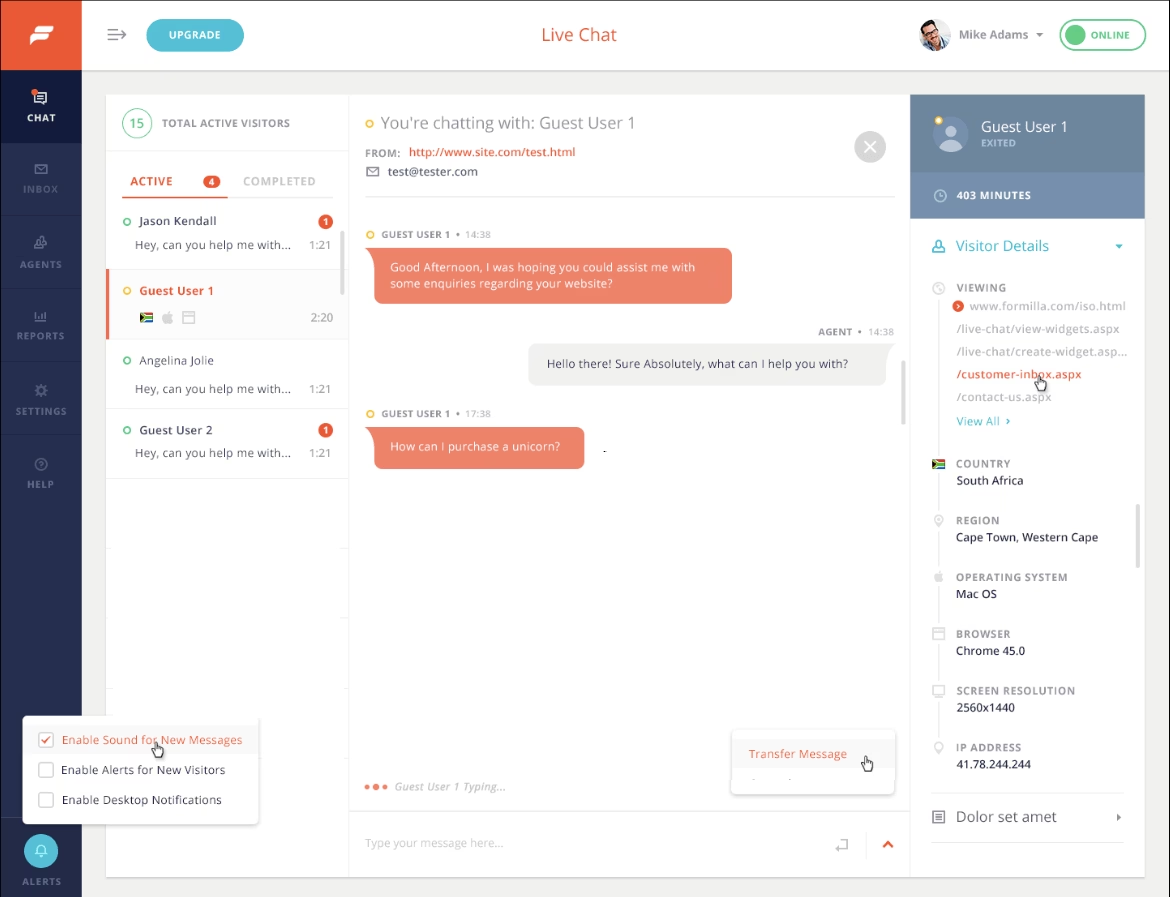
Click to Chat does one thing and does it well: place a floating WhatsApp chat button on your WordPress site that opens a direct conversation in WhatsApp when clicked.
There are no queues, no operators, no third-party dashboards. The visitor’s message goes straight into your WhatsApp inbox.
This plugin is so famous that it has around 700,000 active installs and rating of 4.8 out of 5 stars.
Key features and options:
- Direct WhatsApp integration
- Customizable greeting message
- Floating button with design control: Choose the button position, color, and animation style so the WhatsApp icon complements your theme instead.
- Mobile and desktop optimized
- WooCommerce integration: Add the WhatsApp button to product pages with a dynamic product name inserted into the pre-filled message.
Pricing and value for money
Click to Chat plugin is free.
There is a Pro version starting at $18 per year. Which adds premium support and additional features like multi agent, time delay, scroll delay and triggers.
Verdict
If your primary customer communication happens on WhatsApp anyway, this plugin bridges the gap between your website and your WhatsApp inbox with zero overhead. It is not a live chat solution in the traditional sense, but it solves the same problem of capturing visitor questions before they bounce.
The limitations are: no shared inbox, no operator management, no screen recordings, no automation.
9. Zoho SalesIQ Live Chat and Chatbots
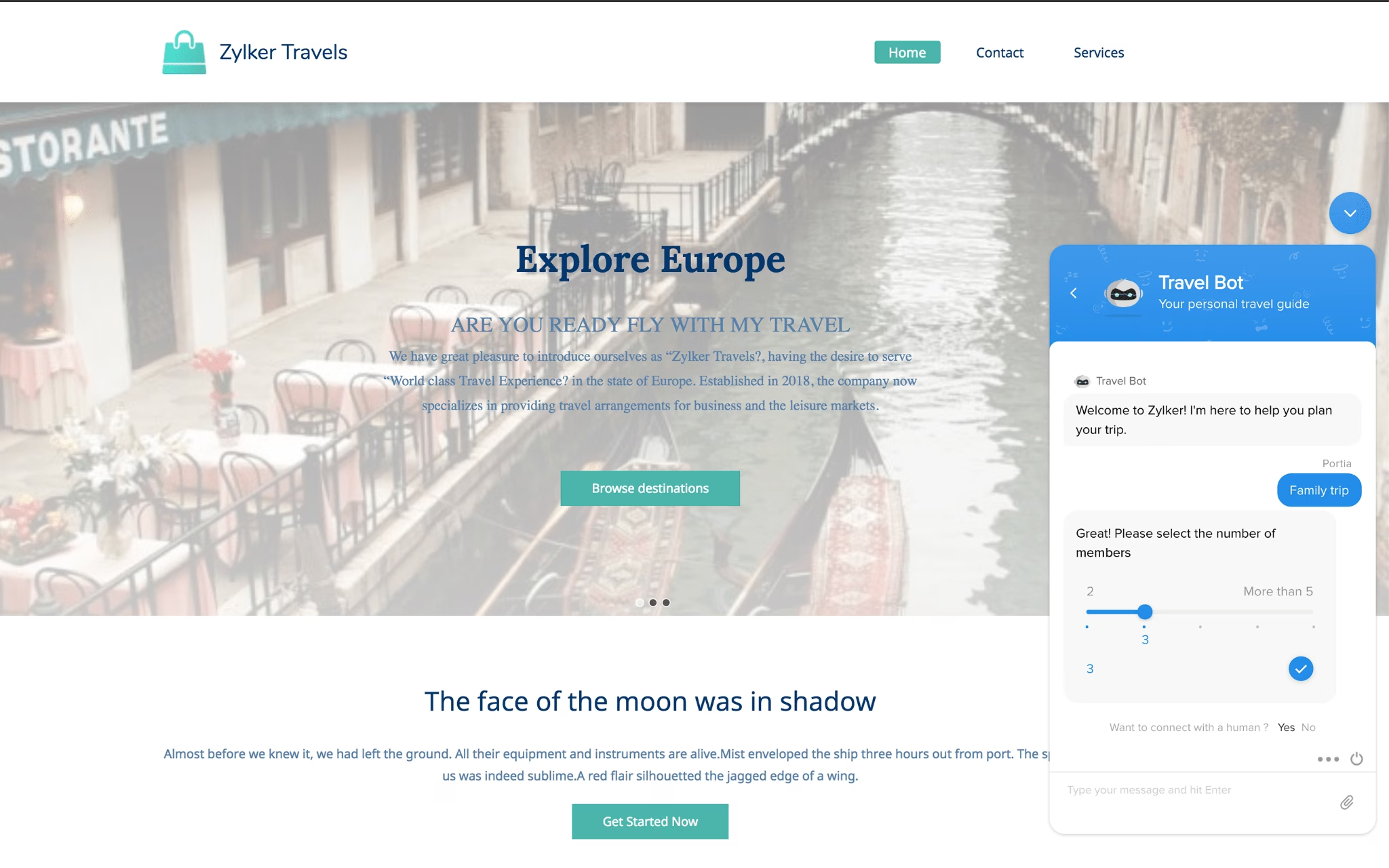
Zoho SalesIQ is a full customer engagement platform that embeds live chat, visitor analytics, and AI-powered chatbots into a single WordPress plugin.
If you already use Zoho CRM or the Zoho business suite, SalesIQ pulls visitor data into your existing Zoho workflow seamlessly.
Key features and options:
- Visitor tracking and behavioral insights.
- Zia: An AI-powered chatbot with natural language processing.
- Email and phone callbacks
- Mobile apps for iOS and Android
- Multi-channel inbox: SalesIQ consolidates chats from your website, WhatsApp, Facebook Messenger, email, and Instagram into one unified operator dashboard.
Pricing and value for money
Zoho SalesIQ’s free plan includes live chat for one operator with up to 5000 visits per month.
The paid plans start at $10 per month per operator and scale based on visitor volume and chatbot usage.
Verdict
SalesIQ is the strongest choice for WordPress sites already invested in the Zoho ecosystem.
The visitor analytics dashboard provides genuine behavioral intelligence that most live chat plugins do not offer.
The AI chatbot is capable enough to resolve common support questions without operator intervention.
The free plan covers small sites adequately.
10. Olark Live Chat

Olark is a reliable, no-nonsense live chat platform that has been in the market long enough to have earned a loyal user base.
The WordPress plugin connects your site to the Olark platform with a simple site ID configuration. And the chat widget itself is clean, functional, and highly customizable.
Key features and options:
- Shopping cart viewer: E-commerce operators can see which products the visitor has in their cart during the chat.
- Supports extensive translation customization. Every label, button, and message in the chat widget can be customized for multilingual WordPress sites.
- Proactive chat invitations: Set up automated triggers that display the chat widget when visitors meet specific conditions like time on page, page scroll percentage, or exit intent.
- Offline messaging when no operators are available.
- Extensive integration marketplace: Olark connects with popular CRMs, email marketing platforms, help desk tools, and E-commerce tools.
Pricing and value for money
Olark’s free plan supports one operator with 20 total chats per month (which is very low).
The paid plan starts at $29 per active operator per month and removes the chat cap while adding analytics, team collaboration tools, and advanced integrations.
Verdict
Olark is a dependable live chat tool that does its job without flashiness. The 20 chat per month limit on the free plan is too restrictive for most sites to be useful long-term.
11. Chaport Live Chat and Chatbots
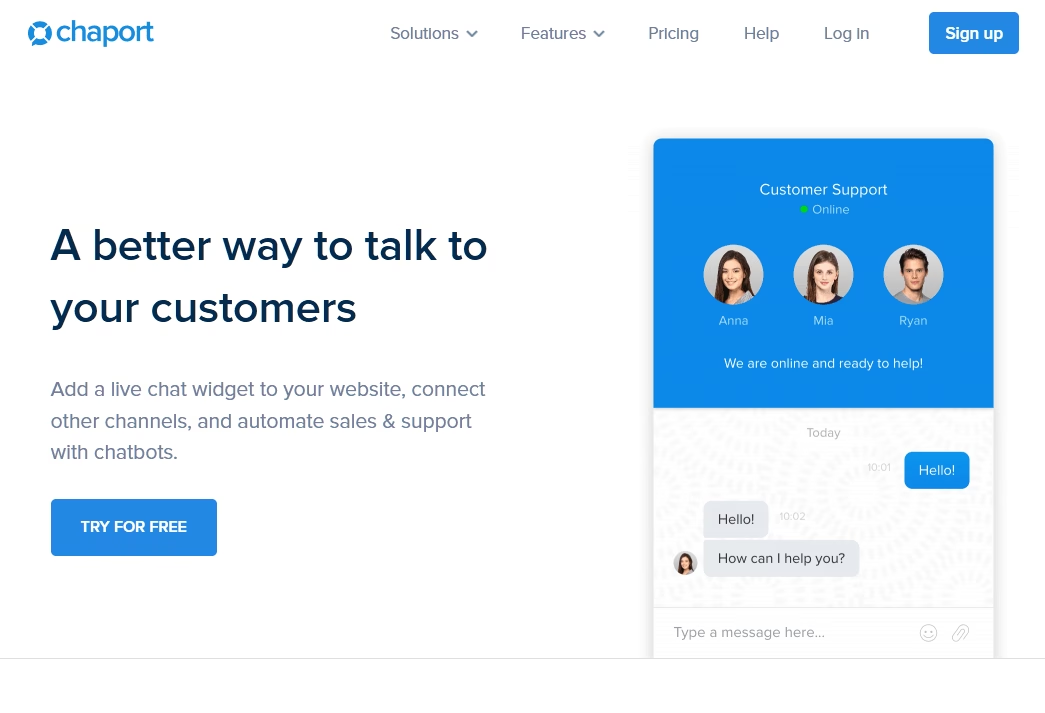
Chaport is a modern live chat WordPress plugin.
It brings a clean interface, unlimited chats on the free plan, and a capable chatbot builder to WordPress sites that need a lightweight but functional chat solution.
Key features and options:
- Unlimited chats and unlimited websites on the free plan
- Chatbot with basic automation: Build simple automated flows that greet visitors, answer common questions, and collect contact information.
- Multi-channel inbox: Consolidates chats from your website, Facebook Messenger, and WhatsApp into a single operator dashboard.
- iOS and Android apps
- Visitor information display: The dashboard shows the visitor’s current page, browser type, operating system, and referral source.
Pricing and value for money
Chaport’s free plan supports two operators with unlimited chats.
Paid plans start at $30 per month and add advanced chatbot features, deeper analytics, and custom branding.
Verdict
Chaport is a strong contender in the free WordPress live chat space. The unlimited chat allowance and multi-channel inbox make it practical for small teams.
The chatbot builder on the free plan is basic but functional.
12. Chatway Live Chat
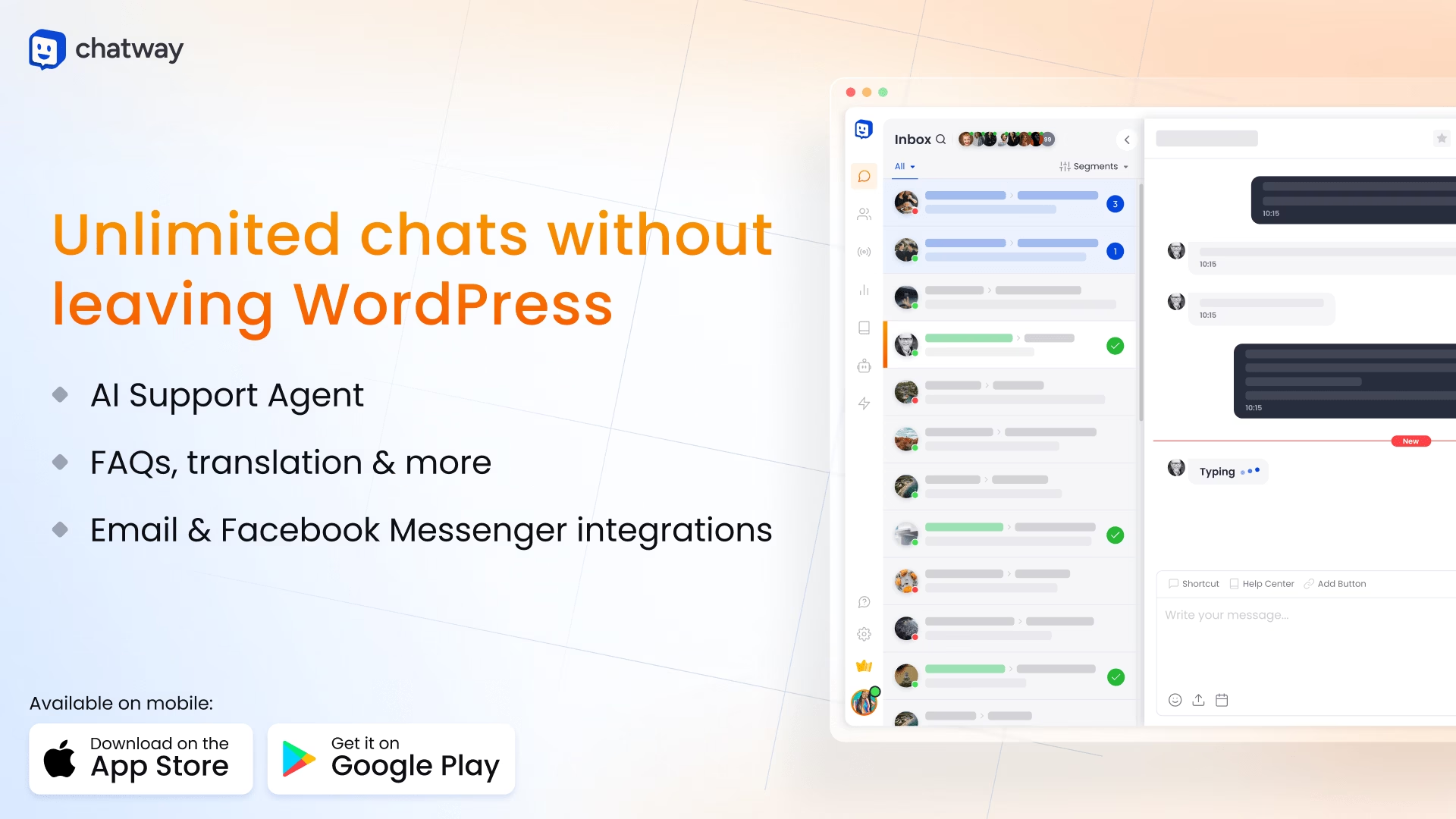
Chatway combines live chat, AI chatbot assistance, and FAQ integration into a single WordPress plugin.
It is designed for teams that want a full customer support experience that includes self-help options alongside live conversations.
Key features and options:
- AI chatbot agent to handle common questions automatically and routes complex issues to human agents.
- WhatsApp integration
- Chat widget customization
- Mobile apps
- FAQ integration with chatbot
Pricing and value for money
Chatway offers a free plugin with basic live chat and chatbot functionality.
Paid plans start at approximately $24 per month and add advanced chatbot features, WhatsApp integration, and detailed analytics.
Verdict
Chatway sits in the middle of the WordPress live chat market. It offers more than basic chat buttons but less enterprise complexity than platforms like Zoho.
How to Install a WordPress Chat Plugin
The installation process is nearly identical for every plugin on this list.
- Log into your WordPress dashboard and navigate to Plugins, then Add New.
- Search for the plugin and install your choice of plugin.
- Click Activate once the installation completes.
- Connect to the service. Most plugins require you to create an account on the provider’s platform and link it through an API key or a one-click WordPress dashboard connection.
- Customize the chat widget colors, greeting message, and position from the plugin settings or the provider’s dashboard.
- Publish and test. Open your website in a separate browser tab and verify that the chat widget appears and responds as expected.
The entire process takes five to fifteen minutes depending on the plugin and whether you already have an account with the provider.
Final Thoughts
As is usually the case with these decisions, there’s not one answer that fits every single situation.
Take a minute to think about factors like:
- Do I just want a lightweight pre-sales chat? Or will I be running full support via live chat?
- How important are analytics? Will I actually use them to improve my processes or will they just be a waste?
- How much money am I willing to spend on a live chat plugin?
- How many active agents will I have at one time?
While all of these free WordPress chat plugins are great in their place, here’s what I would recommend you to start with: Tawk.to.
Tawk.to gives you full chat functionality, unlimited agents and unlimited conversations without any paywall.
But, the chat plugin that works best is the one your visitors actually respond to.
Further Reading
9 Best AI Chatbots for Shopify (2026 Review)
Top Chat Widgets for Websites in 2026 (Free Options)
Top 11 Customer Support Tools for Small Businesses
9 Best WordPress Ticket Systems (2026 Review)
Best Knowledge Base Chatbots in 2026 (With Free Options)





Leave A Comment?
You must be logged in to post a comment.