7 meilleurs logiciels de base de connaissances IA (meilleurs choix pour un support plus intelligent)
 Shankar Chavan
Avez-vous déjà passé des heures à fouiller dans une base de connaissances ou des forums juste pour trouver une réponse simple ?
Ces jours sont révolus. La plupart des logiciels de base de connaissances de nos jours sont dotés de fonctionnalités d'IA (intelligence artificielle) qui facilitent grandement la recherche d'informations.
Dans ce guide, nous explorerons 7 des meilleurs logiciels de base de connaissances IA qui faciliteront la vie de vos clients et la vôtre.
Comment ?
Jetons un coup d'œil.
Dans ce guide
Qu'est-ce qu'une base de connaissances IA ?
Une base de connaissances IA est comme une base de connaissances ordinaire améliorée par l'intelligence artificielle.
L'IA peut comprendre des requêtes en langage naturel et générer des réponses basées sur les données de votre base de connaissances. Elle peut également apprendre des modèles d'utilisation et créer du contenu ou des résumés.
Fonctionnalités clés de l'IA dans les logiciels de base de connaissances
Les outils de base de connaissances IA sont dotés d'une gamme de fonctionnalités intelligentes qui facilitent la vie des utilisateurs recherchant des informations et des équipes qui maintiennent le contenu :
1. Recherche sémantique avec NLP
Au lieu de la correspondance par mots-clés, la recherche IA comprend le sens derrière une question.
Posez une question vague et elle trouve toujours l'article pertinent par intention
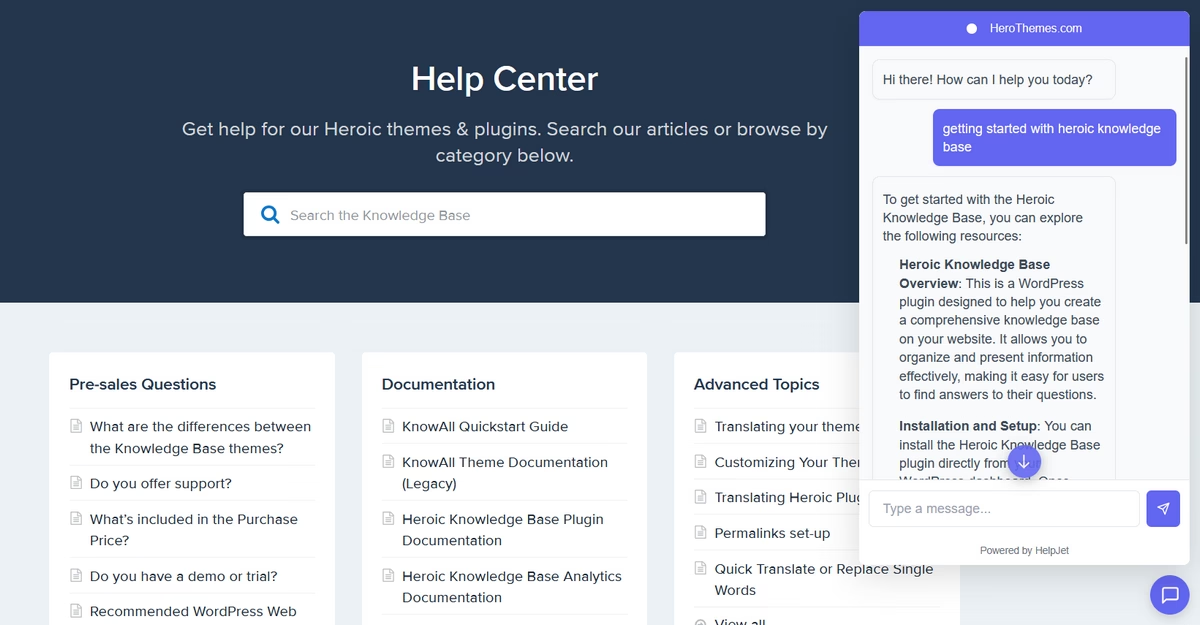
Par exemple, rechercher « réinitialiser la connexion » ou « mot de passe oublié » trouvera « Comment réinitialiser votre mot de passe ». Ceci n'est pas possible à moins que vous ne le codiez pour le faire.
2. Q&R génératives
L'IA peut générer une réponse directe en puisant dans un ou plusieurs articles de base de connaissances.
Les utilisateurs obtiennent une réponse concise avec la solution (et souvent un lien de citation vers la source).
Cela donne des réponses instantanées sans lire les documents complets, comme un résumé personnalisé du contenu pertinent.
3. Rédaction et édition de contenu par IA
Pour les créateurs de contenu, de nombreuses plateformes disposent désormais d'assistants d'écriture IA intégrés.
Ces assistants peuvent vous aider à rédiger de nouveaux articles de base de connaissances à partir d'une invite ou d'une transcription d'appel. Ils aident également à développer ou réécrire du contenu et à assurer une tonalité cohérente.
4. Marquage et organisation automatiques
L'IA peut suggérer des balises ou des catégories pour les nouveaux articles, ce qui facilite leur organisation et leur récupération ultérieure.
Certains systèmes lient même automatiquement les articles connexes ou suggèrent où une question entrante pourrait s'intégrer.
5. Résumé
L'IA peut résumer de longs articles en un bref résumé ou en points clés.
C'est idéal pour donner aux utilisateurs un TL;DR (trop long; pas lu) en haut d'un guide ou pour les agents qui ont besoin de parcourir une procédure complexe.
6. Traduction multilingue
L'IA peut traduire automatiquement les articles de la base de connaissances dans des dizaines de langues tout en préservant le contexte. Ce qui donne de bien meilleurs résultats que des traductions directes.
7. Suggestions et déclencheurs proactifs
Certains outils surveillent le contexte (comme la page sur laquelle vous vous trouvez ou l'application que vous utilisez) et affichent automatiquement des connaissances pertinentes.
8. Alertes de maintenance (auto-guérison du contenu)
L'IA peut détecter quand un contenu est obsolète ou s'il existe des articles en double.
Certains logiciels de base de connaissances IA identifient les « lacunes dans les connaissances » en reconnaissant les questions que les utilisateurs posent et qui ne donnent aucun résultat utile.
Explorer :
L'IA dans le service client : exemples, comment l'implémenter (2026)
9 idées d'automatisation du service d'assistance pour rationaliser le support informatique
Avantages de l'utilisation d'une base de connaissances IA
Les bases de connaissances classiques ont toujours promis un libre-service 24h/24 et 7j/7, mais en réalité, de nombreux clients et employés ont encore du mal à trouver ce dont ils ont besoin.
L'IA dans la base de connaissances vise à changer cela.
Nous avons déjà vu à quel point les fonctionnalités d'IA changent la donne dans la base de connaissances. Voici quelques avantages majeurs que nous constatons avec les bases de connaissances pilotées par l'IA :
- Découverte de contenu plus rapide et améliorée.
- Satisfaction utilisateur plus élevée
- Réduction du travail répétitif pour les équipes de support.
- Meilleure qualité de contenu au fil du temps.
- Scalabilité et efficacité.
- Cohérence 24h/24 et 7j/7
Meilleur logiciel de base de connaissances IA pour 2026

Nous testons et recherchons rigoureusement chaque produit que nous recommandons via HeroThemes. Notre processus d'examen. Nous pouvons également gagner une commission si vous effectuez un achat via nos liens.
6. weDocs
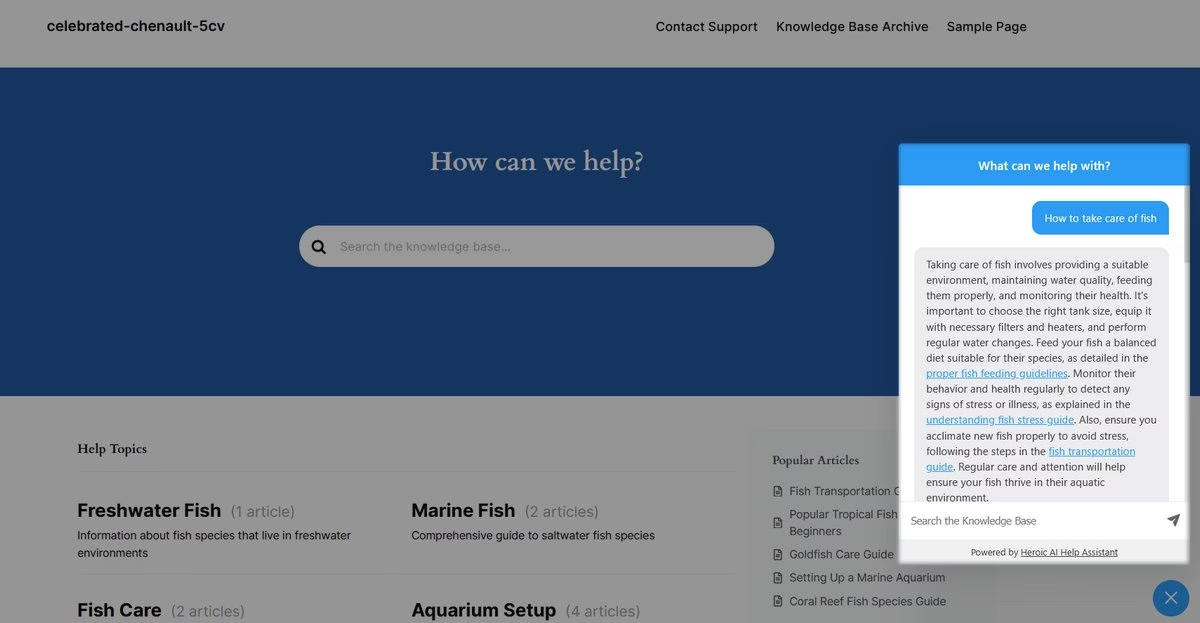
Si votre site Web fonctionne sur WordPress, Heroic Knowledge Base est un excellent choix.
Même si vous envisagez de créer un nouveau portail de base de connaissances, il ne faut qu'une heure pour configurer un site Web WordPress et une base de connaissances.
Heroic Knowledge Base équipe plus de 33 000 entreprises. Il est maintenant amélioré avec l'Assistant IA Heroic, qui apporte essentiellement ChatGPT à votre base de connaissances.
Fonctionnalités clés de l'IA
- Le chatbot Assistant IA utilise le contenu de votre base de connaissances pour répondre aux questions des visiteurs et fournir des réponses conversationnelles, similaires à celles d'un humain.
- Gère les questions de suivi et comprend le contexte, ne se contente pas de réciter du texte
- La configuration ne nécessite aucun codage, aucune clé API ni aucun abonnement tiers.
- Entraînez l'IA sur le contenu de votre base de connaissances
- Recherche instantanée améliorée par l'IA
- Intégrez le widget de chat sur la base de connaissances ou sur l'ensemble du site Web.
Tarifs
La base de connaissances Heroic est un plugin premium. Le plan Pro, qui inclut l'Assistant IA, coûte 239 $ par an.
Ce plan Pro + IA vous permet de l'utiliser sur jusqu'à 5 sites avec des articles et des utilisateurs illimités, et il regroupe toutes les fonctionnalités telles que les retours sur le contenu, l'analyse et les intégrations.
Mon avis
La base de connaissances Heroic est, sans aucun doute, le moyen le plus simple d'intégrer des fonctionnalités d'IA à votre base de connaissances. Elle ne nécessite aucune compétence en codage pour être configurée, aucun abonnement coûteux supplémentaire, et les réponses sont basées sur vos données de connaissance.
2. Microsoft SharePoint
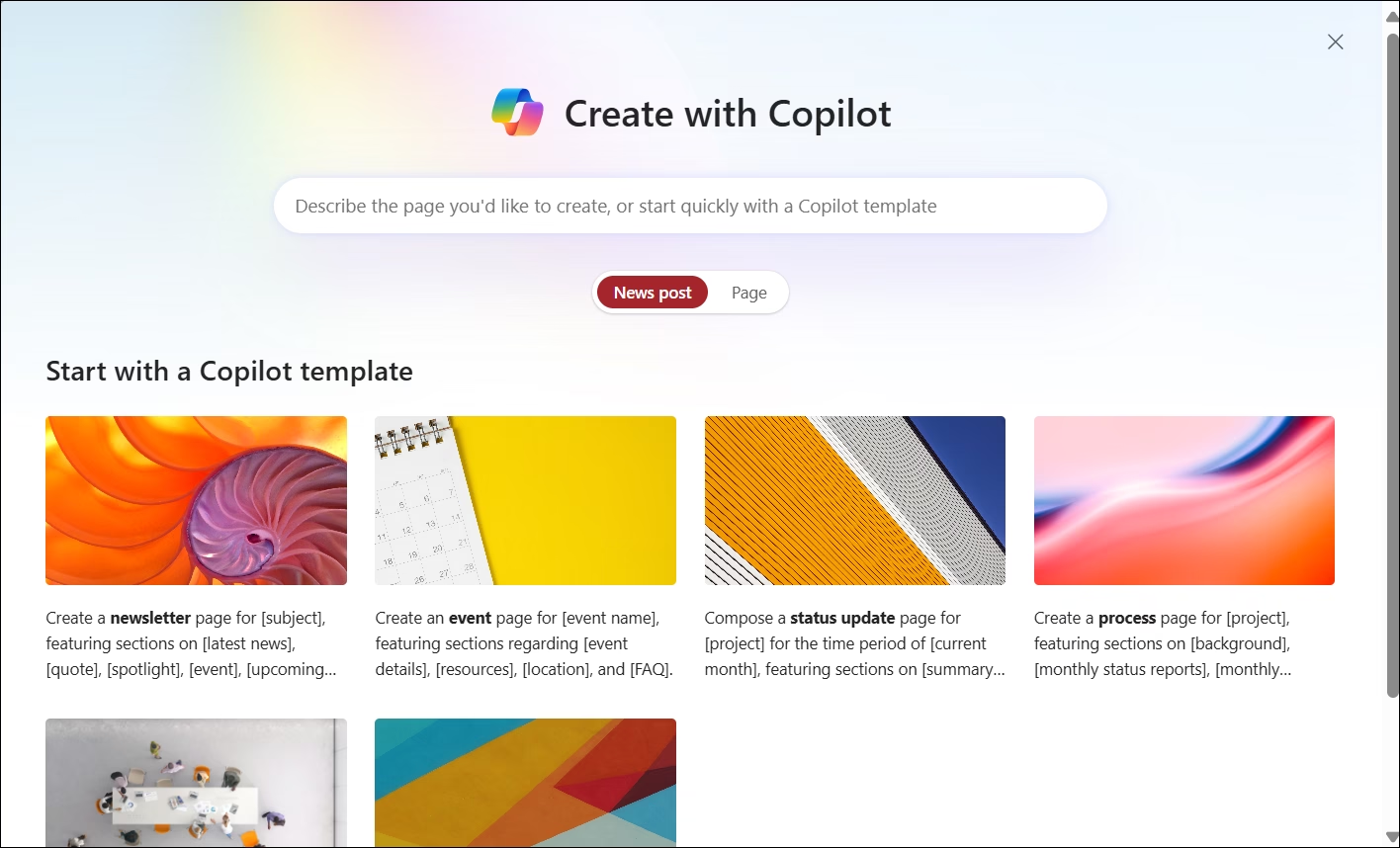
De nombreuses entreprises utilisent déjà SharePoint comme leur plateforme de connaissances interne ou leur intranet. Il fait partie de Microsoft 365 et est connu pour la gestion de documents et les sites d'équipe.
Le nouvel agent de connaissances SharePoint, un assistant alimenté par l'IA qui suralimente votre base de connaissances sur SharePoint.
Si vous êtes une entreprise avec des milliers de pages et de fichiers internes, cela pourrait être transformateur.
Fonctionnalités clés de l'IA
- Recherche IA avec intégration Copilot
- Obtenez des réponses à vos questions basées sur votre contenu SharePoint
- Étiquette et classe automatiquement les fichiers avec des métadonnées
- L'IA suggère des étiquettes de métadonnées pour les documents
- Identifiez les pages redondantes ou obsolètes
- Vues et résumés générés par l'IA pour les articles
- L'IA peut répondre à des questions en langage naturel, par exemple : Quelle est la procédure de remboursement des frais ?
Tarifs
Le Knowledge Agent est lié à Microsoft 365 Copilot, qui est un module complémentaire (et pas bon marché) en plus des plans Microsoft 365 pour entreprises.
Les plans d'entreprise de Microsoft 365 Copilot commencent autour de 30 $/utilisateur/mois. Ce qui convient le mieux aux grandes organisations qui vivent déjà dans Microsoft 365 et ont le budget nécessaire.
Mon avis
Pour les entreprises déjà intégrées dans l'écosystème Microsoft, SharePoint apporte la promesse de l'IA sans outils tiers supplémentaires. Il peut améliorer considérablement la facilité de recherche sur votre intranet, ce qui a toujours été un point sensible.
3. Notion
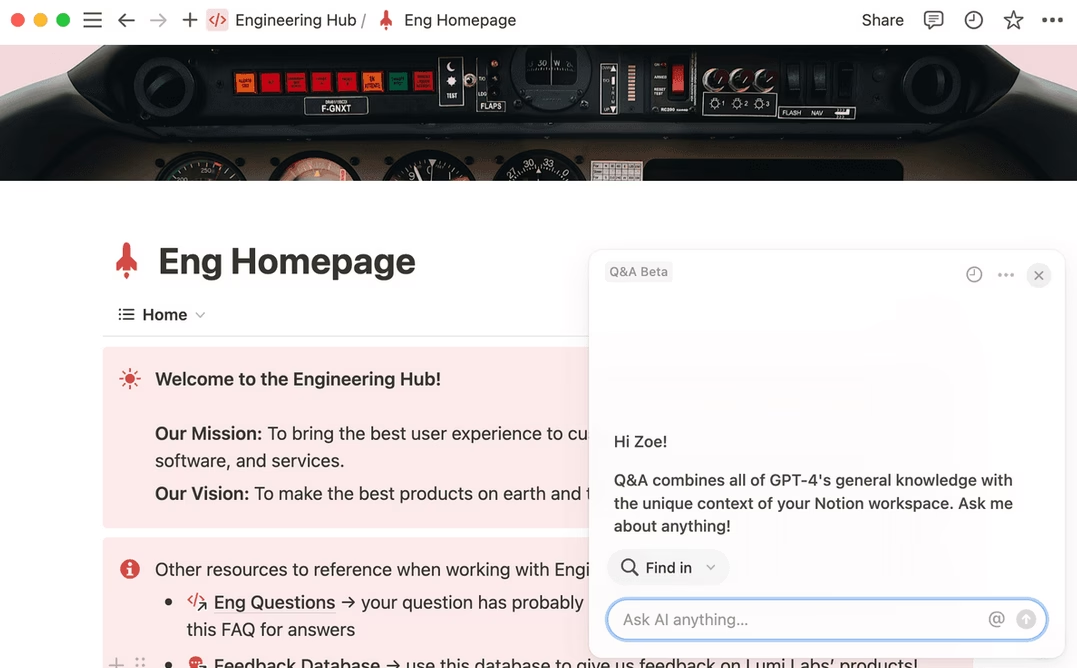
Notion est rapidement devenu l'espace de travail numérique de prédilection pour de nombreuses équipes. C'est comme un mélange de wiki, d'éditeur de documents et de hub de projet, le tout dans un système flexible.
Notion peut être utilisé pour documenter des processus, servant ainsi efficacement de base de connaissances interne. Et l'IA de Notion est comme un assistant intelligent qui vit dans vos notes.
Fonctionnalités clés de l'IA
- L'IA de Notion est intégrée directement dans l'éditeur. Utilisez-la pour améliorer votre écriture, résumer, traduire du contenu et expliquer des concepts en langage clair.
- Générez du contenu à partir de zéro avec des invites simples.
- Créez des listes à puces récapitulatives à partir de longs documents.
- Intégration de l'IA pour la recherche.
- Propulsé par GPT et Claude pour une compréhension contextuelle avancée.
- Agents IA personnalisés pour des flux de travail spécifiques.
- Remplissage automatique des propriétés par l'IA pour les bases de données
Tarifs
Notion AI est un module complémentaire payant. Il est inclus dans les plans Business et Enterprise de Notion. Ces plans coûtent 20 $ par membre et par mois.
Mon avis
Notion AI transforme un espace de travail organisé en un assistant intelligent capable de transformer rapidement le chaos en clarté. C'est idéal pour les équipes qui utilisent déjà Notion, mais sa force ne dépend que de la documentation qu'elles fournissent.
4. Bloomfire
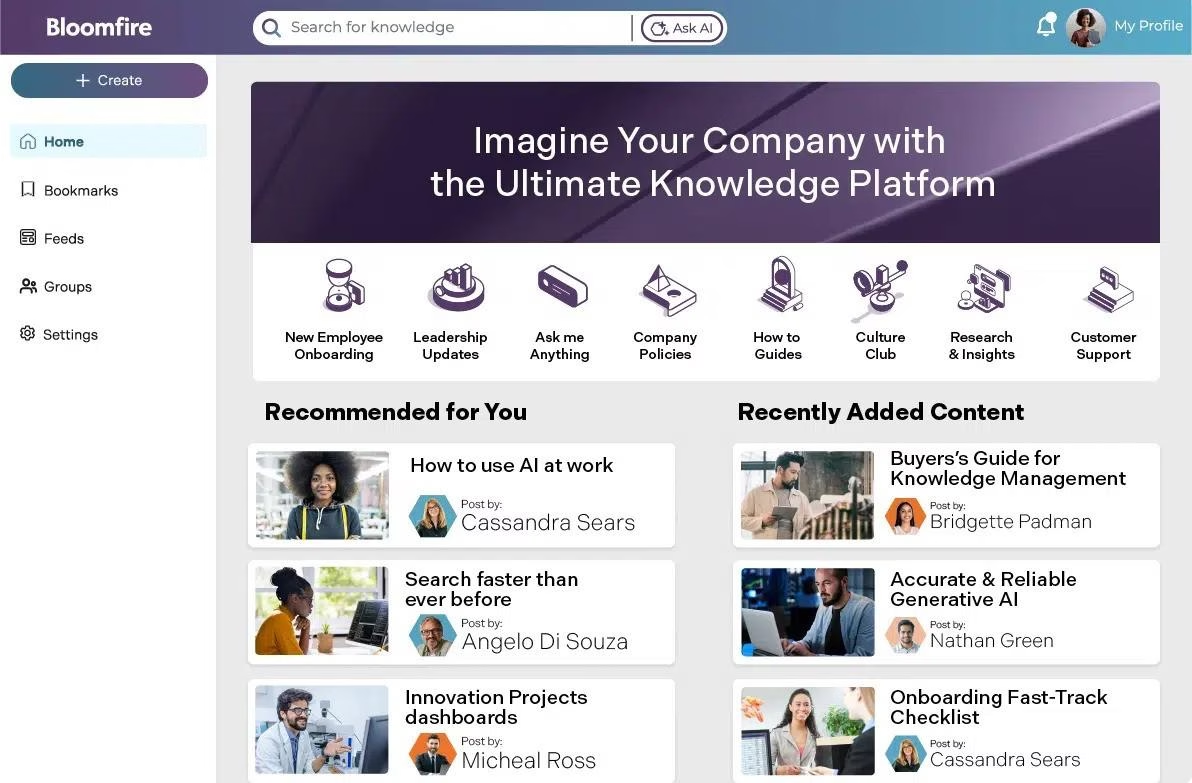
Bloomfire est une plateforme de gestion des connaissances d'entreprise que de nombreuses grandes entreprises utilisent pour tout, des bases de connaissances de support client aux bibliothèques de recherche.
Il est connu pour son interface élégante et ses fonctionnalités robustes, et il se présente désormais comme une « plateforme de gestion des connaissances alimentée par l'IA » — ce qui n'est pas juste du jargon.
Les fonctionnalités d'IA de Bloomfire répondent à certains points sensibles de la maintenance d'une base de connaissances massive.
Fonctionnalités clés de l'IA
- L'IA « auto-réparatrice » surveille le contenu pour signaler automatiquement les articles obsolètes, les doublons et les pages à faible engagement.
- La recherche approfondie indexe tous les types de contenu. Y compris les PDF, les vidéos, l'audio, les présentations.
- L'IA étiquette automatiquement le nouveau contenu, génère des résumés et suggère des regroupements de sujets.
- Chatbot IA (Eddy AI) répond aux questions en puisant dans du texte indexé, des transcriptions vidéo et des documents avec des liens sources.
- L'IA recommande des connaissances connexes en fonction de la pertinence
Tarifs
Bloomfire s'adresse aux moyennes et grandes entreprises, et les prix ne sont pas indiqués publiquement en détail.
Mon avis
Bloomfire est un atout majeur pour les grandes équipes grâce à son IA proactive qui organise et met à jour les connaissances. Bien que l'adoption puisse être difficile, une fois adoptée, Bloomfire transforme les informations dispersées en une source de vérité unique et fiable.
5. Zoho Desk
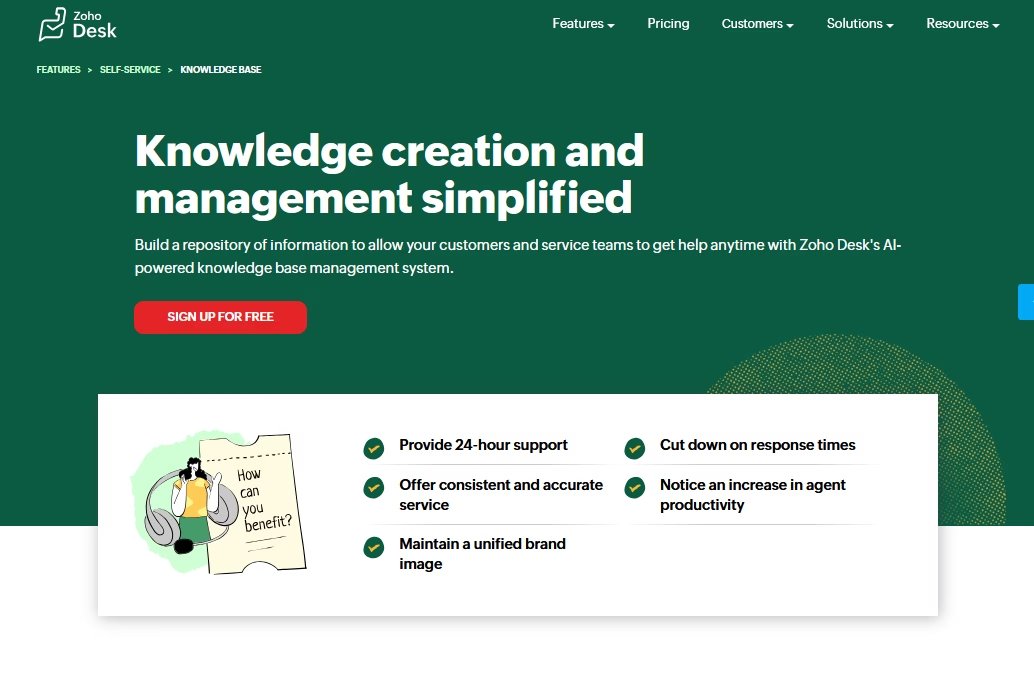
Zoho Desk (Revue complète de Zoho Desk) est un logiciel populaire de support client, et il est doté d'un module de base de connaissances robuste.
Ce qui le rend spécial ici, c'est Zia, l'assistant IA de Zoho, qui est intégré dans toute la base de connaissances de Zoho Desk.
Si vous utilisez Zoho Desk pour les tickets, l'utilisation de sa base de connaissances IA signifie que votre libre-service, vos agents de support et vos gestionnaires de connaissances bénéficient tous du même cerveau IA.
Fonctionnalités clés de l'IA
- Chatbot IA (Answer Bot) répond aux questions des clients 24h/24 et 7j/7 en utilisant le contenu de la base de connaissances.
- Créez des articles de base de connaissances à partir de tickets de support récurrents.
- Traduisez des articles avec l'IA dans plus de 50 langues.
- Surveillez les questions des clients sans réponse pour identifier les sujets manquants dans la base de connaissances.
- Analyse les anomalies de volume de tickets, le sentiment et la qualité des articles avec l'IA.
- Les analyses montrent quelles questions Zia (IA) a répondu avec succès, où il a échoué et les articles les plus référencés.
Tarifs
Zoho Desk propose un plan gratuit pour un maximum de trois agents.
Cependant, pour accéder à l'ensemble des capacités de l'IA, vous avez généralement besoin du plan Entreprise. Le plan Entreprise coûte environ 40 $ par agent par mois, facturé annuellement.
Mon avis
Avec Zia, Zoho Desk apporte une IA puissante à votre base de connaissances. Elle aide les équipes à gérer les questions répétitives, à rédiger des articles d'aide et à améliorer les temps de réponse. Vous en tirerez encore plus de valeur si vous disposez d'une base de connaissances solide et que vous êtes déjà dans l'écosystème Zoho.
6. Atlassian Confluence
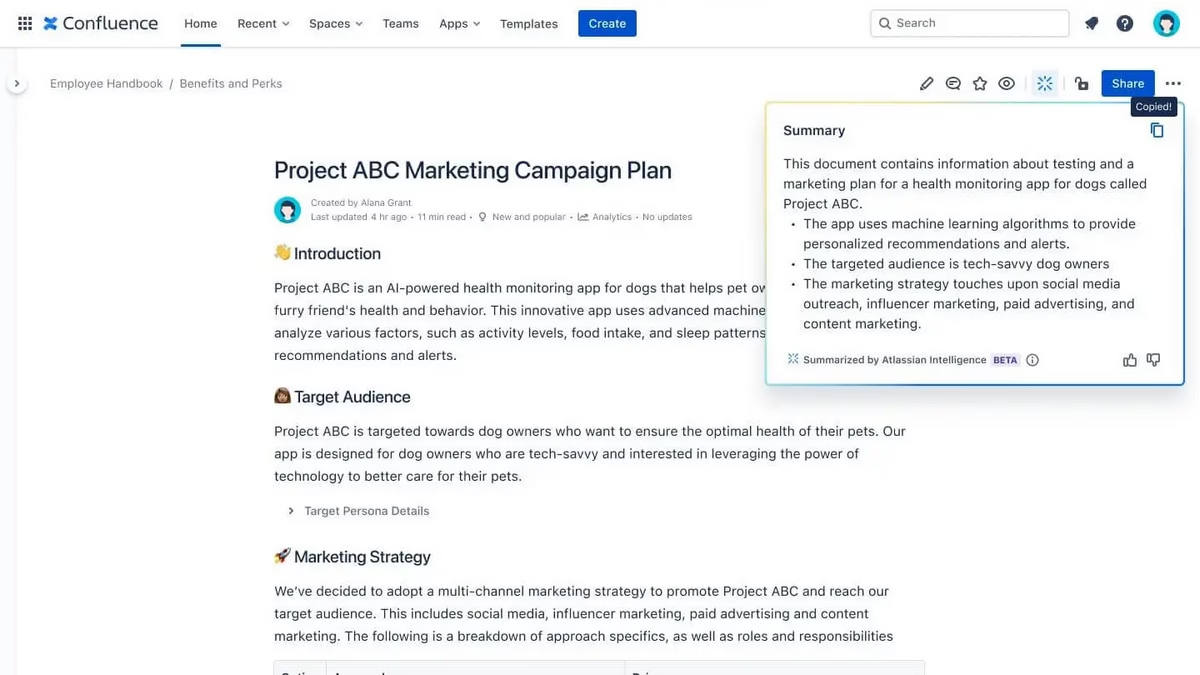
Atlassian Confluence est une base de connaissances/wiki interne très courante, en particulier dans les entreprises technologiques. C'est l'endroit où résident les spécifications des produits, les runbooks informatiques, les politiques RH — tout — pour référence interne.
En 2024, Atlassian a déployé Atlassian Intelligence (souvent appelé leur « IA » ou « Rovo AI ») sur ses produits cloud, y compris Confluence. Cela a transformé Confluence d'un wiki statique en une base de connaissances plus interactive et plus intelligente.
Fonctionnalités clés de l'IA
- Recherche améliorée par IA qui répond directement aux questions avec un contenu résumé et des liens sources au-dessus des résultats de recherche.
- Résumés de pages en un clic
- Assistance à la modification en ligne : raccourcir le texte, changer le ton, simplifier le langage ou ajuster la formalité.
- La commande /ai génère des plans de contenu, rédige des procédures et crée des sections à partir d'invites.
- L'IA respecte les autorisations de page et n'affichera pas de contenu restreint aux utilisateurs non autorisés.
Tarifs
Confluence Cloud propose des niveaux Gratuit, Standard, Premium et Entreprise.
Les fonctionnalités d'IA sont disponibles à partir du niveau Standard. Le plan Standard coûte 5,42 $ par utilisateur par mois.
Mon avis
Les fonctionnalités d'IA de Confluence transforment les wikis désorganisés en centres de connaissances consultables et accessibles. La recherche et les résumés d'IA respectueux des autorisations rationalisent l'intégration et la gestion des documents. Pour les utilisateurs existants, ces fonctionnalités constituent une mise à niveau précieuse qui permet de gagner du temps et de réduire le stress.
7. Guru
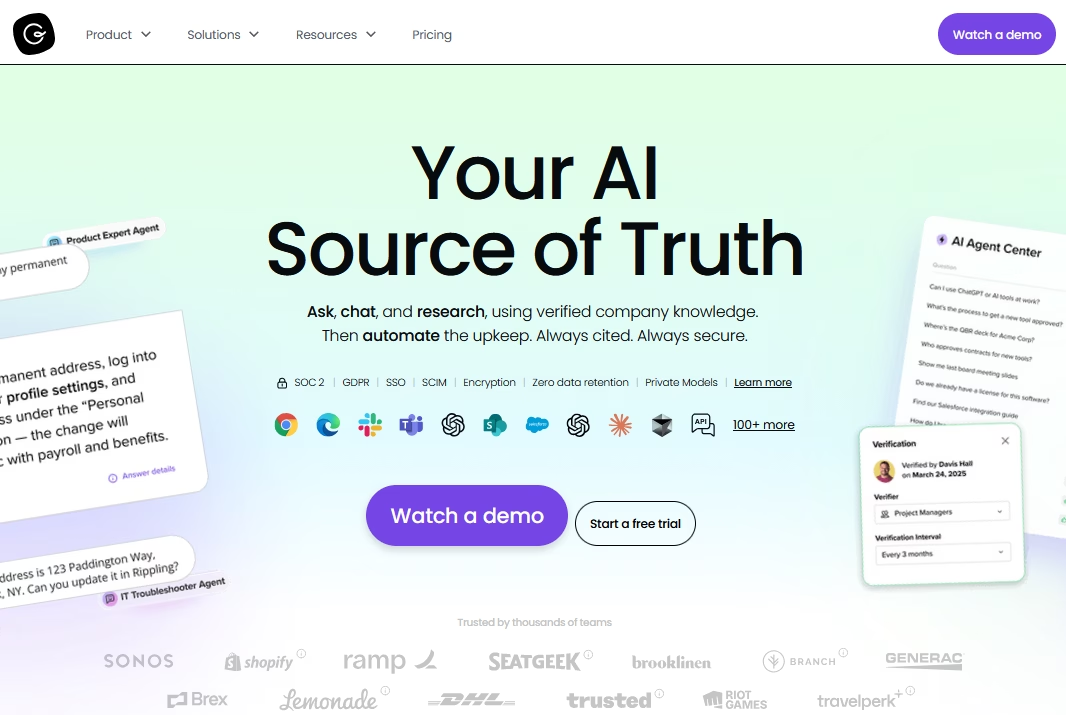
Guru est un outil de gestion des connaissances — c'est un wiki d'entreprise plus intelligent qui vit là où vous travaillez (navigateur, Slack, etc.) et vous pousse les bonnes informations lorsque vous en avez besoin.
L'une des philosophies de Guru est « la connaissance là où vous travaillez », et avec ses récentes améliorations d'IA, c'est comme avoir un membre de l'équipe compétent qui prête toujours attention à votre contexte.
Fonctionnalités clés de l'IA
- Déclencheurs de connaissances : Lorsqu'un agent répond à un e-mail ou à un chat client, Guru peut détecter le sujet de la conversation et suggérer des cartes de base de connaissances pertinentes.
- Les agents de connaissances répondent aux questions dans Slack ou MS Teams.
- Extension de navigateur : Mettez en surbrillance du texte n'importe où et demandez à l'IA de résumer ou de trouver des informations connexes dans votre base de connaissances.
- Identifie les sujets tendance à partir des données de recherche et de chat pour signaler le contenu qui a besoin d'une meilleure visibilité.
- L'IA fonctionne sur plusieurs applications (Salesforce, Zendesk, Slack, Teams, Gmail, Outlook)
Tarifs
Guru propose un niveau gratuit pour les petites équipes (jusqu'à 3 utilisateurs) avec des fonctionnalités de base.
Pour la base de connaissances complète alimentée par l'IA, vous seriez sur leurs plans Builder ou Expert. Ceux-ci coûtent environ 16 $ à 28 $ par utilisateur par mois (facturés annuellement).
Mon avis
L'IA de Guru améliore le partage des connaissances internes en fournissant des suggestions pertinentes lorsque les équipes en ont besoin. Lorsque le contenu est bien organisé et à jour, Guru devient un expert intelligent et toujours prêt, rendant le support et la collaboration beaucoup plus fluides.
Dernières réflexions
Chacun de ces logiciels de base de connaissances IA apporte quelque chose d'unique.
La « meilleure » base de connaissances IA dépend vraiment de votre contexte :
- Que vous ayez besoin d'une solution externe destinée aux clients ou d'un wiki interne pour équipes
- Budget
- Capacité technique
- Où vit actuellement votre contenu.
L'IA fait des bases de connaissances non plus un simple dépôt passif, mais un assistant actif et engageant pour les utilisateurs.
Alors, essayez dès aujourd'hui l'un des logiciels de cette liste et bénéficiez de ces fonctionnalités IA essentielles.
Lectures complémentaires
L'IA dans le service client : le guide ultime pour les équipes de support
Top 10 des entreprises utilisant l'IA pour le service client (histoires de réussite)
Meilleurs plugins de chatbot IA WordPress gratuits
Gestion de base de connaissances : meilleures pratiques et stratégies
10 modèles gratuits de base de connaissances
10 exemples de bases de connaissances pour apprendre