10 Best FREE WordPress Knowledge Base Plugins (2026 Review)
 Shankar Chavan

WordPress knowledge base plugins have evolved from being simple custom post type solutions to offering full-fledged packages.
They offer tons of features specifically designed to make creating a knowledge base with WordPress easier and more rewarding.
The best part? Most of these WordPress knowledge base plugins are free. So, let’s look at some of the best options available in 2026.
In This Guide
Why Use a WordPress Knowledge Base Plugin?
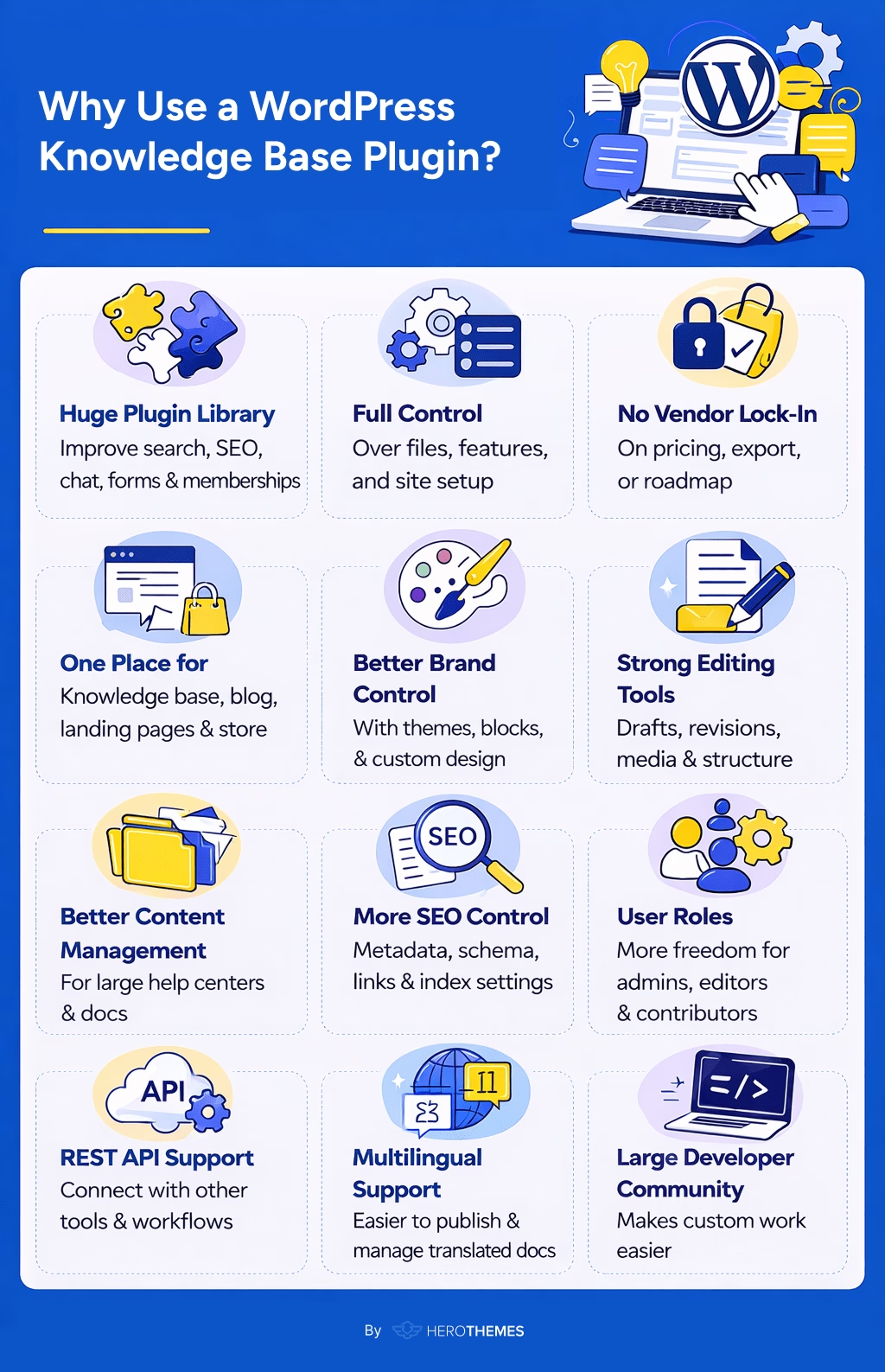
Although there are tons of options available to create a knowledge base or a documentation website, WordPress offers a little bit extra:
- Huge plugin library to improve search and SEO, or to add features like chat, forms, and memberships.
- Full control over files, features, and site setup.
- No vendor lock-in on pricing, export rules, or product roadmap.
- Knowledge base, blog, landing pages, and store can run in one place.
- Better brand control with themes, blocks, and custom design options.
- Strong editing tools for drafts, revisions, media, and content structure.
- Better content management for large help centers and growing doc libraries.
- More SEO control with metadata, schema, internal links, and index settings.
- User roles can be managed with more freedom for admins, editors, and contributors.
- REST API support helps connect WordPress with other tools and workflows.
- A large developer community makes custom work more practical.
- Multilingual plugins make translated docs easier to publish and manage.
Top WordPress knowledge base and documentation plugins
Each of these tools can help you create a knowledge base or a documentation with WordPress. And these are active plugins—regularly updated with new features and security patches.
So try a few of these today.
1. Heroic Knowledge Base
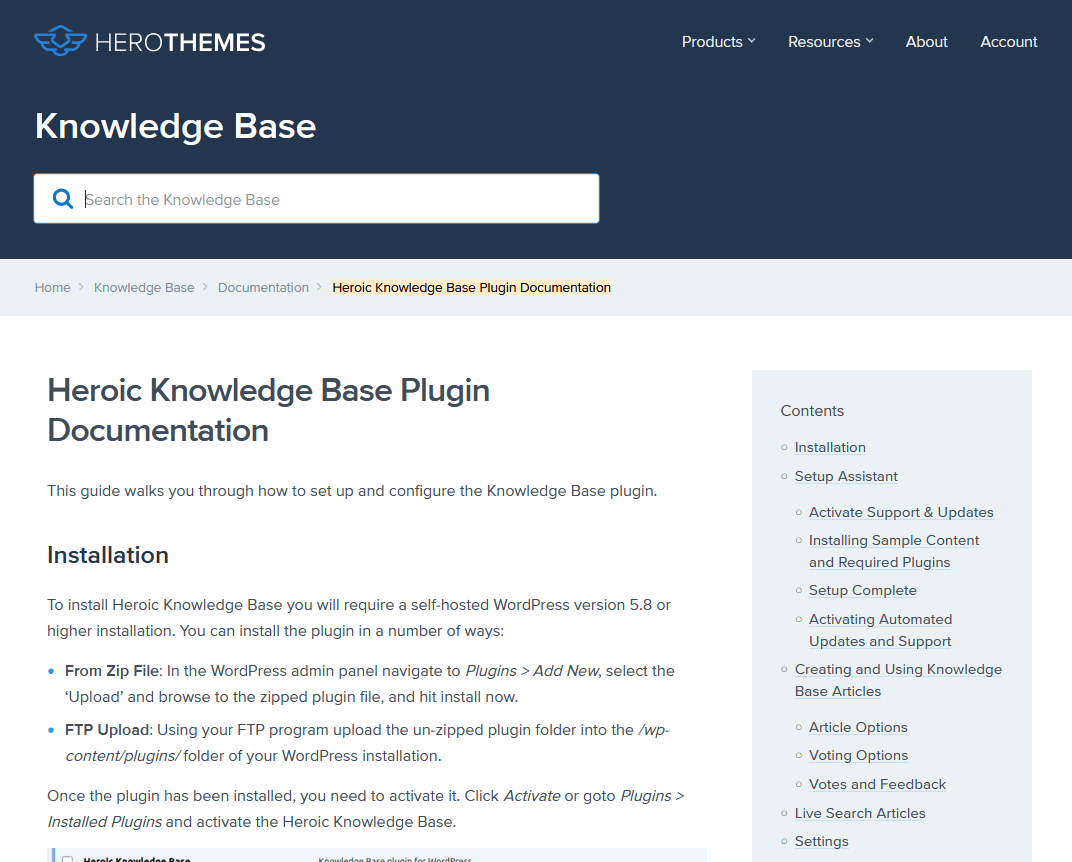
Heroic Knowledge Base (Heroic KB) is a premium WordPress plugin built specifically for creating a robust knowledge base.
With around 34,000 premium customers like Pagely and AirBnb, Heroic KB works with any theme and brings a ton of helpful features for both you and your audience.
Key Features of Heroic KB:
- Live AJAX search that shows results as users’ type.
- Custom post types for knowledge base articles, with category and tag support.
- Setup wizard to get started within five minutes.
- Drag-and-drop ordering to keep the content structure clean and logical.
- File attachment support. PDF manuals or downloadable resources can be added directly to any doc.
- Sidebar widgets for displaying popular articles, category lists, or a table of contents.
- User comments and article voting. Readers can flag helpful or unhelpful content, or leave feedback.
- Built-in analytics that track search queries and article performance.
- AI assistant (no API keys or additional subscription required) trained on your existing knowledge base content. Which can handle common questions without routing users to a human agent.
- Full site editing support with customer knowledge base blocks.
Pricing
Heroic KB is a paid plugin (there’s no free version). The Essential plan starts at around $67/year for one site.
All Heroic KB plans come with bundled access to the premium KnowAll WordPress theme and Heroic FAQs plugin at no extra cost.
A solid starting point for teams building a dedicated support site.
My Verdict
If you’re serious about creating an excellent knowledge base and are willing to invest, Heroic KB is a powerful and polished solution. Trusted by companies like Airbnb, it has a professional sheen. For many businesses, the time saved on support (and improved customer happiness) easily justifies the cost.
2. Echo Knowledge Base
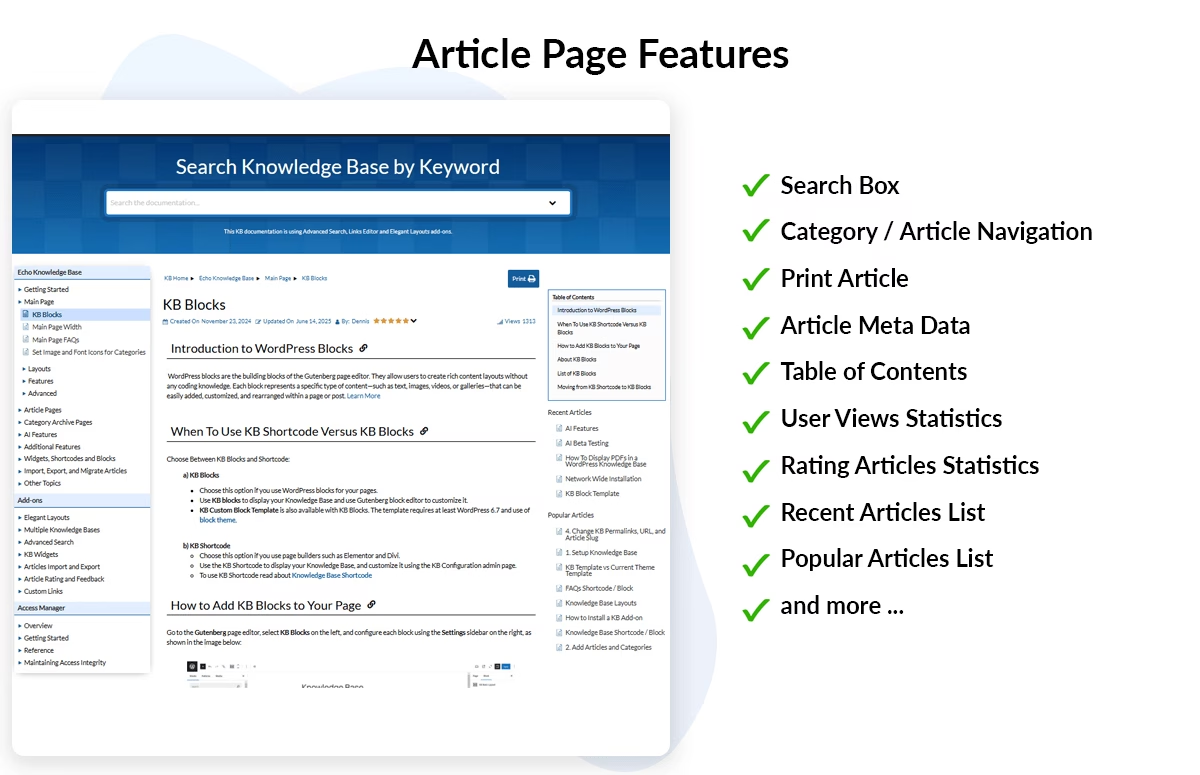
Echo Knowledge Base (often just called “Echo KB”) is a freemium plugin to build a wiki-style help center on WordPress.
Its free version is very capable on its own. You can create an unlimited number of articles and even five levels of hierarchical categories. If you have a large documentation set with subtopics and sub-subtopics, Echo KB handles it well.
Key Features of Echo Knowledge Base:
- 26+ pre-made layouts including list, tabs, accordion, and card-based article grids.
- Built-in customizer to adjust colors, fonts, and layouts without writing code.
- Nested category structure that supports up to 5 tiers deep.
- Live search bar on knowledge base pages for quick keyword-based navigation.
- Breadcrumb navigation on every article page
- Built-in table of contents per article, plus sidebar widgets for recent or related articles.
- Setup wizard that walks new users through the full configuration in a few minutes.
- Premium add-ons for user feedback, article ratings, and advanced search analytics.
- Access control add-on to restrict certain docs to logged-in users or specific roles.
- AI chat integration via Dialogflow (Pro)
Pricing
The Echo Knowledge Base plugin is free and available on WordPress (10,000+ active installs and a perfect 4.9/5-star rating).
Premium extensions are bundled into paid plans. Basic Add-Ons licence costs around $66 and adds features such as widgets, article ratings and a ‘help desk’ floating widget.
My Verdict
Echo Knowledge Base is a powerful free plugin for creating documentation sites with WordPress. It is particularly well-suited to projects requiring a deep hierarchy and multiple layout options.
3. EazyDocs
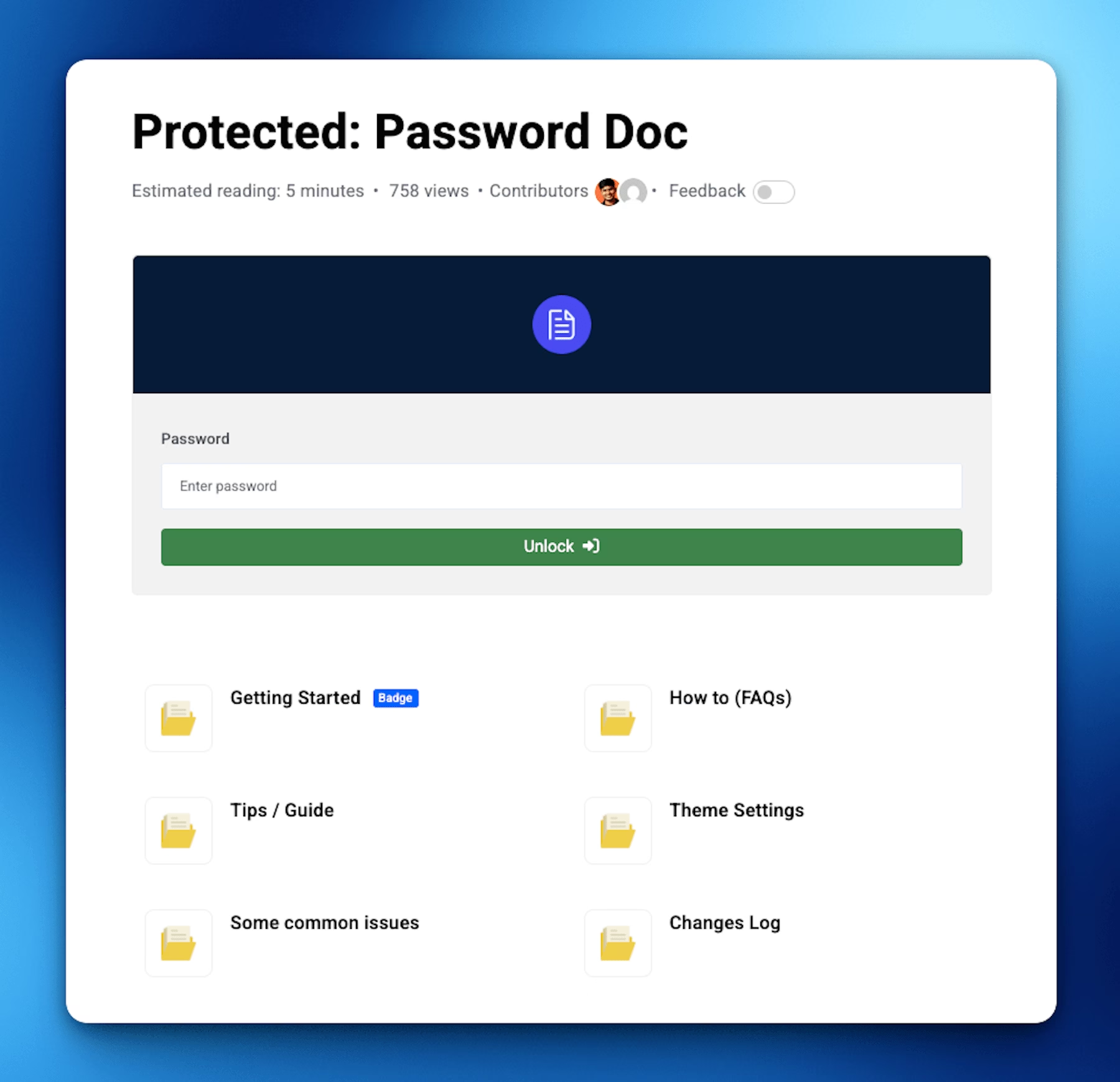
EazyDocs is a relatively new plugin, but it’s one of the most comprehensive documentation plugins for WordPress.
It comes packed with features, including some cutting-edge AI integrations.
Key Features of EazyDocs:
- Drag-and-drop doc builder for organizing and reordering articles.
- Responsive sidebar navigation with collapsible sections.
- Built-in AJAX live search for fast, keyword-based filtering on the frontend.
- Multi-author support for teams managing documentation together.
- Private and password-protected docs for internal content.
- AI chatbot trained on your existing docs. Requires an OpenAI API key.
- AI-powered doc generation to draft articles from prompts.
- Semantic AI search that interprets user questions, rather than matching exact keywords.
- Bulk content rewriting with AI for updating large volumes of documentation faster.
- Sticky table of contents on long articles, plus article view counts and reading time estimates.
- User feedback support with article upvotes.
- SEO-friendly with proper schema markup built in.
- Block editor and Elementor blocks included.
- Translation-ready and compatible with multilingual plugins.
Pricing
EazyDocs core knowledge base plugin is free on WordPress (2,000+ active installs and 4.7/5 rating).
EazyDocs Pro (with the AI features, more design templates, role management) starts at around $49/year for a single site.
My Verdict
If you’re building a documentation hub for a product or software, EazyDocs is a fantastic choice. It feels very polished, as if you’re using a dedicated docs SaaS. The fact that it’s free to start is icing on the cake.
4. Heroic Glossary
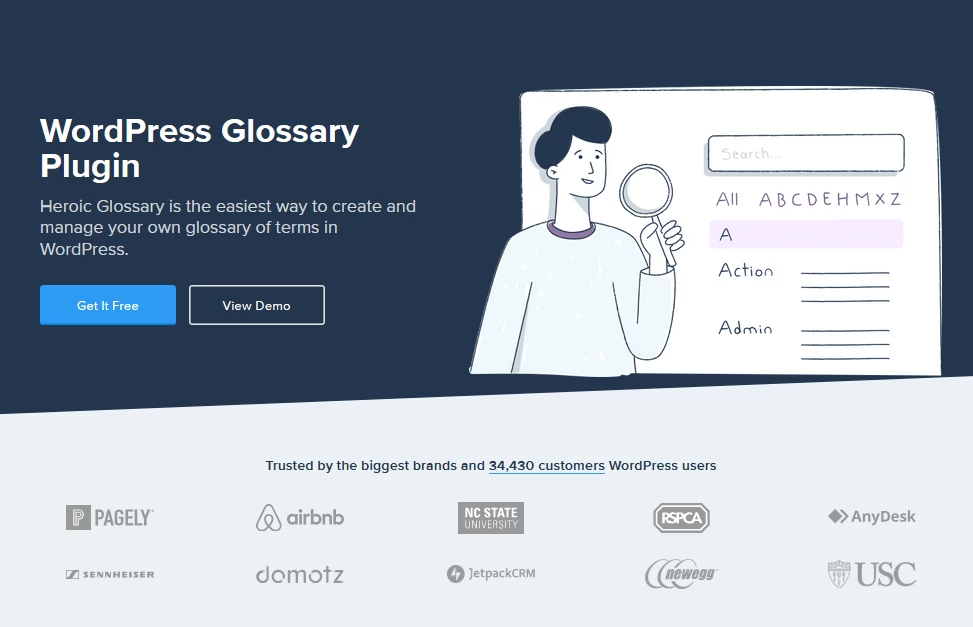
Heroic Glossary is a fantastic add-on for any documentation site.
It allows you to create a glossary of terms. Basically, an A–Z list of definitions directly in WordPress.
This is extremely useful if your product or industry uses a lot of jargon, acronyms, or technical terms that users might not understand.
Key Features of Heroic Glossary:
- Gutenberg block-based glossary builder.
- Alphabetical display with letter headings and A-Z filter navigation built in.
- Real-time search field that filters glossary terms as users’ type.
- Auto-linking across knowledge base articles.
- Support for multiple glossaries on a single site.
- Reusable block support to place the same glossary on multiple pages.
- Dedicated page per term for longer definitions.
- Clean default styling with a two-column term list, letter tabs, and a search bar.
- Colors and heading styles are adjustable through block settings or CSS.
- Compatible with any WordPress theme.
Pricing
Heroic Glossary is completely free and available on WordPress repository. As of the writing of this guide, it has over 4,000 active installations.
My Verdict
Anyone with lots of terms to explain, give Heroic Glossary a try. It’s a simple, free, and robust plugin for knowledge bases.
5. BasePress
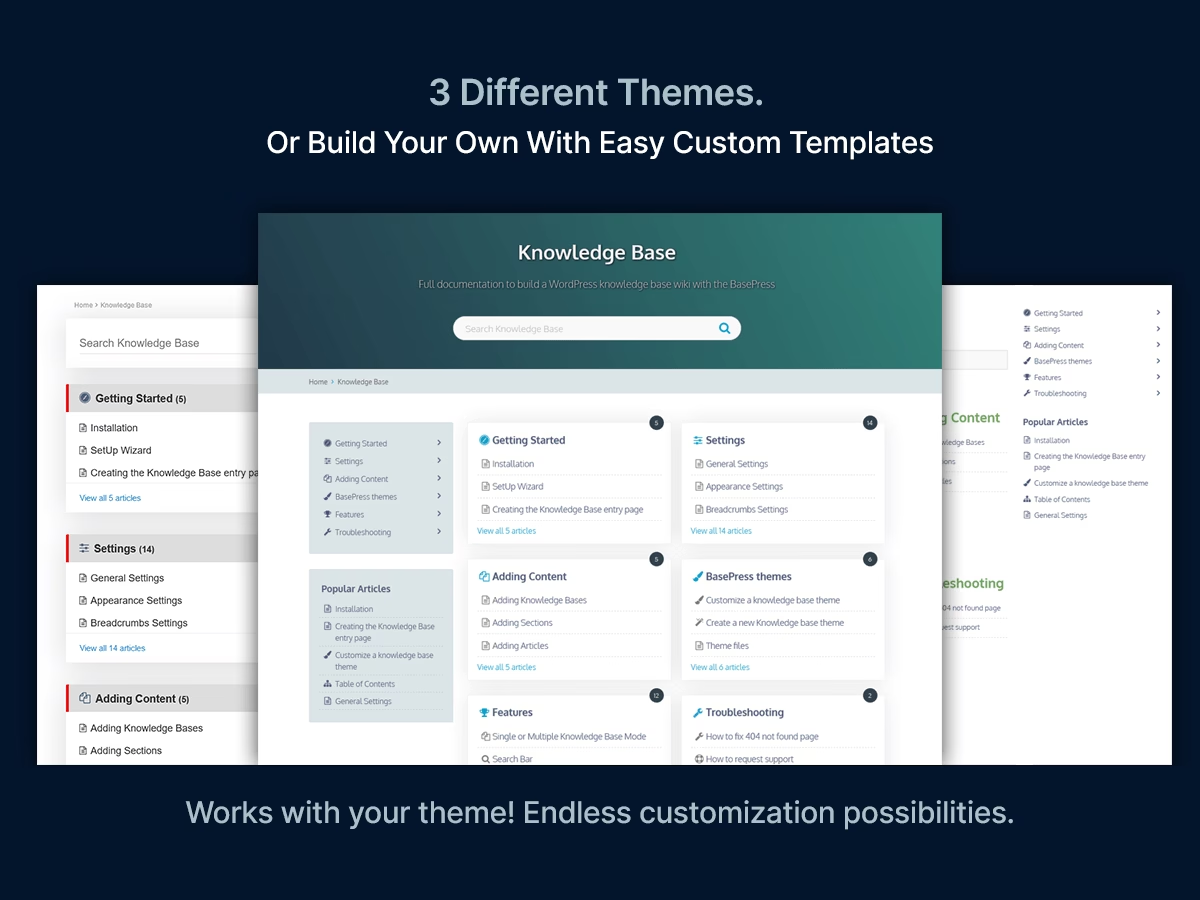
BasePress WordPress knowledge base plugin is incredibly powerful, especially for sites that need multiple knowledge bases.
It was developed by someone who clearly considered the needs of small and large documentation sites alike.
One unique feature is the ability to run several separate knowledge bases on one site (even in the free version).
Key Features of BasePress:
- Unlimited knowledge bases on a single site, even in the free version. It comes with a central index page where users choose which knowledge base to enter.
- Nested section structure with drag-and-drop reordering.
- Custom icons or images per section to create a visual, easy-to-scan index page.
- Three built-in theme styles, two list-based and one grid layout.
- Color customization and full template override support.
- Live search bar
- Related Articles and Popular Articles widgets
- Pro search weighting based on votes and page visits.
- Article voting (thumbs up/down) and a detailed feedback form in the Pro version.
- Stats dashboard to track the most-viewed and highest-rated articles.
- Google reCAPTCHA support on feedback forms to block spam submissions.
Pricing
BasePress free version available for WordPress. BasePress Pro starts at $59 per year for one site.
My Verdict
BasePress is reliable and efficient. The code is well-optimized to serve multiple knowledge bases on one WordPress install, and the free plugin is also quite feature-rich.
6. weDocs
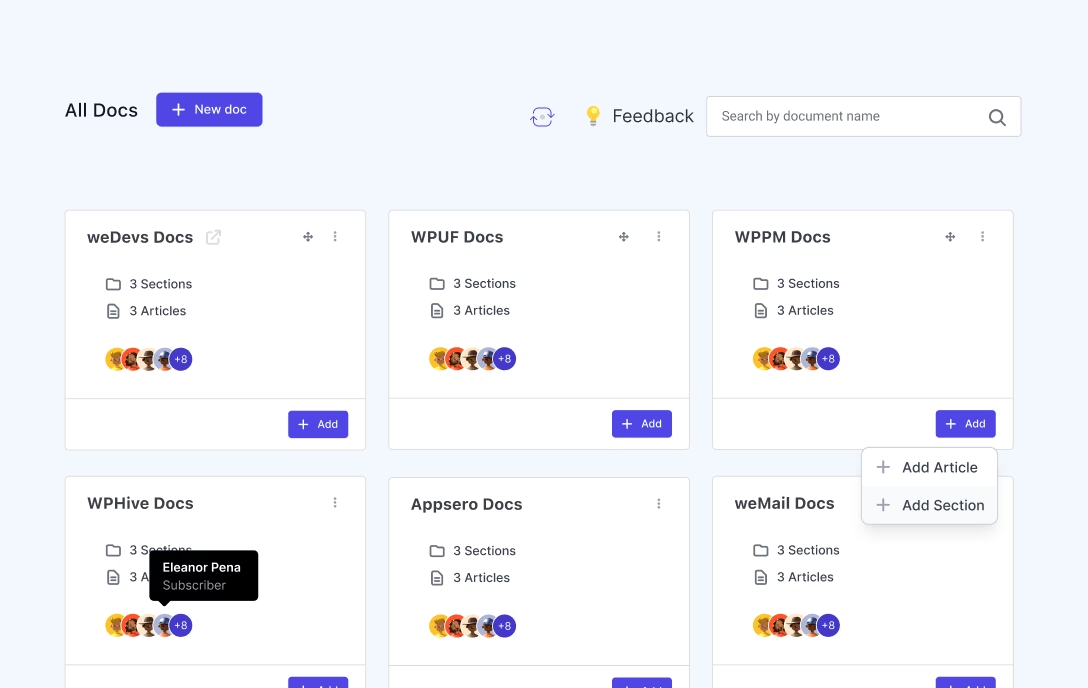
weDocs is a free and open-source documentation plugin.
It’s a straightforward tool to help you organize docs in a hierarchical structure, and it now even has some AI features in its latest version.
Key Features of weDocs:
- Custom post type for documentation to keep docs separate from standard pages and posts.
- Drag-and-drop reordering for sections, sub-sections, and articles.
- Clean frontend layout with a sidebar for section links and breadcrumb navigation.
- Documentation inherits the active theme’s styles, so minimal visual setup is needed.
- AI chatbot assistant (Pro) trained on your documentation to answer user questions instantly.
- AI Doc Writer (Pro) to draft full articles from a short prompt or set of details.
- User feedback and article voting to track which docs are actually helpful.
- Floating contact form (Pro) for readers who can’t find what they need.
- Role-based access control (Pro) to manage who can view or edit specific docs.
- Weglot compatibility for multilingual documentation sites.
- Additional pre-built layouts for docs pages in the Pro version.
Pricing
weDocs core plugin is free (with 4,000+ active installs and 4.6/5 rating).
weDocs Pro for those advanced features, priced at $39/year for a single site.
My Verdict
The beauty of weDocs lies in its simplicity. If you want something simple and free to manage documentation, weDocs is worth checking out.
7. BetterDocs
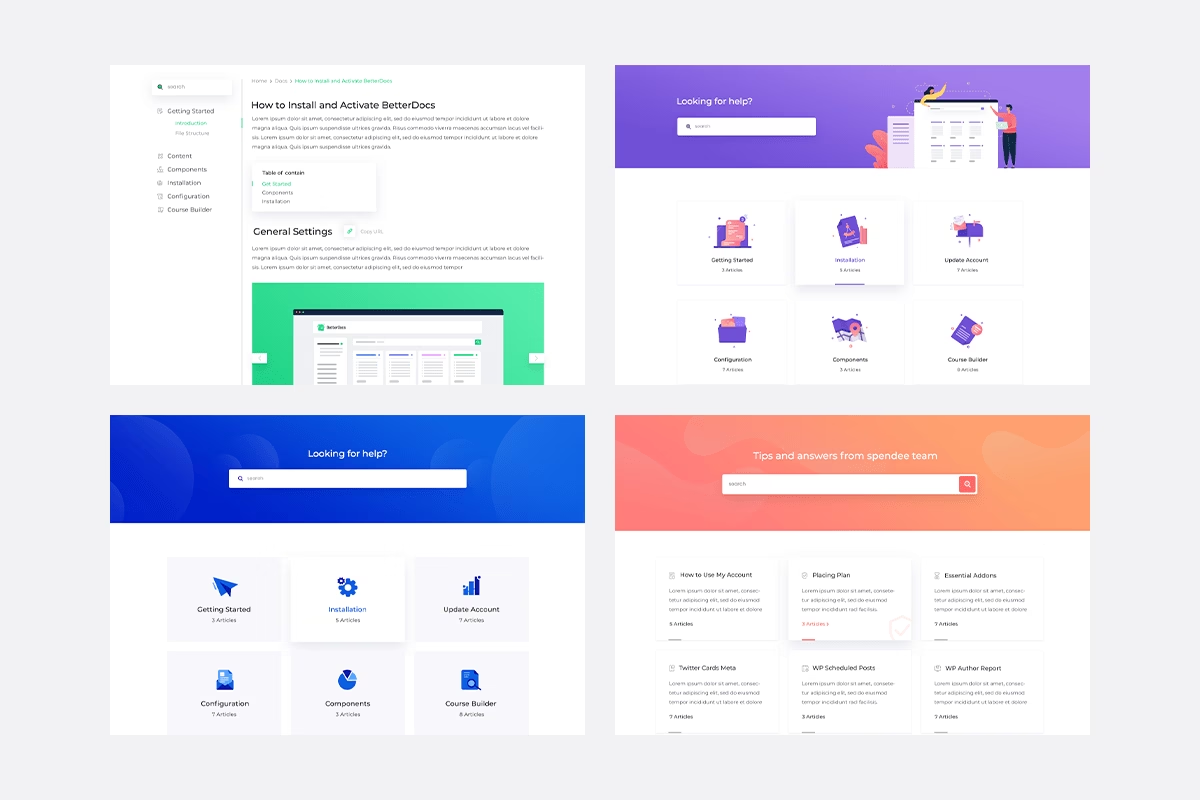
BetterDocs is a hugely popular knowledge base and documentation plugin. It’s available for free on the WordPress plugin directory.
There is also a Pro version of BetterDocs, but the free version is very capable on its own.
Key Features of:
- Pre-made templates for the docs homepage, single articles, and archive pages.
- Elementor widget support for docs grids and search pages.
- AJAX live search
- A floating knowledge base chatbot widget that suggests relevant articles.
- Floating table of contents widget that stays visible as users scroll through longer content.
- Built-in analytics to track the most-viewed docs and popular or failed search terms.
- Role-based access control to restrict certain articles to specific user types. Useful for creating an internal knowledge base.
- Shortcode support to embed docs anywhere on a site.
- WPML compatibility for multilingual knowledge bases.
- AI Assistant integration (Pro) for content suggestions and article summaries directly inside the editor.
Pricing
The core BetterDocs plugin is free on the WordPress plugin repository.
BetterDocs Pro adds features like multiple knowledge bases, advanced analytics, role-based access, and the fancy instant answer bot.
Pro licences start at around $69 per year for one site.
My Verdict
If you’re on a budget and still want a slick, feature-rich docs section, BetterDocs should be high on your list.
8. Yada Wiki

If you want your knowledge base more like a wiki, with easy cross-linking between articles and an automatically generated index, Yada Wiki is the plugin to consider.
It’s a free plugin that provides a wiki post type and special shortcodes for linking and listing wiki pages.
Ideal for internal knowledge bases or wiki-like documentation that doesn’t need a flashy interface.
Key Features of Yada Wiki:
- Dedicated “Wiki” post type in the WordPress admin keeps wiki content organized and easy to manage.
- Custom wiki categories and tags
- “Add Wiki Link” button in the editor for quick internal linking between wiki pages.
- Broken link indicator that highlights missing pages in red, similar to classic wiki behavior.
- Shortcode-based table of contents.
- Alphabetical index shortcode [yadawiki-index] that outputs all wiki pages or categories as a browsable grid. Works well for glossaries or encyclopedic content.
- Sidebar widget to display the TOC and recent wiki posts. A second widget shows recently updated articles.
- CSS customization is supported to change wiki’s appearance.
Pricing
Yada Wiki plugin is free. There’s no pro version. It’s a labor of love by a developer named David McCan who has been maintaining it for years.
It’s open-source and has decent documentation and support via the WordPress forums.
My Verdict
For those who want an encyclopedia-like knowledge base or an internal wiki, try Yada Wiki. It might be something that is all you need.
9. Very Simple Knowledge Base (VS Knowledge Base)
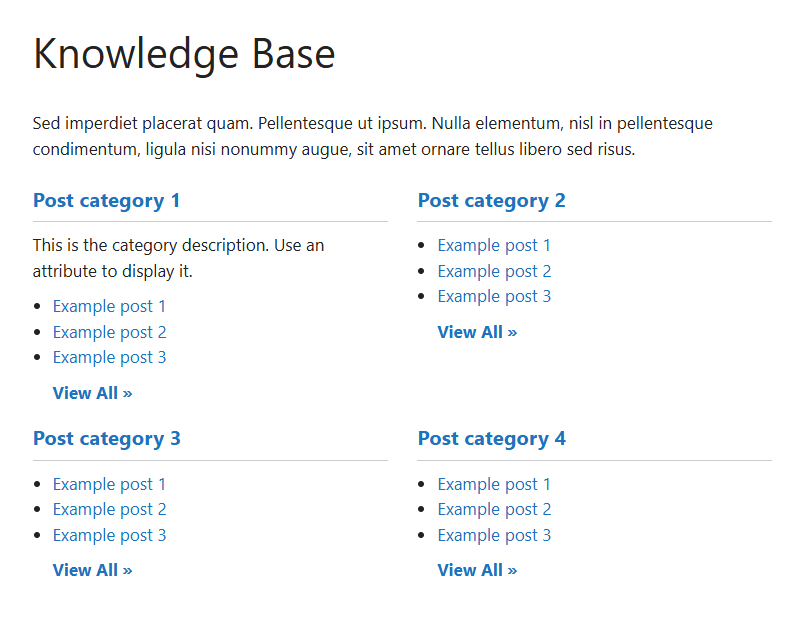
Very Simple Knowledge Base (VSKB) is a lightweight plugin for creating a basic knowledge base from your existing content.
This plugin doesn’t create new post types or complex structures, instead, it lets you use shortcodes or blocks to display posts by category in a knowledge base format.
Key Features of VS Knowledge Base:
- Completely free and lightweight.
- Simple [knowledgebase] shortcode and a native Gutenberg block.
- Configurable columns (1 to 4), category filters, sort order, and optional post date display. All adjustable via shortcode attributes or block settings.
- Works with existing WordPress content. No need to migrate posts into a new post type, just categorize existing content and point the shortcode at it.
- Custom post type support. For example, adding post_type=”product” to the shortcode turns WooCommerce product categories into a browsable knowledge base.
- Optional “View All” link after each category section.
- Show or hide post meta like date and author on a per-instance basis.
- Clean HTML output with CSS classes. No built-in styling, so the plugin fits naturally into most existing themes.
Pricing
VS Knowledge Base is 100% free. There’s no pro version. It’s available on WordPress.org and has over 300 active installs with positive reviews.
My Verdict
A very good, simple, and free knowledge base plugin if you need a quick way to assemble a knowledge base from existing posts or if you want something extremely lightweight.
10. Helpie WP
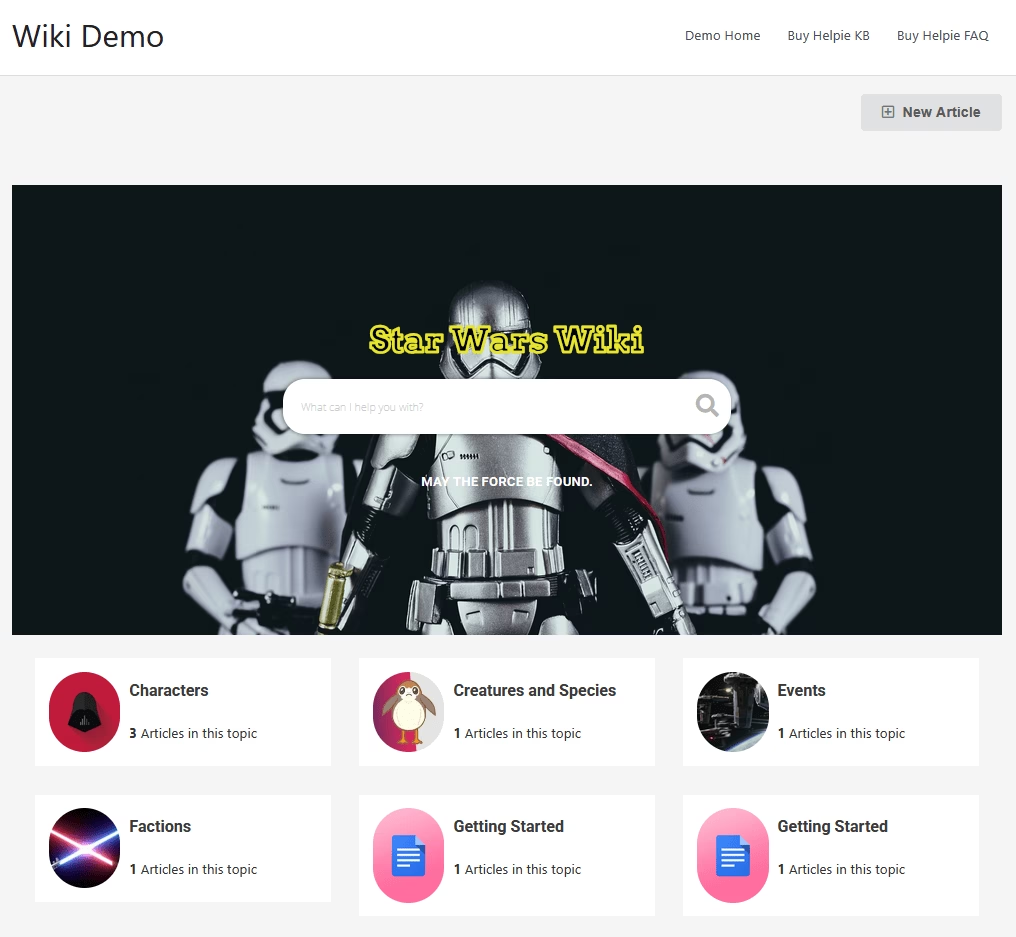
Helpie WP is a premium WordPress knowledge base and wiki plugin that’s geared towards collaborative editing and company wikis.
It’s like a fusion of a documentation tool and a wiki, allowing multiple users to co-create and edit content with proper access controls.
Key Features of Helpie WP:
- Frontend editing for authorized user roles.
- Full revision history on every article.
- Role-based access control for both viewing and editing.
- Approval workflow support. Editors can submit changes while managers review and approve before anything goes live.
- Live search, table of contents, and article voting on the frontend.
- Drag-and-drop article ordering
- Elementor compatibility for custom knowledge base layouts and designs.
- User annotations and comments on articles for collecting suggestions directly from readers.
- WooCommerce integration for linking product-specific help articles to relevant pages.
- BuddyPress compatibility
- Built-in FAQ addon
- Full site login restriction for teams that need a private, intranet-style knowledge base.
Pricing
Helpie WP is a paid plugin, with licenses starting around $49/year for a single site.
My Verdict
If you’re running a Wiki or internal knowledge base, Helpie WP can be a good choice. Teams can use it to maintain SOPs (Standard Operating Procedures) and IT documentation collaboratively.
Frequently Asked Questions (FAQs)
Can I use more than one knowledge base plugin together?
While technically possible, installing multiple knowledge base plugins is not recommended. They might have overlapping functionality, which could confuse your users.
Although you can always use other plugins to enhance your knowledge base. Like Heroic Glossary.
What’s the difference between using a knowledge base plugin vs. just creating pages or posts for my docs?
A plugin provides a structured system with dedicated post types, automatic listing of articles, categorization, and a search function, among other features.
Are these knowledge base plugins SEO-friendly?
Yes, most of them generate clean HTML, use proper headings, and include structured data. You can also use these plugins alongside other SEO plugins.
Final Thoughts
“The best ticket is the one that never gets created.”
A strong knowledge base makes that possible by empowering users to help themselves. Setting up a WordPress knowledge base in 2026 is easier than ever with these fantastic plugins.
So, pick a plugin from this list that suits your needs and give your customers the gift of instant knowledge.
Happy documenting!
Further Reading
10 Free Knowledge Base Software for 2026 (With Open-Source Options)
Top Call Center Knowledge Base Software of 2026
The 8 Best Knowledge Base Chatbots in 2026 (With Free Options)
Best AI Knowledge Base Software (Top Picks for Smarter Support)
What is IT Knowledge Base? How to Create One
Top Internal Knowledge Base Software (2026 Review)
Best Knowledge Base Examples to Learn From