Introducing the WP Charitable Integration for Heroic Inbox

A donor emails your support inbox. The message is short: “Did my donation go through?”
You want to help, but you have no idea who you’re talking to. Are they a first-time giver who chipped in $10 last week, or a supporter who has quietly given $50,000 over five years? Did their last payment fail, or was it refunded? Which campaigns do they care about? None of it is in front of you.
So you do what every agent does. You leave the inbox, open the WP Charitable admin, search for their email by hand, read through their donation records, then come back and try to hold all of it in your head while you write the reply. Now do that for every donor email, every day, across the whole team.
It adds up. The donor waits longer and the agent answers with less. In fundraising that matters more than it sounds, because the reply a supporter gets is part of why they give again, or don’t.
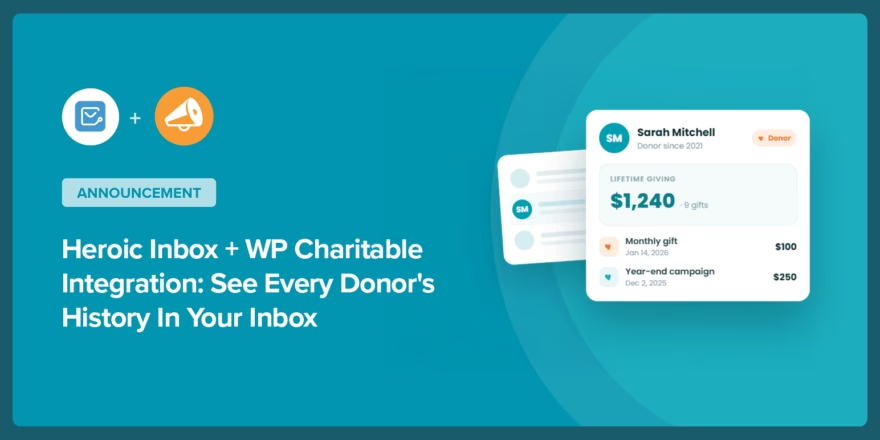
Today we’re introducing the WP Charitable integration for Heroic Inbox. It brings each donor’s full giving history into the ticket itself, so your agents know who they’re helping before they start writing.
What the WP Charitable integration does
When a contact emails your help desk, Heroic Inbox matches their email address against your WP Charitable donor records and shows their giving history in the conversation sidebar. Nobody searches for anything, copies an email into the admin, or opens a second tab.
If you already use the WooCommerce or EDD integrations, you know the pattern: order and purchase history, right where the agent is working. This does the same job for donations.
Know a major donor from a first-timer at a glance
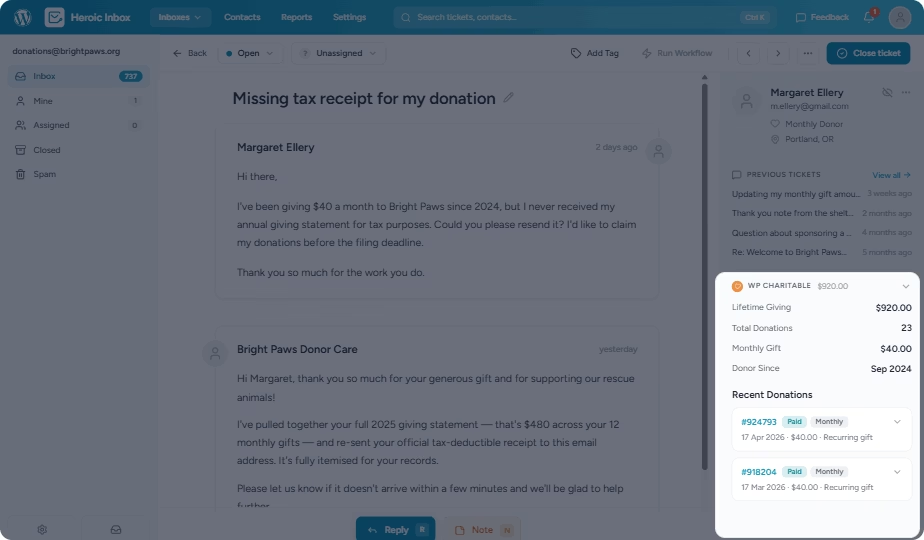
The top of the panel gives you the shape of the relationship in one look: lifetime giving across every campaign, the total number of donations, the average gift, and the date someone first donated.
That changes the reply. A supporter who has given for five years gets a warm, familiar response. Someone giving for the first time gets a proper welcome. Either way, the agent isn’t guessing about who’s on the other end.
Troubleshoot a failed payment without leaving the ticket
Below the summary you get the donor’s last 10 donations. Each line shows the amount, a status badge (Paid, Pending, Failed, Refunded, or Cancelled), the payment gateway, and the campaigns the gift went to. Every entry links straight to its donation page in WP Admin if you need to dig further.
So when someone writes “my payment didn’t go through,” the answer is usually already on screen: the failed or pending donation, the gateway it used, and the campaign it was meant for. What used to be a five-minute hunt through the admin is now a glance at the sidebar.
Matching that just happens
There’s nothing to set up per contact and no records to maintain. Heroic Inbox matches the donor to the ticket by email, reading from your existing WP Charitable data. When a donor writes in, their history shows up. For everyone else, the panel doesn’t appear at all.
Who this is for
- Support teams at charities and nonprofits that run their help desk on WordPress and field donor questions all day.
- Agencies and freelancers who manage support for nonprofit clients and want donor context without standing up a separate CRM.
- Fundraising and development staff who want donor conversations to feel personal instead of transactional.
- Anyone running support on a WordPress site where the people writing in are also the people giving.
What this looks like in practice
Say a donor emails at 9pm: “I think I gave twice this month by mistake.” The next morning your agent opens the ticket, and the sidebar already shows two donations to the spring campaign, one Paid and one Failed. No double charge. The agent can say so in the first reply and point them to the receipt, without ever opening the admin.
Now say that donor happens to be one of your biggest recurring supporters. The lifetime total sits right at the top of the panel, so the reply can reflect it. It’s a small thing to build, but it’s the kind of detail a donor notices.
How to turn it on
It takes about a minute, and if you’re on Heroic Inbox Pro with WP Charitable active, it’s already running by default.
Step 1. Check that WP Charitable is active
Make sure WP Charitable is installed and activated. The integration reads straight from your existing donor records, so there’s nothing to import or sync.
Step 2. Open your mailbox settings
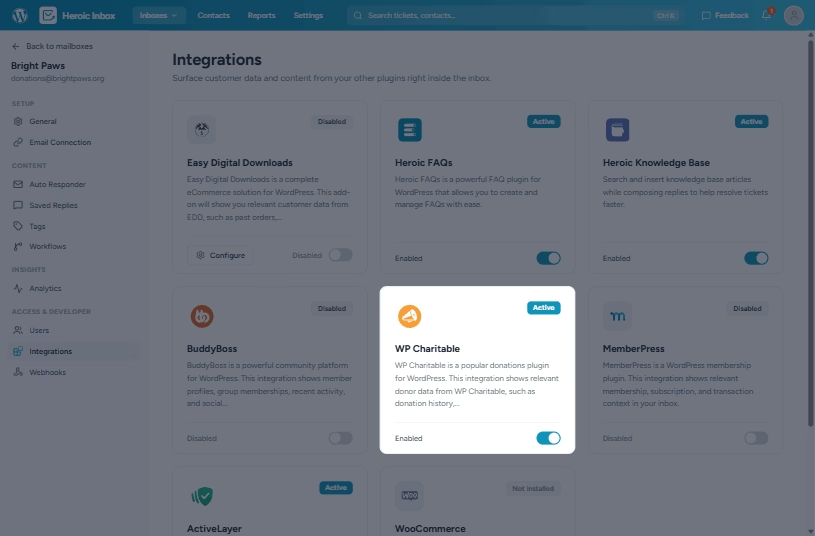
Go to Heroic Inbox » Mailboxes and pick the mailbox where you want the donor panel to appear.
Step 3. Leave it on where it helps, off where it doesn’t
The panel is enabled by default. Keep it on for any mailbox that handles donor email, and switch it off for the ones that don’t. That’s the whole setup. The next time a donor writes in, their giving history is waiting in the sidebar.
Give it a try and tell us what you think
The WP Charitable integration is live now in Heroic Inbox Pro. If you’re already on Pro with WP Charitable active, open a donor ticket and the history is right there in the sidebar.
Not on Pro yet? The integration comes with it, along with the rest of what Pro adds to your support workflow.
We built this to make donor support quicker and more personal, and we’d like to know how it holds up with your team and your data. Turn it on, work a few donor tickets with the full picture in front of you, and tell us what you’d want next.






Leave A Comment?
You must be logged in to post a comment.