10 Best Chat Widgets for Websites for 2026 (Mostly Free)


From live chat to a virtual assistant that can greet visitors, answer questions, and even close sales. Chat widgets have become a must-have for modern websites.
If you’re looking to add a chat widget to your site without spending a fortune, you’re in the right place.
In this guide, I will list 10 of the best chat widgets, including free options and different types.
In This Guide
What Is a Chat Widget?
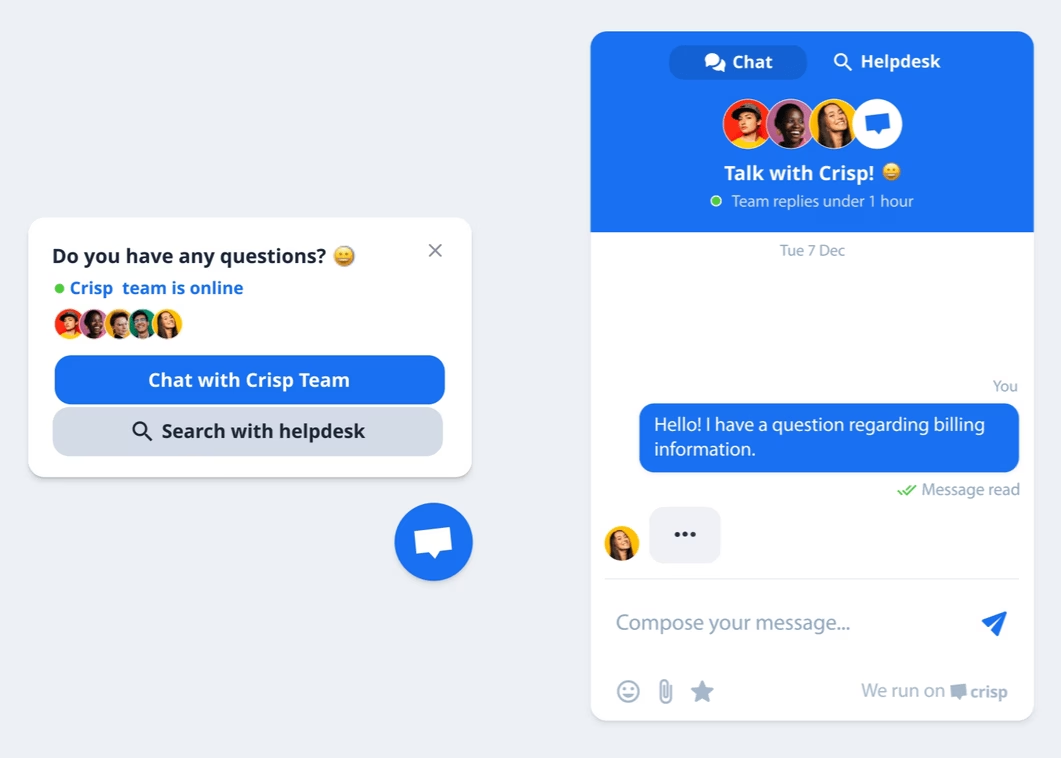
A chat widget is a small interactive window. It is typically a bubble or chat box embedded on a website that enables real-time messaging between users and businesses (or AI bots).
It is usually added at the bottom corner of the website, saying something like “Chat with us!” or showing an icon, ready for visitors to click.
Types of Chat Widgets
There are multiple types of chat widgets, each suitable for different scenarios.
Depending on your needs, you’ll find a few different types:
1. Live Chat Widgets (Human Support)
These chat widgets connect users directly with a human agent.
The user types a message, and a support or sales rep responds in the same widget.
Often used to answer presale questions, or offer quick personalized customer service.

2. AI/Chatbot Widgets
These use bots or AI to handle the conversation.
A chatbot widget might greet visitors with a menu or answer questions using a knowledge base or pre-set rules.
Advanced AI chat widgets can understand natural language and give tailored answers. Awesome for 24/7 instant answers and reducing repetitive queries.
3. Hybrid Chat Widgets
Many tools combine both of the above features: You start with a bot that can answer FAQs, and seamlessly transfer to a human agent if the bot gets stumped or if the user asks for human support.
4. Integrated Messenger Widgets
Some widgets embed third-party messaging platforms.
For example, an embedded Facebook Messenger widget on your website allows visitors to chat using their Facebook account.
Similarly, there are WhatsApp and different platform widgets as well.
Benefits of Using a Chat Widget
Chat widgets can be a game-changer for engagement, support, and even sales.
Here are some key benefits:
- Instant support and improved customer satisfaction
- Higher conversions and sales
- 24/7 availability (with AI or rule-based chatbots)
- Reduced workload on team
- Personalized user experience
- Multichannel convenience
Best Chat Widget Software for 2026

We rigorously test and research every product that we recommend through HeroThemes. Our review process. We may also earn a commission if you make a purchase through our links.
1. Heroic AI Assistant
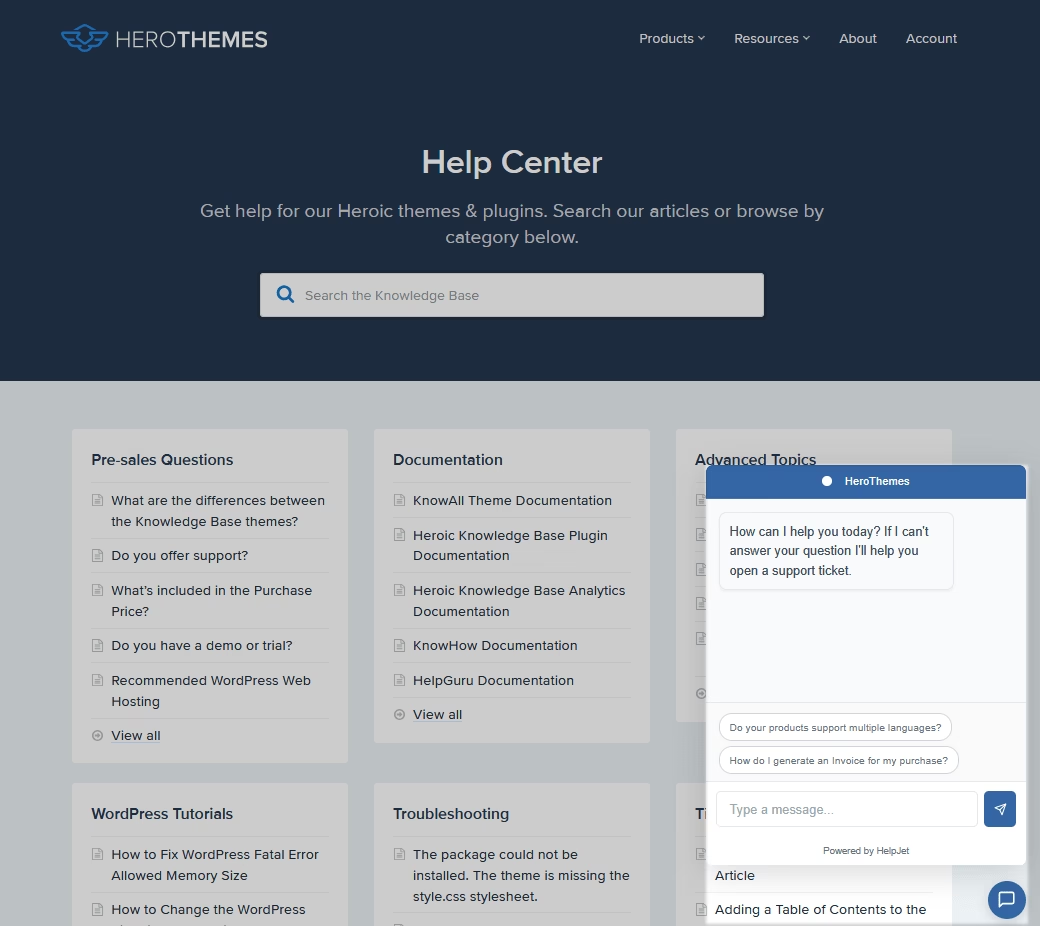
Heroic KB’s Heroic AI Assistant is one of the best options to create a knowledge base and transform it into an interactive chatbot.
The chat widget can be embedded on any page of your site.
The chatbot is trained on your content and powered by ChatGPT, so you get the best of both worlds.
Key Features:
- AI-Powered Q&A: The assistant uses OpenAI to understand questions and fetch answers from your documentation.
- Adding the chat widget is super easy. No coding needed—just enable it in settings.
- The widget is fully customizable in appearance and greets users with your chosen welcome message.
- Cuts Support Load: By delivering instant, accurate answers, it frees up your human agents.
- Seamless Hand-off: If the AI can’t handle something or detects a frustrated user, you can configure the widget to offer contacting a human.
Pricing
The Heroic AI Assistant comes included with the Heroic Knowledge Base Pro plan. Which will cost you $239/year.
With Heroic KB’s AI integration, there’s no need for additional API keys or subscriptions—everything is covered by a single plan.
My Verdict
Heroic AI Assistant is a strong pick for teams that want a fast, AI-powered chat widget to offer self-support. The setup is simple, the responses are accurate, and the hand-off to humans keeps conversations smooth. A great choice for teams with solid documentation.
2. tawk.to: 100% Free Live Chat Widget for Website
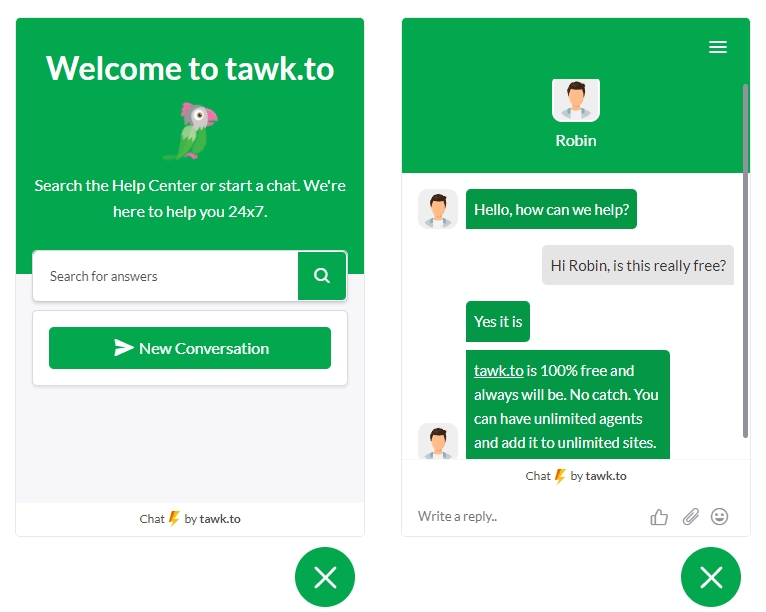
In a search of chat widgets, you’ve probably come across tawk.to. It’s famous for being completely free, and not in a crippled way. Truly free, with unlimited chats, unlimited agents, unlimited websites.
This made tawk.to one of the most used live chat widgets in the world (over 5 million websites use it).
Key Features:
- Unlimited Everything (Free): You can have an unlimited number of agents on your team, handle infinite chat conversations, and add the widget to as many sites as you want, all for $0.
- Customizable Widget: Change colors, greetings, position, and even the attention grabber icon to fit your site’s look.
- Supports 45+ languages out of the box.
- Multichannel and Mobile Apps: It uses a unified dashboard where you and your team handle incoming chats. There are also mobile apps for iOS and Android.
- Agent Collaboration
- Analytics for metrics like response times, customer satisfaction, and volume.
Pricing
tawk.to’s offers a completely free live chat widget with no premium version.
The only optional costs are: $19/month to remove the small “🌩️ by tawk.to” branding on the widget (if that bothers you), and paid services if you want to hire live agents through tawk.to’s agency.
My Verdict
Tawk.to offers unbeatable value for those in need of a live chat widget on a budget. The tool is free, easy to set up, and packed with features for unlimited use, lowering the barrier for real-time support.
3. HubSpot Live Chat
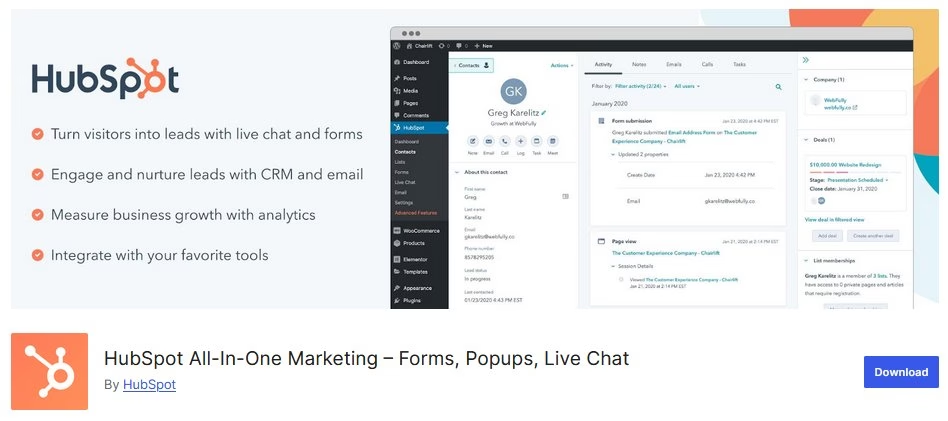
HubSpot offers a free live chat widget as part of the HubSpot CRM.
If you install the free HubSpot WordPress plugin or use HubSpot’s tracking code on any site, you can enable a chat widget that ties directly into your CRM contacts database.
This is a killer for businesses that want to integrate chat with contact management, email marketing, and more.
Key Features:
- No Agent Limits and Unified Inbox
- CRM Integration: HubSpot automatically ties the chat to that contact in the CRM.
- Chatbots and Automation: You can create a simple bot to greet visitors, ask for their issue, or gather info before a human takes over.
- Customize chat widget color and appearance to match your site.
- Create multiple chatflows. For example, targeting by page or audience segment.
- Reporting on chat volume, response times, and user feedback.
- Track if chats lead to conversions or deals.
Pricing
Free. HubSpot’s live chat (and basic bot) features are part of the free CRM forever.
There are paid HubSpot tiers that add advanced capabilities like more sophisticated bot logic, routing rules, and removing HubSpot branding.
My Verdict
HubSpot Live Chat provides small businesses with an easy way to increase engagement at no additional cost. The widget seamlessly connects with HubSpot CRM, offers unlimited users, and organizes conversations. Some custom options are missing, but the essentials work well.
4. Crisp
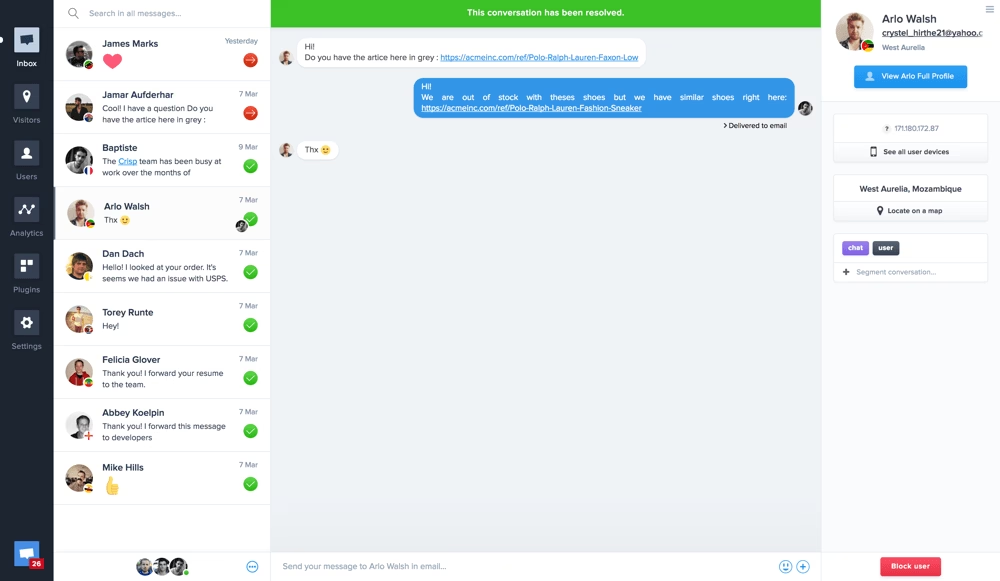
Crisp is a messaging platform that offers live chat, a shared inbox, knowledge base, and even a built-in chatbot.
Crisp’s chat widget is highly customizable and known for features like MagicBrowse (co-browsing with users) and MagicType (seeing what users type in real time).
Key Features:
- Free Forever Plan: Free tier includes 2 seats (agents), unlimited chat conversations, and access to their mobile/desktop apps.
- Clean and minimalist by default and supports image/file uploads from users.
- Customize the color scheme of the chat widget to match your brand.
- MagicType lets you see what the visitor is typing as they type, before they hit send.
- MagicBrowse allows the agent to see the user’s screen (with permission) and even interact with it to guide them.
- Shared Inbox and multi-channel to manage chats from the website, emails, Facebook Messenger, Instagram, Twitter DMs, etc.
- Desktop apps, a mobile app, and even a WordPress plugin for easy integration.
Pricing
Crisp offers a free plan for basic use. The cheapest plan costs $45 per month per workspace and supports five sets.
My Verdict
Crisp is a robust choice, especially if you plan to scale your customer communication in the future. While the free tier is limited, the upgrade path is solid, and the user interface remains user-friendly. MagicType speeds up work, and the mobile app is ideal for busy agents.
5. JivoChat
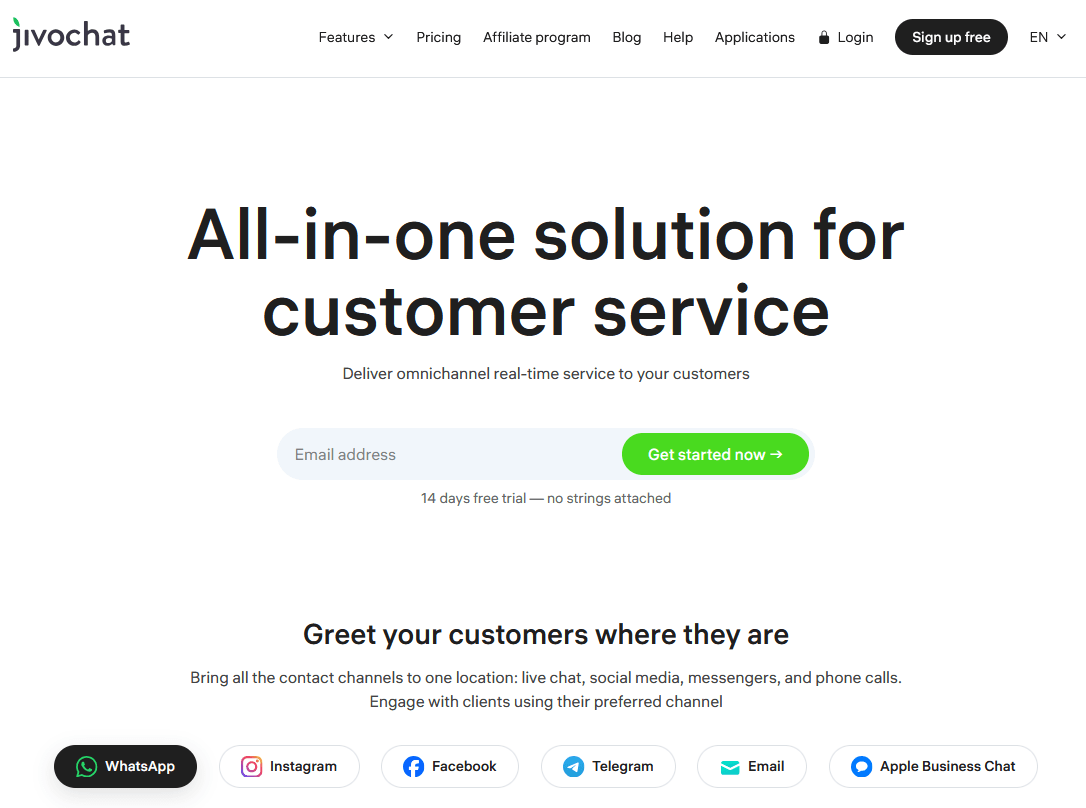
JivoChat is an omnichannel live chat solution.
One of JivoChat’s big selling points is “Greet your customers where they are”. Which means it makes it easy to chat with customers on websites, phone calls, emails, Facebook, Telegram, WhatsApp and other channels.
Key Features:
- 5 Agents Free: JivoChat’s free plan (Forever Free) lets you have 5 concurrent agents online with unlimited chats. That’s generous.
- Multi-Channel Support: Manage live chats, Facebook Messenger chats, business emails, and even voice calls via Jivo through a single dashboard.
- Chat widget is fully customizable
- Supports multiple languages
- Get ready-made invite templates
- Typing insights to see what the visitor is typing.
- Supports user file attachments.
- Built-in CRM: you can add notes or follow-ups on contacts.
- Auto-translation (on paid plans)
- Desktop apps and mobile apps
- Integration with platforms like WordPress, Shopify, Wix
Pricing
JivoChat is free to start and supports five agents and basic features.
The basic plan costs around $28 per agent per month and unlocks advanced features like chat transfer between agents, detailed visitor information, and the ability to make and receive callback requests. It also removes the JivoChat branding.
My Verdict
For a business that wants a consolidated inbox for multiple support channels, JivoChat is a strong contender, and you might be able to use it free if your team is small
6. Smartsupp

Smartsupp combines live chat, AI chatbots, and even visitor video recordings.
Its focus is largely on eCommerce, aiming to increase sales with live chat and AI.
Key Features:
- Live Chat + AI Bot Blend: Get an eCommerce AI chatbot geared for product recommendation and answering common questions.
- Automate inquiries by handling FAQs and guiding shoppers to the right products with chatbot.
- Video Recordings of Visitors: A unique Smartsupp feature is that it can record user sessions on your site.
- Integration with platforms like Shopify, WordPress, PrestaShop.
- Multi-channel support
- Unified inbox for all conversations, with tagging, notes, and basic CRM capabilities.
- Customization features to change widget color, text, and position.
- Automated messages for greeting new visitors.
- Analytics to track response times, conversions.
Pricing
Smartsupp offers a free plan with unlimited agents but limited chat conversations. Good enough to test out things.
The pro plans start at $14 per month, if billed annually. Which gives more conversations and features.
My Verdict
Smartsupp stands out for eCommerce support. With session recordings, AI chat for product questions, and a generous free plan with multi-agent support, Smartsupp helps stores boost their conversion rates.
7. Lime Connect
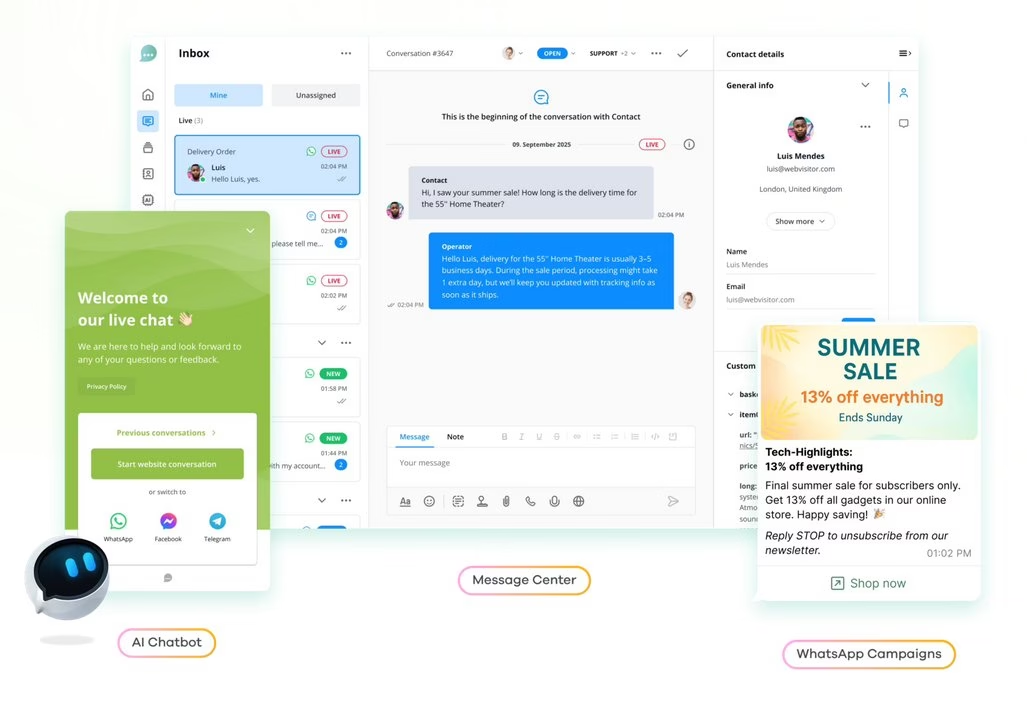
Lime Connect (ex Userlike) is a live chat solution aimed at small sites.
It’s known for a very polished chat widget and for supporting messaging app integration (like WhatsApp, FB Messenger) especially in paid versions.
Key Features:
- Chat widget is highly customizable and user-friendly.
- Collected user details with pre-chat forms before starting conversations.
- Website visitors can rate chats and share files if needed.
- Switch the widget to a contact form to capture leads when agents are offline.
- Unlimited chat conversations and chat durations on the free plan.
- Multi-channel messaging integrations, such as WhatsApp and Facebook.
- Basic chat analytics for free
- Data privacy features and German-hosted servers.
- Enabled data anonymization and automatic transcript deletion to support compliance needs.
- User consent requests in chat for GDPR and other regulations.
Pricing
Lime Connect is free to start with.
The Team plan (basic premium plan) costs €90 per month. It supports four sets and unlocks additional features.
My Verdict
Lime Connect stands out for its privacy-first approach and polished widget. The free tier is strong for low-traffic sites needing reliable chat. However, teams requiring more than one agent or multi-chat handling should consider one of the paid plans for additional flexibility.
8. 3CX Live Chat
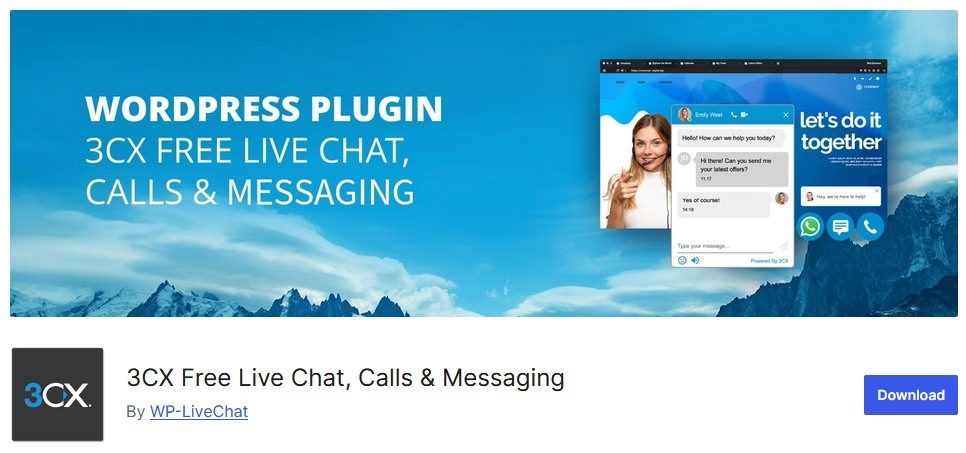
3CX offers a free live chat widget for WordPress that can integrate with their phone system.
Even if you don’t use 3CX for calls, you can use their free live chat standalone.
What’s special is that 3CX’s chat widget can escalate to voice or video calls through the browser, for free. And it has no limits on agents or chats.
Key Features:
- Unlimited agents to support live chat with no extra cost or monthly fees.
- White-label chat widget (no branding on the widget)
- Switch to voice or video calls directly in the widget as needed.
- Enabled calls through the browser with WebRTC
- Integrated live chat with the 3CX phone system
- Queue and offline handling
- Basic reporting on chats
Pricing
3CX live chat WordPress plugin is free.
My Take
3CX live chat widget is a fantastic solution, especially for WordPress users who want a bit more than just text chat. The free widget blends live chat, voice, and video, while staying white-label. What more could you ask for?
9. Zoho SalesIQ
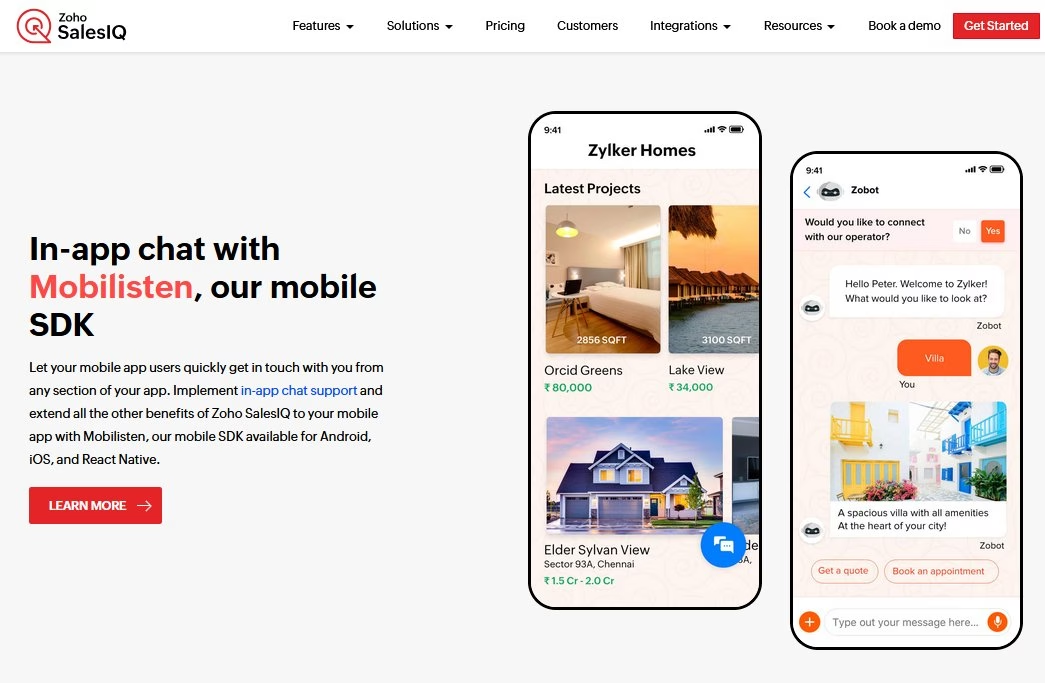
Zoho SalesIQ, part of the Zoho suite of products. It’s a live chat and analytics platform that lets you chat with visitors and track, score them (for sales readiness).
The free plan of SalesIQ is pretty generous with 3 operators and 100 operator chat sessions per month.
Key Features:
- Track visitor activity in real time, pages viewed and time spent on site.
- Lead scoring rules to help sales teams spot and target hot prospects.
- Supports live chat from website, mobile app, and other channels
- Includes basic automation on free plans, like FAQs and canned responses.
- AI-powered chatbots and sentiment analysis.
- Customize chat widget for color, theme, and placement on the site.
- Built-in translation for chat messages
- Allows chat transfers between agents and internal team
- Integrates closely with Zoho CRM
Pricing
The Zoho SalesIQ chat widget is free for three agents. The next tier, BASIC, costs $7 per agent per month. Which also unlocks advanced features.
My Take
Zoho SalesIQ is like having a combo of Google Analytics and live chat in one, and it’s especially handy for sales-oriented use cases.
10. Tidio
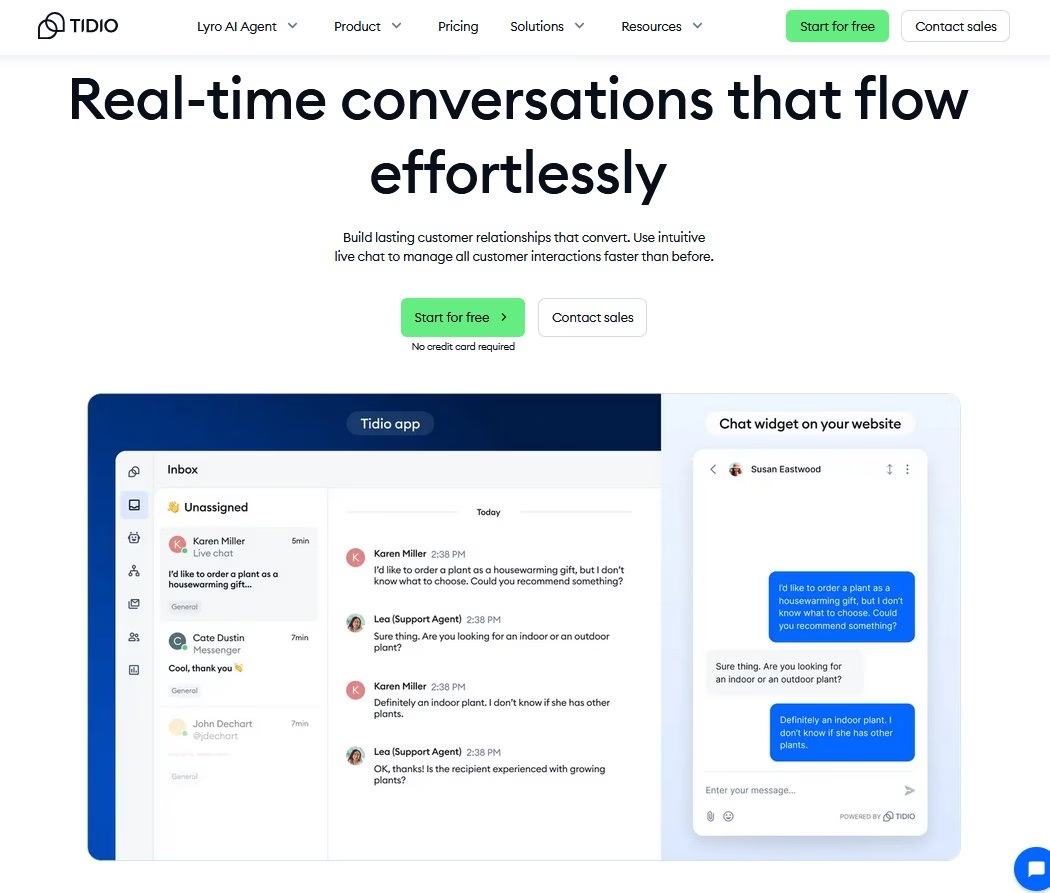
Tidio is a popular live chat widget known for its clean design and powerful built-in chatbots.
Tidio’s widget looks modern out of the box. A little chat bubble that can match your site’s colors, with a customizable welcome message.
The killer feature: it combines live chat, AI bots, and even email integration in one platform.
Key Features:
- Sleek, customizable chat widget
- Supports live chat and chatbot automation, with no coding needed for setup.
- Pre-made chatbot templates and a visual editor for creating custom bot flows
- Lyro AI bot to answer frequent questions
- Handle messages from website chat, Facebook Messenger, Instagram, and email into one unified inbox.
- Do proactive engagement with visitors through custom rules and automated messages.
- Shows typing previews
- Supports canned responses
- Integrates with platforms such as Shopify, WordPress, and Wix.
- Convert unresolved chats into helpdesk tickets.
Pricing
Tidio offers a free plan, which is great to start with.
The Starter plan costs $24.17 per month and includes 100 billable conversations and 50 Lyro AI agent conversations (one-off).
My Take
I like Tidio, because it strikes a great balance between ease-of-use and advanced capabilities. Automation tools, a polished dashboard, and thoughtful AI make customer support smooth
Final Thoughts
Those are my top 10 chat widget picks for 2026, each with its own strengths. Most of these chat widgets are free, so try any of these today.
Before I wrap up, here are a few final tips for success with your chat widget:
- Be responsive
- Customize the experience
- Leverage automation (Wisely)
- Review your chat logs
Happy chatting!
Further Reading
9 Best HR Chatbots for Support and Recruiting
10 Best AI Chatbots for Customer Service
11 Best WordPress AI Chatbot Plugins
Best Chatbot Examples and Use Cases to Learn From
Best Internal Chatbots for Employee Support
How to Build a Self-Service Portal (Step-By-Step Guide)





Leave A Comment?
You must be logged in to post a comment.