Die 9 besten kostenlosen WordPress Helpdesk-Plugins (Test 2026)


Kundensupport ist das Rückgrat jedes Unternehmens. Da WordPress 43 % aller Websites antreibt, sollten Sie vielleicht eine Helpdesk-Lösung in Betracht ziehen, die direkt auf Ihrer WordPress-Website funktioniert.
In diesem Leitfaden werden wir einige der besten kostenlosen WordPress-Helpdesk-Plugins untersuchen, die Sie dazu bringen könnten, kostspielige SaaS-Lösungen für die Verwaltung Ihrer Kundensupport-Vorgänge zu überdenken.
Ja. Sie haben richtig gehört. Die meisten der in diesem Artikel aufgeführten Helpdesk-Plugins und -Lösungen sind kostenlos!
Werfen wir einen Blick darauf, was diese Plugins zu bieten haben!
In diesem Leitfaden
- Best Free Help Desk Plugins for WordPress
- 1. Heroic Inbox + Heroic Knowledge Base – All-in-One Support Suite
- 2. SupportCandy – Unlimited Tickets & Agents
- 3. Awesome Support – Feature-Rich and Extensible
- 4. WSDesk (ELEX) – Self-Hosted with AI Integration
- 5. JS Help Desk – Comprehensive Freemium Helpdesk
- 6. WordPress Advanced Ticket System (WATS) – Oldie but Goodie
- 7. NexlifyDesk – Next-Gen Free Helpdesk
- 8. HelpDesk for WooCommerce (WPFactory) – Integrated Store Support
- 9. tawk.to Live Chat + Ticketing – 100% Free Live Chat & Helpdesk
- 1. Heroic Inbox + Heroic Knowledge Base – All-in-One Support Suite
Die besten kostenlosen Helpdesk-Plugins für WordPress

Wir testen und recherchieren rigoros jedes Produkt, das wir über HeroThemes empfehlen. Unser Bewertungsprozess. Wir können auch eine Provision verdienen, wenn Sie über unsere Links einen Kauf tätigen.
Hinweis: Während die meisten der unten aufgeführten Plugins kostenlose Versionen oder Pläne anbieten, werde ich auch auf Premium-Upgrades hinweisen, wo dies relevant ist.
1. Heroic Inbox + Heroic Knowledge Base – All-in-One Support Suite
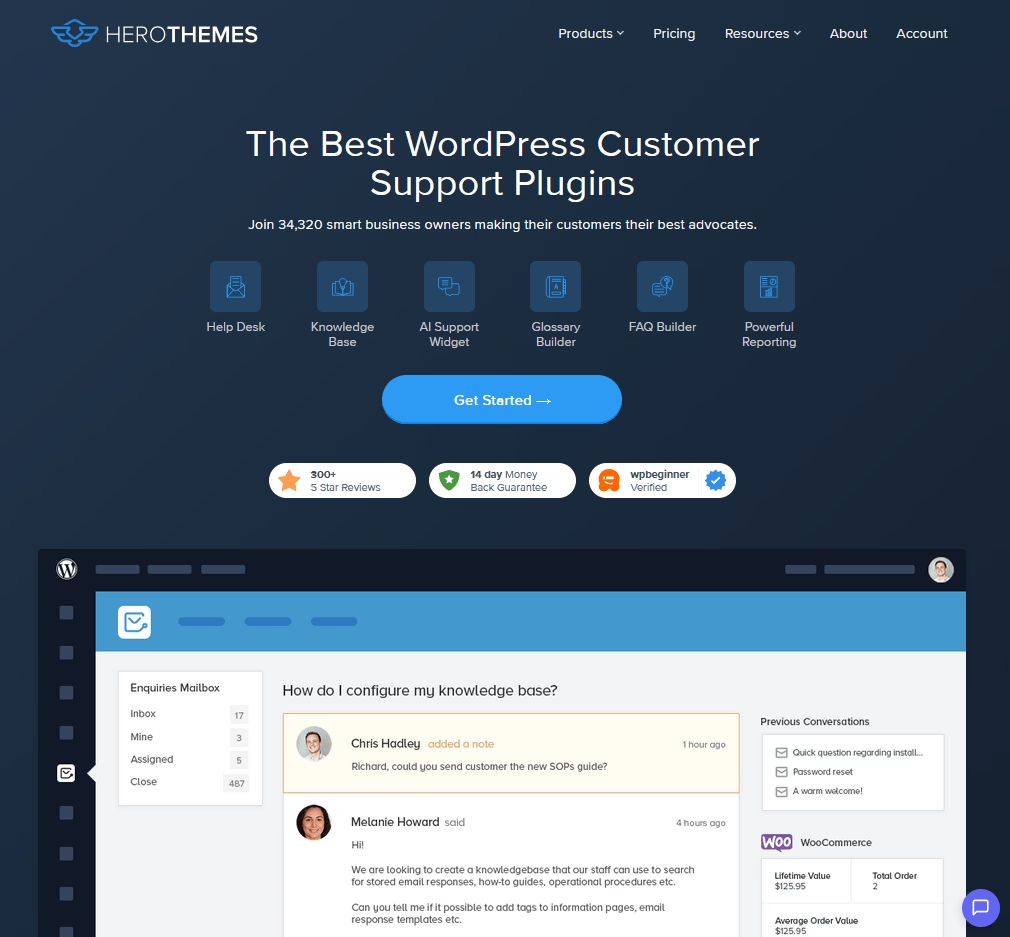
Eine sehr leistungsstarke Kombination für den Kundensupport, die nicht kostenlos ist, aber sehr erschwinglich ist und einen außergewöhnlichen Wert bietet.
Heroic Inbox ist ein Premium-Helpdesk-Plugin, das alle Ihre Support-E-Mails und Tickets in WordPress zentralisiert.
Während Heroic Knowledge Base andererseits Heroic Inbox ergänzt, indem es Ihnen ermöglicht, ein Self-Service-Hilfezentrum auf Ihrer Website aufzubauen.
Und diese Plugins werden bereits von über 34.000 WordPress-Nutzern verwendet. Marken wie Pagely, Airbnb und die NC State University vertrauen diesen Plugins für den Betrieb ihrer Helpdesks.
Hauptmerkmale der Heroic Inbox und Heroic KB Helpdesk-Kombination:
- Verwalten Sie mehrere gemeinsame Posteingänge wie support@ und sales@ von einem übersichtlichen Dashboard aus.
- Unbegrenzte Konversationen, Benutzer und Wissensartikel.
- Einrichtungsassistent für den schnellen Start in wenigen Minuten.
- Weisen Sie Konversationen dem richtigen Teammitglied zu.
- Vordefinierte Antworten und Vorlagen
- Umfangreiche Kundenkontexte in der Seitenleiste, einschließlich Profildetails und vergangener Ticketverläufe.
- Kollisionserkennung, Teamnotizen, Entwurfsfreigabe, @Erwähnungen.
- Leistungsstarke Zugriffskontrollen und Rollenverwaltung.
- Branchenführende Workflow-Automatisierung mit tausenden von Möglichkeiten.
- KI-gestützter Assistent zur Beantwortung von Kundenfragen.
- Kostenloser Premium-FAQ-Builder, Knowledge-Base-Theme und Glossar-Plugin inklusive.
- WooCommerce, EDD und andere wichtige Integrationen mit Helpdesk.
Preise
Obwohl Sie diese Plugins separat erwerben können, erhalten Sie den besten Wert mit dem „Heroic Bundle“. Der Basic Bundle Plan kostet 103,60 $ pro Jahr.
Und es gibt auch eine 14-tägige Geld-zurück-Garantie, also probieren Sie es aus!
Warum Heroic Inbox und Heroic KB verwenden?
Wenn Ihnen der Support wichtig ist, ist dieses Duo die Investition wert. Heroic Inbox hat keine Limits pro Agent und keine Obergrenze für Tickets – im Gegensatz zu vielen SaaS-Helpdesks. Und die Zeitersparnis durch Funktionen wie Workflow-Automatisierung, Self-Service, Autoresponder, automatische Ticket-Tagging und WooCommerce-Integration zahlt sich leicht aus.
2. SupportCandy – Unbegrenzte Tickets & Agenten
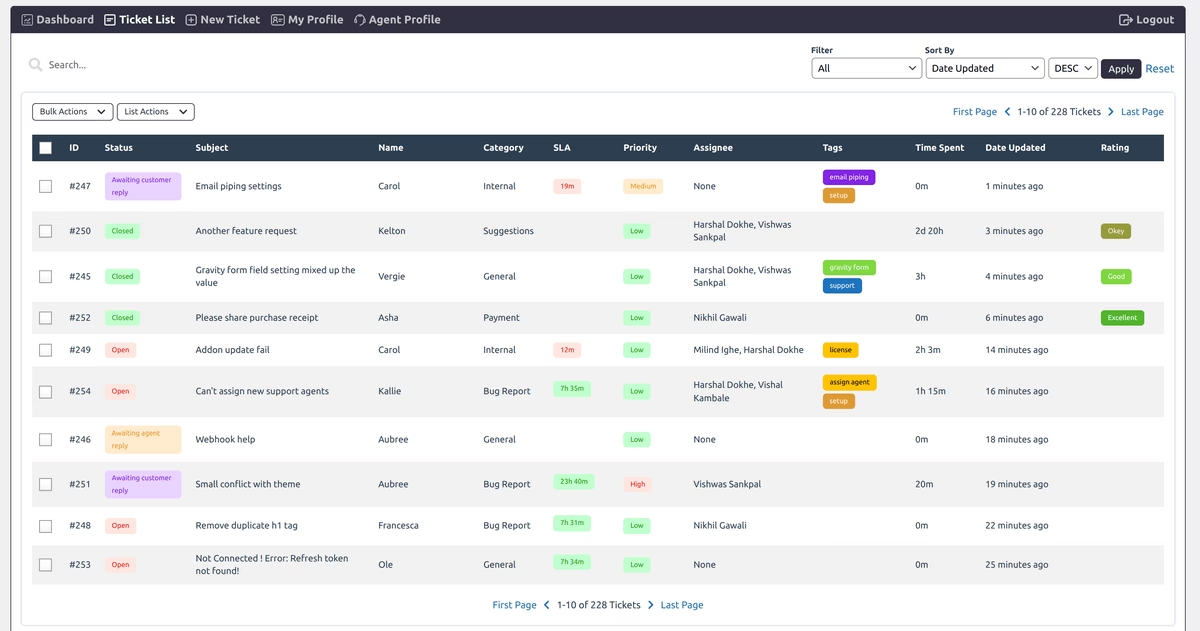
SupportCandy ist ein kostenloses WordPress-Support-Ticket-Plugin, das nicht an Funktionen spart.
Es ist ein Fork eines älteren Plugins (WP Support Plus) und hat sich zu einem der beliebtesten Helpdesk-Plugins entwickelt, mit über 10.000 aktiven Installationen.
Hauptmerkmale von SupportCandy:
- Kunden können Support-Tickets über ein integriertes Formular einreichen.
- Verwalten Sie jedes Ticket im WordPress-Dashboard.
- Es gibt keine Begrenzung der Anzahl von Tickets, Agenten oder Kunden in der kostenlosen Version.
- E-Mail-Benachrichtigungen, unbegrenzte benutzerdefinierte Ticketfelder (Sie können zusätzliche Informationen im Ticketformular erfassen) und Gast-Ticket-Support.
- Funktion Private Notiz, die es Agenten ermöglicht, interne Notizen zu Tickets hinzuzufügen.
- Benutzerfreundliche Oberfläche: Agenten erhalten ein Dashboard, um alle Tickets auf einen Blick anzuzeigen, nach Status zu filtern und Tickets sich selbst oder anderen zuzuweisen.
- Unterstützt Dateianhänge
- Rich-Text-Bearbeitung in Antworten
- AJAX-basierte Benutzeroberfläche
- Benutzerdefinierte Ticketstatus und Tags zur Organisation von Anfragen
- Kein Bloat oder Verlangsamung bei hohem Ticketaufkommen
- DSGVO-konform, mit Optionen zum Löschen oder Anonymisieren von Daten und der Möglichkeit, eine Checkbox für Nutzungsbedingungen zum Ticketformular hinzuzufügen.
- Funktionen können mit Premium-Add-ons erweitert werden
Preise
Sie können SupportCandy kostenlos aus dem WordPress-Plugin-Verzeichnis herunterladen.
SupportCandy bietet auch Premium-Add-ons für zusätzliche Funktionalität (SLA-Tracking, vordefinierte Antworten, WooCommerce-Integration und E-Mail-Piping), die erschwinglich sind, wenn Sie sie benötigen.
Aber viele kleine Unternehmen müssen nicht sofort upgraden, da die kostenlose Version die Grundlagen bereits sehr gut abdeckt.
Warum SupportCandy verwenden?
Es ist eines der wenigen wirklich kostenlosen Helpdesk-Plugins, das Kernfunktionen nicht hinter einer Paywall versteckt. Sie erhalten von Anfang an unbegrenzte Agenten und Tickets, was für ein wachsendes Unternehmen mit knappem Budget großartig ist.
3. Awesome Support – Funktionsreich und erweiterbar
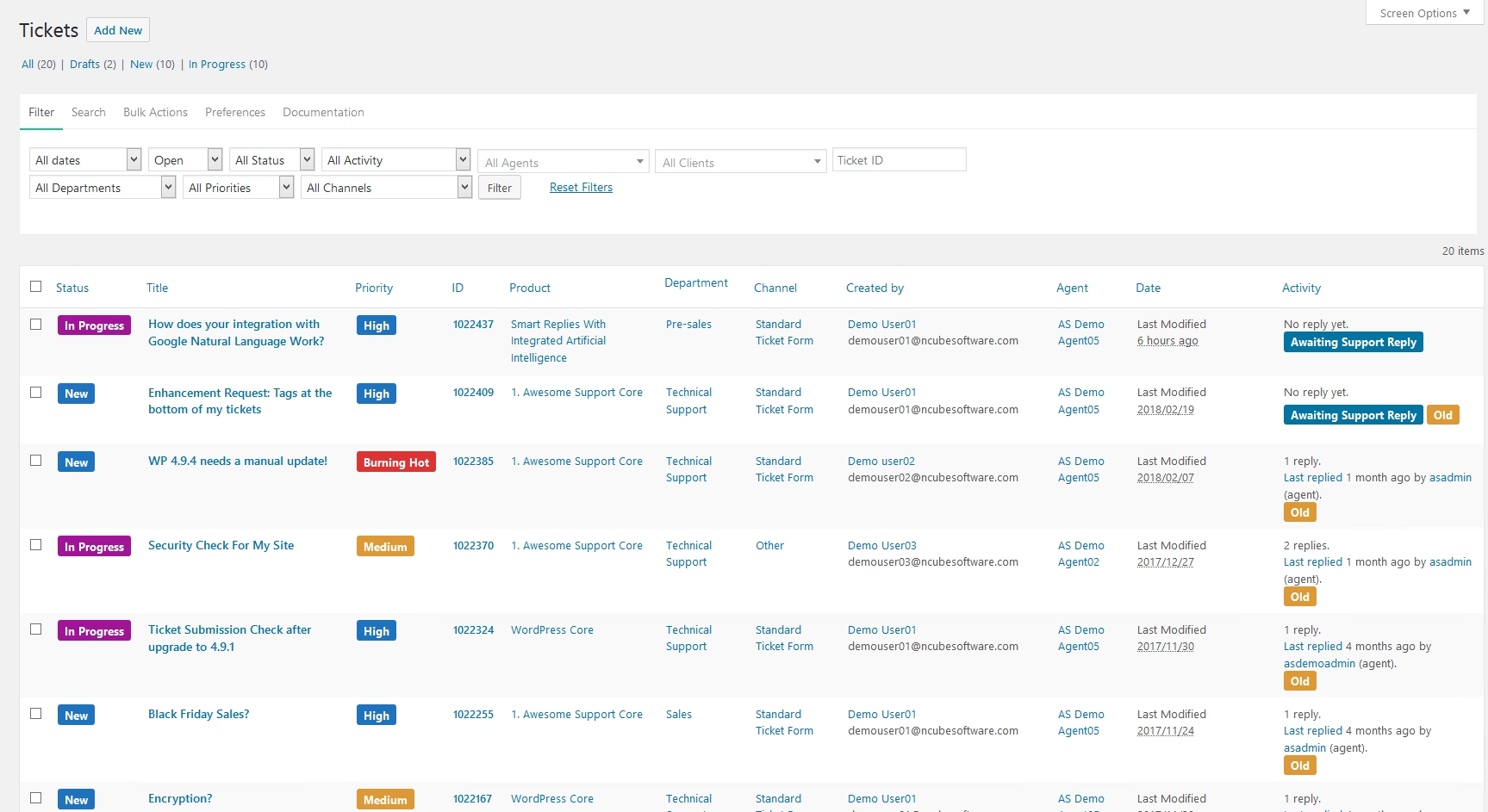
Awesome Support ist ein großartiges kostenloses Helpdesk-Plugin, das mit einigen kostenpflichtigen Lösungen mithalten kann.
Dieses Plugin hat über 7.000 aktive Installationen, Sie werden erstaunt sein, wie viel Funktionalität es kostenlos bietet.
Hauptmerkmale von Awesome Support:
- Unterstützen Sie unbegrenzte Tickets, Benutzer, Agenten, Produkte und Abteilungen im kostenlosen Plan.
- UI, die sich in das WP-Dashboard einfügt (geringe Lernkurve).
- Unterstützen Sie mehrere Produkte oder Dienstleistungen ohne zusätzliche Einrichtung.
- Leiten Sie Tickets nach Abteilung wie Vertrieb oder technischer Support weiter.
- Frontend-Formular zum Sammeln von Tickets.
- Anpassbare E-Mail-Benachrichtigungen für Ticket-Updates.
- Integrierte Datei-Upload-Unterstützung mit Kontrolle über Dateigröße und -typ.
- Importieren Sie Tickets aus Drittanbietersystemen wie Zendesk, Help Scout oder Ticksy.
- Agenten-Kollaboration: Mehrere Agenten können an einem Ticket arbeiten.
- Einrichtungsassistent, der Sie bei der ersten Installation unterstützt.
- Unterstützung für benutzerdefinierte Felder: Sie können dem Ticket-Einreichungsformular einfach zusätzliche Felder hinzufügen.
- Über 25 Premium-Add-ons, die Dinge wie SLA-Durchsetzung, erweiterte Berichte, Zufriedenheitsumfragen, WooCommerce-Integration, vordefinierte Antworten und sogar eine Facebook Messenger Chatbot-Integration abdecken.
Preise
Mit Awesome Support beginnen Sie kostenlos und rüsten selektiv auf, wenn Ihre Supportanforderungen wachsen. Die Preise für Erweiterungen sind angemessen, oder Sie können ein Bundle kaufen.
Warum Awesome Support verwenden?
Awesome Support ist wohl das funktionsreichste kostenlose Helpdesk-Plugin, das es gibt. Es ist ideal, wenn Sie im Laufe der Zeit mehr erweiterte Funktionen benötigen. Für die meisten werden das kostenlose Plugin plus vielleicht ein oder zwei Add-ons ausreichen.
Eine Sache zu beachten: Mit allen Erweiterungen kann die Benutzeroberfläche etwas komplex werden (weil sie so viel kann), aber Sie aktivieren nur, was Sie brauchen.
4. WSDesk (ELEX) – Selbst gehostet mit KI-Integration
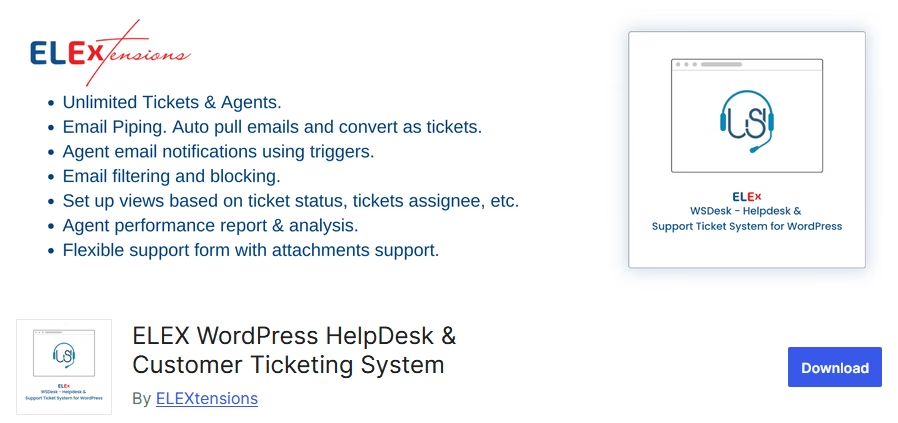
WSDesk ist ein Helpdesk-Plugin von ELEX (einem bekannten Entwickler von WooCommerce-Erweiterungen). Es ist ein kleiner Geheimtipp.
Die kostenlose Version erlaubt unbegrenzte Agenten und Tickets und ist bemerkenswert, da sie AJAX-basiert und in sich geschlossen ist – alle Daten bleiben auf Ihrem WordPress und es werden keine externen APIs für die Ticketbearbeitung verwendet.
Für Unternehmen, die Wert auf Datenschutz legen, ist das ein Pluspunkt.
Hauptfunktionen von WSDesk:
- Die kostenlose Version von WSDesk unterstützt unbegrenzte Agenten und Tickets.
- Bearbeiten Sie Kern-Helpdesk-Anforderungen wie E-Mail-Benachrichtigungen, Dateianhänge und benutzerdefinierte Ticketfelder.
- E-Mail-Piping (über einen integrierten IMAP-Fetcher)
- Starker Fokus auf Datensicherheit und Backup.
- Ticketliste mit Filtern zum Sortieren nach Status, Abteilung oder Priorität.
- Weisen Sie Tickets Abteilungen zu, legen Sie Prioritätsstufen fest und aktualisieren Sie Ticketstatus, um die Arbeit organisiert zu halten.
- Passen Sie das Ticketformular an, indem Sie Felder ohne zusätzliche Codierung hinzufügen oder entfernen.
- Tickets nach XML exportieren und manuelle Backups erstellen.
- WooCommerce-Bestelldetails in die Ticketansicht ziehen.
- KI-gestützte Antwortvorschläge in der Premium-Version.
- Erweiterte Automatisierungsregeln und vordefinierte Antworten in der Premium-Version.
- Stabile Leistung mit asynchronem Laden
Preise
WSDesk ist ein Premium-Plugin, aber sie bieten auch eine kostenlose Version auf WordPress an.
Warum WSDesk verwenden?
Wenn Sie etwas Einfaches, Sicheres und Skalierbares wünschen, ist WSDesk eine solide Wahl. Die kostenlose Version ist gut für ein kleines Team, das ein grundlegendes Ticketsystem benötigt, das Sie selbst hosten. Wenn Ihre Anforderungen wachsen, können Sie auf die Vollversion für 99 US-Dollar pro Jahr upgraden, die leistungsstarke Funktionen wie automatische Tagging und Zufriedenheitsumfragen freischaltet.
5. JS Help Desk – Umfassendes Freemium Helpdesk
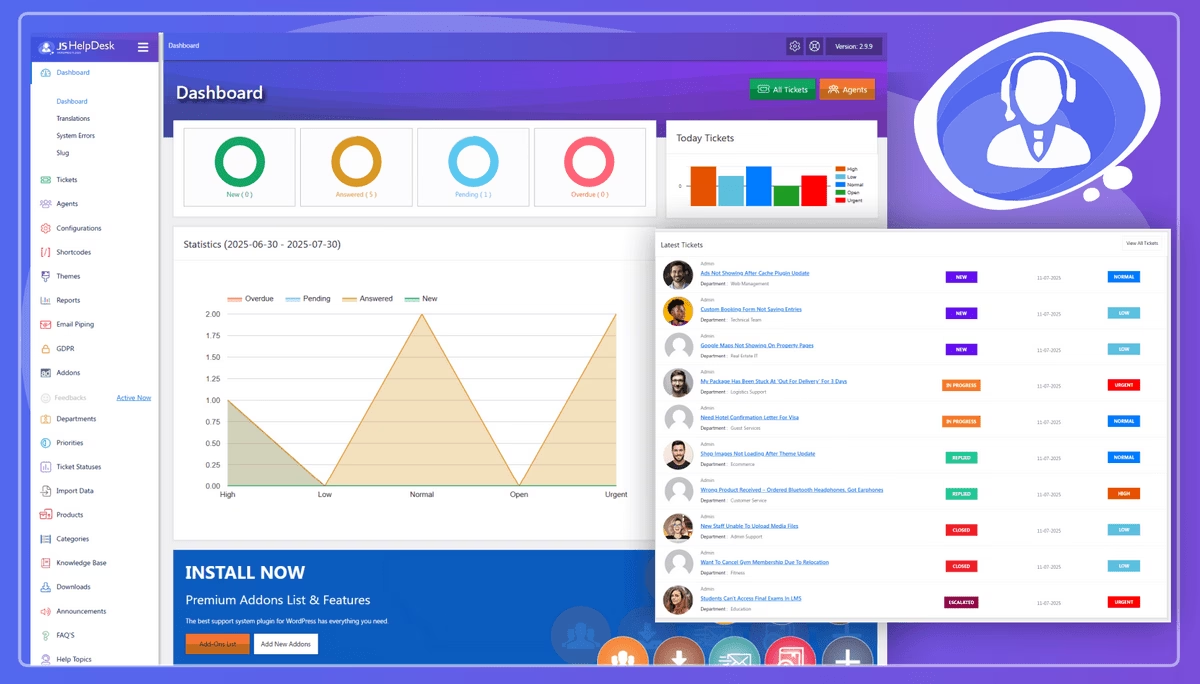
JS Help Desk ist ein leistungsstarkes Helpdesk-Plugin, das auch in seiner kostenlosen Edition viel bietet.
Es ist ein Open-Source-Projekt von JoomSky und hat kürzlich KI-Funktionen in sein Arsenal aufgenommen.
Es hilft Ihnen, Kundenanfragen zu verfolgen, zu priorisieren und Unterstützung zu leisten. Ähnlich wie SupportCandy kann es mit Premium-Add-ons erweitert werden.
Hauptfunktionen von JS Help Desk:
- Vollständiges Ticketsystem mit einem Frontend-Formular für Kunden.
- Registrierte Benutzer und Gäste können Tickets einreichen.
- Ticket-Dashboard für Kunden zur Verfolgung von Anfragen.
- Saubere Ticketliste und ein einfacher Editor zum Verfassen von Antworten.
- KI-gestützte Antwortvorschläge in der kostenlosen Version.
- Unterstützt unbegrenzte Tickets, Agenten, Abteilungen und Kunden sofort.
- Ticket-Prioritäten wie Niedrig, Mittel und Hoch mit klaren Farbetiketten.
- Benutzerdefinierte Ticket-Status, die zu jedem Support-Workflow passen.
- Interne Notizen und E-Mail-Benachrichtigungen
- Integrierter Spam-Schutz (mit CAPTCHA oder reCAPTCHA)
- DSGVO-konform mit Optionen zur Datenanonymisierung
- RTL-kompatibel für mehrsprachige Helpdesks
- Erweitern Sie das Kern-Plugin mit über 35 Premium-Add-ons für erweiterte Anforderungen.
- E-Mail-Piping, um eingehende E-Mails in Tickets umzuwandeln.
- WooCommerce-Integration
- SLAs erzwingen und Support-Zeiten mit speziellen Add-ons verfolgen.
- Integriertes Wissensdatenbank-Modul und Chat-Integration (Live Support).
Preise
Die kostenlose Version von JS Help Desk ist auf WordPress verfügbar. Sie können auf die Premium-Version upgraden, um auf zusätzliche Add-ons zuzugreifen.
Warum JS Help Desk verwenden?
JS Help Desk ist zuverlässig und skalierbar. Es hat vielleicht nicht die schönste Benutzeroberfläche im Vergleich zu Heroic Inbox, aber es ist funktional und Sie können das Thema/die Farben an Ihre Website anpassen.
Ich schätze, dass die kostenlose Version bereits sehr funktionsreich ist, und mir gefällt, dass sie KI zur Vorschlag von Antworten verwendet. Das kann Ihrem Team Zeit bei häufigen Anfragen sparen.
Es ist definitiv eines der besten kostenlosen WordPress-Helpdesk-Ticketing-Plugins für diejenigen, die in Zukunft erweiterte Funktionen benötigen könnten.
6. WordPress Advanced Ticket System (WATS) – Alt, aber gut
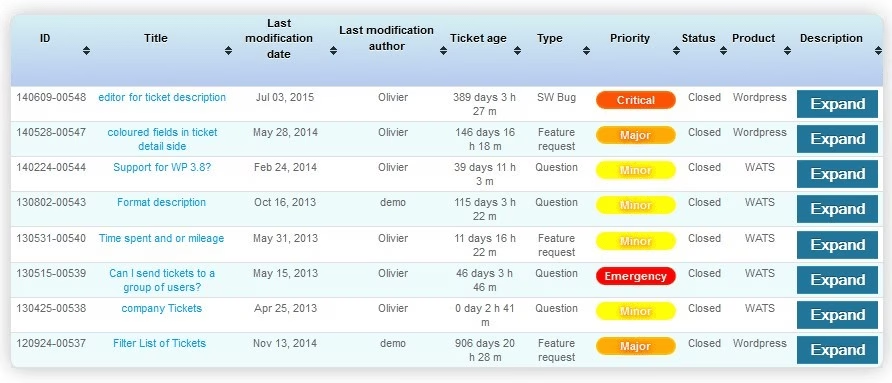
Das WordPress Advanced Ticket System, allgemein bekannt als WATS, ist eines der ältesten Helpdesk-Plugins für WordPress.
Es existiert seit über einem Jahrzehnt und verfolgt einen klassischen Ansatz.
Während neuere Plugins schickere Benutzeroberflächen (UIs) haben, konzentriert sich WATS darauf, ein einfaches, optimiertes Ticketsystem innerhalb von WordPress zu sein.
Hauptmerkmale von WATS:
- Fügen Sie einen benutzerdefinierten Beitragstyp für Support-Tickets innerhalb von WordPress hinzu.
- Frontend-Formular für Benutzer zur Einreichung von Tickets.
- Jedes Ticket kann einem „Experten“ (Agenten) zugewiesen und mit einem Status versehen werden.
- Sehr geringer Performance-Fußabdruck und es wird Ihre Website nicht verlangsamen.
- Unterstützt unbegrenzte Tickets und Agenten
- E-Mail-Benachrichtigungen und die Möglichkeit für Benutzer, Kommentare zu Tickets abzugeben.
- Ermöglicht private oder öffentliche Tickets, die bei Bedarf ein Frage-und-Antwort-Forum nachahmen können.
Preise
WATS bietet eine kostenlose Kernversion mit einigen Funktionen, die für ein Pro-Upgrade reserviert sind.
Warum WATS verwenden?
WATS verdient Anerkennung dafür, einer der Pioniere im Bereich WP-Helpdesks zu sein und 2026 noch regelmäßig aktualisiert zu werden. Wenn neuere Plugins überwältigend wirken oder Sie eine sehr spezifische Integration im Sinn haben, werfen Sie einen Blick auf WATS.
7. NexlifyDesk – Next-Gen Free Helpdesk
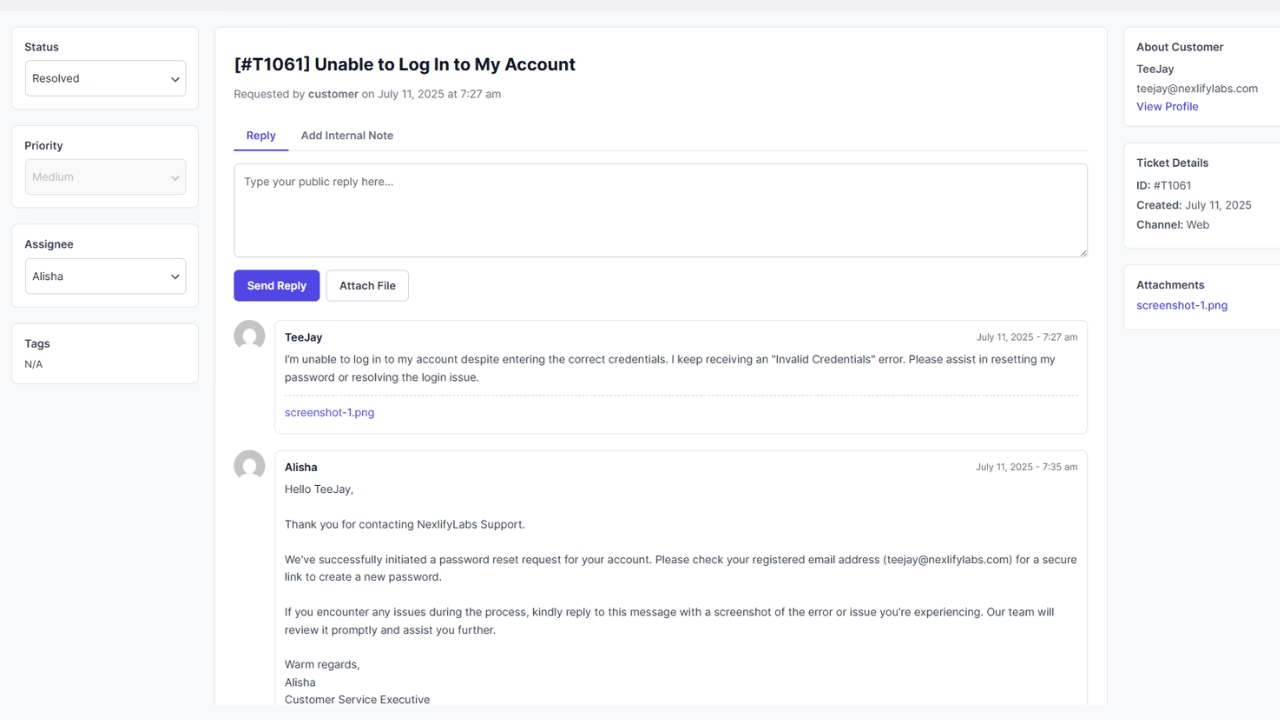
NexlifyDesk ist ein relativ neuer Anbieter im WordPress-Helpdesk-Bereich und macht Wellen, indem es viele erweiterte Funktionen komplett kostenlos anbietet.
NexlifyDesk wurde Ende 2025 gestartet und ist ein Open-Source-Support-Ticket-System mit vollem Funktionsumfang, das sich rasant weiterentwickelt.
Ich würde es als ein ambitioniertes Projekt beschreiben, das darauf abzielt, Enterprise-Level-Helpdesk-Funktionen für WordPress ohne den üblichen Preis anzubieten.
Hauptfunktionen von NexlifyDesk:
- Unterstützt mehrkanalige Ticket-Erstellung über Webformulare und eingehende E-Mails.
- Speichert Tickets als benutzerdefinierten Post-Typ in WordPress
- Mehrere E-Mail-Kanäle über IMAP oder POP
- WooCommerce-Bestellhistorie neben jedem Ticket
- Erkennung doppelter Tickets mit semantischer Übereinstimmung
- Konversationen können zusammengeführt oder Querverweise erstellt werden, wenn eine neue Anfrage mit einem bestehenden Ticket übereinstimmt.
- Polierter Frontend-Portal, in dem sich Kunden anmelden, Tickets einreichen und Antworten in Echtzeit mit AJAX-Updates lesen können.
- Granulare Rollen und Berechtigungen
- Echtzeit-Metriken wie Antwortzeiten und Ticketlösungen
- Unerlässliche Helpdesk-Funktionen abdecken wie interne Notizen, private und öffentliche Tickets, Massenaktionen, Rich-Text-Antworten und Dateianhänge.
- Planen Sie zukünftige Add-ons und eine potenzielle Pro-Stufe
Preise
NexlifyDesk ist derzeit kostenlos im WordPress-Plugin-Verzeichnis erhältlich.
Warum NexlifyDesk verwenden?
Da NexlifyDesk kostenlos ist, schadet es nicht, es auf einer Staging-Website zu installieren und auszuprobieren. Es könnte einige kostenpflichtige Plugins in den Schatten stellen, wenn es sich weiter verbessert. Zumindest setzt es die Messlatte für das, was wir von einer kostenlosen WordPress-Helpdesk-Lösung erwarten können, höher, was für uns alle großartige Neuigkeiten sind.
8. HelpDesk für WooCommerce (WPFactory) – Integrierter Store-Support
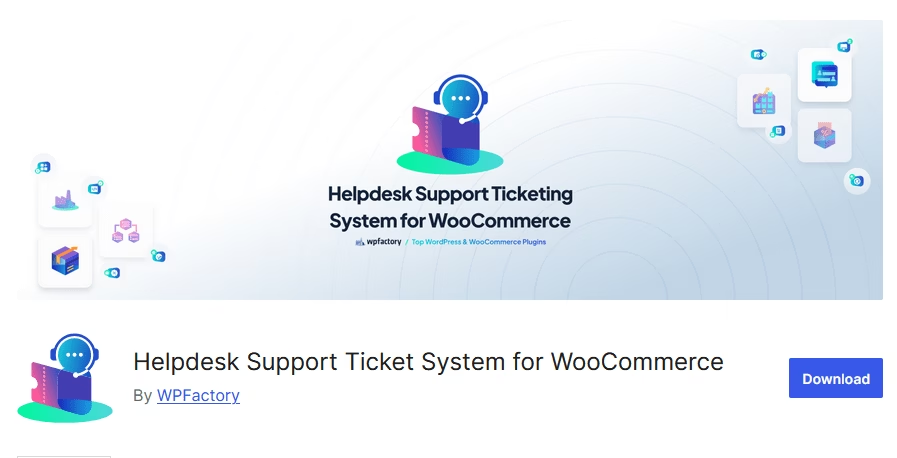
Im Gegensatz zu allgemeinen Helpdesk-Plugins konzentriert sich HelpDesk für WooCommerce (von WPFactory) auf die WooCommerce-Integration.
Es integriert nahtlos ein Supportsystem in das WooCommerce-Kundenerlebnis und ist somit ideal für E-Commerce-Unternehmen.
Hauptfunktionen von HelpDesk für WooCommerce:
- Fügen Sie einen Abschnitt für Support-Tickets zur Seite „Mein Konto“ hinzu (WooCommerce-Frontend-Portal).
- Kunden können neue Tickets erstellen, den Ticketverlauf einsehen und vom selben Konto-Dashboard aus antworten.
- Kunden können direkt von der Bestellseite aus ein Ticket eröffnen.
- Verknüpfte Bestellinformationen neben jedem Ticket anzeigen
- Tickets als benutzerdefinierten Post-Typ speichern
- Senden Sie E-Mail-Benachrichtigungen an Kunden, wenn Agenten antworten.
- Unterstützt Dateianhänge, grundlegende Ticketstatus und manuelle Agentenzuweisung.
Preise
Das Plugin HelpDesk for WooCommerce ist kostenlos und kann von der WordPress-Website heruntergeladen werden.
Es gibt eine Pro-Version, die Extras wie die automatische Zuweisung von Tickets an bestimmte Agenten, weitere Anhangsoptionen und einige Automatisierungsregeln hinzufügt.
Warum das HelpDesk für WooCommerce Plugin verwenden?
WPFactorys HelpDesk für WooCommerce ist eine elegante Lösung, um Ihren Kunden die Gewissheit zu geben, dass Hilfe nur einen Klick entfernt ist. Es hält Supportanfragen organisiert und mit der relevanten Bestellung verknüpft, was schnellere Lösungen bedeutet. Für WooCommerce-Website-Besitzer ist es definitiv eines der besten kostenlosen Support-Ticket-Plugins, die Sie in Betracht ziehen sollten.
9. tawk.to Live Chat + Ticketing – 100% kostenloser Live-Chat & Helpdesk
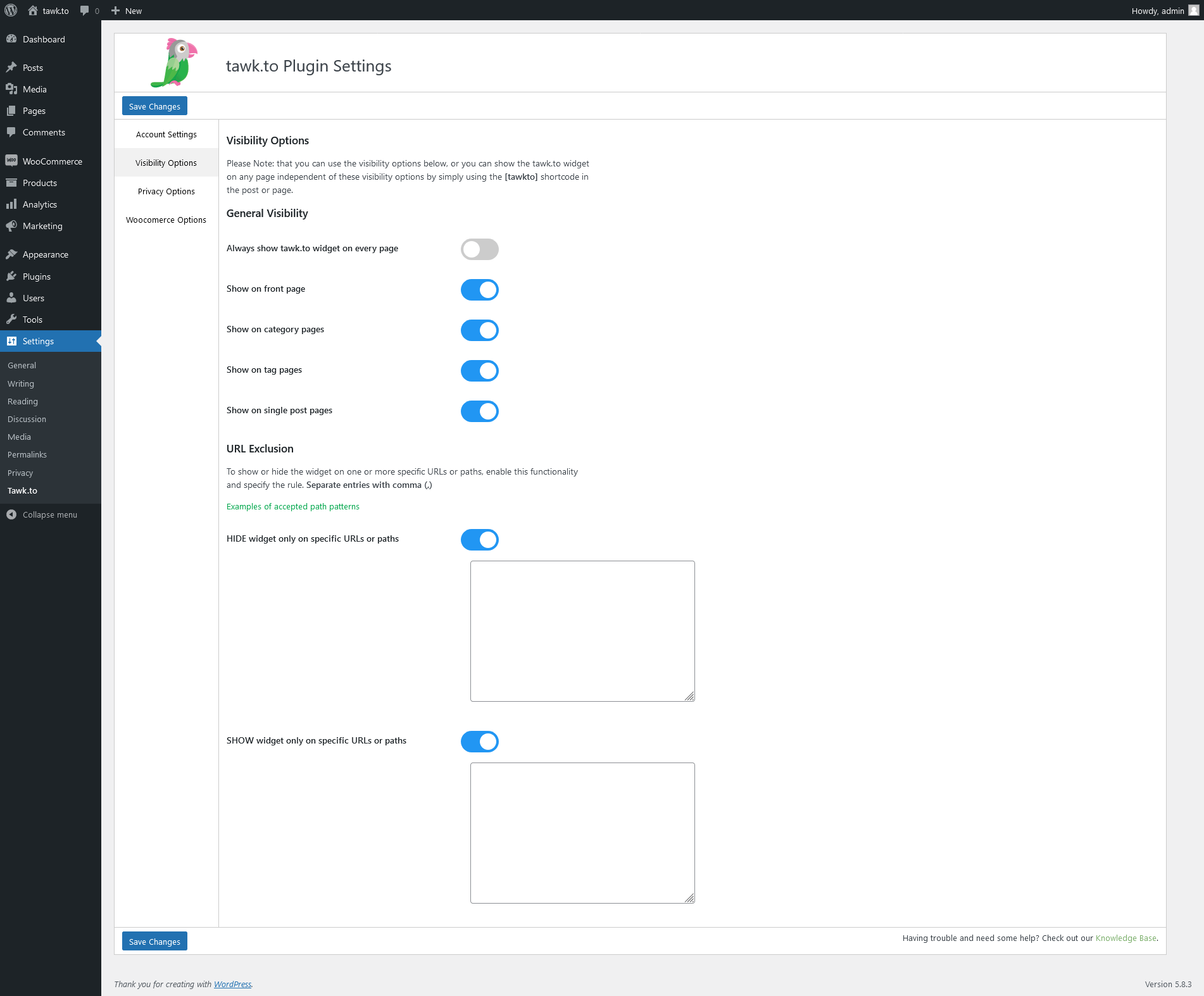
Tawk.to verdient einen Platz auf dieser Liste, da es eine kostenlose Live-Chat- und Ticketlösung anbietet, die sich über ein Plugin in WordPress integrieren lässt.
tawk.to ist eigentlich ein SaaS-Dienst, aber ungewöhnlich für SaaS – er ist völlig kostenlos für unbegrenzte Agenten und Chats.
Sie verdienen Geld, indem sie eine kostenpflichtige Option anbieten, um Branding zu entfernen oder Agenten auszulagern, aber die Kernplattform ist für immer kostenlos.
So funktioniert's: Fügen Sie das Tawk.to-Plugin zu Ihrer WordPress-Website hinzu und verbinden Sie Ihr Konto. Dies fügt Ihrer Website ein Chat-Widget hinzu. Besucher können dann in Echtzeit mit Ihnen chatten. Wenn keine Agenten online sind, verwandelt sich das Widget in ein Kontaktformular, mit dem Besucher „eine Nachricht hinterlassen“ können. Diese Nachricht wird dann zu einem Ticket im Tawk.to-Dashboard.
Hauptfunktionen von Tawk.to:
- Vereinigter Posteingang für Website-Chats und Support-Tickets im Tawk.to-Dashboard oder in der App.
- Verbinden Sie zusätzliche Kanäle wie Facebook-Nachrichten
- Das Live-Chat-Widget kann zu jeder WordPress-Seite hinzugefügt werden, einschließlich WooCommerce-Produkt- und Checkout-Seiten.
- Agent kann Details des angemeldeten Benutzers sehen
- Der kostenlose Plan erlaubt unbegrenzte Agenten, Chats und Tickets ohne Nutzungslimits.
- Proaktive Chat-Trigger
- Vordefinierte Antworten
- Unterstützt Dateiübertragungen im Chat für Screenshots, Rechnungen und andere hilfreiche Anhänge.
- Besucher in Echtzeit verfolgen
- Integriertes Wissensdatenbankmodul zum Veröffentlichen einfacher Hilfeartikel.
- Offline-Nachrichten und Support-E-Mails werden automatisch in Tickets umgewandelt.
- Bearbeiten Sie Ticketantworten in einer E-Mail-ähnlichen Oberfläche
Preise
Tawk.to ist kostenlos. Es gibt eine kostenpflichtige Option, aber diese entfernt nur ihre Marken und hilft Ihnen bei der Auslagerung von Agenten.
Warum Tawk.to verwenden?
Es ist wohl der beste kostenlose Live-Chat für WordPress und dient praktisch als kostenloses Ticketsystem für Offline-Anfragen. Wenn Echtzeit-Support für Sie wichtig ist, deckt tawk.to diesen Bedarf ab, und Sie müssen kein separates Ticket-Plugin für die gelegentliche Frage außerhalb der Geschäftszeiten pflegen.
Abschließende Gedanken
Ob Sie sich für ein natives WordPress-Plugin entscheiden oder einen Drittanbieterdienst integrieren, es mangelt nicht an hervorragenden kostenlosen Helpdesk-Lösungen für Ihre WordPress-Website.
Alle von uns untersuchten Optionen können Ihnen helfen, einen besseren und schnelleren Support zu bieten, ohne ein Vermögen auszugeben oder überhaupt etwas zu bezahlen.
Entdecken Sie weitere solcher Anleitungen aus der folgenden Liste.
Weiterführende Literatur
Die beste IT-Ticketing-System-Software von 2026 (meist kostenlos)
Die besten WordPress-E-Mail-Management-Plugins
11 beste WordPress-KI-Chatbot-Plugins (meist kostenlos)
Top Help Scout-Alternativen in 2026
Die besten WooCommerce-Support-Ticket-Plugins
Best Practices für Help Desks für IT und Service Desks