7 Best Outline Knowledge Base Alternatives in 2026 (Free & Open-Source)


Outline is one of the best-looking team wikis you can run, and that’s exactly what makes leaving it awkward.
Teams fall for the editor, then run into the source-available license, the mandatory identity provider for self-hosting, or a cloud bill that jumps from $10 to $79 a month the day your 11th person joins.
The search for Outline alternatives starts there.
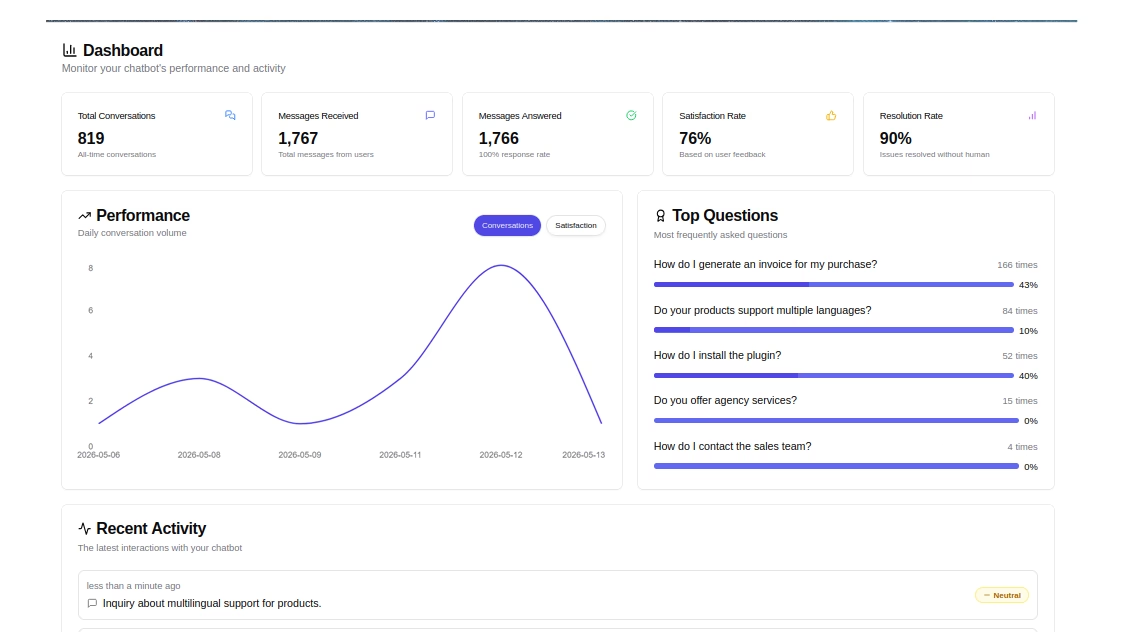
HelpJet – FREE AI Chatbot
Go beyond traditional knowledge bases. HelpJet turns your existing support content into an AI-powered assistant that helps customers find answers through conversation.
In This Guide
- What Is Outline Software? A Quick 2026 Review
- How We Picked and Evaluated These Outline Alternatives
- Best Outline Alternatives for Your Knowledge Base in 2026
- 1. Heroic Knowledge Base: Best for a Customer-Facing Help Center
- 2. Docmost: Best Open-Source Outline Alternative Overall
- 3. BookStack: Best Simple Self-Hosted Wiki for Internal Docs
- 4. Trilium Notes: Best for a Private, Personal Knowledge Base
- 5. DokuWiki: Best Lightweight Wiki With No Database
- 6. AFFiNE: Best for Docs and Whiteboards in One Workspace
- 7. AppFlowy: Best Notion-Style Workspace With Local Data
- 1. Heroic Knowledge Base: Best for a Customer-Facing Help Center
- How to Migrate From Outline Without Losing Content
What Is Outline Software? A Quick 2026 Review
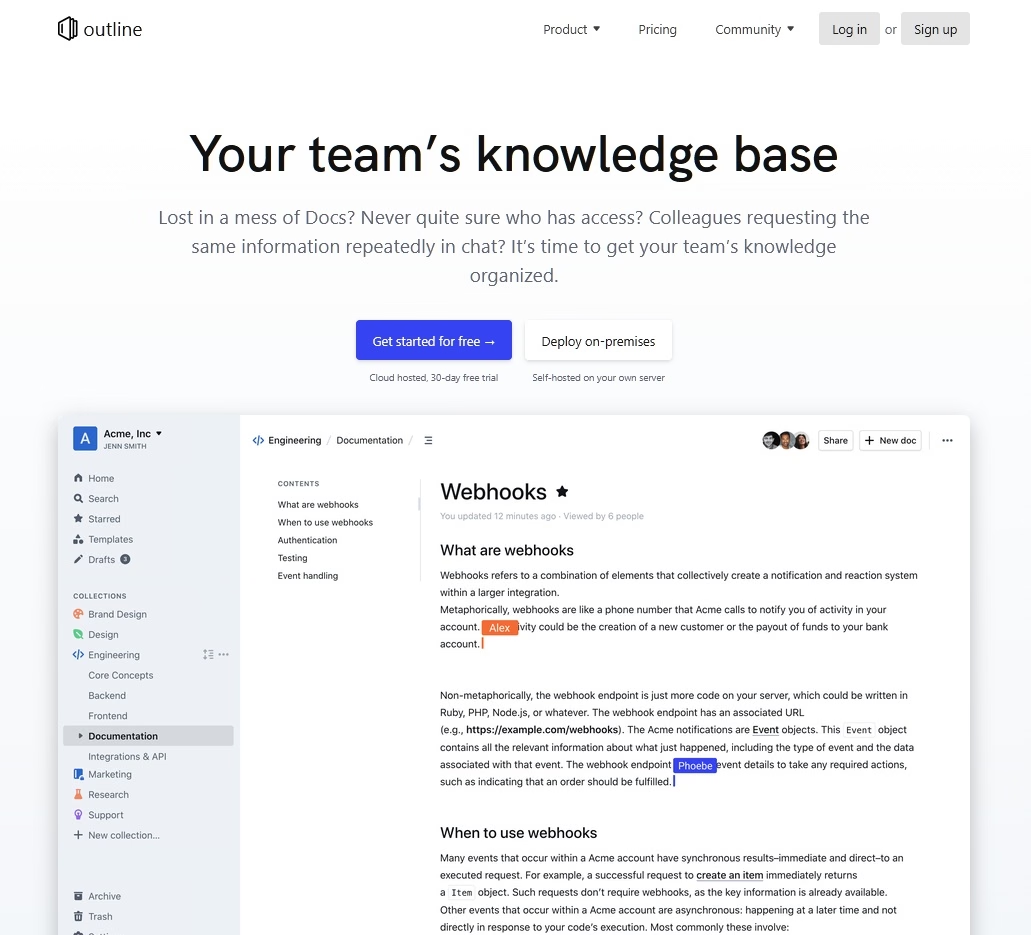
Outline is a team wiki and knowledge base built by General Outline, Inc. in New York. You write in a Markdown-friendly block editor, organize documents into nested collections, edit together in real time, and search everything from one sidebar.
It runs as a hosted cloud app or on your own server, and its GitHub repository has more than 41,000 stars. Which makes it one of the most popular self-hosted wikis around.
What Outline Does Well
Outline earns its reputation in a few specific places. Here’s what still stands out in the current release:
- Speed: The v1.11.0 release on Oct. 12, 2026, was mostly performance work. Lead developer Tom Moor framed the goal as keeping Outline “the fastest team knowledge base on the market,” and it shows in large workspaces.
- Editor quality: Markdown shortcuts, slash commands, drag handles, comments, and live co-editing make Outline feel closer to Google Docs than to a classic wiki.
- AI and agent hooks: AI answers pull from your own documents, and an MCP server lets assistants like Claude or ChatGPT read and act on your workspace.
- Integrations and API: Slack, Zapier, webhooks, and a full API cover most team workflows.
- Clean exports: You can export to Markdown, JSON, HTML, and the Open Knowledge Format, so leaving Outline is easier than leaving most hosted wikis.
Is Outline Free? Outline Pricing in 2026
Outline Cloud isn’t free after the trial.
Plans are priced by team size rather than per seat, and every new workspace gets 30 days free before it turns read-only until you add a payment method (Outline pricing).
| Outline plan | Team size | Price |
|---|---|---|
| Cloud | 1-10 members | $10 per month |
| Cloud | 11-100 members | $79 per month |
| Cloud | 101-200 members | $249 per month |
| Self-hosted Community Edition | Any size | Free, with limited features and no support |
| Self-hosted Business | 10-user minimum | $4 per user per month, billed annually |
| Self-hosted Enterprise | 100-user minimum | $5 per user per month, billed annually |
Outline’s pricing is generous for teams of about 80 people, but expensive for smaller or larger teams. A 12-person team pays the same $79 as a 95-person team, which makes Outline a bargain at 80 people and a tough sell at 12.
Nonprofits and schools receive a 30% discount, so be sure to ask about it before ruling Outline out.
Is Outline Open Source?
Not in the strict sense. Outline uses the Business Source License 1.1, which is source-available: you can read the code and self-host it for your own company, but you can’t offer it to others as a commercial document service. Each release converts to the Apache 2.0 license after a change date roughly four years later.
For most internal teams, the BSL is a non-issue. It becomes a dealbreaker for agencies that want to host wikis for clients, and for companies whose procurement rules require an OSI-approved license.
Can You Self-Host Outline?
Yes, but plan for more moving parts than the clean editor suggests. A self-hosted Outline setup needs:
- PostgreSQL and Redis: Both are required, plus local or S3-compatible file storage.
- An authentication provider: Nobody can sign in until you configure Google, Slack, Microsoft, Discord, or a generic OIDC provider, and email magic links need working SMTP.
- A paid edition for some features: The free Community Edition leaves out AI answers, guest users, SAML, the Confluence importer, and the audit log, which all live in the Business edition.
Where Outline Falls Short
Here’s where the friction shows up most often:
- Internal-first design: Public sharing exists, but Outline lacks the SEO controls, branding, search analytics, and article feedback a customer help center needs.
- Pricing cliffs: The jump from $10 to $79 a month at 11 members lands right when a startup is watching every subscription.
- AI paywall on self-hosted installs: AI answers need the Business edition, an OpenAI key, and the pgvector extension, and they don’t index attachment content yet.
- Every user needs an email address: Teams whose directory accounts lack emails run into this during SSO setup.
Most people don’t leave Outline because it’s bad. They leave because Outline is built for one job (a fast internal wiki for one company), and their needs have drifted away from that job.
How We Picked and Evaluated These Outline Alternatives
Our product evaluation policy explains how we handle our own products in roundups like this one. With that we did consider following 11 criteria, roughly in order of importance for someone leaving Outline:
- License: OSI-approved licenses (MIT, AGPL, GPL, LGPL) scored higher than source-available or open-core setups, and we flagged every license gotcha we found.
- Self-hosting effort: We counted moving parts (databases, caches, auth providers) and checked whether the official Docker setup is realistic for a small team.
- Editor quality: Block editing, Markdown support, slash commands, and embeds.
- Real-time collaboration: Live co-editing versus lock-and-save editing.
- Permissions and SSO: Space, page, and group-level access, plus which edition SSO lives in.
- Search: Full-text search quality and whether attachments get indexed.
- Integrations and API: Slack, Git, webhooks, REST APIs, and MCP support.
- AI features: What’s free, what’s paywalled, and whether you can bring your own model.
- Import paths: How easily an Outline Markdown or JSON export lands in the new tool.
- Pricing and value: Free tier usefulness, self-hosted cost, and paid plans.
- Project health: Release cadence, security patch speed, and maintainer responsiveness in 2026.
Best Outline Alternatives for Your Knowledge Base in 2026
Here’s a short comparison table of Outline vs. the Best Alternatives. Use this table to shortlist two or three tools, then read the full reviews below.
| Tool | Best for | License | Self-hosting effort | Live co-editing | Free option | Paid from |
|---|---|---|---|---|---|---|
| Outline (for reference) | Fast internal team wiki | BSL 1.1 (source-available) | Moderate to hard | Yes | Self-hosted Community Edition | $10/month (cloud, 1-10 members) |
| Heroic Knowledge Base | Public and internal help center | Premium WordPress plugin | Easy | No | None | $84.50/year (1 site, unlimited users) |
| Docmost | Closest Outline replacement | AGPL-3.0 (open core) | Easy to moderate | Yes | Self-hosted Community Edition | $6/seat/month (Business, 10-seat minimum) |
| BookStack | Structured internal docs | MIT | Easy | No | Self-hosted, all features | No paid tier |
| Trilium Notes | Personal knowledge base | AGPL-3.0 | Easy | No (single user) | Everything | No paid tier |
| DokuWiki | Lightweight wiki, no database | GPL v2 | Easy | No | Self-hosted, all features | No paid tier |
| AFFiNE | Docs plus whiteboards | MIT editor, MPL 2.0 and EE server | Moderate | Yes | Cloud plan, self-hosting up to 10 members | $6.75/month (Pro) |
| AppFlowy | Notion-style docs and databases | AGPL-3.0 app, commercial self-host server | Moderate to hard | Yes | Desktop app | $6/month (self-hosted One tier, annual) |
Prices were checked on each vendor’s site in October 2026. Cloud pricing changes often, so confirm the current plan page before you buy.
1. Heroic Knowledge Base: Best for a Customer-Facing Help Center
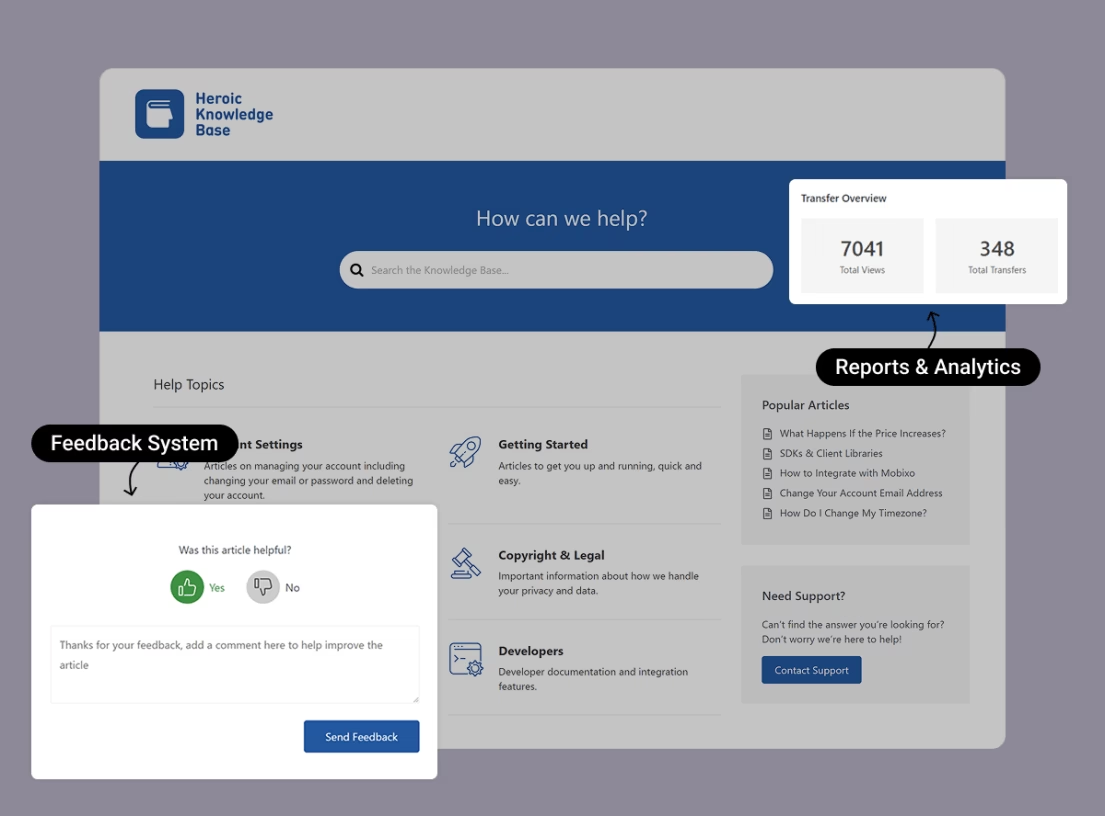
What if your knowledge base isn’t for your team at all, but for your customers? That’s the gap Outline doesn’t fill, and it’s where Heroic Knowledge Base (Heroic KB) comes in.
Heroic KB started as the tool HeroThemes used to scale its own support documentation, and it has grown into a full help center toolkit.
Heroic KB vs. Outline isn’t a like-for-like fight. Outline focuses on internal wiki where your team drafts together in real time, while Heroic KB is a public (or access-restricted) knowledge base that lives on your own domain.
Key Features:
- Instant search: Live, AJAX-powered search suggests articles as visitors type, which is where most ticket deflection happens.
- Search analytic: Popular and failed search reports tell you which article to write next.
- Article feedback: Readers vote on whether an article helped, and transfer analytics show which articles still lead to tickets.
- Access control: Restrict the whole knowledge base, single categories, or individual articles to logged-in users or WordPress roles.
- AI Chatbot (HelpJet): Integrates with HelpJet, a free AI chatbot from HeroThemes, to provide AI assistants on your knowledge base.
- WordPress-native editing: Writers use the block editor they already know, with custom blocks for search bars, category grids, and helpfulness voting.
- Bundled extras: Every plan includes a dedicated knowledge base theme, an FAQ builder, a glossary builder, WPML multilingual support, and article CSV import.
- Ticket deflection: WPForms, Formidable Forms, and Gravity Forms integrations prompt people to search before they submit a support request.
- Thousands of WordPress plugins to enhance your knowledge base.
Cons:
- WordPress only
- No free version
Pricing
Heroic KB lists at $169 a year for Essential (one site), $349 for Plus (three sites), and $599 for Pro + AI (five sites). It supports unlimited users on every plan and offers a 14-day money-back guarantee.
You can get it for 50% off with the first-year introductory discount.
14-Day Money-Back Guarantee | 50% Off for the First Year
2. Docmost: Best Open-Source Outline Alternative Overall
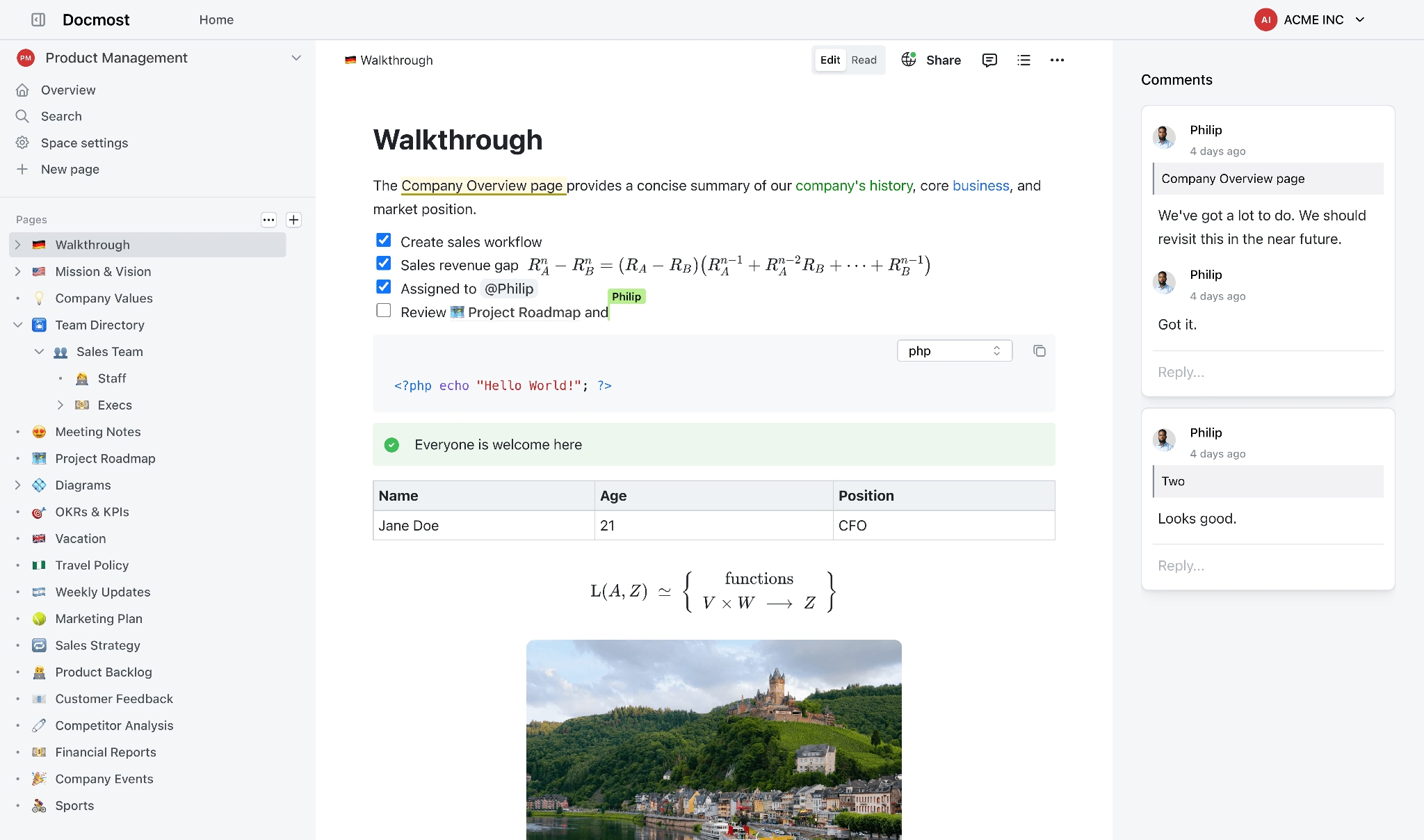
If you like Outline’s editor but not its license, try Docmost. It is an open-source collaborative wiki that positions itself as an alternative to Confluence and Notion, and its core is released under AGPL-3.0, a license the Open Source Initiative recognizes.
Docmost started as a clean editor with spaces and pages, and it has filled in the gaps at a steady clip.
The differences between Docmost and Outline can be boiled down to three points.
- Docmost ships with its own email and password login, so you can skip the external identity provider that Outline demands
- Docmost’s license is true open source. Third, Docmost’s free edition has a different paywall, with SSO, page-level permissions, and AI reserved for paid tiers.
- Outline still wins on API maturity and polish, but the gap is closing with each release.
Key Features:
- Built-in authentication
- Real-time collaborative editing: Several people edit the same page at once, with comments, mentions, and page history.
- Spaces and nested pages
- Rich block editor: Slash commands, tables, embeds, and built-in Draw.io, Excalidraw, and Mermaid diagrams.
- Importers: Markdown, HTML, and Notion imports cover the common migration paths, and the Business edition adds a Confluence importer.
- Full-text search: Built in, with attachment indexing for PDF and DOCX files in the Business edition.
- AI and MCP (Business): AI answers, an AI writing assistant, and MCP support let tools like Claude query your wiki.
- Developer link previews: GitHub, GitLab, Linear, Jira, and Azure DevOps previews arrived in October 2026.
Cons:
- Open-core split: SSO (SAML, OIDC, and LDAP), page-level permissions, MFA, and AI all sit in the paid Business edition, not the free AGPL core.
- Younger ecosystem
Pricing
Docmost’s Community Edition is free to self-host, the self-managed Business edition costs $6 per seat per month with a 10-seat minimum, and Enterprise is priced on request.
A 15-person team would pay $90 a month for Business, slightly more than Outline Cloud’s $79 band.
3. BookStack: Best Simple Self-Hosted Wiki for Internal Docs
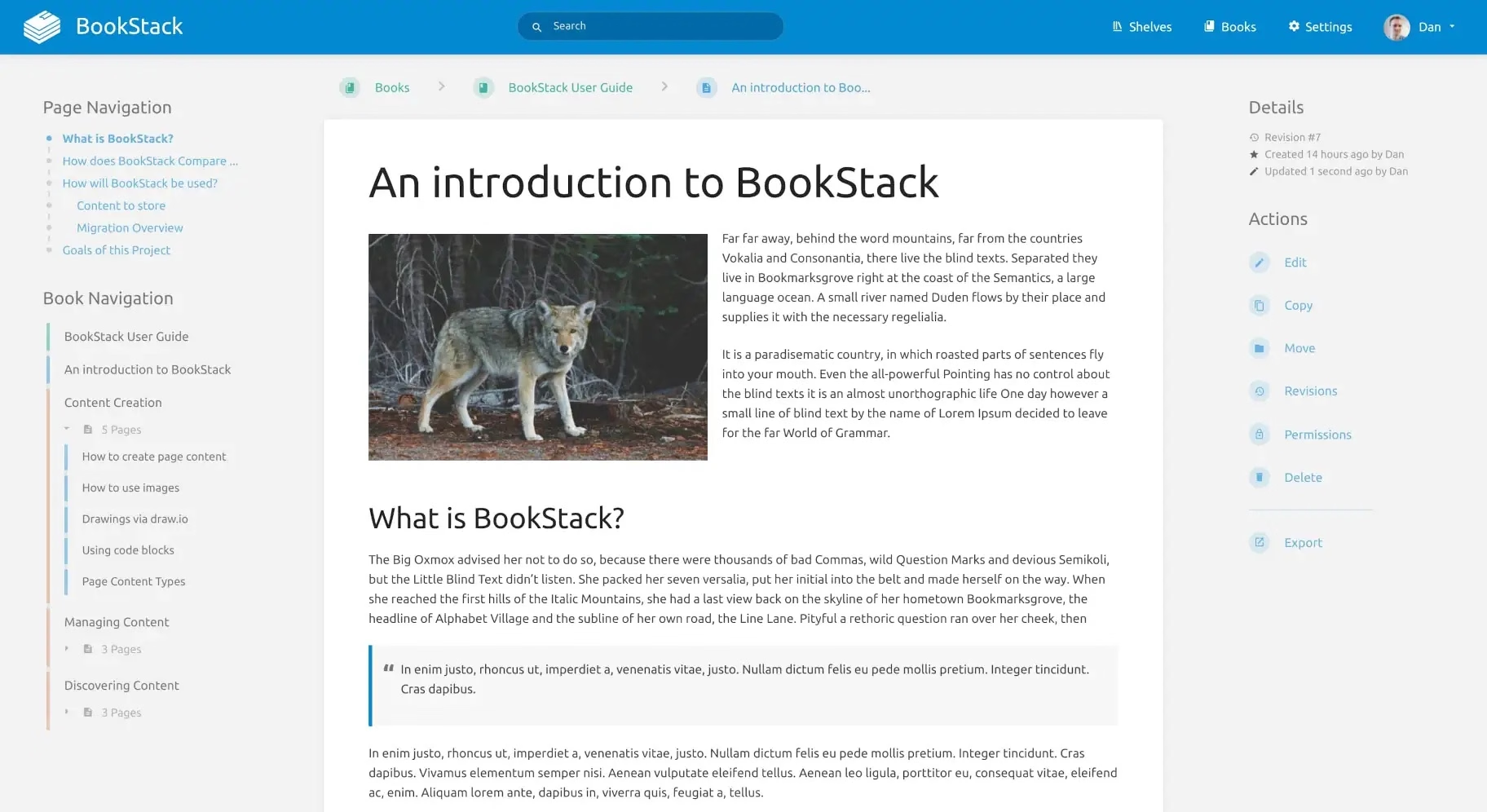
BookStack organizes knowledge the way a library does, and that one design choice is why so many IT teams love it. Content lives in a strict hierarchy of Shelves, Books, Chapters, and Pages, so a new hire finds the VPN setup guide the same way they’d find a chapter in a manual.
BookStack is free, MIT-licensed, and built on PHP and Laravel by maintainer Dan Brown, who has shipped regular releases since 2015.
BookStack vs. Outline is a trade between simplicity and live collaboration. BookStack runs on a small server with MySQL or MariaDB and needs no external identity provider, but two people can’t type in the same page at the same time. If your team writes alone and reads together, that trade costs you nothing.
Key Features:
- Book-style hierarchy
- Two editors: A WYSIWYG editor for most people and a Markdown editor for technical writers.
- Granular permissions: Role-based access at the shelf, book, chapter, and page level.
- Free SSO: Built-in accounts plus LDAP, SAML 2.0, and OIDC, with no paid edition required.
- Draw.io diagrams: Flowcharts and network maps live inside your pages.
- API and exports: A REST API plus HTML, PDF, plain text, and Markdown exports.
- Theme modules: Package and install customizations without touching core files.
Cons:
- No real-time co-editing
- No built-in AI: You won’t find AI answers or an AI writing assistant out of the box.
- BookStack is clean and fast, but it won’t impress anyone who just left Outline because of its dated looks.
Pricing
BookStack is completely free under the MIT license, with no paid tier, seat limits, or feature gates, so your only costs are a small server and your time. For pure value, nothing on this list beats it.
4. Trilium Notes: Best for a Private, Personal Knowledge Base
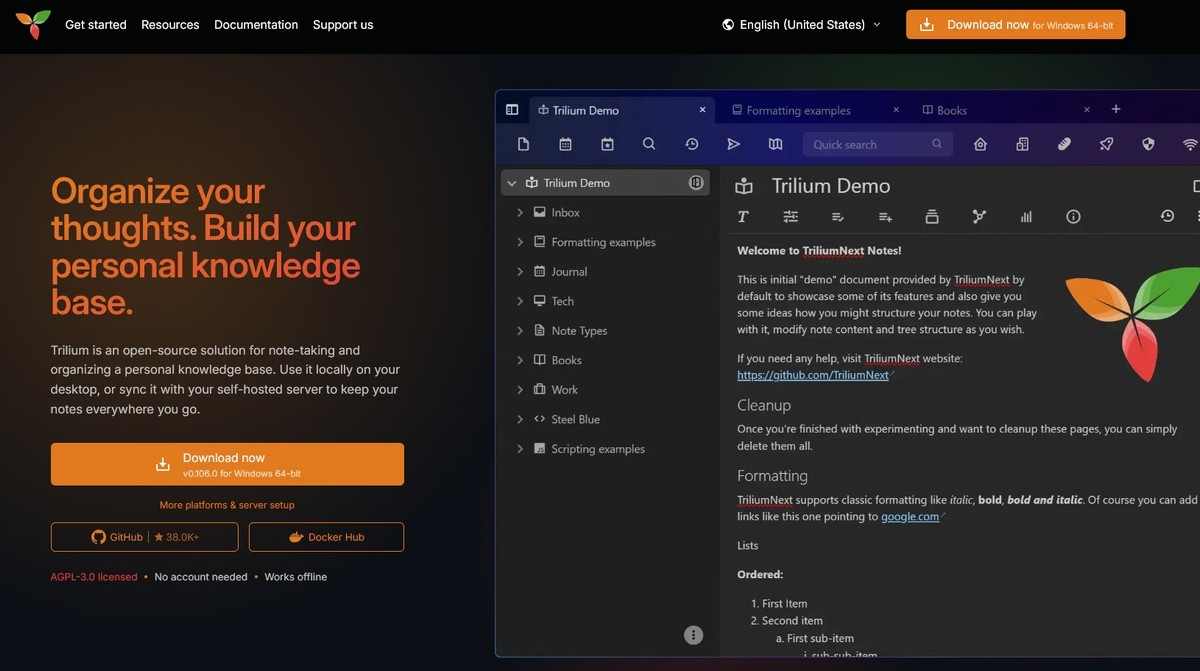
Is Outline overkill because you’re the only person writing? Then Trilium Notes deserves a look.
Trilium is an AGPL-licensed, hierarchical note-taking app built for personal knowledge bases with thousands of notes.
You can self-host a sync server and use Trilium from the desktop app or a browser, but there’s no team permission model or real-time co-editing. What you get instead is note cloning (one note in several places), scripting, relation maps, and protected, encrypted notes.
Key Features:
- Deep hierarchy and cloning: Place one note in several branches of the tree without duplicating it.
- Rich note types: Text, code, Mermaid diagrams, canvases, mind maps, geo maps, and Kanban boards.
- Encryption: Protected notes and encrypted backups for sensitive data.
- Scripting: Automate notes and build widgets with JavaScript.
- Imports: Bring content in from Markdown, Notion, and Obsidian.
Cons:
- Not a team tool
- Learning curve: Attributes, relations, and scripting take time to master.
Pricing
Trilium Notes is free and open source under AGPL-3.0, and you only pay for a server if you want sync across devices. For a personal knowledge base, the value is outstanding.
5. DokuWiki: Best Lightweight Wiki With No Database
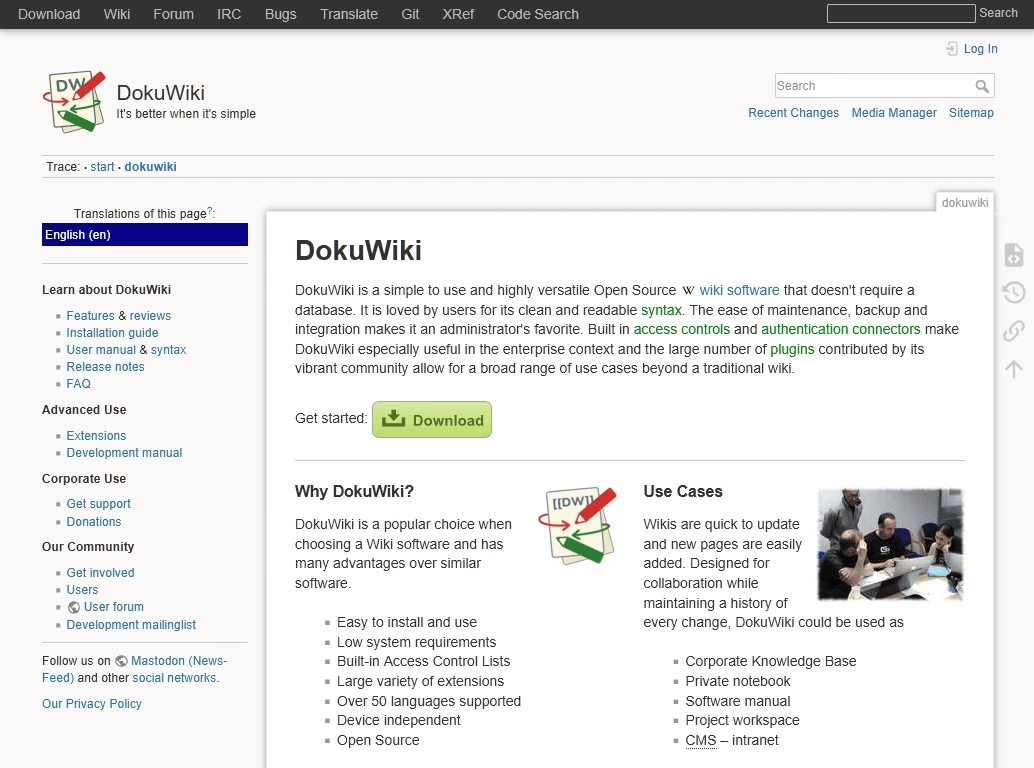
The knowledge base created with DokuWiki doesn’t need a database. It stores every page as a plain text file, runs on almost any PHP host, and is released under GPL v2.
DokuWiki has been around for two decades, and its improvements are steady rather than flashy: security fixes, plugin compatibility, and a gradually modernized codebase. Its plugin library is large, and its access control lists are surprisingly capable for such a light tool.
In comparison to Outline’s PostgreSQL, Redis, and an identity provider, DokuWiki only requires a folder and PHP.
You give up block editing, real-time collaboration, and modern design, and you gain near-zero maintenance plus backups you can copy with a file manager.
Key Features:
- No database: Flat-file storage makes backup, migration, and version history easy.
- Access control lists: Page and namespace permissions with user groups.
- Plugin ecosystem: Hundreds of plugins add editors, diagrams, authentication, and more.
- Revision history: Every change is stored and easy to compare.
- Low hosting requirements: Runs on inexpensive shared hosting or a tiny VPS.
Cons:
- The wiki syntax can be difficult for non-technical users, especially without a WYSIWYG plugin.
- No real-time co-editing: Page locking only.
- Dated design
- Weaker search at scale
Pricing
DokuWiki is free under GPL v2 with no paid edition, and it runs on inexpensive shared hosting. The value is hard to beat for small teams with simple needs.
6. AFFiNE: Best for Docs and Whiteboards in One Workspace
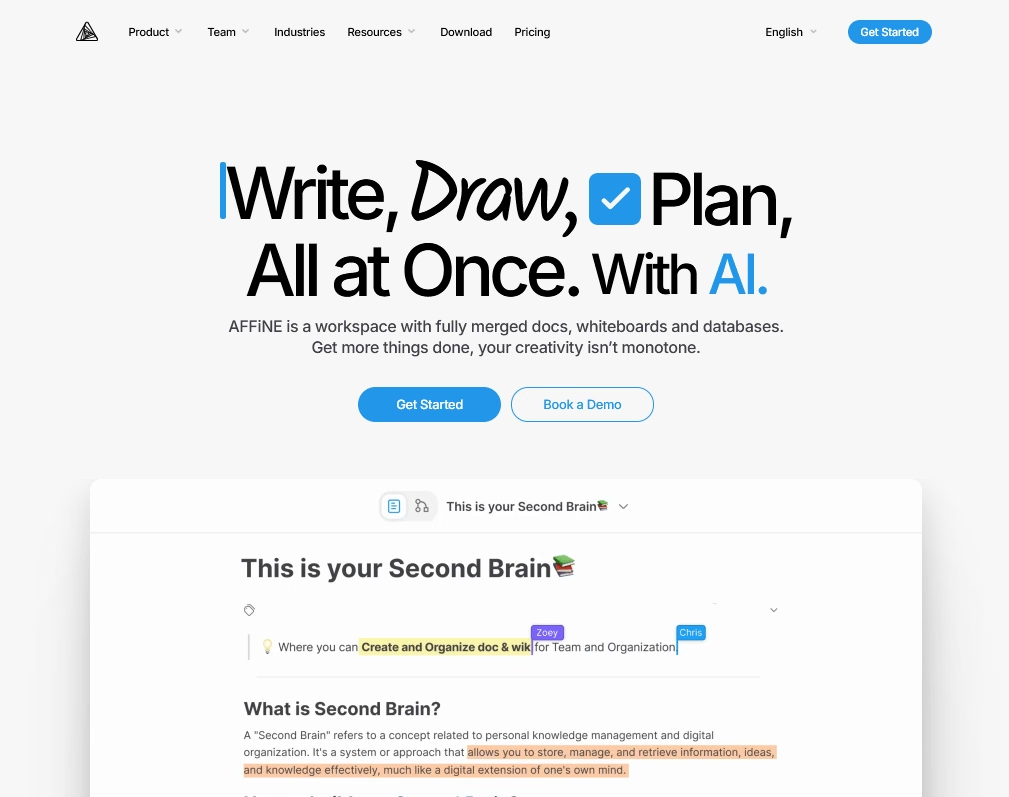
AFFiNE combines a block-based document editor with an “edgeless” whiteboard canvas, so the same content can flip between a page and an infinite board.
The company behind it, Toeverything, pitches AFFiNE as one replacement for a Notion-plus-Miro setup.
AFFiNE is a creative workspace first and a knowledge base second. Outline is built for structured, searchable documentation, while AFFiNE shines at brainstorming, planning, and visual thinking.
It suits small product and design teams that brainstorm visually and want docs and boards in one tool.
Key Features:
- Docs plus whiteboards: Switch any page between document mode and an edgeless canvas.
- Local-first and offline: Work without a connection and sync later.
- Real-time collaboration: Shared workspaces support live editing across web, desktop, and mobile apps.
- Lightweight databases and templates: Tables and views inside documents, plus a template gallery.
- AI add-on: Writing help, rewriting, summaries, and outline-to-mind-map conversion on a separate subscription.
- MCP server: Connect AI assistants to your AFFiNE workspace.
Cons:
- License complexity: MIT, MPL 2.0, and an Enterprise license all apply to different parts of the code.
- 10-member cap on free self-hosting
- Thin wiki features: Permissions and page hierarchy are less mature than Docmost or BookStack.
Pricing
AFFiNE’s free cloud plan covers three members per workspace, Pro costs $6.75 a month for up to 10 members, and Team costs $10 per seat per month billed annually.
Self-hosting is free for up to 10 members per workspace, and the AI add-on runs $8.90 a month billed annually.
7. AppFlowy: Best Notion-Style Workspace With Local Data
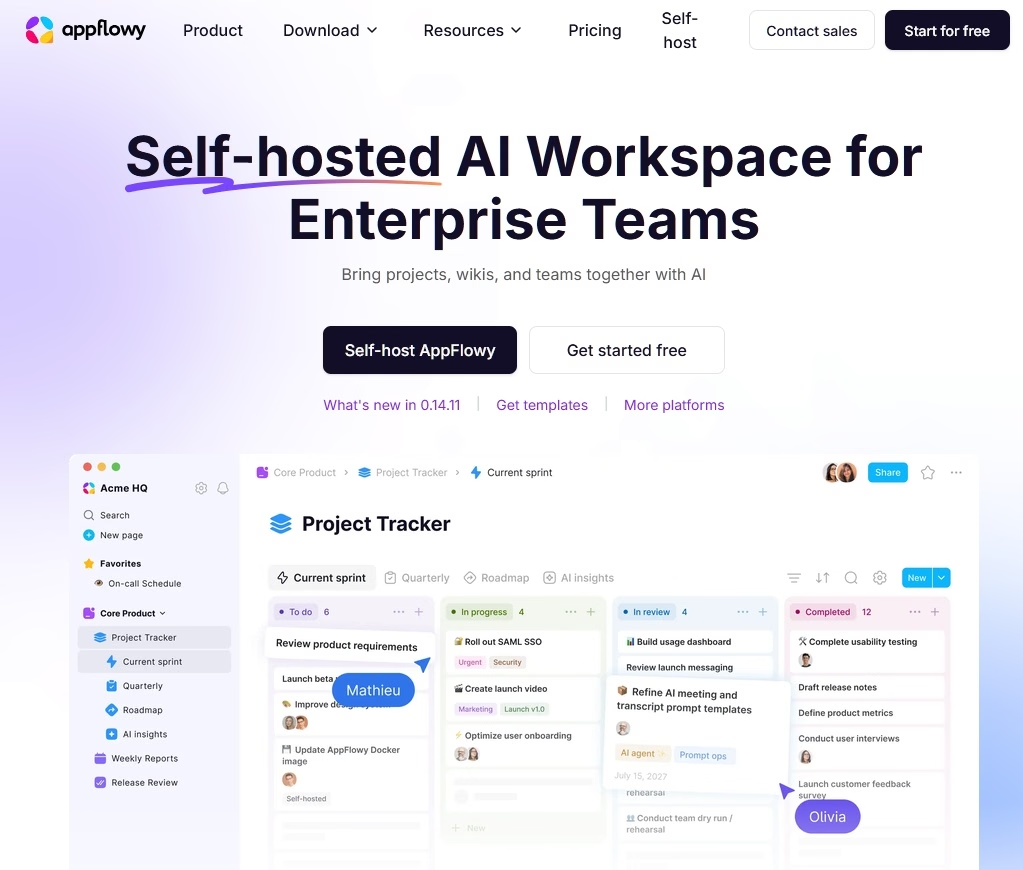
AppFlowy is the open-source project that most directly follows Notion’s playbook, and that’s both its strength and its risk. Built with Flutter and Rust, it offers block-based pages plus databases with grid, board, and calendar views, and its desktop app is free and AGPL-licensed.
AppFlowy’s main repository is one of the most-starred productivity projects on GitHub (77.8k stars), which shows how many people want a Notion they can own.
With AppFlowy you get databases, task boards, offline desktop apps, and built-in AI (including local model options), but less of the clean, document-first structure that makes Outline good for company knowledge.
Key Features:
- Notion-style blocks: Slash commands, nested pages, and rich embeds.
- Databases: Grid, board, and calendar views over the same data.
- Offline-first apps: Desktop and mobile apps write locally and sync when connected.
- Built-in AI: AI writing and chat features, with local model options for privacy-focused users.
- Cross-platform: Windows, macOS, Linux, iOS, and Android.
Cons:
- Commercial self-hosting: The open AGPL server is archived, and team self-hosting now runs under a proprietary license.
- Self-hosting involves PostgreSQL, Redis, object storage, and an auth service.
Pricing
AppFlowy’s desktop app is free, paid cloud plans add AI and collaboration, and self-hosted tiers start at $6 a month billed annually for the single-seat One plan, with team tiers above that.
How to Migrate From Outline Without Losing Content
Outline makes leaving easier, but a migration still breaks in predictable places: internal links, attachments, permissions, and nested structure.
Follow these steps to keep the damage small:
- Export everything twice. Export the workspace as Markdown (portable) and as JSON (which keeps more structure for backups). If your Outline Cloud trial has ended, you can still export while the workspace is read-only.
- Map collections to the new structure. Outline collections become Docmost spaces, BookStack books, or Heroic KB categories, so decide the mapping on paper first.
- Import a pilot collection. Pick your messiest collection (tables, images, embeds, deep nesting) and import only that, then check rendering, image paths, and code blocks before you touch the rest.
- Use the right import path for each tool:
- Docmost: Import Markdown or HTML directly.
- BookStack: There’s no one-click Outline importer, so use the REST API or a community script to push Markdown pages into books.
- Heroic KB: Convert pages to CSV and use the built-in article importer, covered in our post on the Heroic KB CSV importer and migration tools.
- Trilium Notes: Both import Markdown files directly.
- Fix internal links: Outline links documents by its own URLs, so cross-links usually break on import. Find a new tool to update those links in bulk where you can.
- Recreate the permissions manually. As groups and collection permissions are not included in a Markdown export, rebuild them before inviting the whole team.
- Make the Outline read-only for 30 days. Direct people to the new wiki, but keep Outline available as a reference until it is no longer required.
Once you’ve settled in, schedule a knowledge base audit after the first quarter to catch outdated pages the migration carried over.
Final Thoughts
Outline is still one of the best team wiki software you can use, so don’t leave it because a list or ad told you to. Leave it when the license, the authentication setup, or the pricing bands get in your way.
Whichever tool you pick, export your Outline content to Markdown first, pilot with a small group, and judge the tool by how often people come back to it. That’s the only benchmark that matters.
Ready to build a help center your customers will use? Explore Heroic Knowledge Base and see how instant search, analytics, and an AI assistant work on your own WordPress site.
Further Reading
9 Best MkDocs Alternatives and Competitors
9 Best Help Scout Alternatives (Including Free Options)
Top Internal Knowledge Base Software in 2026 (Free and Paid)
What is Internal Documentation? And How to Create One
Best Internal Chatbots for Employee Support and Productivity






Leave A Comment?
You must be logged in to post a comment.