10 Best Email Management Software for Business and Customer Support


Whether you’re a customer support manager at a SaaS startup or a small business owner drowning in inquiries, the struggle is real.
Sifting through messages can feel like a full-time job. Unless you use proper email management software.
Relying on Gmail or Outlook is not a good idea because they are not designed for that purpose.
In this guide, I’ll break down what email management software is and what features to look for. Then, I’ll review the best email management tools available today.
Let’s get started, shall we?
In This Guide
- What Is Email Management Software?
- What to Look for in Email Management Software
- Best Email Management Software and Tools of 2026
- 1. Heroic Inbox: Shared Inbox and Ticketing System
- 2. Mozilla Thunderbird: Free and Open-Source Email Client
- 3. Canary Mail: Secure Email with AI
- 4. Front: Collaborative Team Inbox
- 5. Zoho Mail: Business Email Hosting and Suite Integration
- 6. osTicket: Open-Source Support Ticket System
- 7. Sortd: Gmail Add-On for Visual Email Organization
- 8. Missive: Team Email and Chat in One
- 9. Spike: Conversational Email with a Chat Twist
- 10. Mailbird: Unified Inbox and Productivity Apps
- 1. Heroic Inbox: Shared Inbox and Ticketing System
What Is Email Management Software?
Unlike basic email clients, email management software is designed to help you organize, prioritize, and respond more efficiently.
It’s like an intelligent layer on top of your existing inbox techniques that assists with many crucial tasks.
What to Look for in Email Management Software
From simple email management features to tracking every small detail of your marketing campaign, each email management system is designed with a purpose.
Based on your needs, you might have to choose different options.
But there are some key factors you should consider when evaluating options:
- Inbox Organization: Look for tools that offer labels, folders, tags, priority flags, and other ways to sort/categorize emails.
- Automation: Many email management tools can help you automate repetitive tasks. This can be as simple as auto-filtering newsletters into a folder, or as fancy as AI-suggested replies.
- Integrations: Check if the software integrates with your other tools, like CRM systems, project management apps, or help desks.
- Collaboration Features: If you’re working with a team, consider features like shared inboxes, the ability to assign emails to team members, internal notes or chat on emails, and so on.
- Reporting and Analytics: Dashboards showing metrics like first response time, average reply time, resolution rate, or even how many emails each team member handled.
- Templates and Saved Replies
- Security and Compliance: For businesses in healthcare, finance, or any field dealing with sensitive info, consider security features. End-to-end encryption, GDPR compliance, HIPAA compliance, might be non-negotiable.
- Ease of Use: Last but not least, you’ll want a tool that feels natural to use. If it’s too complex or clunky, you (or your team) won’t stick with it.

We rigorously test and research every product that we recommend through HeroThemes. Our review process. We may also earn a commission if you make a purchase through our links.
Best Email Management Software and Tools of 2026
Here are my top picks for email management software, spanning a range of use cases. You’ll definitely find software here that will take your email management to the next level.
Here’s a quick comparison table if you are in a hurry:
| Software | Best For | Key Features | Pricing | Ideal For |
|---|---|---|---|---|
| Heroic Inbox | Shared inbox + ticketing for teams | Team inboxes, assignments, internal notes, workflows, canned replies, AI chatbot | $79/year (2 mailboxes, unlimited users) | Small teams needing helpdesk-like inbox |
| Thunderbird | Free, customizable desktop client | Filters, tags, PGP encryption, calendar, open-source | Free, Pro at $9/month | Privacy-focused users, power email users |
| Canary Mail | Secure & AI-powered email | Zero-access encryption, email assistant, unified inbox, templates | Free, Premium ~$3/month | Professionals in healthcare, legal, etc. |
| Front | Multichannel + internal chat | Shared inbox, collision detection, chat, templates, analytics | $25/user/month | Support/sales teams with high collaboration |
| Zoho Mail | Business email hosting | Streams, filters, custom domain, CRM integration | Free (up to 5 users), $3/user/month | Small businesses using Zoho ecosystem |
| osTicket | Helpdesk via email | Ticketing, SLAs, internal notes, categories, open-source | Free (self-hosted), Cloud ~$9/month | Support teams with technical know-how |
| Sortd | Gmail + visual task management | Kanban inbox, follow-up reminders, assignments | Free, Pro ~$10/user/month | Gmail users managing leads or tasks |
| Missive | Team email + live collaboration | Real-time chat, task assignments, social + SMS inbox, collaborative replies | $14/user/month | Distributed teams sharing inboxes |
| Spike | Chat-style email | Conversational UI, video calls, AI assistant, real-time collaboration | Free, Pro $5/user/month | Users preferring fast, informal messaging |
| Mailbird | Unified desktop email client | Snoozing, integrations (Slack, Trello), speed reader, customization | Free, Premium $4/user/month | Multi-account users wanting productivity |
1. Heroic Inbox: Shared Inbox and Ticketing System
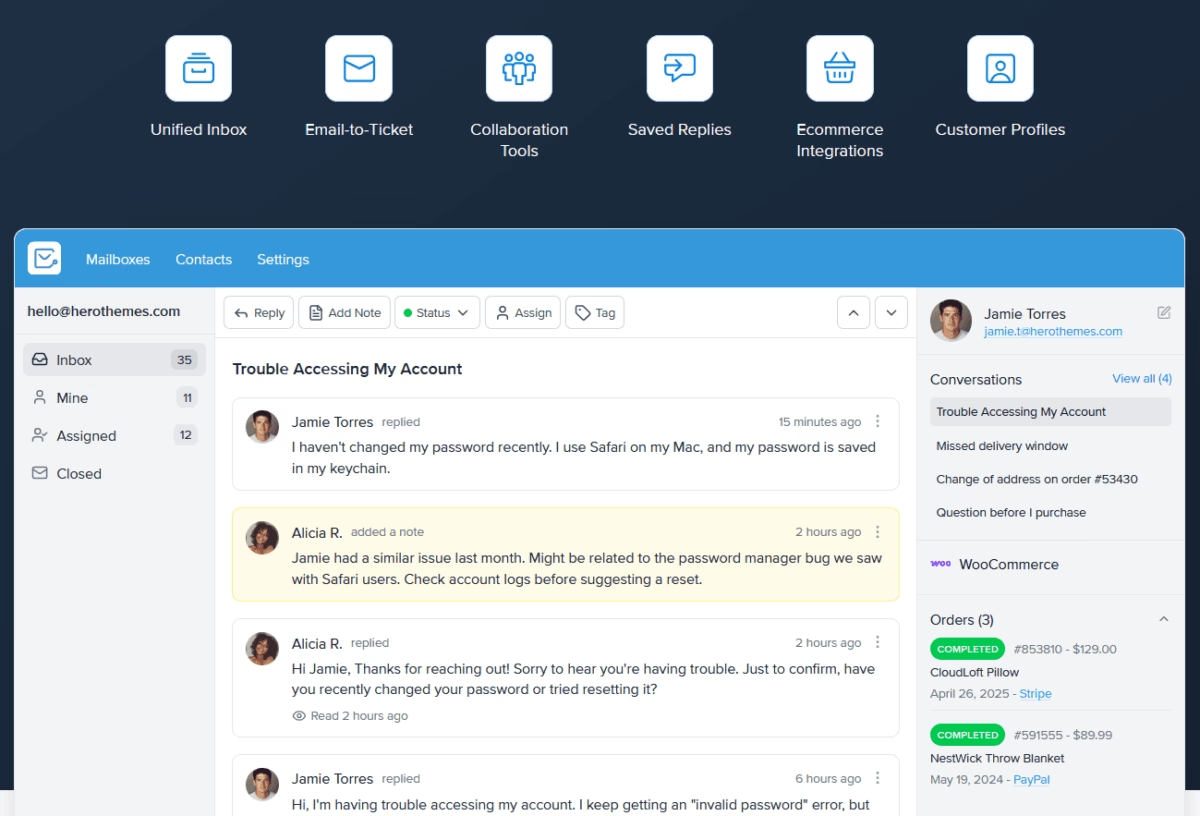
Heroic Inbox is a premium solution that brings helpdesk functionality right into your inbox. It converts all your emails into tickets, giving you better control over them.
It’s designed as a cost-effective alternative to SaaS helpdesks. You get unlimited users and emails on all plans, which is a huge plus for growing teams on a budget.
Key features:
- Create unified team inboxes (for addresses like support@ or sales@)
- Collaboration features like assigning conversations, internal notes, and status tags
- Multiple mailboxes
- Canned reply templates
- Workflow automations (e.g. auto-assigning tickets or sending instant autoresponders),
- Integration with the Heroic Knowledge Base plugin to power an AI support chatbot.
Pricing
Heroic Inbox is a paid email management software that starts at $79 per year. It allows you to have two mailboxes and covers unlimited agents and tickets. This can save you a lot compared to per-agent pricing models.
All plans also come with a 14-day money-back guarantee, so you can try it risk-free.
My take
Heroic Inbox is powerful yet straightforward. It offers a clean way to turn messages into trackable tickets, share context, and reply faster together. And at the same time it stays affordable.
2. Mozilla Thunderbird: Free and Open-Source Email Client
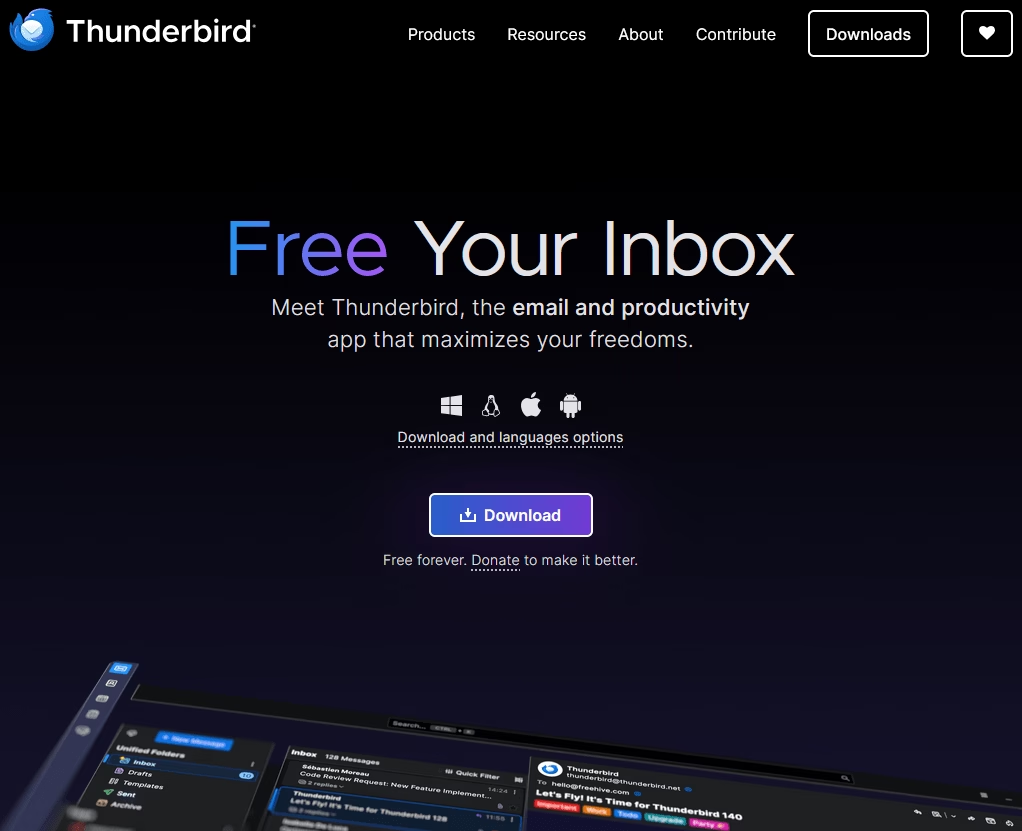
Mozilla Thunderbird is a classic. A free, open-source email client that’s been around for ages (from the makers of Firefox).
It’s a desktop app (Windows, Mac, Linux) that lets you aggregate all your email accounts in one place with a unified inbox, or keep them separate if you prefer.
Thunderbird is highly extensible and customizable too. With a ton of add-ons for extra functionality.
Key features:
- Powerful filtering and search
- Message tagging, and a built-in calendar
- Highly extensible and customizable
- Ton of add-ons for extra functionality
- Supports protocols like IMAP/POP
- Tools for chat and RSS
- Big emphasis on privacy and security
- Support for Pretty Good Privacy (PGP) encryption
Pricing
Thunderbird is free.
Right now, there is a Thunderbird Pro version in development. For the Early Bird Plan, it will cost you $9 per month.
Thunderbird Pro focuses more on a cloud-based client, the latest email standards like JMAP, simpler scheduling, and security.
My take
Thunderbird mail client is best for people who want a robust Outlook alternative without cost. The interface got a modern refresh recently, making it more sleek and easier to use. You can customize the layout, and use features like quick filters to slice through a cluttered inbox efficiently.
It may not have fancy AI features, but for pure email organization (especially if you have multiple accounts), Thunderbird remains solid.
3. Canary Mail: Secure Email with AI
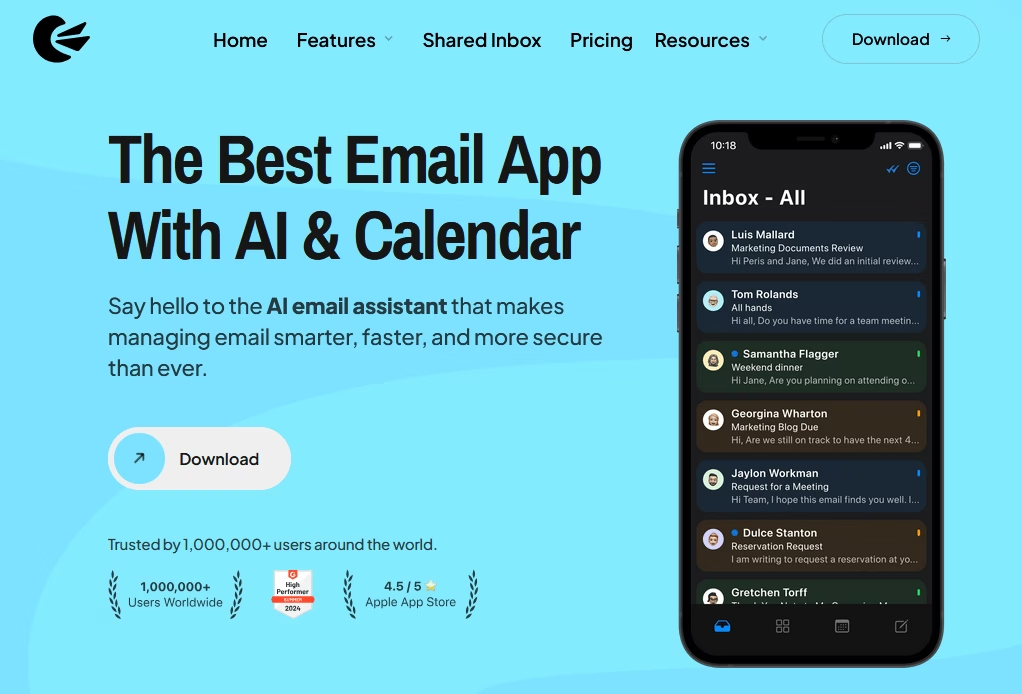
Canary Mail is a privacy- and productivity-focused email app. It offers end-to-end PGP encryption, making it ideal for users who need secure email, such as lawyers, healthcare providers, and those who are privacy-conscious.
Canary Mail also comes with an AI Email Assistant that can help draft emails, summarize long threads, and prioritize important messages.
It’s available on Mac, Windows, iOS, and Android for a seamless experience.
Key features:
- Supports all the major email services
- Clean and minimal interface
- Unified inbox
- Snooze (to temporarily hide emails until you’re ready)
- Email templates
- Zero-access encryption model (not even Canary’s servers can read your emails)
Pricing
Canary Mail offers a free tier with basic features, and premium plans starting around $3/month (billed annually) for the full feature set, including the AI and unlimited devices.
No subscription is required if you just want the core secure email functionality on one device, which is nice.
My take
Canary Mail doesn’t feel “techy”. It’s easy to use as any standard email client, just with a lot more brains and security under the hood. Making it one of the best email management software available today.
4. Front: Collaborative Team Inbox
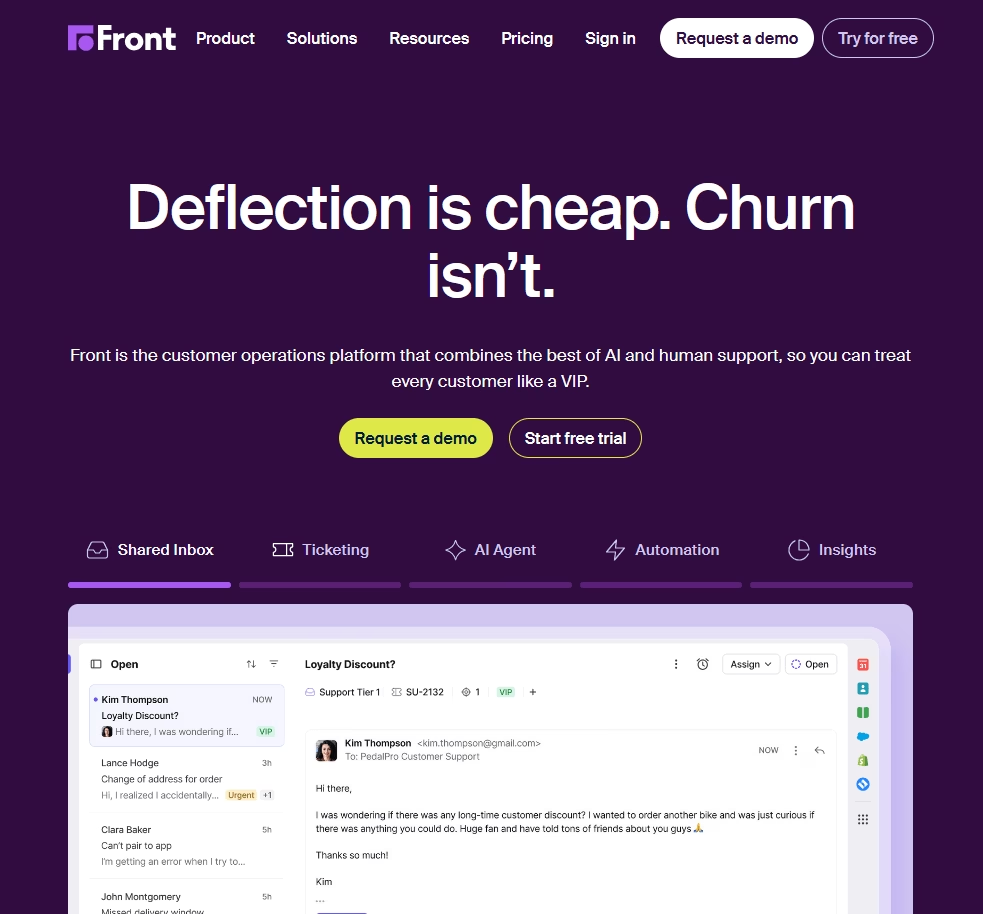
Front is a popular email management platform that makes team emails feel more like a collaborative chat app.
It’s designed for businesses that manage role-based addresses (like support@, sales@) and want multiple team members to work out of the same inbox without stepping on each other’s toes.
With Front, you can have multiple people accessing and responding from the same email account, but you’ll see when a colleague is replying, you can assign conversations to owners, and even chat internally on the email threads.
Key features:
- Internal comments on emails with @mentioning (no more back-and-forth in a separate Slack channel)
- Collision detection to prevent duplicate replies
- Templates, snoozing emails, tagging, assignments, analytics
- Centralize all customer communications with multichannel support: besides email, you can manage SMS, live chat, and social messages in Front.
- Robust integration capabilities (with CRM systems, project tools, etc.).
Pricing
Front is a paid service, with plans typically starting around $25 per user/month and up, depending on features and integrations.
My take
Front is an excellent choice for teams managing shared inboxes across various channels. Its clean UI, real-time collaboration, and collision detection features help streamline replies. Keep in mind that you have to pay a huge per user fee, best suited for teams that really need its advanced features.
5. Zoho Mail: Business Email Hosting and Suite Integration
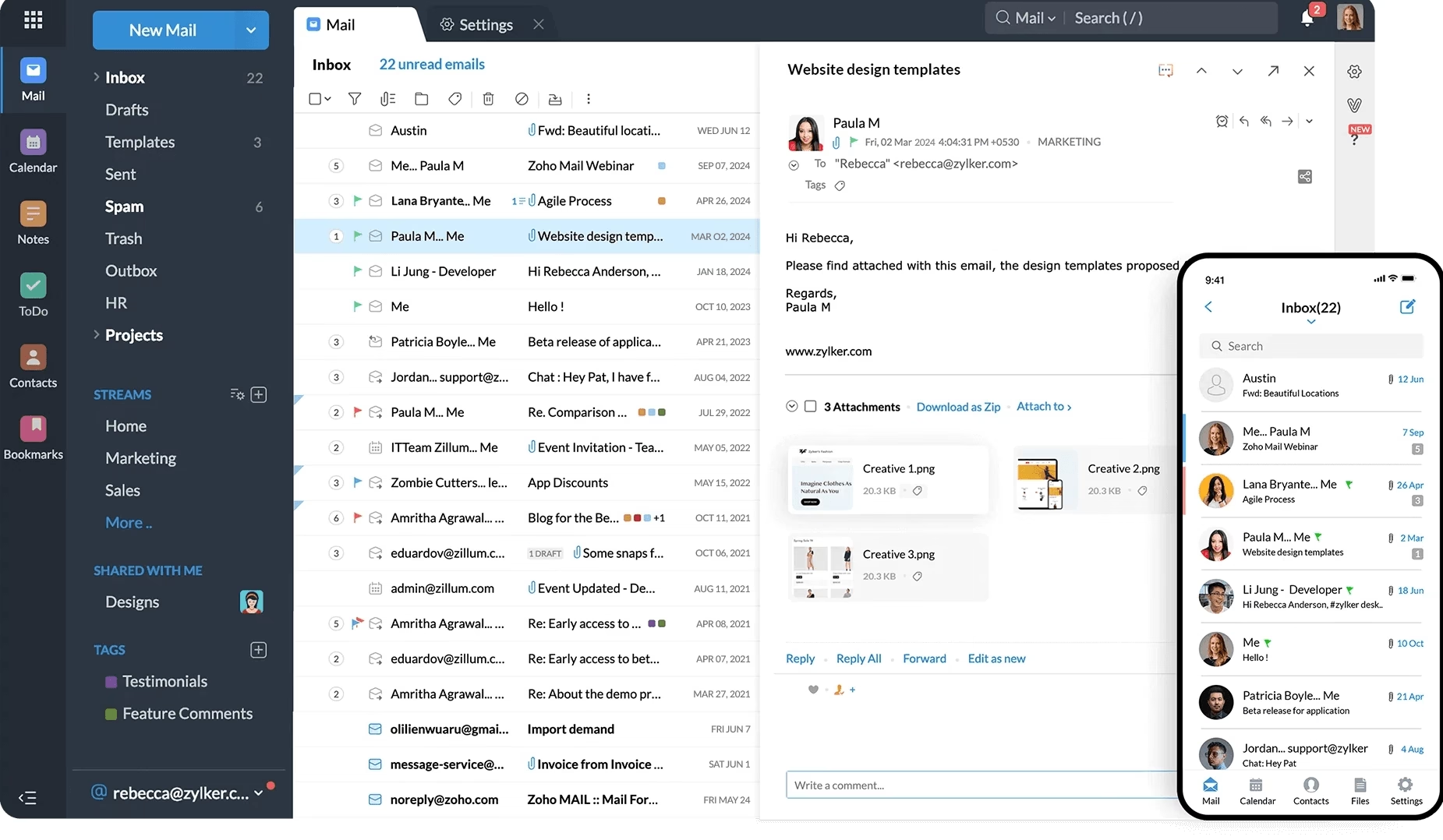
Zoho Mail is part of the Zoho business software suite, and it serves as a secure, ad-free email hosting service for custom domains (yourname@yourcompany.com) as well as a productivity hub.
It’s an alternative to Google Workspace or Microsoft 365, and it provides you email with calendar, contacts, tasks, notes, etc., all integrated.
The interface is clean and free of ads, which many users appreciate for business use.
One cool aspect: Zoho Mail has a feature called Streams, which basically turns email threads into a more collaborative social-media-like feed.
Key features:
- Multi-level folders, powerful search, filters
- Tag colleagues and have conversations about an email internally
- Out-of-office rules
- send large attachments via a cloud link
- Supports IMAP/POP protocols
- pretty robust mobile app
- Deep integration with Zoho CRM and other Zoho apps
Pricing
Zoho Mail offers a Forever Free Plan for up to 5 users on a single domain, which is great for a small biz just starting out.
Paid plans start at $3/user per month (if paid annually).
My take
Zoho Mail is a reliable and affordable email management software for small businesses that want a custom domain email address, a clean user interface, and strong CRM integration without paying Google or Microsoft prices. It’s reliable, ad-free, and effective—especially if you’re already using Zoho apps.
6. osTicket: Open-Source Support Ticket System
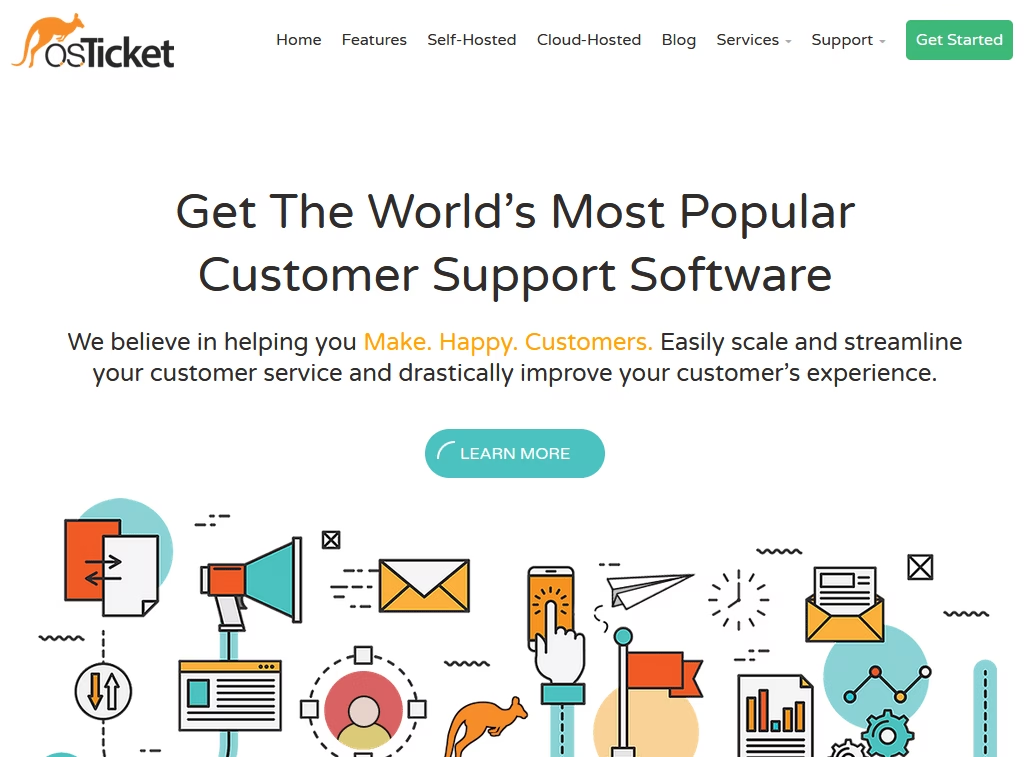
osTicket is an open-source helpdesk software that’s great for email-based support. It converts incoming emails into support tickets and helps you manage them.
osTicket can be a lifesaver if you’re running a customer support or IT help desk.
Key features:
- Ability to assign tickets to agents or teams
- Categorize emails by department or help topic, set priority levels
- Define SLA (service-level agreement) policies for response times
- Web portal for customers to check ticket status
- Add internal notes on tickets
- Collision detection
- Self-host osTicket on your server
Pricing
The core osTicket software is free (self-hosted). You’ll just pay for your hosting/server costs.
If you want osTicket to host it for you, they offer cloud plans starting at around $9 per month for a basic setup, with prices increasing based on the number of agents and features.
My take
The osTicket interface can be a bit utilitarian but very functional. For a free tool, it’s surprisingly feature-rich and reliable—no wonder it’s widely used and trusted for support operations.
Explore:
Best Free Open Source Knowledge Base Software
How To Create a Ticketing System: Step-By-Step Guide
7. Sortd: Gmail Add-On for Visual Email Organization
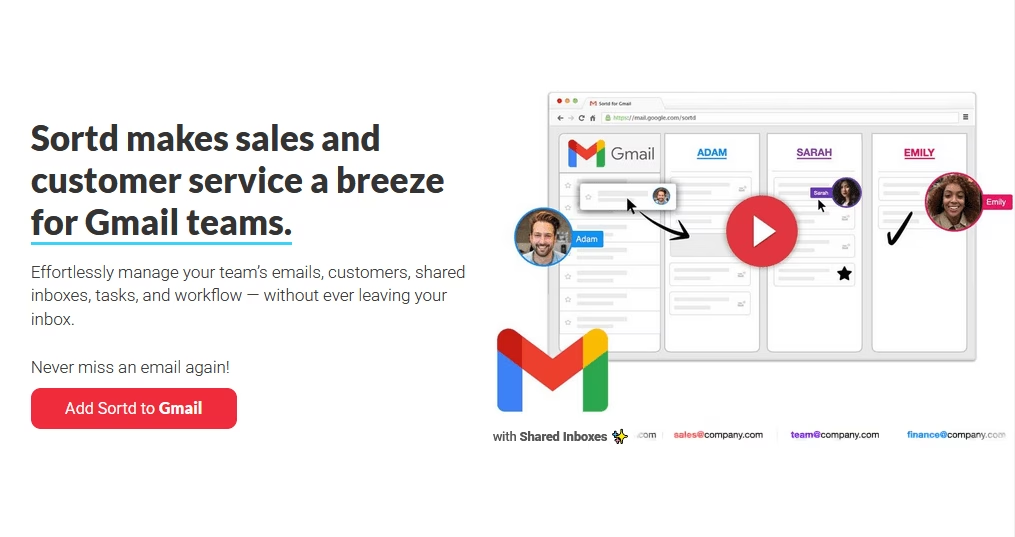
Sortd transforms your Gmail inbox into an organized workspace. Often described as “Trello for Gmail,” Sortd lets you drag emails into Kanban-style boards and lists.
This is fantastic for people who manage tasks or sales leads via email and want a better visual overview.
With Sortd, you can create columns such as “To Do,” “In Progress,” “Follow Up,” and so on, and move emails (or tasks you add) across these lists.
All of it happens right inside Gmail’s interface, so you’re not leaving your inbox.
Key features:
- Manage a shared inbox or coordinate with team members
- Collaboration features like assignments, reminders and notes
- Due dates for emails
- Turn your emails into tasks. Which keeps your inbox cleaner and your to-do list clear.
- Follow-up feature for outgoing emails to receive a notification if someone hasn’t replied by a certain time
Pricing
Sortd offers a free version, but it’s fairly limited. The Pro plan costs about $10 per user per month and includes essential features.
My take
Sortd is tightly integrated with Gmail, so setup is just a Chrome extension and a few clicks. Transforming your inbox into a to-do list can revolutionize your productivity.
8. Missive: Team Email and Chat in One
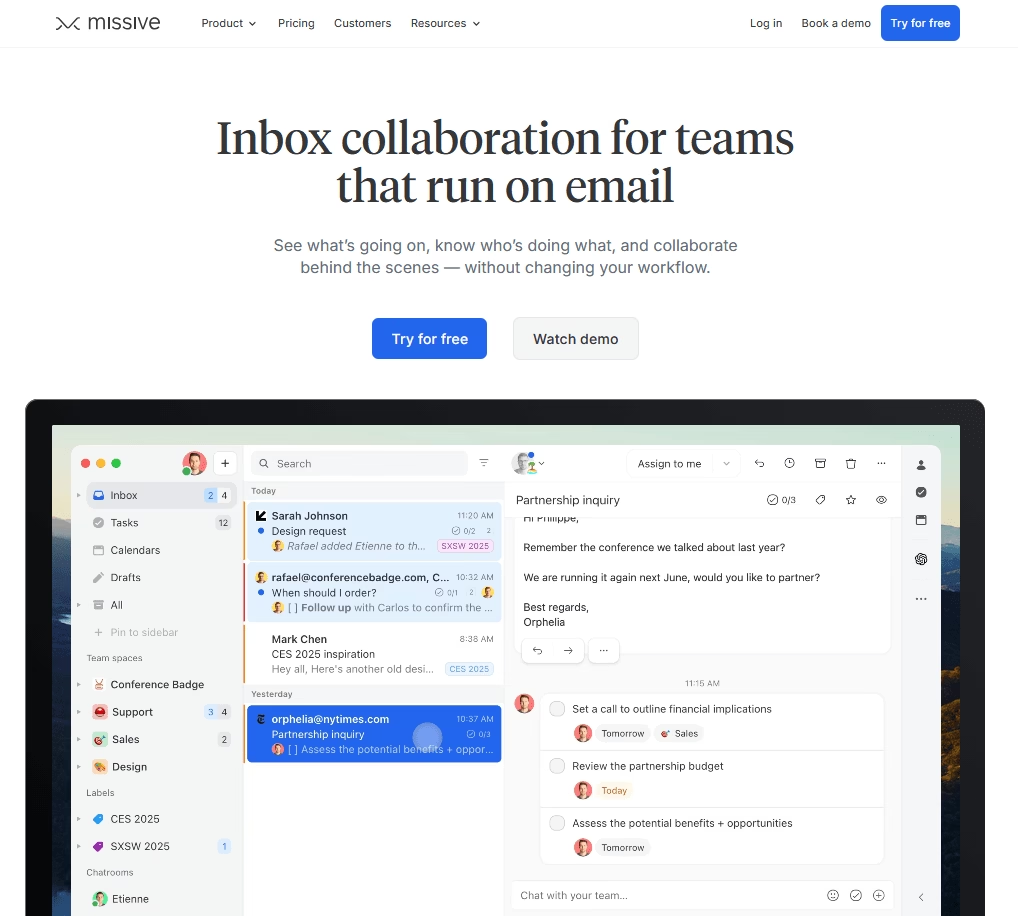
Missive is a collaborative email client that blurs the line between email and team chat (in a good way).
With Missive, your team can manage shared inboxes together and have side-conversations through an integrated chat about specific emails.
Key features:
- Missive supports email, SMS, and some social messaging integrations, all in a unified inbox
- Very slick and modern interface
- Chat with teammates inside a conversation thread
- Shared labels, assignments, and even the concept of tasks
- Real time user activity to track which emails are read or being replied to by whom.
- Collaboratively compose emails (similarly Google Docs)
- Keyboard shortcuts and customization
- Integrates with Trello, Asana, CRM systems
Pricing
Missive has a free trial, but effectively it’s a paid email management product.
The pricing starts at $14 per user/month for the Starter plan (when billed annually), which covers most features.
My take
If you have a distributed team that supports a common inbox, Missive can boost morale and efficiency significantly. It’s one of those tools you didn’t know you needed until you tried it and wondered how you lived without it.
9. Spike: Conversational Email with a Chat Twist

Spike takes a radically different approach to email management. It transforms your emails into a stream of chat-like conversations.
If you find the traditional email format tedious—with all its headers, signatures, and threads—Spike will feel refreshing.
They’ve basically tried to combine email, instant messaging, and collaboration in one app
Key features:
- Real-time team collaboration features: channels and group chats, notes, tasks, and even built-in video meetings.
- AI email assistant that can summarize long emails or threads, and help with responses.
- Traditional “Inbox” mode if you want to view a classic email list.
Pricing
Spike offers a free version for personal use.
The Pro plan starts at $5/user per month (billed annually), which gives you more email accounts, larger file storage, and group video calls.
My take
With Spike, email conversations can feel quicker and less formal. This is often perfectly fine—and preferable!
But Spike is not for everyone. If you love formatting long emails carefully, you may want to stick with Outlook. However, for day-to-day communication, Spike hits the sweet spot. Plus, seeing my inbox cleared out and conversations organized like chats reduces a lot of mental load.
10. Mailbird: Unified Inbox and Productivity Apps
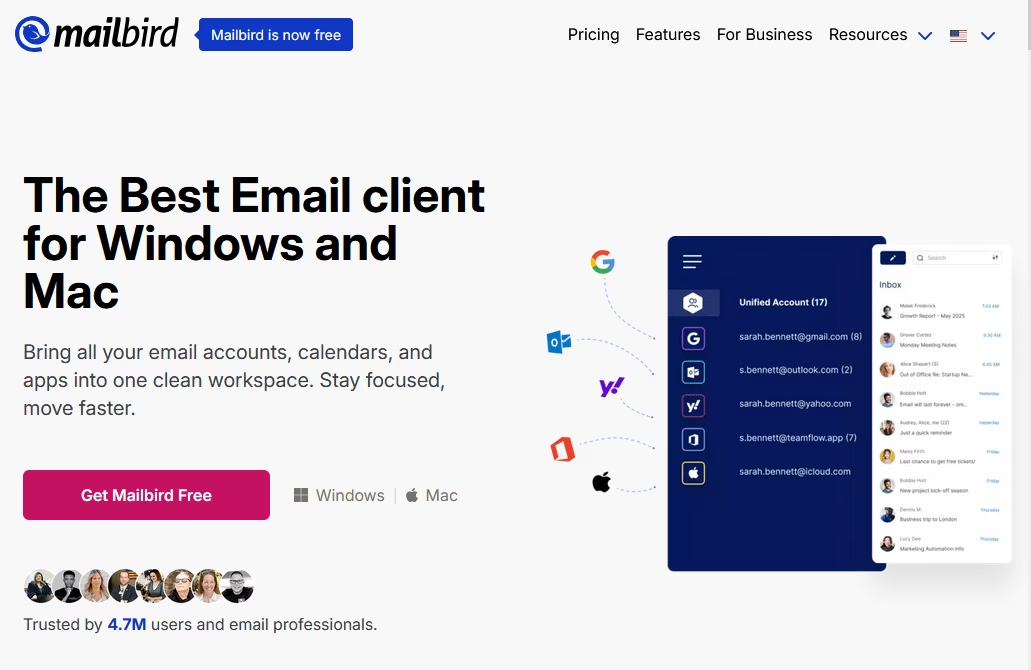
Mailbird is a popular email management client available for Windows and Mac that unifies your communications.
If you have multiple email accounts and are tired of switching between different interfaces, Mailbird brings them all together in one tidy interface.
Mailbird is designed to be a sleek, customizable alternative to the default Outlook app or webmail with a strong focus on speed and simplicity.
Key features:
- Email snoozing
- Attachment search
- LinkedIn lookup for contacts
- Integration with WhatsApp, Google Calendar, Slack, Trello, Asana, Dropbox, Evernote and more.
- A built-in speed reader helps you skim long emails quickly.
- Customize layout, color theme, and even how the unified inbox behaves.
- Keyboard shortcuts
Pricing
Mailbird offers a free, limited version for one account with basic features.
The Premium plan starts at $4 per user per month.
My take
If you are juggling multiple email accounts and you want an all-in-one communication hub, Mailbird is definitely worth a try. It’s fast, flexible, friendly, and affordable as well.
Final Thoughts
Each of these email management software brings something unique to the table. Some transform your inbox into a collaborative workspace, while others turn it into an efficient support ticket system or an AI-powered personal assistant.
To wrap up, here are a few parting tips on making the most of email management software:
- Take advantage of trials/free tiers
- Onboard your team (or yourself) with patience
- Integrate with what you use
- Regularly refine your workflow
Happy emailing!
Further Reading
Best Email Subject Lines For 2026
How to Handle Customer Inquiries: Responses and Best Practices
11 Best Remote Help Desk Software for 2026 (Mostly Free)
The Best Help Desk Software for Small Businesses
12 Best WordPress Email Plugins (Hand-Picked for 2026)
How to Handle Return and Refund Emails