15 fonctionnalités de chatbot à connaître pour les acheteurs (liste complète)
 Shankar Chavan
Tous les chatbots ne se valent pas, surtout quand la plupart d'entre eux sont dotés d'un ensemble de fonctionnalités uniques. Cela peut être utile pour votre entreprise ou une perte d'argent totale.
Alors, quel type de fonctionnalités devriez-vous rechercher dans un chatbot ?
Ci-dessous, je vais détailler les fonctionnalités indispensables d'un chatbot et expliquer pourquoi elles sont importantes.
Commençons.
Dans ce guide
- Quels sont les avantages des chatbots ?
- Key Chatbot Features in 2026
- 1. Constructeur de chatbot sans code
- 2. Compréhension du langage naturel (NLU) pour des conversations humaines
- 3. IA et apprentissage automatique pour une amélioration continue
- 4. Intégration de la base de connaissances
- 5. Conscience du contexte et personnalisation
- 6. Capacités multilingues
- 7. Support omnicanal
- 8. Intégration avec CRM et autres systèmes
- 9. Image de marque et personnalité personnalisées
- 10. Médias riches et éléments interactifs
- 11. Messagerie proactive et notifications
- 12. Transfert transparent aux agents humains (prise en charge)
- 13. Analyses et aperçus des performances
- 14. Conformité en matière de sécurité et de confidentialité
- 15. Fiabilité de la scalabilité et des performances
Quels sont les avantages des chatbots ?
Un chatbot est indispensable pour tout site Web d'entreprise ou pour le support client. Voici quelques-uns de leurs principaux avantages :
- Fournir un support 24h/24 et 7j/7 : Un chatbot ne s'arrête jamais. Il garantit que les clients ne sont pas laissés en suspens en raison des fuseaux horaires ou des jours fériés.
- Répondre instantanément : Les chatbots répondent en quelques secondes, éliminant les longs temps d'attente associés au support par e-mail ou par téléphone.
- Réduire les coûts de support : Avec un chatbot, vous n'avez pas besoin d'une armée d'agents pour les requêtes de routine. Cette scalabilité réduit les besoins en personnel et les coûts d'heures supplémentaires.
- Cohérence : Les humains peuvent donner des réponses différentes, mais un chatbot bien configuré fournit des informations cohérentes et précises à chaque fois.
- Améliorer l'efficacité et le moral de l'équipe : En automatisant les questions « faciles », les chatbots réduisent la charge de travail de votre équipe. Cela permet à votre équipe humaine de s'attaquer à des tâches à plus forte valeur ajoutée, ce qui est plus engageant pour eux également.
- Évoluer facilement à mesure que vous grandissez : Avec un chatbot, gérez les pics de demandes des clients sans effort.
- Collecter des données utiles : Certains chatbots peuvent suivre les questions des clients et le déroulement des conversations. Ces analyses vous aident à identifier les points de friction courants, à mesurer la satisfaction client et à repérer les lacunes dans vos FAQ.
- Capturer des prospects et des opportunités de vente : Les chatbots peuvent accueillir les visiteurs, poser quelques questions amicales et collecter des informations de contact ou recommander des produits.
Ce sont là des avantages assez convaincants pour n'importe quelle équipe.
Principales fonctionnalités des chatbots en 2026

Nous testons et recherchons rigoureusement chaque produit que nous recommandons via HeroThemes. Notre processus d'examen. Nous pouvons également gagner une commission si vous effectuez un achat via nos liens.
1. Constructeur de chatbot sans code
Un constructeur de chatbot sans code est une aubaine si vous n’avez pas de développeur sous la main ou si vous utilisez une solution avancée qui vous permet de créer des flux de conversation.
Cette fonctionnalité fournit une interface visuelle intuitive (souvent par glisser-déposer) où vous pouvez cartographier le flux de conversation du chat comme un organigramme.
Généralement, vous pouvez ajouter des questions, des options de réponse prédéfinies et des branches de décision en dessinant littéralement les étapes de la conversation.
Cela peut souvent être réalisé sans toucher une seule ligne de code.
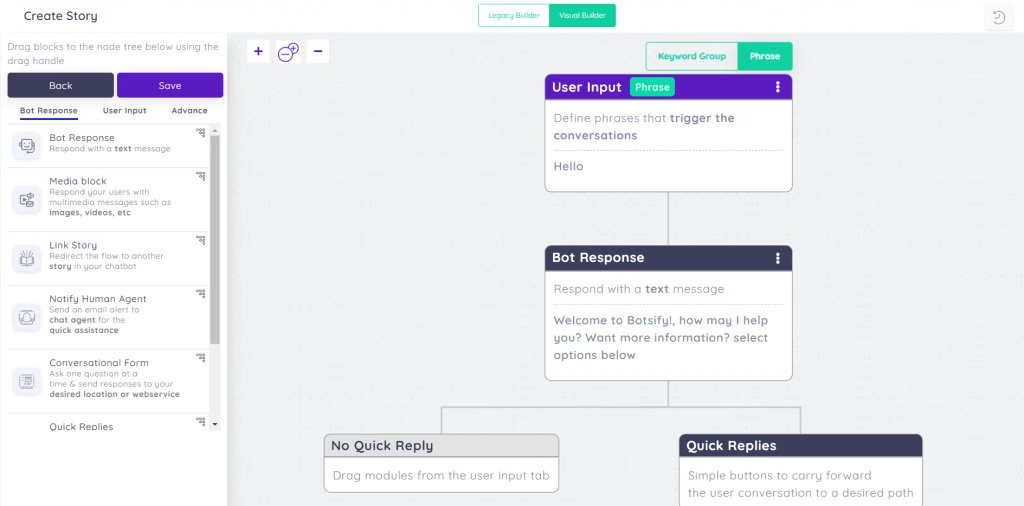
D'après mon expérience, avoir un constructeur sans code encourage également l'expérimentation. Vous êtes plus susceptible d'essayer de nouvelles approches de conversation ou des bots spécifiques à une campagne s'il ne faut que quelques minutes pour les configurer.
2. Compréhension du langage naturel (NLU) pour des conversations humaines
Heureusement, les chatbots n'ont plus besoin de ressembler à des menus téléphoniques automatisés peu pratiques. La plupart des chatbots peuvent désormais comprendre ce que les utilisateurs demandent.
Ceci est possible grâce à la compréhension du langage naturel (NLU), une branche de l'ensemble des fonctionnalités de l'IA.
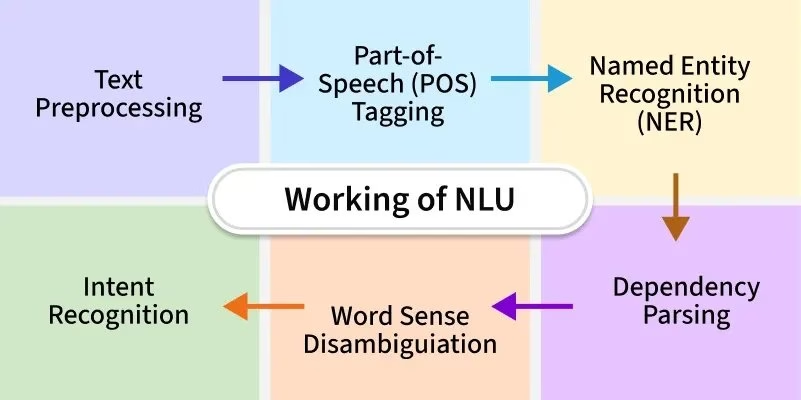
Le NLU permet au chatbot d'analyser le message d'un utilisateur, d'interpréter l'intention qui s'y cache, et même de saisir des nuances comme l'argot ou les fautes de frappe.
Des questions telles que « Quelle est votre politique de remboursement ? » et « Puis-je obtenir un remboursement si cela ne fonctionne pas ? » sont facilement comprises par un chatbot IA comme étant la même question.
Lors de l'évaluation des capacités linguistiques d'un chatbot
- Renseignez-vous sur la technologie sous-jacente. Utilise-t-il un moteur NLU bien connu (comme Dialogflow de Google, LUIS de Microsoft ou un modèle OpenAI) ?
- Comment gère-t-il l'argot ou les fautes d'orthographe ?
Cela vous aidera à éviter d'avoir à remplacer le chatbot plus tard.
3. IA et apprentissage automatique pour une amélioration continue
Les excellents chatbots ne sont pas seulement intelligents dès le départ, ils deviennent de plus en plus intelligents avec le temps.
Oui, c'est possible.
Grâce aux fonctionnalités de chatbot d'apprentissage automatique, les chatbots peuvent apprendre de chaque interaction, identifier des modèles et améliorer automatiquement leurs réponses au fur et à mesure qu'ils gèrent davantage de conversations.
Plus il parle, plus il devient intelligent.
Les robots pilotés par l'IA peuvent également générer des réponses utiles et nuancées plutôt que de cracher des réponses préenregistrées.
Les chatbots IA comme Assistant IA Héroïque s'appuient souvent sur de grands modèles linguistiques comme GPT d'OpenAI pour formuler des réponses qui semblent naturelles et contextuellement appropriées.
L'apprentissage automatique signifie également que votre chatbot peut être entraîné sur des données spécifiques à votre entreprise (ce que nous verrons dans la prochaine fonctionnalité de chatbot).
Lors de la comparaison des solutions de chatbot :
- Demandez aux fournisseurs comment leur chatbot apprend
- Le chatbot prend-il en charge les boucles de rétroaction (comme permettre à l'utilisateur de pouce vers le haut/bas une réponse) ?
- Le bot peut-il être affiné avec les données de votre entreprise ?
- Avez-vous le contrôle sur ce que le chatbot a appris et implémenté ?
4. Intégration de la base de connaissances
L'une des fonctionnalités de chatbot les plus puissantes, en particulier pour les cas d'utilisation du support client, est l'intégration de la base de connaissances.
Les chatbots les plus avancés peuvent être connectés à votre centre d'aide existant, à vos pages FAQ, à votre documentation ou à votre base de données, et utiliser ces informations pour répondre aux questions.
Le chatbot entraîné à l'aide du contenu de la base de connaissances peut répondre plus précisément aux questions des clients.
Plus vous avez de données, mieux il fonctionnera, ou dites simplement à l'utilisateur de créer un ticket de support.
Des plateformes comme Base de connaissances Héroïque et son Assistant IA Héroïque simplifient cela en offrant des options intégrées pour entraîner le bot sur votre contenu.
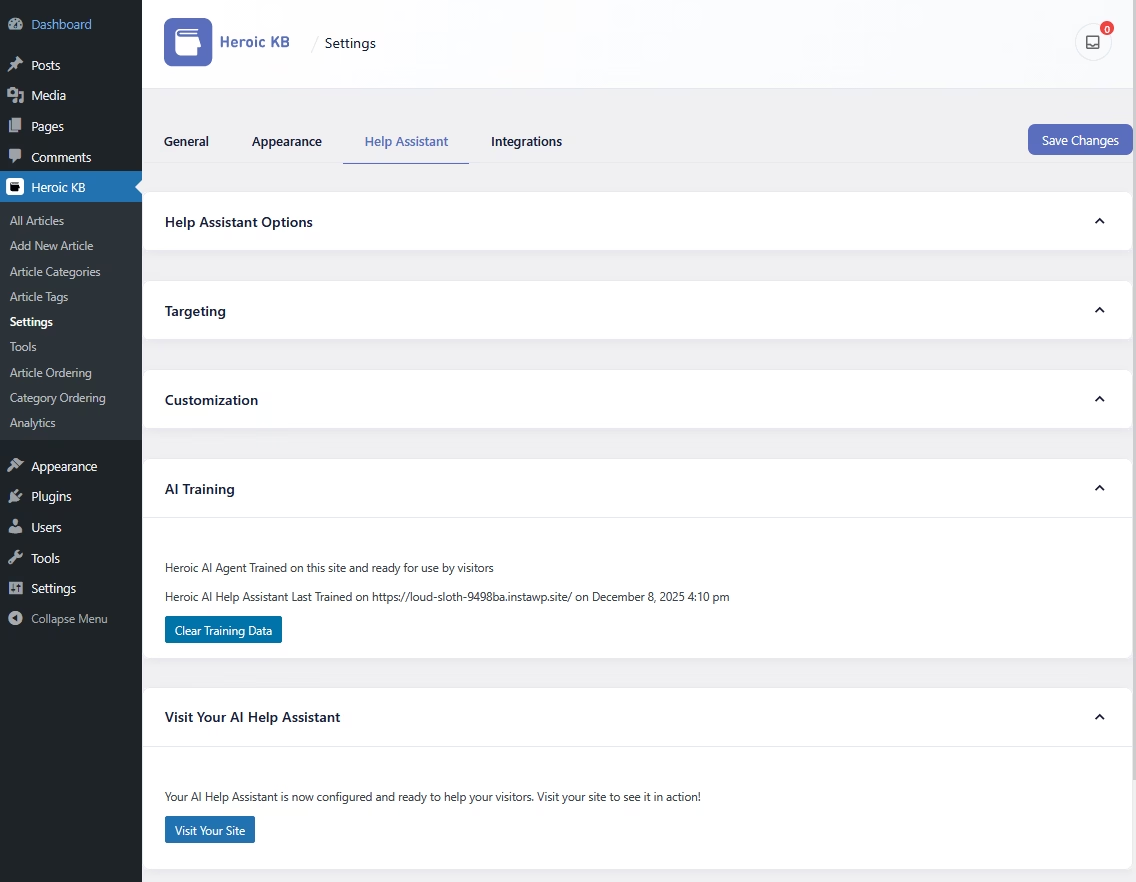

Les meilleures plateformes rendent cela facile et prennent en charge plusieurs sources de données, en explorant votre site de documentation, en se connectant à des outils comme Confluence ou Notion, ou en synchronisant avec un logiciel de base de connaissances.
Dans certains cas, vous devrez coder cette fonctionnalité vous-même, alors assurez-vous de choisir un chatbot en fonction des capacités de votre équipe.
5. Conscience du contexte et personnalisation
Les conversations humaines ont une mémoire, vous ne voudriez pas vous répéter toutes les deux minutes lorsque vous discutez avec un agent de support.
De même, un bon chatbot devrait avoir une conscience du contexte. Il devrait se souvenir de ce que l'utilisateur a dit précédemment dans la conversation et l'utiliser pour éclairer les réponses futures.
La conscience du contexte permet des conversations plus naturelles et à plusieurs tours.
La personnalisation, quant à elle, utilise le contexte (souvent les interactions passées ou les données client) pour adapter les réponses.
Un chatbot personnalisé pourrait s'adresser à un client fidèle par son nom et dire : « Bienvenue, Alex ». Il pourrait se souvenir que le client a contacté la semaine dernière au sujet d'une commande n°12345 et vérifier proactivement si c'est bien celle dont il s'agit maintenant.
6. Capacités multilingues
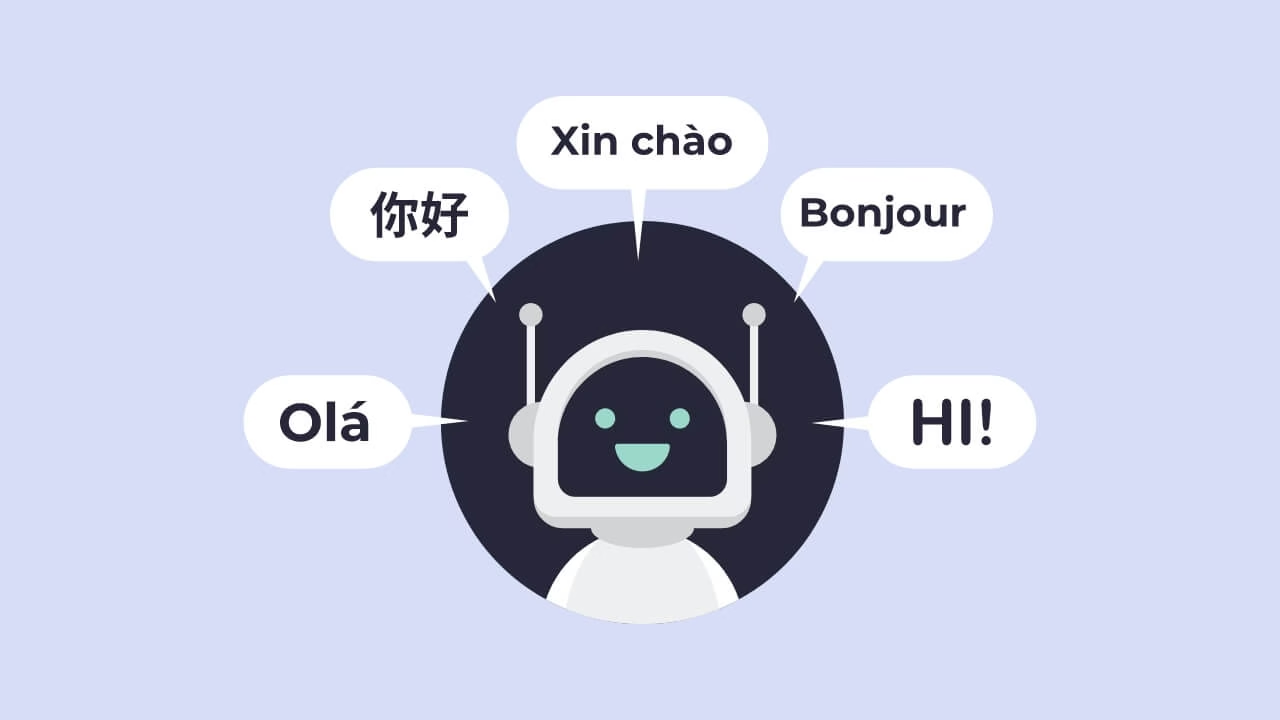
Pour une clientèle mondiale ou diversifiée, vous voudrez un chatbot qui parle la ou les langues de vos clients.
Le support multilingue est la fonctionnalité qui permet à un chatbot de communiquer dans plusieurs langues et de passer de l'une à l'autre en fonction des préférences ou des entrées de l'utilisateur.
C'est crucial pour fournir un service client inclusif et ne pas aliéner les non-anglophones (ou quel que soit votre public linguistique principal).
Une fonctionnalité multilingue dans un chatbot peut détecter la langue dans laquelle un utilisateur commence à taper et répondre dans cette langue.
Certains chatbots y parviennent en s'intégrant à des services de traduction. Le bot traduit d'abord l'entrée de l'utilisateur en anglais, puis trouve la réponse et la traduit à nouveau.
D'autres sont véritablement multilingues nativement, surtout s'ils sont construits sur des modèles linguistiques qui prennent en charge de nombreuses langues.
7. Support omnicanal
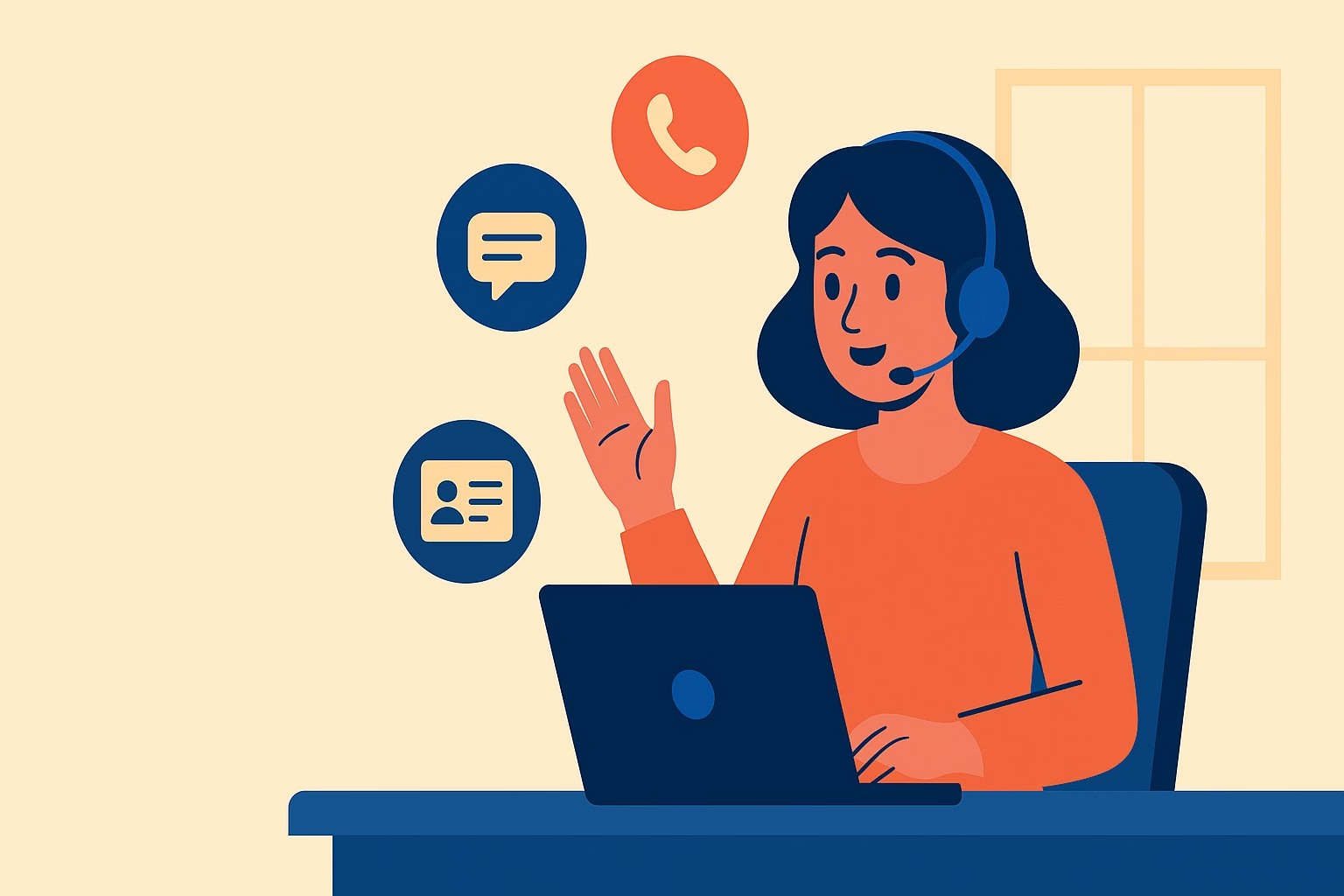
Votre chatbot doit être disponible partout où se trouvent vos clients.
De nos jours, les clients peuvent vous contacter via le widget de chat de votre site Web, Facebook Messenger, WhatsApp ou même SMS.
Il est important que votre chatbot ne soit pas limité à un seul de ces canaux.
Un chatbot omnicanal peut être déployé sur plusieurs plateformes et maintenir une expérience cohérente.
La clé est que vous n'avez pas besoin de construire des bots séparés à partir de zéro pour chaque canal, la plateforme devrait vous permettre de connecter le même cerveau/logique à divers front-ends.
Cette fonctionnalité de chatbot est particulièrement précieuse à mesure que votre entreprise développe sa présence numérique.
8. Intégration avec CRM et autres systèmes
Un chatbot solide s'intégrera à vos outils existants.
Votre CRM, votre plateforme e-commerce, votre helpdesk (système de ticketing), votre passerelle de paiement, votre calendrier, etc. – pour effectuer des tâches et personnaliser les réponses.
Par exemple, si un client demande « Où est ma commande ? », un chatbot intégré à votre système de gestion des commandes (ou Shopify, WooCommerce, etc.) peut récupérer le statut de la dernière commande de ce client et répondre : « Votre commande n°12345 est en cours de livraison et devrait arriver demain. »
Des fonctionnalités comme celle-ci peuvent potentiellement aider les clients immédiatement, plutôt que de devoir créer un ticket de support et attendre une journée.
De même, l'intégration avec des CRM tels que Salesforce ou HubSpot signifie que le bot peut récupérer des informations client telles que leur niveau, leurs achats passés et s'ils ont un ticket de support ouvert.
Le bot peut alors adapter la conversation en conséquence ou même mettre à jour le CRM avec de nouvelles données provenant du chat.
9. Image de marque et personnalité personnalisées

Votre chatbot est souvent la première « personne » (bien que virtuelle) avec laquelle un client interagit sur votre site.
Il doit donc *paraître* et *sonner* comme s'il appartenait à votre entreprise.
La personnalisation de la marque et les fonctionnalités de personnalité vous permettent d'adapter l'apparence et le ton du chatbot à votre identité de marque.
Ceci inclut :
- Personnalisation de la palette de couleurs, de la police et de l'avatar du widget de chat.
- Possibilité d'intégrer facilement un chatbot sur votre site avec votre image de marque.
- Possibilité de configurer la personnalité et le ton du bot.
- Contrôle de la formulation par le bot des messages courants (salutations, messages d'erreur, messages de transfert).
Le contrôle de ces petits détails fait une énorme différence. Les utilisateurs peuvent dire quand un bot ne correspond pas au reste du style de l'entreprise, et cela peut être déroutant.
10. Médias riches et éléments interactifs
Le texte seul peut parfois rendre l'expérience de chat sèche ou fastidieuse. C'est pourquoi de nombreux chatbots incluent des éléments d'interface utilisateur riches.
Des éléments tels que des boutons de réponse rapide, des carrousels d'images, des formulaires pour collecter des informations et la possibilité d'envoyer des médias (images, GIFs, fichiers) dans le chat.
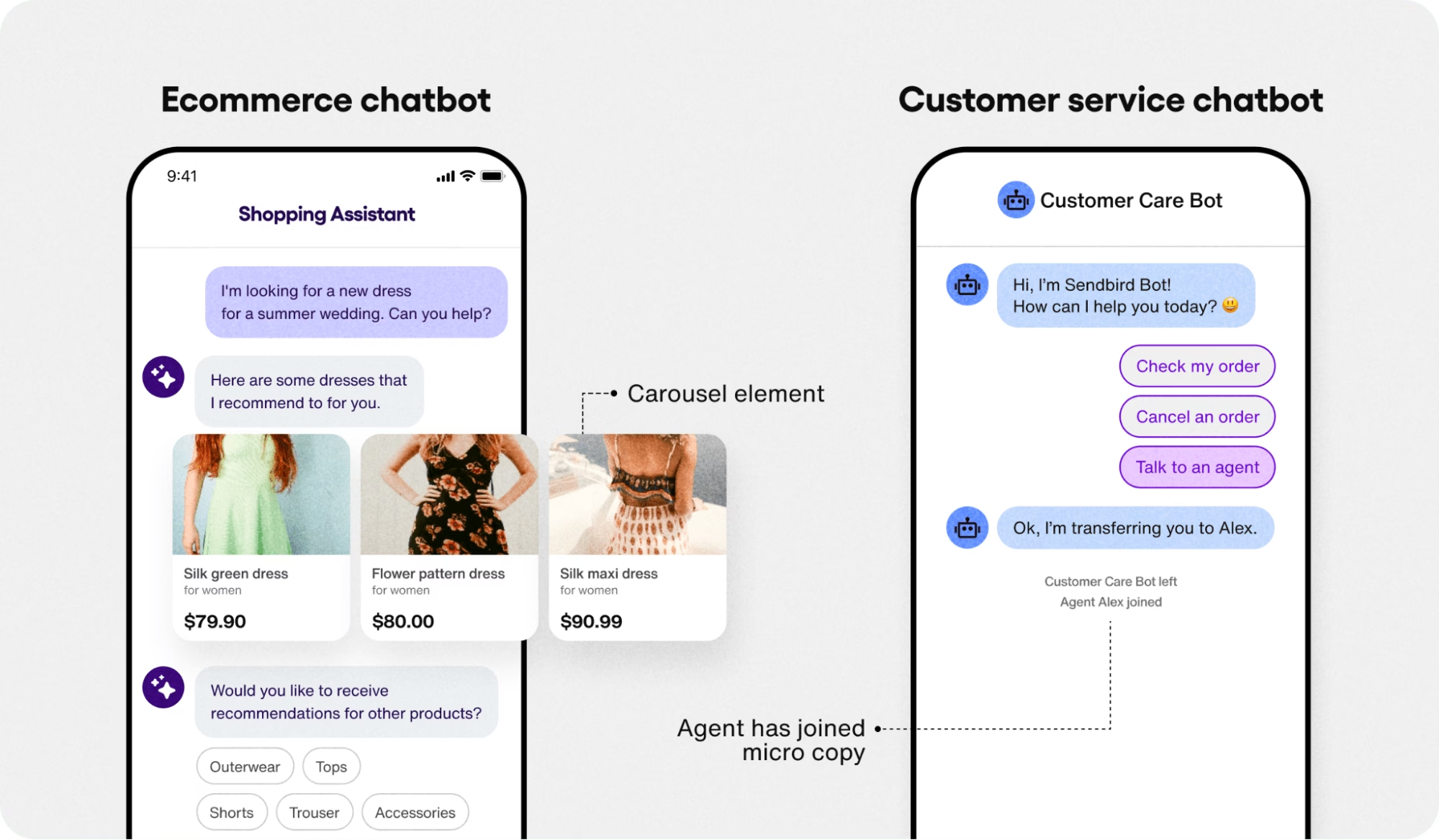
Ces éléments interactifs peuvent rendre les conversations plus engageantes et plus efficaces.
D'après mon expérience, un ensemble riche de fonctionnalités interactives est le signe d'une plateforme de chatbot mature.
Cela montre que les concepteurs de la plateforme savent qu'une communication efficace n'est pas universelle. De plus, ces fonctionnalités peuvent raccourcir la durée de la conversation (dans le bon sens) en éliminant les saisies inutiles.
11. Messagerie proactive et notifications
La plupart des chatbots attendent que l'utilisateur démarre la conversation (une approche réactive).
Mais si votre bot pouvait contacter en premier au bon moment ?
La messagerie proactive est une fonctionnalité de chatbot où vous pouvez déclencher un message ou une salutation en fonction du comportement de l'utilisateur, du moment ou d'autres conditions, plutôt que de rester inactif jusqu'à ce qu'on vous parle.
Vous avez probablement rencontré cela sur des sites web. Un site de produit SaaS vous demandant si vous avez besoin d'aide, ou votre numéro de téléphone pour que les agents puissent vous contacter.
Cela peut sembler intrusif, mais cela pourrait aider à réduire l'abandon de panier en assistant à un moment critique.
Les bots modernes peuvent aller plus loin en étant intelligents sur quand et pourquoi ils contactent.
Lorsque vous examinez les fonctionnalités proactives des chatbots, réfléchissez à la manière dont vous pouvez définir les règles ou les déclencheurs.
Des éléments tels que : des délais, des URL de page spécifiques ou des écrans d'application pour déclencher, des comportements d'utilisateurs, ou même un ciblage par attributs d'utilisateurs.
12. Transfert transparent aux agents humains (prise en charge)
Quelle que soit la sophistication de votre chatbot, il y aura toujours des situations qui nécessiteront une intervention humaine.
Il peut y avoir n'importe quelle raison :
- Questions très complexes
- Clients frustrés
- Demande de parler à une personne
Le transfert vers un agent humain (également appelé prise en charge par un agent en direct ou escalade) est la fonctionnalité qui permet au chatbot de transférer en douceur la conversation à un agent humain lorsque cela est approprié, et elle est absolument essentielle pour les scénarios de support client sérieux.
Votre chatbot doit être conscient de ses limites. S'il rencontre un problème pour lequel il n'est pas formé, ou s'il détecte une frustration du client (peut-être par certains mots-clés ou une analyse de sentiment), il doit escalader le problème à un agent humain pour résolution.
Ceci est principalement possible avec des fonctionnalités de chatbot avancées comme le NLP (Traitement du Langage Naturel), les conditions de déclenchement, l'analyse de sentiment, ou simplement un bouton pour entrer en contact avec le support humain.
Recherchez cette fonctionnalité de chatbot si vous ne voulez pas perdre de clients simplement parce qu'il est incapable de se connecter à votre équipe.
13. Analyses et aperçus des performances
Si vous ne pouvez pas le mesurer, vous ne pouvez pas l'améliorer.
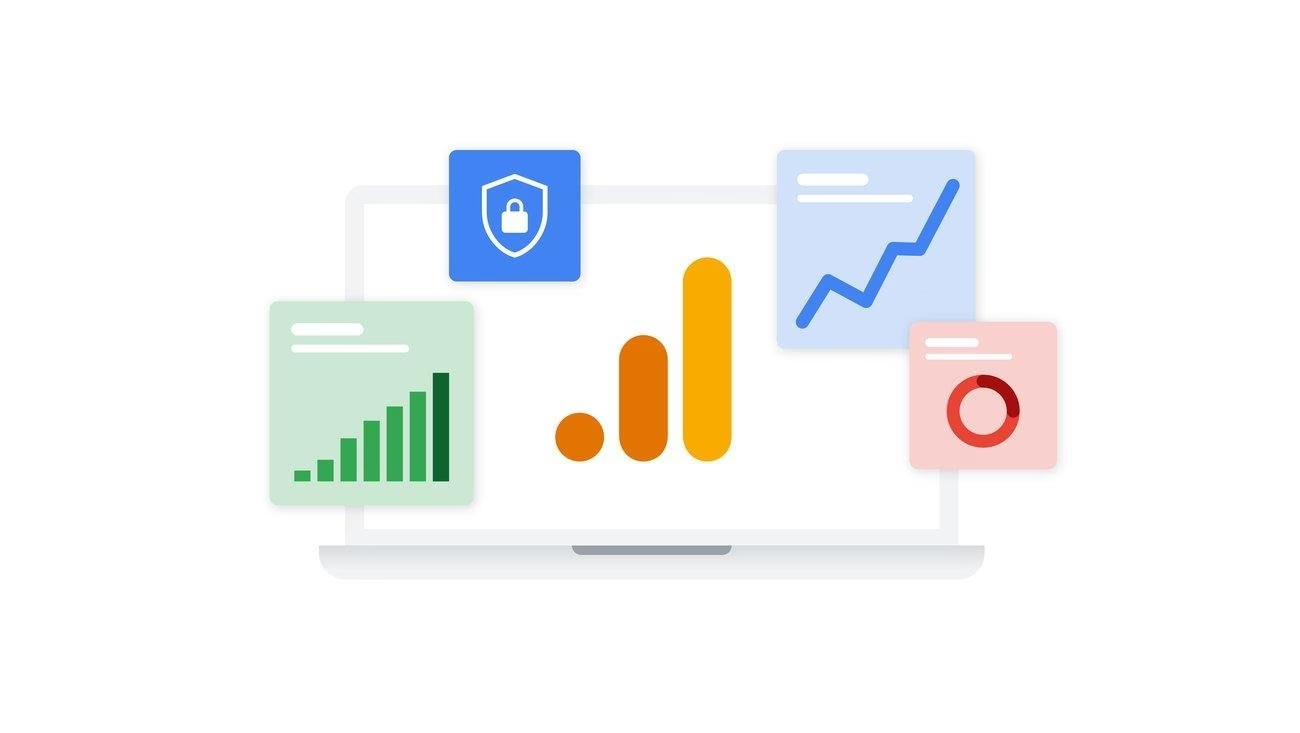
Les fonctionnalités d'analyse et de reporting sont cruciales pour comprendre les performances de votre chatbot et la manière dont les clients interagissent avec lui.
Vous voudrez une solution qui fournisse un tableau de bord clair des métriques et peut-être même des transcriptions afin que vous puissiez continuellement optimiser l'efficacité de votre bot.
Les métriques clés à rechercher comprennent :
- Nombre de conversations gérées par le bot
- Taux de résolution
- Taux de transfert
- Scores de satisfaction client ou commentaires sur les conversations avec le bot
- Requêtes de repli
- Questions/sujets fréquemment posés
- Suivi des conversions
- Heures de pointe
- Métriques spécifiques à l'IA
Une bonne suite d'analyse vous permettra également de filtrer ou de segmenter les données.
14. Conformité en matière de sécurité et de confidentialité

Lorsque des données client sont impliquées (ce qui est pratiquement toujours le cas dans les conversations de support ou de vente), vous devez être attentif à la sécurité et à la confidentialité.
Un chatbot est une interface qui gère des informations potentiellement sensibles (comme des e-mails, des détails de commande, peut-être même des informations médicales ou financières selon votre activité).
Les fonctionnalités qui garantissent la protection des données et la conformité sont donc non négociables.
Les fonctionnalités de conformité à la confidentialité signifient que le chatbot et sa plateforme respectent des réglementations telles que :
- RGPD en Europe
- CCPA en Californie
- HIPAA si vous êtes dans le secteur de la santé
Par exemple, le RGPD exige que les utilisateurs de l'UE puissent demander la suppression de leurs données. Votre plateforme de chatbot vous permet-elle de supprimer l'historique des conversations d'un utilisateur sur demande ?
Une plateforme de chatbot sécurisée mentionnera explicitement comment elle protège les données client (cryptage, stockage sécurisé) et suit les réglementations pertinentes.
15. Fiabilité de la scalabilité et des performances
La scalabilité est la fonctionnalité (et l'infrastructure qui la sous-tend) qui garantit que votre chatbot peut gérer des charges de travail croissantes sans dysfonctionnement. Cela va de pair avec les performances globales.
Le bot doit rester rapide et réactif, car les utilisateurs n'attendront pas un bot lent.
Une architecture de chatbot évolutive est souvent basée sur le cloud avec des capacités d'auto-mise à l'échelle : les serveurs augmentent la capacité selon les besoins.
Ou des chatbots comme Assistant IA Héroïque, qui laisse les performances dépendre de vos capacités serveur, et vous donne un accès illimité aux conversations ou à d'autres utilisations.
Pour conclure
Choisir le bon chatbot signifie regarder sous le capot toutes ces fonctionnalités – des cerveaux IA sophistiqués aux tendons d'intégration pratiques et au squelette de sécurité robuste.
Pour récapituler notre liste, nous avons couvert tout, de :
- Construction facile sans code
- Intelligence NLP
- Apprentissage continu
- Intégration des connaissances
- Mémoire contextuelle
- Capacités multilingues
- Déploiement omnicanal
- Intégrations riches
- Image de marque personnalisée
- Une interface utilisateur interactive
- Approche proactive
- Transfert humain
- Analyse et sécurité
- Évolutivité
C'est beaucoup à assimiler, mais cette liste complète de fonctionnalités devrait vous aider à évaluer vos options.
Nous avons de nombreux autres guides qui vous aideront dans votre recherche de chatbot, n'hésitez pas à les consulter !
Lectures complémentaires
Meilleurs plugins gratuits de chatbot IA pour WordPress
Chatbots basés sur des règles : un guide pour débutants avec exemples
Meilleurs chatbots internes pour le support aux employés
9 meilleurs chatbots e-commerce pour 2026
Top 10 des entreprises utilisant l'IA pour le service client
12 meilleurs assistants virtuels IA pour les petites entreprises