9 Best Meeting Recap Email Templates (With Examples and Writing Tips)
 Shankar Chavan
Meeting recap emails are the single most underused tool for turning unproductive meetings into actual business results.
A clear follow-up email after a meeting helps everyone remember key decisions, understand their action items, and stay aligned on what happens next.
In this guide, we’ll share 9 ready-to-use meeting recap email templates, along with practical writing tips to help you send better follow-ups with less effort.
These meeting recap templates (or examples) range from internal team meetings to client calls and HR check-ins.
Let’s start!
In This Guide
- What Is a Meeting Recap Email (and Why Is It Important)?
- How to Write an Effective Meeting Recap Email
- Meeting Recap Email Templates (Examples for Different Scenarios)
- 1. Project Kickoff Meeting Recap Email
- 2. Weekly Team Meeting Recap Email (Team Sync)
- 3. Client Meeting Recap Email (External Meeting Summary)
- 4. Sales Discovery Call Recap Email
- 5. Product Demo Recap Email
- 6. Internal Project Status Meeting Recap Email (Stakeholder Update)
- 7. Performance Review Meeting recap
- 8: Training Session Recap Email
- 9. Exit Interview Meeting Recap Email (HR)
- Tools to Streamline Meeting Recap Workflow

We rigorously test and research every product that we recommend through HeroThemes. Our review process. We may also earn a commission if you make a purchase through our links.
What Is a Meeting Recap Email (and Why Is It Important)?
A meeting recap email is an informal, concise summary sent to all attendees (and relevant stakeholders who couldn’t attend) after a meeting.
It captures key decisions, action items with owners and deadlines, and next steps.
Why Send a Recap Email?
Because recap emails turn talks into action.
After a meeting, people may have different interpretations or simply forget details or don’t know what to prioritize. A recap email gives everyone one clear record of what was agreed on, what comes next, and who owns each task.
Key benefits include:
- Clear summary of key points and decisions.
- Better alignment across the team.
- Fewer mix-ups after the meeting.
- Action items matched with clear owners and deadlines.
- Better follow-through on open tasks, which helps keep project momentum.
- Easier catch-up for anyone who missed the meeting.
- Handy reference for later review.
How to Write an Effective Meeting Recap Email
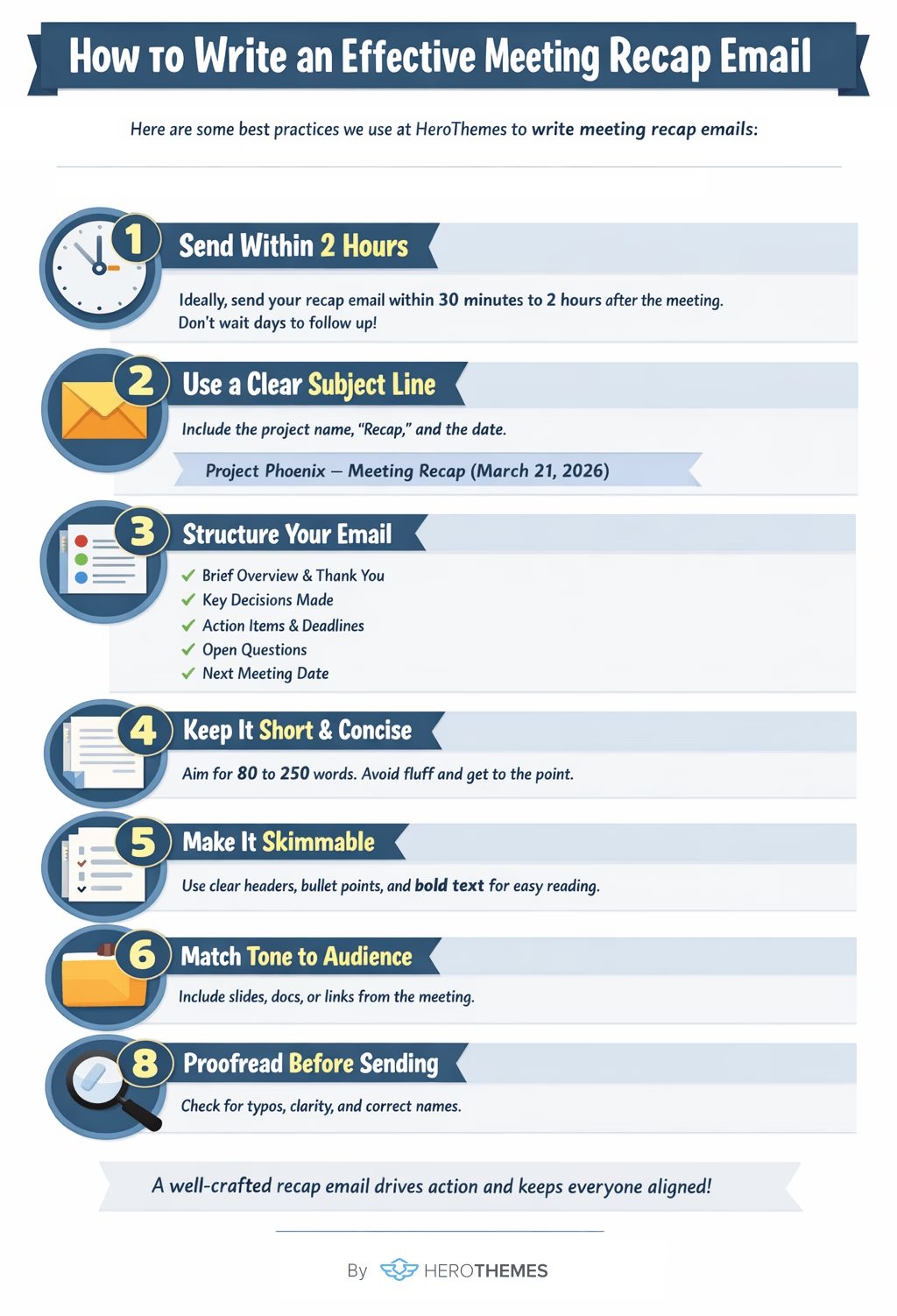
The difference between a recap email that gets ignored and one that drives execution usually comes down to three things: structure, timing, and clarity.
Here are some best practices that we consistently use here at HeroThemes to write meeting recap emails:
1. Send Within 2 Hours
There is near-universal expert consensus on timing, but don’t wait days to send your recap.
The ideal window is 30 minutes to 2 hours after the meeting.
You also don’t want to forget what was discussed in a meeting, do you?
2. Use a Clear, Searchable Subject Line
Make the email subject line specific and consistent.
Include the project or meeting name, the word “Recap” or “Summary,” and the date.
For example: Project Phoenix – Meeting Recap (March 21, 2026)
3. Structure Your Email Properly
The recommended structure:
- A brief context line (1–2 sentences with a thank-you and meeting purpose)
- Decisions made (as complete statements, not topics)
- Action items with owners and deadlines
- Open questions or parking lot items
- The next meeting date
Lead with outcomes, not process. Put the most important decisions and action items at the top where they’re impossible to miss.
You can use the following format for the action items: [Owner Name] → [Specific Task] → [Deadline]
If no deadline was discussed during the meeting, propose one: Target Friday the 14th, flag if that doesn’t work.
If certain tasks depend on others, note that as well.
4. Keep It Short (80 to 250 Words)
Try to keep your meeting recap emails as short as possible. It should be done in 5 minutes or less.
Remove or avoid as much fluff as possible to keep it short.
5. Make It Skimmable With Formatting
It’s about using formatting that makes the email easy to scan quickly:
- Organize the content under clear headers such as “Key Points,” “Decisions,” and “Action Items.”
- Consider bolding names and deadlines.
- Keep paragraphs short and use bullet points or numbered lists for lists of items (as we’re doing here)
6. Match Tone to Audience
The tone should fit the reader.
Internal team recaps can be direct and slightly casual.
Client recap emails should be warmer and more polished. Always open with a thank-you and include your contact details.
Executive summaries should skip granular task lists and lead with a one-line executive summary of the key outcome, followed by decisions and escalations or risks.
Skip the detailed task list unless leadership needs it.
7. Attach or Link Supporting Material
Include any files or links discussed during the meeting.
That may include presentations, spreadsheets, project plans, or examples.
This saves recipients from hunting through separate emails or drives to find the resources.
8. Proofread Before Sending
Finally, double-check the email for clarity, typos, names, and dates.
A quick proofread ensures you haven’t misstated any decision or assigned the wrong person to a task (which could be awkward and cause confusion)
Meeting Recap Email Templates (Examples for Different Scenarios)
The recap email template examples below put all the best practices shared above into action.
Feel free to copy, paste, and adapt them for your own needs.
Pro tip: If you send similar follow-ups frequently, consider saving these as reusable templates (even some email and help desk tools like Heroic Inbox let you manage templates for consistency).
1. Project Kickoff Meeting Recap Email
Project Kickoff emails are basically a foundational document for an entire project.
They are usually longer than other recap emails because they need to establish a shared understanding of the scope, roles, timeline, and communication structure.
The template below is formal enough to send with executives or clients cc’d, but still friendly and clear.
Template Example:
Subject: Project Kickoff Recap: Phoenix CRM Migration, March 18, 2026

Hi everyone,

Thank you for attending today's kickoff for the [Phoenix CRM Migration project]. Below is a summary of what we covered.

Project Overview:
- Objective: Migrate from legacy CRM to Salesforce by August 30, 2026

Team and Roles:
- Project Manager: Jordan Lee
- Technical Lead: Sam Patel
…

Key Milestones:
Data audit complete: April 15
…

Decisions Made:
…

Immediate Action Items:
- Sam Patel: Complete technical environment assessment by March 25

Resources: …

Next Meeting: Wednesday, March 25 at 11:00 AM (recurring weekly)

If you have questions or couldn't attend today's kickoff, please reach out directly.

Let's make this project a success!
Best, Jordan Lee, Project Manager
2. Weekly Team Meeting Recap Email (Team Sync)
This is the most common type of recap email you’ll send, the weekly or biweekly team sync.
Consistency matters here; using the same format every week builds a reading habit, so team members know exactly where to find their action items.
Template Example:
Subject: Marketing Team Weekly Recap – March 18, 2026

Hi team,

Here’s a quick recap of our weekly sync today. We made solid progress this week!

Key Discussion Points:
- Website conversion rate from social dropped 7% and needs investigation.
…

Decisions Made:
- Agreed to move to biweekly stakeholder updates starting April 1.

Action Items:
- Sarah: Circulate updated campaign timeline by March 20
…

Next Meeting: Tuesday, March 25 at 10:00 AM EST

Meeting notes and recording: [Link]

Let me know if I missed anything. Great work this week!

Best,
[Your Name]
3. Client Meeting Recap Email (External Meeting Summary)
A client meeting recap email serves as a professional record of what you discussed and agreed on with the client.
It also shows the client that you are staying on top of the details, and it gives them a clear chance to correct anything that may have been misunderstood.
The tone with client emails should be warmer and more polished than an internal recap, and it should usually open with gratitude.
Template Example:
Subject: Recap & Next Steps: [Project/Topic] Meeting on [Date]

Dear [Client Name],

Thank you for your time today. It was a productive conversation, and I appreciate you and your team sharing your vision for the new website.

Summary of Discussion:
…

Agreed-Upon Next Steps:
Our team:
- [Name]: [Action item]
Your team:
…

I have also attached the meeting notes and the current site audit report below.

Next Meeting: [Date and time]

Please let me know if I misunderstood anything or if you have any questions.

We are excited to move forward with you on this project.

Warm regards,

[Your Name]
[Your Position]
[Your Contact Info]
Explore:
What is B2B customer service? Plus, Types & Best Practices
40 B2B email subject lines: Examples and Best Practices
4. Sales Discovery Call Recap Email
The main goal here is to move the deal forward, not just document the call.
This recap must reinforce the prospect’s pain points (in their own words) and map your solution to those needs.
Template Example:
Subject: Recap & Next Steps – [Prospect Company] Discovery Call

Hi [Prospect Name],

Thanks for a productive conversation today. I really enjoyed learning about the challenges your team at Pinnacle Solutions is navigating.

Your goals:
- You need a solution in place before your Q3 expansion to 3 new markets
…

Current Situation: Currently, you’re using [prospect’s current approach] which has challenges like [pain point 1] and [pain point 2].

What Success Looks Like: We defined success as [specific outcome/metric], and it would mean [positive impact] for your team.

Potential Solution: We discussed that [Your Product/Service] might help by [briefly how it addresses their need], and you’re interested in seeing more details.

Next Steps:
- Me: …
- You:

Let’s set up our demo call for next week. Would Tuesday, Mar 29 at 10 AM work for you?

Also, please don't hesitate to reach out with any questions. Looking forward to helping your team scale efficiently.

Best regards,
[Your Name]
[Your Title]
[Contact Information]
5. Product Demo Recap Email
After a demo, the prospect might need to confirm requirements or involve other stakeholders. A recap helps confirm the requirements they need the solution to meet, any fit/gap analysis discussed, and the decision process (timeline, stakeholders).
It also lays out the next steps, such as a pilot, follow-up review, or proposal. More than that, it helps both sides stay aligned on what was shown and what happens next, which reduces miscommunication during the sales cycle.
Template Example:
Subject: Recap & Next Steps – [Product] Demo on [Date]

Hi [Prospect Name],

Thank you for your time during today’s demo. Here’s a quick recap of what we covered and the next steps.

Requirements Confirmed: ...

Fit & Gaps: ...

Decision Process: …

Tentative Next Step: …

Next Steps:

Us: …

You: …

Scheduling: …

Attachments: I’ve attached the FAQ document we discussed, which includes answers to the security questions your team had.

Thank you again, and please let me know if you or your team have any other questions in the meantime.

We’re excited about the possibility of working together!

Best,
[Your Name]
This recap example above focuses on the specifics of a product evaluation. It clearly lists the requirements the prospect cares about and shows how your demo matched them, or where open questions still remain.
6. Internal Project Status Meeting Recap Email (Stakeholder Update)
Strategy recap emails focus on big-picture outcomes: priorities, goals, resource allocation, and the reasoning behind key decisions.
They help set direction, keep stakeholders aligned, and give the broader team a clear view of what the work should support next.
Template Example:
Subject: Summary of Q2 Project Update Meeting – [Project Name]

Hi [Team/Stakeholders],

Thanks for an incredibly productive planning session today. Below is a summary of the discussion and agreed next steps:

Attendees: [List of managers/executives present] (and team leads from Project [Name]).

Project Status Highlights:
- On Track:
- Recent Wins:
- Current Risks:

Decisions/Approvals:
…

Action Items:
…

Our next project review is tentatively set for June (TBD), but we will also send bi-weekly written updates to keep everyone in the loop.

Please let me know if anything in this recap is inaccurate or if you need further detail on any item.

Thanks,
[Your Name]
Project Manager, [Project Name]
7. Performance Review Meeting recap
Performance review recaps are one of the most sensitive types of recap emails.
It documents a private evaluation discussion and may have HR or legal implications. The tone must balance honesty with encouragement, and it should only be sent to the employee (and HR if policy requires).
Subject: Performance Review Summary & Next Steps (Q1 2026)

Hi [Employee Name],

Thank you for the open and productive conversation during your performance review on [Date]. I appreciate your candor and engagement throughout the discussion.

Performance Highlights:
…

Areas for Development:
…

Goals for Next Period:
…

Support & Resources:
…

Next Steps:
…

Your growth this year has been impressive, and I'm excited about where you're headed. Please reach out if you have questions.

Best regards,
[Manager Name]
Tips:
- Be specific with both praise and development areas.
- For under performance situations, reference any Performance Improvement Plan separately.
8: Training Session Recap Email
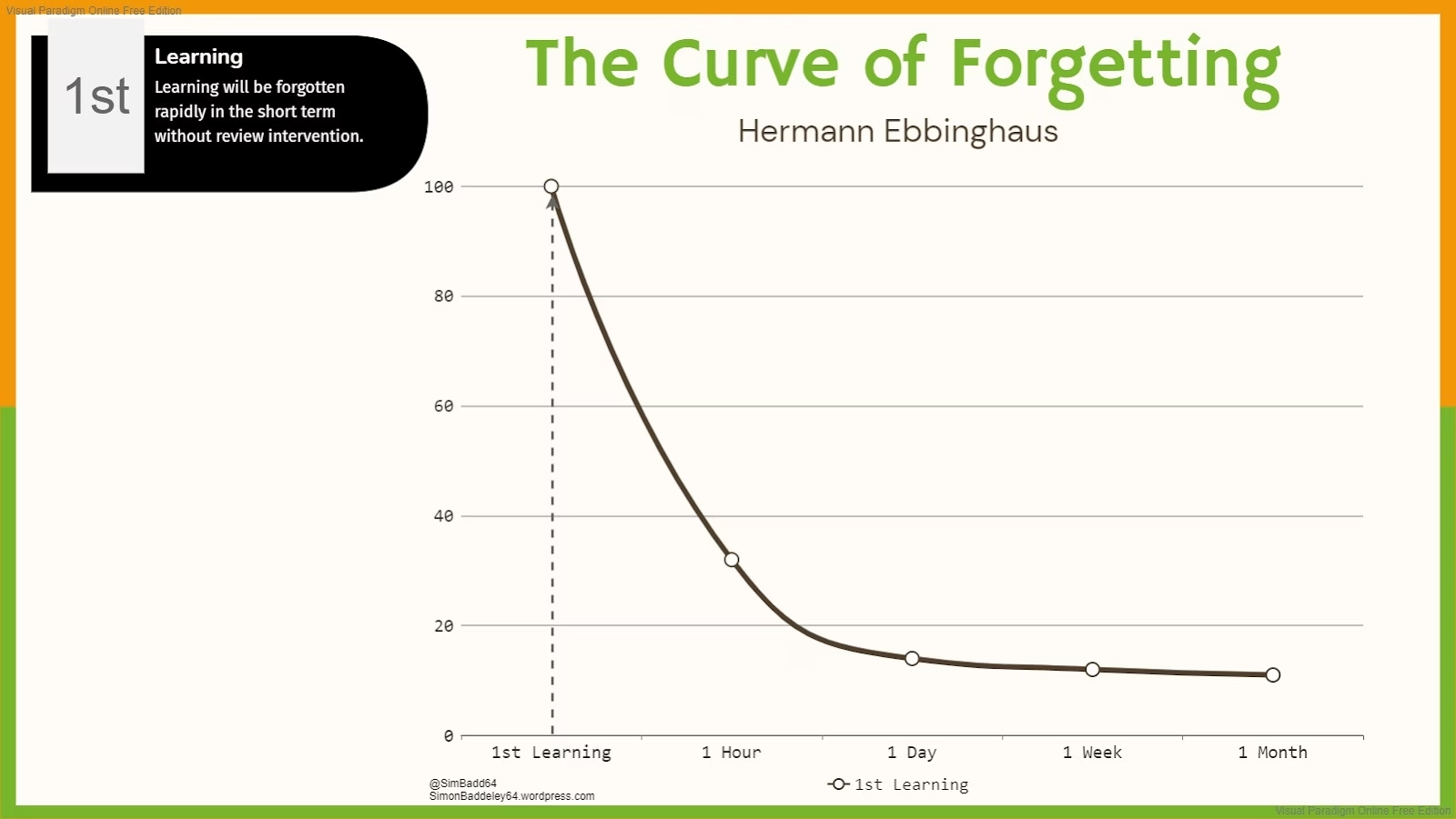
Research shows people forget approximately 70% of new information within 24 hours without reinforcement. The recap serves as both reference material and a call to apply new skills.
Subject: Training Recap: Effective Presentation Skills, Key Takeaways and Resources

Hi Team,

What a fantastic session today! Thank you for your active participation and great questions. Here's your summary to keep the momentum going.

Key Concepts Covered:
…

Top Takeaways:
…

Your Implementation Challenge: Choose one technique from today's session and apply it to your next presentation. We'll share experiences during our follow-up session on [Date].

Resources: …

Feedback: Please complete this 2-minute survey – [Link]

Next Session: …

Feel free to reach out if you have any questions as you digest the material.

Great job today, and I’m looking forward to seeing how you apply these new skills!

Thanks and regards,
[Your Name]
[Your Title/Trainer]
Tips:
- Include a short homework challenge to encourage real-world application.
- Make resources easy to access through shared drive links.
- For mandatory training, include completion confirmation details.
9. Exit Interview Meeting Recap Email (HR)
In this context, a recap is usually internal. It is not typically sent to the departing employee, but kept as a record for HR and management.
That said, if there are follow-up tasks (like disabling accounts, retrieving equipment, or addressing any of the employee’s concerns), documenting them ensures they get done.
If you do send a version to the departing employee, it would usually focus on next steps in the offboarding process, such as returning equipment or confirming final paycheck details.
This meeting recap email template will assume it’s an internal note or follow-up for process completion rather than a recap sent to the employee.
Template Example (Internal Use):
Subject: Exit Interview Notes: [Employee Name] Departure

[This email is a summary of the exit interview with [Employee Name] on [Date], shared with HR and relevant management.]

Key points from [Employee Name]’s exit interview:
- Reason for Leaving: …
- Feedback on the Company: …
- Areas to Improve: …

Offboarding Actions:
…

HR will incorporate the feedback about onboarding and workload into our next planning meeting.

Overall, [Employee Name] was appreciative of their time here and left on good terms.

Regards,
[HR/Your Name]
Human Resources
Tools to Streamline Meeting Recap Workflow
The modern meeting recap workflow increasingly spans multiple tool categories, from note-taking through distribution and tracking.
1. Heroic Inbox: Powerful Inbox for Better Email Communication
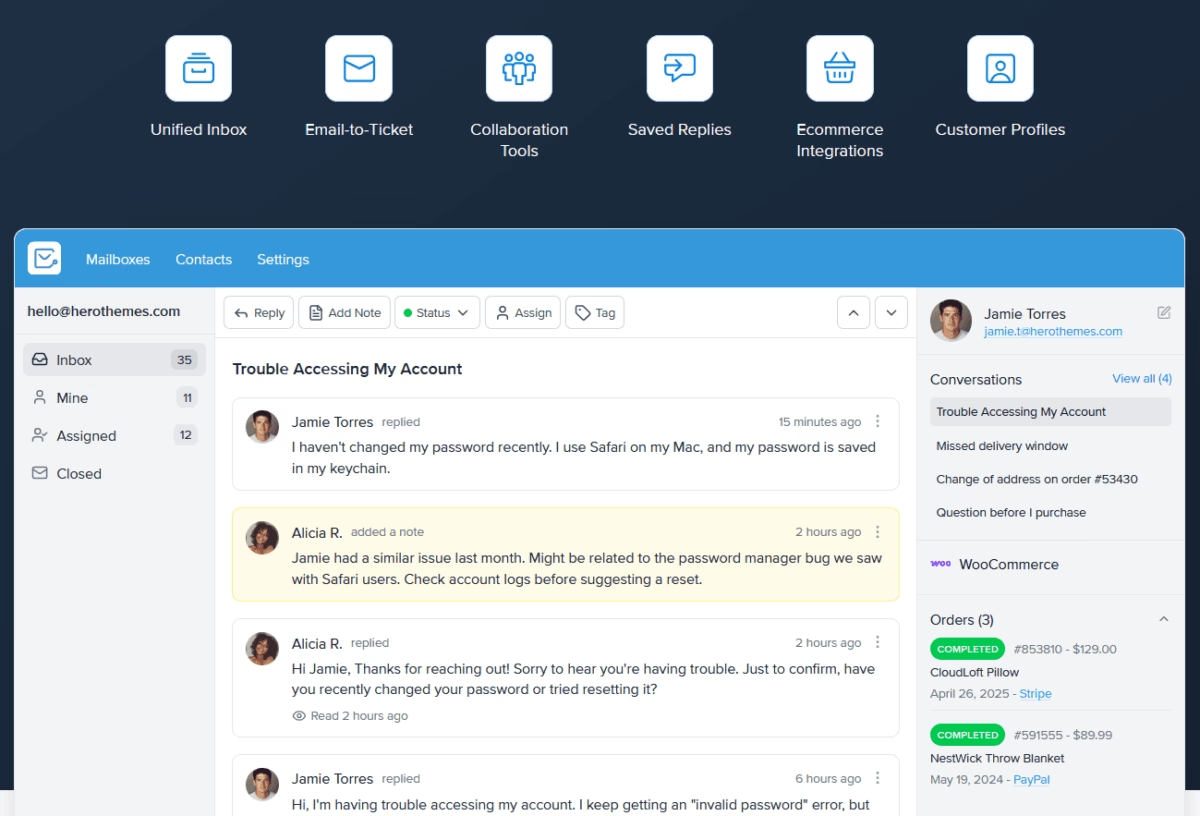
Help desk tools like Heroic Inbox are valuable for any business that deals with customers, clients, or email communication.
Features like:
- Shared inbox
- Templates
- Workflow automation
- Built-in CRM functionality
- Integration with tools like Slack
- Analytics and tracking
Help you effectively manage and speed up your after-meeting communications. Such as sending a recap, answering follow-ups, or sending the same email context to a slack channel with a one click.
2. Heroic Knowledge Base
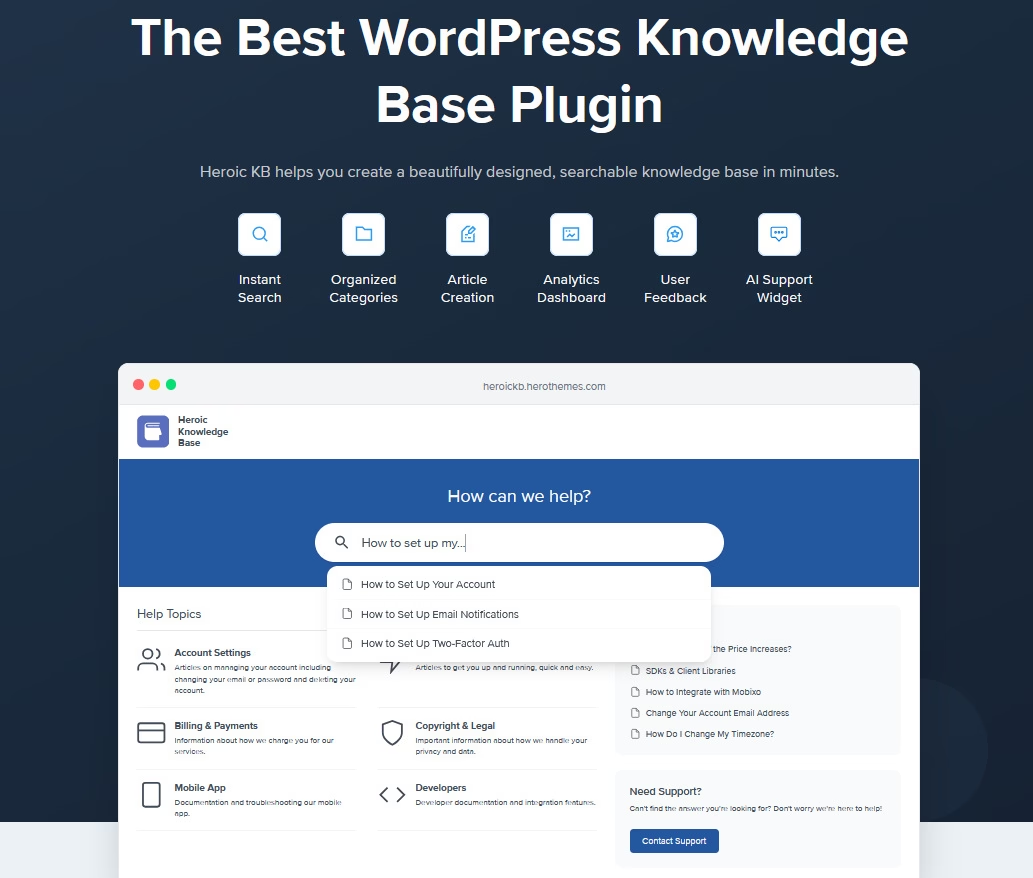
Heroic Knowledge Base can support your meeting workflow before and after the meeting, not just during support interactions.
Before a meeting, it helps you give clients or prospects the context they need so they can arrive better informed.
Instead of answering the same questions live every time, you can share helpful resources in advance, such as:
- Pricing FAQs
- Product or service overviews
- Glossary pages that explain key terms
- Setup guides
- Policy pages
- Comparison pages
- Common process questions
This can cut down on repetitive back-and-forth and make meetings more productive. It also helps people self-serve when they are not ready to book time yet or only need a quick answer.
Furthermore, after a meeting, you can link to articles in your recap email to reinforce key points, answer follow-up questions, and give people a clear place to learn more.
Heroic Knowledge Base also works well as an internal portal. Teams can use it to store and organize:
- SOPs
- Onboarding guides
- Training materials
- Internal process documentation
- Team glossaries
- Troubleshooting steps
- Meeting playbooks and templates
With an internal knowledge base, new hires can ramp up more smoothly, recurring processes become easier to follow, and everyone has a shared place to find the latest guidance without digging through old messages or scattered docs.
As a result, in meetings you discuss progress rather than arranging training sessions.
Final Thoughts on Meeting Recap Emails
Mastering meeting recap emails is a simple yet powerful way to enhance your team’s communication and productivity.
When you capture decisions and tasks in writing, you create accountability and a shared understanding. People know what happened, what matters now, and what comes next.
Over time, you’ll likely notice projects run more smoothly, and you’ll have fewer “Did anyone follow up on that?” moments.
Here’s to no more forgotten action items and to meetings that actually lead somewhere productive! 🚀
Further Reading
59 Best Follow-Up Email Subject Lines (+ Examples)
Best Quotation Email Templates and Examples to Learn From
10 Apology Email Templates, and Writing Tips
Best Support Ticket Response Templates for Fast, Consistent Customer Service
Customer Feedback Surveys: Tools, Best Practices, Templates
11 Customer Retention Email Examples