Customer Onboarding: Step-by-Step Guide with Examples and Best Practices
 Shankar Chavan
You sign up for a new software, eager to try it out, and then… nothing. No guidance, no welcome, just a blank dashboard.
You feel lost and start to question why you signed up in the first place. This is exactly what good customer onboarding prevents.
In this guide, I’ll break down what customer onboarding really means, why it’s so crucial, and walk you through a step-by-step onboarding process with real examples and best practices.
In This Guide
- What Is Customer Onboarding?
- Why Is Customer Onboarding So Important?
- Customer Onboarding Checklist
- The Customer Onboarding Process (Step-by-Step Guide)
- Step 1: Easy Sign-Up
- Step 2: Warm Welcome
- Step 3: First Login and Quick Setup
- Step 4: Interactive Product Tour or Walkthrough
- Step 5: Integration and Team Setup (For B2B or Advanced Users)
- Step 6: Checklists and Milestones
- Step 7: Provide Ongoing Support and Self-Service Resources
- Step 8: Follow-Up and Continuous Engagement
- Best Practices for a Successful Customer Onboarding Strategy
- Conclusion: Onboarding Is an Ongoing Journey

We rigorously test and research every product that we recommend through HeroThemes. Our review process. We may also earn a commission if you make a purchase through our links.
What Is Customer Onboarding?
Customer onboarding is the structured process of introducing a new customer to your product or service and helping them get value from it as quickly as possible.
It’s like a friendly handshake that says, “We’re glad you’re here! Let us show you around.”
Customer onboarding typically involves things like step-by-step tutorials (getting started guides), welcome emails, product walkthroughs, FAQs, checklists of key tasks, and friendly support to answer questions.
Why Is Customer Onboarding So Important?
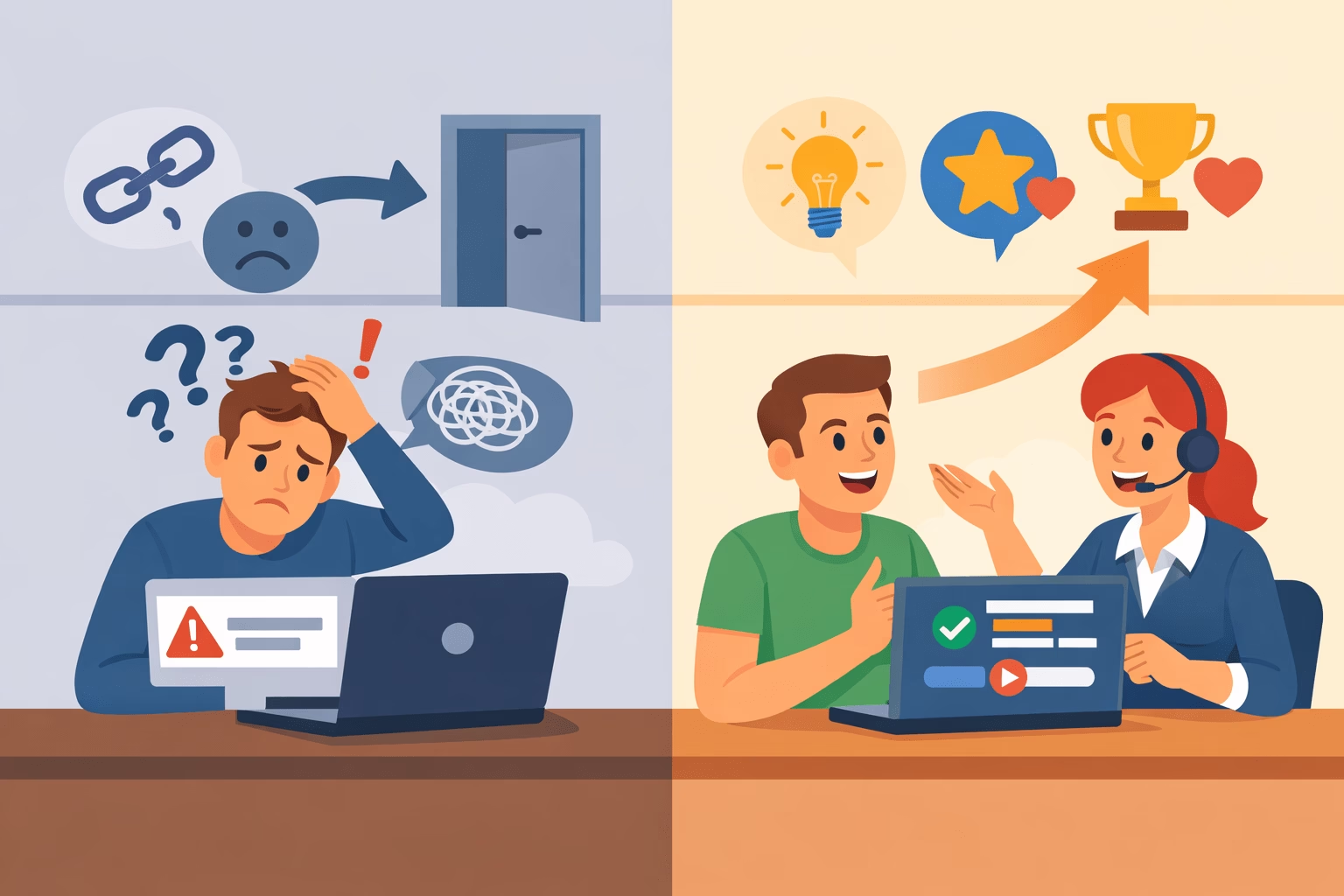
Onboarding is often a deciding factor for whether customers stick around long term. Here’s why a great onboarding experience is so important:
- Prevents Early Churn: If a customer feels confused or frustrated in the first few days, there’s a good chance they’ll give up on your product. In fact, poor onboarding can cause 75% churn within the first week.
- Boosts Retention and Loyalty: When you feel supported and see value early, you’re more likely to keep using the product over time. The same goes for others.
- Improves Customer Success and Satisfaction: With onboarding, you don’t just teach customers about your product features; you help them achieve their goals with it.
- Reduces Support Load: Onboarding trains customers to use self-help resources and get answers on their own, which results in fewer basic “How do I do X?” support tickets. And your customers also learn where to find answers before reaching out to support.
Customer Onboarding Checklist
If reading this entire guide seems too long or boring to you, here’s a quick customer onboarding checklist.
But I do recommend going through the complete guide.
These are the core steps and best practices I’ve covered below:
- Frictionless sign-up
- Immediate welcome
- First login guidance
- Interactive product tour
- Integration/team setup (if needed)
- Onboarding checklist and progress
- Self-service resources
- Responsive support channels
- Follow-up engagement
- Collect feedback and iterate
Feel free to adapt this checklist to your specific situation.
For example, if you’re an eCommerce site onboarding new customers (shoppers) rather than users of software, some steps differ (you might replace product tours with content like “How to track your orders” or “Join our loyalty program”).
But the essence of onboarding remains universal: make it easy, welcome people warmly, provide clear guidance, and follow up.
The Customer Onboarding Process (Step-by-Step Guide)
Over the years of selling Heroic products and services, we have learned a lot about onboarding customers and crafting the perfect onboarding recipe for us.
Every business will have its own spin on onboarding, but most successful customer onboarding processes follow a similar flow.
Here’s what it looks like:
Step 1: Easy Sign-Up
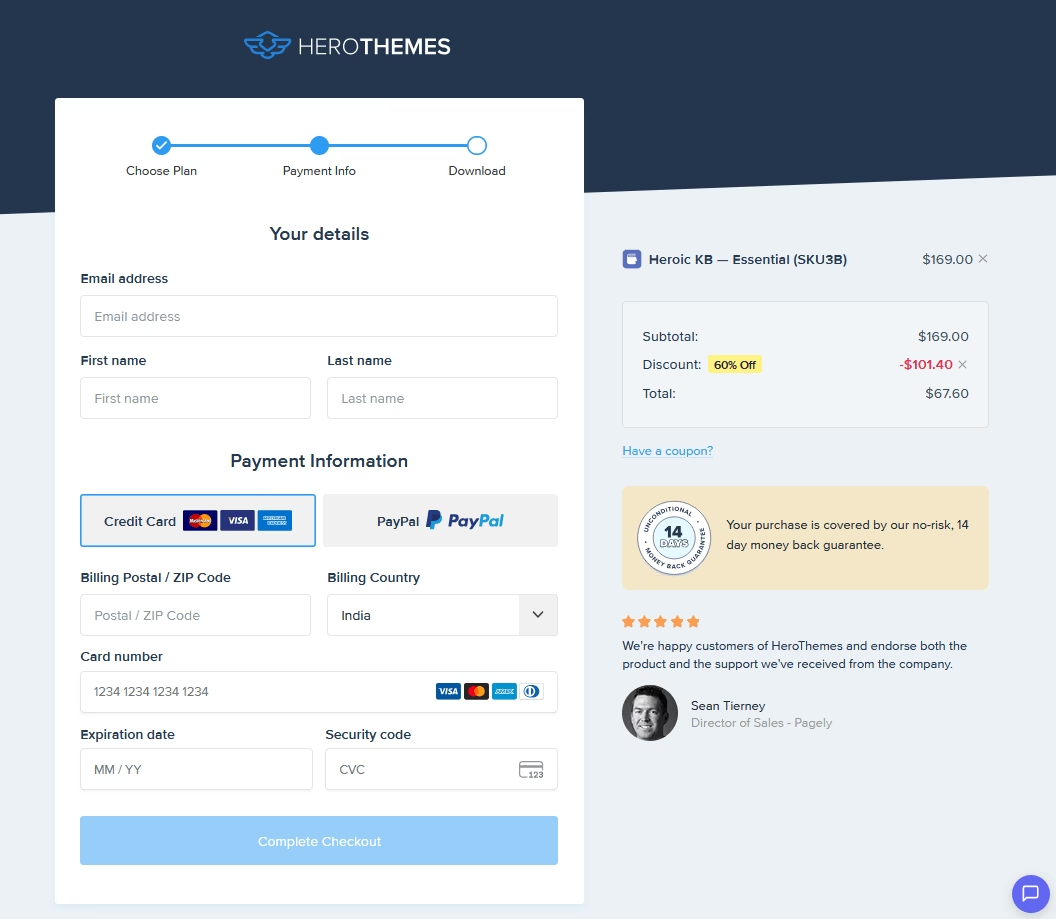
The onboarding journey begins the moment a customer signs up or creates an account.
Keep the sign-up process as frictionless as possible.
If it’s too long or complicated, users will leave before even getting started.
Here’s how to streamline your sign-up process:
- Ask for minimal information upfront: Often just a name, email, and password will do. You can always collect more details later once the user is engaged.
- Offer social or single sign-on options
- Set clear expectations with a call to action: Instead of a button that just says “Submit,” a button that says “Create my account” or “Start my 14-day free trial” is clearer and more inviting.
The key at this stage is speed and simplicity.
Step 2: Warm Welcome
Welcoming users can be done with a friendly welcome email, with an on-screen message, or both.
The idea is to thank them and guide them toward the next step:
- Say thank you and confirm their decision
- Give a quick overview and guide towards the next step: Your welcome message should answer, what should I do first?
For example, log in here and launch your first project, with a nice big CTA button that takes them into the app. - Share helpful resources (sparingly): Include a couple of pointers. A link to a quick start guide, a tutorial video, or your Help Center documentation for common questions. Just don’t overload a brand-new user with a wall of links.
It’s basically, “We’re excited to have you! Here are the first three things you should do to get the most out of [Product].”
Step 3: First Login and Quick Setup
They’ve gone from reading about your product to using it. It’s your job to make that first in-app experience smooth, guided, and encouraging.
Don’t make the customer stare at a blank screen and wonder what to do.
Here’s how to ace the first login:
1. Provide a guided setup or tour right away
This can be in the form of a welcome dialog, a setup wizard, or tooltips highlighting important areas of the interface.
When users log in they should immediately see, for example, “Hey, let’s get your software set up!” rather than a confusing dashboard with no context.
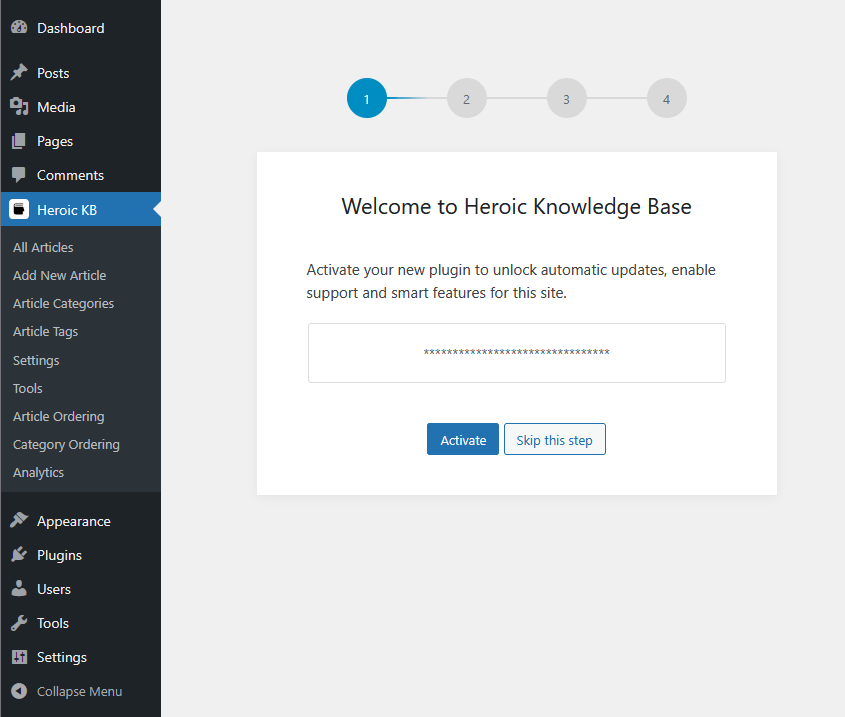
For example, when users install the Heroic Knowledge Base plugin, they immediately see a setup wizard that guides them to add a license key, install a demo site, and help optimize a bunch of settings based on their needs.
2. Offer a quick win
If a customer can accomplish something meaningful in the first few minutes, they’ll feel a sense of progress and relief.
Maybe it’s sending their first message in your chat app, uploading a first file, or completing a profile.
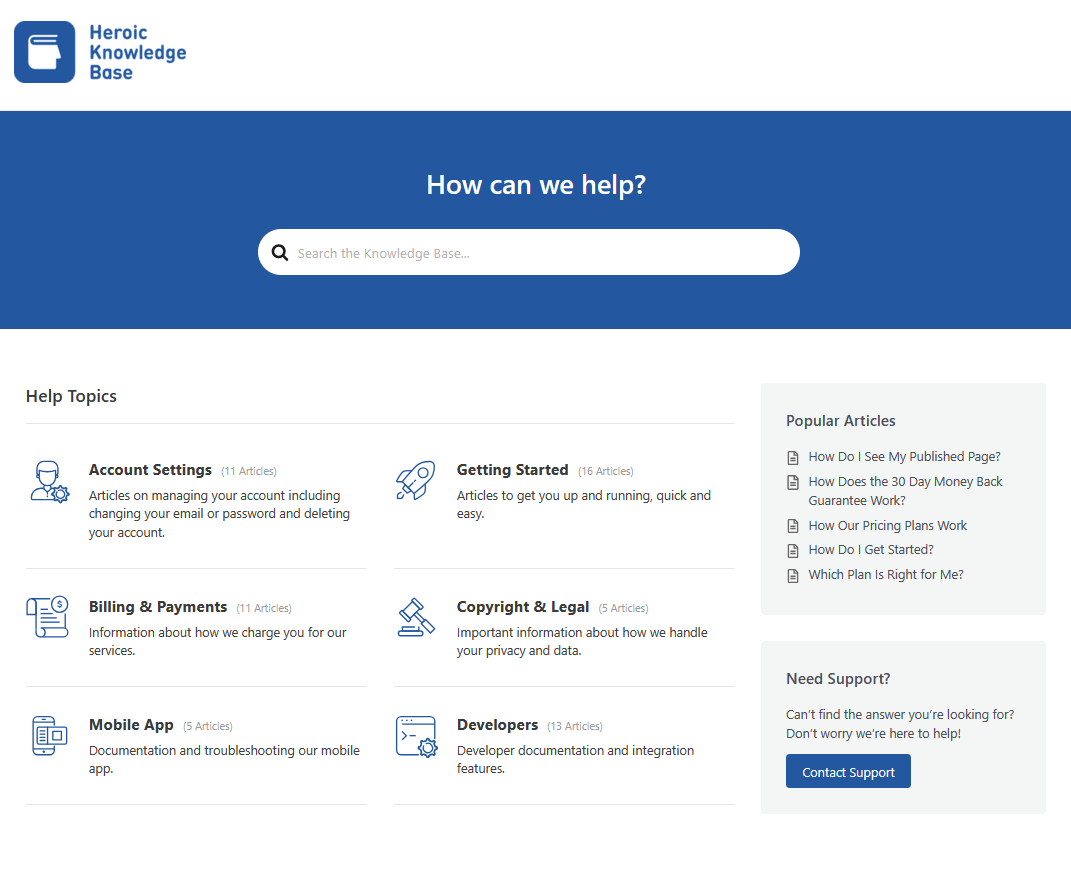
In the case of our product (Heroic Knowledge Base), we ask users to import demo content (knowledge base template). This helps them create an exact replica of the knowledge base site they saw before making their purchase.
Even a small milestone (like “Profile 100% complete!” or a friendly congratulations message for creating the first project) gives a little dopamine hit.
3. Guide basic setup tasks
Depending on your product, “setup” could mean different things. For a CRM, for example, it might prompt the user to import their contacts or connect their email account.
For a SaaS analytics tool, it might ask them to install a tracking code.
Break these initial tasks down into a checklist or a step-by-step process so that users know exactly what to do.
4. Personalize the process if possible
You may have seen this before. Sometimes, apps present a short survey or ask about your preferences in order to tailor your experience.
For a project management tool, for example, you could ask, “What type of projects are you managing?” to customize the setup.
This is optional, but learning about the customer early can help you segment and personalize their journey.
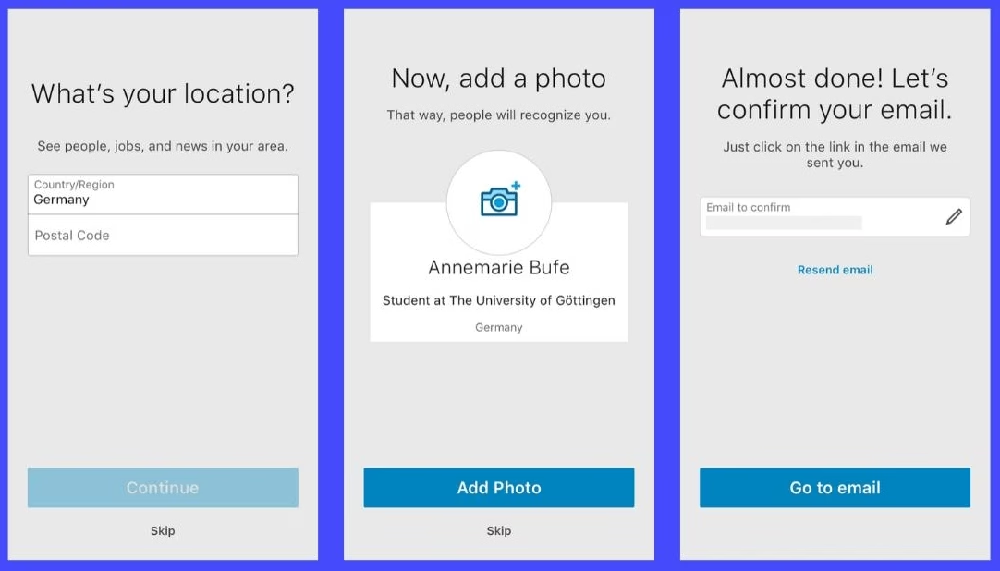
Above you can see an example of how LinkedIn onboards new users on mobile: It doesn’t throw the entire profile form at you at once. Instead, it asks one thing at a time. Making the process feel easy and paced.
Step 4: Interactive Product Tour or Walkthrough

It’s time to help users dive deeper into your product’s features, but in a controlled, user-friendly manner.
Enter the product tour or interactive walkthrough.
This is a short tutorial that shows users how to use the product by guiding them through specific tasks.
Here are some tips for interactive product tours:
- Make the tour optional and user-driven: Give users an option to skip it.
- Show, don’t just tell (interactive): Instead of providing a video, incorporate the tutorial into the product itself. For example, if your product’s core action is “create a report,” a good interactive tour will highlight the “Create Report” button, prompt the user to click it, explain the different settings, and ask the user to create their first report.
- Keep it brief and relevant
- Allow users to access tours/setup wizards anytime
- Provide support alongside the tour: Having a little chat bubble for support or a link to your knowledge base in the tour UI can be a lifesaver for users who get stuck.
By interacting, the user learns by doing, which is more memorable.
Step 5: Integration and Team Setup (For B2B or Advanced Users)
This step may not apply to every business, but if your product is used in a business context (B2B SaaS, enterprise software, etc.), there are often additional onboarding tasks like integrating with other systems or onboarding an entire team of users.
These tasks tend to be more complex and require special handling.
1. Make integrations as simple as possible
If your app can connect to other tools (like importing data from a CRM, or syncing with Slack), then build an integration hub or marketplace that is easy to find and use.
Automate whatever you can.
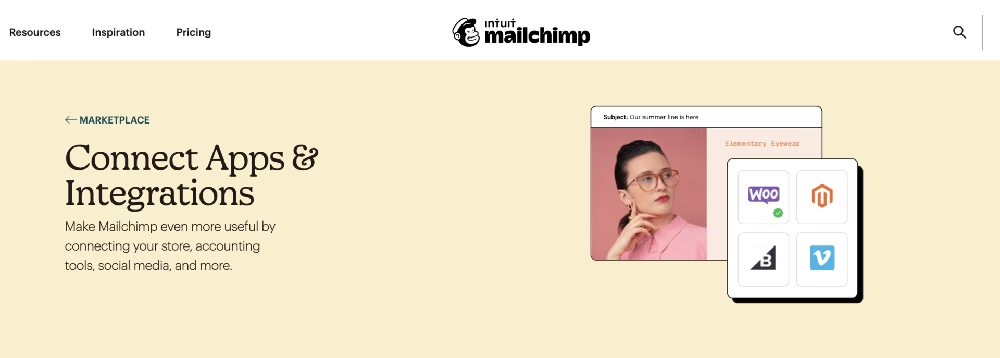
In this customer onboarding example, Mailchimp prompts new users to connect other apps with just a few clicks, no coding needed.
They provide a searchable list of integrations with clear categories so users can easily find and connect the services they use.
By simplifying the technical steps, you remove a common bottleneck that could stall onboarding.
2. Keep advanced setup optional
Not every customer will need to integrate with other tools or invite teammates on Day 1.
Recognize these steps as optional branches in the onboarding flow.
For example, after a user has signed up, you might have a screen that says “Do you want to invite your team now or do it later?”
3. Provide extra help for complex steps
Many SaaS companies assign a dedicated onboarding specialist or account manager for larger clients to walk them through integrations and data migration.
For complex products, companies even provide group training sessions via virtual meetings or in person.
This helps clients get most out of their purchase and encourages them to stick with the product.

If you don’t have that luxury, at least ensure your support channels are clearly visible.
4. Invite the team
For collaborative products, make the invitation process straightforward (e.g., allow the primary user to just enter emails or share an invite link) and you can also provide a template message explaining the product to those new invitees.
Step 6: Checklists and Milestones
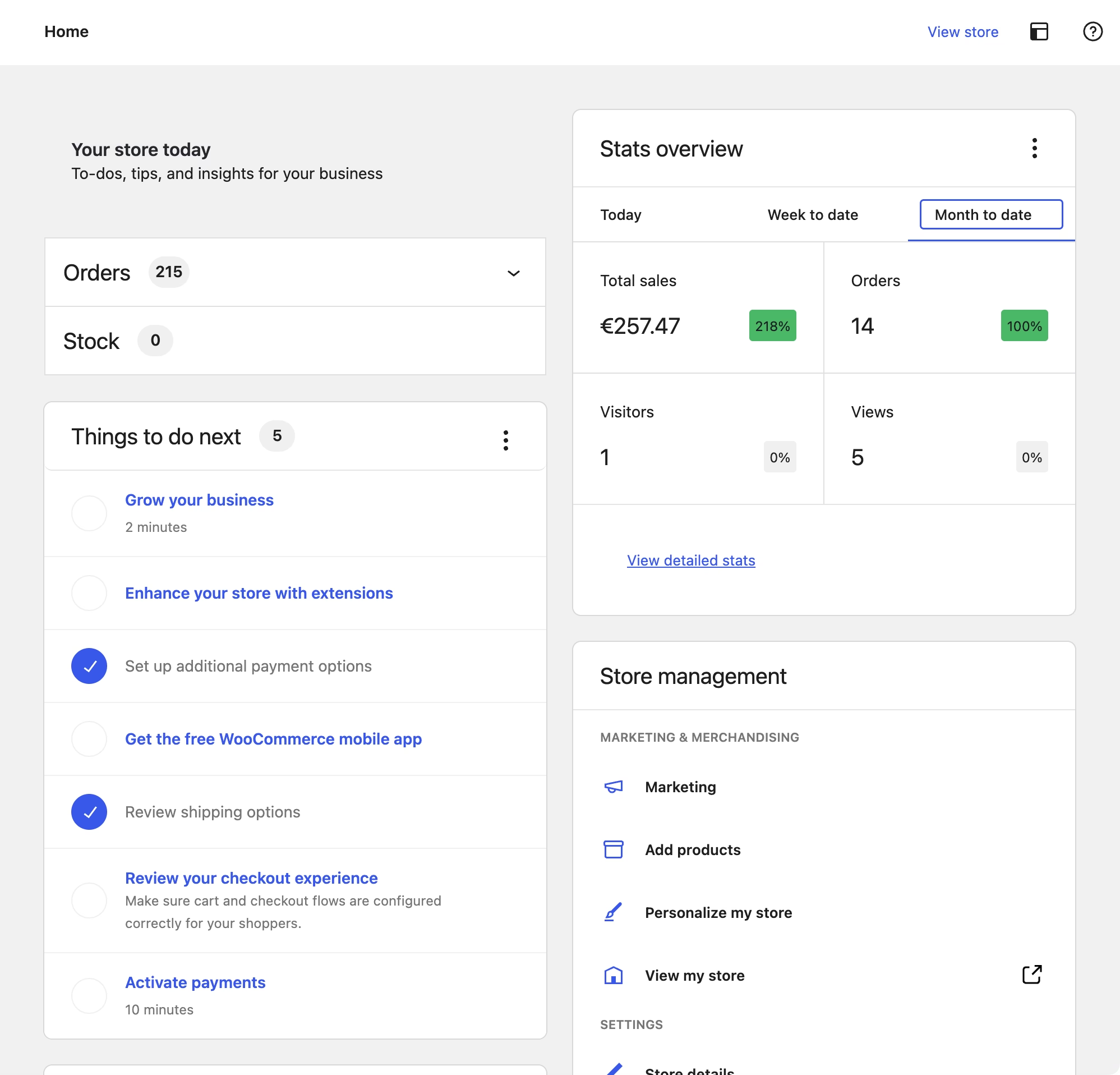
An onboarding checklist is a to-do list within an app that shows new users the key actions they should complete to maximize their use of the product.
As users complete each item, they often get a satisfying checkmark or progress bar update.
Here’s how you can create your own onboarding checklist inside a product:
1. Use checklists to drive key actions
A simple checklist of, say, 5–7 items can significantly improve onboarding completion rates.
It gives users a clear path: Complete these steps and you’re good to go.
Here’s how WooCommerce encourages customers to explore their product.
2. Keep it short and visible
A checklist that’s too long can backfire (nobody wants a 20-item homework list).
Instead, aim for a few of the most important tasks and make the checklist easily accessible.
Many apps have it as a small panel or widget in the dashboard for new users. You can even gamify it, with progress bars or small rewards.
3. Celebrate milestones and successes
When a user completes a key step or finishes the whole onboarding checklist, celebrate it!
It can be as simple as a congratulatory message or as fun as a little animation or badge.
These celebrations provide positive reinforcement.
Step 7: Provide Ongoing Support and Self-Service Resources
Support is an ongoing process. With the customer onboarding process you might iron out some issues, but there will still be many issues and questions left that wouldn’t fit into your product design or would make it worse.
So, ongoing support and self-service resources are crucial here.
In fact, as users explore more features or encounter real-world use, questions will come up.
1. Offer multi-channel support early
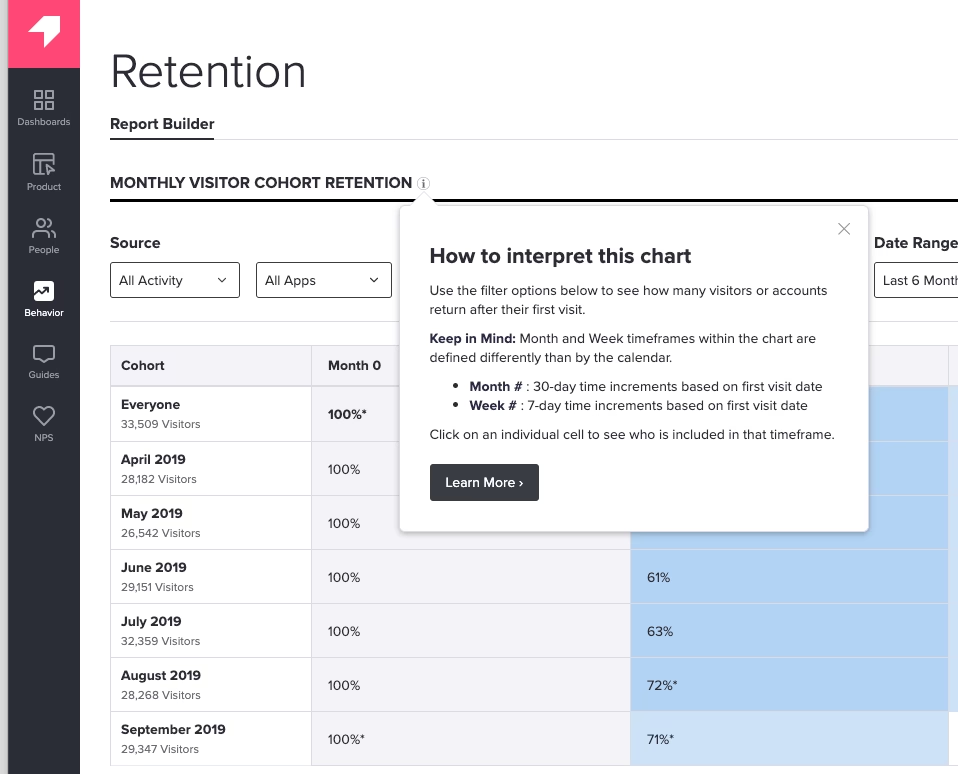
Make it clear to new customers that support is available and how to reach it.
- In your app/software, add a chat widget or conversational AI for customer support.
- Highlight a support email
- An in-app “Help” menu and tooltips linking to your knowledge base
- Prompt open a ticket message when something goes wrong
The key is to remove any hesitance a user might have about seeking help.
2. Create a self-service portal
Many customers actually prefer not to talk to a support agent (or open a ticket) if they can quickly find the answer themselves.
Think about it, if it’s midnight and I’m working on something, I’d rather search your FAQ or knowledge base than wait for a reply to a support ticket.
Providing an extensive knowledge base, tutorials, and FAQs is part of onboarding too.
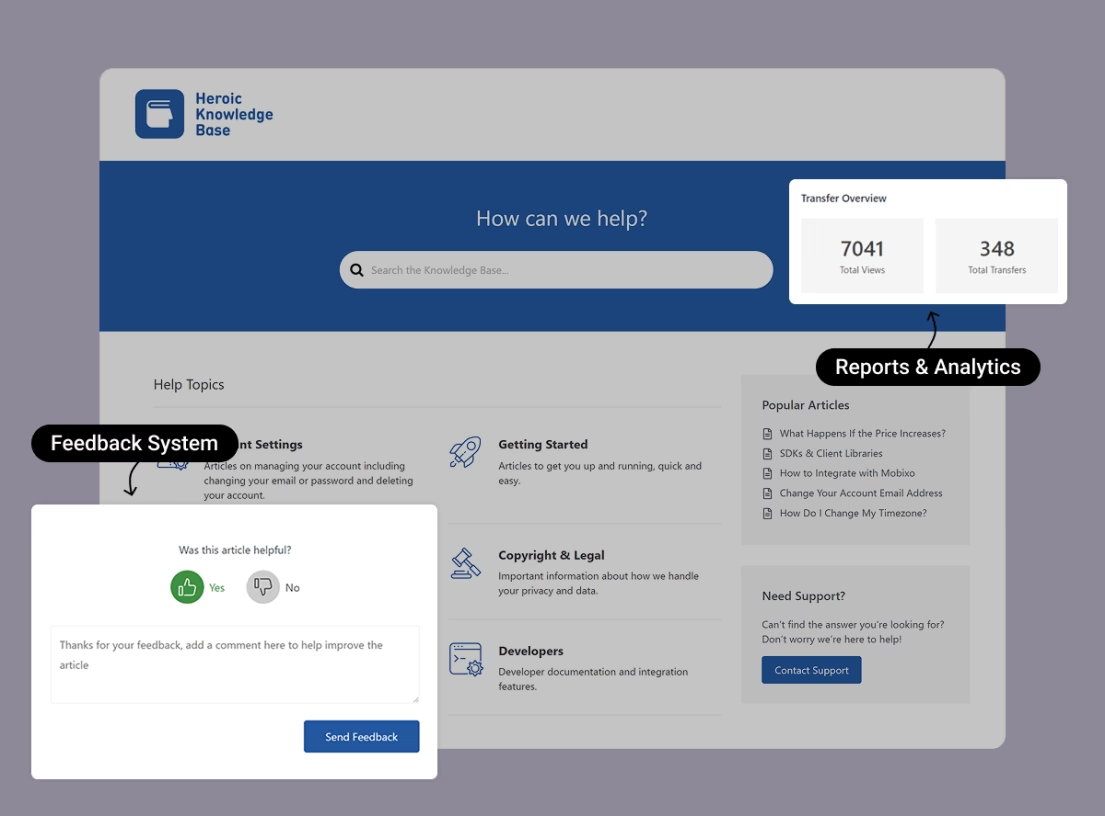
You can use tools like Heroic Knowledge Base to create a dedicated self-service portal:
- It can help you provide instant search suggestions
- Gather feedback
- Learn more about user issues from analytics and reports
- Reduce ticket volume
- Answer customer queries 24/7 and in multiple languages
3. Human support for complex issues
Of course, not everything can be solved with an article.
Ensure that if a user does need to reach a person (via email, chat, phone), it’s easy and they know how.
4. Utilize shared inbox/ticketing for support
Use the proper tools to effectively handle customer support.
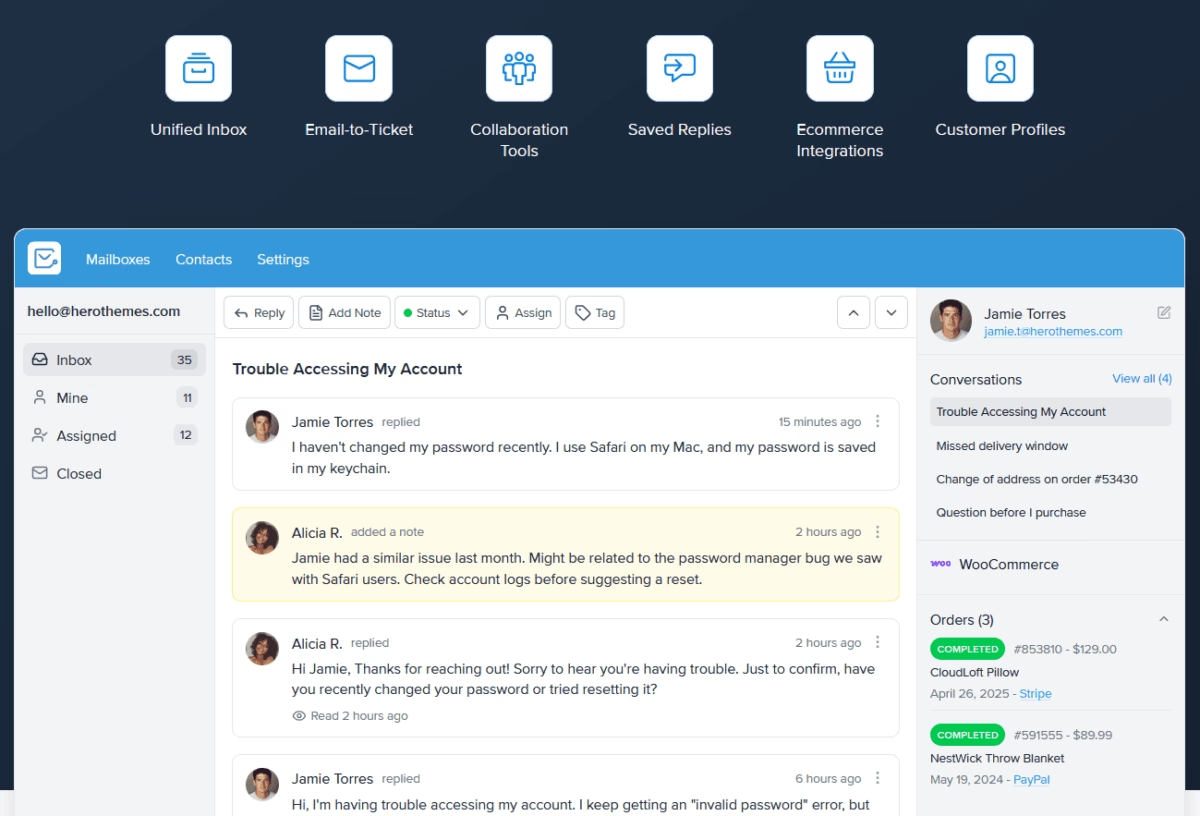
Start using a system like Heroic Inbox or other help desk platforms for managing customer emails and tickets.
Heroic Inbox, for example:
- Centralizes all your customer communications into a shared inbox.
- Offer team collaboration features such as ticket assignment, tagging, and email drafts.
- Automation features to reduce repetitive tasks.
- Analytics and much more.
Efficient support tools help you answer onboarding questions faster, which keeps new users moving forward happily.
Step 8: Follow-Up and Continuous Engagement
Congratulations! Your customer has completed the initial setup and training.
Is onboarding over now? Not quite.
Successful customer onboarding transitions into an ongoing relationship where you continue to engage with, educate, and learn from your users.
Here’s what that entails:
1. Send follow-up emails and check-ins
In the days and weeks after a new customer starts, send periodic emails to keep them engaged.
Don’t try to sell with these emails here.
For example, a week in, you might send “Top 5 Tips to Get More Out of [Product]” or “How to use [Feature] to achieve [User’s Goal]”.
Make sure each email provides value, like a pro-tip, a link to a how-to article, or a short success story from another customer.
2. In-app reminders and prompts
Your app can have built-in prompts for dormant users.
If it’s been a week and the user hasn’t completed a key action, you should try sending a subtle reminder (of course, this should be a feature of your software).
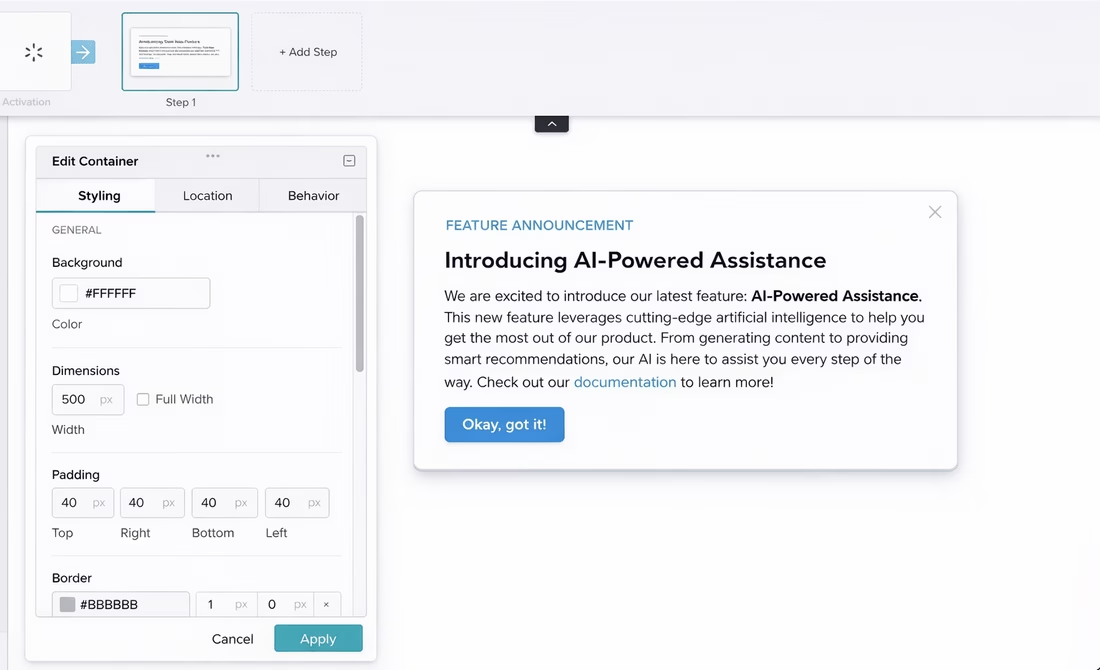
You can promote new features through app prompts and encourage users to explore them.
3. Gather feedback and adjust
Feedback is the most important part of continuous onboarding.
By asking your customers how it’s going, or sending them a short survey a couple of weeks after they start using the product will help you identify areas where your onboarding might be lacking.
Best Practices for a Successful Customer Onboarding Strategy
We’ve already have gone through some of these points above, so here are the best practices to get the most out of your customer onboarding strategy:
- Understand your customers’ goals: You are going nowhere with your onboarding process unless you understand what your customers are trying to achieve with your products.
- Personalize the experience: Your product might serve multiple use cases or audiences. So tailoring onboarding to different segments can dramatically improve its effectiveness.
- Use clear and simple language: Don’t slip in technical jargon or marketing-speak in your onboarding materials.
- Mix media and learning styles: Some prefer reading text, others like watching a video, some want to click and try themselves. So try out a few options.
- Manage the pace, but don’t overwhelm customers early on
- Choose the right onboarding model (self-service vs. dedicated staff): It’s important to decide which model (or combination) fits your product and customer base. If you have a relatively simple B2C software with thousands of users, a self-service model with good in-app guidance and docs likely suffices.
- Measure, measure, measure (and iterate): You can also track customer onboarding success using the following metrics:
- Onboarding completion rate: the percentage of users who complete all key onboarding steps.
- Time to first value (TTFV): How long it takes on average for a customer to achieve their first meaningful success with the product.
- New user retention rate
- Support touchpoints
- Customer feedback
- Conversion rates
- Empower your team and align internally: Onboarding spans multiple departments. It’s part product design, part customer support, part customer success, even part sales (for upsells later).
- Use technology, but don’t lose the human touch
With these best practices, you’re not just building an onboarding process, but a foundation for a strong ongoing relationship.
Conclusion: Onboarding Is an Ongoing Journey
At the end of the day (no pun intended), onboarding blends into customer success and support.
In the sense that you’re always guiding them to deeper value, you never really stop onboarding a customer. But that initial in-depth hand-holding period will transition to an as-needed basis.
The measure of success for your customer onboarding is ultimately what happens in those weeks and months after the first use:
- Do customers continue to log in and use the product?
- Are they achieving the outcomes they wanted (which likely means they’ll renew or purchase more)?
Here’s to smoother sign-ups, happier customers, and long-lasting relationships forged from the very start!
Further Reading
11 Best Customer Support Tools for Small Businesses (2026)
34 Best Onboarding Email Subject Lines
Best Free Remote Help Desk Software for 2026
33 Best Welcome Email Subject Lines [Handpicked for 2026]
B2B Customer Service: What It Is, Why It Matters
How to Create a User Manual: Complete Step-by-Step Guide