10 Best AI Email Assistants of 2026 (Free Options Included)

Imagine having an intelligent helper that can automatically filter out low-priority emails, draft responses for you, summarize long email threads, and remind you to follow up.
That’s an AI email assistant for you.
As someone who has spent years in customer support and communication, I can tell you these tools save real hours every week. They use artificial intelligence to handle the busywork so you can focus on the emails that actually need you.
In this guide, I’ll share 10 of the best AI email assistants available today, from free Gmail tools to shared inboxes your whole team can run.
Let’s start with the basics.
In This Guide
- What is an AI Email Assistant?
- What Makes the Best AI Email Assistant Software?
- The Best AI Email Assistants
- 1. Gmail’s AI Tools
- 2. Microsoft 365 Copilot (Outlook): Best AI Assistant for Outlook
- 3. Heroic Inbox: Best AI Shared Inbox for WordPress
- 4. Hiver: Best for Agentic Email Support
- 5. Superhuman: Best AI-Powered Email Client
- 6. Shortwave: Best AI-First Email App
- 7. Front: Best AI-Enhanced Shared Inbox
- 8. MailMaestro: Best AI Email Composition Assistant
- 9. Mailbutler
- 10. Lavender
- 1. Gmail’s AI Tools
What is an AI Email Assistant?
An AI email assistant is software that uses artificial intelligence, natural language processing, and machine learning to make email faster to manage. It drafts replies, summarizes long threads, sorts your inbox by priority, and reminds you to follow up, so you spend less time reading and typing.
Unlike traditional email filters that follow rigid rules (“If the sender is X, move to folder Y”), AI assistants understand context and intent. They can scan an email’s content, determine its purpose, and help you take action.
How does it work?
These assistants are integrated with powerful language models like OpenAI’s GPT series. They parse unstructured email text, identify key information (such as dates, people, and questions), and generate helpful outputs.
What does an AI email assistant do?
Typically, it integrates with email communication platforms, reads the context of your messages and takes action on your behalf. For example, it can write and edit drafts, summarize lengthy reply threads, flag urgent messages, suggest one-click replies, and extract dates and tasks. The best ones learn your tone over time.
What Makes the Best AI Email Assistant Software?
How do you choose an AI email assistant that will actually help you instead of adding more noise?
Let me explain with a quick rundown of the key features and criteria to look for:
- Writing and Drafting Email Responses: The top assistants draft emails for you or help polish your writing. Look for natural language generation that fits your tone.
- Smart Replies and Quick Suggestions: You can get one-click replies (e.g. “Got it, thanks!”) or suggestions on how to respond based on the email’s context.
- Inbox Organization: You get a better way to sort and prioritize emails.
- Summarization: Turn lengthy emails or 20-reply threads into short digests.
- Scheduling and Automation: Easily schedule meetings or set reminders.
- Sentiment and Tone Analysis: Advanced assistants analyze the tone of incoming emails (happy, confused, angry) so you can prioritize or adjust your response style.
- Seamless Integration with Your Email Provider: Some AI email assistants can integrate with Gmail, Outlook, Apple Mail, or your preferred email management software.
- Privacy and Security: Look for tools that promise strong privacy: data encryption, not training their models on your private emails, and compliance with regulations like GDPR.
- Learning and Personalization: Many AI assistants get better over time.
- Ease of Use: A clean, intuitive interface with minimal setup will make a huge difference.
- Pricing & Value: Some of the best things in life are free, and indeed, several AI email assistants offer free plans or at least free trials.
- Specialty or Use-Case Fit: Consider whether the tool excels in your specific use case. Some assistants are designed for salespeople and offer features like personalization tips and sales templates. Others cater to teams with shared inboxes, ticketing systems, and knowledge base integrations.
If a shared inbox is what you’re really after, our guide to the best shared inbox software goes deeper on team options.
Now, onto the good stuff.
The Best AI Email Assistants
Here are my top picks for the best AI email assistants, why they stand out, and how they can make your email life easier:
| Tool | Best for | Starting price | Standout AI feature |
|---|---|---|---|
| Gmail (Gemini) | Google Workspace users | Included with Workspace, from $7/user/month | Help Me Write and AI Overviews |
| Microsoft 365 Copilot | Outlook and Microsoft Teams | $21/user/month add-on | Thread summaries and draft replies |
| Heroic Inbox | WordPress site owners | $79.60/year, unlimited users | Built-in AI reply generator |
| Hiver | Gmail support teams | Free, paid from $25/user/month | AI Agents that resolve requests |
| Superhuman | High-volume power users | $25/user/month (annual) | Auto Drafts and Ask AI |
| Shortwave | Gmail search and summaries | $14/month individual (annual) | AI search across your inbox history |
| Front | Multichannel support teams | $25/user/month | Copilot draft replies (add-on) |
| MailMaestro | Outlook and Gmail drafting | Free, Pro from $12/month | Three AI draft options per email |
| Mailbutler | Apple Mail, Outlook, Gmail | Smart plan $14/month | Smart Assistant drafting |
| Lavender | Sales and outreach reps | Free, paid from $29/month | Real-time email scoring |

We rigorously test and research every product that we recommend through HeroThemes. Our review process. We may also earn a commission if you make a purchase through our links.
1. Gmail’s AI Tools
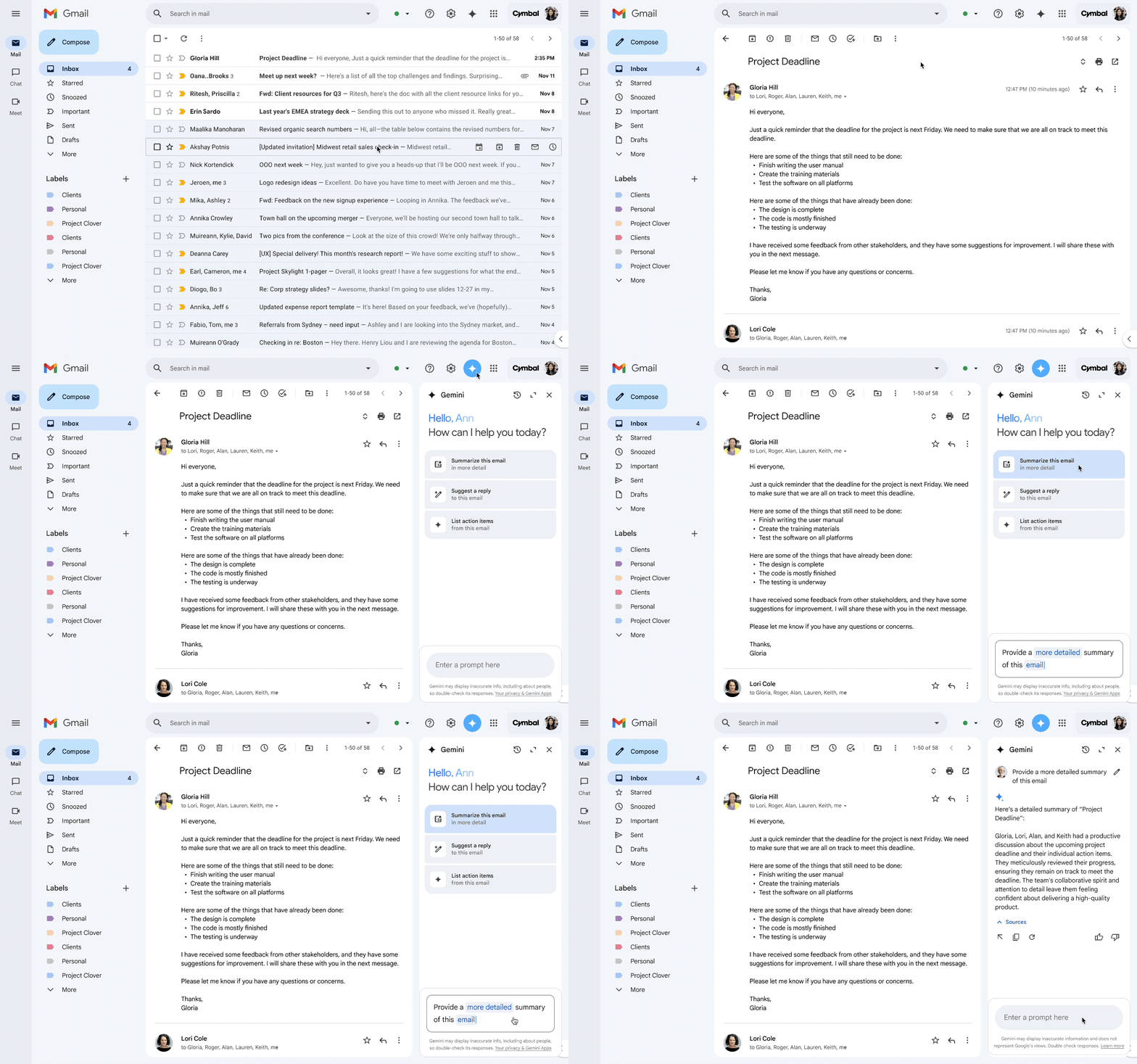
Gmail has long been an AI pioneer, and in 2026 it moved fully into the Gemini era. If you use Gmail or Google Workspace, you have likely met AI features like Smart Reply, Smart Compose, and the newer Gemini side panel that answers questions about your inbox.
Smart Reply gives you one-click responses (e.g. “Yes, that works” or “Sounds good, thank you!”) based on the email content, and Smart Compose autocompletes your sentences as you type, saving keystrokes.
Key features of Gmail’s AI email assistant:
- “Help Me Write” drafts full emails from a short prompt.
- You can optimize your prompts by including your desired goal and tone.
- One-click edits to make the email more formal, shorter, or longer.
- “I’m Feeling Lucky” adds a random, creative tone to less serious messages.
- Drafts can use context from earlier emails in the thread.
- AI to sort messages into Primary, Social, and Promotions tabs.
- AI-powered spam blocking.
- Nudges to surface unreplied emails and follow-ups.
- Summary cards to make scanning easy.
Pricing
Gemini AI features come included in most paid Google Workspace plans (Business Standard and up) at no extra cost, with Business Starter beginning at $7 per user per month. Personal Google accounts can add these features through a Google AI plan.
My verdict
If you’re on Gmail, you already have a solid AI assistant at your fingertips. It’s not as flashy as some dedicated tools, but it works quietly and effectively. I love that it’s zero-effort—no installation needed, and privacy feels okay since it’s all within Google’s system.
2. Microsoft 365 Copilot (Outlook): Best AI Assistant for Outlook
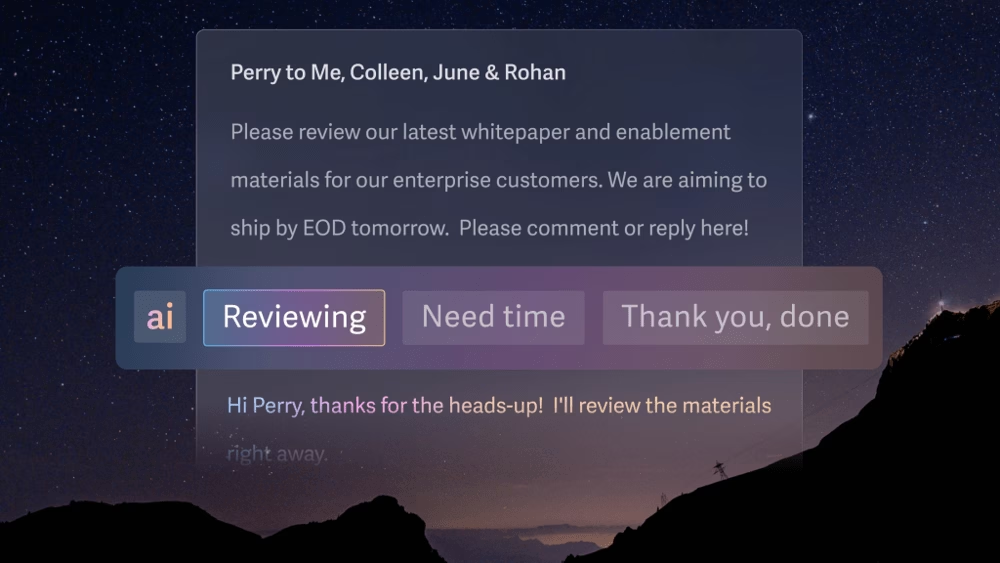
If you use Outlook for email (perhaps in a corporate environment), Microsoft 365 Copilot is the AI assistant designed for you.
Microsoft introduced Copilot in 2023 as a suite of AI features across Office apps, and Outlook now gets full draft, summary, and scheduling support through it.
Outlook Copilot is pretty darn impressive—it feels like Outlook leveled up to be your executive assistant.
Key Copilot features in Outlook:
- Email Drafting: creates a full email from a short prompt.
- Tone and length can be set before Copilot writes the draft.
- AI-drafted replies also use context from the email thread.
- Polish written emails and replies with AI.
- One-click conversation summaries for long threads.
- AI shows quick replies based on email context.
- Calendar and contacts integration suggests meeting times when someone emails you.
Pricing
For individuals, Copilot now comes inside Microsoft 365 Premium at $19.99 per month, since the old standalone Copilot Pro plan stopped selling to new customers.
For businesses, Microsoft 365 Copilot is a $21 per user per month add-on for small teams (with an $18 promo running into 2026), or $30 per user per month for enterprise, and it requires a qualifying Microsoft 365 license underneath.
My verdict
Outlook Copilot is like a full-fledged email consultant sitting in your inbox. It’s especially useful if you handle a lot of business communications or if you’re a manager who deals with long threads and formal emails daily. Those who have access to it can significantly reduce the drudgery of email management and improve the quality of their communications with Outlook Copilot.
3. Heroic Inbox: Best AI Shared Inbox for WordPress
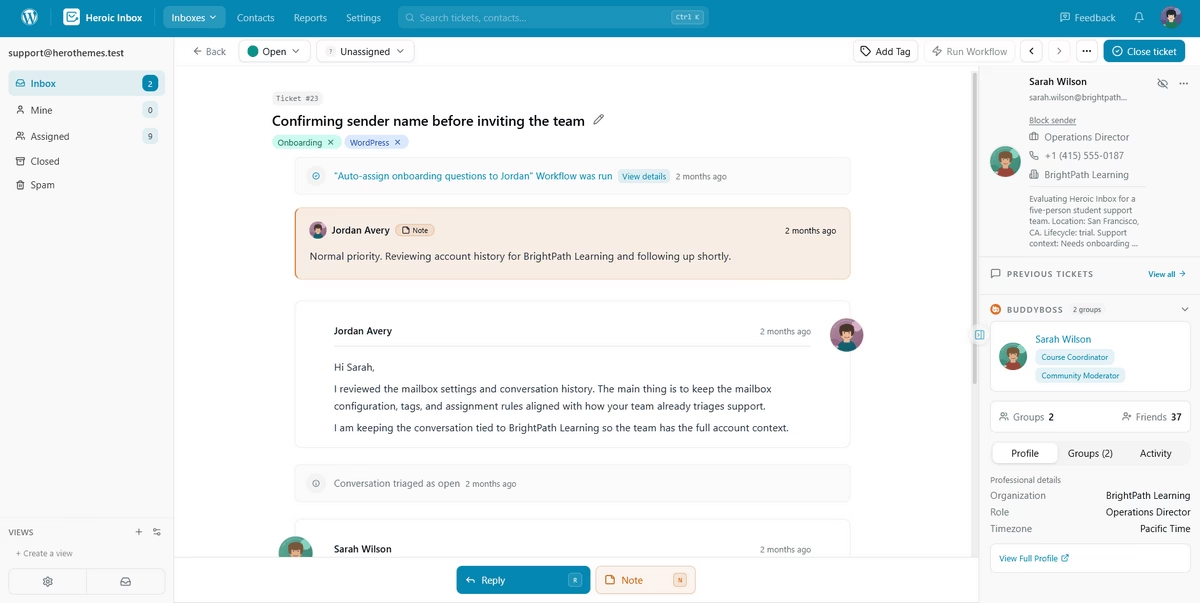
Heroic Inbox turns the WordPress dashboard into a powerful shared inbox and help desk.
The newest feature is an AI writing assistant that sits inside the reply box.
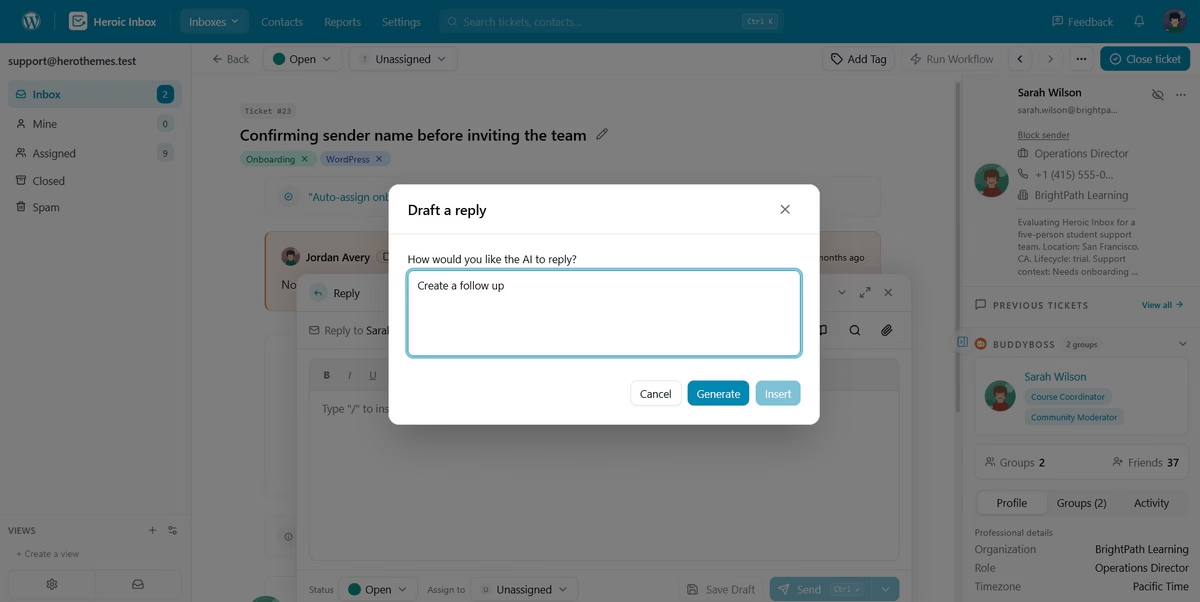
You can type a short prompt and let the assistant read the thread. Then, Heroic Inbox will draft a reply. You can review and edit the response before it reaches the customer, which is the correct process for support emails.
Key features of Heroic Inbox:
- AI writing assistant: Drafts replies human like relevant replies with short prompts.
- Shared inboxes in WordPress: Run support@, sales@, and billing@ from the same admin screen you use to publish posts.
- Gmail, Outlook, and IMAP support, with unlimited users and tickets on every tier.
- Collision detection
- Conversation assignments, internal notes, and @mentions.
- Saved replies, templates, and workflow automation: Build rules that route by mailbox, sender, or subject line, and auto-respond where a human reply adds nothing.
- WooCommerce and Easy Digital Downloads: Order history and shipping status appear in the sidebar beside the conversation.
- Heroic Knowledge Base integration, roles and permissions, and reporting on response times and volume.
Pricing
Heroic Inbox uses flat annual pricing, so you never pay per agent. Plans start at $79.60 per year for Essential, which covers two mailboxes on a single site. Plus and Pro add mailboxes, sites, saved replies, automation, and the eCommerce integrations.
Every tier comes with unlimited users, unlimited tickets, and a 14-day money-back guarantee.
My verdict
If your business already runs on WordPress (It usually takes a few minutes to get WordPress website running on any host), Heroic Inbox is the first one I’d install. Support email, order data, and help articles end up in a single dashboard you already own, your customer data stays on your own server, and the flat price is a relief after a page of per-seat quotes.
4. Hiver: Best for Agentic Email Support
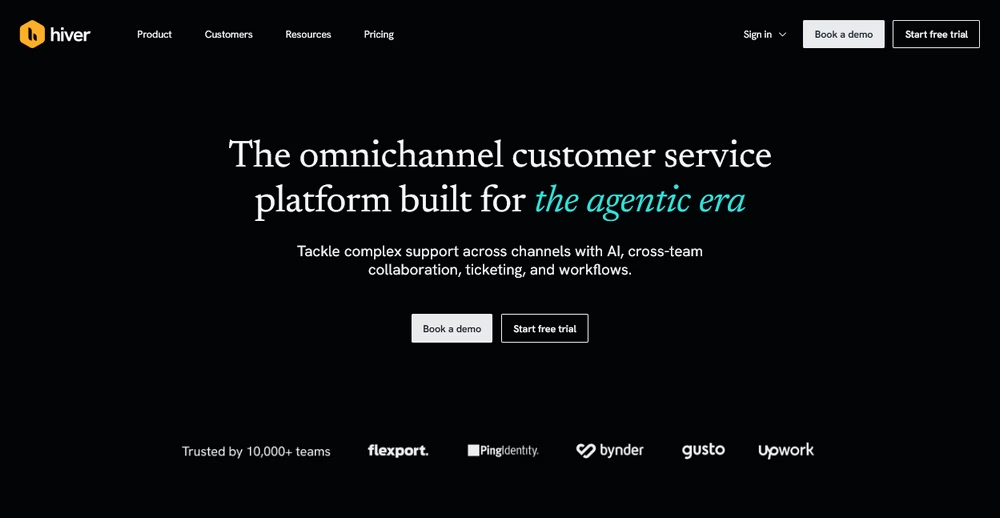
Hiver is an agentic platform built for teams to manage complex email support. Your team works shared accounts like support@ or info@ from the window they already have open, with ticketing, assignment, and internal notes layered on top.
The 2026 version aims higher than deflection. Hiver’s AI Agents pull customer records from your CRM and ERP systems and follow the procedures your team has already written down. They can resolve a full request on their own, then pass the thread to a person when it goes past what those procedures cover.
Key features of Hiver:
- AI Agents resolve complex requests end-to-end by pulling data from CRM and ERP systems.
- Shared inboxes with real ticketing: Assignment, status tracking, and internal notes for clean handoffs, none of which pulls you out of Gmail.
- AI Knowledge Builder: Finds gaps in your documentation and turns resolved threads into help center articles.
- Slack Integration allows teams to collaborate on email conversations from within Slack.
- Self-Improving AI learns from your team’s best replies and policies to get sharper over time.
Pricing
Hiver offers a free forever plan for teams getting started. Paid plans run $25 per user per month for Growth, $55 for Pro, and $85 for Elite, with SLAs, CSAT surveys, and AI QA unlocking as you move up.
Those are annual rates, monthly billing costs more, and every paid plan starts at a two-seat minimum. You can find more details on the Hiver website.
My verdict
Hiver is the ideal choice for teams that want helpdesk-level power without the helpdesk-level learning curve. Its focus on resolving complex issues rather than just deflecting FAQs makes it a sophisticated partner for growing support and operations teams.
5. Superhuman: Best AI-Powered Email Client
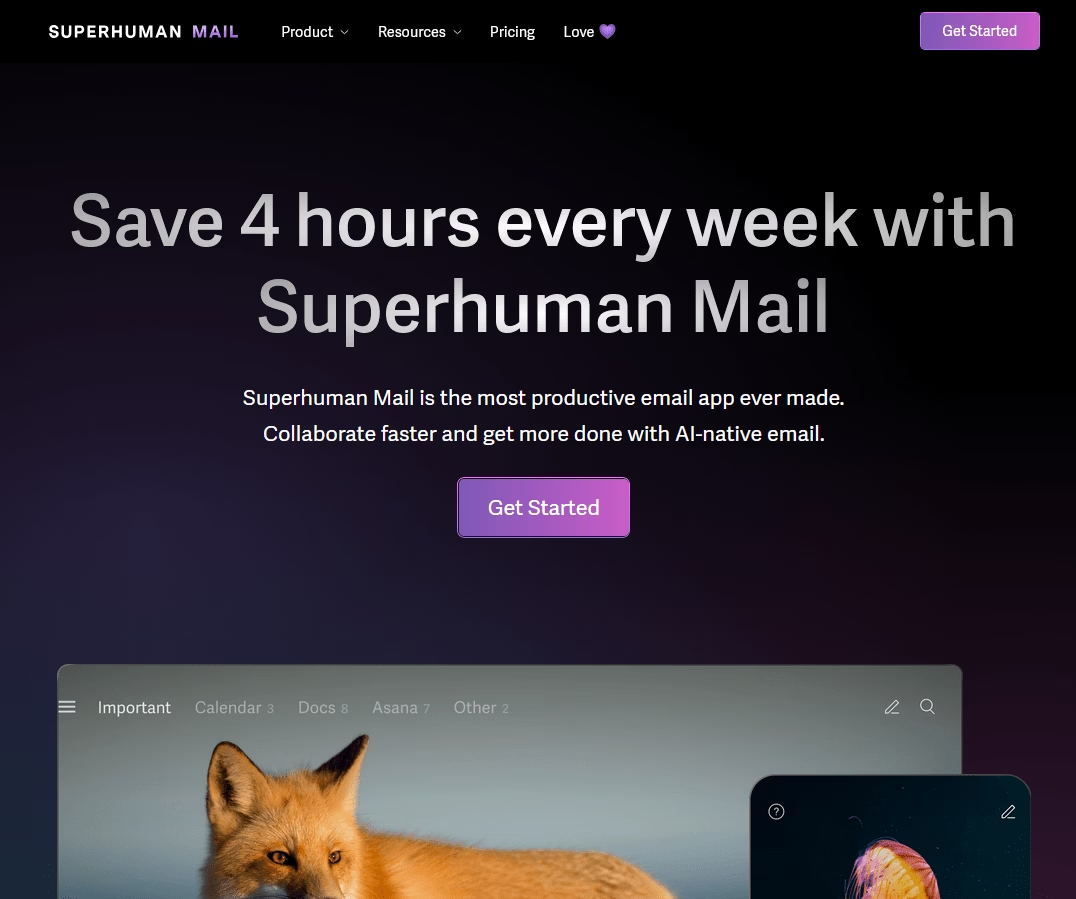
Superhuman promotes itself as a “most productive email app ever made,” and it has a cult following among entrepreneurs, executives, and startup folks.
Currently, it supports Gmail/Workspace and Outlook accounts and is known for its blazing-fast performance and keyboard shortcuts.
And in the past couple of years, Superhuman added powerful AI features, essentially building an AI assistant right into the app.
Key features of Superhuman’s AI email assistant:
- Superhuman can draft instant replies based on email context.
- Superhuman AI can help you draft or improve emails. For example, you can select text and ask Superhuman to rewrite it to be shorter or longer, or to change the tone.
- Auto-Summary that shows a one-line summary above long emails or threads.
- Automatic categorization (auto labels): The AI automatically labels incoming emails into categories like newsletters, social updates, and cold pitches.
- Auto Archive removes low-priority emails from the inbox view.
- Write emails from notes
- Follow-up reminders
Pricing
Superhuman is a premium service.
The Starter tier is $30 per user per month, or $25 per user per month billed annually, and the Business tier ($40 monthly, $33 annually) adds Auto Drafts, Ask AI, and CRM integrations.
My verdict
Once you get used to Superhuman it is hard to give up, and the AI makes email feel lighter and faster.
Be honest about the trade-offs first, though: the keyboard-first workflow has a real learning curve, and reviewers consistently call it expensive for what is still just an email layer over Gmail or Outlook. If you process hundreds of emails a day, it pays for itself; if you don’t, save your money.
6. Shortwave: Best AI-First Email App
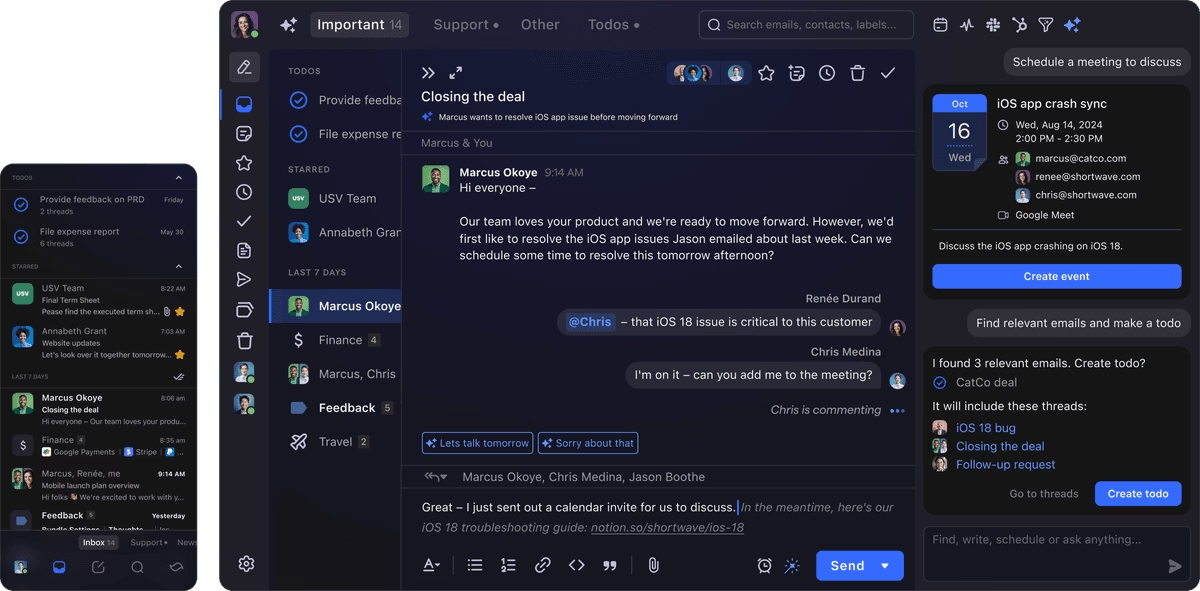
Shortwave is a new email client launched by former Google employees. It is essentially a third-party app for Gmail accounts that focuses on productivity and AI features.
Key AI features of Shortwave:
- AI summaries for long emails and threads
- Natural language queries answer questions about inbox content
- Generates a full email from short notes
- Global tone settings
- AI auto categorizes and cleanup emails
- OpenAI API integration to power core AI features, and support for custom API keys.
Pricing
Shortwave has a free tier for personal use, which includes 90 days of email history and basic AI features (the summaries and such).
The Pro individual plan is $18 per month, or $14 billed annually, and Business starts around $24 per seat per month billed annually, which unlocks full AI usage, longer search history, and team inboxes.
My verdict
Shortwave is a top pick if you want the reliability of Gmail with an interface and AI enhancements that make handling email more intuitive and less time-consuming. It’s fast, fun, and constantly evolving. Definitely one to watch in the AI email space.
7. Front: Best AI-Enhanced Shared Inbox
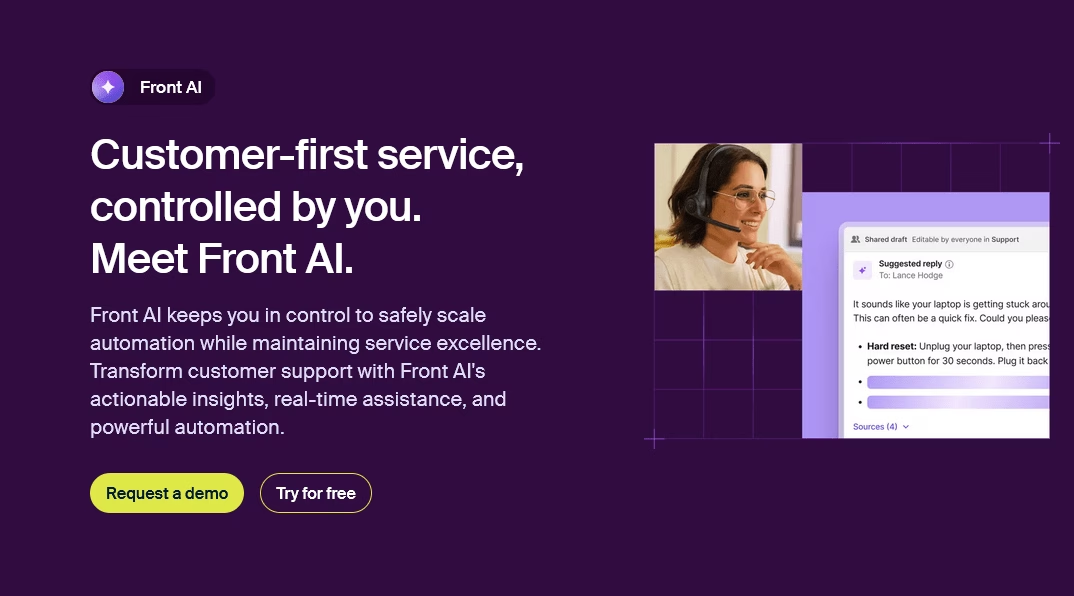
Front is a popular shared inbox platform that simplifies multichannel support, including email, text message, and social media.
Front has been around for a while, and in recent years they’ve integrated AI (Copilot) into their product to help teams work smarter.
Key features of Front AI:
- Summarizes long conversations or email threads for quick scanning.
- Generates draft replies with one click, using context from email, chat, and SMS.
- AI can pull details from a connected knowledge base to create accurate responses.
- Translates messages between languages
- Adjusts reply tone for different situations, from formal to friendly.
- AI for routing and tagging
- AI analyzes team performance and customer trends.
Pricing
Front is a premium product. Its basic plans start at around $25 per user per month.
It’s not cheap, but most businesses invest in it because it eliminates the need for separate help desk and CRM systems.
Front’s value lies in the time saved and better customer experience resulting from faster responses.
My verdict
Front is one of the best AI-integrated shared inboxes for teams juggling email, chat, and SMS in one place. Although it’s on the pricier side, it pays for itself in efficiency gains for many..
8. MailMaestro: Best AI Email Composition Assistant
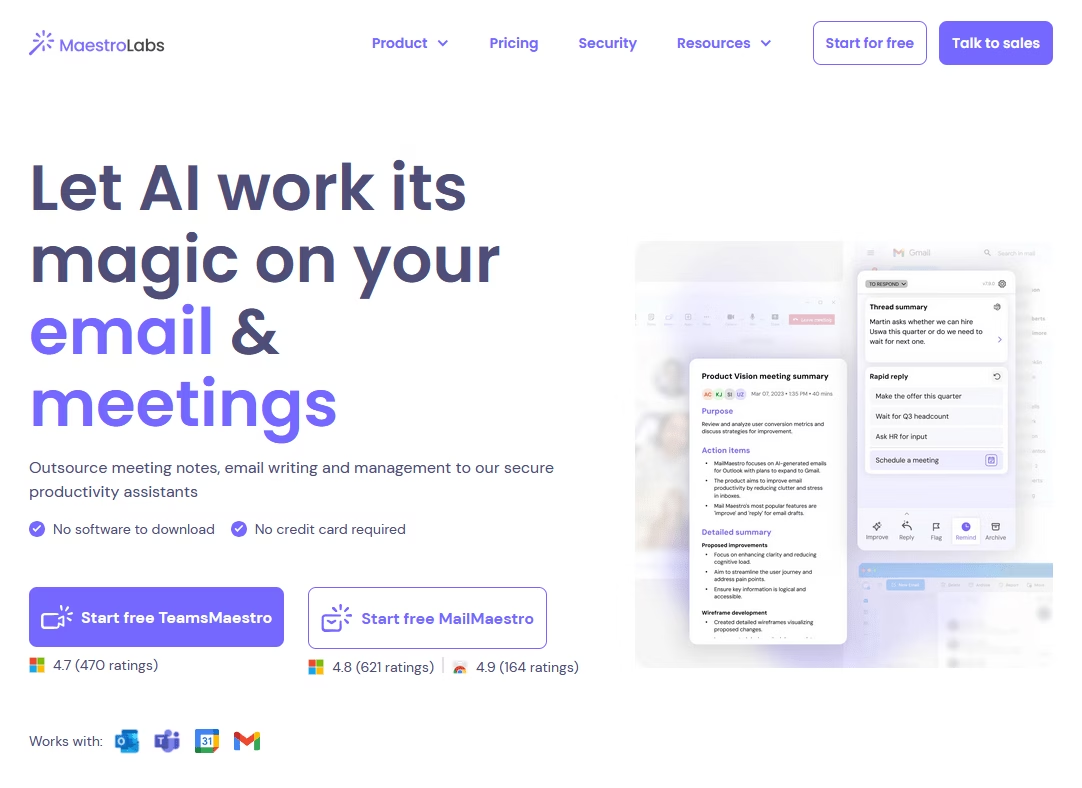
MailMaestro is an AI email assistant. Rather than being a full email client, it’s an extension/add-on that helps you write emails within your preferred email service (Gmail, Outlook, etc.).
If you’ve ever struggled to phrase an email correctly or spent too long drafting a professional note, MailMaestro is the tool for you.
Key features of MailMaestro email assistant:
- Turns short prompts into full, clear, and natural-sounding emails.
- Adjust the tone and length of generated emails
- AI Summaries that highlight clear action items.
- Multiple reply options based on the context of the message.
- Multi-language support: MailMaestro works in 20+ languages.
- It works inside the email draft window through a browser extension or an Outlook add-in.
- It emphasizes privacy with secure processing and limited data storage.
Pricing
MailMaestro has a free plan with limited AI use, and the Professional plan starts at $12 per user per month billed annually (about $15 month to month), which unlocks unlimited generation, thread summaries, and templates.
My verdict
MailMaestro is like having a personal ghostwriter for your emails. It significantly speeds up the writing process and ensures a level of polish that’s difficult to achieve when you’re in a hurry or lack confidence in your writing abilities.
9. Mailbutler
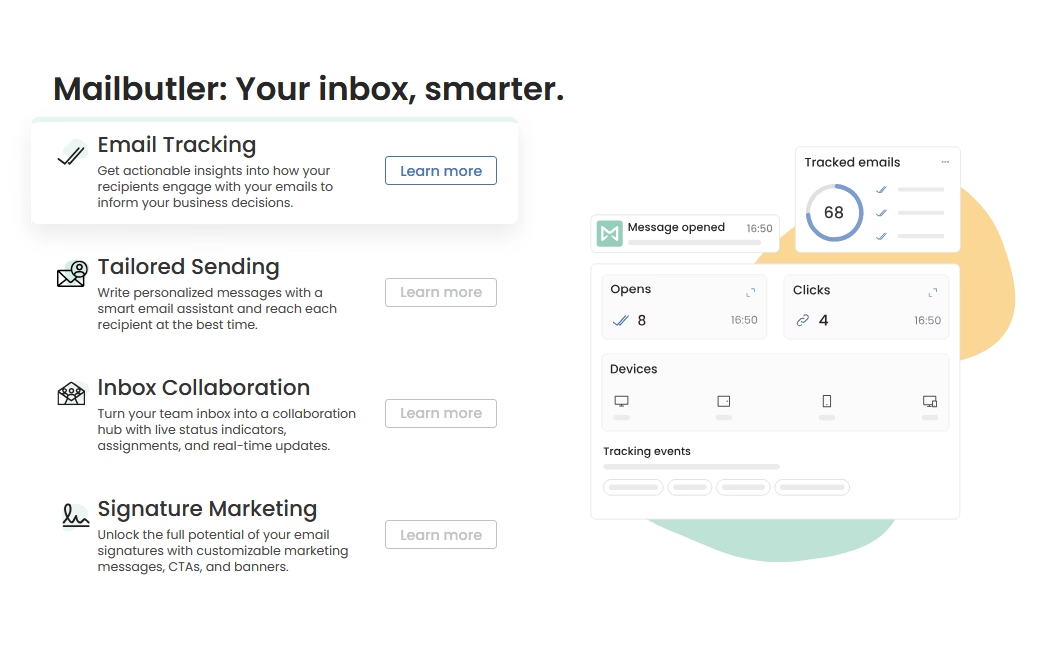
Mailbutler is a productivity extension for email that works with Apple Mail, Outlook, and Gmail.
It enhances email management with features like send later, tracking, and templates.
Now, Mailbutler has infused AI email assistant (Smart Assistant) into its toolkit.
Key AI features of Mailbutler’s Smart Assistant:
- Generates draft emails from short prompts or thread context inside Outlook and Apple Mail.
- It can continue writing replies to save time on routine messages.
- Rephrases selected text to sound clearer, shorter, or more polite.
- Expands short replies
- Summarizes long emails
- Extracts tasks, dates, and contacts from messages into clear lists.
- Write and translate emails across multiple languages.
- AI extracts tasks from emails that include requests or deadlines.
- AI can answer plain language questions
Pricing
Mailbutler has a free Starter plan, then paid tiers at roughly $5 (Starter), $9 (Professional), and $14 (Smart) per user per month.
The AI Smart Assistant lives on the Smart plan, so budget for that tier if the AI features are why you’re here.
My verdict
Mailbutler Smart Assistant effectively brings a Gmail-like AI superpower to Outlook and Apple Mail. It’s a smart sidekick that offloads tedious writing and reading tasks while improving your email game with context awareness and efficiency.
10. Lavender
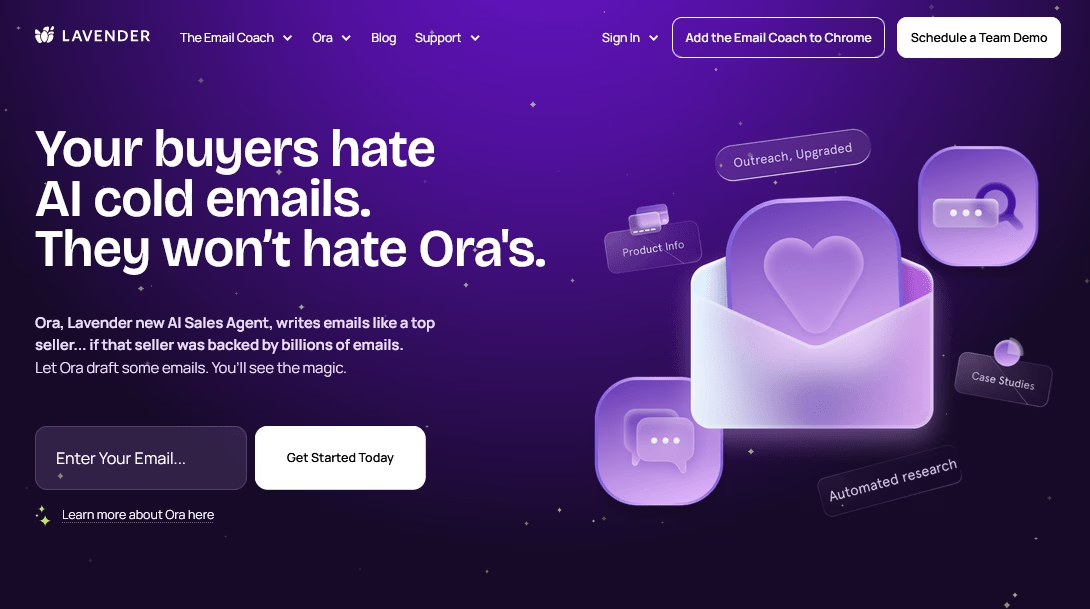
Lavender is an AI-powered email assistant designed specifically for sales and outbound emails.
It acts as a real-time email coach and writing assistant, helping users craft more effective outreach emails.
Lavender has gained popularity among sales teams because it increases reply rates by improving email quality.
Some key features of Lavender:
- Real-time Email Scoring: Scores emails in real time while writing, based on length, tone, and clarity.
- Flags long or generic messages and suggests tighter wording.
- Highlights spam trigger words
- Offers clear tips to improve subject lines and reply chances.
- Suggests proven email phrases and simple calls to action.
- Email templates and snippets
- Supports outreach across email and LinkedIn messages.
- Team Analytics and Coaching: Lavender provides insights into email length, reading level, and spam score.
- It integrates with common sales tools for logging or tracking emails.
Pricing
Lavender has a free plan capped at five email scores per month, then Starter at $29 per month, Pro at $49, and Teams at $69 per user per month for shared templates and analytics.
My verdict
You should give Lavender a try if you’re on the marketing team or doing any kind of outreach.
With Lavender, you still craft the emails, but the quality of your work is elevated in real time. For anyone whose livelihood depends on sending effective emails, such as salespeople, fundraisers, and outreach workers, it’s an investment that pays for itself many times over with each positive reply leading to a pipeline.
Wrapping Up
Email may never be our favorite task, but with the right tools, it no longer has to be a constant source of stress.
These AI assistants essentially give you superpowers: speed, organization, and polish. They allow you to spend less time in your inbox and more time on meaningful work.
So, give one (or a few) of these a try! In a week, you might wonder how you lived without them.
Here’s to a smarter, saner inbox—and to reclaiming control of our email with a little help from AI!
Further Reading
AI in Customer Service: The Ultimate Guide for Support Teams
Best AI Virtual Assistants for Small Businesses
10 Best Chat Widgets for Websites for 2026 (Mostly Free)
7 Best AI Knowledge Base Software of 2026
Free AI Email Writer to Draft Professional Emails
9 Service Desk Automation Ideas to Streamline IT Support





Leave A Comment?
You must be logged in to post a comment.