9 Best API Documentation Examples to Learn From (2026 Edition)
 Shankar Chavan
When API documentation is done right, it accelerates adoption and reduces support requests. It feels like having a friendly guide sitting next to you, showing you how to make things work.
And it’s frustrating to dig through forums for answers that should’ve been in the API documentation.
Below, we’ll explore 9 of the best API documentation examples to see what “good API documentation” looks like in practice.
In This Guide
Best API Documentation Solution (Heroic Knowledge Base)
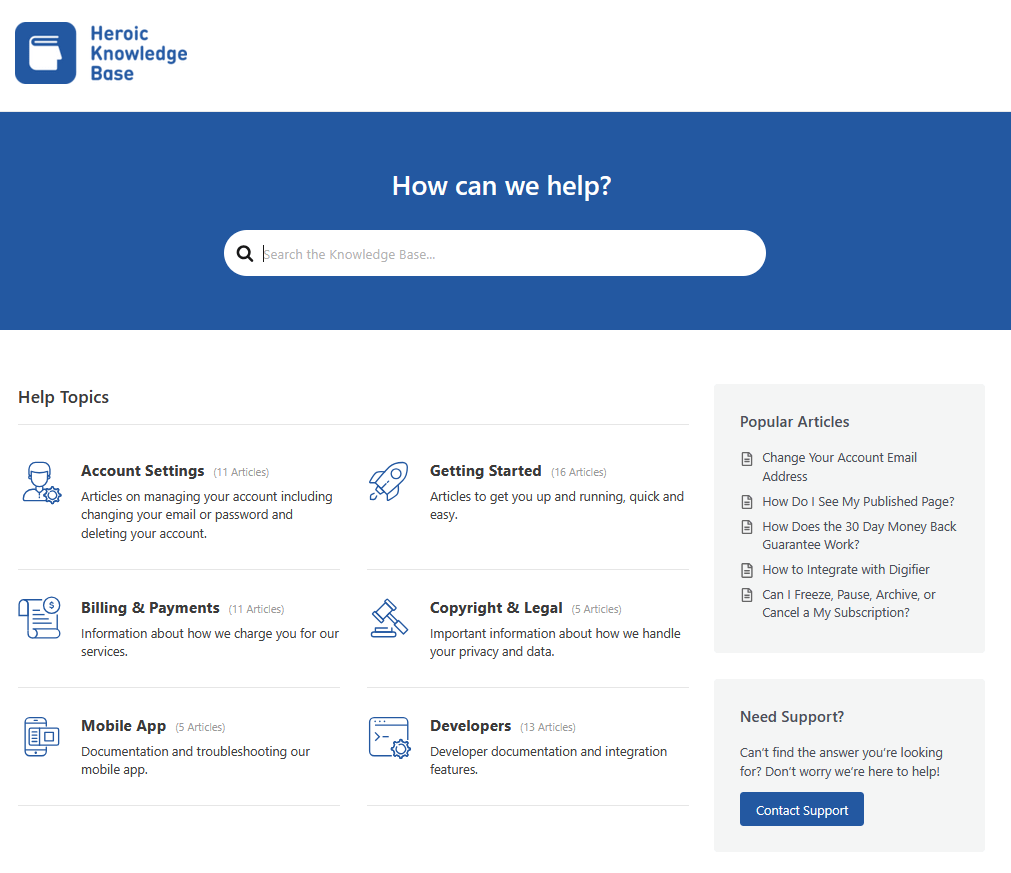
If you’re building your own API docs, having the right platform helps immensely.
Heroic Knowledge Base – a popular WordPress knowledge base plugin can serve as an excellent foundation for publishing API documentation.
Key Features of Heroic Knowledge Base:
- Clean knowledge base layout that suits reference-style API docs.
- Category, tag, and article hierarchy that keeps endpoints, auth, and errors easy to find.
- Table of contents for long API pages
- Rich block editor, with structured headings, tables, and callouts for rules and edge cases.
- Code-friendly formatting for requests, responses, and snippets.
- Copyable code samples
- Reusable article templates for common API doc pages
- Article feedback tools
- Reports and analytics
- Access controls for private or partner-only API docs
- Attachment support
- AI Assistant to easily find available information
The Heroic Knowledge Base is a premium solution, but it’s one of the most affordable tools for API documentation out there.
Starting at just $67 per year.
Best API Documentation Examples in 2026
By the end of this guide, you’ll have a solid understanding of what makes API docs shine, and plenty of inspiration to level up your own documentation.
So don’t skip out on what I have to say!
1. Twilio API Docs
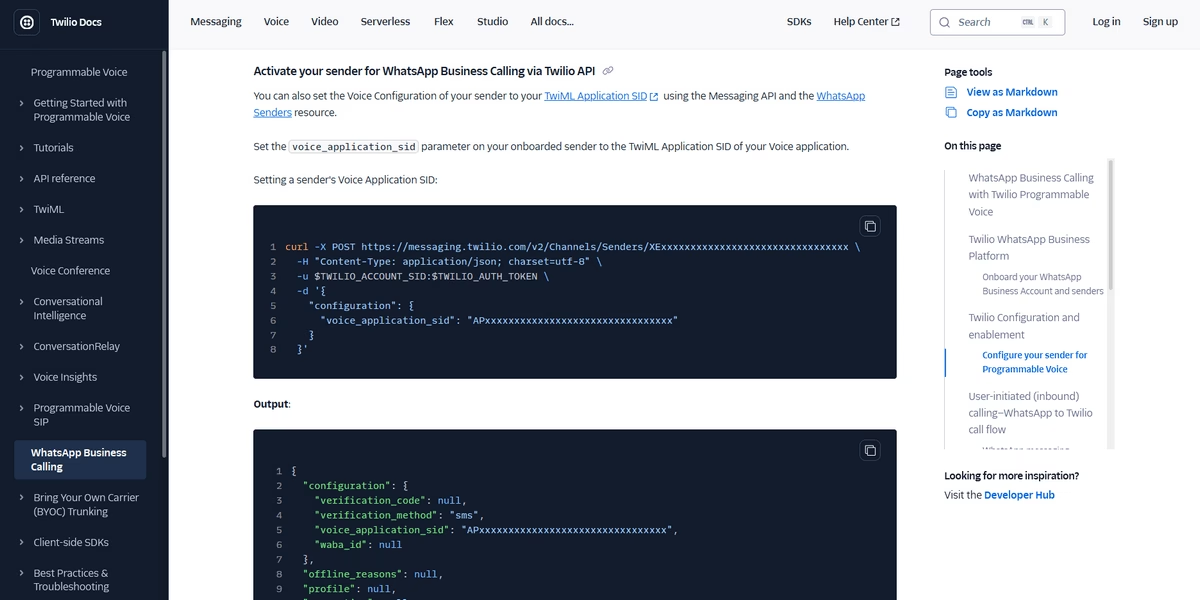
Twilio is a cloud communications platform (for SMS, voice calls, WhatsApp) and its documentation is often held up as a gold standard.
The Twilio API docs greet you with an introductory page listing all their product APIs. These range from Programmable SMS to Video and more.
Once you click a product (say, SMS), you enter a dedicated docs section with a left-hand menu of topics and subtopics relevant to that service.
It’s like a well-organized library. No hunting around random pages.
Key Features and Best Practices:
- Intuitive structure: Twilio’s docs are organized by capability. Each major API has its own section with Getting Started guides, how-tos, and a full API reference.
- The left sidebar menu makes it super easy to jump between sections and see the documentation hierarchy.
- Multi-language code samples: The docs include ready-to-use code for Node.js, C#, PHP, Ruby, Python, Java, cURL, and more.
- Explanations stay conversational and clear, even when topics cover complex telephony or networking concepts.
- Beginner-friendly concept pages such as “What is a REST API” and “How Twilio uses webhooks” to support new developers.
- Tutorials and use-case guides
- Visual aids and UI consistency
- Feedback options for users
Twilio’s docs are hard to fault. Their API documentation is quite extensive, simply because Twilio has a ton of products.
With so many languages and examples, pages can be long. But that’s the purpose of API documentation: to educate users.
And occasionally you can find outdated screenshots. The key takeaway is that maintaining documentation is an ongoing effort – Twilio does it well to some extent.
2. Slack APIs | Slack Developer Docs
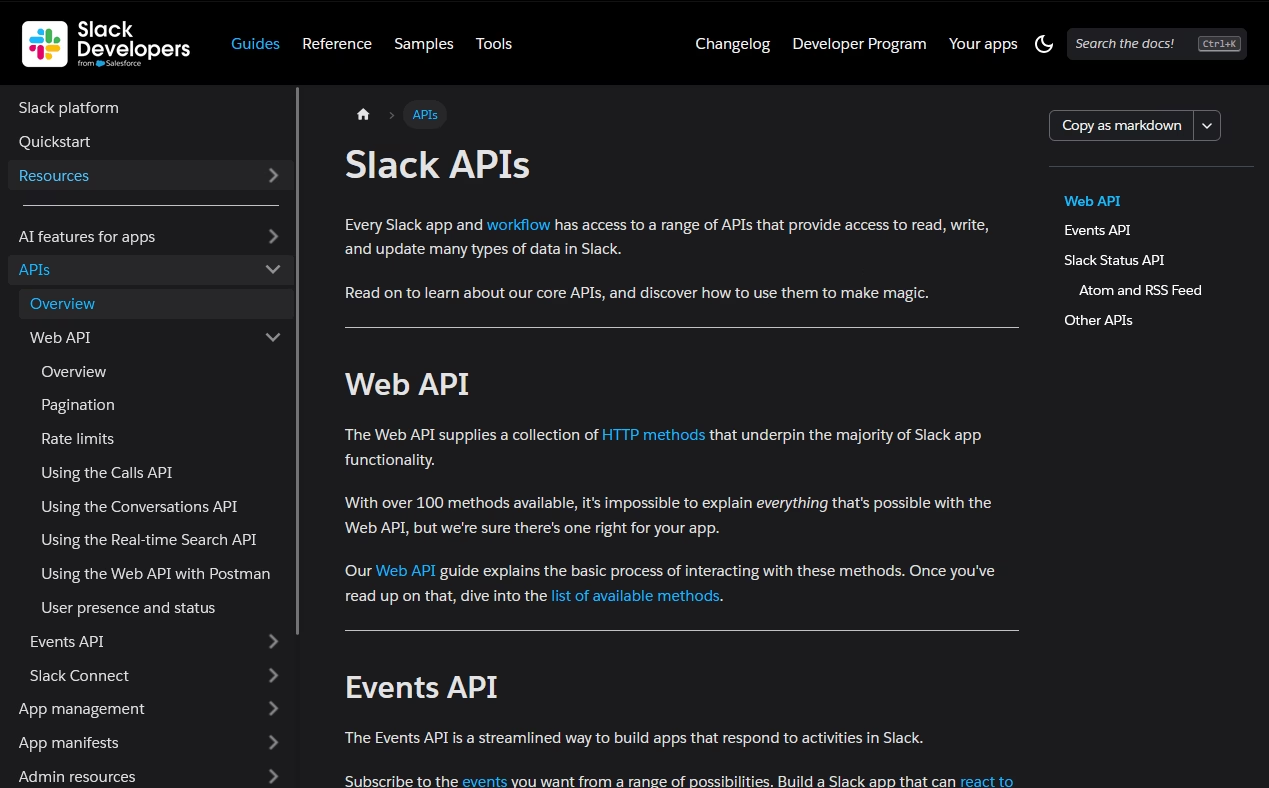
Slack, the popular workplace messaging platform, offers a variety of APIs for building apps and integrations (from bots to workflow tools).
Slack’s developer documentation takes a human-centric approach. Putting extra efforts into making the docs beginner-friendly without alienating the pros.
Key Features and Best Practices:
- Beginner-friendly content: Slack’s docs explain basic concepts and don’t assume you know what OAuth or JSON is. The tone is conversational and educational.
- Most of the docs pages end with a “Next Steps” section, links to additional resources, or a summary of the guide.
- Clear navigation and UI
- Nested subtopics inside each category keep related pages together.
- Powerful search bar with multiple filters
- Visual examples and screenshots inside configuration guides show panels, buttons, and final message layouts in Slack, so outcomes feel concrete.
- Links to Slack Developer Community, API forum, and support appear throughout the docs.
While Slack covers code examples through their API docs, these are mostly in JSON or cURL. Compared to Twilio, there aren’t as many multi-language code examples.
3. Google Maps API
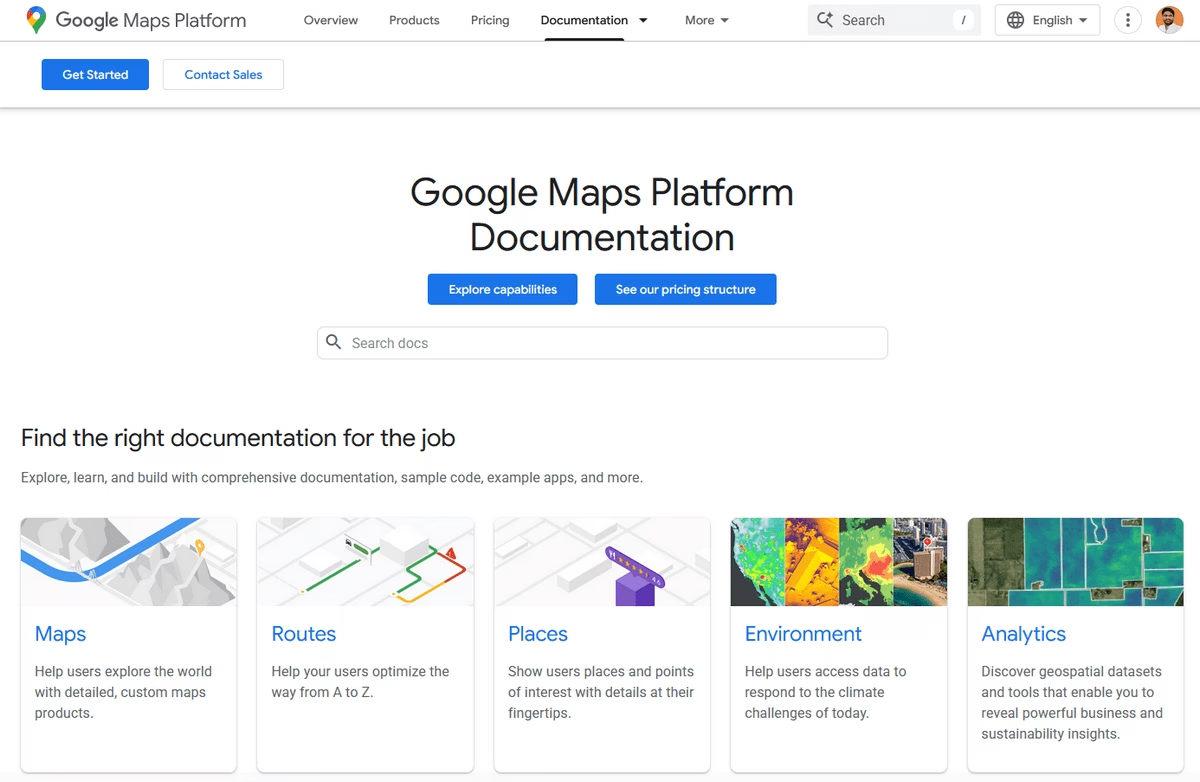
Google Maps API is part of the vast Google Cloud documentation ecosystem.
The immediate vibe is “Googley” – a clean white background, Google’s classic font and branding, and a structured layout.
The content itself covers numerous capabilities (maps display, geocoding, routes, places search, etc.), so Google organizes it into sections and sub-pages meticulously.
Key Features and Best Practices:
- A three-column, responsive layout that focuses on content and easy navigation.
- Consistent styling across API docs: lots of whitespace, simple typography, and minimal distraction.
- Powerful search function with AI summaries.
- Clear separation of products/features
- Indicators for beta/experimental features
- Step-by-step tutorials plus reference
- Lots of sample code and live demos: Many Google Maps tutorials include code snippets, often in multiple languages/frameworks like JavaScript, Python, or specific to Android vs iOS.
- API Explorer, an interactive tool to try out endpoints in-browser with your own API key.
The Google Maps API documentation is a prime example of consistent and clear design.
If you have a large set of documentation or multiple related APIs, mimicking Google’s three-column layout and strong structural hierarchy can help users navigate complexity more easily.
4. Vimeo API
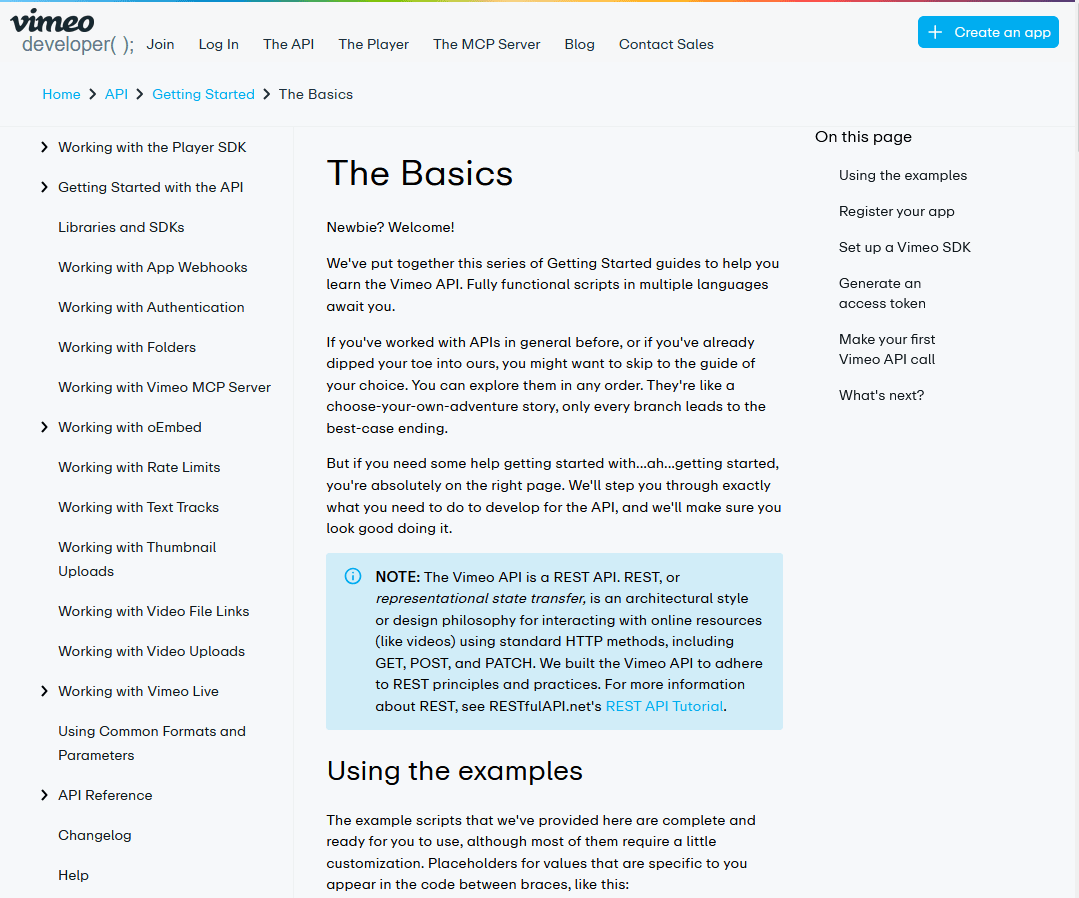
Vimeo is a well-known video hosting platform, which also provides APIs for developers to upload videos, manage video libraries, and integrate Vimeo’s player.
Vimeo’s developer documentation might not be as famous as other API docs examples in this guide, especially given how it caters to first-time users of its API.
It places a strong emphasis on the “Getting Started” experience.
Key Features and Best Practices:
- Outstanding getting started guide: It walks new users through app setup, OAuth, and first video upload in a clear step-by-step flow.
- Docs explain beginner terms like REST, OAuth, access token.
- Best practices and tips included
- Tri-column layout with left sidebar topics and a right-hand page index to keep navigation predictable.
- Use of examples and screenshots
- End-of-guide suggestions point to next topics
If your API has a critical first-step flow (like “make your first successful API call”), it’s worth creating a clear tutorial for it, as Vimeo did.
Vimeo also includes best practices (e.g., clarify REST, emphasize using correct tools, showing how to generate tokens) is something to emulate.
Don’t just show what to do, but also how to do it right.
5. Stripe API Reference Documentation
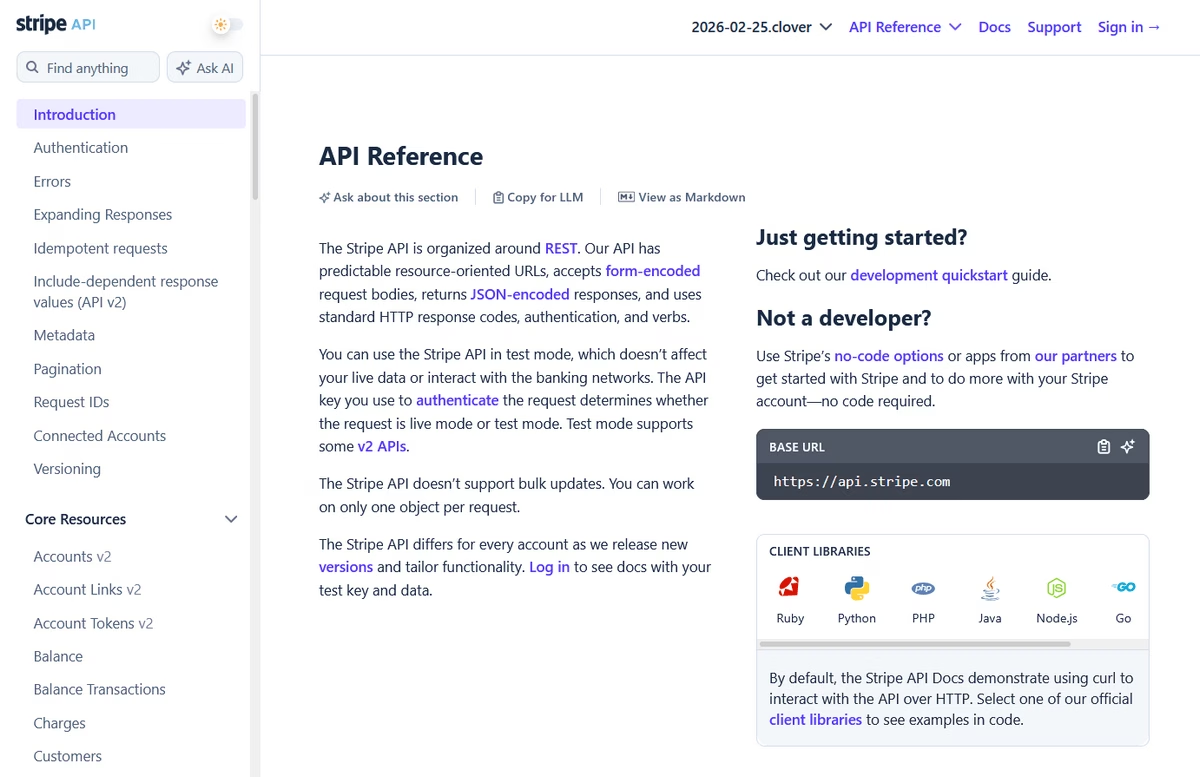
If you ask developers about great API docs, Stripe almost always comes up.
Stripe provides payment processing APIs and is lauded for setting the standard for API documentation design and usability. It perfectly balances clarity, completeness, and aesthetics.
Stripe also supplements the core docs with other resources like an API status dashboard and community questions, but here we’ll focus on the core documentation itself.
Key Features and Best Practices:
- Sleek two-panel layout: The left side is a sidebar with all the high-level categories and endpoints (neatly grouped), and the right side is the content.
- Clear typography and spacing
- Comprehensive but not overwhelming: The quickstart guide for example shows the minimal steps and simplest examples to get you going. But the deeper you go, the more detail you get.
- Multi-language and copy-paste ready code samples
- Useful visual cues and status info
- Quickstart and scenario-based guides: In addition to the basic reference material, Stripe provides guides for common scenarios, such as saving cards or handling webhooks.
6. PayPal Developer Documentation
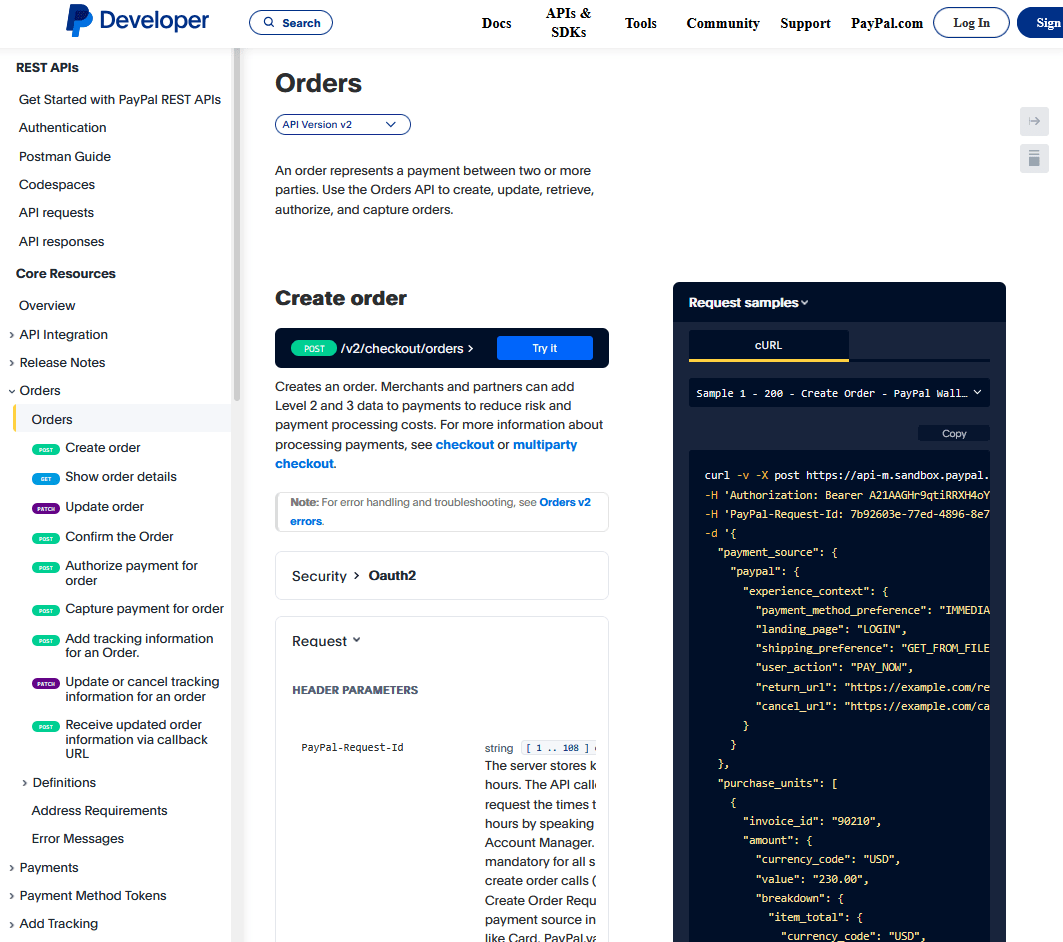
A leader in online payments for decades, PayPal’s APIs have evolved over time.
The PayPal Developer site encompasses a variety of products (payment processing, subscriptions, invoicing, payouts, etc.). Given its longevity, PayPal’s documentation had to modernize to meet current standards. And it has.
Today, the documentation is user-friendly and includes the hallmarks of good API documentation, such as clear references, examples, and change logs.
Key Features and Best Practices:
- Well-organized topics and subtopics: Payments, Orders, Subscriptions, Invoicing, etc.
- Consistent use of changelogs: Most API pages have a “Release Notes” listing changes by date – new features, deprecations, bug fixes affecting the API.
- Multiple generations of APIs in one place
- Sandbox and “Try It” functionality: A Sandbox environment for testing API calls with dummy data.
- Detail and completeness: Every parameter, every response field is documented.
PayPal’s documentation is one of the best examples of how to maintain large-scale, enterprise-grade API documentation over time.
They might not have the startup flair, but they excel in reliability and completeness.
7. Mailchimp Developer Documentation
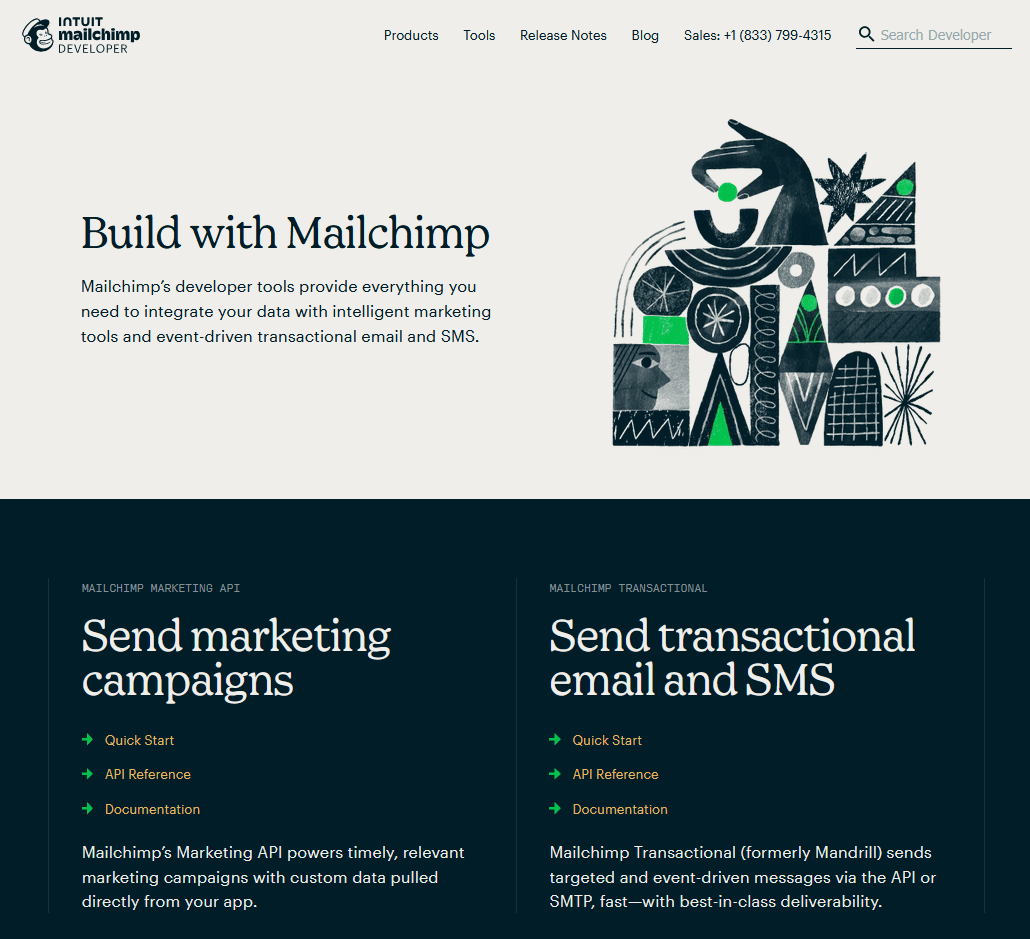
Mailchimp is known for email marketing.
What’s interesting about Mailchimp’s API documentation is that it acknowledges many of its users are not professional developers, but rather marketers or small business owners who are interested in technology.
Thus, the documentation strikes a tone that’s accessible to non-developers while still providing the necessary technical details.
Key Features and Best Practices:
- From a marketer’s perspective, Mailchimp documentation uses plain, non-technical language so basic web skills feel enough to follow along.
- Each page follows a clear pattern, starting with a short summary, then “What you need”, parameters, and step list, followed by request and response examples. Which lowers the learning curve.
- Multi-language code examples and screenshots
- Examples focus on real goals like adding a new subscriber to an audience instead of only describing a generic POST to an endpoint.
- Error sections list likely status codes with simple reasons.
Mailchimp’s API documentation demonstrates how to tailor documentation to your audience’s skill level.
Know who is reading your documentation. If they are not full-time developers, write in a way that does not alienate them.
Additionally, focusing on use-case phrasing (“Remove a subscriber” instead of “DELETE /lists/{list_id}/members/{member_id}”) makes the docs more relatable.
8. X API Documentation
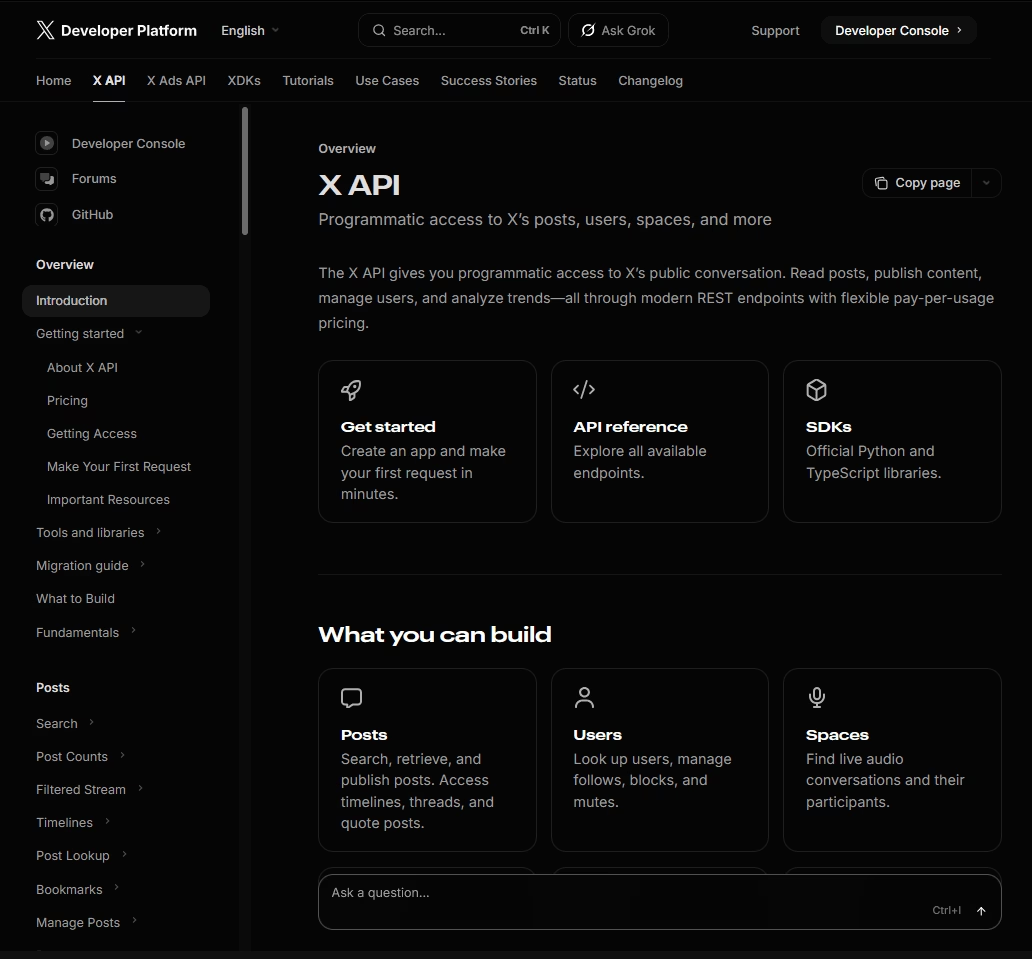
The X API has gone through several iterations (v1.1, v2) and is used for everything from posting tweets to analyzing trends.
Notably, the v2 API documentation includes an API explorer and integrates with Postman collections, which makes it easier for developers to test endpoints.
X’s API audience ranges from social media managers to hardcore data scientists, so the documentation must cater to various levels.
Key Features and Best Practices:
- API Explorer with Postman integration: This tool provides a simple form based way to pick an endpoint, fill parameters, and run a live call in seconds.
- Step by step tutorials cover common goals such as exploring a user’s tweets and mentions.
- Detailed parameter and example breakdown
- Changelog and migration guides: When Twitter introduced API v2, they maintained docs to help users migrate from v1.1.
- Documentation layout separates Quick Start material, full API reference, and academic research guides, so each audience sees the most relevant paths first.
- Grok (AI assistant) integration to easily find needed information.
9. OpenAI API Platform Documentation
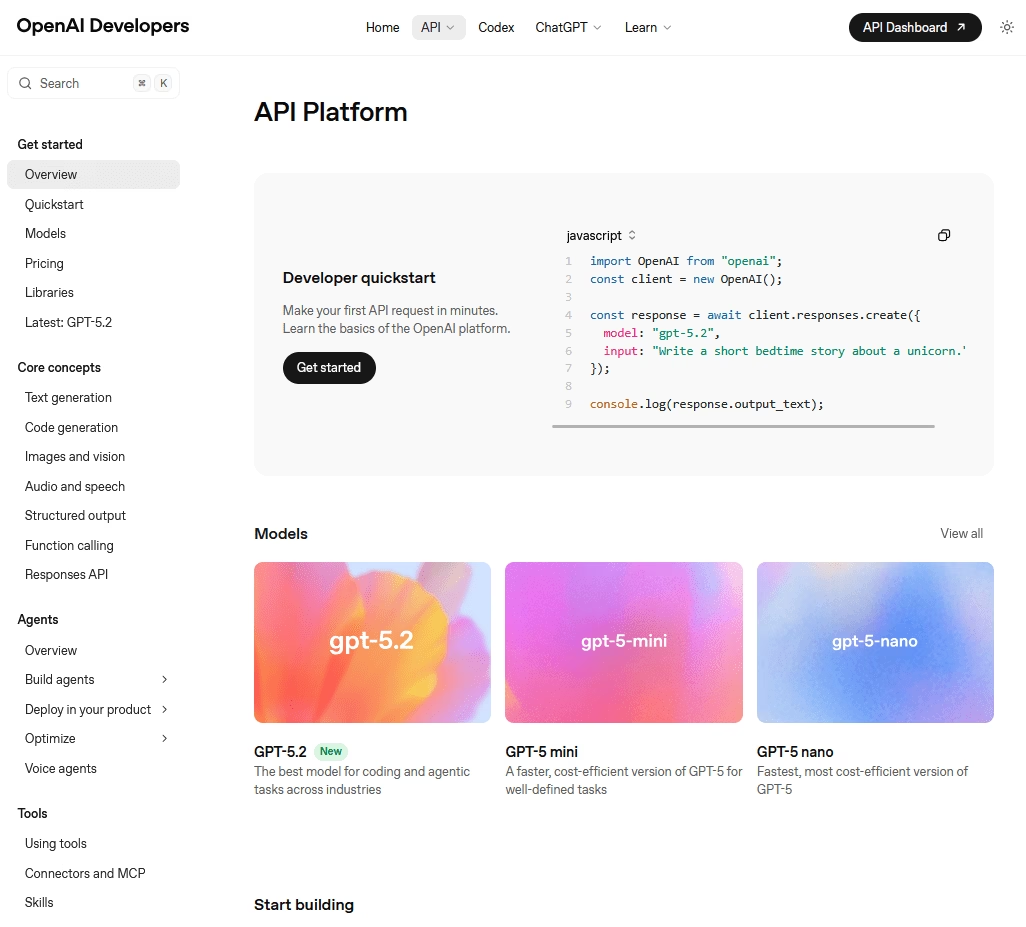
Since thousands of developers rely on OpenAI’s integration to add AI functionality to their tools and software, OpenAI’s API documentation needs to be one of the best.
It covers various endpoints (chat completions, completions, fine-tuning, image generation, embeddings), and includes information on things like rate limits and best practices for prompts.
Key Features and Best Practices:
- OpenAI documentation separates high level guides from strict API reference, so newcomers get tutorials and experienced users can jump straight to endpoint details.
- Good onboarding guide: The quickstart basically takes a new developer from zero to making their first API call in minutes.
- Code examples in multiple languages
- Documentation topics are grouped by use case, such as text completion, chat, editing, and moderation.
- Notes on limitations and best practices
OpenAI’s documentation stands out for making the relatively complex field of AI/ML feel accessible via API.
The lesson here is the power of organizing content by user goals.
Instead of just listing endpoints, consider what your users will be trying to accomplish and dedicate part of your documentation to addressing those tasks.
Conclusion and Key Takeaways
All of these API documentation examples underline a common theme: great API documentation is all about empowering the developer.
Clear, well-organized documentation that is rich in examples gives developers the confidence and encouragement they need to use the API, which in turn drives the success of the platform.
Across these top API docs, a few best practices consistently stand out:
- Intuitive navigation
- Multi-language support and examples
- Getting started guides
- Interactive elements: Tools like Try-It-Out consoles and API explorers.
- Clarity and simplicity
- Up-to-date data and versioned information
- Inclusion of best practices and warnings
- Community and support links
Whether you’re writing docs for a small library or a huge platform, applying these principles will make your API documentation shine.
Happy documenting!
Further Reading
Best Documentation Examples to Learn From
9 Wiki Examples: Public Knowledge Hubs & Internal Company Wikis
Top User Documentation Examples (Good & Bad + Tips)
Step-By-Step Guide To Create Technical Documentation
6 Best Software Documentation Examples (Complete Breakdown)