22 HR Email Templates to Employees (Copy-and-Paste Examples for 2026)

HR teams send the same types of emails every year.
The routine ones, such as interview invitations, holiday notices, and birthday wishes, are easy. The risky ones, such as rejections, leave denials, disciplinary actions, and terminations, are rewritten from scratch each time and often contain careless language.
In this guide, we’ll share 22 HR email templates you can use to handle common employee and candidate communications.
Each template is easy to customize, so you can save time while keeping your messages clear, professional, and appropriate for the situation.
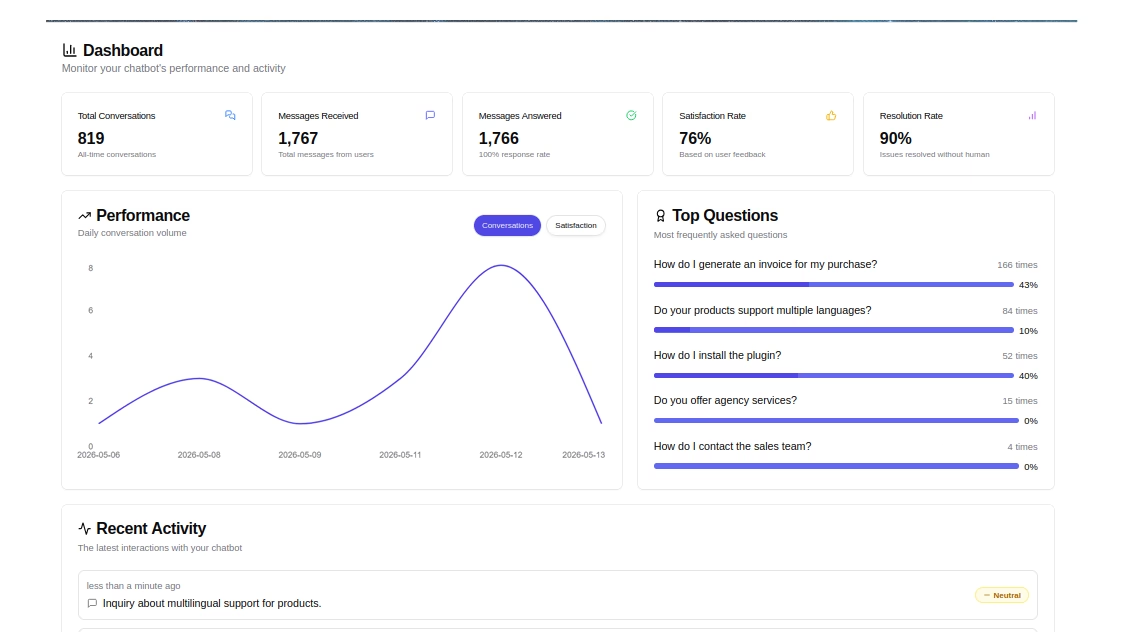
HelpJet – FREE AI Chatbot
Turn your HR knowledge into 24/7 self-service, so employees can find answers without waiting for HR.
In This Guide
- What Makes a Professional HR Email
- Managing HR Email at Scale
- Recruiting and Hiring HR Email Templates
- Onboarding HR Email Templates
- Day-to-Day and Policy HR Email Templates
- Performance and Recognition HR Email Templates
- Leave and Benefits HR Email Templates
- Difficult Conversation HR Email Templates
- Offboarding HR Email Templates
What Makes a Professional HR Email
A professional HR email is a short, clearly labeled message that tells an employee or candidate exactly what happened or what they need to do, in a neutral and respectful tone, using only facts you’d be comfortable seeing read aloud later.
It has a specific subject line, one purpose, a clear next step, and no language that describes the person rather than the work.
Here are the building blocks that make an HR email to employees work.
Subject lines
According to the Nielsen Norman Group’s email research, you should focus on the first 40 characters of a subject line because people usually scan that much before deciding whether to open, file, or ignore a message.
So what should you include in an HR email subject line? Use this checklist:
- The topic: Name it plainly (“Interview invitation,” “Payroll correction,” “Policy update”).
- The action or deadline: Add “Action needed” or a date only when there is one.
- The role or name, when relevant: “[Job Title] Offer” or “Your performance review on [Date]” helps people find the email later.
- Nothing sensitive: Subject lines show up in lock-screen previews and shared screens. “Disciplinary hearing” in a subject line is visible to anyone standing behind that person’s phone, so use “Meeting request: [Date]” and put the details in the body.
For more subject line examples by scenario, see this collection of HR email subject lines.
Structure
A reliable structure for almost every HR email looks like this:
- The headline: What happened or what you need, in one or two sentences.
- The details: Dates, amounts, locations, links.
- The next step: One clear call to action with a deadline.
- The contact: Who to ask, and how.
Tone
Should HR emails be formal? Mostly, yes, but “formal” doesn’t mean stiff.
The right answer depends on the message.
A work anniversary email can be warm and casual, while a disciplinary invitation should be neutral and precise. What you want is consistency within each category, so two employees receiving the same kind of news get the same tone.
Sender
Who sends the email matters as much as what it says. Recognition should come from the manager or a senior leader, while policy, payroll, and benefits emails should come from HR or a shared HR address so replies land with the people who can answer them.
Keep these confidentiality rules in mind:
- Use BCC or a mail merge for group emails so employee addresses and names aren’t exposed.
- Never put medical details, investigation notes, or salary figures in a group email.
- Send personal matters to work addresses only, unless the employee has asked otherwise or no longer has work access.
- Password-protect or link to attachments that contain pay, tax, or health information, rather than attaching them in plain form.
Documentation
Every HR email is a record.
A clear, consistent email trail can show that a decision was fair and based on the job, while a careless line can suggest the opposite.
For example, any email to someone who recently raised a complaint, requested leave, or asked for an accommodation deserves a second read before you hit send.
Managing HR Email at Scale
Templates only work when people use the approved version.
In most small HR teams, the templates live in a Google Doc, a few people’s email signatures, and one person’s memory.
The result is predictable: inconsistent wording, duplicate replies, and nobody is sure what was said to an employee last month.
Heroic Inbox turns hr@ into a shared team workspace on WordPress. Conversation assignments, internal notes the employee never sees, collision detection when a teammate is already replying, and canned responses for the HR email templates shared in this guide.
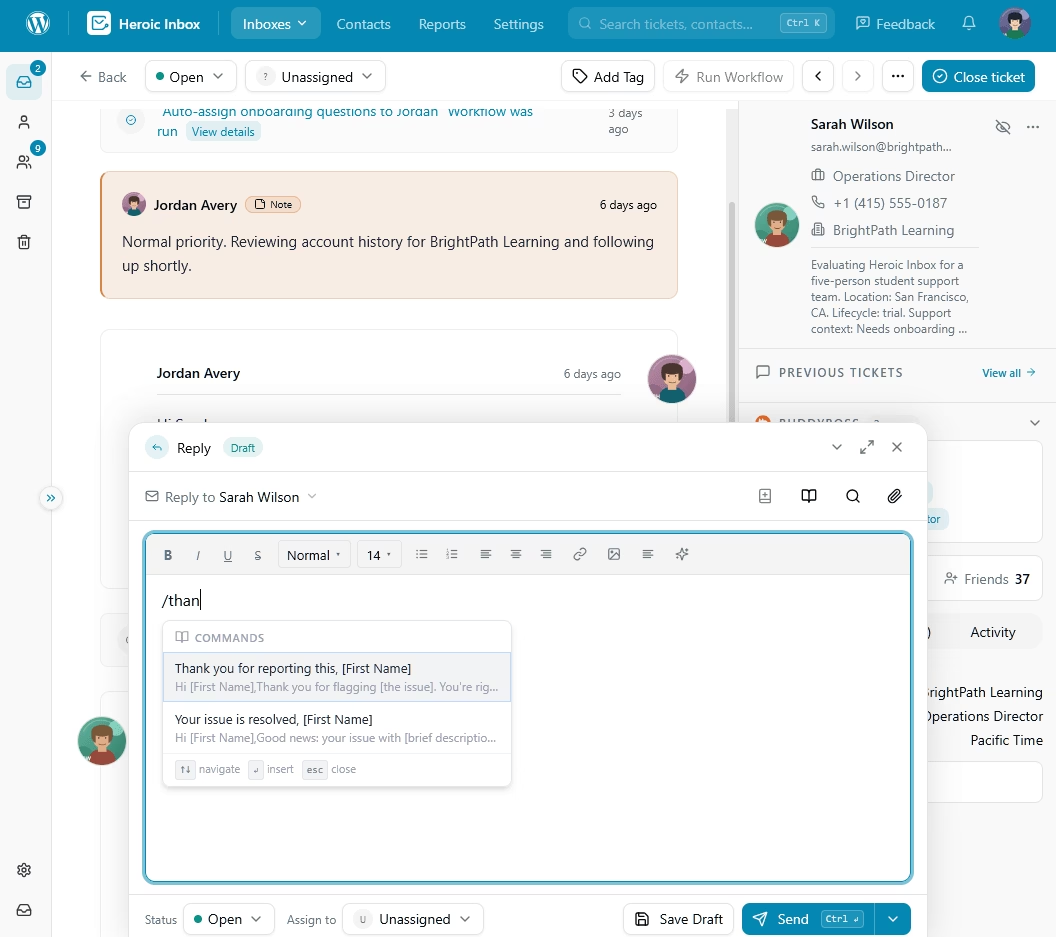
Heroic Inbox plans are billed yearly with unlimited users.
14-Day Money-Back Guarantee | Setup in Under 10 Minutes
Recruiting and Hiring HR Email Templates
Candidates judge your company by how you treat them before they ever get a paycheck. These hiring emails set the tone, and the rejection template is the one most worth getting right.
For more ideas on hiring subject lines, see these recruitment email subject lines.
1. Job Application Acknowledgment Email
One of the most used HR email templates.
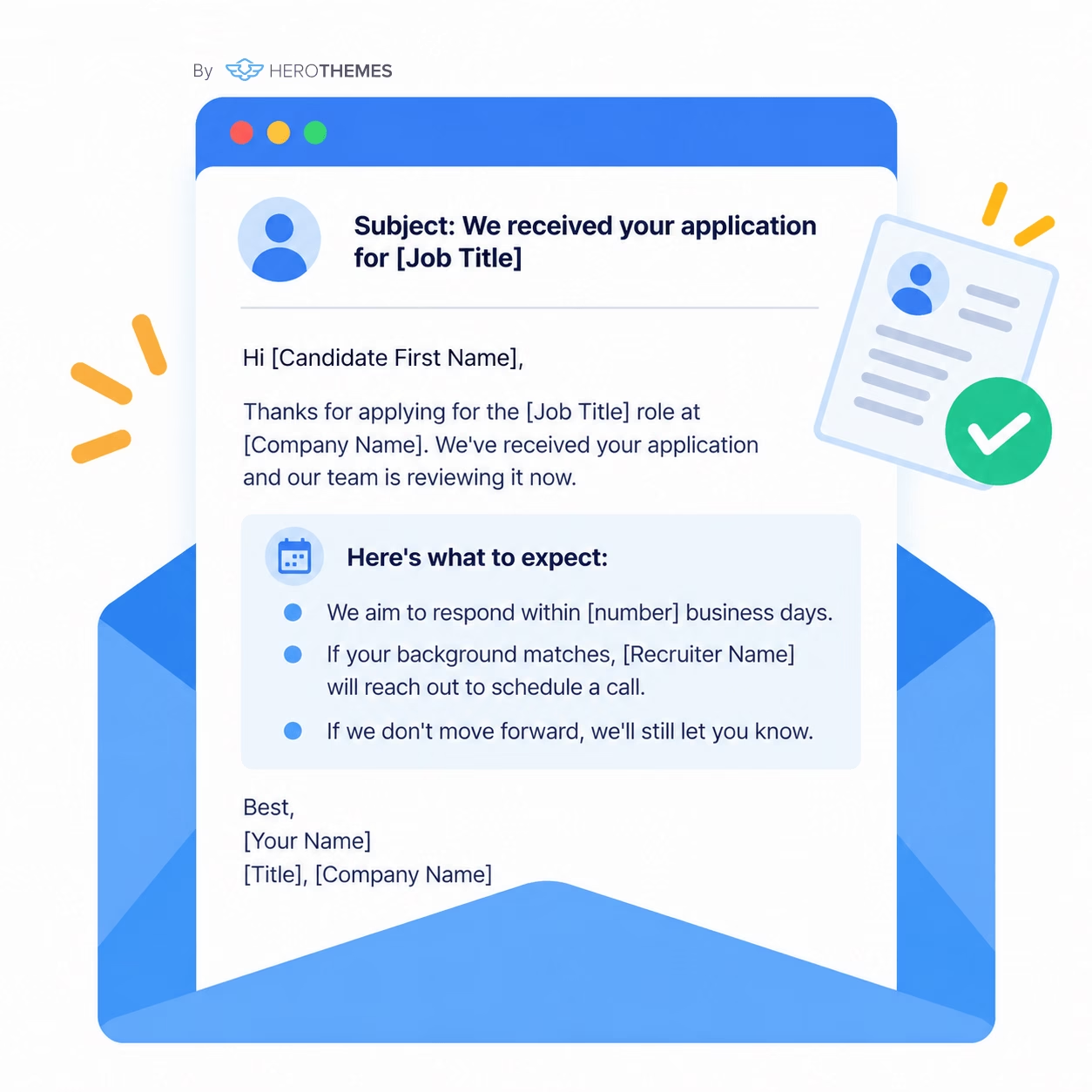
This is one of the HR email templates you’ll use most often. Send it within a day or two of receiving an application, either through your applicant tracking system (ATS) or as a saved reply.
Subject: We received your application for [Job Title]

Hi [Candidate First Name],

Thanks for applying for the [Job Title] role at [Company Name]. We've received your application and our team is reviewing it now.

Here's what to expect:
- We aim to respond within [number] business days.
- If your background matches, [Recruiter Name] will reach out to schedule a call.
- If we don't move forward, we'll still let you know.

Best,
[Your Name]
[Title], [Company Name]
Tip: Only promise a response time you can consistently meet. Also, avoid saying, “We’ll keep your resume on file,” unless your privacy policy clearly explains how long candidate data will be retained.
2. Interview Invitation Email
Answer the candidate’s logistics questions before they have to ask. Include the date, time zone, format, attendees, location or meeting link, and what they should expect.
Subject: Interview invitation: [Job Title] at [Company Name]

Hi [Candidate First Name],

We'd like to invite you to a [length]-minute interview.

Details:
- Date and time: [Day, Date, Time, Time Zone] (or choose a slot: [scheduling link])
- Format: [Video link / Phone / Office address and parking]
- You'll meet: [Name, Title] and [Name, Title]
- What we'll cover: [brief description]

If you need any accommodations for the interview, reply to this email.

Please confirm by [Date].

Best,
[Your Name]
3. Interview Rescheduling Email
When you need to move an interview, make rescheduling easy. Give the candidate a few options so you don’t end up with a long back-and-forth.
Subject: Rescheduling your [Job Title] interview

Hi [Candidate First Name],

I'm sorry for the change, but we need to move your interview from [Original Date and Time].

Could any of these work?
- [Option 1]
- [Option 2]
- [Option 3]

Or pick a time here: [scheduling link].

Thanks for your flexibility.

Best,
[Your Name]
4.Candidate Rejection Email (After Interview)
Rejection emails divide HR teams.
Boilerplate language is common because it reduces the risk of arguments or accidental discriminatory statements, while detailed feedback can help candidates but may also lead to debates about the hiring decision.
Subject: Update on your application for [Job Title]

Hi [Candidate First Name],

Thank you for taking the time to interview with us for the [Job Title] role.

After careful consideration, we've decided to move forward with another candidate.

This was a difficult decision, and we appreciated learning about your work on [one specific, job-related detail].

We'd welcome your application for future roles that fit your background: [careers link].

Best regards,
[Your Name]
5. Job Offer Email
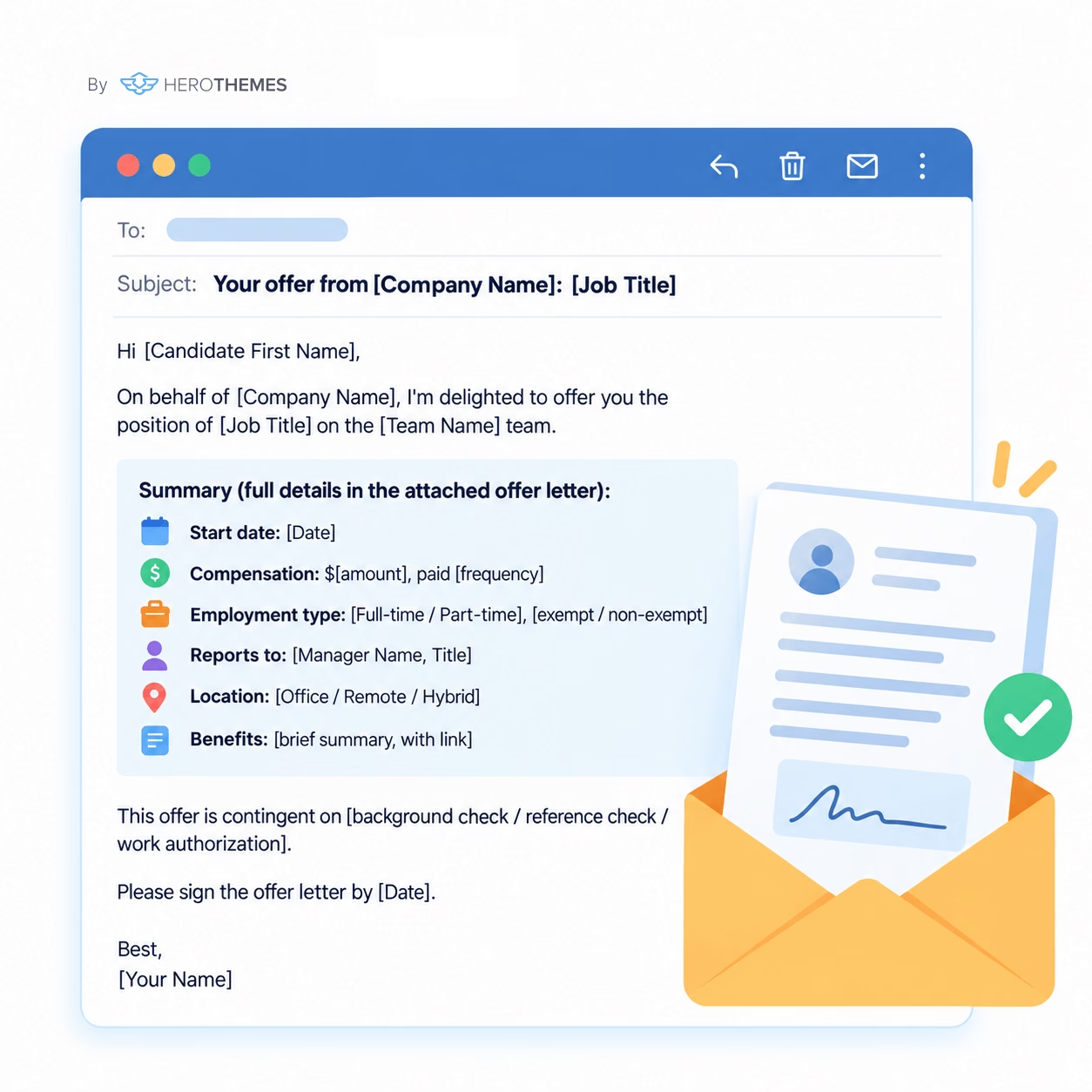
Send this email after making the verbal offer, with the formal offer letter attached. Keep the email easy to scan and make sure every key detail matches the attached document.
Subject: Your offer from [Company Name]: [Job Title]

Hi [Candidate First Name],

On behalf of [Company Name], I'm delighted to offer you the position of [Job Title] on the [Team Name] team.

Summary (full details in the attached offer letter):
- Start date: [Date]
- Compensation: $[amount], paid [frequency]
- Employment type: [Full-time / Part-time], [exempt / non-exempt]
- Reports to: [Manager Name, Title]
- Location: [Office / Remote / Hybrid]
- Benefits: [brief summary, with link]

This offer is contingent on [background check / reference check / work authorization].

Please sign the offer letter by [Date].

Best,
[Your Name]
Onboarding HR Email Templates
Onboarding emails do the heavy lifting between “yes” and a productive first month.
The pattern that works best is short emails with links to a single source of truth, rather than long emails full of policy text.
If you’re building the rest of your onboarding flow, this new employee onboarding checklist pairs well with the templates below.
6. Offer Acceptance and Pre-Boarding Email
Give employees a clear checklist of what they need to complete before their start date and tell them where to get help.
Subject: Welcome aboard, [First Name]! Next steps before [Start Date]

Hi [First Name],

We're thrilled you're joining [Company Name] as [Job Title] on [Start Date].

Before you start:

1. Complete your new hire forms in [HR system] by [Date]: [link]
2. Upload documents for employment verification: [link]
3. Share your preferred name, pronouns (optional), and equipment preferences: [form link]
4. Read the employee handbook: [link]

We'll send your first-day schedule closer to your start. Until then, [Name] in HR is at [email/phone].

Welcome to the team!

Best,
[Your Name]
[Title], [Company Name]
7. Welcome Email and First-Day Details
Sent three to five days before the start date, written for a reader who knows nothing about the building, systems, or schedule.
Subject: Your first day at [Company Name]: [Date] schedule and details

Hi [First Name],

We can't wait to see you on [Day, Date]. Here's everything you need for day one.

Where and when:
- Arrive at [Time] at [Address / Floor / Entrance] (or join: [link])
- Parking or transit: [details]
- Ask for: [Name]

Schedule:
- [Time]: Welcome and building tour
- [Time]: IT setup
- [Time]: Lunch with your team
- [Time]: 1:1 with [Manager Name]

Dress code: [description]

Text or call [Name] at [number] if anything comes up.

See you soon,

[Manager Name]
[Title]
8. New Hire Announcement Email to the Team
Keep the new hire announcement brief and focused on the information that the team needs. While personal details can make the introduction warmer, only include them if the employee has agreed to share them.
Subject: Please welcome [Full Name], our new [Job Title]

Hi team,

[Full Name] is joining us as [Job Title] on [Start Date], working with [Team] on [main responsibilities].

[First Name] comes to us from [previous company], where [one relevant achievement]. Outside of work, [First Name] enjoys [approved detail].

Please say hello or send a welcome message on [chat tool]. [Buddy Name] will be [First Name]'s onboarding buddy.

Welcome, [First Name].

[Manager Name]
9. Onboarding Paperwork Reminder Email
Some onboarding deadlines are legal requirements, not just HR tasks.
In the U.S., employees must complete Section 1 of Form I-9 by their first day of employment, while employers generally must complete Section 2 within three business days of the employee’s first day.
Subject: Reminder: Complete your onboarding forms by [Date]

Hi [First Name],

Quick reminder that you still have a few onboarding tasks to complete:
- [ ] [Form or task 1]: due [Date]
- [ ] [Form or task 2]: due [Date]

Complete your remaining tasks here: [Link].

Some deadlines are required by law, so please complete the required items by the dates above.

If you're having trouble accessing a form or aren't sure what to do next, reply to this email and we'll help.

Thanks,
[Your Name]
Day-to-Day and Policy HR Email Templates
Policy and operational emails are the ones employees most often ignore, usually because they’re long, vague, or look like every other “Important update.”
The solution is to summarize the change in one sentence and provide a link to the complete policy. That link should point somewhere stable, like an internal knowledge base, rather than a PDF attachment that goes out of date.
10. Policy Update Announcement Email
When you announce a policy change, make the impact clear at a glance. Tell employees what’s changing, what stays the same, and what they need to do next.
Subject: Policy update: [Policy Name] changes on [Effective Date]

Hi everyone,

We're updating our [Policy Name], effective [Date].

What's changing:
- [Change 1]
- [Change 2]
- [Change 3, if applicable]

What's not changing:
- [Anything employees might worry about, such as pay, leave, or remote work]

What you need to do:
Read the full updated policy: [Link]

If you have questions, join our open Q&A on [Date and Time] or reply to this email.

Thanks,
[Name]
[Title]
11. Holiday or Office Closure Notice
A good office closure email answers three questions employees will have right away: Will I be paid? Who is covering support? What deadlines have changed?
Subject: Office closure: [Holiday] on [Date(s)]

Hi everyone,

Our offices will be closed from [Day, Date] through [Day, Date] for [Holiday].

Here's what you need to know:
- Pay: [Paid company holiday / Please use PTO / Non-exempt employees are paid according to the holiday policy]
- Coverage: [Team or on-call details]
- Deadlines: [Any payroll, timesheet, approval, or other deadlines that have moved]

We'll reopen on [Day, Date] at [Time].

Thanks,
[Name]
[Title]
Under U.S. federal wage rules, exempt employees generally must receive full salary for any week in which they perform any work.
12. Mandatory Compliance Training Reminder Email
Subject: Action needed: Complete [Training Name] by [Date]

Hi [First Name],

You're assigned to complete [Training Name] by [Date].
- Time needed: [number] minutes
- Where: [link]
- Why it's required: [e.g., "State law requires annual harassment prevention training"]

If you need accommodation or paid time to complete the training, please let your manager or HR know.

Thanks,
[Name]
Give an honest time estimate; open-ended tasks get postponed. Non-exempt employees need to be paid for training time and know how to record it.
Performance and Recognition HR Email Templates
Recognition emails are the easiest to write and the easiest to get wrong by being generic.
According to Gallup’s research on employee recognition, the most memorable recognition comes from an employee’s manager (28%) or a high-level leader or CEO (24%). This is a good reason to have managers and leaders, rather than HR, send these emails.
For thank-you wording ideas, these professional thank-you email templates are a useful companion.
13. Performance Review Scheduling Email
Subject: Your performance review on [Date]

Hi [First Name],

Your [annual/mid-year/quarterly] performance review is scheduled for [Day, Date, Time] at [Location or Link]. The meeting will take about [Length] minutes.

We'll cover:
- Accomplishments since [period]
- Goals for the next [period]
- Support or growth you'd like

Please complete your self-review in [system] by [Date]: [link].

Come prepared with any questions, feedback, or topics you'd like to discuss.

[Manager Name]
Don’t preview ratings or criticism in the scheduling email. These meeting recap email templates show a workable structure for the written summary afterward.
14. Employee Recognition and Work Anniversary Email
Generic praise sounds like a form letter because it usually is one. Make your message personal by highlighting one specific contribution and explaining why it mattered.
Subject: Happy [number]-year anniversary, [First Name]

Hi [First Name],

Today marks [number] years since you joined [Company Name].

One thing that stands out: [specific contribution, e.g., "the way you rebuilt our scheduling process last spring, which cut overtime for the warehouse team"].

Thanks for everything you've contributed to the team. Here's to another great year.

[Manager Name]
15. Salary Increase Notification Email
Keep a salary increase email factual and specific. Confirm the old and new amounts, effective date, and when the employee will first see the change in their paycheck.
Subject: Your salary adjustment effective [Date]

Hi [First Name],

Following our conversation on [Date], I'm confirming your salary increase.

- Current salary: $[amount] per [year/hour]
- New salary: $[amount] per [year/hour]
- Effective date: [Date]
- First paycheck reflecting the change: [Date]

This increase recognizes [Reason, such as expanded responsibilities or performance].

Questions about benefits or taxes can be directed to [Name] in HR.

[Manager Name]
Leave and Benefits HR Email Templates
Leave emails combine two things that don’t mix well: legal deadlines and personal situations.
Get the facts and deadlines right, and keep the tone human.
For U.S. employers covered by the Family and Medical Leave Act (FMLA), the DOL requires a written designation notice within five business days of having enough information to determine whether leave qualifies, and failing to follow the notice rules may count as interference with FMLA rights.
16. Leave Request Approval
Put “approved” in the first line so the employee doesn’t have to search for the answer.
Subject: Your leave request for [Dates] is approved

Hi [First Name],

Your request for [Type of Leave] from [Start Date] through [End Date] is approved.

Leave details:
- Pay: [paid PTO / unpaid / short-term disability]
- Balance after this leave: [number] [hours/days] remaining
- Coverage: [Name] will cover [responsibilities]
- Return date: [Date]

[For protected leave: "A separate formal notice will explain your rights and responsibilities during this leave."]

Take care.
[Manager Name or HR]
17. Leave Request Denial
Don’t deny leave by email alone. Have the conversation first, then use the email as a written record of what you discussed.
Subject: Your leave request for [Dates]

Hi [First Name],

Thanks for talking with me about your request for [Type of Leave] from [Start Date] to [End Date]. As we discussed, I'm not able to approve these dates.

Reason: [Specific, business-related reason, e.g., "Three team members are already approved for leave that week, and coverage policy requires four people on shift."]

Possible options:
- [Alternative dates]
- [Partial approval]
- [Other option]

If this request relates to a medical need, family situation, or accommodation, please contact HR at [HR Contact].

I'm happy to talk through the alternatives with you.

Best,
[Manager Name]
Difficult Conversation HR Email Templates
These are the HR emails that keep people up at night.
Firing by text, voicemail, or email adds insult to an already emotional situation, as employment attorney Steven Reidy put it at SHRM’s Employment Law & Legislative Conference.
SHRM’s reporting notes that remote terminations can happen by phone if necessary, but not by email or text. The email follows the conversation; it doesn’t replace one.
18. Attendance or Tardiness Concern Email
A first attendance email should open a conversation, not close the case. Stick to dates, times, and the attendance policy rather than using labels such as “unreliable” or “frequently late.”
Subject: Checking in about your schedule

Hi [First Name],

I'm following up on our conversation about your recent arrival times. Our records show that you arrived after your scheduled start time on:
- [Date]: [time]
- [Date]: [time]
- [Date]: [time]

Our attendance policy ([Link]) requires employees to [Specific Expectation].

If something is affecting your schedule (a health issue, caregiving need, transportation problem), let me or HR know. Options may include [schedule changes / leave / employee assistance program].

Let's meet on [Date] to talk through what's happening and discuss next steps.

[Manager Name]
19. Disciplinary Meeting Invitation Email
In the UK, the Acas Code of Practice expects employers to explain the issue and evidence before a disciplinary meeting, tell employees about their right to be accompanied, and provide an opportunity to appeal a formal decision.
U.S. law does not require the same process for most private employers, but following a clear structure can make disciplinary decisions easier to document and defend.
Subject: Meeting request: [Date and Time]

Dear [First Name],

I'm writing to invite you to a formal meeting on [Day, Date] at [Time] in [Private Location / Video Link]. [Name, Title] will lead the meeting, and [Name, Title] from HR will also attend.

The meeting will cover:
- [Specific allegation, with dates]
- [Specific allegation, with dates]

These concerns relate to our [Policy Name]: [link]. Copies of the information we'll discuss are attached.

Possible outcomes include [No Action / Written Warning / Final Written Warning]. No decision has been made, and you'll have an opportunity to respond to the concerns and provide any relevant information.

[UK: "You have the right to be accompanied by a work colleague or trade union representative. Please share your companion's name by [Date]."]

Sincerely,
[Manager Name]
20. Termination Confirmation Email (After the Meeting)
This email should confirm a termination decision that has already been delivered in person or by video.
Keep it short and factual, with the practical details the employee will need afterward, because they may not remember much from the meeting.
Subject: Confirmation of today's meeting and next steps

Dear [First Name],

This email confirms what we discussed today, [Date]. Your employment with [Company Name] ends effective [Date].
[Optional, per counsel: "This decision is based on [brief reason consistent with documentation]."]
Final pay: Your final paycheck, including [accrued vacation, if applicable], will be [sent by direct deposit on Date].
Benefits: Your health coverage ends on [Date]. Continuation coverage information (COBRA, if applicable) will arrive separately.
Company property: Please return [laptop, badge, etc.] by [Date].
Required notices: Attached are [state unemployment notices or pamphlets].

[UK: "You have the right to appeal. Write to [Name] by [Date]."]

Questions can be directed to [HR Name] at [Email/Phone].

Sincerely,
[HR Name]
Offboarding HR Email Templates
How someone leaves shapes how they talk about you afterward, and former employees are often your future customers, referrers, and boomerang hires.
For subject lines, these goodbye and farewell email subject lines and exit interview subject lines are useful starting points.
You can also use these goodbye email templates for onboarding emails.
21. Resignation Acceptance Email
Accepting a resignation in writing locks in the last day and starts the offboarding checklist. Keep it gracious, even if the timing is terrible for you.
Subject: Confirming your resignation and last day

Hi [First Name],

Thank you for letting me know about your decision to resign. I accept your resignation, and I'm confirming your last day of work as [Date].

Next steps:
- Transition plan: Let's meet on [Date] to plan the handover of [key responsibilities].
- Final pay: Your final paycheck, including [accrued PTO, if applicable], will be paid on [Date].
- Benefits: [Name] in HR will send details about benefits end dates and options.
- Exit interview: HR will reach out to schedule an optional exit conversation.

Thank you for everything you've contributed, especially [one specific contribution]. I've enjoyed working with you and wish you the best in your next role.

[Manager Name]
22. Exit Interview Invitation Email
Exit interviews only produce useful feedback when employees feel safe being honest. Tell them what the conversation will cover, who will see the feedback, and whether participation is optional.
Subject: Would you share your feedback before you go?

Hi [First Name],

As you wrap up your time at [Company Name], we'd value hearing about your experience here. Would you be open to a [20-30]-minute exit conversation with [HR Name]?

We'll talk about:
- What worked well
- What we could improve
- Anything you think we should know

Your feedback will be [summarized without your name and shared with leadership / kept within HR]. It won't affect your final pay, references, or eligibility for rehire.

You can choose a time here: [Scheduling Link]. If you'd rather share your feedback in writing, you can use this short form: [Link].

Thank you for considering it, and for everything you've contributed here.

[HR Name]
Final Thoughts: HR Email Templates
HR communication is one area where consistency matters. A rushed email can create confusion, contradict a policy, or say more than you intended. And you don’t need to write every HR email from scratch.
Once your team has dependable templates for hiring, onboarding, benefits, performance, leave, and employee departures, routine communication becomes easier to manage and review.
Start with the messages you send most often, then add templates as new situations come up.
Further Reading
35 HR Email Subject Lines (Examples and Best Practices)
Free AI HR Document Generator: Get HR Docs in Seconds
10 Best HR Chatbots (Tested for HR Support & Recruiting)
Free AI Job Description Generator




Leave A Comment?
You must be logged in to post a comment.