How to Express Urgency in an Email (With Examples)

You send an urgent email. Nothing comes back. Hours pass, and the deadline creeps closer. Sound familiar?
Most urgent emails fail not because the stakes are low, but because the writing does all the wrong things.
Expressing urgency in an email is a skill, and most people haven’t learned the rules.
In this guide we will break down exactly how to write urgent emails that get read, get action, and keep your professional reputation intact.
No shouting required.
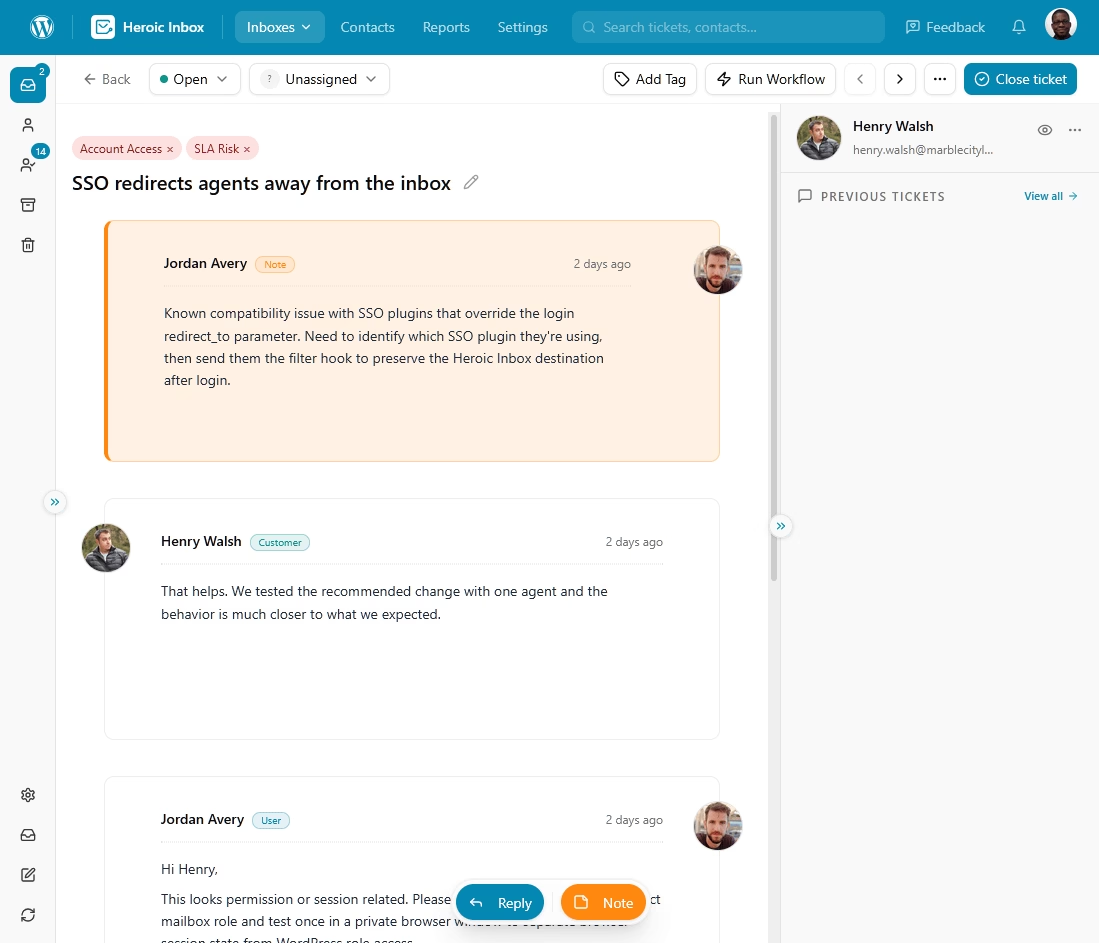
Heroic Inbox
A simple and affordable helpdesk for small businesses.
Unlimited users and powerful features.
In This Guide
Why Urgency Matters in Email
Speed has quietly become the yardstick people use to judge your professionalism.
Flag something as urgent when the stakes are real, and you jump the queue. But when you flag something as urgent when there’s nothing behind it, you teach that reader to ignore your future emails.
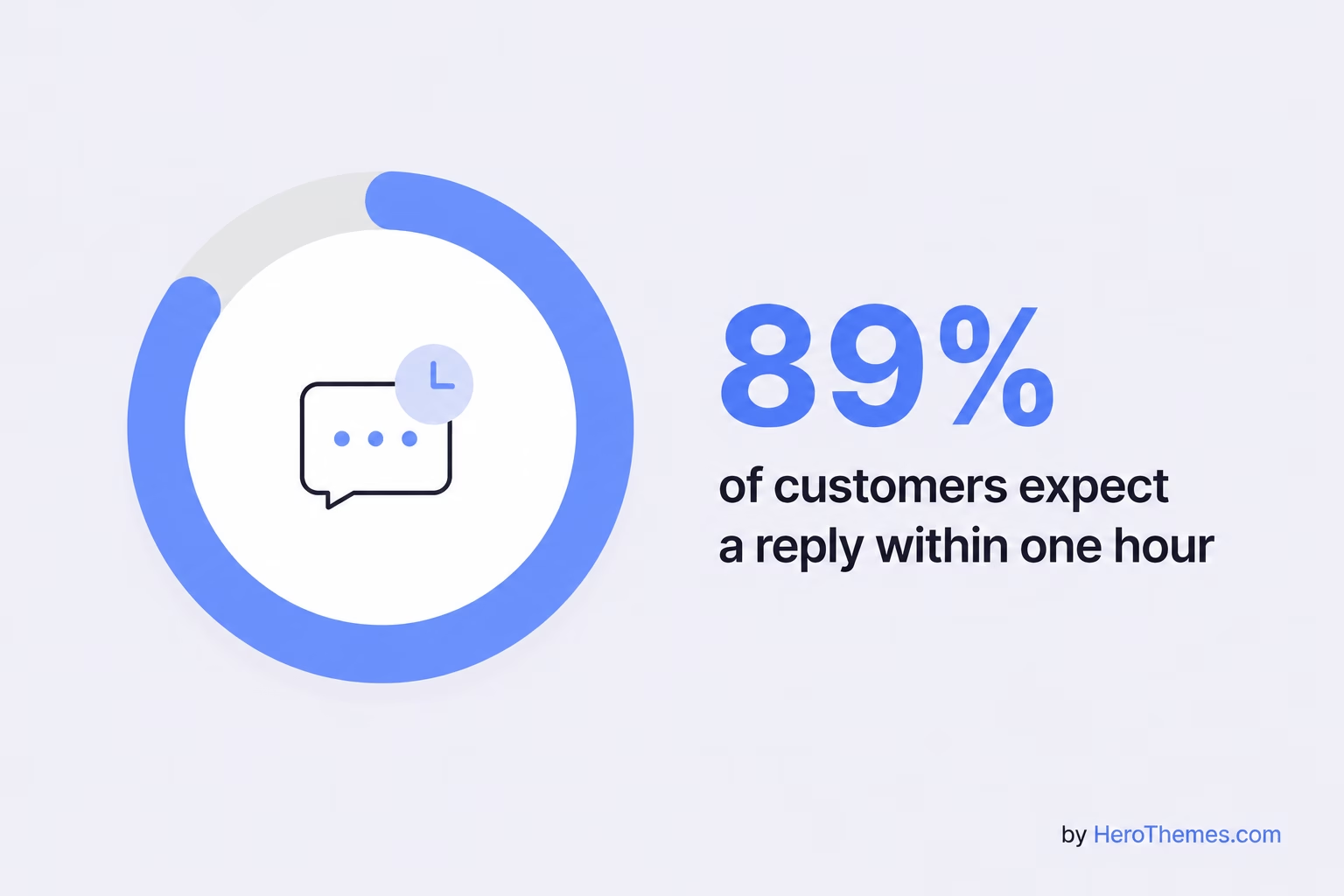
The average company takes 12 hours and 10 minutes to reply, per SuperOffice’s study of 1,000 companies, while 89% of customers expect a reply within one hour, per Zendesk’s CX Trends 2025. That gap is where deals die, tickets get worse, and trust falls apart.
Most urgent emails fail for reasons that are easy to fix:
- They cry wolf: When everything is urgent, nothing is. Readers learn your pattern and start treating every message the same.
- They shout instead of explaining: All caps, red flags, and triple exclamation points sound like panic, not priority.
- They bury the actual request: The reader skims, can’t find what you need or when you need it, and moves on.
- They skip the “why”: Without a reason for the deadline, “urgent” reads as “urgent to you, not to me.”
- They arrive at the wrong time: An urgent email sent at 6 p.m. on Friday competes with the weekend and often loses.
Note: A statistic is often cited in marketing blogs that claims urgency-driven subject lines increase open rates by 22%. Treat that number with a grain of salt. This statistic is repeated everywhere, but it can be traced back to uncited blog posts rather than any real study. We’ll stick with numbers that come from real research.
Urgent vs. Important: What’s the Difference?
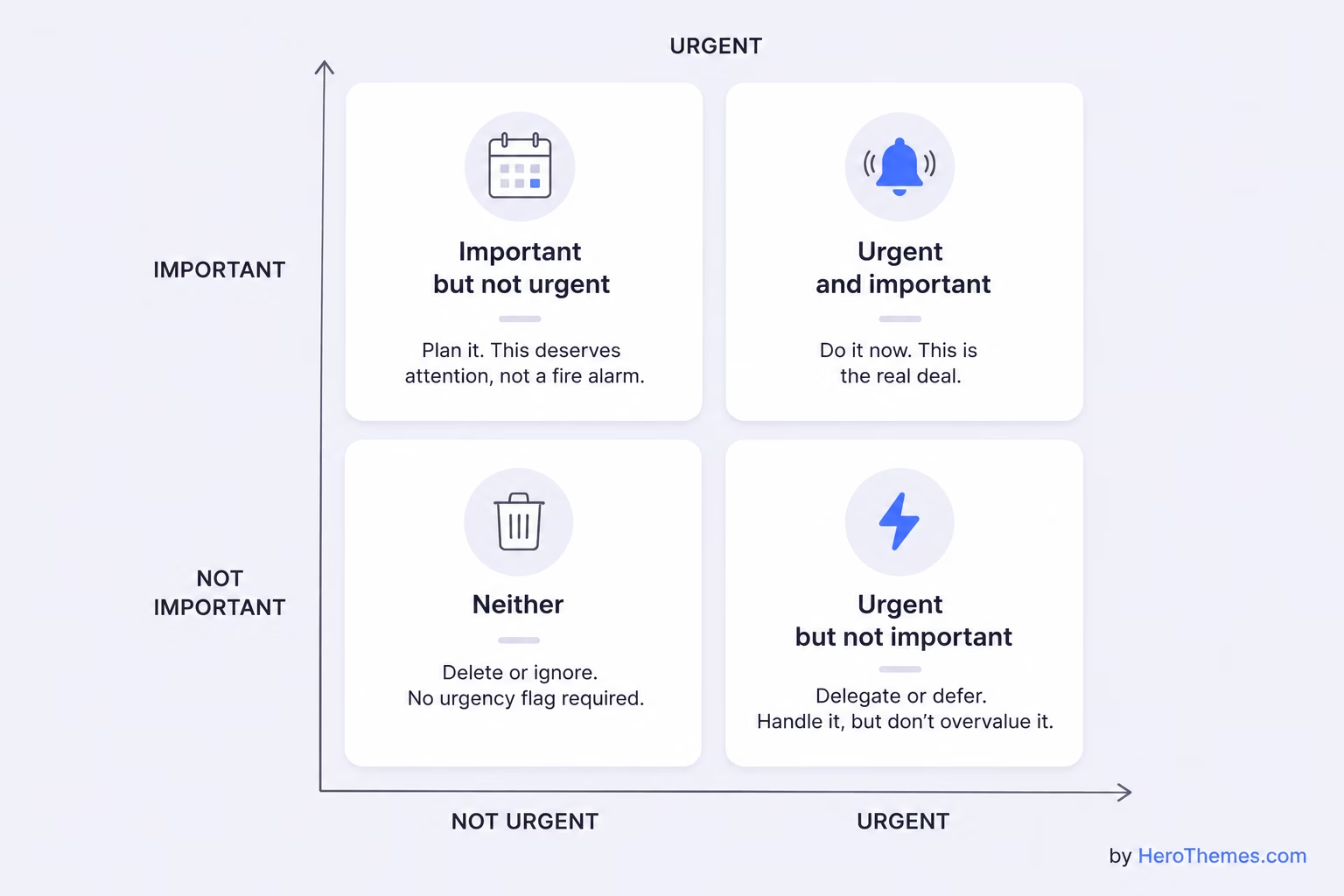
Urgent and important are not the same thing, and treating them as identical is the fastest way to burn your credibility.
Dwight Eisenhower framed it best with a line often tied to his name:
“I have two kinds of problems, the urgent and the important. The urgent are not important, and the important are never urgent.”
Stephen Covey later built his famous four-quadrant matrix around this idea in The 7 Habits of Highly Effective People.
Here’s how it plays out in email:
- Urgent and important: A live system is down and customers can’t buy. Send the urgent email. This is the real deal.
- Important but not urgent: Next quarter’s strategy doc needs review. This deserves attention, not a fire alarm.
- Urgent but not important: A coworker wants a quick reaction to something with a self-imposed deadline. Handle it, but don’t dress it up as a crisis.
- Neither: The newsletter, the FYI, the “just circling back.” No urgency flag required, ever.
Before you write “urgent,” ask yourself one question: is this really time-sensitive with real consequences, or is it just important to me?
If it’s the second one, drop the urgency label and make a clear, polite request instead.
Sending false alarms erodes trust every time.
How to Handle Urgent Emails
If you run a support desk, manage a team, or field many “urgent” requests, your role changes. Now, you must distinguish real emergencies from non-urgent requests without overlooking genuine crises.
This is triage, and it’s a skill worth building.
1. Prioritize by Urgency and Impact
Borrow from support triage: rank incoming requests on two axes, how time-sensitive the issue is and how big the impact is.
For example, a billing outage for a major account takes precedence over a trial user asking where a button moved, even if the trial user uses more exclamation points.
Set clear priority levels and stick to them.
2. Respond Even When You Need More Time
A two-line “got it, I’m on this, expect an update by 2 p.m.” does wonders.
It stops the follow-ups, buys you time, and signals that the request didn’t vanish.
3. Tag, Assign, and Track Urgent Requests
Consistent tagging keeps urgent items from slipping.
When a request comes in, sort it, assign an owner, and set a target response time so nothing sits without a name on it.
The goal is that no truly urgent message ever gets overlooked in a shared inbox because everyone assumed someone else had it.
4. Use the Right Tools and System
Handling a flood of urgent customer emails with a plain shared Gmail account is a recipe for dropped balls.
Once you’re past a handful of messages a day, you need a system that shows who’s handling what.
Heroic Inbox is worth a serious look.
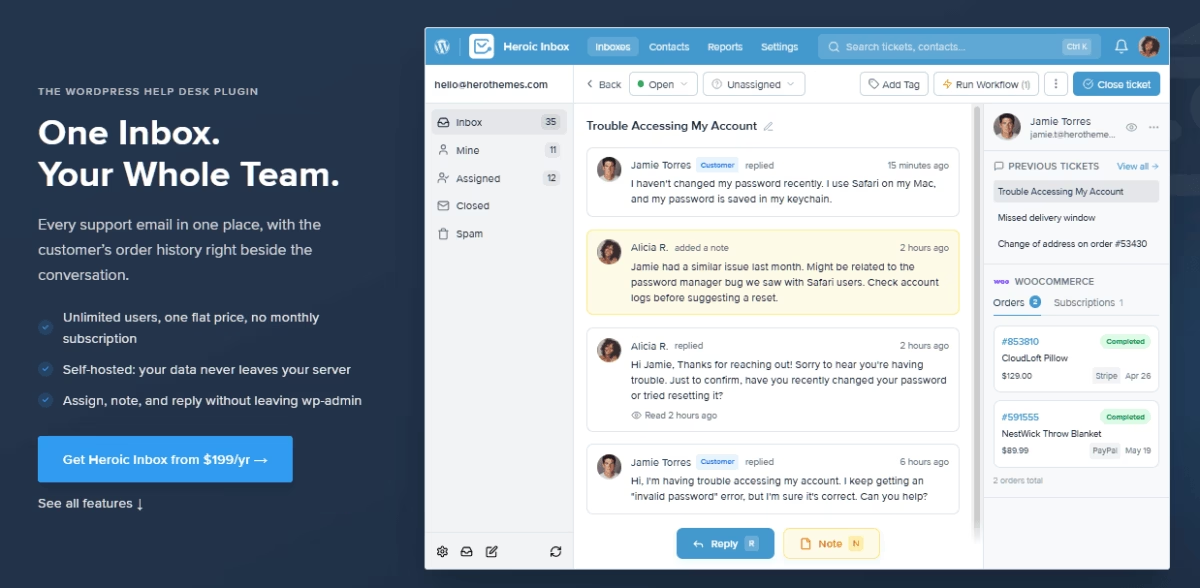
It turns your WordPress dashboard into a full shared inbox and help desk, so your whole team handles support, sales, and other mailboxes from one place.
Here are the features that matter most for urgent triage:
- Collision detection, so two agents don’t reply to the same urgent ticket.
- Assignments and internal notes for urgent messages.
- Notifications. In app, slack and email.
- Tags and filtering to highlight urgent and important tickets.
- Customer context in the sidebar, including order history, so agents can act on urgent issues without hunting for background.
14-Day Money-Back Guarantee | Setup in Under 10 Minutes
13 Tips for Writing Urgent Emails (With Examples)
Each tip below pairs the principle with a real email example. Steal what fits your situation, ignore what doesn’t.
1. Add the Deadline to the Subject Line
Your subject line is the whole ball game.
Readers decide in a fraction of a second whether to open now or later, so give them a clear reason to open now.
The strongest urgent subject lines combine a straightforward label with a specific time frame.
Urgent subject line Example: Action needed by 3 p.m. today: contract signature for Miller deal

Hi Dana,

The Miller contract needs your signature before 3 p.m. today so we can close before their board meeting tomorrow morning.

I've attached the final version with the two changes we discussed already made.

You just need to sign page 6 and reply. If anything looks off, call me and we'll fix it in real time.

Thanks so much,
Priya
What to avoid:
- Vague labels like “URGENT” with no context or time
- ALL CAPS or more than one exclamation point
- Subject lines so long the deadline gets cut off on mobile
2. Lead With the Main Request
Busy people skim. If your request is buried in paragraph three after a long introduction about how you hope they’re doing well, it might never be read.
Put the task up front, then provide context below.
Subject: Need your approval today to keep the launch on schedule

Hi Marcus,

I need your sign-off on the updated launch budget by end of the day so procurement can lock in the vendor rate.

The vendor raised their quote and gave us until tomorrow morning to confirm the current price. If we miss that window, costs will increase by about 8%.

The revised budget is attached, with changes highlighted in yellow.

Please reply with your approval or any questions, and I'll take it from there.

Appreciate it,
Elena
What to avoid:
- Making the reader hunt for what you actually need
- Hiding the deadline in the middle of a paragraph
3. Explain Why It’s Urgent
“ASAP” means nothing on its own. What turns a request from pushy into fair is the reason behind the deadline.
People move when they understand the consequences of delay.
Subject: Q3 figures needed by noon today

Hi Sam,

I need the Q3 figures from your side by noon today.

The client's finance team is presenting to their CEO at 2 p.m. and needs us to confirm the totals first. Getting the figures by noon will give us enough time to review and send them over.

The template is ready, so you only need to add the numbers to the highlighted cells. It should take about 10 minutes.

Let me know if anything's blocking you,

Theo
What to avoid:
- Demanding speed without explaining the stakes
- Inventing fake urgency for routine tasks
- Assuming the reader feels the same pressure you do
4. Set a Clear Deadline
Swap vague urgency for a real time and date every time.
Subject: Feedback needed by Thursday 10 a.m. on the pitch deck

Hi Aisha,

Could you please send your feedback on the pitch deck by Thursday at 10 a.m.?

We have a presentation with the client at 1 p.m. that day, and I would like time to incorporate your feedback and make final edits.

If you can only look at one thing, focus on slides 7 through 9, which are the pricing slides. I'm least sure about those.

Thank you,

Ben
What to avoid:
- “ASAP,” “at your earliest convenience,” or “whenever you can”
- Deadlines without a time zone when the team is spread out
- Asking for everything when you really only need one part reviewed
5. Keep the Email Short
Urgent emails and long emails don’t mix. Readers decide quickly, often on mobile, so every extra sentence is another chance for them to stop reading.
Subject: Approval needed by 5 p.m. for $600 refund

Hii Jordan,

Customer #4471 is owed a $600 refund, which is above my approval limit. Could you approve it by 5 p.m. today?

They've been waiting for two days and are understandably frustrated. Approving it by 5 p.m. will let us resolve the issue today.

The ticket has the order history and refund details.

Thanks,
Nadia
What to avoid:
- Walls of text with no line breaks
- Repeating the same point in three different ways
- Attaching a novel when a two-line summary would do
6. Use One Clear Call to Action
If your urgent email asks for three different things, the reader will have to think, which creates a delay.
Pick the single most important action and make it obvious.
Subject: Quick decision needed by 2 p.m.: go or no-go on the demo

Hi Rachel,

One decision needed by 2 p.m.: do we run the client demo today at 4, or push to Monday?

The client is flexible either way. My only concern is the login bug from this morning, but the dev team expects to patch it by 3.

Just reply "go" or "push" and I'll handle the logistics.

Thanks,
Owen
What to avoid:
- Stacking multiple asks into one urgent email
- Open-ended questions that require a long reply
- Making the reader guess what “done” looks like
7. Keep Your Tone Polite
The tone of the message changes whether people help you or resent you.
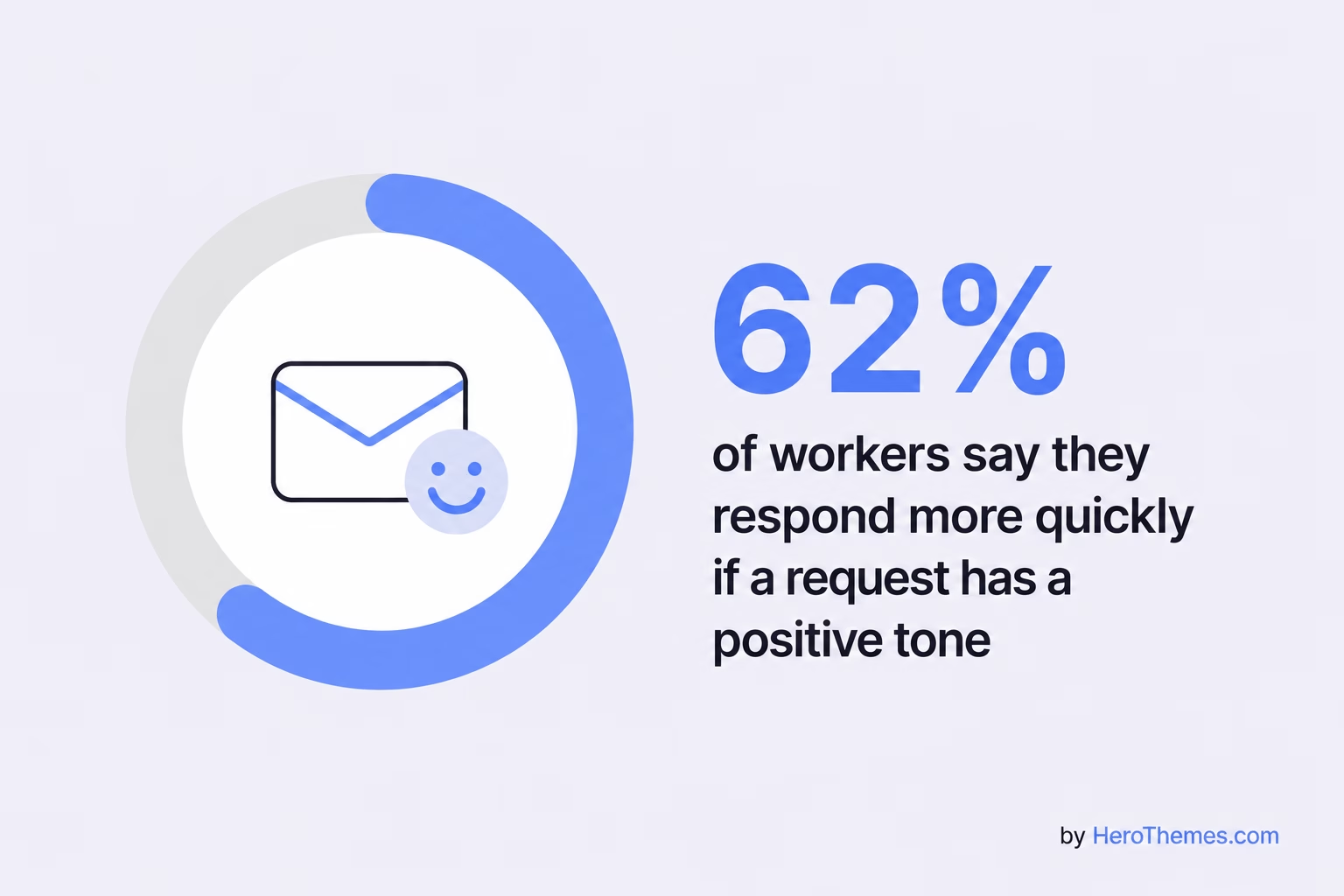
According to Grammarly research, 62% of workers say they respond more quickly if a request has a positive tone.
Subject: Time-sensitive: input needed before tomorrow's review

Hi Lin,

I know you're slammed this week, so I'll keep this quick.

Could you review the two flagged sections in the report before tomorrow's 9 a.m. review? Your read on the compliance language matters more than anyone's here.

If you can't get through both, even a quick review of section 4 would help.

Really appreciate you,
Marco
What to avoid:
- Blame-heavy phrasing like “you still haven’t sent this”
- Cold, clipped commands with no nod to the person
- Guilt trips or passive-aggressive digs
8. Avoid All Caps and Excessive Punctuation
The high-importance flag and the ALL CAPS subject are the boy-who-cried-wolf tools of email.
They work once, maybe twice, then people start filtering you out.
Subject: Important: server migration needs your OK by 4 p.m.

Hi Priyanka,

The server migration is ready to go, but I need your written OK before we start, ideally by 4 p.m. so we finish inside the maintenance window.

Once you approve, the team runs the checklist and I'll send confirmation when it's done. Nothing further needed from you after the green light.

Thanks,
Dev
What to avoid:
- The Outlook “high importance” flag on routine requests
- Subject lines in all capital letters
- Multiple exclamation points, which read as panic
9. Offer an Alternative
Urgency feels less like pressure when you give the reader an alternative option. Admitting that your timing might be tight and offering a backup plan makes people more likely to agree than to hesitate.
Subject: Decision needed by Friday: vendor contract renewal

Hi Grace,

We need to decide on the vendor renewal by Friday. If you have 15 minutes today or tomorrow, I'd be happy to talk it through.

If your schedule is tight, I can send a one-page summary with my recommendation. You can then approve it or send any concerns by email.

Either option works for me. I just want to make sure we keep the current rate.

Thanks,
Hassan
What to avoid:
- Framing the deadline as a take-it-or-leave-it ultimatum
- Ignoring that the reader has other priorities
- Offering no path for someone who’s genuinely swamped
10. Send the Email at the Right Time
The most perfectly written urgent email is worthless if it lands at the bottom of a weekend inbox.
Timing is part of the message.
Send urgent emails during the reader’s working hours, ideally mid-morning, when people are actively going through their inbox.
Subject: Approval needed this morning: press statement

Hi Fiona,

The press statement needs your approval this morning so comms can release it by noon, ahead of the announcement.

The draft is attached. The only open question is the second paragraph, where legal requested softer wording. Your call on the final wording.

Thanks,
Raj
What to avoid:
- Sending truly urgent emails late Friday afternoon
- Firing off “urgent” messages outside working hours and expecting instant replies
- Ignoring time zones for spread-out teams
If it’s truly urgent and it’s 6 p.m., email might be the wrong channel entirely. Which brings me to the next tip.
11. Know When to Use Another Channel
Sometimes, email is simply too slow for what you need.
For example, if a system is down or a client is about to leave, leaving a message in an inbox is risky. Great communicators choose the channel that matches the urgency.
Subject: Following up on my call: outage details in writing

Hi Tom,

I just tried you by phone and left a voicemail. The checkout page has been down since 9:15 a.m., and customers can't complete purchases.

I've looped in the on-call engineer. Can you confirm you've seen this and let me know if you want to jump on a quick call?

I'll keep this thread updated as we learn more.

Talk soon,
Steph
What to avoid:
- Relying on email alone for a five-alarm emergency
- Sending an urgent email and then going silent
- Failing to say what you’ve already done about the problem
If the deadline is under two hours, back the email with a call or a chat message.
Copy the request into both so the reader doesn’t have to search for it. Doubling up isn’t annoying when the stakes are high.
12. Follow Up Without Being Pushy
No reply? It happens, and it’s usually not personal.
A single well-timed follow-up dramatically improves your odds. The trick is to provide additional information or context, rather than simply restating your previous message with a passive-aggressive “per my last email.”
Subject: Re: Approval needed by 5 p.m. (quick nudge)

Hi Jordan,

Following up on the refund approval below as we're getting close to the 5 p.m. deadline.

If you're tied up, I can call you in the next 10 minutes and we can sort it out quickly.

The customer has been waiting patiently, so I'd like to get them an answer today.

Thanks,
Nadia
What to avoid:
- Passive-aggressive lines like “I emailed earlier but heard nothing”
- Multiple follow-ups in a single day for the same request
- Blaming the reader for not responding on your timeline
Give people breathing room, usually a few hours for something same-day, before you nudge. And keep the follow-up warm.
13. Consider the Reader’s Culture
If you work across borders, the same email can read as efficient to one person and rude to another.
Directness that feels normal in a U.S. or German office, for example, can seem abrupt to coworkers in Japan or France, where building relationships often comes before making a request.
Subject: Confirmation needed by tomorrow: Thursday shipment

Dear Mr. Tanaka,

We received an updated delivery requirement from the client and need your confirmation on the Thursday shipment by the end of day tomorrow.

I apologize for the short notice. Please let me know if this timing presents any difficulty, and we'll work together to find a solution.

Thank you for your understanding.

Best regards,
Caroline
What to avoid:
- Assuming your own directness norm travels everywhere
- Dropping softeners entirely when writing to more formal cultures
- Over-apologizing to cultures that prize brevity, like many German or Dutch teams
In business cultures that prioritize relationships, a little formality and a softened approach can be very effective.
In more direct cultures, people may prefer that you cut to the chase.
When in doubt, mirror how the other person writes to you. That’s the safest cultural guide you’ll ever find.
The Anatomy of an Urgent Email: Format and Structure
Every strong urgent email follows the same skeleton. Once you learn it, you can write one in 90 seconds flat.
Here’s the structure, part by part.
1. Subject Line
This is your open-or-ignore moment. Combine a priority signal with a specific deadline and the topic. Keep it short enough to read on a phone.
- Strong: Action needed by 3 p.m.: budget sign-off for launch
- Strong: Response needed today: client waiting on figures
- Weak: “URGENT!!!” or “Quick question” or “Important”
2. Opening Line
Greet the person, then get to the point right away.
- Use the reader’s name.
- State the request or the situation in the first sentence.
- Signal how much of their time this will take when you can.
3. Body
Keep it tight, ideally under 125 words total, and make it easy to skim.
- Give the reason for the urgency and the cost of delay.
- Provide only the context the reader actually needs.
- Use a short list or bold the deadline if it genuinely helps scanning, but don’t overdo it.
4. Call to Action
Tell the reader exactly what to do and by when. One action, stated plainly.
- Name the single next step.
- Repeat the deadline with a time and, if needed, a time zone.
- Make the response as low-effort as possible (“just reply yes”).
5. Closing
End warm and grateful, then sign off cleanly with your name and, for outside emails, your contact details.
- Thank them for their attention or speed.
- Offer to answer questions or hop on a call.
- Include a phone number if the matter is time-critical.
Frequently Asked Questions About Urgent Emails
How do you politely say something is urgent in an email?
Lead with a warm greeting, state the request with a specific deadline, and explain why it’s time-sensitive.
Phrases like “Could you send this by 2 p.m.? Here’s why it’s tight” convey urgency without pushiness.
Avoid “ASAP” and specify an actual time.
How long should an urgent email be?
Short. Aim for 50 to 125 words. That’s long enough to say what you need to and short enough to avoid making the reader doubt.
Final Thoughts on Writing Urgent Emails
Expressing urgency well comes down to one simple idea: respect the reader while being crystal clear about what you need and when.
The people who get fast replies aren’t the ones who shout the loudest. They’re the ones who make the ask obvious, explain the stakes, name a real deadline, and keep the tone warm enough that helping feels good rather than forced.
Save your urgency for the moments that earn it, and it will keep working.
Further Reading
17 Best Countdown Subject Lines for Urgent, Deadline-Driven Emails
Last Chance Email Subject Lines (Examples and Templates)
Professional Thank You Email Templates
Customer Feedback Email Templates (2026 Guide)
Best Meeting Recap Email Templates (With Examples and Writing Tips)





Leave A Comment?
You must be logged in to post a comment.