The 8 Best MediaWiki Alternatives in 2026 (Open Source and Commercial)


MediaWiki still powers some of the world’s largest wiki sites (including Wikipedia), many teams don’t need an encyclopedia platform.
For example, customer support teams, internal documentation writers, and growing businesses often want a tool that’s easier to manage, simpler to edit, and better suited for helping people find answers fast.
That’s why finding a MediaWiki alternative becomes necessary.
In this guide, I’ll compare the best MediaWiki alternatives available in 2026, that are similar to MediaWiki, but have their own qualities.
Let’s take a look!
In This Guide
Why MediaWiki Still the Best Choice
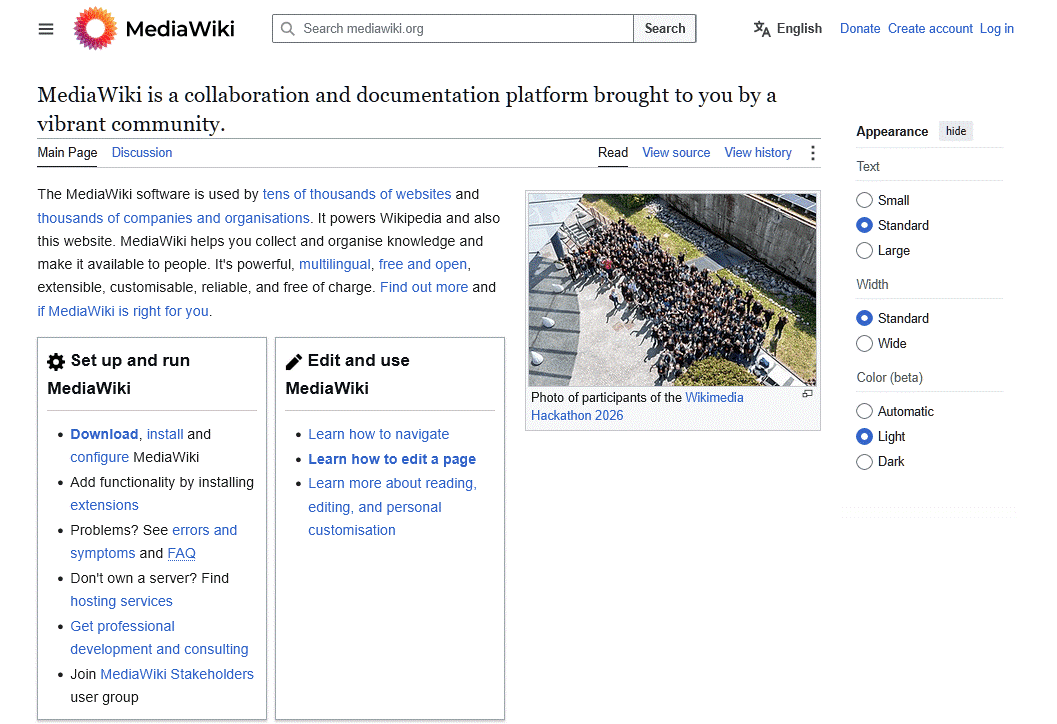
Let’s be fair. MediaWiki powers Wikipedia, Wikipedia, and that pedigree is no mere marketing ploy. It can genuinely handle millions of pages and heavy traffic.
Here’s what MediaWiki does better than almost any other its alternatives:
- Free and GPL-licensed: No license fees, no per-seat costs, and no vendor lock-in.
- Battle-tested at massive scale: It runs one of the most-visited sites on Earth.
- Templates and categories: Reusable content blocks and a deep categorization system that few competitors match for large reference material.
- Extension ecosystem: Thousands of extensions, including the Visual Editor for WYSIWYG editing and Semantic MediaWiki for structured, queryable data.
- Full version history: Every edit is tracked, diffable, and revertible, which is core wiki DNA.
- Multilingual support
- Self-hosted data control: Your content lives on your server, which matters for compliance and data residency.
Pro tip: If your only complaint about MediaWiki is the editor, install the Visual Editor extension and Semantic MediaWiki before you rip everything out. Sometimes, adding two extensions to the tool you have is all you need.
Why Look for MediaWiki Alternatives
I’ve set up MediaWiki more than once, and it can be really confusing for non-technical users.
Here’s where MediaWiki most hurts:
- Wikitext learning curve: The default markup is unintuitive for non-technical writers.
- Dated default skin and UX: The Vector 2022 skin is cleaner than older versions, but out of the box it still looks like a reference wiki, instead of a modern help center.
- Server and LAMP maintenance burden: You own PHP updates, database tuning, backups, and security patching. Which adds to your task list.
- Major upgrades can break extensions, and you often have to step through multiple LTS versions to get current.
- Default search is basic. Good search means installing and maintaining CirrusSearch plus Elasticsearch, which is another moving part.
- No built-in WYSIWYG for many setups: WYSIWYG requires the Visual Editor extension and its Parsoid service, which is an extra setup.
- Coarse permissions: Granular, per-page access control needs extensions and careful configuration. It’s not friendly for locking down sensitive internal docs.
- No native analytics or article feedback
- Spam and vandalism management: Public wikis need anti-spam extensions and active moderation.
- Weak mobile and support features: No native AI chatbot, no article ratings, no ticket deflection, and limited SEO controls.
- Cost of hiring help: Many teams end up paying a consultant or a specialist host to keep the thing running, which cancels out the “free” savings.
Before we start with alternatives, stay on MediaWiki if you:
- Run a large public reference wiki
- Rely on Semantic MediaWiki
- Need strong multilingual support
- Have in-house sysadmin talent that can manage it
MediaWiki is still the best option for fan wikis, research repositories, and encyclopedic projects.
Move on from MediaWiki if you:
- Need customer-facing documentation
- Have non-technical writers
- Want article ratings and ticket deflection: Built-in feedback and self-service tools are standard in modern knowledge base software.
- Are tired of managing a LAMP server. Compared to MediaWiki, SaaS and simpler self-hosted platforms require far less maintenance.
What to Look for in MediaWiki Alternatives
Before trying any of the MediaWiki alternatives below, answer these questions. They’ll narrow a field of a dozen options down to two or three fast.
- Hosting model: Do you need self-hosted for data control, or is SaaS fine? Self-hosted keeps data on your servers but adds maintenance.
- Technical skill: Can your team run a Linux server, or do you need install-and-go? For example, Node.js tools like Wiki.js and Outline demand more than a WordPress plugin.
- Team size and cost model: Per-seat pricing punishes big teams. Flat or self-hosted pricing wins as headcount grows.
- Internal vs customer-facing: Internal wikis prioritize collaboration and permissions. While customer-facing help centers prioritize search, SEO, ratings, and ticket deflection.
- Permissions granularity: Do you need per-page or role-based access control?
- Search quality: Instant, typo-tolerant search is the single biggest driver of whether people actually use your docs.
- Migration path from wikitext: How painful is getting your content out of MediaWiki and into the new tool?
- AI features: Do you want an AI chatbot, AI search, or AI drafting?
- SEO: For public docs, can you control metadata, URLs, and schema?
We did answer these questions ourselves and picked the best modern MediaWiki alternatives available today.
Best MediaWiki Alternatives in 2026

We rigorously test and research every product that we recommend through HeroThemes. Our review process. We may also earn a commission if you make a purchase through our links.
1. Heroic Knowledge Base
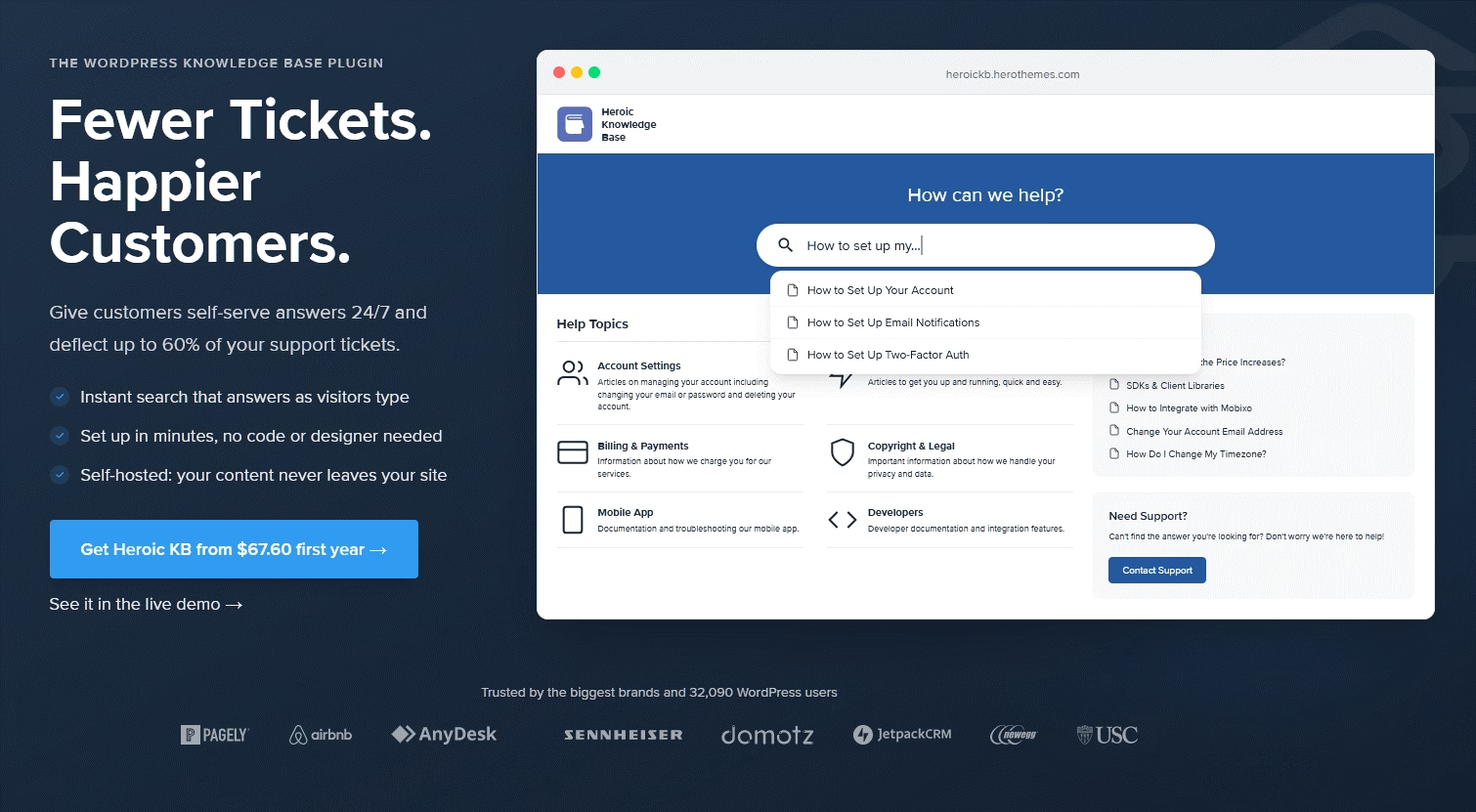
Heroic Knowledge Base is a premium WordPress plugin from HeroThemes. It’s the best tool If you are looking to create a wiki for internal or external support.
It turns a standard WordPress site into a searchable, customer-facing help center, and because it’s a WordPress plugin, you keep full control of your data, your hosting, and your SEO.
What makes it a genuine MediaWiki replacement, is its focus on business outcomes.
Where MediaWiki gives you an encyclopedia, Heroic KB gives you a support engine: live search, article ratings, analytics that show what customers search for and fail to find, and a path to deflect tickets before they hit your inbox.
Key features:
- Article management with drag-and-drop ordering, plus automatic ordering by views or helpfulness
- Live, instant AJAX search that surfaces answers as customers type
- Article feedback and voting so readers can rate content, feeding a dedicated feedback dashboard
- Analytics and reporting: popular searches, failed searches, and search effectiveness
- Restricted and private content with role-based access, so you can gate internal articles
- Categories, tags, custom taxonomies, and a built-in table of contents
- Gutenberg block editor authoring, with no markup to learn
- FAQ builder, glossary builder, CSV import, and a dedicated knowledge base theme
- AI chatbot integration and a support-transfer widget with its own deflection analytics
- Integration with Heroic Inbox for handling support email inside WordPress
- Full WordPress SEO benefits: metadata, schema, clean URLs, and the entire plugin ecosystem
Limitations to watch for:
- No free version
- You still run WordPress, so hosting, updates, and security are your responsibility (lighter than LAMP MediaWiki upkeep, but not zero)
Pricing and value:
Heroic Knowledge Base Essential plan (starter plan) starts at $67.60 / Year. There is also 14-day money-back guarantee and no limits to users or number of articles.
2. BookStack
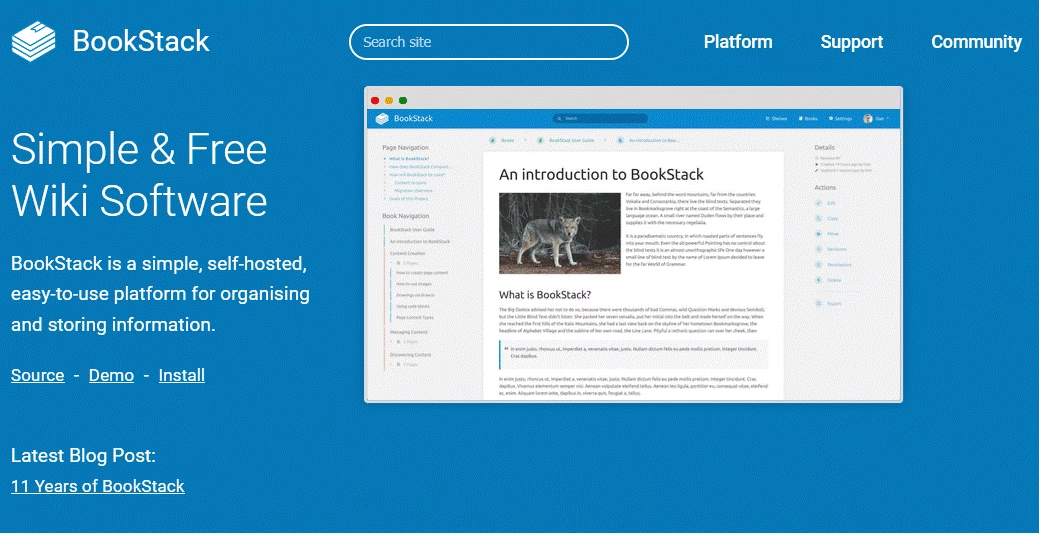
BookStack takes a refreshingly simple approach to a problem MediaWiki overcomplicates: organizing docs.
Instead of a flat page list with categories, it uses a Shelves, Books, Chapters, and Pages metaphor that clicks instantly for most people.
The BookStack repo has 18.9k starts at GitHub, making it one of the most popular PHP wiki software on GitHub.
Key features:
- Shelves, Books, Chapters, and Pages give a clear four-level hierarchy
- WYSIWYG and Markdown editors, with live preview
- Built-in Draw.io integration for diagrams
- Full role-based access control with SAML2, LDAP, OIDC, and email login, plus per-user MFA enforcement
- Fully searchable across all content, with the ability to link directly to any paragraph
- Clean exports to Markdown, HTML, PDF, or plain text per page or per book
- Regular releases, including an in-progress modern WYSIWYG editor and a new theme module system in 2026
Limitations to watch for:
- The four-level structure can feel rigid for non-linear or free-form knowledge
- Fewer customization and extension options than MediaWiki or WordPress
- No native customer-facing help-center features like article ratings or ticket deflection
- You still self-host, so backups and updates are on you
Pricing and value:
BookStack is free and open source under the MIT license, so there are no licensing or per-user fees. Your only cost is hosting.
Like MediaWiki, BookStack has no limits on users or content, making it a cost-effective choice.
3. DokuWiki
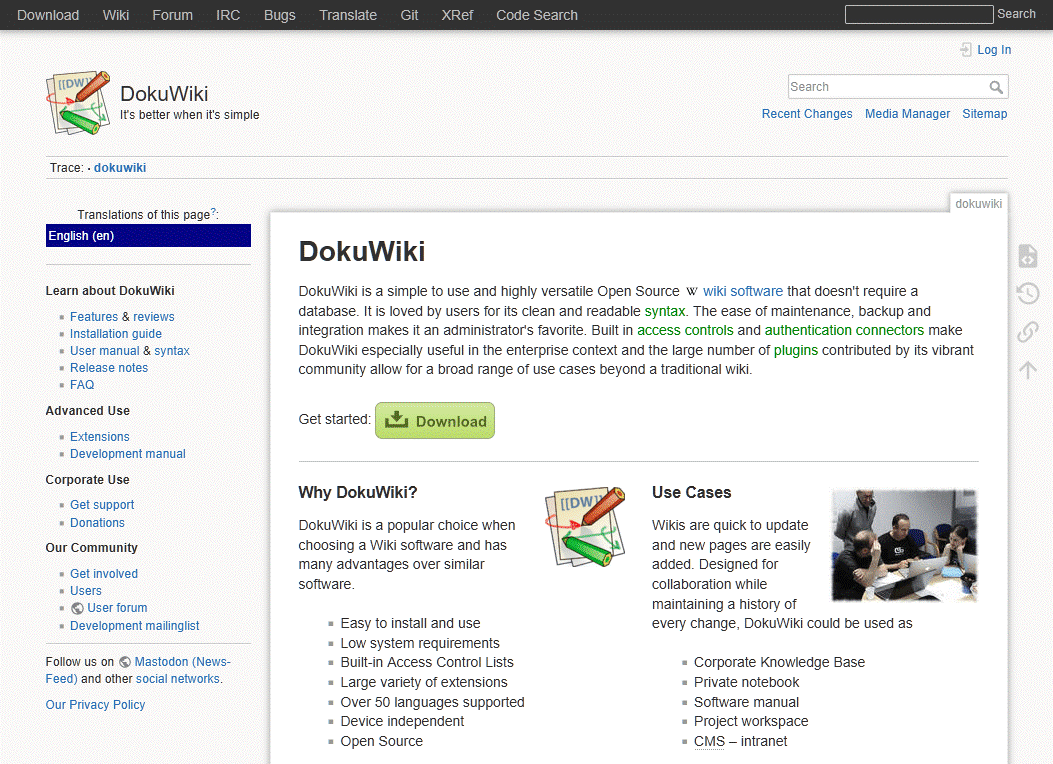
For two decades, DokuWiki has been the sensible choice for small, self-hosted wikis. Andreas Gohr first released it in 2004, and it’s still actively maintained.
Its defining trait: it stores everything in plain text files and doesn’t require a database.
Compared to MediaWiki, DokuWiki is lighter, simpler to install, and easier to maintain, at the cost of raw power and scale. And its syntax is similar to MediaWiki’s, which cuts both ways: it’s familiar to wiki veterans but still markup, not WYSIWYG. It’s widely recommended as the easier, more lightweight alternative to MediaWiki.
Key features:
- No database; all content stored in plain text files
- Simple installation and maintenance, GPLv2 licensed, written in PHP
- Per-page access control lists for permissions
- Strong revision control and diffs
- Large plugin ecosystem and dozens of language localizations
- Runs on modest hardware
Limitations to watch for:
- Markup-based editing by default, not WYSIWYG (a plugin adds it)
- Less scalable than MediaWiki for very large or high-traffic wikis
- Fewer modern collaboration features like real-time editing
Pricing and value:
DokuWiki is free and open source, and thanks to its lightweight architecture and minimal server requirements, it’s one of the least expensive wiki platforms to run.
4. XWiki
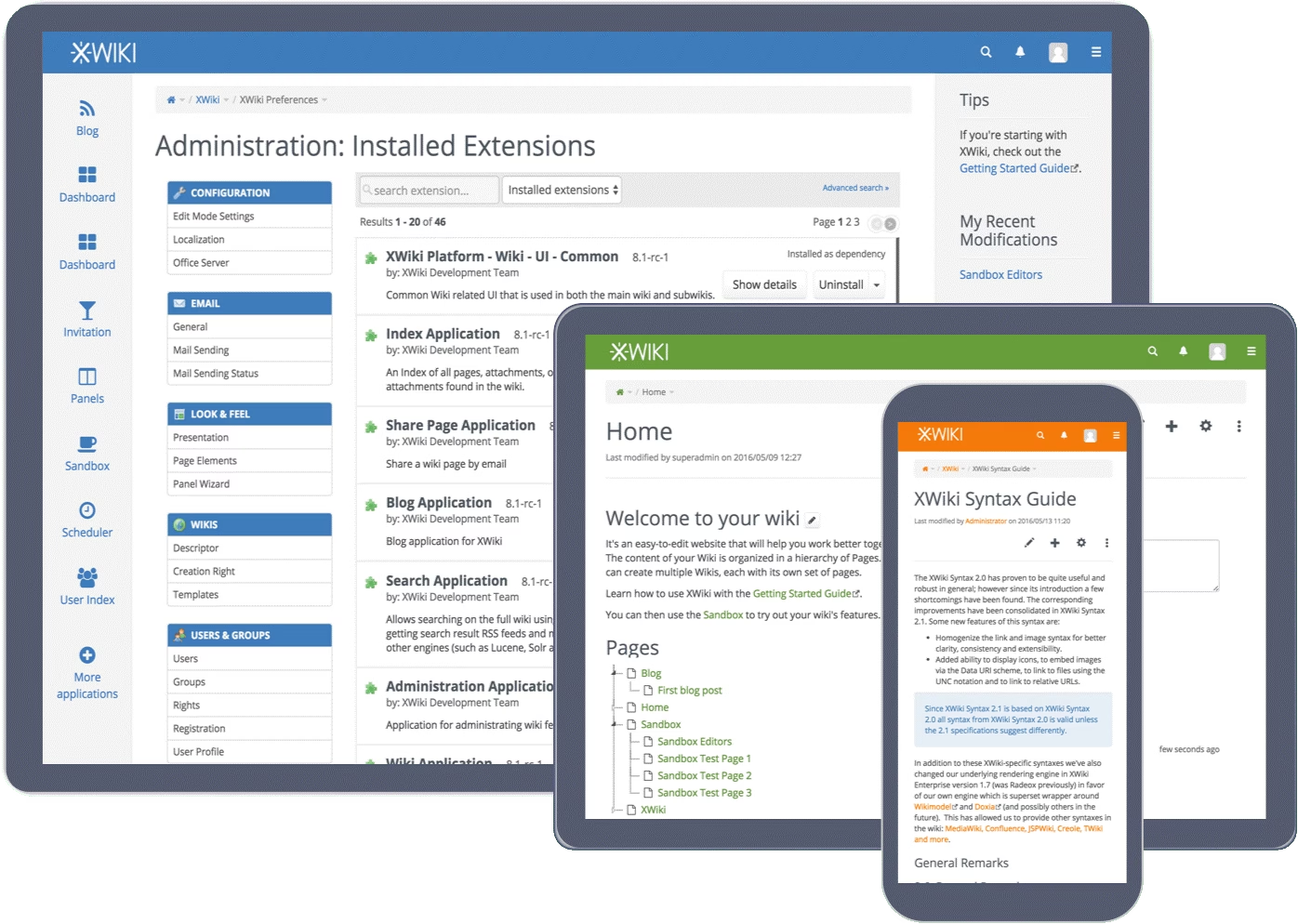
XWiki is the enterprise-grade open-source wiki platform. Written in Java, it’s built for organizations that need structured data, granular permissions, and the option of professional support.
It’s mostly used in finance, government, healthcare, and academia, typically by small-to-midsize enterprises that need control over both structured and unstructured content.
Compared to MediaWiki, XWiki is more “enterprise-ready” out of the box. Offering intuitive admin tools, a WYSIWYG editor, real-time editing, and the ability to mix free-form pages with structured, queryable data (its “livetables” can filter thousands of records fast).
Key features:
- Structured data via applications and livetables, mixing unstructured and structured content
- WYSIWYG editor, real-time collaboration, mentions, likes, and alerts
- Granular permissions with sub-wikis for different departments
- Enterprise authentication: LDAP, Azure AD / Microsoft Entra ID, Google SSO, OIDC, SAML
- Extensive extension marketplace
- Native connectors to LibreOffice and Nextcloud
Limitations to watch for:
- Java hosting is heavier and less familiar than PHP for many teams
- Steeper setup and administration than lightweight options
- Smaller community than MediaWiki
Pricing and value:
XWiki offers a free, self-hosted Community Edition for teams that want full control over their deployment. If you prefer a managed service, XWiki also offers cloud plans.
5. Wiki.js
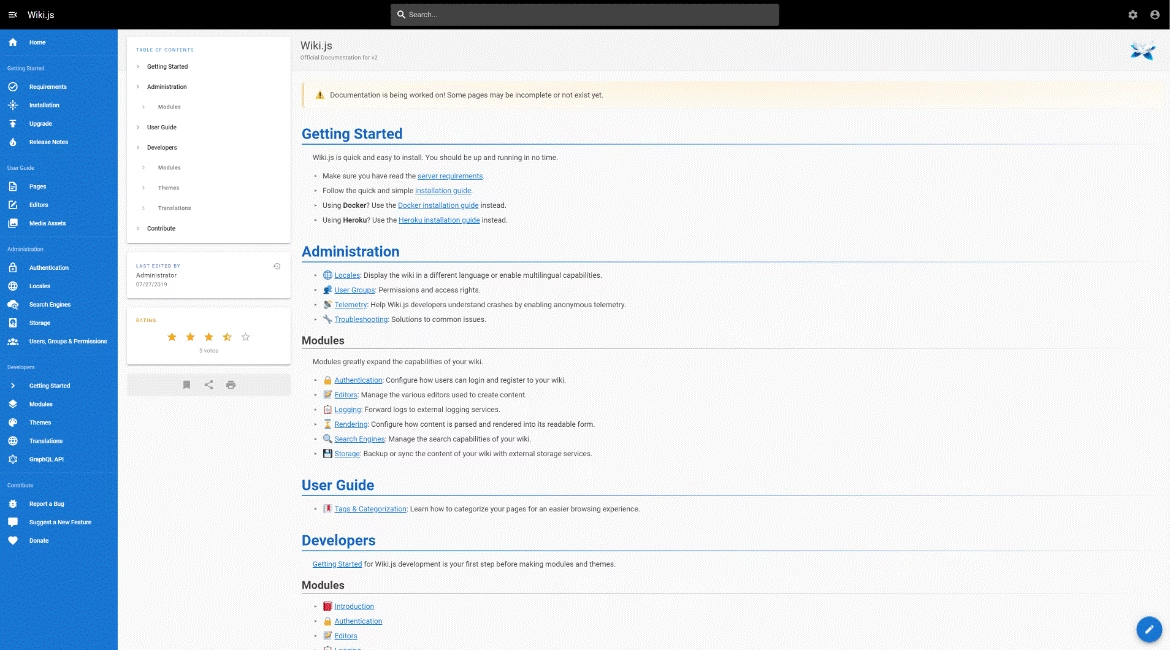
Wiki.js is the best-looking open-source wiki on this list, and that’s both its appeal and its trap. Built on Node.js, it delivers a genuinely modern interface, Markdown authoring, and slick theming that make MediaWiki look ancient by comparison.
Against MediaWiki, Wiki.js wins on first impressions and editing comfort. It supports multiple databases (PostgreSQL, MySQL, MariaDB, SQLite, and more), Git-backed storage, and a range of authentication options.
Key features:
- Modern, responsive interface that’s the nicest-looking option here
- Markdown editor plus a WYSIWYG option
- Git-backed storage and version control
- Broad database support and many authentication providers
- Real-time collaboration features on the v3 track
- Status workflows for review and approval on the v3 preview
Limitations to watch for:
- Version 3.0 has been in alpha since 2021 with no beta, and it’s largely a one-person project
- Node.js hosting is a hurdle for teams used to PHP
- Smaller plugin ecosystem than mature wikis
Pricing and value:
Wiki.js is free and open source. Just keep in mind that you’ll need someone comfortable managing a Node.js application and its updates.
6. Confluence
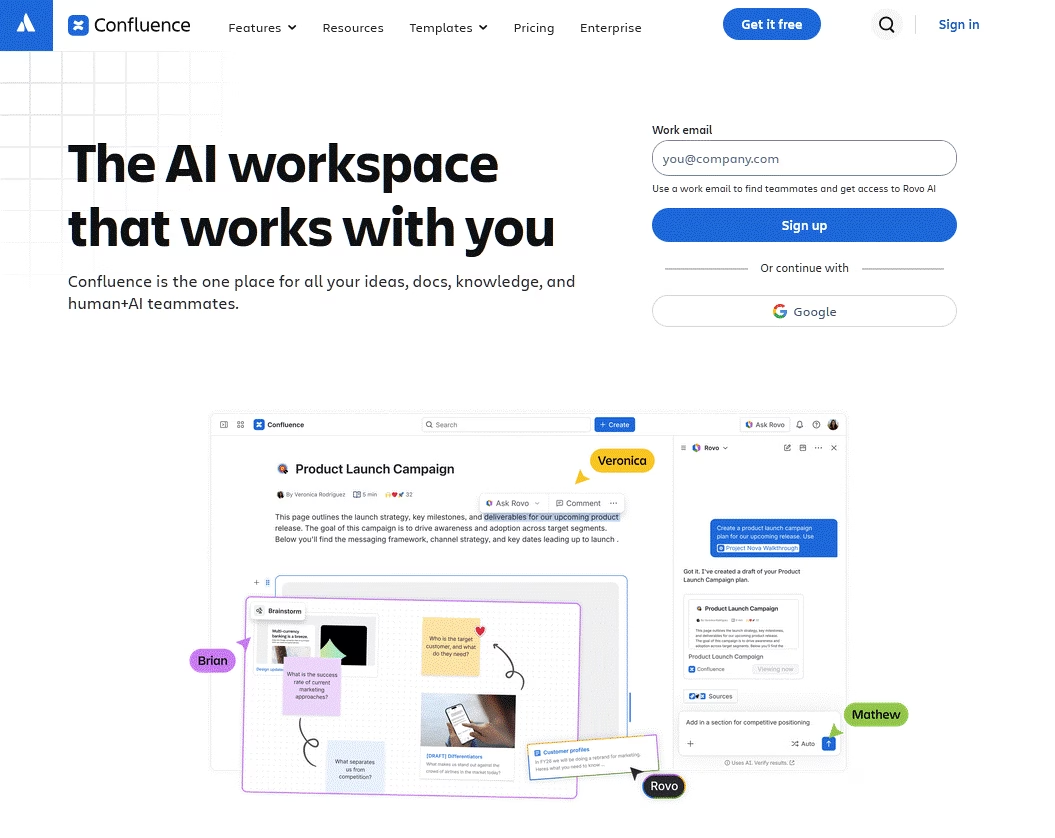
If your company already uses Jira, Confluence is the path of least resistance. It’s a mature, deeply integrated collaboration platform with structured spaces, hierarchical page trees, templates, and inline comments.
Compared to MediaWiki, Confluence trades data ownership and free licensing for polish, support, and integrations.
It offers professional support and hierarchical navigation which many corporate teams prefer over MediaWiki’s flat, search-first model. But it’s proprietary, per-seat, and the costs stack up with marketplace apps.
Key features:
- Structured spaces with hierarchical page trees
- Polished rich-text editor, templates, and inline comments
- Deep Jira and Atlassian ecosystem integration
- Rovo AI for search, chat, and agents on paid Cloud tiers
- Enterprise security, SSO, and admin controls at higher tiers
- Large marketplace of add-ons
Limitations to watch for:
- Proprietary and per-seat, so costs grow with headcount
- Many “expected” features (advanced diagramming, better page trees, compliance tools) are paid marketplace apps
- Rovo AI is metered by a monthly credit allowance most buyers overlook
- Data Center is expensive and aimed at large customers, with steep annual increases
Pricing and value:
Confluence offers a free plan for up to 10 users with 2 GB of storage. Paid cloud plans start at around $5.42 per user/month for a Standard plan.
7. Notion
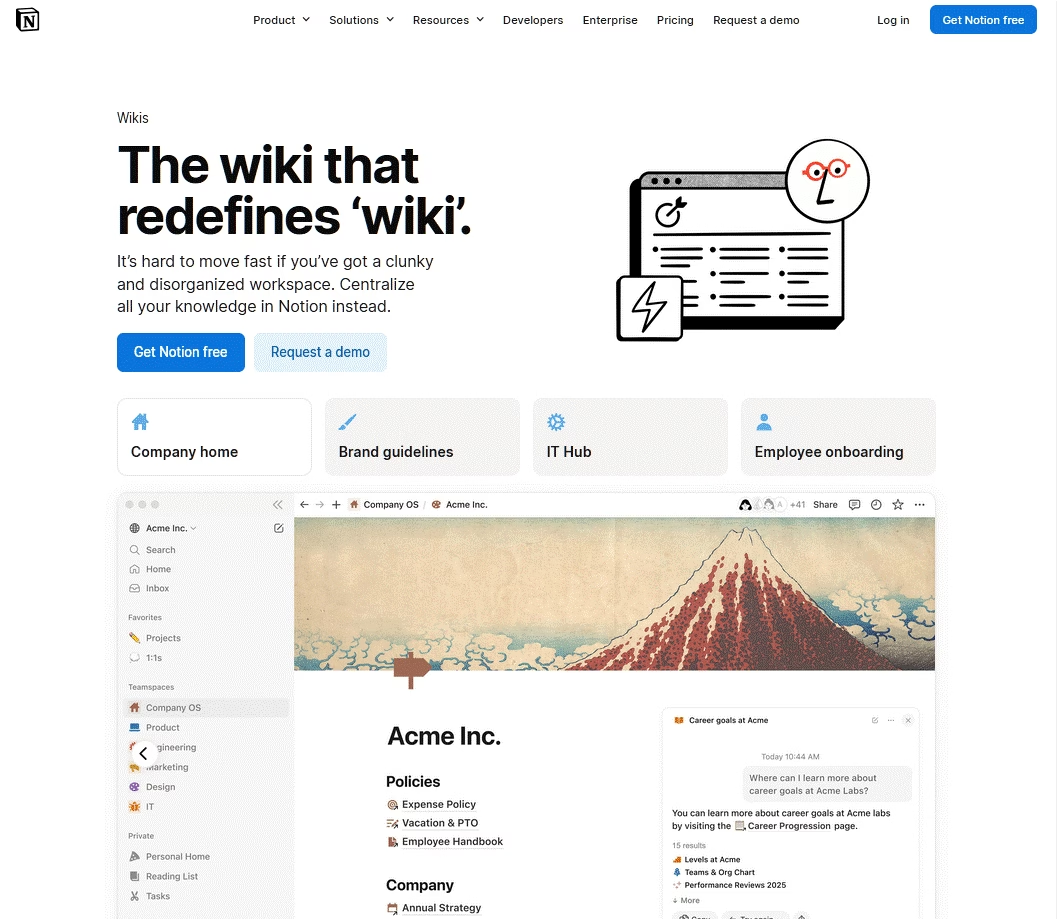
Notion blurs the line between wiki, database, and project manager, and that flexibility is why millions use it. For a lot of small teams, a Notion wiki plus databases replaces three separate tools.
Compared to MediaWiki, Notion is vastly easier and prettier, but it’s cloud-only and proprietary, so you give up self-hosting entirely.
It’s genuinely flexible for internal wikis, handbooks, and project docs, though heavy customization by many users can create disorganization over time.
I would recommend Notion for startups and small teams that want one tool for everything. I trust it less as a locked-down, permanent knowledge archive.
Key features:
- Flexible pages and databases in one workspace
- Clean block editor that non-technical people love
- Wikis, handbooks, project tracking, and notes in one place
- Notion AI (Agent, AI search, meeting notes) on Business and up
- Generous free tier for individuals and tiny teams
- Broad template ecosystem
Limitations to watch for:
- Cloud-only and proprietary; no self-hosting, so no true data ownership
- Custom Agents bill on metered credits on top of seats
- Can become disorganized as workspaces sprawl
- Weaker for public, SEO-optimized wikis
Pricing and value:
Notion offers a generous free plan for individuals and small teams. Paid plans start at $10 per user/month for Plus and $20 per user/month for Business, while Enterprise pricing is available on request.
8. MkDocs and Docusaurus
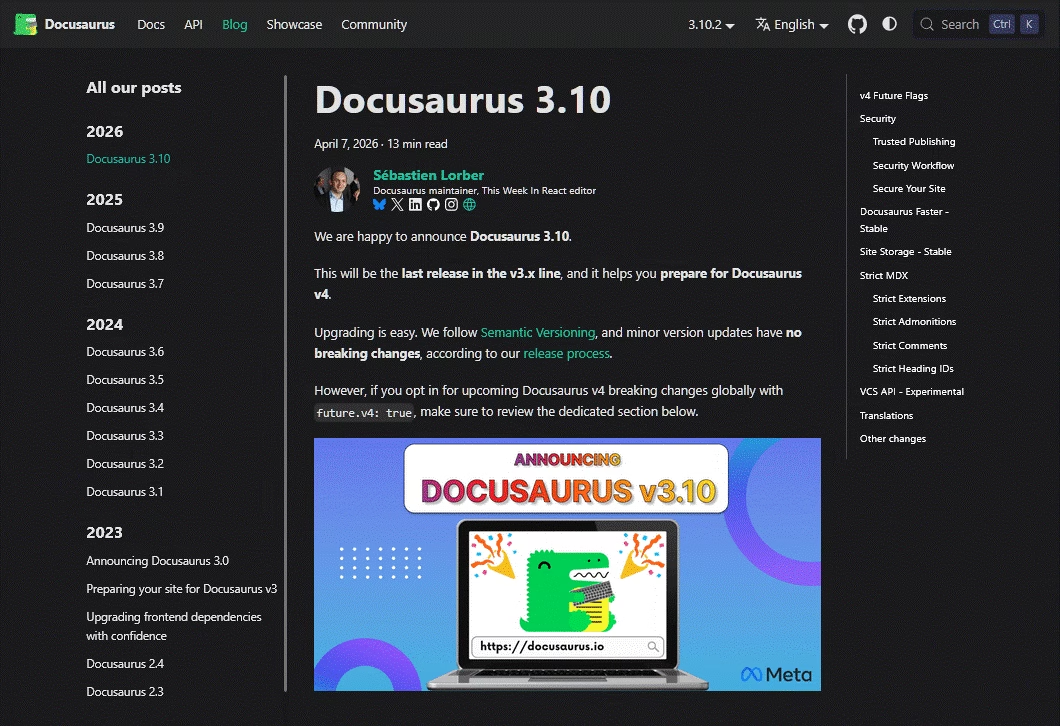
For engineering teams that want documentation to live in Git like code, static site generators are the answer, and MkDocs and Docusaurus are the two leaders.
Both are free and open source, and both turn Markdown files into fast, searchable documentation sites.
Docusaurus comes from Meta, runs on React and MDX, and powers docs for React Native, Jest, Supabase, and thousands of other projects.
While MkDocs is Python-based, simpler to set up, and hugely popular in the Python ecosystem, especially with the Material for MkDocs theme.
Against MediaWiki, these tools are a different philosophy entirely. There’s no database, no admin UI, and no in-browser editing; contributors write Markdown and commit to Git. That’s ideal for developers and a wall for everyone else.
Key features:
- Free, open source, and fast static output
- Docusaurus: React/MDX, first-class versioning, i18n, and Algolia DocSearch
- MkDocs: simple setup, Python-friendly, polished Material theme
- Full Git-based version control and pull-request review of docs
- Host anywhere, including free static hosts
Limitations to watch for:
- Require Markdown and Git familiarity; not for non-technical writers
- No managed hosting, visual editor, or built-in AI
- No in-browser collaboration
Pricing and value:
Both these tools are free and open source; you pay only for hosting, which can be $0 on static hosts.
Final Thoughts: Choosing Your MediaWiki Alternative
MediaWiki isn’t broken, it’s just built for a different job than most teams need in 2026. It’s an encyclopedia engine, and if that’s what you’re running, keep it.
But if you want your wiki to help customers or employees find answers fast, the friction of wikitext, server upkeep, and missing support features will keep costing you.
And in the end, finding an alternative makes more sense.
Try these MediaWiki alternatives, and let us know which worked best for your situation by commenting below.
Further Reading
12 Best Free Wiki Software For 2026
Wiki Examples: Public Knowledge Hubs & Internal Company Wikis
Top MkDocs Alternatives and Competitors to Try in 2026
10 Best FREE Help Authoring Tools (2026 Edition)





Leave A Comment?
You must be logged in to post a comment.