10 meilleurs modèles d'e-mails de devis, exemples et comment les rédiger


Un instant, vous êtes enthousiasmé par une vente potentielle ; l'instant d'après, vous avez perdu le client parce que votre e-mail de devis n'a pas été convaincant.
Si vous vous êtes déjà retrouvé devant un écran vide à vous demander comment rédiger un e-mail de devis qui ne semble pas maladroit, vous êtes au bon endroit.
Dans ce guide, je partagerai dix des meilleurs modèles d'e-mails de devis, accompagnés d'exemples et de conseils de rédaction.
Dans ce guide
- What Is a Quotation Email (and Why It Matters)
- Principes clés pour la rédaction d'e-mails de devis
- 10 Quotation Email Templates (Examples Included)
- 1. Basic Service Quotation Email
- 2. Formal Quotation Email with Attachment (PDF)
- 3. E-mail de devis de prix de produit (articles multiples)
- 4. E-mail de demande de devis (client à fournisseur)
- 5. E-mail de demande de devis urgente (RFQ sensible au temps)
- 6. E-mail de devis révisé (portée ou prix mis à jour)
- 7. E-mail de suivi de devis
- 8. E-mail d'acceptation de devis (client acceptant un devis)
- 9. E-mail de rejet de devis (refus poli ou proposition alternative)
- 10. E-mail d'expiration/rappel de devis
- 1. Basic Service Quotation Email
Qu'est-ce qu'un e-mail de devis (et pourquoi est-ce important)
Un e-mail de devis est un message formel détaillant les prix et les conditions d'un produit ou service proposé.
C'est essentiellement votre offre par écrit. Combien vous facturerez, ce que vous livrerez exactement, et toutes les conditions ou limites de temps sur l'offre.
Pourquoi les e-mails de devis sont-ils si importants ?
Pensez-y de cette façon : votre e-mail de devis est souvent la première proposition commerciale détaillée qu'un client voit de votre part.
S'il est confus, vague ou non professionnel, cela nuit à votre crédibilité.
À l'inverse, un e-mail de devis clair et bien structuré établit la confiance et la crédibilité dès le départ.
Principes clés pour la rédaction d'e-mails de devis

Quel que soit le scénario, les excellents e-mails de devis ont quelques points communs. Gardez-les à l'esprit lorsque vous personnalisez les modèles :
- Clarté et transparence : Énoncez clairement les détails de votre devis et ne cachez aucun chiffre.
- Mise en forme professionnelle : Présentez votre devis dans un format propre et facile à lire. Utilisez des puces, de courts paragraphes, ou même un simple tableau pour plusieurs postes.
- Concision : Gardez l'e-mail aussi bref que possible tout en couvrant l'essentiel.
- Ton courtois et confiant : Soyez poli mais confiant. Être trop décontracté peut sembler négligent, mais être trop formel peut sembler froid.
- Complete Key Details: This typically includes:
- Portée des travaux
- Répartition des prix
- Période de validité
- Conditions de paiement
- Livraison ou calendrier
- Toutes conditions ou hypothèses
- Prochaines étapes et appel à l'action : Indiquez clairement ce que vous attendez du destinataire concernant ce devis. Il s'agit généralement d'une invitation à approuver le devis ou à vous recontacter pour toute question.
- Rapidité et timing : Envoyez votre devis dès que possible pendant que l'opportunité est encore fraîche. Une bonne règle générale est de livrer un devis dans les 24 à 48 heures suivant la demande.
- Alignement interne : Vérifiez toujours le devis en interne avant de l'envoyer. Si vous faites partie d'une équipe, assurez-vous que les parties prenantes concernées (finance, votre responsable) ont approuvé les prix et les conditions.
Gardez ces principes à l'esprit pendant que nous examinons les exemples.
10 modèles d'e-mails de devis (exemples inclus)
Il est temps de passer à la pratique. Vous trouverez ci-dessous des modèles d'e-mails prêts à l'emploi pour les scénarios courants.
N'hésitez pas à les copier, à ajuster la formulation pour qu'elle corresponde à votre style ou à votre secteur d'activité, et à les utiliser comme point de départ.
Si vous vous retrouvez à envoyer souvent des e-mails de devis, ou dans une profession où vous devez beaucoup traiter d'e-mails, envisagez d'utiliser des outils de helpdesk qui vous permettent d'enregistrer des modèles ou des réponses préenregistrées.
Cela peut vous faire gagner beaucoup de temps et assurer la cohérence.
Je vous recommande vivement d'essayer Heroic Inbox.
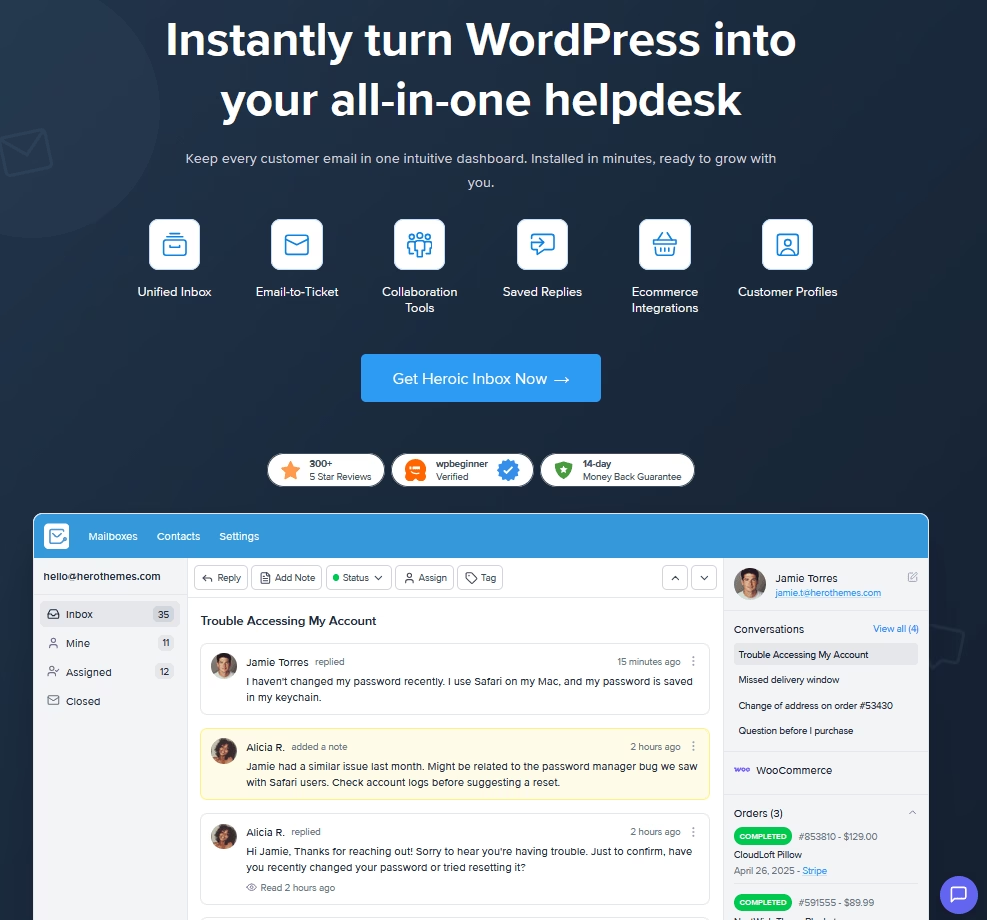
Il comprend une fonctionnalité de réponse enregistrée pour la gestion des modèles d'e-mails, ainsi que d'autres fonctionnalités utiles, telles que l'automatisation des flux de travail, un répondeur automatique et une boîte de réception partagée.
Très bien, plongeons dans les modèles.
1. E-mail de devis de service de base
Utilisez ce modèle d'e-mail de devis lorsqu'un client ou un prospect a demandé un devis simple pour des services.
Cela couvre essentiellement tous les éléments essentiels dans un message court.
C'est une réponse polie et concise avec une ventilation claire. Et ce modèle fonctionne bien pour les freelances, les agences ou les prestataires de services répondant à une demande.
Le ton est suffisamment formel pour inspirer confiance, tout en restant amical.
Exemple de modèle :
Subject: Quotation for [Service Name]

Dear [Client Name],

Thank you for requesting a quote for [brief description of the service/project]. I’m pleased to provide the following details:

[Service Package A] – Description of what’s included – $X,XXX
[Service Package B] – Description of alternative or additional service – $X,XXX

The total for the above work is $[Total Price]. This quotation is valid for 30 days (until [Date]). Payment terms would be [50% upfront and 50% upon completion], as discussed.

Next steps: If you would like to proceed, please reply to this email with your confirmation. I will then prepare the formal agreement paperwork.

Feel free to let me know if you have any questions or if you would like to make any adjustments. I’m happy to help.

Thank you again for the opportunity, and I hope to work with you on this project.

Sincerely,
[Your Name]
[Your Title & Company]
[Contact Info]
2. E-mail de devis formel avec pièce jointe (PDF)
Utilisez ce modèle pour une approche plus formelle, par exemple avec des clients d'entreprise B2B, des projets importants ou des contrats gouvernementaux.
Dans de tels cas, vous pouvez avoir un devis officiel sur papier à en-tête dans un document PDF ou Word détaillé joint.
L'e-mail lui-même sert de courte lettre d'accompagnement pour le devis joint.
Exemple de modèle :
Subject: Quotation for [Project/Order Name] – [Your Company Name]

Dear [Recipient Name],

As requested, please find attached our detailed quotation #[Quote Reference Number] for [Project or goods description].

The attached document includes the full breakdown of costs, scope of work, and terms and conditions for this proposal. Here are the highlights:

- Total Quote Amount: $[Total Price] (inclusive of all applicable taxes and fees)
- Scope: [Short summary of what’s covered, e.g. “Development of a 5-page website, including design and coding”]
- Validity: This quote is valid until [Date, e.g. “30 Nov 2025”].
- Delivery Timeline: [E.g. “Work to be completed within 6 weeks of approval.”]
- Payment Terms: [E.g. “50% on project kickoff, 50% upon completion”].

Please confirm receipt of this email and let us know if you have any questions or require any clarifications.

If the quotation meets with your approval, you can simply reply to this email stating your acceptance, or sign and return the attached document.

We will then proceed with the next steps as per our proposal.

Thank you for the opportunity to bid on this project. We look forward to the possibility of working with you.

Sincerely,
[Your Name]
[Your Position]
[Your Company Name]
[Contact Info]
Assurez-vous de vérifier que vous avez bien joint le fichier.
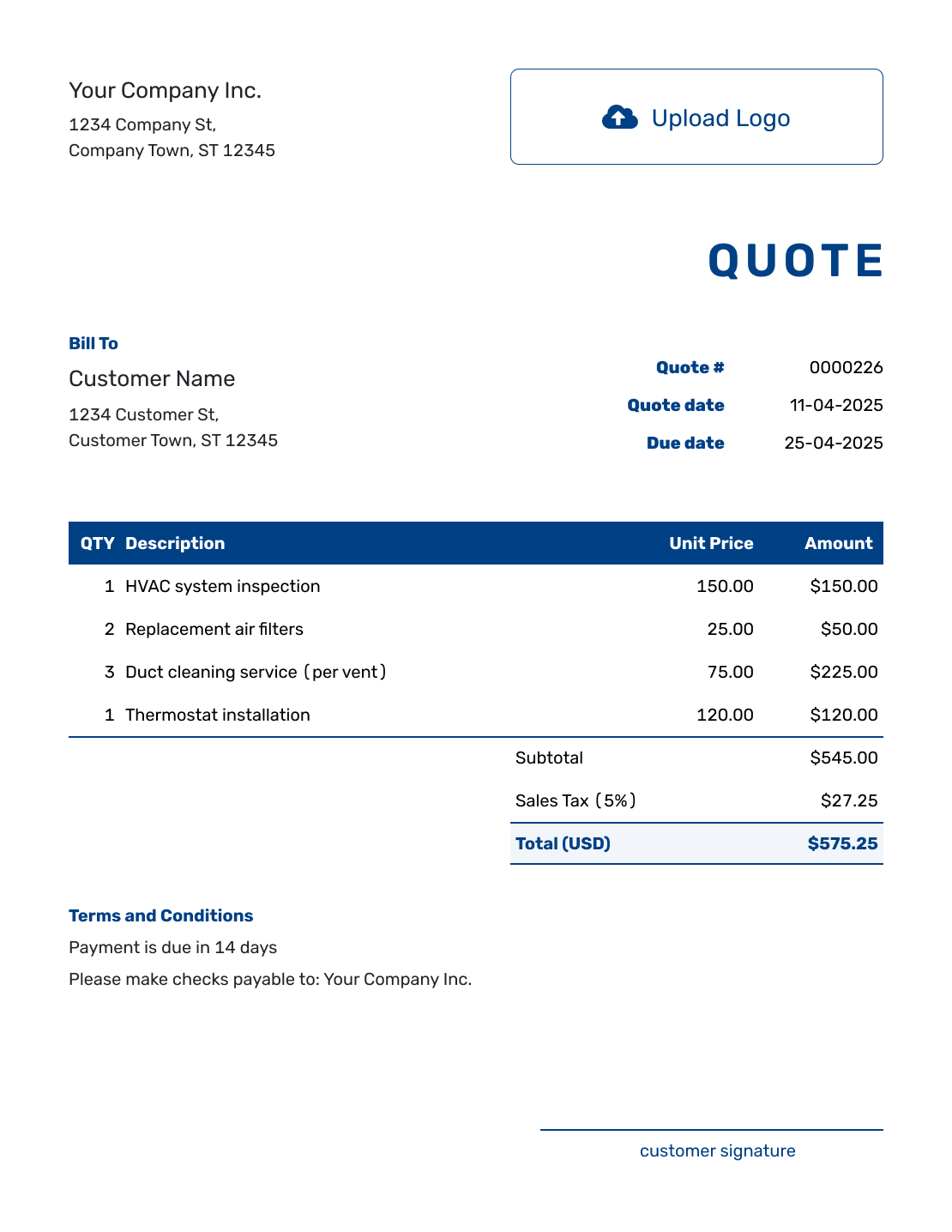
Modèle gratuit de devis par e-mail par docelf.
3. E-mail de devis de prix de produit (articles multiples)
Subject: Quotation for [Product Name(s)]

Dear [Customer Name],

Thank you for your interest in our [products/services]. Below is the quotation you requested:

Product | Description | Quantity | Unit Price | Subtotal
[Product A] | [Brief description or SKU] | 50 units | $10.00 | $500.00
[Product B] | [Brief description or SKU] | 20 units | $15.00 | $300.00
Shipping: Standard Ground (5-7 days) | – | – | – | $50.00
Total (USD): | | | | $850.00

Notes: The above prices include packaging. Shipping is to [Customer’s City, State]; if your location differs, let us know so we can adjust the shipping cost accordingly.

Since you’re ordering over 100 units in total, we’ve applied a 5% bulk discount in the pricing above.

This quote is valid until [Date] (30 days from today).

Delivery of Product A and B can be made within 2 weeks of order confirmation. Payment terms are Net 15 days from invoice date.

Next steps..

Thank you for the opportunity…

Sincerely,
[Your Name]
[Your Title], [Your Company]
[Contact Info]
J'ai utilisé un format de tableau simple en texte brut dans l'e-mail ci-dessus pour plus de clarté. Vous devrez peut-être ajuster l'alignement dans votre client de messagerie, mais l'idée est de rendre chaque élément clair.
Cela reflète un peu une facture formelle.
Si vous fournissez un devis pour des produits ou une liste d'articles, ce modèle est parfait pour vous.
Il pourrait être utilisé par des fournisseurs, des grossistes ou toute entreprise fournissant une liste de prix en réponse à une demande.
4. E-mail de demande de devis (client à fournisseur)
Subject: Request for Quotation – [Brief Description of Need]

Dear [Supplier Name or Sales Team],

My name is [Your Name] and I am [your position] at [Your Company/Organization].

We are currently [describe your current project, e.g., "sourcing a new vendor for office cleaning services" or "gathering quotes for our annual software license renewal"].

Could you please provide a quotation for the following:
- Items/Services Needed: …
- Scope or Specs: …
- Timeframe: …
- Additional info: …

If you have any questions or need clarification to prepare the quote, please email or call me at [phone number]. I'll be glad to assist.

Thank you very much, and I look forward to receiving your quote.

Sincerely,
[Your Name]
[Your Position]
[Your Company Name]
[Contact Info]
Et si c'est vous qui demandez un devis à un vendeur ou à un fournisseur ?
Vous pouvez utiliser ce modèle ou un modèle similaire pour demander un devis de manière professionnelle.
Un modèle très utile pour les équipes d'approvisionnement, les propriétaires d'entreprise et les particuliers qui ont besoin de demander formellement des informations sur les prix (par exemple, lorsqu'ils demandent un devis de rénovation à une entreprise de construction).
Ce type d'e-mail s'appelle une RFQ (Request for Quotation) ou Demande de devis.
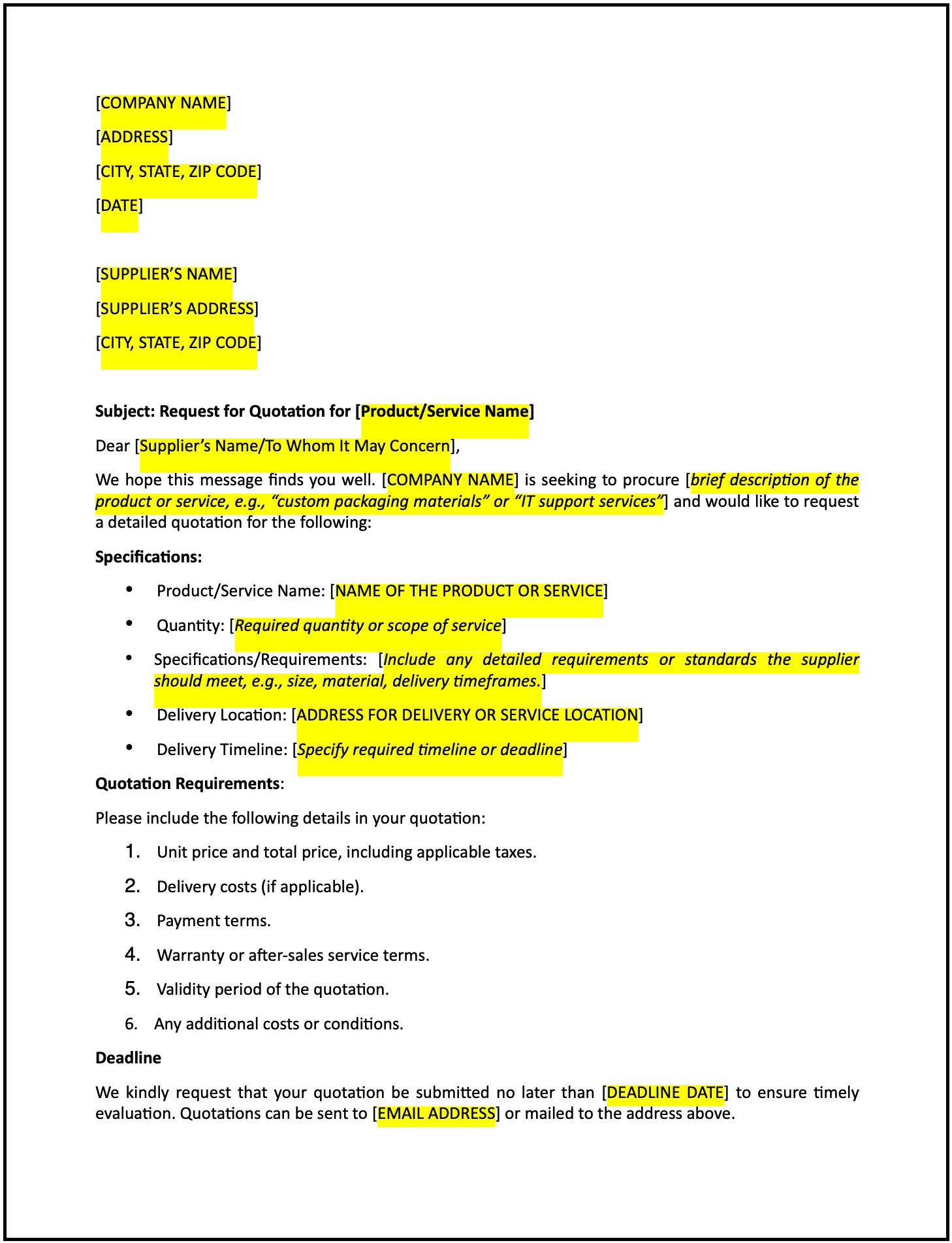
Modèle gratuit de demande de devis auprès d'un fournisseur par cobrief.
5. E-mail de demande de devis urgente (RFQ sensible au temps)
Subject: URGENT: Request for Quotation – [Product/Service] Needed Quickly

Dear [Supplier Name],

This is an urgent Request for Quotation from [Your Company Name].

Due to unforeseen circumstances, we urgently need [product/service]. Please provide a quote for the following at your earliest convenience:

- Item: [Product Name, Model, or Service description]
- Quantity: [X units or “service for X days” etc.]
- Needed By: [Date or “ASAP – ideally within X days”]
- Delivery Location: [City, State or full address if relevant]

Due to the urgent nature of this request, we kindly ask that you provide your quotation by [e.g., "today by 5 p.m." or "tomorrow by close of business"].

If you can expedite delivery, please include the fastest available timeframe and any rush fees in your quote.

…

Sincerely,
[Your Name]
[Your Position, Company]
[Contact Info]
Remarquez comment j'ai mis URGENT juste dans la ligne d'objet et à nouveau dans la première phrase. Cela signale son importance.
L'e-mail est court et va droit au but sur ce qui est nécessaire, quand et où.
6. E-mail de devis révisé (portée ou prix mis à jour)
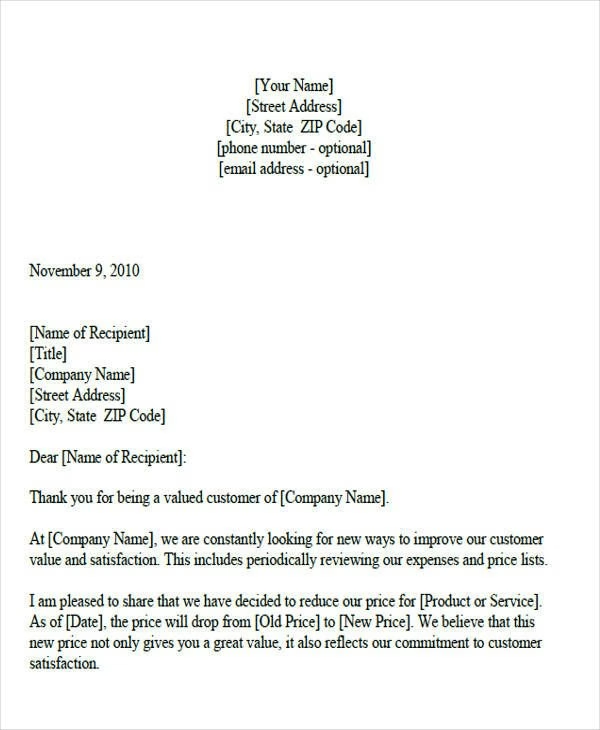
Les devis ne fonctionnent pas toujours du premier coup.
Peut-être que le client a demandé : « Pouvons-nous changer X ? » ou « En fait, nous avons besoin du double de la quantité. » Maintenant, vous devez envoyer un devis révisé.
Ce modèle vous aide à mettre à jour un devis et à communiquer clairement ce qui a changé.
Subject: Revised Quotation – [Project/Service Name] (Updated)

Dear [Name],

Thank you for discussing the adjustments to the quotation.

As requested, I have updated our quote to reflect the changes in scope.

Please find the revised quotation attached (reference Quote #1234-Rev). Here’s a summary of what’s changed:

- Additional feature X added: ...
- Quantity reduced: ...
- New Total: ...

All other terms and conditions remain the same as in the original quote. This revised quotation is valid for 30 days from today, until [New Expiry Date].

Let me know if this meets your requirements...

…

Kind regards,
[Your Name]
[Your Company]
[Contact Info]
7. E-mail de suivi de devis
La plupart des ventes réussies impliquent un suivi ou deux. De nombreux devis échouent simplement parce qu'il n'y a pas de suivi.
Voici comment le faire avec tact :
Subject: Follow-Up on Quotation for [Project/Service]

Hi [Name],

I hope you’re doing well.

I’m just checking in regarding the quotation I sent on [Date] for [project or product name].

I wanted to make sure you received it and see if you have any questions or need any additional information to help with your decision.

Thank you for your time. I look forward to hearing from you.

Best regards,
[Your Name]
[Your Company]
[Contact Info]
Selon l'urgence, il est généralement préférable d'envoyer le suivi 2 à 5 jours ouvrables après le devis.
Et vous pouvez relancer plus tard si nécessaire (peut-être un deuxième suivi une semaine plus tard avec un ton légèrement plus urgent).

8. E-mail d'acceptation de devis (client acceptant un devis)
Supposons que vous ayez reçu un devis d'un fournisseur qui vous satisfait. Comment l'acceptez-vous formellement ?
Ce modèle est une brève acceptation du client. Il s'agit essentiellement d'une brève acceptation qui peut également s'enquérir des prochaines étapes ou de la documentation.
Subject: Quotation Acceptance – [Project/Service Name]

Dear [Vendor Name],

I am pleased to inform you that we are accepting the quotation you provided for the [Project/Service] project.

Quote reference: [Quote # or Quote Date]. We agree to the outlined terms and pricing.

Please proceed with [next steps such as “preparing the contract” or “ordering the materials”].

Let us know if you require any signed documents or a purchase order number from our side to formalize the agreement.

We are ready to move forward and would like to kick off the project by [any preferred start date or “as soon as possible”].

Thank you for the detailed quote and for answering all of our questions. We look forward to working with you on this project.

Sincerely,
[Your Name]
[Your Position, Company]
[Contact Info]
9. E-mail de rejet de devis (refus poli ou proposition alternative)
Tous les devis ne se terminent pas par une victoire. Si vous devez refuser un devis que vous avez reçu, il est courtois d'en informer le fournisseur.
Ce modèle vous aidera à refuser gracieusement tout en laissant la porte ouverte aux futures offres.
Si vous êtes un fournisseur et que vous devez refuser d'émettre un devis ou de participer (ce qui est rare, mais peut-être que vous êtes trop occupé ou que vous ne correspondez pas), vous pouvez adapter ce modèle pour refuser poliment.
Subject: Response to Your Quotation – [Project/Service Name]

Dear [Vendor Name],

Thank you for providing a detailed quotation for [project/service]. We appreciate the time and effort you put into it.

After careful consideration, we have decided not to proceed with your quote on this occasion.

The primary reason is [optional: e.g. “we’ve chosen a solution that better fits our budget at this time” or “the project requirements have changed”].

This was a difficult decision, as we recognize the quality of your work.

However, it's possible that our needs may align in the future, and we would certainly welcome the opportunity to work together again. We will keep your information on file.

Thank you once again for your promptness and professionalism in quoting. We value your participation in our RFQ process and hope to collaborate with you in the future.

Sincerely,
[Your Name]
[Your Company]
La clé des e-mails de refus est l'empathie et le professionnalisme.
Remerciez-les, expliquez votre raison si possible, et laissez une bonne impression. Vous ne savez jamais quand vos chemins pourraient se croiser à nouveau.
10. E-mail d'expiration/rappel de devis
Vous avez envoyé un devis, vous n'avez pas eu de réponse, et la période de validité du devis approche de sa fin.
Il peut être utile d'envoyer un rappel indiquant que le devis expirera, ce qui agit également comme une dernière incitation pour le client à prendre une décision ou à s'engager avant de perdre les prix actuels.
C'est un peu similaire à un suivi, mais mentionne spécifiquement l'expiration pour créer une urgence.
Subject: Reminder: Quotation for [Project] Expires on [Date]

Hi [Client Name],

I hope all is well.

I wanted to send a friendly reminder that the quotation I provided for the [project/service] is set to expire in about X days on [expiry date].

After this date, we may need to revisit the pricing and terms we offered.

If you're still interested in moving forward, we'd be happy to honor the quote before it expires.

…

Best regards,
[Your Name]
[Your Company]
[Contact Info]Dernières réflexions
Maintenant que vous avez les modèles et les principes, vous pouvez aborder les e-mails de devis avec confiance.
Voici quelques conseils pour conclure :
- Adaptez chaque modèle à la situation spécifique
- Tirez parti des outils à votre disposition
- Vérifiez toujours les détails de votre devis avant de l'envoyer
La prochaine fois que vous devrez envoyer un e-mail de devis, n'hésitez pas à consulter ces exemples.
Copiez, collez, modifiez et envoyez en toute confiance !
Lectures complémentaires
Plus de 1000 meilleures lignes d'objet d'e-mail pour tous les scénarios
Modèle d'e-mail de retour client + exemples
10 meilleurs modèles de réponse aux tickets de support
Comment gérer les e-mails de retour et de remboursement
10 meilleurs logiciels de gestion d'e-mails pour le support client






Laisser un commentaire ?
Vous devez être connecté pour poster un commentaire.